Bito
Code Quality
AI TOOL COMPARISON
What is the difference, and which fits your workflow? Compare features, usage, pricing models and traffic side by side.
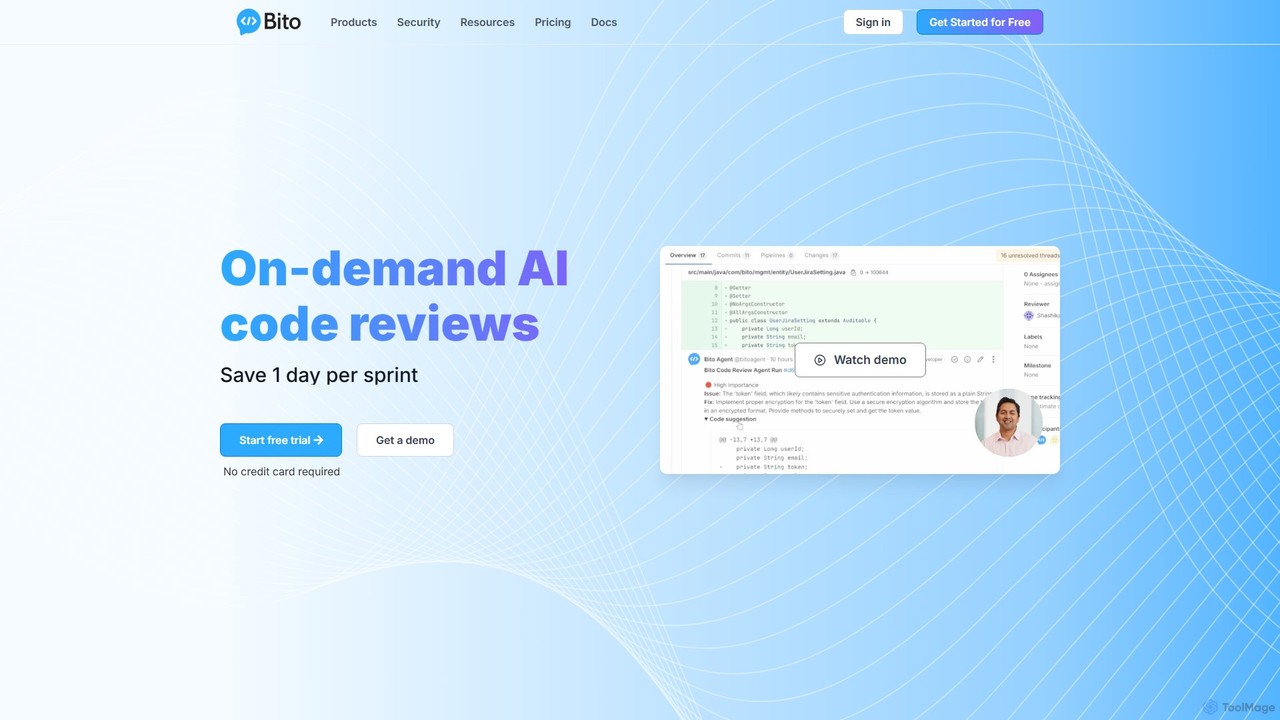
Bito is an AI-powered code review assistant that integrates directly into your IDE and Git provider. It helps development teams accelerate their workflow, improve code quality, and reduce regressions by providing on-demand, context-aware feedback and suggestions. Bito is designed to save time, upskill junior engineers, and ensure enterprise-grade security.
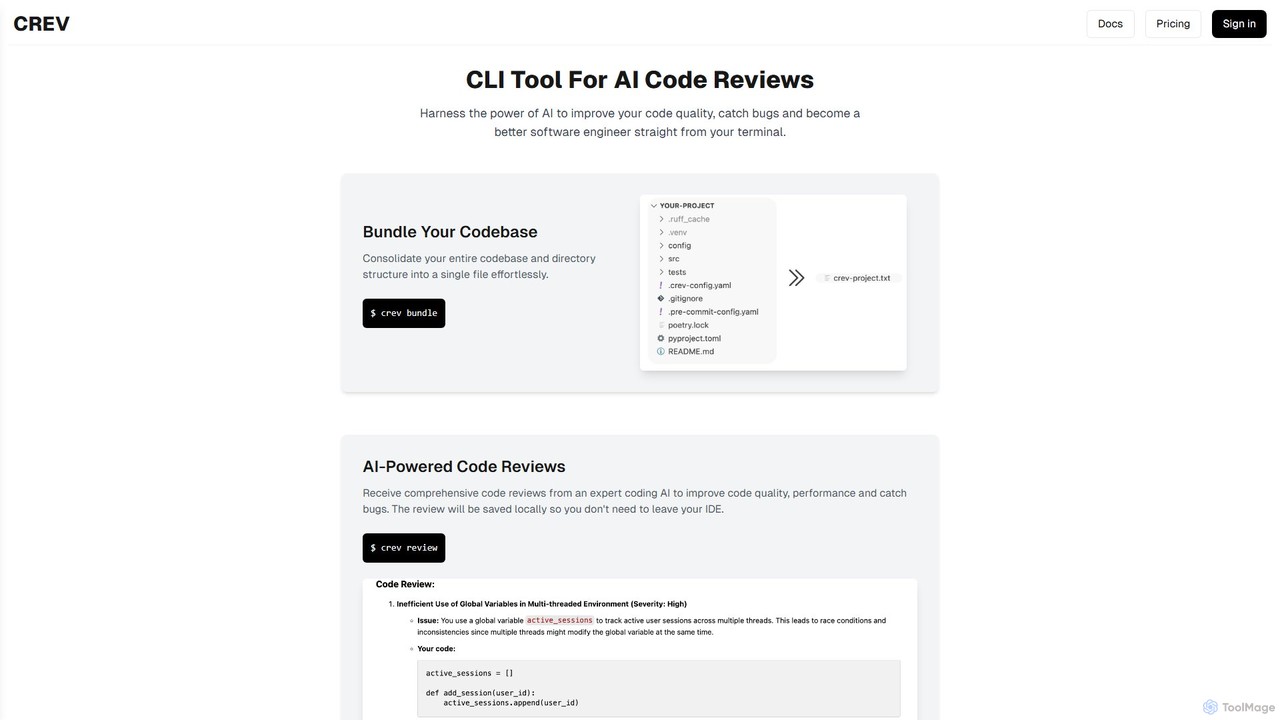
crevcli is a powerful command-line interface (CLI) tool that leverages AI to provide comprehensive code reviews. It helps developers improve code quality, catch bugs early, and enhance their programming skills directly from the terminal. By bundling your entire codebase for analysis, crevcli offers a seamless and efficient workflow, integrating AI feedback into your daily development process without ever leaving your IDE.
Compare product focus, pricing models and audiences. Highlighted rows indicate different listed information; unknown pricing does not mean free.
| Quick facts | Bito | crevcli |
|---|---|---|
| Pricing model | Freemium | Freemium |
| Product type | Web | App |
| Primary focus | Code Quality | Code Quality |
| Audience and roles | No data available | No data available |
| Categories | Code Quality · Code Review · Code Assistant | Code Quality · Code Review · Code Assistant |
| Added | Aug 7, 2025 | Aug 14, 2025 |
| Updated | Nov 19, 2026 | Nov 19, 2026 |
Explore the listed product descriptions, features and workflows. Taxonomy labels alone are not feature evaluations.
Bito is a revolutionary AI tool designed to supercharge software development teams. By providing on-demand, intelligent code reviews, Bito aims to solve common development bottlenecks, such as slow review cycles and inconsistent code quality. It acts as an AI assistant that performs the initial pass on code, allowing senior developers to focus on more complex architectural decisions. Bito deeply understands your entire codebase, enabling it to provide highly relevant, context-aware feedback that goes beyond simple linting. It analyzes for security vulnerabilities, performance issues, and scalability concerns, helping teams ship more robust and reliable software faster. With a strong commitment to privacy, Bito does not store your code or use it for model training, offering on-premise deployment options for maximum security.
Using Bito is a seamless process designed to integrate into existing developer workflows. First, you connect Bito to your Git provider, such as GitHub, GitLab, or Bitbucket. The integration is straightforward and secure. Once connected, Bito's AI Code Review Agent automatically springs into action whenever a new pull request (PR) is created. The agent generates a comprehensive summary of the PR, analyzes the impact of the changes on the entire codebase, and provides detailed, line-by-line suggestions for improvement. Developers can review these suggestions directly within their Git platform, accept fixes with a single click, and even chat with the Bito Agent to ask follow-up questions or request clarifications. For enterprise teams, Bito can be configured with custom review guidelines to enforce specific coding standards and integrated into CI/CD pipelines for fully automated checks.
Bito is versatile and valuable for various development scenarios. Development teams use it to win back significant time in their sprint cycles by automating the first-pass review. This allows them to merge PRs faster and increase overall velocity. For upskilling junior engineers, Bito acts as a 24/7 mentor, providing precise suggestions and educational context on best practices, turning them into high-performers more quickly. In security-conscious organizations, Bito helps reduce regressions by proactively identifying security, scalability, and performance issues before the code even reaches a human reviewer. Companies like Gainsight and Privado have used Bito to accelerate their code review process and increase developer productivity by up to 30%.
The primary advantage of Bito is its ability to significantly boost development productivity, with claims of saving one day per sprint. It enhances code quality and consistency across the entire team by enforcing best practices automatically. By providing instant, educational feedback, it accelerates the learning curve for junior developers. Its deep understanding of the codebase allows for more human-like, context-aware reviews compared to traditional static analysis tools. Furthermore, Bito's unwavering commitment to security, including not storing code and offering on-premise solutions, makes it a trusted choice for enterprises that handle sensitive data.
Bito offers a flexible, tiered pricing structure:
crevcli is a cutting-edge command-line interface (CLI) tool designed for modern software engineers who want to harness the power of artificial intelligence for code analysis. It integrates directly into the developer's terminal, providing expert-level code reviews to enhance code quality, improve performance, and identify potential bugs before they reach production. The core philosophy of crevcli is to streamline the code review process, making it as seamless and non-disruptive as possible, allowing developers to maintain focus and productivity within their preferred coding environment.
The tool is built with efficiency in mind. Written in Golang, crevcli is exceptionally fast and natively cross-platform, ensuring a consistent and responsive experience on Windows, macOS, and Linux. It introduces a unique 'bundling' feature that consolidates an entire codebase, including its directory structure, into a single file. This allows the AI model to gain a holistic understanding of the project's context, leading to more accurate and insightful reviews compared to analyzing files in isolation.
Using crevcli is designed to be a straightforward part of your development workflow. Here’s a typical process:
$ crev bundle. This command intelligently traverses your project's directory, respects your .gitignore file, and packages all relevant source code into a single, context-rich file ready for analysis.$ crev review. This sends the bundled code to the advanced AI model for a comprehensive analysis. The process is quick and handled entirely in the background.crevcli is a versatile tool suitable for various scenarios:
The primary advantage of crevcli is its ability to merge the power of AI with a developer-centric workflow. It boosts productivity by providing instant feedback, unlike the often-delayed process of manual peer reviews. It improves overall code quality and reliability by consistently catching a wide range of issues. Furthermore, it serves as a continuous learning tool, helping developers at all levels to refine their skills. Its CLI-native approach respects the developer's environment, making it a frictionless addition to any toolchain.
crevcli operates on a freemium model, making it accessible to everyone while offering advanced features for professional use. (Note: Please visit the official website for the most current pricing information.)
Their taxonomy shows where the products overlap and where each one has a more distinct focus. Unknown fields are shown explicitly and are never filled with assumptions.
Traffic is shown on the same scale so differences in market visibility are not visually understated.
Both charts share the same months and vertical scale. Each tool identifies its latest reporting month; missing months are left blank, not counted as zero. Regional and source visit counts are estimates calculated from the reported shares.
| Country/region | Percentage | Estimated visits |
|---|---|---|
| 🇮🇳India | 63.5% | 61.7K |
| 🇺🇸United States | 11.38% | 11.1K |
| 🇳🇬Nigeria | 10.69% | 10.4K |
| 🇩🇪Germany | 7.87% | 7.7K |
| 🇻🇳Vietnam | 6.56% | 6.4K |
| Source type | Percentage | Estimated visits |
|---|---|---|
| Direct | 75.77% | 73.7K |
| Referral | 24.23% | 23.6K |
No data available
Ratings, comments, favorites, and likes are community signals—not a substitute for product fit.
This page is assembled from ToolMage product listings, taxonomy, traffic statistics and on-site user feedback. It is not a hands-on test or an independent review.