ToolMage
Sign in

AI TOOL COMPARISON

Codecademy vs TechTreks

What is the difference, and which fits your workflow? Compare features, usage, pricing models and traffic side by side.

Jump to key differences

Product overview

Codecademy Product overview

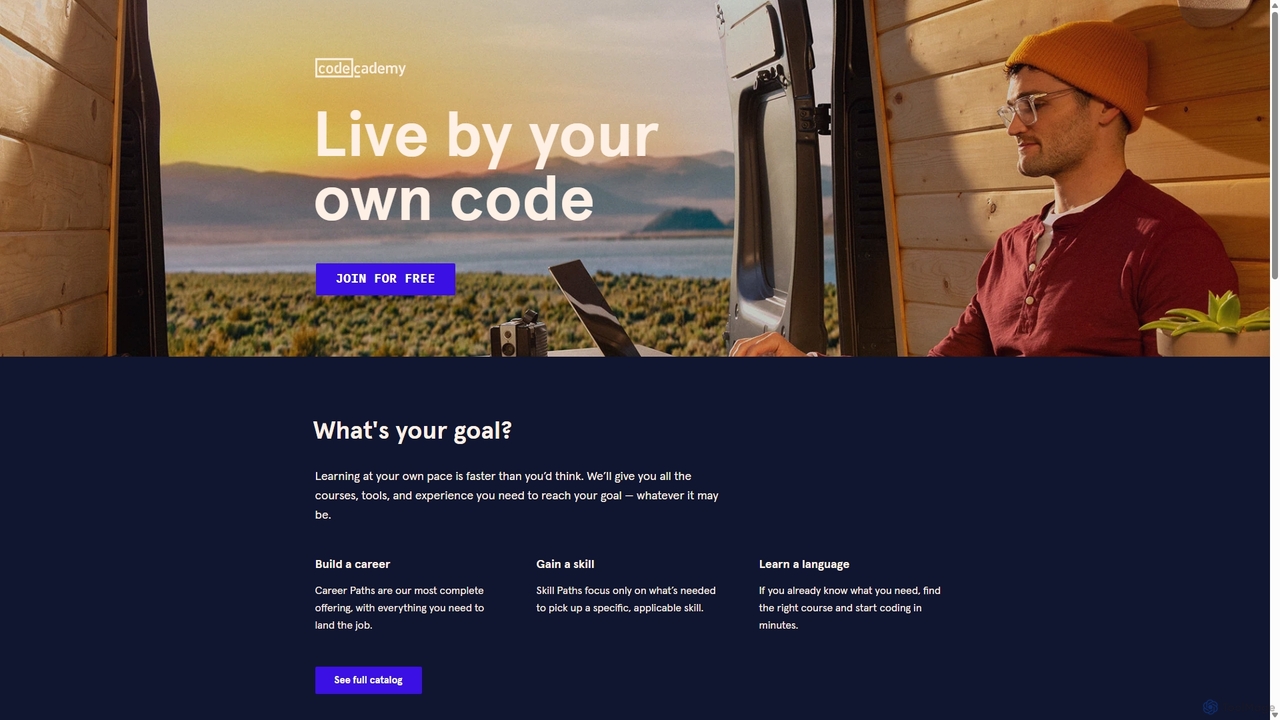
Codecademy is a leading online interactive platform for learning to code. It offers courses in over a dozen programming languages and tech subjects, enhanced by an AI-powered assistant that provides personalized help, debugging, and explanations to create an effective, hands-on learning experience for millions of users worldwide.

Preview

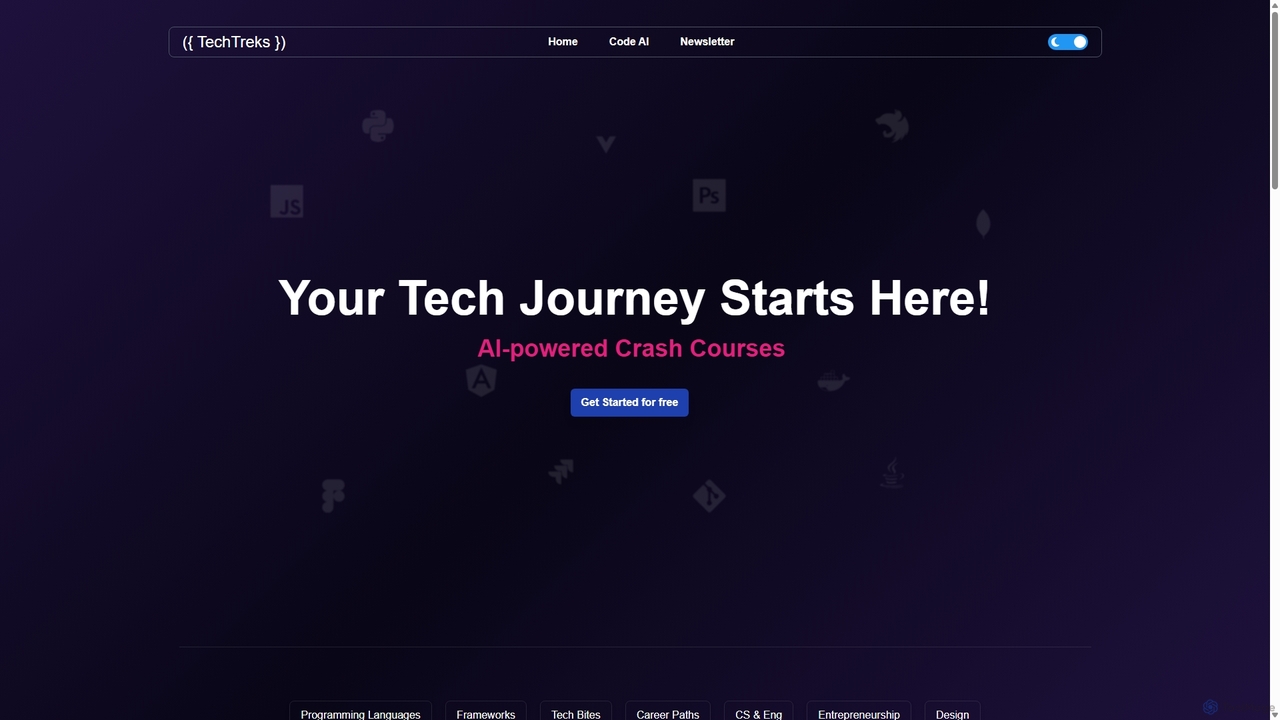
TechTreks Product overview

TechTreks is an AI-powered learning platform offering structured crash courses and roadmaps for a wide range of technology skills. It covers programming languages, frameworks, cloud computing, data science, design, and entrepreneurship. Ideal for students, career changers, and professionals looking to upskill quickly and efficiently with practical, job-oriented content.

Preview

Quick facts

Compare product focus, pricing models and audiences. Highlighted rows indicate different listed information; unknown pricing does not mean free.

Codecademy VS TechTreks — Quick facts
Quick factsCodecademyTechTreks
Pricing modelFreemiumFreemium
Product typeWebWeb
Primary focusCode AssistantCode Learning
Audience and rolesAspiring Programmer · Data Analyst · Data Scientist · Product Manager · QA Engineer · Software Developer · Student · Web DeveloperBackend Developer · Cloud Engineer · Data Analyst · Data Scientist · DevOps Engineer · Frontend Developer · Fullstack Developer · Mobile Developer · Product Manager · QA Engineer · Software Developer · Student · UI/UX Designer
CategoriesCode Assistant · E Learning · Personal DevelopmentCode Learning · Learning Platform · Career Development
AddedSep 13, 2025Sep 6, 2025
UpdatedNov 19, 2026Nov 19, 2026

Features, usage and use cases

Explore the listed product descriptions, features and workflows. Taxonomy labels alone are not feature evaluations.

Codecademy

Codecademy is a renowned online learning platform dedicated to making technical education accessible to everyone. With a community of over 50 million learners, it has established itself as a premier destination for individuals looking to start a career in technology, upskill in their current roles, or simply learn a new programming language. The platform's core philosophy is "learning by doing," providing an interactive environment where users can write and run real code directly in their browser, receiving instant feedback and guidance. This hands-on approach is significantly enhanced by the integration of AI, which personalizes the learning journey and provides on-demand support.

How to use Codecademy

Getting started with Codecademy is a straightforward process designed to get you coding in minutes:

  1. Sign Up: Create a free account on the Codecademy website.
  2. Discover Your Path: Take a short, personalized quiz about your interests and goals. The platform's AI will recommend specific courses, Skill Paths, or Career Paths tailored to you. Alternatively, you can browse the full catalog and choose your own starting point.
  3. Start an Interactive Lesson: Select a course and dive into the interactive learning environment. Each lesson typically consists of explanations, instructions, and a code editor where you'll complete exercises.
  4. Get AI-Powered Help: If you get stuck, use Codecademy's AI assistant, Codey. It can help you debug your code, explain complex concepts in simpler terms, or offer hints to guide you toward the correct solution without giving it away.
  5. Build Real-World Projects: Apply what you've learned by completing guided projects. These are designed to simulate real-world tasks and help you build a professional portfolio.
  6. Track Your Progress and Earn Certificates: Monitor your progress through your dashboard. Upon completing courses and paths (on paid plans), you'll receive certificates to validate your new skills and share on your professional profiles.

Core Features of Codecademy

  • Interactive Code Editor: A seamless in-browser environment to write, run, and test code without any setup required.
  • AI-Powered Learning Assistant (Codey): Provides real-time debugging, conceptual explanations, and personalized hints to support your learning process.
  • Personalized Learning Paths: AI-driven recommendations guide you through a structured curriculum, from Career Paths (e.g., Full-Stack Engineer, Data Scientist) to Skill Paths (e.g., Learn How to Code, Build a Website).
  • Comprehensive Course Catalog: Extensive library covering popular languages like Python, JavaScript, SQL, Java, and C++, as well as specialized subjects like Web Development, Data Science, Machine Learning, and Cybersecurity.
  • Portfolio-Ready Projects: Hands-on projects that allow you to apply your skills to create tangible outcomes for your portfolio.
  • Quizzes and Assessments: Integrated quizzes to test your knowledge and reinforce key concepts as you progress.
  • Active Community Forum: A large and supportive community where you can ask questions, collaborate with peers, and get help from experienced moderators.

Use Cases for Codecademy

Codecademy is a versatile tool for a wide range of learners:

  • Aspiring Technologists: Beginners with no prior experience can follow structured Career Paths to become job-ready for roles like Software Developer or Data Analyst.
  • Career Changers: Professionals from non-tech fields can use Codecademy to acquire the necessary skills to transition into the technology industry.
  • Students: High school and university students can supplement their academic studies with practical, hands-on coding experience.
  • Professional Development: Existing developers and tech professionals can upskill by learning new languages, frameworks, or advanced concepts to stay competitive and advance their careers.
  • Hobbyists and Entrepreneurs: Individuals looking to build a personal project, a website for their business, or simply explore coding as a hobby.

Advantages of Codecademy

Codecademy stands out for several key reasons:

  • Learn by Doing: The interactive, hands-on methodology is proven to be more effective for skill retention than passive learning.
  • Immediate Feedback: The instant feedback loop from the code editor and AI assistant helps learners correct mistakes quickly and build confidence.
  • Structured and Guided Learning: The platform's Paths provide a clear roadmap, eliminating the confusion of what to learn next.
  • Accessibility and Flexibility: With a robust free tier and self-paced courses, learning is accessible regardless of your budget or schedule.
  • AI-Enhanced Support: The integration of an AI assistant provides personalized tutoring at scale, making help available 24/7.

Pricing and Plans

Codecademy operates on a freemium model, offering several tiers:

  • Basic Plan (Free): Provides access to a selection of introductory courses and daily practice exercises.
  • Plus Plan (Paid): Unlocks the full course catalog, members-only content, real-world projects, and certificates of completion. Typically billed monthly or annually.
  • Pro Plan (Paid): Includes all Plus features, plus access to Career Paths, technical interview prep, and professional certification readiness materials.
  • For Teams (Business Plan): Custom plans for businesses and organizations to train their employees, featuring team management and progress tracking tools.

For the most current pricing, please visit the official Codecademy website.

TechTreks

TechTreks is a comprehensive, AI-driven educational platform designed to guide individuals through their technology learning journey. Positioned as a one-stop resource, it provides structured, accelerated learning paths known as "Crash Courses" across a vast spectrum of tech domains. Whether you are a complete beginner aiming to write your first line of code, a professional developer looking to master a new framework, or an aspiring entrepreneur needing to understand the tech landscape, TechTreks offers curated content to meet your goals.

The platform's core philosophy is to make tech education accessible, efficient, and practical. By leveraging AI, TechTreks curates learning materials that are concise and focused, eliminating fluff and concentrating on the essential knowledge required for real-world application. The curriculum is meticulously organized into categories including Programming Languages, Frameworks, Tech Bites (essential skills like Git and Docker), Career Paths, Computer Science fundamentals, Startups & Entrepreneurship, and Design.

How to use TechTreks

Getting started with TechTreks is straightforward and intuitive:

  1. Select Your Path: Begin by browsing the homepage and choosing a subject you want to learn. This could be a specific language like Python, a career path like 'Data Scientist', or a particular skill like 'AWS'.
  2. Choose a Roadmap: For each topic, TechTreks offers various learning structures. You can opt for a quick 'Crash Course' for a rapid overview, or select a more detailed, time-based roadmap (e.g., 7-day, 30-day, or 90-day plans) for in-depth learning.
  3. Follow the Modules: Each roadmap is broken down into logical modules. For instance, a Python course starts with basics like syntax and variables, then progresses to control structures, data structures, functions, and object-oriented programming.
  4. Engage with Practical Content: Learn by doing. The platform provides code snippets for immediate use, code challenges to test your understanding, and project ideas to build a portfolio.
  5. Prepare for Your Career: Utilize the dedicated 'Interview Prep' sections to practice common questions and solidify your knowledge, preparing you for the job market.

Core Features of TechTreks

  • AI-Powered Crash Courses: Delivers optimized and accelerated learning paths focused on essential concepts for rapid skill acquisition.
  • Comprehensive Curriculum: Covers a wide range of topics from Python, React, and AWS to Data Structures, Venture Capital, and Figma.
  • Structured Learning Roadmaps: Offers clear, step-by-step guides and timelines (7, 30, 90 days) to keep learners on track.
  • Practical Application: Includes hands-on materials such as code snippets, real-world project ideas, and coding challenges.
  • Career-Oriented Resources: Provides dedicated sections for interview preparation and career path guidance to help users land tech jobs.
  • Modular Learning: Breaks down complex subjects into easy-to-digest modules, making learning more manageable.

Use Cases for TechTreks

TechTreks is a versatile tool for various individuals:

  • Aspiring Developers: Beginners can follow career paths like 'Frontend Developer' or 'Backend Developer' to gain foundational skills from scratch.
  • University Students: CS students can supplement their studies with practical modules on algorithms, data structures, and computer architecture.
  • Upskilling Professionals: Existing developers can quickly learn a new framework like Next.js or a cloud platform like Azure to stay competitive.
  • Career Changers: Professionals from non-tech fields can use the structured roadmaps to transition into roles like Data Analyst or QA Engineer.
  • Entrepreneurs & Product Managers: Individuals in business roles can take courses on 'Startups 101' or 'Business Models' to better understand the tech ecosystem.

Advantages of TechTreks

The platform stands out due to its unique approach:

  • Efficiency: The AI-powered 'crash course' model saves time by focusing on what truly matters.
  • Breadth of Knowledge: Acts as a single source of truth for a multitude of interconnected tech skills.
  • Structure and Clarity: Guided roadmaps eliminate the confusion of self-directed learning.
  • Job-Ready Focus: The inclusion of interview prep and project ideas directly links learning to employment outcomes.
  • Accessibility: With a 'Get Started for free' option, it lowers the barrier to entry for high-quality tech education.

Pricing and Plans

TechTreks operates on a freemium model. Users can 'Get Started for free' to access a significant portion of the learning materials and crash courses. While specific details of premium plans are available on the website upon signing up, they likely offer access to more advanced topics, personalized learning paths, in-depth projects, and potentially certificates of completion.

Positioning

Their taxonomy shows where the products overlap and where each one has a more distinct focus. Unknown fields are shown explicitly and are never filled with assumptions.

Categories

Shared
No listed items
Only Codecademy
Code AssistantE LearningPersonal Development
Only TechTreks
Code LearningLearning PlatformCareer Development

Tags

Shared
data sciencelearn to codeprogrammingweb development
Only Codecademy
AI tutorcode assistantcoding bootcampeducationjavascriptonline coursespythonSQL
Only TechTreks
AI educationcareer pathcloud computingcode learningdeveloper roadmapsoftware developmenttech skills

Audience and roles

Shared
Data AnalystData ScientistProduct ManagerQA EngineerSoftware DeveloperStudent
Only Codecademy
Aspiring ProgrammerWeb Developer
Only TechTreks
Backend DeveloperCloud EngineerDevOps EngineerFrontend DeveloperFullstack DeveloperMobile DeveloperUI/UX Designer

Traffic comparison

Traffic is shown on the same scale so differences in market visibility are not visually understated.

How to interpret the traffic data

Both charts share the same months and vertical scale. Each tool identifies its latest reporting month; missing months are left blank, not counted as zero. Regional and source visit counts are estimates calculated from the reported shares.

Codecademy monthly traffic:

Latest traffic · 2026-05

Monthly visits
94.7K
Avg. visit duration
0:25
Pages per visit
1.29
Bounce rate
81.05%
Data updated 2026-06-15

Monthly traffic trend

  • 2025-09: 243K
  • 2026-01: 195.5K
  • 2026-02: 152.8K
  • 2026-03: 99.5K
  • 2026-04: 75.7K
  • 2026-05: 94.7K

Top regions

Top 5 countries/regions
Country/regionPercentageEstimated visits
🇺🇸United States78.85%74.7K
🇬🇧United Kingdom6.3%6K
🇨🇦Canada5.88%5.6K
🇬🇪Georgia5.25%5K
🇧🇪Belgium3.72%3.5K

Traffic sources

Source typePercentageEstimated visits
Referral75.97%71.9K
Direct17.79%16.8K
Email6.24%5.9K

Search keywords

codecademycodecademy pythonintro to pythonlearn pythonmicrosoft azure certification

TechTreks monthly traffic:

Latest traffic · 2026-05

Monthly visits
762
Avg. visit duration
0:00
Pages per visit
1.05
Bounce rate
39.5%
Data updated 2026-06-15

Monthly traffic trend

  • 2025-09: 1.2K
  • 2026-01: 152
  • 2026-02: 0
  • 2026-03: 187
  • 2026-04: 107
  • 2026-05: 762

Top regions

Top 5 countries/regions
Country/regionPercentageEstimated visits
🇺🇸United States100%762

Search keywords

execute your tech idea summarytech trekkerstech treks

Community signals

Ratings, comments, favorites, and likes are community signals—not a substitute for product fit.

Codecademy

Rating
No data available
Comments
0
Favorites
182
Likes
192

TechTreks

Rating
No data available
Comments
0
Favorites
181
Likes
190

Codecademy vs TechTreks · Comparison FAQ

What do Codecademy and TechTreks have in common?
The current listings have no shared category. Appearing on the same comparison page does not make the products interchangeable; check each tool against your task.
Are Codecademy and TechTreks free?
Listed pricing models: Codecademy — Freemium; TechTreks — Freemium. Missing pricing is not proof of a free plan, and freemium does not mean every feature is free. Check official sites for current plans, limits and trials.
How should I choose between Codecademy and TechTreks?
The primary listed category is Code Assistant for Codecademy, and Code Learning for TechTreks. Compare features, steps and use cases, then verify pricing, data permissions and deployment needs. This page does not include hands-on testing and does not declare a winner from traffic or tags.

Sources and comparison methodology

This page is assembled from ToolMage product listings, taxonomy, traffic statistics and on-site user feedback. It is not a hands-on test or an independent review.

  • Feature and plan descriptions reflect information in the listings, not real-time guarantees. Verify pricing, quotas, availability and privacy terms on the official sites.
  • Traffic uses the reporting months shown. Missing statistics do not mean zero visits, and different periods do not establish growth or superiority. Regional and source visit counts are estimates based on shares.
  • Different tags indicate differences in the listings, not proof that the other product lacks a capability. Ratings, favorites and visits are not used to declare a winner.

Related comparisons