ToolMage
Sign in

AI TOOL COMPARISON

Codecademy vs CodeFriends

What is the difference, and which fits your workflow? Compare features, usage, pricing models and traffic side by side.

Jump to key differences

Product overview

Codecademy Product overview

Codecademy is a leading online interactive platform for learning to code. It offers courses in over a dozen programming languages and tech subjects, enhanced by an AI-powered assistant that provides personalized help, debugging, and explanations to create an effective, hands-on learning experience for millions of users worldwide.

Preview

CodeFriends Product overview

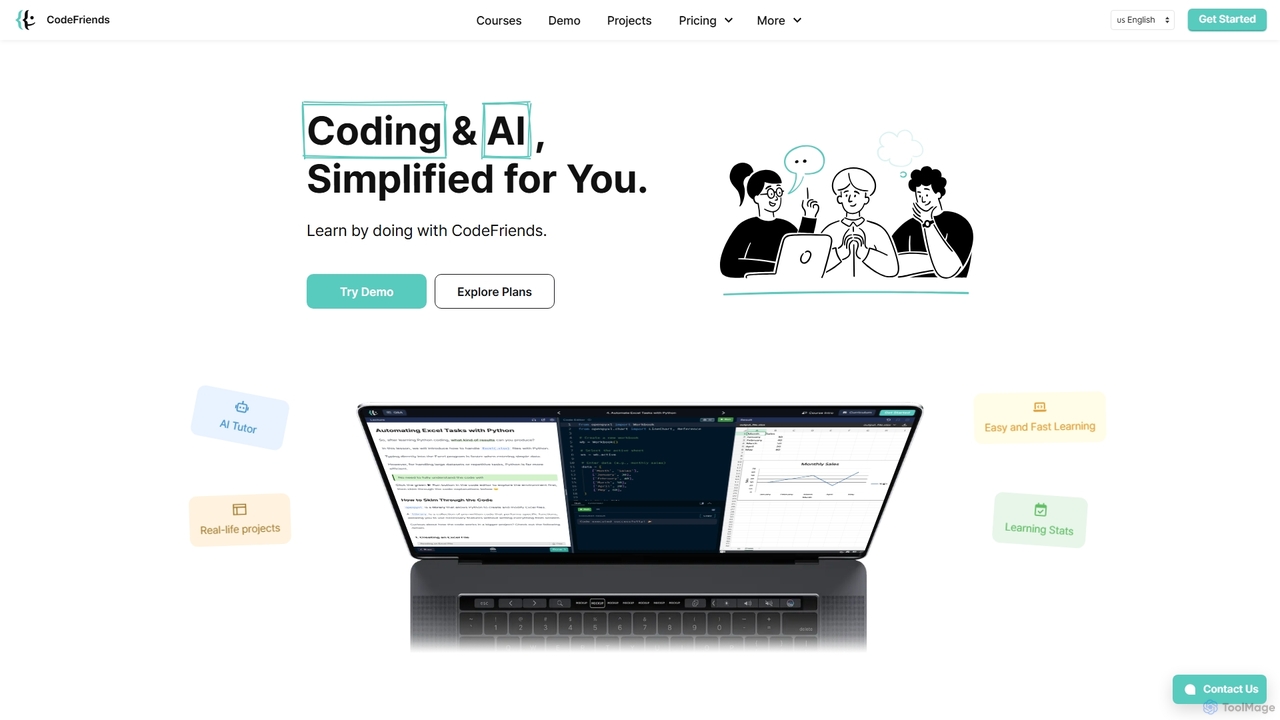
CodeFriends is an interactive, browser-based learning platform designed to teach coding and AI through hands-on projects. It features a real-time code editor, an AI tutor for instant feedback, and one-click project deployment. Suitable for beginners, professionals, and educational institutions, it simplifies the learning process without requiring any software installation.

Preview

Quick facts

Compare product focus, pricing models and audiences. Highlighted rows indicate different listed information; unknown pricing does not mean free.

Codecademy VS CodeFriends — Quick facts
Quick factsCodecademyCodeFriends
Pricing modelFreemiumFreemium
Product typeWebWeb
Primary focusCode AssistantLearning Platforms
Audience and rolesAspiring Programmer · Data Analyst · Data Scientist · Product Manager · QA Engineer · Software Developer · Student · Web DeveloperData Analyst · Educator · HR Manager · IT Manager · Product Manager · Software Developer · Startup Founder · Student · Web Developer
CategoriesCode Assistant · E Learning · Personal DevelopmentLearning Platforms · Programming · Education
AddedSep 13, 2025Sep 19, 2025
UpdatedNov 19, 2026Nov 19, 2026

Features, usage and use cases

Explore the listed product descriptions, features and workflows. Taxonomy labels alone are not feature evaluations.

Codecademy

Codecademy is a renowned online learning platform dedicated to making technical education accessible to everyone. With a community of over 50 million learners, it has established itself as a premier destination for individuals looking to start a career in technology, upskill in their current roles, or simply learn a new programming language. The platform's core philosophy is "learning by doing," providing an interactive environment where users can write and run real code directly in their browser, receiving instant feedback and guidance. This hands-on approach is significantly enhanced by the integration of AI, which personalizes the learning journey and provides on-demand support.

How to use Codecademy

Getting started with Codecademy is a straightforward process designed to get you coding in minutes:

  1. Sign Up: Create a free account on the Codecademy website.
  2. Discover Your Path: Take a short, personalized quiz about your interests and goals. The platform's AI will recommend specific courses, Skill Paths, or Career Paths tailored to you. Alternatively, you can browse the full catalog and choose your own starting point.
  3. Start an Interactive Lesson: Select a course and dive into the interactive learning environment. Each lesson typically consists of explanations, instructions, and a code editor where you'll complete exercises.
  4. Get AI-Powered Help: If you get stuck, use Codecademy's AI assistant, Codey. It can help you debug your code, explain complex concepts in simpler terms, or offer hints to guide you toward the correct solution without giving it away.
  5. Build Real-World Projects: Apply what you've learned by completing guided projects. These are designed to simulate real-world tasks and help you build a professional portfolio.
  6. Track Your Progress and Earn Certificates: Monitor your progress through your dashboard. Upon completing courses and paths (on paid plans), you'll receive certificates to validate your new skills and share on your professional profiles.

Core Features of Codecademy

  • Interactive Code Editor: A seamless in-browser environment to write, run, and test code without any setup required.
  • AI-Powered Learning Assistant (Codey): Provides real-time debugging, conceptual explanations, and personalized hints to support your learning process.
  • Personalized Learning Paths: AI-driven recommendations guide you through a structured curriculum, from Career Paths (e.g., Full-Stack Engineer, Data Scientist) to Skill Paths (e.g., Learn How to Code, Build a Website).
  • Comprehensive Course Catalog: Extensive library covering popular languages like Python, JavaScript, SQL, Java, and C++, as well as specialized subjects like Web Development, Data Science, Machine Learning, and Cybersecurity.
  • Portfolio-Ready Projects: Hands-on projects that allow you to apply your skills to create tangible outcomes for your portfolio.
  • Quizzes and Assessments: Integrated quizzes to test your knowledge and reinforce key concepts as you progress.
  • Active Community Forum: A large and supportive community where you can ask questions, collaborate with peers, and get help from experienced moderators.

Use Cases for Codecademy

Codecademy is a versatile tool for a wide range of learners:

  • Aspiring Technologists: Beginners with no prior experience can follow structured Career Paths to become job-ready for roles like Software Developer or Data Analyst.
  • Career Changers: Professionals from non-tech fields can use Codecademy to acquire the necessary skills to transition into the technology industry.
  • Students: High school and university students can supplement their academic studies with practical, hands-on coding experience.
  • Professional Development: Existing developers and tech professionals can upskill by learning new languages, frameworks, or advanced concepts to stay competitive and advance their careers.
  • Hobbyists and Entrepreneurs: Individuals looking to build a personal project, a website for their business, or simply explore coding as a hobby.

Advantages of Codecademy

Codecademy stands out for several key reasons:

  • Learn by Doing: The interactive, hands-on methodology is proven to be more effective for skill retention than passive learning.
  • Immediate Feedback: The instant feedback loop from the code editor and AI assistant helps learners correct mistakes quickly and build confidence.
  • Structured and Guided Learning: The platform's Paths provide a clear roadmap, eliminating the confusion of what to learn next.
  • Accessibility and Flexibility: With a robust free tier and self-paced courses, learning is accessible regardless of your budget or schedule.
  • AI-Enhanced Support: The integration of an AI assistant provides personalized tutoring at scale, making help available 24/7.

Pricing and Plans

Codecademy operates on a freemium model, offering several tiers:

  • Basic Plan (Free): Provides access to a selection of introductory courses and daily practice exercises.
  • Plus Plan (Paid): Unlocks the full course catalog, members-only content, real-world projects, and certificates of completion. Typically billed monthly or annually.
  • Pro Plan (Paid): Includes all Plus features, plus access to Career Paths, technical interview prep, and professional certification readiness materials.
  • For Teams (Business Plan): Custom plans for businesses and organizations to train their employees, featuring team management and progress tracking tools.

For the most current pricing, please visit the official Codecademy website.

CodeFriends

CodeFriends is a comprehensive, interactive online platform dedicated to making coding and AI education accessible and practical for everyone. Operated by Geek Haus, its core philosophy is "learn by doing." Instead of traditional, theory-heavy lectures, CodeFriends immerses users in a hands-on environment where they can build real-world projects directly in their browser. This approach is designed for all skill levels, from absolute beginners starting their coding journey to experienced developers looking to upskill in areas like AI and data analysis.

The platform eliminates the initial friction of learning to code by removing the need for complex software installations or environment setups. Everything, from writing code in the real-time editor to receiving guidance and deploying a live project, happens seamlessly within the browser. This makes it incredibly easy to get started and focus on what truly matters: learning and building.

How to use CodeFriends

Getting started with CodeFriends is straightforward and intuitive. First, users can explore the platform through interactive demos to get a feel for the learning environment. Once ready, they can choose a specific course or subscribe to the Plus Membership for full access. The learning process follows a structured path:

  1. Choose a Course: Select from a variety of courses like 'Python Programming 101', 'Introduction to AI', 'Web Development (HTML, CSS, JavaScript)', or 'Automating Tasks with Python and AI'.
  2. Learn with Interactive Lectures: Follow step-by-step lectures that combine clear explanations with practical exercises in the integrated code editor.
  3. Get AI-Powered Assistance: Whenever you're stuck, the 24/7 AI Tutor provides instant feedback, code suggestions, and explanations, acting as a personal guide.
  4. Build Real Projects: Apply your knowledge by creating tangible projects, such as an online resume, a data collection program, or an automation tool.
  5. Deploy with One Click: Publish your finished project to the web instantly with a single click. CodeFriends generates a live, shareable link, perfect for building a portfolio.
  6. Manage and Iterate: Use the project versioning feature to track changes, roll back to previous versions, and download your code for offline use or backup.

Core Features of CodeFriends

  • Hands-on Learning Environment: An interactive, browser-based code editor with real-time execution results.
  • 24/7 AI Tutor: Get instant, AI-powered feedback, code generation, and guidance whenever you need it.
  • Real-World Projects: Curriculum focused on building practical projects that can be added to a professional portfolio.
  • One-Click Hosting: Deploy websites and applications instantly without any server setup or configuration.
  • Comprehensive Course Catalog: Expert-designed courses covering Python, Web Development, AI, Prompt Engineering, and more.
  • Project Versioning: Easily track and manage different versions of your code, allowing you to experiment without fear of losing work.
  • Code Download: Export your complete project code for use in your portfolio, for backups, or for offline development.
  • Solutions for Institutions: Custom curricula, white-labeling options, and an advanced admin dashboard with AI-powered analytics for schools and businesses.

Use Cases for CodeFriends

CodeFriends is versatile and serves a wide range of users:

  • Absolute Beginners: Individuals with no prior coding experience can start with foundational courses and build confidence through guided projects.
  • Students & Educators: Universities and schools can integrate CodeFriends into their curricula, offering students a modern, hands-on learning tool. The admin dashboard helps track student progress effectively.
  • Career Changers: Professionals looking to transition into tech can acquire in-demand skills in web development, data analysis, and AI in a structured and practical way.
  • Corporate Training: Businesses can use CodeFriends for employee onboarding and upskilling, with custom training programs tailored to their specific needs. Partners like Delivery Hero use it for IT training.
  • Startup Founders: Non-technical founders and small teams can learn essential coding skills to build and ship their products without heavy reliance on external developers.

Advantages of CodeFriends

The platform stands out by focusing on simplicity, practicality, and comprehensive support. Key advantages include:

  • Accessibility: No software installation is required, allowing users to learn from any device with a browser.
  • Practical Skill Development: The project-based approach ensures that learners gain real-world skills they can immediately apply.
  • Affordability: Offers a cost-effective alternative to expensive coding bootcamps, with flexible subscription plans.
  • Integrated Workflow: Combines learning, coding, debugging, and deployment into a single, seamless platform.
  • AI-Powered Support: The AI tutor provides personalized, on-demand assistance, making the learning process more efficient and less frustrating.

Pricing and Plans

CodeFriends offers flexible pricing options for individuals and institutions:

  • Free Trial/Demo: Users can try interactive demos to experience the platform before committing.
  • Pay Per Course: Option to purchase individual courses, typically starting from $30+.
  • Plus Membership (All-Access): Provides unlimited access to all courses, projects, and the AI tutor.
    • 3 Months: $20/month (billed as $59)
    • 6 Months: $15/month (billed as $89)
    • 1 Year: $11/month (billed as $129)
  • For Institutions: Custom plans with personalized solutions, including volume-based pricing, white-labeling, and a dedicated admin dashboard. Interested organizations can contact CodeFriends for a demo and tailored pricing.

Positioning

Their taxonomy shows where the products overlap and where each one has a more distinct focus. Unknown fields are shown explicitly and are never filled with assumptions.

Categories

Shared
No listed items
Only Codecademy
Code AssistantE LearningPersonal Development
Only CodeFriends
Learning PlatformsProgrammingEducation

Tags

Shared
AI tutorjavascriptlearn to codepythonweb development
Only Codecademy
code assistantcoding bootcampdata scienceeducationonline coursesprogrammingSQL
Only CodeFriends
AI educationcode learninginteractive learningno-code setuponline codingprogramming courses

Audience and roles

Shared
Data AnalystProduct ManagerSoftware DeveloperStudentWeb Developer
Only Codecademy
Aspiring ProgrammerData ScientistQA Engineer
Only CodeFriends
EducatorHR ManagerIT ManagerStartup Founder

Traffic comparison

Traffic is shown on the same scale so differences in market visibility are not visually understated.

How to interpret the traffic data

Both charts share the same months and vertical scale. Each tool identifies its latest reporting month; missing months are left blank, not counted as zero. Regional and source visit counts are estimates calculated from the reported shares.

Codecademy monthly traffic:

Latest traffic · 2026-05

Monthly visits
94.7K
Avg. visit duration
0:25
Pages per visit
1.29
Bounce rate
81.05%
Data updated 2026-06-15

Monthly traffic trend

  • 2025-09: 243K
  • 2026-01: 195.5K
  • 2026-02: 152.8K
  • 2026-03: 99.5K
  • 2026-04: 75.7K
  • 2026-05: 94.7K

Top regions

Top 5 countries/regions
Country/regionPercentageEstimated visits
🇺🇸United States78.85%74.7K
🇬🇧United Kingdom6.3%6K
🇨🇦Canada5.88%5.6K
🇬🇪Georgia5.25%5K
🇧🇪Belgium3.72%3.5K

Traffic sources

Source typePercentageEstimated visits
Referral75.97%71.9K
Direct17.79%16.8K
Email6.24%5.9K

Search keywords

codecademycodecademy pythonintro to pythonlearn pythonmicrosoft azure certification

CodeFriends monthly traffic:

Latest traffic · 2026-05

Monthly visits
6.5K
Avg. visit duration
0:18
Pages per visit
1.75
Bounce rate
32.54%
Data updated 2026-06-15

Monthly traffic trend

  • 2025-09: 9.6K
  • 2026-01: 8.4K
  • 2026-02: 7.8K
  • 2026-03: 8.2K
  • 2026-04: 7.2K
  • 2026-05: 6.5K

Top regions

Top 5 countries/regions
Country/regionPercentageEstimated visits
🇰🇷Korea, Republic of100%6.5K

Search keywords

할루시네이션파이썬 코드 예시font-weightimage paddig프롬프트 vs 파인튜닝

Community signals

Ratings, comments, favorites, and likes are community signals—not a substitute for product fit.

Codecademy

Rating
No data available
Comments
0
Favorites
182
Likes
192

CodeFriends

Rating
No data available
Comments
0
Favorites
164
Likes
157

Codecademy vs CodeFriends · Comparison FAQ

What do Codecademy and CodeFriends have in common?
The current listings have no shared category. Appearing on the same comparison page does not make the products interchangeable; check each tool against your task.
Are Codecademy and CodeFriends free?
Listed pricing models: Codecademy — Freemium; CodeFriends — Freemium. Missing pricing is not proof of a free plan, and freemium does not mean every feature is free. Check official sites for current plans, limits and trials.
How should I choose between Codecademy and CodeFriends?
The primary listed category is Code Assistant for Codecademy, and Learning Platforms for CodeFriends. Compare features, steps and use cases, then verify pricing, data permissions and deployment needs. This page does not include hands-on testing and does not declare a winner from traffic or tags.

Sources and comparison methodology

This page is assembled from ToolMage product listings, taxonomy, traffic statistics and on-site user feedback. It is not a hands-on test or an independent review.


  • Feature and plan descriptions reflect information in the listings, not real-time guarantees. Verify pricing, quotas, availability and privacy terms on the official sites.
  • Traffic uses the reporting months shown. Missing statistics do not mean zero visits, and different periods do not establish growth or superiority. Regional and source visit counts are estimates based on shares.
  • Different tags indicate differences in the listings, not proof that the other product lacks a capability. Ratings, favorites and visits are not used to declare a winner.

Related comparisons