ToolMage
Sign in

AI TOOL COMPARISON

CodeCombat vs Cratecode

What is the difference, and which fits your workflow? Compare features, usage, pricing models and traffic side by side.

Jump to key differences

Product overview

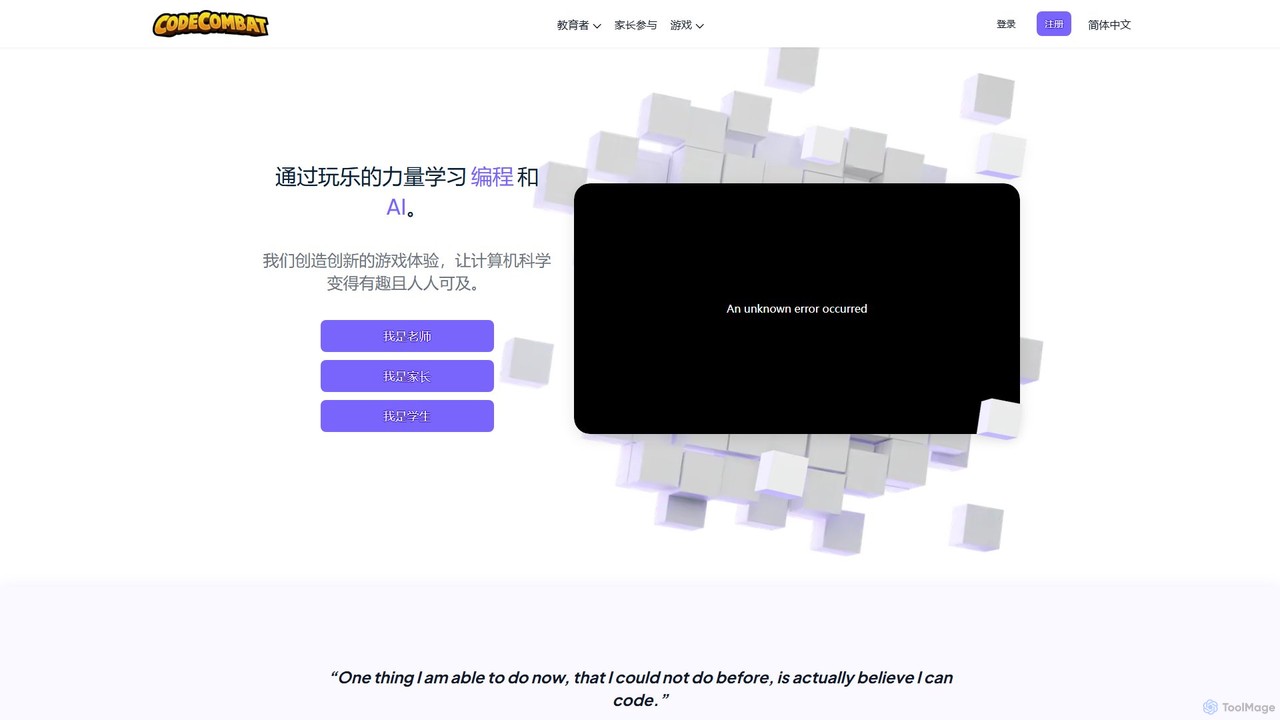
CodeCombat Product overview

CodeCombat is a game-based learning platform that teaches computer science and AI to students of all ages. Through engaging games, learners master real programming languages like Python, JavaScript, and C++. The platform offers comprehensive curricula for K-12, AI-powered tools for creation and assistance, and competitive esports leagues, making coding fun and accessible for everyone.

Preview

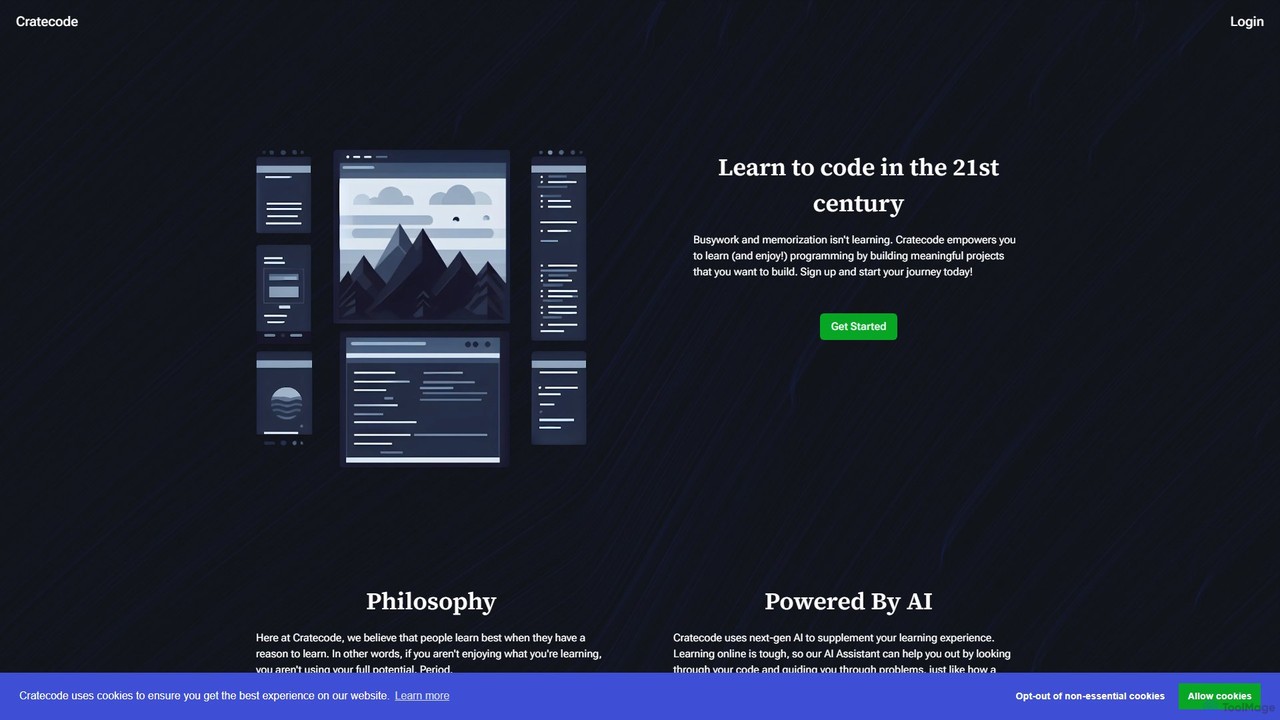
Cratecode Product overview

Cratecode is an AI-powered platform for learning to code by building real-world projects. It features an AI assistant that acts as a personal tutor, providing code analysis, answering questions, and offering step-by-step guidance. The platform emphasizes a hands-on, non-linear learning approach to make programming engaging and effective.

Preview

Quick facts

Compare product focus, pricing models and audiences. Highlighted rows indicate different listed information; unknown pricing does not mean free.

CodeCombat VS Cratecode — Quick facts
Quick factsCodeCombatCratecode
Pricing modelFreemiumFreemium
Product typeWebWeb
Primary focusGame DevelopmentCode Assistant
Audience and rolesNo data availableNo data available
CategoriesGame Development · Programming · LearningCode Assistant · Programming · Learning
AddedAug 6, 2025Aug 7, 2025
UpdatedNov 19, 2026Nov 19, 2026

Features, usage and use cases

Explore the listed product descriptions, features and workflows. Taxonomy labels alone are not feature evaluations.

CodeCombat

CodeCombat is an innovative educational platform that transforms learning to code into an exciting, game-based adventure. Designed for students, parents, and educators, it provides a comprehensive pathway to mastering real-world programming languages such as Python, JavaScript, C++, and Lua. By embedding learning within an engaging game narrative, CodeCombat has successfully helped over 20 million students worldwide discover the power and creativity of computer science and artificial intelligence.

The platform's core philosophy is that learning should be fun and interactive. Students write actual, text-based code from their very first level, controlling heroes through dungeons, forests, and mountains. This hands-on approach promotes active learning, critical thinking, and a growth mindset, demystifying programming and making it accessible to absolute beginners.

Beyond the core game, CodeCombat offers a suite of specialized products. Ozaria Classroom builds foundational computer science knowledge through an adventure game, while CodeCombat Classroom provides a full curriculum covering everything from core concepts to web and game development, including an AP CSP-endorsed course. For those interested in the creator economy, CodeCombat Worlds, in partnership with Roblox, enables students to build and publish their own games. The platform also embraces the AI revolution with AI HackStack, a safe, generative AI sandbox where students can learn prompt engineering and build projects, and the AI League, a competitive esports platform for coding.

How to use CodeCombat

Getting started with CodeCombat is straightforward and tailored to different user needs:

  1. For Individual Learners & Parents: Sign up for a home account. You can start with a free trial to explore the initial levels. To unlock the full experience, subscribe to a Premium plan, which grants access to all games, over 530 levels, advanced heroes, and AI tools like AI HackStack and AI Hints. Learners can choose a focus path, such as Game Development, Web Development, or AI Literacy, and progress at their own pace.
  2. For Teachers & Schools: Create a free teacher account to access the teacher dashboard and sample curriculum. From the dashboard, you can create classes, add students, and assign courses. The platform provides comprehensive resources, including lesson plans, curriculum guides, and real-time progress tracking. For full school or district-wide implementation, you can request a demo to explore customized solutions, professional development, and funding options.
  3. Using AI Tools: Within the game, students can use AI Hints for real-time help with their code. For creative projects, they can use AI HackStack to generate code, art, and websites from text prompts in a secure, moderated environment.

Core Features of CodeCombat

  • Game-Based Learning: An engaging, adventure game format that makes learning to code fun and motivating.
  • Real Programming Languages: Teaches text-based Python, JavaScript, C++, and Lua, ensuring students learn authentic, applicable skills.
  • Comprehensive K-12 Curriculum: Standards-aligned courses covering computer science fundamentals, AP CSP, web development, and game development.
  • Integrated AI Tools: Features AI HackStack for generative AI projects, AI Hints for coding assistance, and AI League for competitive esports, all within a safe and private environment.
  • Roblox Integration: CodeCombat Worlds allows students to apply their skills to create and publish games on the Roblox platform.
  • Extensive Teacher Resources: Provides a full suite of tools for educators, including dashboards, lesson plans, auto-grading, and professional development opportunities.
  • Project-Based Learning: Students apply their knowledge by building their own shareable games, websites, and applications.
  • Accessibility and Safety: The platform is designed to be accessible (WCAG 2.1 AA compliant) and adheres to strict privacy standards like COPPA and FERPA.

Use Cases for CodeCombat

CodeCombat is versatile and serves a wide range of educational contexts:

  • K-12 Schools and Districts: Implementing a scalable, plug-and-play computer science curriculum from elementary to high school.
  • Individual Learners and Homeschoolers: A self-paced, engaging way for children and teens to learn coding and AI skills from home.
  • After-School Programs and Coding Clubs: Offering a fun and structured activity that teaches valuable STEM skills.
  • Libraries and Community Centers: Providing a self-guided digital resource for members of all ages to learn programming.
  • Teacher Professional Development: Equipping educators who have little to no coding experience with the confidence and skills to teach computer science effectively.
  • Competitive Coding and Esports: Students can hone their skills and compete for prizes in the global AI League tournaments.

Advantages of CodeCombat

CodeCombat stands out by making computer science education effective and enjoyable:

  • High Student Engagement: The game-based approach captures students' interest and keeps them motivated to overcome challenges.
  • Practical, Real-World Skills: Instead of block-based coding, students learn to write actual code used by professionals.
  • Low Barrier to Entry: No prior coding experience is needed for students or teachers to get started.
  • Safe and Responsible AI Integration: Students learn to use cutting-edge AI tools in a secure, moderated, and ethically-focused environment.
  • Turnkey Solution for Educators: The platform is easy to implement and comes with all the necessary resources to ensure classroom success.

Pricing and Plans

CodeCombat uses a freemium model with different plans for home and school use:

  • Free Trial: Both individual users and teachers can sign up for free to access introductory content and explore the platform's features.
  • Premium Home Subscription: For home users, a monthly or annual subscription unlocks unlimited access to all courses, levels, game development, web development, AI HackStack (with a monthly prompt quota), and premium support.
  • School & District Plans: For educational institutions, CodeCombat offers customized plans. Pricing is typically per student and includes full curriculum access, teacher dashboards, professional development, and dedicated support. Schools are encouraged to contact the sales team for a personalized quote.

Cratecode

Cratecode is a modern, AI-enhanced educational platform designed to revolutionize the way people learn programming. It moves away from traditional methods of memorization and busywork, instead adopting a philosophy that people learn best by doing. The core of Cratecode is its project-based curriculum, where learners engage with meaningful projects that have genuine use-cases. This hands-on approach not only makes learning more enjoyable but also equips students with practical skills they can apply in the real world.

The platform is built around an integrated, web-based development environment that provides all the necessary tools to start coding immediately. This includes a text editor for writing code, a terminal (or console) to see the output and run commands, and a file manager to organize project files. This seamless experience eliminates the need for complex local setups, allowing beginners to focus entirely on learning.

How to use Cratecode

Getting started with Cratecode is straightforward. New users can begin in a 'Preview Mode' to explore the interface and lessons without commitment. To save progress and access all features, a simple sign-up is required. Once in, you can choose a course or project. The learning environment is divided into several key areas:

  1. The Toolbox: This is your main information hub, containing the lesson text, instructions, and concepts you're currently learning.
  2. The Editor: A code editor where you will write and modify your code (e.g., in files like `index.js`).
  3. The Terminal: Located below the editor, this is where your code's output is displayed and where you can interact with your program.
  4. The AI Assistant: When you encounter a challenge, get stuck on a bug, or simply have a question, you can summon the AI Assistant. You can ask it to review your code, explain a concept, or guide you through a difficult problem.

The platform encourages experimentation. Users are prompted to not just follow lessons, but to actively play with the code, change it, and see what happens, fostering a deeper understanding of programming principles.

Core Features of Cratecode

  • AI-Powered Assistant: A next-generation AI tutor that can answer programming questions, analyze your code for mistakes or improvements, provide detailed explanations, and offer step-by-step guidance to solve problems, much like a human teacher.
  • Project-Based Learning: The curriculum is centered around building engaging and practical projects, ensuring that learners are motivated and can see the real-world application of their skills.
  • Non-Linear Learning Paths: Cratecode's courses are designed to be flexible, allowing you to forge your own path while still providing the necessary structure for success.
  • Integrated Development Environment (IDE): A fully-featured, browser-based editor, terminal, and file system, so you can start coding without any setup.
  • Growth-Oriented Progress Tracking: The platform focuses on measuring your growth and how far you've come, rather than emphasizing how much you have left to learn, creating a positive and encouraging learning environment.

Use Cases for Cratecode

Cratecode is ideal for a wide range of users:

  • Absolute Beginners: Individuals with no prior coding experience can use Cratecode's guided, interactive environment to learn the fundamentals from scratch.
  • Students and Self-Learners: Those looking for a supplement to traditional classes or a more effective self-study tool will find the AI assistant invaluable for getting unstuck and reinforcing concepts.
  • Hobbyist Programmers: People who want to learn coding to build personal projects, games, or websites can use Cratecode to gain practical skills in an enjoyable way.
  • Aspiring Developers: The focus on building portfolio-worthy projects helps aspiring professionals prepare for the job market.

Advantages of Cratecode

The primary advantage of Cratecode is its unique blend of project-based learning and AI-powered support. This combination tackles the most common challenges in learning to code: loss of motivation and getting stuck. The AI assistant acts as a 24/7 personal tutor, providing instant, personalized feedback that would otherwise be costly or unavailable. The project-based approach ensures that learners stay engaged and develop a practical, applicable skillset. This makes the learning process not only more effective but also significantly more enjoyable.

Pricing and Plans

Cratecode operates on a freemium model. The platform proudly states "Learn to Code for Free," offering a robust free plan that allows users to start their learning journey. This includes access to the core lessons and the AI-powered assistant. To unlock the full features of the platform, such as saving progress and accessing more advanced content or tools, users are required to sign up for an account. While specific details of paid tiers are not listed, the model is designed to be highly accessible, with the free offering being substantial enough to provide significant value.

Positioning

Their taxonomy shows where the products overlap and where each one has a more distinct focus. Unknown fields are shown explicitly and are never filled with assumptions.

Categories

Shared
ProgrammingLearning
Only CodeCombat
Game Development
Only Cratecode
Code Assistant

Tags

Shared
javascriptlearn to code
Only CodeCombat
AI for studentscomputer science educationesportsgame-based learninggenerative AIK-12 educationpythonroblox
Only Cratecode
AI assistantAI tutorcode learningdeveloper toolseducationprogrammingproject-based learning

Audience and roles

Shared
No listed items
Only CodeCombat
No listed items
Only Cratecode
No listed items

Traffic comparison

Traffic is shown on the same scale so differences in market visibility are not visually understated.

How to interpret the traffic data

Both charts share the same months and vertical scale. Each tool identifies its latest reporting month; missing months are left blank, not counted as zero. Regional and source visit counts are estimates calculated from the reported shares.

CodeCombat monthly traffic:

Latest traffic · 2026-05

Monthly visits
520.6K
Avg. visit duration
3:13
Pages per visit
5.09
Bounce rate
39.9%
Data updated 2026-06-15

Monthly traffic trend

  • 2025-09: 507.7K
  • 2026-01: 534.2K
  • 2026-02: 518.1K
  • 2026-03: 534.5K
  • 2026-04: 536K
  • 2026-05: 520.6K

Top regions

Top 5 countries/regions
Country/regionPercentageEstimated visits
🇺🇸United States53.61%279.1K
🇧🇷Brazil15.26%79.4K
🇻🇳Vietnam12.36%64.3K
🇭🇰Hong Kong10.19%53.1K
🇮🇳India8.58%44.7K

Traffic sources

Source typePercentageEstimated visits
Direct84.84%441.7K
Referral12.17%63.4K
Email2.99%15.6K

Search keywords

code combatcodecombatcoding gamecoding gamesгра кодекомбат

Cratecode monthly traffic:

Latest traffic · 2026-05

Monthly visits
4.5K
Avg. visit duration
0:36
Pages per visit
1.85
Bounce rate
39.5%
Data updated 2026-06-15

Monthly traffic trend

  • 2025-09: 15K
  • 2026-01: 11.3K
  • 2026-02: 6.5K
  • 2026-03: 4.9K
  • 2026-04: 4.9K
  • 2026-05: 4.5K

Top regions

Top 5 countries/regions
Country/regionPercentageEstimated visits
🇺🇸United States74.52%3.4K
🇮🇳India23.35%1.1K
🇳🇱Netherlands2.13%97

Search keywords

are b and bcpl programming languages a type of assembly languagebrainfuck languagecratecodediscord code to respond usernasm x86 cq0 example

Community signals

Ratings, comments, favorites, and likes are community signals—not a substitute for product fit.

CodeCombat

Rating
No data available
Comments
0
Favorites
180
Likes
181

Cratecode

Rating
No data available
Comments
0
Favorites
169
Likes
163

CodeCombat vs Cratecode · Comparison FAQ

What do CodeCombat and Cratecode have in common?
Both tools are listed under Programming、Learning. These categories indicate overlapping use cases; compare their detailed descriptions for workflows, capabilities and limitations.
Are CodeCombat and Cratecode free?
Listed pricing models: CodeCombat — Freemium; Cratecode — Freemium. Missing pricing is not proof of a free plan, and freemium does not mean every feature is free. Check official sites for current plans, limits and trials.
How should I choose between CodeCombat and Cratecode?
The primary listed category is Game Development for CodeCombat, and Code Assistant for Cratecode. Compare features, steps and use cases, then verify pricing, data permissions and deployment needs. This page does not include hands-on testing and does not declare a winner from traffic or tags.

Sources and comparison methodology

This page is assembled from ToolMage product listings, taxonomy, traffic statistics and on-site user feedback. It is not a hands-on test or an independent review.

  • Feature and plan descriptions reflect information in the listings, not real-time guarantees. Verify pricing, quotas, availability and privacy terms on the official sites.
  • Traffic uses the reporting months shown. Missing statistics do not mean zero visits, and different periods do not establish growth or superiority. Regional and source visit counts are estimates based on shares.
  • Different tags indicate differences in the listings, not proof that the other product lacks a capability. Ratings, favorites and visits are not used to declare a winner.

Related comparisons