ToolMage
Sign in

AI TOOL COMPARISON

CodeConductor vs Vibecode

What is the difference, and which fits your workflow? Compare features, usage, pricing models and traffic side by side.

Jump to key differences

Product overview

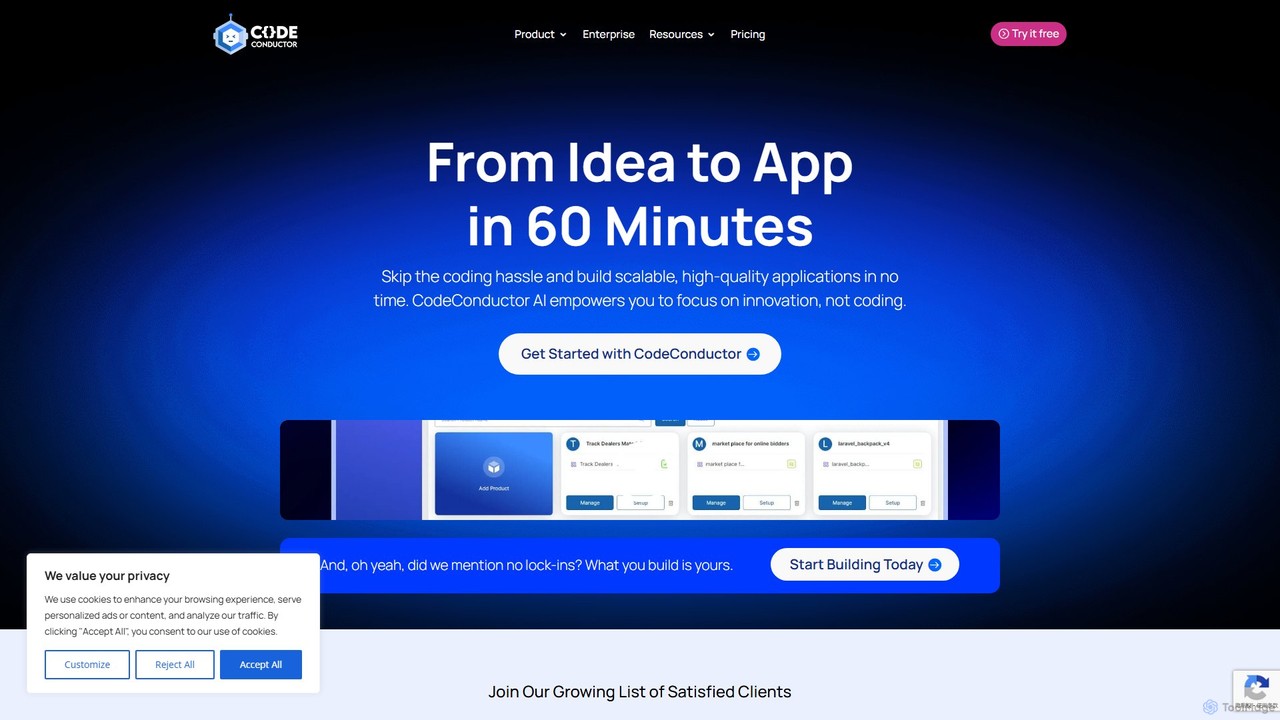
CodeConductor Product overview

CodeConductor is an AI-powered software development platform that transforms natural language prompts into scalable, production-ready full-stack applications. It enables users to build, deploy, and scale web and mobile apps in minutes, offering full code ownership and eliminating vendor lock-in. Designed for startups and enterprises, it accelerates development, from MVPs to complex internal tools.

Preview

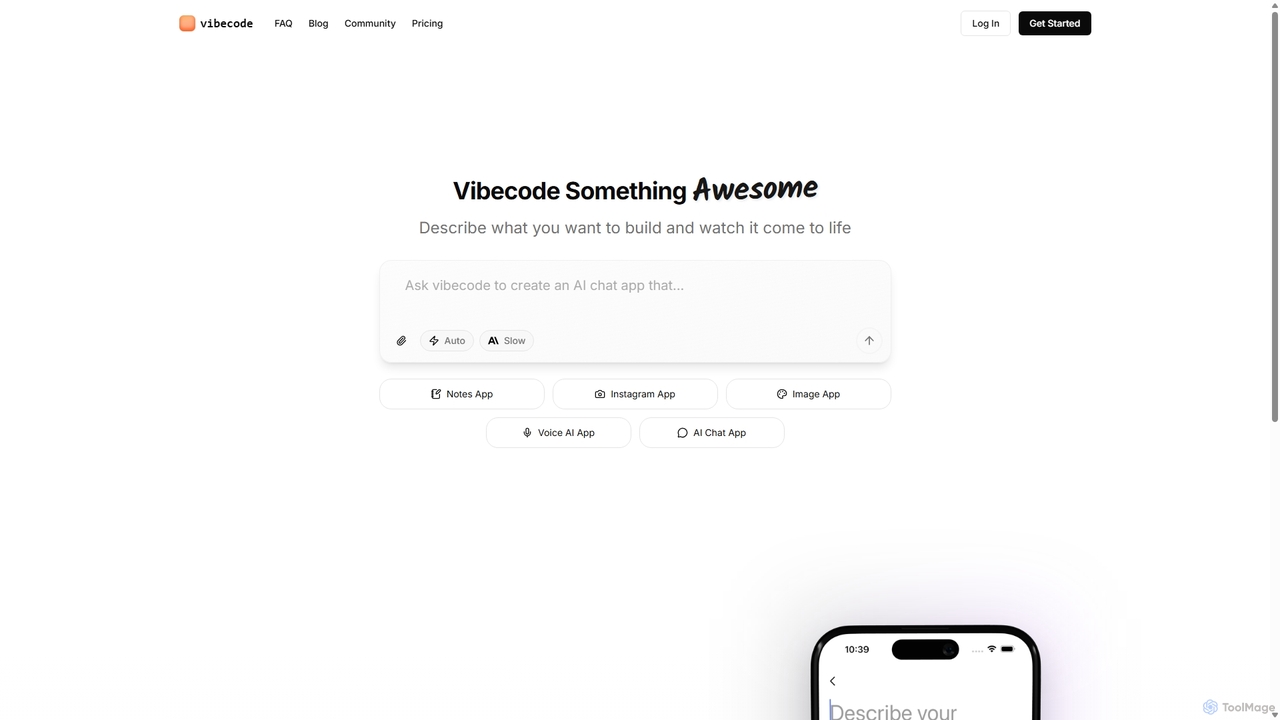
Vibecode Product overview

Vibecode is an AI-powered mobile app builder that transforms text descriptions into functional, native React Native applications. It enables users, from non-technical creators to professional developers, to rapidly prototype, test via App Clips, and deploy mobile apps without writing code from scratch.

Preview

Quick facts

Compare product focus, pricing models and audiences. Highlighted rows indicate different listed information; unknown pricing does not mean free.

CodeConductor VS Vibecode — Quick facts
Quick factsCodeConductorVibecode
Pricing modelPaidFreemium
Product typeWebWeb
Primary focusApplication BuilderMobile App Building
Audience and rolesNo data availableEntrepreneur · Founder · Marketing Manager · Product Manager · Software Developer · Student · UI/UX Designer
CategoriesApplication Builder · No Code & Low Code · PrototypingMobile App Building · No Code & Low Code · Prototyping
AddedAug 7, 2025Sep 10, 2025
UpdatedNov 19, 2026Nov 19, 2026

Features, usage and use cases

Explore the listed product descriptions, features and workflows. Taxonomy labels alone are not feature evaluations.

CodeConductor

CodeConductor is a revolutionary AI-driven software development platform designed to dramatically accelerate the application creation process. It empowers both technical and non-technical users to turn an idea into a fully functional, scalable, and high-quality application in as little as 60 minutes. By interpreting natural language prompts, CodeConductor generates complete, production-ready code for web and mobile applications, effectively bridging the gap between vision and reality without the traditional complexities of coding.

The platform is built on the principle of 'no lock-in,' meaning that whatever you build is entirely yours. You receive the full source code, giving you complete control, transparency, and the freedom to deploy your application anywhere—on VMs, Kubernetes, bare metal, or any cloud provider like AWS, Azure, or Google Cloud. This makes CodeConductor an ideal solution for startups needing to build MVPs quickly and for enterprises looking to develop custom internal tools or streamline their software development lifecycle.

How to use CodeConductor

The development process with CodeConductor is streamlined into a few simple steps:

  1. Share Your Vision: Begin by describing your application or website idea in plain English. You work with product creation experts and use an intuitive prompt-based interface to detail your requirements.
  2. Leverage AI to Build: The platform's AI engine takes your vision and generates the full-stack application, including the frontend, backend, database schemas, and APIs.
  3. Fine-tune with Expert Input: Review the AI-generated application. You can use the interactive visual editor and AI-driven insights to customize and enhance every aspect of your project. The platform also includes developer hours for custom modifications.
  4. Launch and Grow: Once satisfied, you can deploy your application instantly. CodeConductor provides seamless CI/CD pipelines and auto-scaled cloud hosting with a global CDN, or you can take the code and deploy it on your own infrastructure.

Core Features of CodeConductor

  • AI-Powered Full-Stack Generation: Instantly creates complete applications, including frontend (React) and backend (Springboot, or other major frameworks).
  • Hallucination-Free Code: Utilizes a proprietary model to generate accurate, reliable, and deployable code, minimizing bugs and errors.
  • Full Code Ownership: Provides complete access to the modular source code with no platform lock-in.
  • Dynamic Data Modeling: The AI generates live, visual diagrams of your data models, making complex database structures easy to understand and modify.
  • Seamless CI/CD & Auto-Scaled Hosting: Automates deployment with efficient CI/CD pipelines and offers reliable, auto-scaled cloud hosting.
  • Flexible Deployment: Supports deployment to any cloud (Google Cloud, Azure, AWS), VMs, Kubernetes, or bare-metal servers.
  • Complete Customization Control: An interactive visual editor combined with AI insights allows for effortless tailoring and enhancement of projects.
  • Intelligent Feature Suggestions: The AI provides recommendations on the best features to add to enhance your app's functionality and user experience.
  • Third-Party Integrations: Automatically integrate with a wide range of tools and services like Plaid, Xero, Google Analytics, Slack, and more.
  • Transparent Code History: Track all code changes and clearly distinguish between AI-generated and human-written code contributions.

Use Cases for CodeConductor

CodeConductor is versatile and caters to a wide range of development needs:

  • Startups & MVP Development: Rapidly build and launch Minimum Viable Products (MVPs) to attract investors and validate market ideas in a fraction of the traditional time and cost.
  • Enterprise Internal Tools: Quickly create custom internal applications, dashboards, and workflow automation tools tailored to specific business needs without extensive coding resources.
  • SaaS Product Development: Build and scale full-featured Software-as-a-Service (SaaS) platforms with robust backends, secure authentication, and scalable infrastructure.
  • Dynamic Websites: Craft complex, data-driven websites and web applications with dynamic content and user interactions.

A real-world example is CPA Pilot, which used CodeConductor to build an application for tax professionals, securing major clients shortly after its 90-day launch.

Advantages of CodeConductor

CodeConductor offers a significant competitive edge by combining the speed of no-code with the power of full-code development. Key advantages include accelerated time-to-market, reduced development costs, enterprise-grade security, and ultimate flexibility. Unlike closed-off no-code platforms, it provides full transparency and ownership, ensuring that your application can scale and evolve without limitations. It is positioned as a safer and more robust alternative to other AI coding tools, with built-in guardrails to protect production data.

Pricing and Plans

CodeConductor offers several tiered plans tailored to different needs:

  • Starter: Designed for new founders. Includes one AI-generated product (Springboot/React), Git version control, 4 developer hours/month for customization, cloud hosting, and CI/CD.
  • Standard: Aimed at new startups. Includes everything in Starter for up to 2 products, plus support for any major framework, expanded version control (SVN, Mercurial), 16 developer hours/month, and phone support.
  • Pro: For small companies. Builds on the Standard plan for up to 5 products, adding 24/7 customer support, 80 developer hours/month, and advanced integration support.
  • Enterprise: A custom plan for large companies. Includes all Pro features plus API access, custom authentication/authorization, air-gapped deployment options, compliance certifications, and dedicated consultation services.

Vibecode

Vibecode is a revolutionary AI-powered platform designed to democratize mobile app development. It empowers users to transform their app ideas into tangible, native mobile applications simply by describing them in plain English. This innovative approach bypasses the steep learning curves and high costs associated with traditional development, making it possible for anyone to build and launch an app. The platform generates high-quality, customizable React Native source code, ensuring that the final product is not a restrictive, locked-in application but a solid foundation for further development and scaling.

How to use Vibecode

The workflow in Vibecode is designed for speed and simplicity, taking you from idea to a testable app in minutes:

  1. Describe Your Idea: Start by writing a clear, detailed description of the app you want to build. Explain its core features, user flow, and overall purpose.
  2. AI-Powered Refinement: Vibecode's AI analyzes your prompt, provides feedback, asks clarifying questions, and helps you refine the specifications to ensure the generated app aligns with your vision.
  3. Generate the App: Once the prompt is finalized, the AI generates a complete, functional React Native application scaffold. This includes screens, navigation, and basic logic based on your description.
  4. Instant Testing with App Clips: Immediately test your new app on your own phone through a shareable App Clip. This allows for real-world testing and feedback without needing to go through the complex process of building and installing the app manually.
  5. Download and Customize: For full control, you can download the entire React Native source code. This allows developers to extend the app's functionality, customize the UI, and integrate with other services.
  6. App Store Submission: Paid plans offer support and streamlined processes to help you submit your finished application to the Apple App Store and Google Play Store.

Core Features of Vibecode

  • AI-Powered App Generation: Converts natural language prompts into functional mobile app code.
  • Native React Native Output: Generates clean, high-quality, and scalable React Native source code, not a web wrapper.
  • Instant Prototyping via App Clips: Allows for immediate testing and sharing of the app on real devices, facilitating rapid validation and feedback loops.
  • Full Source Code Access: Provides complete ownership and control by allowing users to download the generated code.
  • Iterative Development: Easily refine and regenerate your app by modifying your text prompts.
  • Developer-Friendly Tools: Includes features like SSH to Cursor for direct code editing and manipulation.
  • Guided Prompt Engineering: The platform helps users structure their ideas into effective prompts for better results.

Use Cases for Vibecode

Vibecode is a versatile tool suitable for a wide range of users and projects:

  • Entrepreneurs and Startups: Quickly build and test Minimum Viable Products (MVPs) to validate business ideas with minimal time and financial investment.
  • Students and Aspiring Developers: Create impressive, functional mobile apps for their portfolios to showcase their skills to potential employers and for computer science projects.
  • Non-Technical Creators: Bring their unique app ideas to life without needing to learn complex programming languages.
  • Professional Developers and Agencies: Accelerate the initial development and scaffolding process, saving hundreds of hours on boilerplate code and setup.
  • Side Hustle Enthusiasts: Launch and test small-scale app-based businesses and revenue streams with low risk.

Advantages of Vibecode

Vibecode offers a significant edge over traditional development methods and other no-code platforms:

  • Unmatched Speed: Go from a simple idea to a testable application in minutes or hours, not weeks or months.
  • Cost-Effective: Drastically reduces the financial barrier to entry for app development, making it accessible to everyone.
  • No Vendor Lock-In: By providing the full source code, you are free to host, modify, and scale your application anywhere you choose.
  • Empowers Creativity: Focus on the idea and user experience rather than getting bogged down in technical implementation details.
  • Practical Validation: The App Clip feature provides a powerful and realistic way to gather user feedback early in the process.

Pricing and Plans

Vibecode offers a flexible, freemium pricing model to suit different needs:

  • Free Plan: $0/month. Perfect for getting started. Includes 0 credits, app sharing via App Clips, email support, SSH to Cursor, and source code download.
  • Plus Plan: $20/month. Ideal for non-technical creators and individuals. Includes a significant amount of credits (e.g., $60 worth) and all features of the Free plan, plus App Store submission support and priority support.
  • Pro Plan: $50/month. Designed for professional developers. Offers more credits (e.g., $150 worth) and all features of the Plus plan.
  • Max Plan: $200/month. Suited for teams and enterprises with high-volume needs. Provides the largest credit bundle (e.g., $750 worth) and all Pro features.

Important Note: Credits roll over each billing cycle and never expire. The pricing structure is experimental and may be subject to change.

Positioning

Their taxonomy shows where the products overlap and where each one has a more distinct focus. Unknown fields are shown explicitly and are never filled with assumptions.

Categories

Shared
No Code & Low CodePrototyping
Only CodeConductor
Application Builder
Only Vibecode
Mobile App Building

Tags

Shared
low-codeMVP builderno-code
Only CodeConductor
AI code generationapplication builderCI/CDcode ownershipfull-stackinternal toolsprompt to appsoftware development
Only Vibecode
AI app builderapp generatormobile app developmentportfolio projectprototyping toolreact nativeside hustletext-to-app

Audience and roles

Shared
No listed items
Only CodeConductor
No listed items
Only Vibecode
EntrepreneurFounderMarketing ManagerProduct ManagerSoftware DeveloperStudentUI/UX Designer

Traffic comparison

Traffic is shown on the same scale so differences in market visibility are not visually understated.

How to interpret the traffic data

Both charts share the same months and vertical scale. Each tool identifies its latest reporting month; missing months are left blank, not counted as zero. Regional and source visit counts are estimates calculated from the reported shares.

CodeConductor monthly traffic:

Latest traffic · 2026-05

Monthly visits
49.6K
Avg. visit duration
0:59
Pages per visit
2.67
Bounce rate
38.83%
Data updated 2026-06-15

Monthly traffic trend

  • 2025-09: 42K
  • 2026-01: 58.5K
  • 2026-02: 65.9K
  • 2026-03: 78.5K
  • 2026-04: 57.4K
  • 2026-05: 49.6K

Top regions

Top 5 countries/regions
Country/regionPercentageEstimated visits
🇺🇸United States59.49%29.5K
🇮🇳India13.64%6.8K
🇳🇬Nigeria12.96%6.4K
🇻🇳Vietnam7.22%3.6K
🇧🇷Brazil6.69%3.3K

Traffic sources

Source typePercentageEstimated visits
Direct84.81%42.1K
Email8.89%4.4K
Referral6.3%3.1K

Search keywords

antigravity alternativecodeconductorcode maker skills aiopencode vs dyadwhats the most important skill to learn in ai right now for creatives

Vibecode monthly traffic:

Latest traffic · 2026-05

Monthly visits
367.1K
Avg. visit duration
1:32
Pages per visit
3.12
Bounce rate
39.79%
Data updated 2026-06-15

Monthly traffic trend

  • 2025-09: 210.1K
  • 2026-01: 550.9K
  • 2026-02: 435.3K
  • 2026-03: 384.6K
  • 2026-04: 327.4K
  • 2026-05: 367.1K

Top regions

Top 5 countries/regions
Country/regionPercentageEstimated visits
🇺🇸United States56.69%208.1K
🇮🇳India15.67%57.5K
🇻🇳Vietnam14.96%54.9K
🇧🇷Brazil7.52%27.6K
🇩🇪Germany5.16%18.9K

Traffic sources

Source typePercentageEstimated visits
Direct77.25%283.6K
Referral22.07%81K
Email0.68%2.5K

Search keywords

vibe codevibecodevibecodeappvibe codingvibecoding

Community signals

Ratings, comments, favorites, and likes are community signals—not a substitute for product fit.

CodeConductor

Rating
No data available
Comments
0
Favorites
170
Likes
174

Vibecode

Rating
No data available
Comments
0
Favorites
181
Likes
161

CodeConductor vs Vibecode · Comparison FAQ

What do CodeConductor and Vibecode have in common?
Both tools are listed under No Code & Low Code、Prototyping. These categories indicate overlapping use cases; compare their detailed descriptions for workflows, capabilities and limitations.
Are CodeConductor and Vibecode free?
Listed pricing models: CodeConductor — Paid; Vibecode — Freemium. Missing pricing is not proof of a free plan, and freemium does not mean every feature is free. Check official sites for current plans, limits and trials.
How should I choose between CodeConductor and Vibecode?
The primary listed category is Application Builder for CodeConductor, and Mobile App Building for Vibecode. Compare features, steps and use cases, then verify pricing, data permissions and deployment needs. This page does not include hands-on testing and does not declare a winner from traffic or tags.

Sources and comparison methodology

This page is assembled from ToolMage product listings, taxonomy, traffic statistics and on-site user feedback. It is not a hands-on test or an independent review.

  • Feature and plan descriptions reflect information in the listings, not real-time guarantees. Verify pricing, quotas, availability and privacy terms on the official sites.
  • Traffic uses the reporting months shown. Missing statistics do not mean zero visits, and different periods do not establish growth or superiority. Regional and source visit counts are estimates based on shares.
  • Different tags indicate differences in the listings, not proof that the other product lacks a capability. Ratings, favorites and visits are not used to declare a winner.

Related comparisons