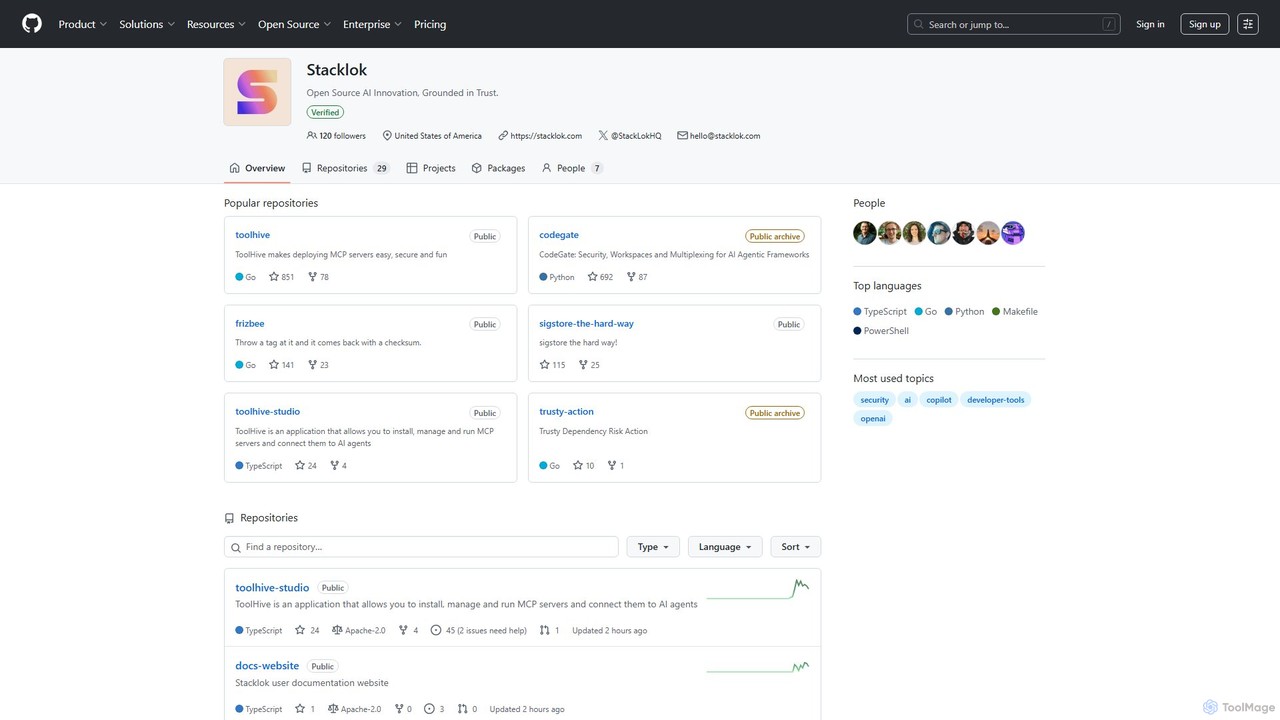
codegate
Agentic Frameworks
AI TOOL COMPARISON
What is the difference, and which fits your workflow? Compare features, usage, pricing models and traffic side by side.
Agentic Frameworks
Libraries
Codegate is an open-source security gateway and multiplexing framework for AI agentic systems. Developed by Stacklok, it provides secure workspaces and policy-based access control, enabling developers to build and manage complex multi-agent applications safely and efficiently.
ConnectOnion is a minimalist Python framework designed to build production-ready AI agents with significantly less code. It simplifies agent creation by combining Markdown prompts and Python functions, reducing boilerplate by up to 85% compared to other frameworks.
Compare product focus, pricing models and audiences. Highlighted rows indicate different listed information; unknown pricing does not mean free.
| Quick facts | codegate | ConnectOnion |
|---|---|---|
| Pricing model | Free | Free |
| Product type | App | Web |
| Primary focus | Agentic Frameworks | Libraries |
| Audience and roles | No data available | AI Engineer · Automation Engineer · Data Scientist · Machine Learning Engineer · Python Developer · Software Developer |
| Categories | Agentic Frameworks · Security · Automation | Libraries · Frameworks · Automation |
| Added | Aug 16, 2025 | Oct 19, 2025 |
| Updated | Nov 19, 2026 | Nov 19, 2026 |
Explore the listed product descriptions, features and workflows. Taxonomy labels alone are not feature evaluations.
Codegate is a powerful open-source tool developed by Stacklok, designed to address the critical security and management challenges in developing applications with AI agentic frameworks. As AI agents become more autonomous and capable of interacting with external systems, ensuring they operate within predefined boundaries is paramount. Codegate acts as a secure control plane, providing essential infrastructure for security, isolated workspaces, and communication multiplexing for AI agents.
At its core, Codegate functions as a gateway that intercepts requests from AI agents before they reach sensitive tools, APIs, or data sources. By doing so, it enforces security policies, manages permissions, and logs all activities for audit and analysis. This prevents potential misuse, whether accidental or malicious, and gives developers fine-grained control over their agentic systems. The concept of 'workspaces' allows for the logical separation of tasks or projects, ensuring that agents and their associated resources are completely isolated from one another, which is crucial for multi-tenant applications or complex, collaborative agent workflows.
Using Codegate involves integrating it as a middleware or infrastructure layer in your AI agent application stack. The typical workflow is as follows:
Codegate is ideal for any scenario where AI agents need to interact with external systems securely:
The primary advantage of Codegate is its focus on bringing enterprise-grade security and manageability to the rapidly evolving field of AI agentic systems. It allows developers to innovate and build powerful autonomous systems without compromising on security. By centralizing control and policy enforcement, it simplifies the architecture of complex multi-agent applications, making them easier to build, scale, and maintain. Its open-source nature fosters trust and allows for deep customization to fit specific security requirements.
Codegate is an open-source project available for free under the Apache-2.0 license. Developers can freely use, modify, and distribute the software. While the core tool is free, its parent company, Stacklok, may offer commercial products, enterprise support, or managed cloud services built around its open-source projects.
ConnectOnion is a powerful yet simple AI agent framework for Python, built on the philosophy of "Keep simple things simple, make complicated things possible." It enables developers to ship functional AI agents in minutes rather than days by drastically reducing boilerplate code. The core concept is straightforward: an AI agent is created by combining a Markdown prompt with Python functions that act as tools. This approach allows for the creation of a helpful assistant with a calculator tool in just 8 lines of code, a task that might require around 50 lines in other popular frameworks like LangChain.
Getting started with ConnectOnion is designed to be quick and intuitive.
1. Installation: Begin by installing the framework via pip: pip install connectonion.
2. Project Creation: Use the built-in CLI to scaffold a new project with co create my-agent. This command automatically sets up the project structure, including an example agent file, an environment file for API keys, and complete framework documentation for AI assistants.
3. Define Components: In your Python script, define a prompt (e.g., "You are a helpful assistant") and the Python functions that will serve as the agent's tools (e.g., a `calculate` function).
4. Create Agent: Instantiate the agent with agent = Agent(prompt, tools=[your_function]).
5. Interact: Use the agent by calling the .input() method, like result = agent.input("What's 42 * 17?").
For an even faster workflow, ConnectOnion promotes "Vibe Coding," where you can paste the entire documentation into an AI coding assistant like Cursor, describe the agent you need, and let the AI generate the complete code.
co) for quick project scaffolding, environment management, and best practices built-in.@xray decorator provides real-time insights, iteration tracking, and performance metrics to see exactly what an agent is doing.ConnectOnion is versatile and can be used to build a wide range of AI agents, including:
Simple Task Agents: Create agents for specific tasks like mathematical calculations, as shown in the basic examples.
Web Scrapers and Researchers: Build agents that can scrape content from URLs, extract links, and gather information from the web. The CLI includes a `web-research` template.
Automation Bots: Develop agents for web automation using the Playwright template, which includes pre-built tools for starting a browser, navigating pages, filling forms, and taking screenshots.
Email Assistants: Generate agents capable of sending email notifications based on specific triggers or conditions.
Custom AI-Generated Agents: Use the CLI's AI-powered custom template feature to describe a desired agent (e.g., "an agent that monitors GitHub repos for new issues"), and the CLI will generate the complete project.
The primary advantage of ConnectOnion is its radical simplicity and speed. By abstracting away complexity and eliminating boilerplate, it allows developers to focus on the core logic of their agents. This leads to a significantly faster development cycle. The framework is both beginner-friendly, with zero setup complexity, and powerful enough for production-ready applications. Its innovative "Vibe Coding" approach leverages the power of modern AI assistants, further accelerating development. The built-in debugging and logging tools provide professional-grade visibility and control over agent behavior.
Based on the provided documentation, ConnectOnion is a free, open-source Python library. It is installed using `pip`, and there is no mention of any pricing, plans, or commercial licenses. Users can start building immediately without any cost associated with the framework itself.
What is ConnectOnion?
ConnectOnion is a minimalist Python framework for building AI agents. Its core philosophy is to simplify the development process, enabling the creation of powerful agents with minimal boilerplate code by combining Markdown prompts with Python functions as tools.
Is ConnectOnion free to use?
Yes, the documentation indicates that ConnectOnion is a free, open-source library. It can be installed directly from the Python Package Index (PyPI) using `pip install connectonion`, and there is no mention of any costs or paid plans.
How does ConnectOnion reduce code compared to other frameworks?
ConnectOnion abstracts away the complex setup required by other frameworks. It automatically handles schema generation from type hints and provides a simple `Agent` class. This results in creating a functional agent in as few as 8 lines of code, compared to approximately 50 lines for a similar agent in frameworks like LangChain, representing an 85% reduction in boilerplate.
What is "Vibe Coding"?
"Vibe Coding" is a development workflow promoted by ConnectOnion. It involves providing the complete framework documentation to an AI coding assistant (like Cursor). The developer then describes the desired agent in natural language, and the AI assistant generates the full, correct ConnectOnion code, enabling extremely rapid prototyping and development.
How can I debug an agent built with ConnectOnion?
ConnectOnion includes a built-in debugging tool called `@xray`. By applying this decorator to your tool functions (e.g., `@xray def my_tool(...)`), you can get detailed, real-time insights into the agent's execution, including which tool is being called, the user's original task, and the current iteration number.
What kind of tools can an agent use?
An agent can use any Python function as a tool. ConnectOnion also supports stateful tools by allowing you to pass an entire class instance to the agent. When a class instance is provided, ConnectOnion automatically discovers all its public methods with type hints and makes them available as tools for the agent, which is ideal for complex tasks like web browser automation.
Their taxonomy shows where the products overlap and where each one has a more distinct focus. Unknown fields are shown explicitly and are never filled with assumptions.
Traffic is shown on the same scale so differences in market visibility are not visually understated.
Both charts share the same months and vertical scale. Each tool identifies its latest reporting month; missing months are left blank, not counted as zero. Regional and source visit counts are estimates calculated from the reported shares.
| Country/region | Percentage | Estimated visits |
|---|---|---|
| 🇺🇸United States | 36.14% | 229.9M |
| 🇨🇳China | 22.96% | 146M |
| 🇮🇳India | 17.41% | 110.7M |
| 🇷🇺Russia | 15.84% | 100.8M |
| 🇩🇪Germany | 7.65% | 48.7M |
| Source type | Percentage | Estimated visits |
|---|---|---|
| Direct | 82.14% | 522.5M |
| Referral | 16.14% | 102.7M |
| 1.72% | 10.9M |
No data available
Ratings, comments, favorites, and likes are community signals—not a substitute for product fit.
This page is assembled from ToolMage product listings, taxonomy, traffic statistics and on-site user feedback. It is not a hands-on test or an independent review.