ToolMage
Sign in

AI TOOL COMPARISON

CodeI vs Programming Helper

What is the difference, and which fits your workflow? Compare features, usage, pricing models and traffic side by side.

Jump to key differences

Product overview

CodeI Product overview

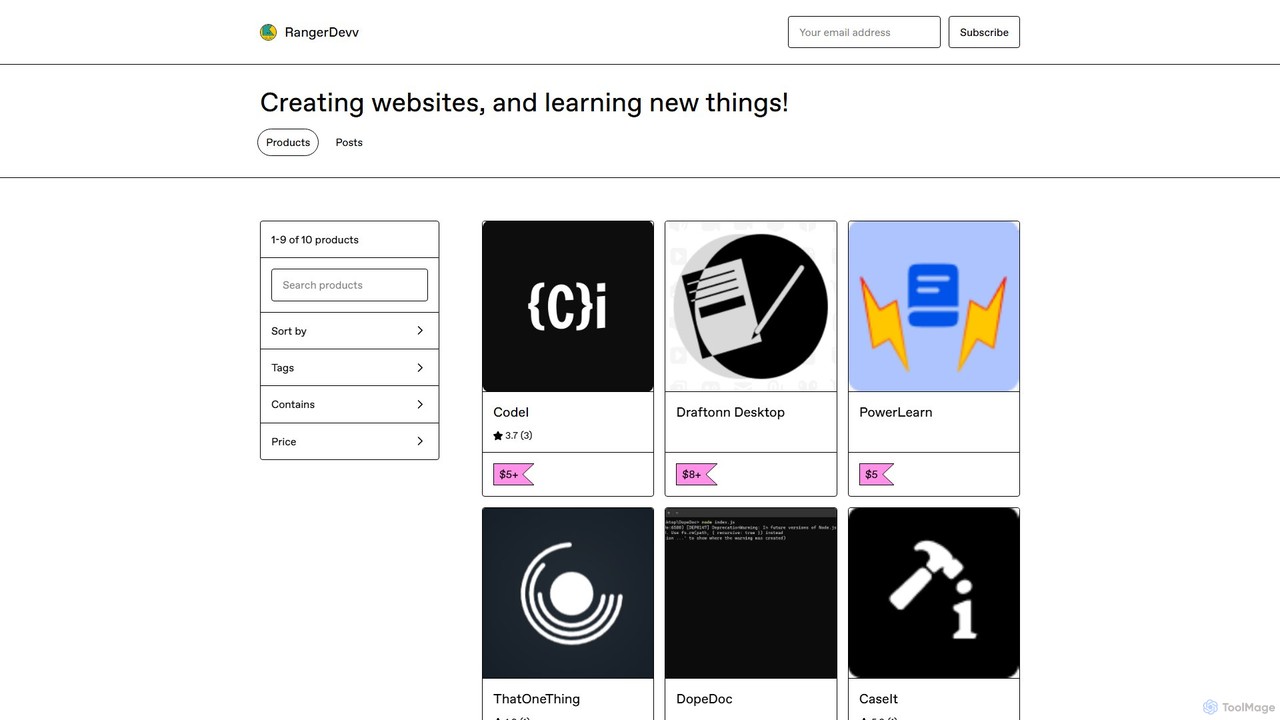
CodeI is an AI-powered desktop application for developers, designed to accelerate coding and debugging. It provides instant code examples, explains complex errors with practical scenarios, and helps learn new programming languages. With an intuitive UI and lifetime access, it's a powerful productivity tool for any programmer.

Preview

Programming Helper Product overview

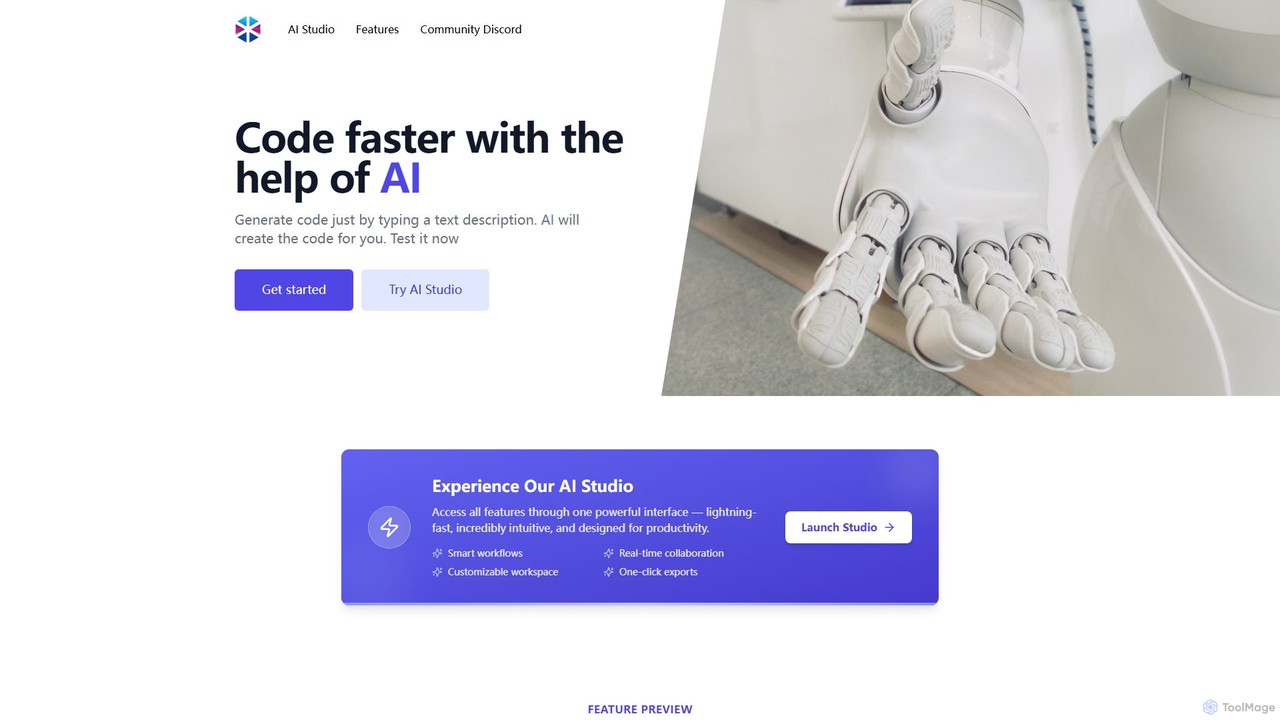
Programming Helper is an AI-powered suite of tools designed to accelerate coding tasks. It allows developers to generate, translate, explain, fix, and test code across numerous programming languages simply by providing text descriptions. It also assists with generating SQL queries, Regex, and command-line instructions.

Preview

Quick facts

Compare product focus, pricing models and audiences. Highlighted rows indicate different listed information; unknown pricing does not mean free.

CodeI VS Programming Helper — Quick facts
Quick factsCodeIProgramming Helper
Pricing modelPaidFreemium
Product typeAppWeb
Primary focusCode AssistantCode Assistant
Audience and rolesNo data availableNo data available
CategoriesCode Assistant · Programming · Developer ProductivityCode Assistant · Programming · Developer Tools
AddedAug 13, 2025Aug 9, 2025
UpdatedNov 19, 2026Nov 19, 2026

Features, usage and use cases

Explore the listed product descriptions, features and workflows. Taxonomy labels alone are not feature evaluations.

CodeI

CodeI (pronounced Code-eye) is a dedicated AI assistant application built specifically for developers, programmers, and anyone learning to code. It serves as a powerful companion to streamline the development process by providing instant, AI-driven solutions for coding challenges. Whether you're stuck on a complex algorithm, trying to understand a cryptic error message, or exploring a new programming language, CodeI offers a focused and efficient platform to get the answers you need without the distraction of web searches.

The application is designed with productivity in mind, featuring a clean, intuitive user interface that allows developers to quickly input their queries and receive well-structured responses. Unlike general-purpose AI chats, CodeI is tailored for code-related tasks, ensuring the examples and explanations are relevant and practical. It also maintains a history of your previous questions, creating a personalized knowledge base that you can easily refer back to, saving you from re-solving the same problems in the future.

How to use CodeI

Using CodeI is straightforward and designed to integrate seamlessly into your development workflow:

  1. Installation: After purchasing, download the application (65.2 MB) and install it on your desktop.
  2. Launch the App: Open the CodeI application to access its clean and simple interface.
  3. Ask Your Question: In the input field, type your request. This can be a request for a code snippet (e.g., "javascript function to sort an array of objects"), a question about a concept (e.g., "explain polymorphism in Python"), or an error message you need to debug (e.g., paste a 'NullPointerException' stack trace).
  4. Get an AI-Powered Answer: The AI will process your query and provide a detailed response, often including code examples, step-by-step explanations, and potential causes for errors.
  5. Review History: Navigate to the history section to see all your past queries and their corresponding answers. This allows you to easily find previously discussed solutions without having to ask again.

Core Features of CodeI

  • AI-Powered Code Generation: Get instant, relevant code examples for a wide range of programming languages and frameworks. Implement features faster by using AI-generated snippets as a starting point.
  • Intelligent Error Debugging: Paste error messages or describe a bug to receive clear explanations of what the error means, what likely caused it, and example scenarios to help you fix it quickly.
  • Programming Language Tutor: An excellent tool for learners. Use it to find code examples for basic tasks (like "Hello World") or to understand fundamental concepts in a new language or framework.
  • Intuitive User Interface: A clean, distraction-free UI focused on the core task of getting coding help, making it more efficient than using a web browser.
  • Persistent Query History: Automatically saves your questions and the AI's answers, allowing you to easily refer back to previous solutions and build a personal knowledge base.

Use Cases for CodeI

CodeI is versatile and can be used in various scenarios by developers of all skill levels:

  • Rapid Prototyping: A developer working on a new project needs to implement a specific feature, like user authentication. They use CodeI to get a boilerplate code snippet for that feature, saving hours of initial setup.
  • Efficient Debugging: A programmer encounters a confusing error message. Instead of searching through forums, they paste the error into CodeI and get an immediate explanation of the cause and a code example demonstrating the fix.
  • Skill Development & Learning: A student learning a new language like Rust or Go uses CodeI to ask for simple examples of syntax, loops, or object creation, accelerating their learning curve.
  • Code Refactoring: A senior developer can ask CodeI for more efficient or modern alternatives to an existing piece of code, helping to improve code quality and performance.

Advantages of CodeI

CodeI stands out from other solutions with several key advantages:

  • Enhanced Productivity: By providing instant and focused answers, CodeI significantly reduces the time spent on searching for documentation, sifting through forum posts, and debugging errors.
  • Cost-Effective: The one-time payment model provides lifetime access to the tool. This is a major advantage over subscription-based services, offering long-term value without recurring costs.
  • User-Centric Design: The combination of an intuitive UI and a query history feature makes the tool exceptionally easy to use and allows for efficient knowledge recall.
  • Dedicated Environment: As a standalone application, it provides a distraction-free environment dedicated solely to solving coding problems.
  • Flexible Usage: The optional "One Up" plan, which includes free API keys, means heavy users don't have to worry about managing or paying for their own API access for an extended period.

Pricing and Plans

CodeI offers a simple and transparent pricing structure based on a one-time payment:

  • Standard Lifetime Access: This plan operates on a "Name a fair price" model, with a suggested minimum of $5+. A single payment grants you lifetime access to the CodeI application and all its core features.
  • One Up Plan: For users who anticipate heavy usage, this premium plan includes the benefit of free API keys. This means you can use the AI extensively for months without needing to provide or pay for your own API access, offering significant value. The price for this plan is a higher one-time payment.

Programming Helper

Programming Helper is a comprehensive, AI-driven platform designed to serve as an indispensable assistant for developers, programmers, and students. Its primary goal is to significantly accelerate the coding workflow by automating a wide range of programming tasks. By leveraging advanced artificial intelligence, the tool can understand natural language descriptions and translate them into functional, ready-to-use code, commands, or explanations across a multitude of programming languages.

The platform is more than just a simple code generator; it's a versatile toolkit that consolidates numerous development aids into a single, intuitive interface called the AI Studio. This unified workspace is designed for maximum productivity, featuring smart workflows and real-time collaboration capabilities. Whether you're a seasoned professional looking to speed up repetitive tasks or a beginner trying to understand complex concepts, Programming Helper offers the support you need.

How to use Programming Helper

Using Programming Helper is straightforward and intuitive. The core interaction is based on natural language input. Here’s a typical workflow:

  1. Select a Task: Navigate to the desired feature on the website, such as 'Function from Description', 'Fix Invalid Code', or 'Text Description to SQL Command'.
  2. Provide a Description: In the input field, type a clear and concise description of what you want to achieve. For example, you could type "create a Python function that takes a list of numbers and returns the sum" or "fix the syntax error in this JavaScript snippet."
  3. Choose a Language (if applicable): For code generation or translation tasks, select your target programming language from the available options.
  4. Generate: Click the generate button. The AI will process your request and produce the corresponding code, explanation, or command.
  5. Review and Use: You can then copy the generated output to your clipboard and integrate it directly into your project. For a more integrated experience, the AI Studio provides a centralized dashboard to access all these tools seamlessly.

Core Features of Programming Helper

  • Code Generation: Generate functions, classes, HTML, CSS, and meta tags from simple text descriptions in various languages.
  • Code Translation: Translate code snippets from one programming language to another, facilitating cross-platform development and learning.
  • Code to Explanation: Paste any code snippet to receive a clear, plain English explanation of its functionality, logic, and purpose.
  • Fix Invalid Code: Automatically identify and correct syntax errors, typos, and other common issues in your code.
  • Test Generation: Create unit tests for your functions and classes to ensure code quality and robustness.
  • SQL & Regex Generation: Generate complex SQL queries and regular expressions from natural language descriptions (e.g., "get all users from the 'customers' table" or "check for a valid email address").
  • Command Line Assistance: Find the correct Git or Linux command you need by describing the action you want to perform.
  • Docstring to Function: Automatically generate a complete function based on its docstring documentation.
  • Time Complexity Analysis: Get the time complexity (Big O notation) for a given algorithm or function.
  • AI Studio: A powerful, unified interface that offers a customizable workspace, smart workflows, and one-click exports to streamline your development process.

Use Cases for Programming Helper

For Students & Learners: Understand complex algorithms with code explanations, learn new languages by translating familiar code, and get help with homework assignments.

For Professional Developers: Accelerate development by generating boilerplate code, functions, and tests. Quickly debug frustrating syntax errors and create complex Regex or SQL queries without manual effort.

For Data Scientists: Effortlessly craft SQL commands to retrieve data from databases by describing the required dataset.

For Frontend Developers: Rapidly scaffold HTML structures and generate CSS styles from a description of the desired layout or component.

Advantages of Programming Helper

The primary advantage of Programming Helper is its ability to boost productivity and efficiency. By handling tedious and repetitive tasks, it allows developers to focus on high-level logic and problem-solving. Its all-in-one nature eliminates the need to switch between multiple tools for different tasks. The natural language interface makes it accessible to programmers of all skill levels, lowering the barrier to entry for complex tasks like writing regular expressions or debugging code.

Pricing and Plans

Programming Helper appears to operate on a freemium model. Users can access many of the core features for free, though these generations are public and may be visible to others. For professional use, private generations, access to more advanced features, or higher usage limits, a paid subscription plan is likely available. For the most accurate and up-to-date pricing information, please visit the official website.

Positioning

Their taxonomy shows where the products overlap and where each one has a more distinct focus. Unknown fields are shown explicitly and are never filled with assumptions.

Categories

Shared
Code AssistantProgramming
Only CodeI
Developer Productivity
Only Programming Helper
Developer Tools

Tags

Shared
code assistantcode generatordebugdeveloper tools
Only CodeI
AI programmercoding toolerror analysislifetime accessprogramming help
Only Programming Helper
ai pair programmercode explanationcode translationprogrammingregex generatorsql generator

Audience and roles

Shared
No listed items
Only CodeI
No listed items
Only Programming Helper
No listed items

Traffic comparison

Traffic is shown on the same scale so differences in market visibility are not visually understated.

How to interpret the traffic data

Both charts share the same months and vertical scale. Each tool identifies its latest reporting month; missing months are left blank, not counted as zero. Regional and source visit counts are estimates calculated from the reported shares.

CodeI

No data available

Programming Helper monthly traffic:

Latest traffic · 2026-05

Monthly visits
13.8K
Avg. visit duration
0:36
Pages per visit
2
Bounce rate
27.21%
Data updated 2026-06-15

Monthly traffic trend

  • 2025-09: 1.8K
  • 2026-01: 3.2K
  • 2026-02: 2.7K
  • 2026-03: 3.3K
  • 2026-04: 4.1K
  • 2026-05: 13.8K

Top regions

Top 5 countries/regions
Country/regionPercentageEstimated visits
🇺🇸United States48.41%6.7K
🇲🇽Mexico26.39%3.6K
🇦🇷Argentina12.2%1.7K
🇮🇳India11.23%1.5K
🇪🇸Spain1.77%244

Search keywords

delivery drones in 2026lfsr in sage math code seedprograming helpertesla has purchased more than 1,000 robots from manufacturers such as kuka and fanuc.перспективи розвитку технології мемисторів

Community signals

Ratings, comments, favorites, and likes are community signals—not a substitute for product fit.

CodeI

Rating
No data available
Comments
0
Favorites
194
Likes
181

Programming Helper

Rating
No data available
Comments
0
Favorites
187
Likes
166

CodeI vs Programming Helper · Comparison FAQ

What do CodeI and Programming Helper have in common?
Both tools are listed under Code Assistant、Programming. These categories indicate overlapping use cases; compare their detailed descriptions for workflows, capabilities and limitations.
Are CodeI and Programming Helper free?
Listed pricing models: CodeI — Paid; Programming Helper — Freemium. Missing pricing is not proof of a free plan, and freemium does not mean every feature is free. Check official sites for current plans, limits and trials.
How should I choose between CodeI and Programming Helper?
The primary listed category is Code Assistant for CodeI, and Code Assistant for Programming Helper. Compare features, steps and use cases, then verify pricing, data permissions and deployment needs. This page does not include hands-on testing and does not declare a winner from traffic or tags.

Sources and comparison methodology

This page is assembled from ToolMage product listings, taxonomy, traffic statistics and on-site user feedback. It is not a hands-on test or an independent review.

  • Feature and plan descriptions reflect information in the listings, not real-time guarantees. Verify pricing, quotas, availability and privacy terms on the official sites.
  • Traffic uses the reporting months shown. Missing statistics do not mean zero visits, and different periods do not establish growth or superiority. Regional and source visit counts are estimates based on shares.
  • Different tags indicate differences in the listings, not proof that the other product lacks a capability. Ratings, favorites and visits are not used to declare a winner.

Related comparisons