ToolMage
Sign in

AI TOOL COMPARISON

CodePal vs Sourcery

What is the difference, and which fits your workflow? Compare features, usage, pricing models and traffic side by side.

Jump to key differences

Product overview

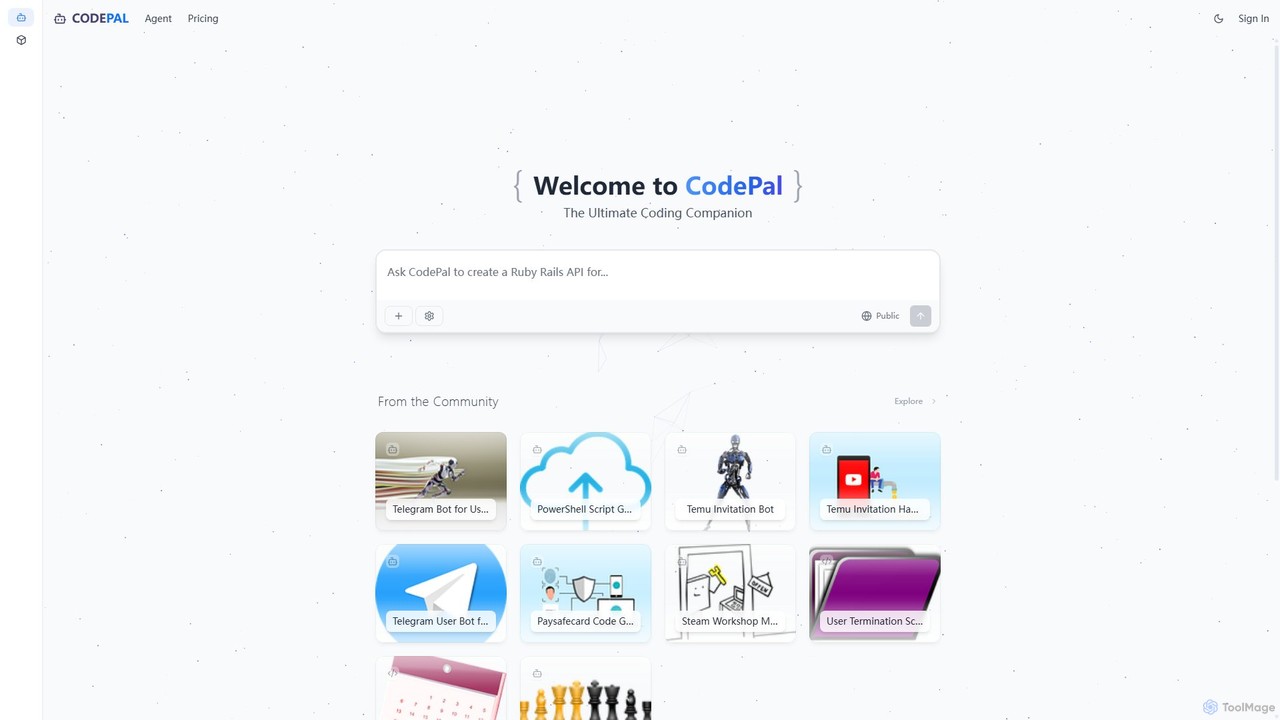
CodePal Product overview

A powerful AI coding companion and autonomous engineer that integrates directly into GitHub. Automate code reviews, generate documentation, resolve issues, and write unit tests with simple commands to accelerate your development workflow.

Preview

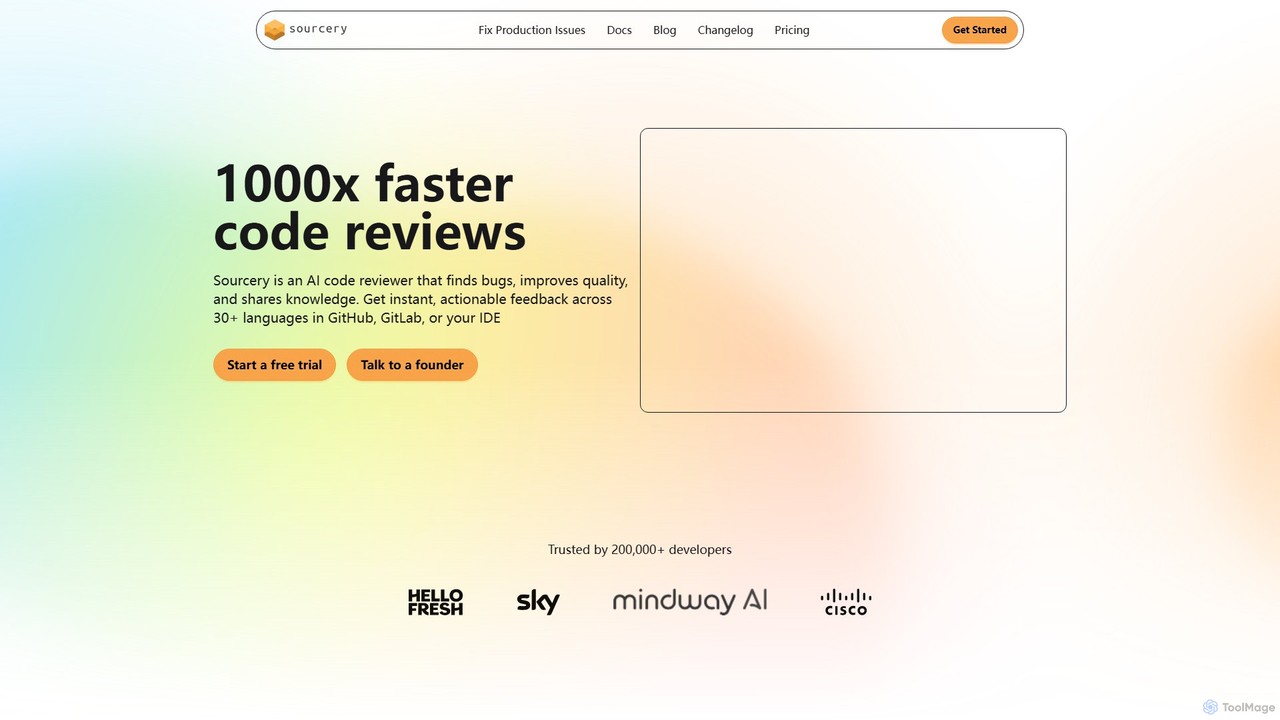
Sourcery Product overview

Sourcery is an AI-powered code reviewer that automates code reviews, finds bugs, improves code quality, and accelerates knowledge sharing. It integrates directly into your IDE, GitHub, and GitLab workflows, providing instant feedback and refactoring suggestions for over 30 languages.

Preview

Quick facts

Compare product focus, pricing models and audiences. Highlighted rows indicate different listed information; unknown pricing does not mean free.

CodePal VS Sourcery — Quick facts
Quick factsCodePalSourcery
Pricing modelFreemiumFreemium
Product typeWebWeb
Primary focusCode AssistantCode Assistant
Audience and rolesNo data availableNo data available
CategoriesCode Assistant · Code Review · Testing · AutomationCode Assistant · Code Review · Automation · Vulnerability Scanning
AddedAug 5, 2025Aug 11, 2025
UpdatedNov 19, 2026Nov 19, 2026

Features, usage and use cases

Explore the listed product descriptions, features and workflows. Taxonomy labels alone are not feature evaluations.

CodePal

CodePal is an advanced AI-powered platform designed to be the ultimate coding companion for developers. It functions as an autonomous AI engineer that integrates seamlessly into your existing development workflow, primarily through GitHub. By automating tedious and time-consuming tasks, CodePal allows developers to focus on building high-quality software faster and more efficiently.

The core of the platform is the CodePal Agent, an intelligent entity that lives within your GitHub repositories. It can be triggered manually via simple chat-like commands or configured to run automatically on specific events, such as pull request creation or scheduled intervals. This agent is capable of understanding context, analyzing code, and performing complex actions like writing new code, reviewing changes, and identifying potential issues.

Beyond the agent, CodePal offers a collaborative environment where developers can explore, remix, and share code projects. This community-driven aspect provides a valuable resource for learning and inspiration, showcasing practical applications of AI in software development across a multitude of programming languages.

How to use CodePal

Using CodePal is designed to be intuitive and fit naturally into a developer's routine:

  1. Sign Up & Connect: Create an account on the CodePal website and connect it to your GitHub account.
  2. Integrate the Agent: Install the CodePal Agent into your desired GitHub repositories. You can configure its settings and permissions on an organization-wide or per-repository basis.
  3. Use AI Commands: Interact with the agent directly within GitHub comments on issues and pull requests. Simply use the .cp prefix followed by a command. For example:
    • In a GitHub issue, type .cp assign to have the AI generate a pull request that resolves the issue.
    • On a pull request, type .cp review to receive a comprehensive code review with inline comments and a summary.
    • To generate documentation, use .cp document.
    • To create unit tests for the changes, use .cp tests.
  4. Automate Workflows: In the CodePal dashboard, configure the agent to run automatically. Set it to review all new pull requests, patrol for issues on a nightly basis, or auto-assign specific types of issues to itself.
  5. Explore & Build: Use the CodePal platform to browse community projects for inspiration or to get started with new technologies.

Core Features of CodePal

  • Autonomous AI Agent for GitHub: An AI engineer that writes, reviews, documents, and triages code directly within your repositories.
  • Intelligent Command System: Simple .cp commands (e.g., assign, review, document, tests, patrol) make it easy to delegate tasks to the AI.
  • Automated Code Reviews: Get full code reviews on pull requests, identifying bugs, suggesting improvements, and ensuring code quality.
  • Automated Issue Resolution: The agent can take a GitHub issue, understand the requirements, and generate a complete, high-quality pull request to fix it.
  • Automatic Documentation Generation: Improve code maintainability by automatically adding comprehensive docstrings and comments.
  • Unit Test Generation: Automatically create extensive test coverage for your code to ensure reliability and prevent regressions.
  • Proactive Issue Patrolling: Configure the agent to regularly scan your codebase for potential issues and automatically create tickets for them.
  • Customizable Workflows: Tailor the agent's behavior, effort level, and triggers to perfectly match your team's processes.
  • Community Project Hub: Explore and remix a wide range of AI-assisted projects shared by the community.

Use Cases for CodePal

CodePal is versatile and can be applied in various scenarios:

  • Development Teams: Offload routine tasks like code reviews and documentation to the AI, freeing up senior developers to focus on complex architectural problems.
  • Open Source Projects: Maintain high code quality and responsiveness by using the AI agent to review contributions and fix reported bugs.
  • Individual Developers & Hobbyists: Accelerate personal projects, learn best practices from AI-generated code, and ensure robust test coverage without the overhead.
  • Legacy Codebases: Quickly add documentation and test coverage to old, poorly-documented code to make it easier to maintain and modernize.
  • Enterprise Solutions: Scale development efforts with enterprise-level support and tailored AI tooling to enforce organizational coding standards and security practices.

Advantages of CodePal

CodePal offers significant advantages over traditional development methods:

  • Massive Productivity Boost: Automates tasks that typically consume a large portion of a developer's day.
  • Seamless Integration: Works within the familiar GitHub environment, requiring no context switching.
  • Improved Code Quality & Consistency: The AI acts as an impartial reviewer, enforcing best practices and catching errors consistently.
  • Faster Development Cycles: By accelerating reviews and issue resolution, teams can ship features faster.
  • Scalable and Flexible: With plans ranging from a free starter tier to a full enterprise solution, it can support any team size and need.

Pricing and Plans

CodePal offers a freemium model with several tiers to suit different needs. Annual subscriptions provide a 20% discount.

  • Starter Plan: Free. Includes access to all tools, 25 messages/month, up to 50 projects, and public projects. Ideal for trying out the platform.
  • Standard Plan: $20/month. Includes everything in Starter, plus 100 messages/month, unlimited projects, and in-app code edits. Perfect for hobbyists and regular users.
  • Pro Plan: $50/month. Includes everything in Standard, plus 300 messages/month, premium support, and early access to beta features. Designed for professionals.
  • Enterprise Plan: Custom pricing. Includes everything in Pro, plus unlimited messages, enterprise-level support, and tailored tooling and configuration for businesses.

A 14-day money-back guarantee is offered on all paid plans.

Sourcery

Sourcery is an advanced AI code reviewer designed to make code reviews 1000x faster. It acts as an automated assistant for developers, meticulously analyzing code to find bugs, identify security vulnerabilities, and suggest improvements to enhance quality and maintainability. By integrating seamlessly into existing development environments, Sourcery helps teams streamline their workflows, reduce technical debt, and foster a culture of continuous improvement.

Trusted by over 200,000 developers, Sourcery provides immediate, actionable feedback on every pull request or code commit. It goes beyond simple linting by understanding the context and logic of the code, offering intelligent refactoring suggestions that can be applied with a single click. The tool is designed to learn from your team's feedback and coding style, becoming a more effective and personalized reviewer over time.

How to use Sourcery

Getting started with Sourcery is straightforward and designed for a smooth integration into your current workflow:

  1. Connect your Git Platform: Integrate Sourcery with your GitHub or GitLab repositories. Once connected, it will automatically start reviewing new pull requests.
  2. Install the IDE Extension: For real-time feedback, install the Sourcery plugin for your favorite IDE, such as VS Code, JetBrains (PyCharm, IntelliJ), Sublime Text, or Vim. This allows you to get suggestions and refactor code before you even commit.
  3. Review Suggestions: In pull requests, Sourcery posts comments with suggestions and explanations. In the IDE, it highlights code that can be improved and offers quick fixes.
  4. Customize Rules: Teams can configure Sourcery to enforce their specific coding standards and style guides, ensuring consistency across the entire codebase.
  5. Use the AI Assistant: Leverage the in-IDE chat feature to ask coding questions, generate unit tests, explain complex code blocks, or create documentation.

Core Features of Sourcery

  • AI-Powered Code Review: Automatically reviews every pull request, providing in-line suggestions to fix bugs, improve performance, and enhance readability.
  • Multi-Language Support: Offers comprehensive analysis for over 30 programming languages, including Python, JavaScript, TypeScript, and more.
  • Seamless IDE & Git Integration: Works directly within GitHub, GitLab, VS Code, and JetBrains IDEs, providing feedback where developers work.
  • Advanced Security Scanning: Includes SAST (Static Application Security Testing) and secrets scanning to identify and fix security vulnerabilities early in the development cycle.
  • Knowledge Sharing Tools: Automatically generates summaries for pull requests and creates Mermaid diagrams to visually explain complex changes, making reviews easier for human collaborators.
  • Customizable Rule Engine: Allows teams to create and enforce their own custom review rules and style guides, ensuring code consistency.
  • Continuous Learning: The AI model adapts to your team's feedback, learning from accepted and rejected suggestions to provide more relevant comments over time.
  • Enterprise-Grade Security: Offers self-hosting options for maximum control, ensures your code is never stored on Sourcery's servers, and uses LLM providers that do not train on your data.

Use Cases for Sourcery

Sourcery is versatile and benefits various aspects of the software development lifecycle:

  • Accelerating Development Velocity: By automating the initial, repetitive parts of code review, it frees up senior developers' time and eliminates review bottlenecks, leading to faster release cycles.
  • Improving Code Quality and Consistency: Enforces best practices and team-specific style guides automatically, leading to a more maintainable, stable, and consistent codebase.
  • Onboarding New Developers: Acts as a patient mentor, providing instant, constructive feedback that helps new team members learn the codebase and best practices quickly.
  • Proactive Security Hardening: Catches security flaws and exposed secrets before they are merged, shifting security left and reducing risk.
  • Managing Technical Debt: Continuously identifies opportunities for refactoring, helping teams to systematically reduce technical debt and improve the long-term health of their projects.

Advantages of Sourcery

Sourcery offers significant advantages over manual reviews and traditional static analysis tools:

  • Speed and Efficiency: Delivers feedback in seconds, not hours or days, dramatically speeding up the review process.
  • Actionable Intelligence: Provides not just problem identification but also concrete, one-click solutions and clear explanations.
  • Developer-Centric Workflow: Integrates non-intrusively into the tools developers already use, minimizing context switching.
  • Scalability: Scales effortlessly from individual developers to large enterprise teams, maintaining high-quality standards regardless of team size.
  • Data Privacy and Security: Strong commitment to security with self-hosting, zero-retention options, and a 'Bring Your Own LLM' feature for enterprise clients.

Pricing and Plans

Sourcery offers a range of plans to suit different needs:

  • Open Source Plan (Free): Fully featured for public, open-source repositories.
  • Pro Plan ($12 per seat/month): Designed for individual developers or small teams working on private repositories. Includes code review, pull request summaries, and custom rules.
  • Team Plan ($24 per seat/month): Includes all Pro features, plus repository analytics, secrets scanning, SAST scanning, and the ability to bring your own LLM.
  • Enterprise Plan (Custom Pricing): Tailored for large organizations, offering everything in the Team plan plus a self-hosting option, priority support, a dedicated customer success manager, and invoice billing.

A free trial is available for the Pro and Team plans.

Positioning

Their taxonomy shows where the products overlap and where each one has a more distinct focus. Unknown fields are shown explicitly and are never filled with assumptions.

Categories

Shared
Code AssistantCode ReviewAutomation
Only CodePal
Testing
Only Sourcery
Vulnerability Scanning

Tags

Shared
automationcode reviewdeveloper toolsgithub
Only CodePal
ai engineercode assistantdocumentationprogrammingsoftware developmentunit testing
Only Sourcery
AI code assistantcode qualitygitlabjavascriptpythonrefactoringSASTsecurity scanningtechnical debt

Audience and roles

Shared
No listed items
Only CodePal
No listed items
Only Sourcery
No listed items

Traffic comparison

Traffic is shown on the same scale so differences in market visibility are not visually understated.

How to interpret the traffic data

Both charts share the same months and vertical scale. Each tool identifies its latest reporting month; missing months are left blank, not counted as zero. Regional and source visit counts are estimates calculated from the reported shares.

CodePal monthly traffic:

Latest traffic · 2026-05

Monthly visits
54.8K
Avg. visit duration
3:30
Pages per visit
5.33
Bounce rate
41.44%
Data updated 2026-06-15

Monthly traffic trend

  • 2025-09: 145.6K
  • 2026-01: 38.5K
  • 2026-02: 43K
  • 2026-03: 52.9K
  • 2026-04: 61.5K
  • 2026-05: 54.8K

Top regions

Top 5 countries/regions
Country/regionPercentageEstimated visits
🇺🇸United States75.15%41.2K
🇩🇪Germany17.28%9.5K
🇬🇧United Kingdom2.94%1.6K
🇻🇳Vietnam2.61%1.4K
🇷🇺Russia2.02%1.1K

Traffic sources

Source typePercentageEstimated visits
Direct80.64%44.2K
Referral17.45%9.6K
Email1.91%1K

Search keywords

alecks github hackshow to copy a game with place id roblox githubiready hackskahoot botterminecradft redeem codegenerator

Sourcery monthly traffic:

Latest traffic · 2026-05

Monthly visits
82.5K
Avg. visit duration
0:42
Pages per visit
2.93
Bounce rate
43.34%
Data updated 2026-06-15

Monthly traffic trend

  • 2025-09: 48K
  • 2026-01: 81.3K
  • 2026-02: 75.7K
  • 2026-03: 81.1K
  • 2026-04: 79.7K
  • 2026-05: 82.5K

Top regions

Top 5 countries/regions
Country/regionPercentageEstimated visits
🇸🇪Sweden33.94%28K
🇺🇸United States31.49%26K
🇮🇳India14.45%11.9K
🇷🇺Russia10.26%8.5K
🇻🇳Vietnam9.86%8.1K

Traffic sources

Source typePercentageEstimated visits
Direct73.98%61K
Referral23.75%19.6K
Email2.27%1.9K

Search keywords

how do i sign up for sourcery.ai student discount/apply for itjwt confusion attacksourcerysourcery aisourcery.ai student plans

Community signals

Ratings, comments, favorites, and likes are community signals—not a substitute for product fit.

CodePal

Rating
No data available
Comments
0
Favorites
170
Likes
159

Sourcery

Rating
No data available
Comments
0
Favorites
207
Likes
200

CodePal vs Sourcery · Comparison FAQ

What do CodePal and Sourcery have in common?
Both tools are listed under Code Assistant、Code Review、Automation. These categories indicate overlapping use cases; compare their detailed descriptions for workflows, capabilities and limitations.
Are CodePal and Sourcery free?
Listed pricing models: CodePal — Freemium; Sourcery — Freemium. Missing pricing is not proof of a free plan, and freemium does not mean every feature is free. Check official sites for current plans, limits and trials.
How should I choose between CodePal and Sourcery?
The primary listed category is Code Assistant for CodePal, and Code Assistant for Sourcery. Compare features, steps and use cases, then verify pricing, data permissions and deployment needs. This page does not include hands-on testing and does not declare a winner from traffic or tags.

Sources and comparison methodology

This page is assembled from ToolMage product listings, taxonomy, traffic statistics and on-site user feedback. It is not a hands-on test or an independent review.

  • Feature and plan descriptions reflect information in the listings, not real-time guarantees. Verify pricing, quotas, availability and privacy terms on the official sites.
  • Traffic uses the reporting months shown. Missing statistics do not mean zero visits, and different periods do not establish growth or superiority. Regional and source visit counts are estimates based on shares.
  • Different tags indicate differences in the listings, not proof that the other product lacks a capability. Ratings, favorites and visits are not used to declare a winner.

Related comparisons