ToolMage
Sign in

AI TOOL COMPARISON

Codev vs Dyad

What is the difference, and which fits your workflow? Compare features, usage, pricing models and traffic side by side.

Jump to key differences

Product overview

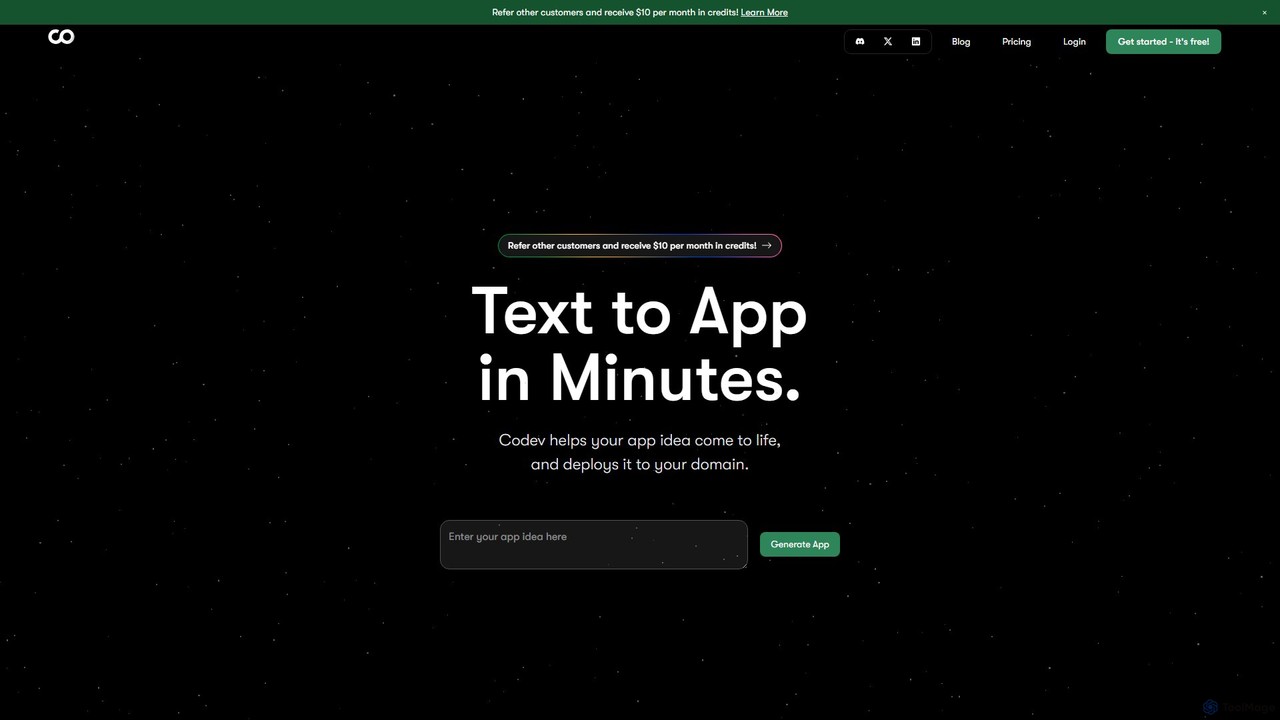
Codev Product overview

Codev is an AI-powered platform that transforms text descriptions into full-stack web applications in minutes. It generates production-ready code using Next.js and Supabase, allowing both developers and non-developers to build and deploy their ideas with full source code ownership.

Preview

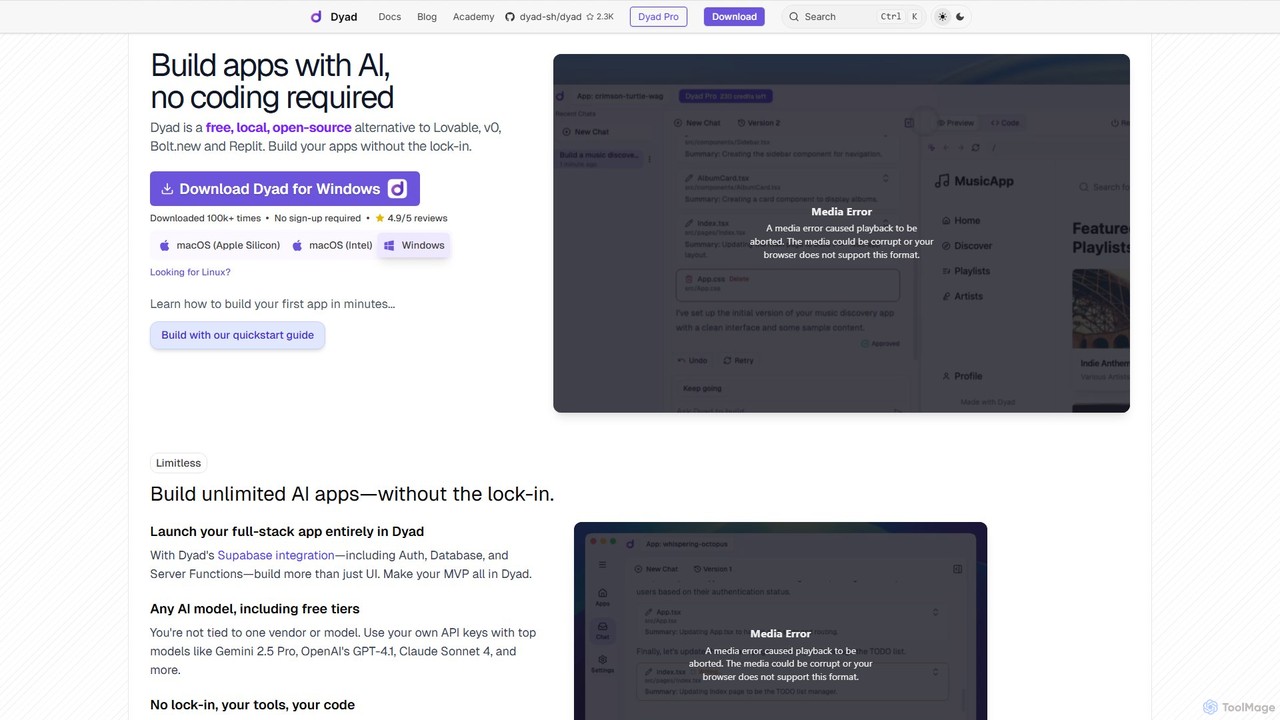
Dyad Product overview

Dyad is a free, local, and open-source AI app builder that allows you to create full-stack applications without coding. It runs directly on your machine, ensuring privacy and no vendor lock-in, while supporting various AI models like GPT-4, Gemini, and local models via Ollama.

Preview

Quick facts

Compare product focus, pricing models and audiences. Highlighted rows indicate different listed information; unknown pricing does not mean free.

Codev VS Dyad — Quick facts
Quick factsCodevDyad
Pricing modelFreemiumFreemium
Product typeWebApp
Primary focusLow Code No CodeLow Code No Code
Audience and rolesNo data availableNo data available
CategoriesLow Code No Code · Website Builder · PrototypingLow Code No Code · Web Development · App Builder
AddedAug 9, 2025Aug 11, 2025
UpdatedNov 19, 2026Nov 19, 2026

Features, usage and use cases

Explore the listed product descriptions, features and workflows. Taxonomy labels alone are not feature evaluations.

Codev

Codev is a revolutionary AI-powered platform designed to dramatically accelerate web application development. It empowers users to convert simple text descriptions into fully functional, full-stack web applications in just a matter of minutes. By leveraging a sophisticated AI engine, Codev interprets your ideas and automatically generates the necessary code, database schema, and user interface. This makes it an invaluable tool for developers seeking to rapidly prototype, entrepreneurs wanting to validate an idea, and even non-technical users looking to bring their digital projects to life without writing a single line of code.

The platform is built on a modern and robust technology stack, utilizing Next.js for the frontend and Supabase (a PostgreSQL-based backend-as-a-service) for the database and authentication. This ensures that the generated applications are not only fast and scalable but also follow industry best practices. Users receive the complete source code, granting them full ownership and the flexibility to customize, extend, and host the application anywhere they choose.

How to use Codev

Using Codev is a straightforward, three-step process designed for maximum efficiency:

  1. Describe Your App Idea: Start by writing a clear and concise description of the application you want to build. For example, you could describe a "simple blog with user authentication and a post creation page" or a "SaaS template for managing customer subscriptions." The more detailed your description, the more accurate the generated application will be.
  2. Choose Your AI Model: Codev allows you to select from leading AI models like Anthropic's Claude, OpenAI's GPT, and Google's Gemini. This gives you the flexibility to choose the model that best suits your project's complexity and requirements.
  3. Generate and Deploy: Once you've entered your description, the AI gets to work. In minutes, it generates a complete Next.js application. You can then review the app, download the full source code, or deploy it directly to a custom domain with a single click. Codev even handles automatic SSL certificate provisioning for secure connections.

Core Features of Codev

  • Text-to-App Generation: The core functionality that turns natural language prompts into complete web applications.
  • Full-Stack Technology: Generates applications using Next.js for the frontend and Supabase for the backend, database, and authentication.
  • Full Source Code Ownership: Users can download the entire codebase, ensuring no vendor lock-in and complete control over their application.
  • One-Click Deployment: Seamlessly deploy your application to a custom domain with automatic SSL setup.
  • Multiple AI Model Support: Choose from a selection of powerful AI models (Claude, GPT, Gemini) to power the generation process.
  • Starter Kits and Templates: A library of pre-built templates for various use cases like SaaS, blogs, local business sites, and news portals to get you started even faster.
  • Accessible to All Skill Levels: Designed for both experienced developers and non-technical founders.

Use Cases for Codev

Codev is versatile and can be used for a wide range of projects, including:

  • Rapid Prototyping: Developers can quickly build and test functional prototypes to present to stakeholders or test with users.
  • MVP (Minimum Viable Product) Development: Entrepreneurs and startups can launch their MVP in a fraction of the time and cost, allowing for quick market validation.
  • Internal Tools: Businesses can create custom internal applications, such as dashboards or simple CRMs, without dedicating extensive development resources.
  • SaaS Boilerplates: Generate a foundational SaaS template complete with user management and subscription logic to kickstart a new business.
  • Personal Projects: Build blogs, portfolios, or landing pages quickly and efficiently.

Advantages of Codev

Codev offers significant advantages over traditional development methods and other no-code platforms. Its primary benefit is speed—transforming what would take hours or days of manual coding into a process of minutes. It provides the best of both worlds: the ease of a no-code builder with the power and flexibility of having the full source code. This eliminates the limitations often found in closed-platform builders and empowers users with full control and ownership.

Pricing and Plans

Codev operates on a freemium model. There is a free plan that allows users to get started and experience the core features of the platform, making it accessible for anyone to try. For more advanced features, such as connecting custom domains, increased resource allocation, and access to premium templates or AI models, Codev offers several paid subscription plans. For the most current and detailed pricing information, please visit the official Codev website.

Dyad

Dyad is a revolutionary AI-powered application builder designed for developers and creators who value privacy, ownership, and flexibility. As a free, local, and open-source alternative to cloud-based platforms like Lovable and v0, Dyad empowers you to build unlimited full-stack applications directly on your computer. This local-first approach eliminates vendor lock-in and ensures that your source code and data remain private and secure on your machine.

With Dyad, the app creation process is as simple as having a conversation. You describe the application you want to build in a chat interface, and Dyad's AI engine generates the necessary code. You can then preview the changes in real-time, approve the code, and see your app come to life. This seamless workflow makes it an ideal tool for rapid prototyping, building Minimum Viable Products (MVPs), and creating custom internal tools without writing a single line of code.

How to use Dyad

Getting started with Dyad is a straightforward process designed to get you building in minutes:

  1. Download and Install: Download the Dyad application for your operating system (macOS or Windows) from the official website.
  2. Initial Setup: The app will guide you through two essential setup steps: installing Node.js (the JavaScript runtime for your apps) and setting up AI access.
  3. Connect AI Models: Provide your own API keys for leading AI models like Google's Gemini, OpenAI's GPT-4, or Anthropic's Claude. Dyad also supports local models through Ollama for complete offline functionality and data privacy.
  4. Start Building: In the chat input, describe the app or feature you want to create. For example, 'Create a to-do list app with a button to add new tasks.'
  5. Review and Approve: Dyad's AI will generate the code. Once you approve it, the code is saved to your local machine, and a live preview of your application appears instantly.
  6. Iterate and Refine: Continue chatting with the AI to add more features, modify the design, or debug issues. You can also open the source code in your favorite IDE (like VS Code) for advanced customization.
  7. Deploy: Once your app is ready, you can use the provided guides to publish it using services like GitHub and Vercel.

Core Features of Dyad

  • Local & Open-Source: Runs entirely on your machine, giving you full control, privacy, and speed. The open-source nature ensures transparency and community-driven development.
  • No-Code AI App Generation: Build applications by describing them in natural language through a chat interface.
  • Full-Stack Capabilities: Integrates seamlessly with Supabase for backend features like authentication, databases, and server functions, allowing you to build more than just UIs.
  • AI Model Flexibility: Bring your own API keys for popular models (Gemini, GPT-4, Claude) or connect to local models via Ollama. You are never tied to a single AI vendor.
  • Complete Code Ownership: All generated source code is stored locally on your computer. You own it and can modify it with your preferred tools.
  • Real-Time Preview: Instantly see the results of your prompts and edits in a live preview panel.
  • Cross-Platform: Available for both Windows and macOS (Apple Silicon and Intel).
  • Active Community: Strong support and engagement through Reddit and GitHub, where user feedback directly influences the product roadmap.

Use Cases for Dyad

Dyad is versatile and can be used by a wide range of users, from non-developers to seasoned programmers:

  • Rapid Prototyping: Quickly build and visualize UI/UX concepts for web applications.
  • MVP Development: Create and launch a fully functional Minimum Viable Product (MVP) for your startup idea, complete with a backend and database.
  • Internal Tools: Develop custom applications for your business, such as dashboards, data entry forms, or internal portals.
  • Personal Projects: Build fun and useful apps, like the poker game mentioned by a user, or a personal finance tracker.
  • Learning and Experimentation: An excellent tool for those new to development to understand how applications are built by observing the AI-generated code.

Advantages of Dyad

Dyad stands out from other AI builders due to its core principles:

  • No Vendor Lock-In: As an open-source, local tool, you are free to use, modify, and move your projects without being tied to a proprietary platform.
  • Enhanced Privacy and Security: Since everything runs locally, your sensitive data and proprietary code never leave your machine.
  • Unmatched Speed and Responsiveness: The local environment eliminates network latency, providing an instant and fluid user experience.
  • Cost-Effective: The generous free plan and the ability to use free tiers of AI models make it highly accessible. You only pay for what you use.
  • True Ownership: You are not 'renting' a platform; you are the true owner of the builder and the code it produces.

Pricing and Plans

Dyad offers flexible plans to suit different needs, with a commitment to keeping the core product free and open-source.

  • Dyad Free: Perfect for getting started. It includes the full local, open-source AI App Builder, is downloadable for macOS & Windows, requires no sign-up, and allows you to bring your own API key. Support is available through the community.
  • Dyad Pro ($30/month): Unlocks powerful features for professional builders. Includes everything in the Free plan, plus exclusive AI Pro modes, 300 AI credits per month, direct support from the creator, and full access to the Dyad Academy.
  • Dyad Max ($79/month): Designed for building large, complex applications. Includes everything in the Pro plan, but with 900 AI credits per month (a 12% saving compared to Pro) and the ability to reload credits at any time.

Positioning

Their taxonomy shows where the products overlap and where each one has a more distinct focus. Unknown fields are shown explicitly and are never filled with assumptions.

Categories

Shared
Low Code No Code
Only Codev
Website BuilderPrototyping
Only Dyad
Web DevelopmentApp Builder

Tags

Shared
app builderfull-stacklow-codeno-codeSupabase
Only Codev
AI developercode generationNextJStext-to-appweb application
Only Dyad
AI developer toollocal AIOllamaopen sourceprivacyweb development

Audience and roles

Shared
No listed items
Only Codev
No listed items
Only Dyad
No listed items

Traffic comparison

Traffic is shown on the same scale so differences in market visibility are not visually understated.

How to interpret the traffic data

Both charts share the same months and vertical scale. Each tool identifies its latest reporting month; missing months are left blank, not counted as zero. Regional and source visit counts are estimates calculated from the reported shares.

Codev monthly traffic:

Latest traffic · 2026-05

Monthly visits
30.9K
Avg. visit duration
0:13
Pages per visit
4.85
Bounce rate
35.03%
Data updated 2026-06-15

Monthly traffic trend

  • 2025-09: 123.5K
  • 2026-01: 39.9K
  • 2026-02: 21.8K
  • 2026-03: 16.9K
  • 2026-04: 36.8K
  • 2026-05: 30.9K

Top regions

Top 5 countries/regions
Country/regionPercentageEstimated visits
🇮🇩Indonesia22.53%7K
🇳🇬Nigeria22.18%6.9K
🇷🇺Russia21%6.5K
🇺🇸United States19.88%6.2K
🇮🇳India14.41%4.5K

Search keywords

ai app buildercode builder aico-devcodevfree ai code generation by prompt builds full stack app

Dyad monthly traffic:

Latest traffic · 2026-05

Monthly visits
245.1K
Avg. visit duration
0:31
Pages per visit
1.83
Bounce rate
44.69%
Data updated 2026-06-11

Monthly traffic trend

  • 2025-09: 276.9K
  • 2026-01: 325.6K
  • 2026-02: 238.3K
  • 2026-03: 248.3K
  • 2026-04: 250.2K
  • 2026-05: 245.1K

Top regions

Top 5 countries/regions
Country/regionPercentageEstimated visits
🇺🇸United States27.71%67.9K
🇮🇳India23.04%56.5K
🇧🇷Brazil21.5%52.7K
🇬🇧United Kingdom17.28%42.4K
🇮🇹Italy10.47%25.7K

Traffic sources

Source typePercentageEstimated visits
Direct86.11%211K
Referral13.03%31.9K
Email0.86%2.1K

Search keywords

ai app builder open sourcedayaddyaddyad aifree software builder ai

Community signals

Ratings, comments, favorites, and likes are community signals—not a substitute for product fit.

Codev

Rating
No data available
Comments
0
Favorites
199
Likes
198

Dyad

Rating
No data available
Comments
0
Favorites
143
Likes
138

Codev vs Dyad · Comparison FAQ

What do Codev and Dyad have in common?
Both tools are listed under Low Code No Code. These categories indicate overlapping use cases; compare their detailed descriptions for workflows, capabilities and limitations.
Are Codev and Dyad free?
Listed pricing models: Codev — Freemium; Dyad — Freemium. Missing pricing is not proof of a free plan, and freemium does not mean every feature is free. Check official sites for current plans, limits and trials.
How should I choose between Codev and Dyad?
The primary listed category is Low Code No Code for Codev, and Low Code No Code for Dyad. Compare features, steps and use cases, then verify pricing, data permissions and deployment needs. This page does not include hands-on testing and does not declare a winner from traffic or tags.

Sources and comparison methodology

This page is assembled from ToolMage product listings, taxonomy, traffic statistics and on-site user feedback. It is not a hands-on test or an independent review.
  • Feature and plan descriptions reflect information in the listings, not real-time guarantees. Verify pricing, quotas, availability and privacy terms on the official sites.
  • Traffic uses the reporting months shown. Missing statistics do not mean zero visits, and different periods do not establish growth or superiority. Regional and source visit counts are estimates based on shares.
  • Different tags indicate differences in the listings, not proof that the other product lacks a capability. Ratings, favorites and visits are not used to declare a winner.

Related comparisons