ToolMage
Sign in

AI TOOL COMPARISON

ContentRender vs MassiveAI

What is the difference, and which fits your workflow? Compare features, usage, pricing models and traffic side by side.

Jump to key differences

Product overview

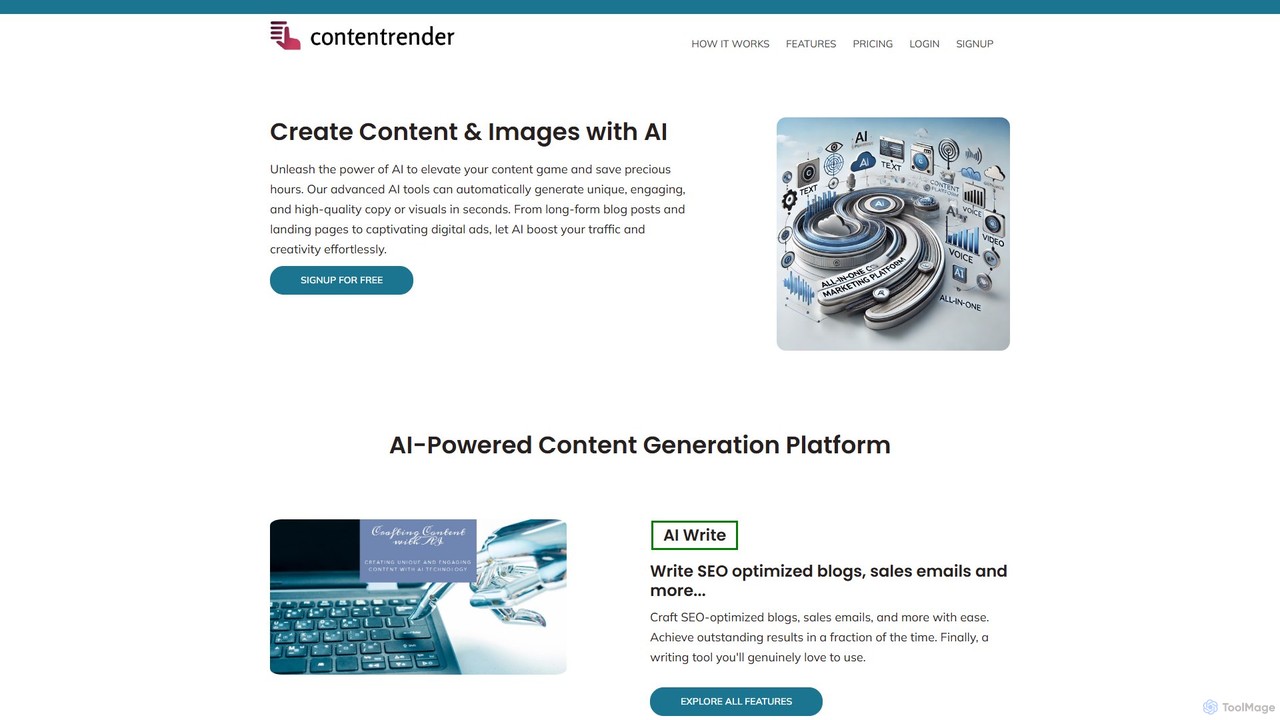
ContentRender Product overview

ContentRender is an all-in-one AI content creation platform that leverages leading models like GPT, DALL-E, and Claude. It enables users to generate unique text, images, voice-overs, and code, and even transcribe audio. This versatile tool is designed for marketers, writers, and developers to streamline their creative workflow and produce high-quality, conversion-ready content efficiently.

Preview

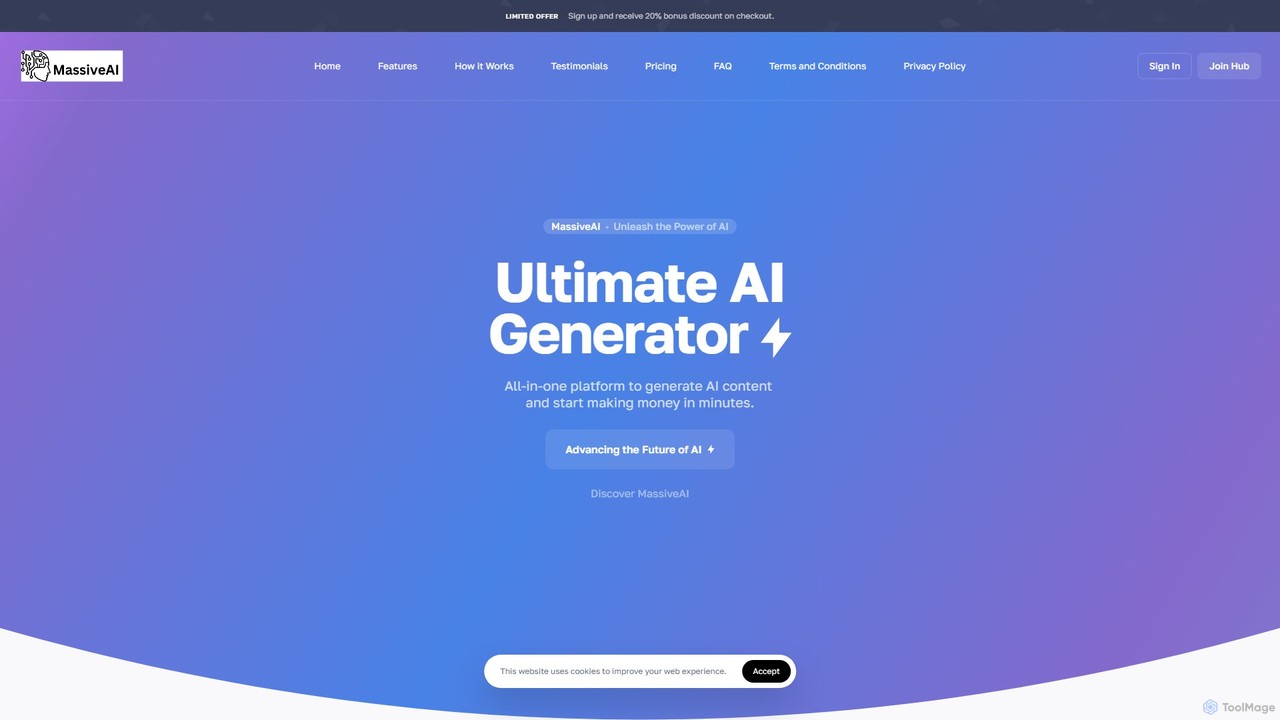
MassiveAI Product overview

MassiveAI is an all-in-one AI platform designed for content creation, marketing, and business growth. It integrates powerful tools for generating text, images, code, and speech-to-text, alongside an intelligent AI chatbot. Powered by OpenAI, it offers an intuitive dashboard with analytics to help digital agencies, marketers, developers, and entrepreneurs streamline their workflows and accelerate productivity.

Preview

Quick facts

Compare product focus, pricing models and audiences. Highlighted rows indicate different listed information; unknown pricing does not mean free.

ContentRender VS MassiveAI — Quick facts
Quick factsContentRenderMassiveAI
Pricing modelFreemiumPaid
Product typeWebWeb
Primary focusTranscriptionImage Generation
Audience and rolesNo data availableNo data available
CategoriesTranscription · Image Generation · Code Assistant · Content Creation · WritingImage Generation · Code Assistant · Content Creation · Writing
AddedAug 15, 2025Aug 2, 2025
UpdatedNov 19, 2026Nov 19, 2026

Features, usage and use cases

Explore the listed product descriptions, features and workflows. Taxonomy labels alone are not feature evaluations.

ContentRender

ContentRender positions itself as a comprehensive, all-in-one AI content generation suite, designed to cater to a wide array of creative and professional needs. By integrating a powerful stack of cutting-edge AI models including GPT, DALL-E, Stable Diffusion, Claude, Whisper, and Text-to-Speech (TTS), it provides a unified platform for creating diverse types of content. This eliminates the need for multiple specialized tools, offering a seamless workflow for generating text, images, audio, and even code. The platform is built with the goal of producing unique, human-like, and conversion-focused content, empowering users to enhance their digital presence and achieve their business objectives with greater efficiency.

How to use ContentRender

Using ContentRender is a straightforward process designed for users of all skill levels:

  1. Sign Up: Create an account on the ContentRender website. You can start with the 1-day free trial to explore its features.
  2. Select a Tool: From the main dashboard, choose the specific tool you need for your task, such as the AI Writer, Image Generator, Transcriber, Voice Over, or Coding Assistant.
  3. Provide Input: For text generation, select a template, enter your topic or prompt, and specify the desired tone of voice and creativity level. For image creation, write a descriptive text prompt. For transcription or voice-over, upload your audio file or input your text.
  4. Generate Content: Click the generate button and let the AI work its magic. The platform will produce the content based on your inputs and settings.
  5. Review and Refine: The generated output can be reviewed, edited, or refined. For instance, you can use the Sentence Rewriter to improve clarity or rephrase sections for better impact.

Core Features of ContentRender

  • AI Writer: Generates a wide range of written content, including blog posts, articles, marketing copy, social media updates, and emails, using advanced models like GPT and Claude.
  • AI Image Generator: Creates high-quality, unique images from text descriptions, powered by DALL-E and Stable Diffusion.
  • AI Transcriber: Accurately converts speech from audio and video files into written text using OpenAI's Whisper technology.
  • AI Voice Over (TTS): Transforms text into natural-sounding, human-like speech, suitable for videos, podcasts, and presentations.
  • AI Coding Assistant: Assists developers in writing, debugging, and understanding code across various programming languages.
  • AI Chat: An interactive chat interface for quick brainstorming, problem-solving, and getting instant answers.
  • Sentence Rewriter: Intelligently rephrases sentences to improve uniqueness, clarity, and engagement without losing the original context.
  • Customizable Output: Offers powerful settings to adjust the creativity level and tone of voice (e.g., formal, casual, professional) to match your brand's style.

Use Cases for ContentRender

ContentRender is a versatile tool applicable across various fields:

  • Digital Marketers: Crafting compelling ad copy, SEO-optimized blog posts, social media campaigns, and persuasive email newsletters.
  • Content Creators & Bloggers: Generating article ideas, writing full drafts, creating custom featured images, and producing voice-overs for video content.
  • Developers & Programmers: Accelerating development by generating code snippets, debugging existing code, and getting explanations for complex functions.
  • Business Professionals: Creating professional reports, presentations, and internal communications quickly and efficiently.
  • Students & Academics: Paraphrasing text for research papers, summarizing articles, and brainstorming ideas for assignments.

Advantages of ContentRender

The primary advantage of ContentRender is its all-in-one nature, which consolidates multiple AI functionalities into a single, cost-effective platform. By leveraging top-tier AI models, it ensures high-quality and creative outputs. Its focus on producing 'conversion-ready' content makes it particularly valuable for marketing and sales. The user-friendly interface and customizable settings make it accessible to beginners while still offering the depth required by professionals.

Pricing and Plans

ContentRender offers a flexible, credit-based pricing structure:

  • Free Trial: Free for 1 day, includes 10 credits and access to all tools.
  • Professional Plan: $19 per month, includes 1,500 credits and access to all tools (Writer, Coding Assistant, Image Generator, Transcriber, Voice Over, AI Chat, Templates).
  • Enterprise Plan: $59 per month, includes 5,000 credits and access to all tools.

This tiered system allows users to choose a plan that best fits their usage volume and budget.

MassiveAI

MassiveAI is a comprehensive, next-generation artificial intelligence platform built to empower businesses, marketers, developers, and creators. It serves as an all-in-one solution, consolidating multiple AI-powered tools into a single, intuitive dashboard. The core mission of MassiveAI is to eliminate creative bottlenecks and streamline workflows, enabling users to generate high-quality content and drive business growth in minutes. By leveraging the advanced capabilities of OpenAI's models, MassiveAI delivers exceptional performance across a wide range of applications, from text and image generation to code creation and speech-to-text transcription.

The platform is meticulously designed for a diverse user base, including digital agencies looking to scale content production, entrepreneurs drafting business plans, copywriters battling writer's block, and developers seeking coding assistance. Its user-friendly interface ensures that even those with minimal technical expertise can harness the full power of AI. The integrated analytics dashboard provides valuable insights into usage and activity, allowing users to track their performance and optimize their content strategy effectively.

How to use MassiveAI

Getting started with MassiveAI is a straightforward, three-step process designed for maximum efficiency and ease of use:

  1. Describe Your Needs: Begin by providing a clear and concise description of the content you wish to create. Whether it's a blog post, a marketing slogan, a piece of code, or an image concept, simply explain your requirements. You can also adjust various settings to tailor the output to your specific needs, such as tone of voice, style, or complexity.
  2. Input Key Information: Provide essential keywords, brand details, product information, or any other relevant context. The more specific your input, the more accurate and relevant the AI-generated result will be. The platform's algorithms use this information to understand the context and generate highly personalized content.
  3. Generate, Edit, and Export: With a single click, MassiveAI generates the content. You can then review the output directly within the platform's editor. If needed, you can make edits, refine the text, or request variations. Once you are satisfied with the result, you can easily export it in your desired format or publish it directly.

Core Features of MassiveAI

  • AI Text Generator: An intelligent writing assistant that helps generate a wide variety of text-based content, including articles, blog posts, emails, ad copy, social media updates, and product descriptions. It's designed to overcome writer's block and produce high-quality, engaging text instantly.
  • AI Image Generator: Transform text prompts into stunning, high-resolution images. This feature is perfect for creating unique visuals for marketing campaigns, websites, social media, and presentations without needing any design skills.
  • AI Code Generator: A powerful tool for developers that can write, explain, and debug code in various programming languages. It accelerates the development process and serves as a reliable coding partner.
  • AI Chatbot Assistant: An interactive AI chat that can answer questions, brainstorm ideas, summarize long texts, and assist with a wide range of tasks, acting as a versatile virtual assistant.
  • AI Speech-to-Text: Accurately transcribe audio and video files into written text. This is ideal for creating subtitles, meeting notes, interview transcripts, and making audio content searchable.
  • Advanced Analytics Dashboard: A centralized hub to monitor your usage, track content generation activity, and gain valuable insights to refine your strategy.
  • Integrated Support System: Manage support tickets and get help directly from your user dashboard, ensuring a smooth and supported experience.

Use Cases for MassiveAI

MassiveAI's versatility makes it suitable for a broad spectrum of professionals and industries:

  • Digital Marketers & Copywriters: Rapidly create compelling ad copy, SEO-optimized blog posts, engaging social media content, and persuasive email marketing campaigns.
  • Entrepreneurs & Startups: Draft business plans, create pitch decks, generate website content, and develop marketing strategies quickly and cost-effectively.
  • Developers & Programmers: Generate boilerplate code, write complex functions, debug errors, and understand unfamiliar codebases to improve productivity.
  • Product Designers & UI/UX Professionals: Generate placeholder text, create design concepts from prompts, and brainstorm user flow ideas.
  • Content Creators & Bloggers: Overcome writer's block, generate article outlines, transcribe interviews, and create unique images for their content.

Advantages of MassiveAI

MassiveAI stands out by offering a unified and powerful user experience. Its primary advantage is its all-in-one nature, saving users time and money by eliminating the need for multiple, separate AI tool subscriptions. The platform is powered by leading OpenAI models, ensuring high-quality and contextually aware outputs. Its intuitive interface makes advanced AI technology accessible to everyone, regardless of their technical background. Furthermore, the pre-paid pricing model offers flexibility and control over spending, allowing users to pay only for what they use without being tied to a fixed monthly subscription.

Pricing and Plans

MassiveAI operates on a flexible "Pre-Paid" pricing model. Users can purchase credits using a credit card or Stripe, and these credits are then used to generate content across the platform's various tools (text, images, code, etc.). This pay-as-you-go approach provides transparency and control over expenses, making it an attractive option for both individuals and businesses with variable usage needs. There is no mention of a permanent free version, but users should check the official website for any introductory offers or trial periods. This model ensures you only pay for the resources you consume.

Positioning

Their taxonomy shows where the products overlap and where each one has a more distinct focus. Unknown fields are shown explicitly and are never filled with assumptions.

Categories

Shared
Image GenerationCode AssistantContent CreationWriting
Only ContentRender
Transcription
Only MassiveAI
No listed items

Tags

Shared
ai writerall-in-onecode assistantimage generatormarketing
Only ContentRender
content creationDALL-EgptSEOtext to speechtranscription
Only MassiveAI
chatbotcontent generationOpenAIspeech to text

Audience and roles

Shared
No listed items
Only ContentRender
No listed items
Only MassiveAI
No listed items

Traffic comparison

Traffic is shown on the same scale so differences in market visibility are not visually understated.

How to interpret the traffic data

Both charts share the same months and vertical scale. Each tool identifies its latest reporting month; missing months are left blank, not counted as zero. Regional and source visit counts are estimates calculated from the reported shares.

ContentRender monthly traffic:

Latest traffic · 2026-05

Monthly visits
2.4K
Avg. visit duration
0:43
Pages per visit
1.65
Bounce rate
38.06%
Data updated 2026-06-15

Monthly traffic trend

  • 2025-09: 350
  • 2026-01: 400
  • 2026-02: 875
  • 2026-03: 4K
  • 2026-04: 3.7K
  • 2026-05: 2.4K

Top regions

Top 5 countries/regions
Country/regionPercentageEstimated visits
🇧🇾Belarus82.26%2K
🇺🇸United States13.27%316
🇮🇹Italy4.47%106

Search keywords

best tool for ai imageswhich is the best/top quality/reliable image models api toolwhy are chatbots a great tool for strategically using marketing automation and ai?

MassiveAI monthly traffic:

Latest traffic · 2026-05

Monthly visits
1.7K
Avg. visit duration
0:24
Pages per visit
1.97
Bounce rate
39.92%
Data updated 2026-06-15

Monthly traffic trend

  • 2025-09: 1.9K
  • 2026-01: 176
  • 2026-02: 1.1K
  • 2026-03: 1.8K
  • 2026-04: 3.7K
  • 2026-05: 1.7K

Top regions

Top 5 countries/regions
Country/regionPercentageEstimated visits
🇺🇸United States61.94%1.1K
🇮🇹Italy22.61%391
🇹🇼Taiwan15.45%267

Search keywords

content massivemassive ai

Community signals

Ratings, comments, favorites, and likes are community signals—not a substitute for product fit.

ContentRender

Rating
No data available
Comments
0
Favorites
186
Likes
207

MassiveAI

Rating
No data available
Comments
0
Favorites
170
Likes
181

ContentRender vs MassiveAI · Comparison FAQ

What do ContentRender and MassiveAI have in common?
Both tools are listed under Image Generation、Code Assistant、Content Creation、Writing. These categories indicate overlapping use cases; compare their detailed descriptions for workflows, capabilities and limitations.
Are ContentRender and MassiveAI free?
Listed pricing models: ContentRender — Freemium; MassiveAI — Paid. Missing pricing is not proof of a free plan, and freemium does not mean every feature is free. Check official sites for current plans, limits and trials.
How should I choose between ContentRender and MassiveAI?
The primary listed category is Transcription for ContentRender, and Image Generation for MassiveAI. Compare features, steps and use cases, then verify pricing, data permissions and deployment needs. This page does not include hands-on testing and does not declare a winner from traffic or tags.

Sources and comparison methodology

This page is assembled from ToolMage product listings, taxonomy, traffic statistics and on-site user feedback. It is not a hands-on test or an independent review.

  • Feature and plan descriptions reflect information in the listings, not real-time guarantees. Verify pricing, quotas, availability and privacy terms on the official sites.
  • Traffic uses the reporting months shown. Missing statistics do not mean zero visits, and different periods do not establish growth or superiority. Regional and source visit counts are estimates based on shares.
  • Different tags indicate differences in the listings, not proof that the other product lacks a capability. Ratings, favorites and visits are not used to declare a winner.

Related comparisons