
ToolMage
Sign in

AI TOOL COMPARISON

ContentRender vs ToolsIT

What is the difference, and which fits your workflow? Compare features, usage, pricing models and traffic side by side.

Jump to key differences

Product overview

ContentRender Product overview

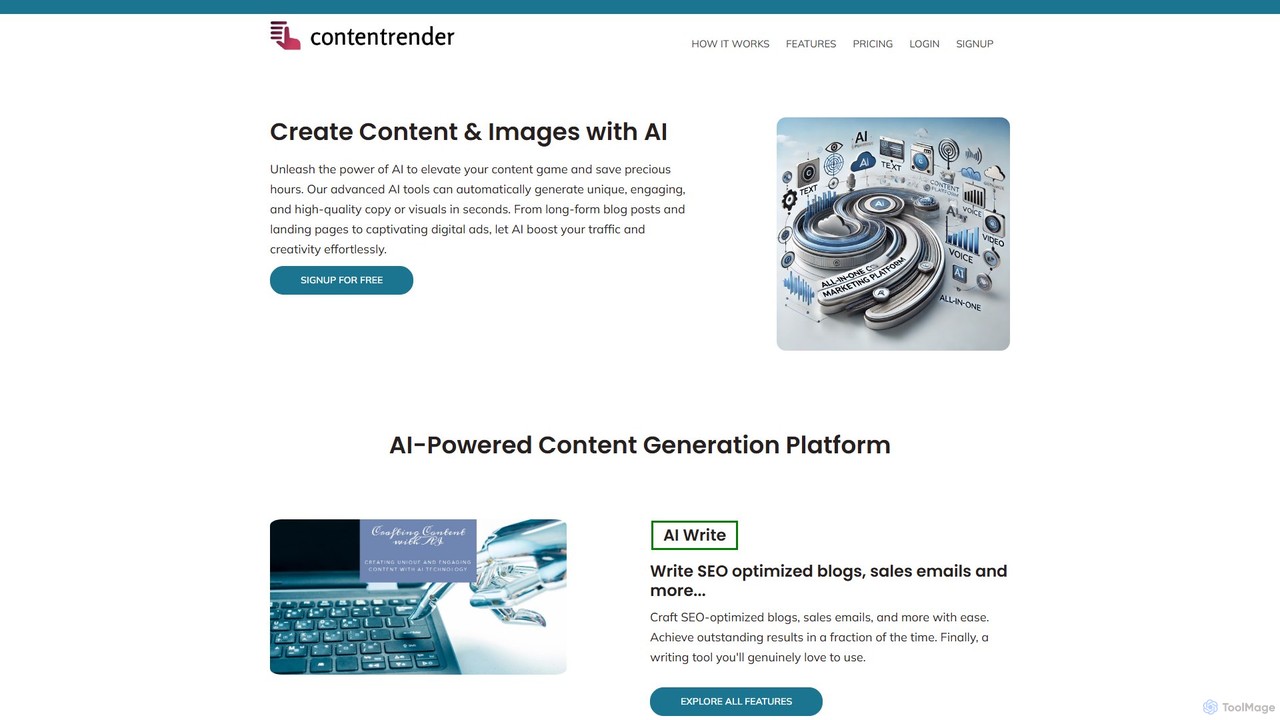
ContentRender is an all-in-one AI content creation platform that leverages leading models like GPT, DALL-E, and Claude. It enables users to generate unique text, images, voice-overs, and code, and even transcribe audio. This versatile tool is designed for marketers, writers, and developers to streamline their creative workflow and produce high-quality, conversion-ready content efficiently.

Preview

ToolsIT Product overview

ToolsIT is an all-in-one AI-powered platform designed for generating high-quality content, AI images, code, and speech-to-text. It offers over 90 templates to help businesses, marketers, and writers create engaging blog posts, social media content, marketing copy, and more, significantly boosting productivity and creativity.

Preview

Quick facts

Compare product focus, pricing models and audiences. Highlighted rows indicate different listed information; unknown pricing does not mean free.

ContentRender VS ToolsIT — Quick facts
Quick factsContentRenderToolsIT
Pricing modelFreemiumPaid
Product typeWebWeb
Primary focusTranscriptionImage Generation
Audience and rolesNo data availableNo data available
CategoriesTranscription · Image Generation · Code Assistant · Content Creation · WritingImage Generation · Code Assistant · Content Creation · Writing
AddedAug 15, 2025Aug 5, 2025
UpdatedNov 19, 2026Nov 19, 2026

Features, usage and use cases

Explore the listed product descriptions, features and workflows. Taxonomy labels alone are not feature evaluations.

ContentRender

ContentRender positions itself as a comprehensive, all-in-one AI content generation suite, designed to cater to a wide array of creative and professional needs. By integrating a powerful stack of cutting-edge AI models including GPT, DALL-E, Stable Diffusion, Claude, Whisper, and Text-to-Speech (TTS), it provides a unified platform for creating diverse types of content. This eliminates the need for multiple specialized tools, offering a seamless workflow for generating text, images, audio, and even code. The platform is built with the goal of producing unique, human-like, and conversion-focused content, empowering users to enhance their digital presence and achieve their business objectives with greater efficiency.

How to use ContentRender

Using ContentRender is a straightforward process designed for users of all skill levels:

  1. Sign Up: Create an account on the ContentRender website. You can start with the 1-day free trial to explore its features.
  2. Select a Tool: From the main dashboard, choose the specific tool you need for your task, such as the AI Writer, Image Generator, Transcriber, Voice Over, or Coding Assistant.
  3. Provide Input: For text generation, select a template, enter your topic or prompt, and specify the desired tone of voice and creativity level. For image creation, write a descriptive text prompt. For transcription or voice-over, upload your audio file or input your text.
  4. Generate Content: Click the generate button and let the AI work its magic. The platform will produce the content based on your inputs and settings.
  5. Review and Refine: The generated output can be reviewed, edited, or refined. For instance, you can use the Sentence Rewriter to improve clarity or rephrase sections for better impact.

Core Features of ContentRender

  • AI Writer: Generates a wide range of written content, including blog posts, articles, marketing copy, social media updates, and emails, using advanced models like GPT and Claude.
  • AI Image Generator: Creates high-quality, unique images from text descriptions, powered by DALL-E and Stable Diffusion.
  • AI Transcriber: Accurately converts speech from audio and video files into written text using OpenAI's Whisper technology.
  • AI Voice Over (TTS): Transforms text into natural-sounding, human-like speech, suitable for videos, podcasts, and presentations.
  • AI Coding Assistant: Assists developers in writing, debugging, and understanding code across various programming languages.
  • AI Chat: An interactive chat interface for quick brainstorming, problem-solving, and getting instant answers.
  • Sentence Rewriter: Intelligently rephrases sentences to improve uniqueness, clarity, and engagement without losing the original context.
  • Customizable Output: Offers powerful settings to adjust the creativity level and tone of voice (e.g., formal, casual, professional) to match your brand's style.

Use Cases for ContentRender

ContentRender is a versatile tool applicable across various fields:

  • Digital Marketers: Crafting compelling ad copy, SEO-optimized blog posts, social media campaigns, and persuasive email newsletters.
  • Content Creators & Bloggers: Generating article ideas, writing full drafts, creating custom featured images, and producing voice-overs for video content.
  • Developers & Programmers: Accelerating development by generating code snippets, debugging existing code, and getting explanations for complex functions.
  • Business Professionals: Creating professional reports, presentations, and internal communications quickly and efficiently.
  • Students & Academics: Paraphrasing text for research papers, summarizing articles, and brainstorming ideas for assignments.

Advantages of ContentRender

The primary advantage of ContentRender is its all-in-one nature, which consolidates multiple AI functionalities into a single, cost-effective platform. By leveraging top-tier AI models, it ensures high-quality and creative outputs. Its focus on producing 'conversion-ready' content makes it particularly valuable for marketing and sales. The user-friendly interface and customizable settings make it accessible to beginners while still offering the depth required by professionals.

Pricing and Plans

ContentRender offers a flexible, credit-based pricing structure:

  • Free Trial: Free for 1 day, includes 10 credits and access to all tools.
  • Professional Plan: $19 per month, includes 1,500 credits and access to all tools (Writer, Coding Assistant, Image Generator, Transcriber, Voice Over, AI Chat, Templates).
  • Enterprise Plan: $59 per month, includes 5,000 credits and access to all tools.

This tiered system allows users to choose a plan that best fits their usage volume and budget.

ToolsIT

ToolsIT is a comprehensive and advanced AI-powered suite designed to revolutionize content creation for a wide range of users, including businesses, marketers, SEO specialists, and writers. It serves as an all-in-one solution, integrating multiple powerful AI functionalities into a single, user-friendly platform. With ToolsIT, users can effortlessly generate high-quality written content, create stunning AI images, write code, and transcribe audio to text in seconds. The platform is trusted by numerous companies to streamline their sales and marketing campaigns, enabling faster and more sustainable growth.

The core of ToolsIT is its vast library of over 90 specialized templates. These templates cover virtually every content need, from blog sections and article generation to social media bios, email campaigns, and website copy. This template-driven approach simplifies the creative process, allowing users to overcome writer's block and produce polished content that resonates with their audience.

How to use ToolsIT

The workflow in ToolsIT is designed for efficiency and simplicity, allowing users to generate content in just a few steps:

  1. Select a Template: Begin by browsing the extensive library of over 90 templates and choose the one that best fits your specific need, whether it's for a blog post, a product description, or a social media update.
  2. Provide Context: Write a brief prompt or provide a few sentences of context about your brand, product, or the topic you want to write about. The more specific your input, the more tailored the output will be.
  3. Generate Content: Utilize advanced options if needed and click the generate button. The AI will process your input and produce multiple creative options for your campaign or project.
  4. Edit, Polish, and Publish: Review the generated content. You can then edit and refine it directly, or simply copy and paste the final version into your CMS, social media scheduler, or any other platform for publishing.

Core Features of ToolsIT

  • Extensive Content Templates: Access over 90 pre-built templates for various content types, including Blog Sections, Article Generator, Content Rewriter, Academic Essays, Social Media Bios, Email Templates, and Website Content.
  • AI Image Generation: Create unique, high-quality images from text descriptions using advanced models like Stable Diffusion.
  • AI Code Generator: Get assistance with programming by generating code snippets in various languages, speeding up development tasks.
  • Speech-to-Text: Transcribe audio files into written text with high accuracy, powered by ElevenLabs technology.
  • AI Blog Wizard: A streamlined tool to generate complete blog posts, from title to conclusion, in a guided workflow.
  • AI Chat: An interactive chat interface for asking questions, brainstorming ideas, and getting instant responses.
  • AI PDF Chat: Upload PDF documents and interact with their content, asking questions and summarizing information.
  • Plagiarism Checker & ReWriter: Ensure content originality with a built-in plagiarism checker and effortlessly rephrase text with the AI ReWriter.

Use Cases for ToolsIT

ToolsIT is versatile and can be applied across various professional and creative fields:

  • Marketing Teams: Can create entire marketing campaigns, including ad copy, social media posts, email newsletters, and landing page content.
  • Content Creators & Bloggers: Can rapidly generate ideas, outlines, and full-length articles, overcoming writer's block and maintaining a consistent publishing schedule.
  • SEO Specialists: Can produce keyword-rich content, rewrite existing articles for better rankings, and generate meta descriptions at scale.
  • Business Owners: Can write compelling product descriptions, business success stories, and professional website content without hiring a dedicated copywriter.
  • Developers: Can use the AI Code Generator to create boilerplate code, debug issues, and learn new programming concepts.

Advantages of ToolsIT

Users choose ToolsIT for its powerful features and competitive edge. The platform is praised for saving significant time and mental energy, allowing creators to focus on strategy rather than execution. Testimonials highlight its ability to produce higher quality output than many competitors, thanks to its use of scientific copywriting formulas and specialized tools. Its all-in-one nature eliminates the need for multiple subscriptions, offering a cost-effective and efficient solution for all content and creative needs.

Pricing and Plans

ToolsIT offers several subscription packages to suit different needs:

  • Premium Plan: Priced at $15/month, this plan includes 100,000 words, 100 AI images, 20 speech-to-text transcriptions, and access to 68 AI templates and core features like AI Chat and AI ReWriter.
  • Professional Plan: For $30/month, users get a massive 1,000,000 words, 300 AI images, 100 speech-to-text transcriptions, a higher audio file size limit, access to all 72+ templates, and live support.
  • Professional Special Offer: A limited-time offer at $99 (often presented as an annual or lifetime deal), providing unlimited words, unlimited images, 100 speech-to-text transcriptions, and access to all features and live support.

Positioning

Their taxonomy shows where the products overlap and where each one has a more distinct focus. Unknown fields are shown explicitly and are never filled with assumptions.

Categories

Shared
Image GenerationCode AssistantContent CreationWriting
Only ContentRender
Transcription
Only ToolsIT
No listed items

Tags

Shared
ai writercode assistantimage generatormarketing
Only ContentRender
all-in-onecontent creationDALL-EgptSEOtext to speechtranscription
Only ToolsIT
blog writingcontent generationcopywritingelevenlabssocial mediaspeech to textstable diffusion

Audience and roles

Shared
No listed items
Only ContentRender
No listed items
Only ToolsIT
No listed items

Traffic comparison

Traffic is shown on the same scale so differences in market visibility are not visually understated.

How to interpret the traffic data

Both charts share the same months and vertical scale. Each tool identifies its latest reporting month; missing months are left blank, not counted as zero. Regional and source visit counts are estimates calculated from the reported shares.

ContentRender monthly traffic:

Latest traffic · 2026-05

Monthly visits
2.4K
Avg. visit duration
0:43
Pages per visit
1.65
Bounce rate
38.06%
Data updated 2026-06-15

Monthly traffic trend

  • 2025-09: 350
  • 2026-01: 400
  • 2026-02: 875
  • 2026-03: 4K
  • 2026-04: 3.7K
  • 2026-05: 2.4K

Top regions

Top 5 countries/regions
Country/regionPercentageEstimated visits
🇧🇾Belarus82.26%2K
🇺🇸United States13.27%316
🇮🇹Italy4.47%106

Search keywords

best tool for ai imageswhich is the best/top quality/reliable image models api toolwhy are chatbots a great tool for strategically using marketing automation and ai?

ToolsIT

No data available

Community signals

Ratings, comments, favorites, and likes are community signals—not a substitute for product fit.

ContentRender

Rating
No data available
Comments
0
Favorites
186
Likes
207

ToolsIT

Rating
No data available
Comments
0
Favorites
192
Likes
223

ContentRender vs ToolsIT · Comparison FAQ

What do ContentRender and ToolsIT have in common?
Both tools are listed under Image Generation、Code Assistant、Content Creation、Writing. These categories indicate overlapping use cases; compare their detailed descriptions for workflows, capabilities and limitations.
Are ContentRender and ToolsIT free?
Listed pricing models: ContentRender — Freemium; ToolsIT — Paid. Missing pricing is not proof of a free plan, and freemium does not mean every feature is free. Check official sites for current plans, limits and trials.
How should I choose between ContentRender and ToolsIT?
The primary listed category is Transcription for ContentRender, and Image Generation for ToolsIT. Compare features, steps and use cases, then verify pricing, data permissions and deployment needs. This page does not include hands-on testing and does not declare a winner from traffic or tags.

Sources and comparison methodology

This page is assembled from ToolMage product listings, taxonomy, traffic statistics and on-site user feedback. It is not a hands-on test or an independent review.

  • Feature and plan descriptions reflect information in the listings, not real-time guarantees. Verify pricing, quotas, availability and privacy terms on the official sites.
  • Traffic uses the reporting months shown. Missing statistics do not mean zero visits, and different periods do not establish growth or superiority. Regional and source visit counts are estimates based on shares.
  • Different tags indicate differences in the listings, not proof that the other product lacks a capability. Ratings, favorites and visits are not used to declare a winner.

Related comparisons