ToolMage
Sign in

AI TOOL COMPARISON

Continue vs Sweep

What is the difference, and which fits your workflow? Compare features, usage, pricing models and traffic side by side.

Jump to key differences

Product overview

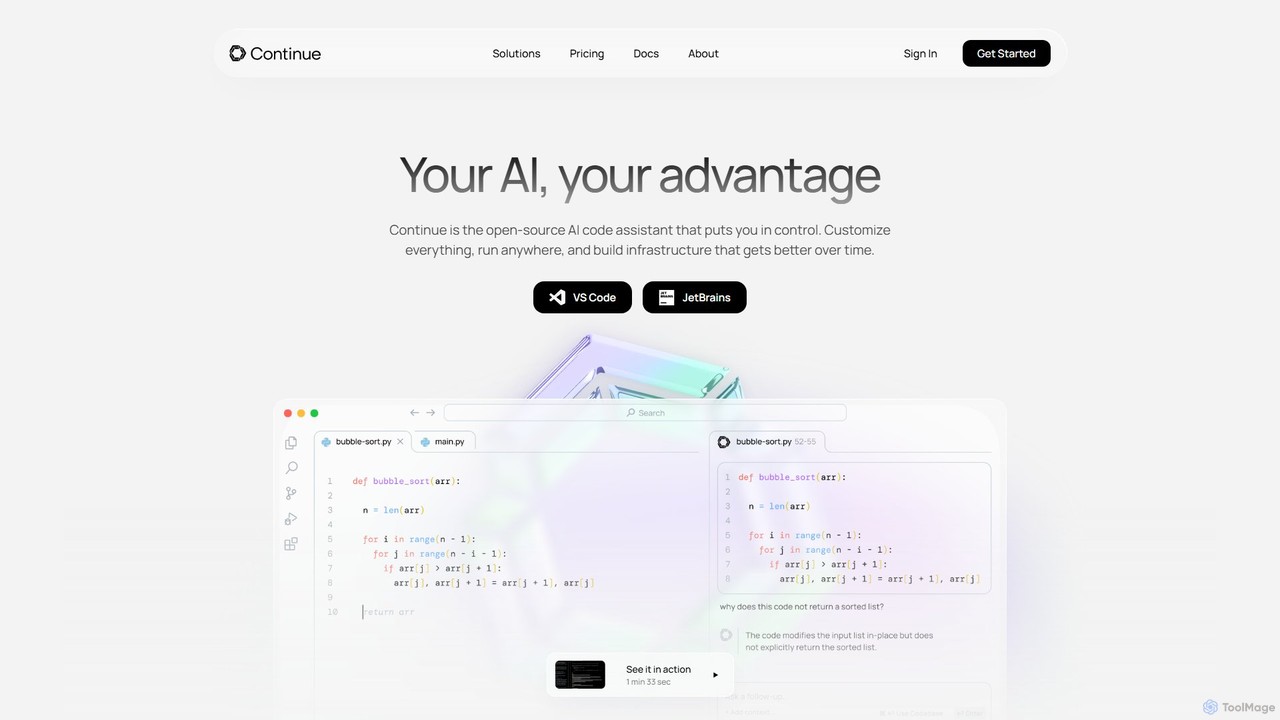
Continue Product overview

Continue is an open-source, customizable AI code assistant for VS Code and JetBrains. It enhances developer productivity with intelligent autocompletion, context-aware chat, and in-line refactoring, supporting any LLM, including local and on-premise models for maximum privacy and control.

Preview

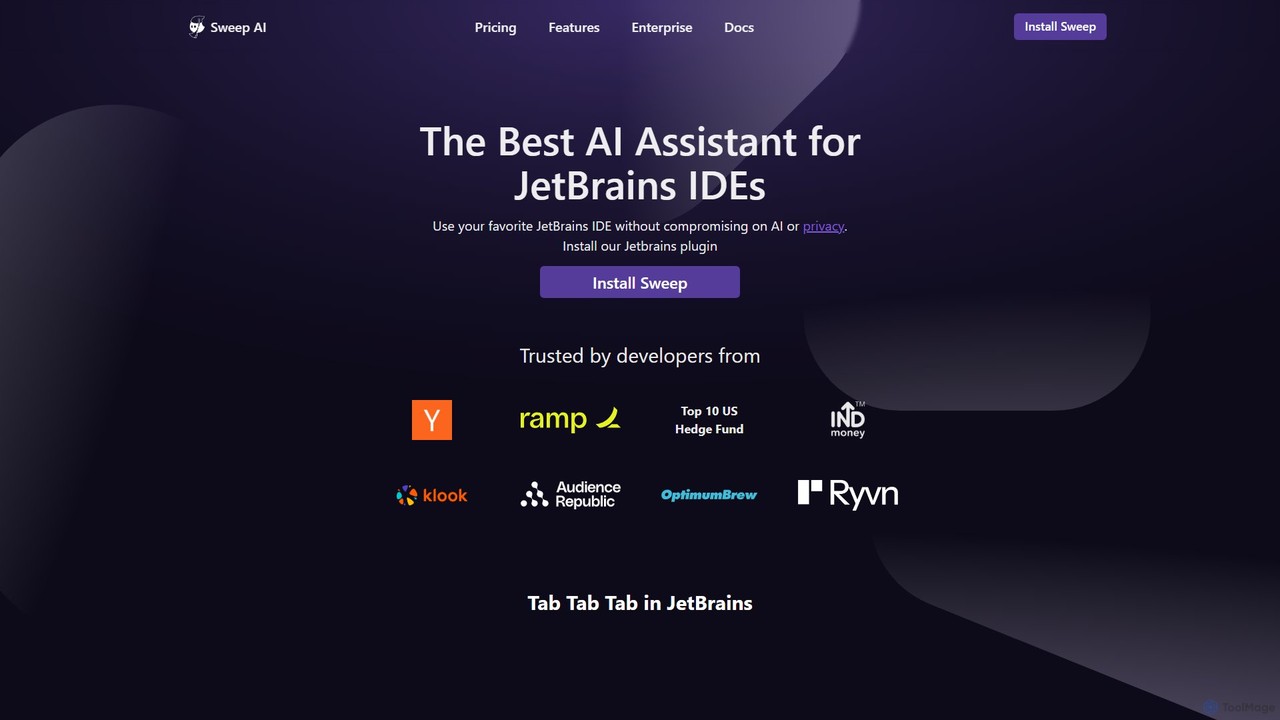
Sweep Product overview

Sweep is an AI-powered developer assistant designed as a plugin for JetBrains IDEs. It enhances coding productivity with intelligent 'next-edit' autocomplete and an AI agent that understands your entire codebase to handle complex, multi-file changes, run tests, and fix bugs. Sweep prioritizes privacy with a zero data retention policy and offers on-premise deployment for enterprises.

Preview

Quick facts

Compare product focus, pricing models and audiences. Highlighted rows indicate different listed information; unknown pricing does not mean free.

Continue VS Sweep — Quick facts
Quick factsContinueSweep
Pricing modelFreemiumFreemium
Product typeExtensionsExtensions
Primary focusCode AssistantCode Generation
Audience and rolesNo data availableNo data available
CategoriesCode Assistant · AutomationCode Generation · Code Assistant · Automation
AddedAug 10, 2025Aug 14, 2025
UpdatedNov 19, 2026Nov 19, 2026

Features, usage and use cases

Explore the listed product descriptions, features and workflows. Taxonomy labels alone are not feature evaluations.

Continue

Continue is a powerful, open-source platform designed to create and utilize custom AI code assistants directly within your development environment. Built on the philosophy of amplifying developers rather than automating them, Continue integrates seamlessly into popular IDEs like VS Code and JetBrains. It empowers developers by providing a highly customizable and flexible AI partner that understands your unique codebase, documentation, and development practices. Unlike monolithic, one-size-fits-all solutions, Continue gives you complete control over your AI experience, from the choice of Large Language Models (LLMs) to the specific context sources it references, ensuring maximum relevance and privacy.

The core mission of Continue is to accelerate the development lifecycle by making AI an organic part of the coding process. It bridges the gap between your code and the power of LLMs, allowing you to have intelligent conversations, generate code with precision, and refactor complex logic using simple natural language commands. Whether you're an individual developer looking to boost productivity with local models or an enterprise team needing a secure, centrally-governed AI solution, Continue provides the tools and infrastructure to build the perfect AI code assistant for your needs.

How to use Continue

Getting started with Continue is a straightforward process designed for quick integration into your existing workflow:

  1. Installation: Begin by downloading and installing the Continue extension from the marketplace for your preferred IDE, either Visual Studio Code or any JetBrains IDE (like IntelliJ IDEA, PyCharm, etc.).
  2. Configuration: Once installed, configure Continue to connect to your chosen LLM. You have a wide range of options, including local models via Ollama, cloud-based services like OpenAI, Anthropic, and Mistral, or even on-premise models through Azure OpenAI Service or LM Studio.
  3. Code Autocompletion: As you type, Continue will automatically suggest single lines or entire blocks of code. Simply press the 'Tab' key to accept the suggestion and speed up your coding.
  4. Context-Aware Chat: Open the Continue chat panel to ask questions. You can provide specific context by typing '@' and selecting files, functions, terminal output, or even external resources like GitLab issues and Confluence pages. This allows you to ask detailed questions like "How does this function work?" or "What are the potential edge cases for this file?".
  5. In-line Editing and Refactoring: Highlight a section of your code, press a keyboard shortcut (e.g., Cmd+L or Ctrl+L), and type a prompt describing the change you want to make. For example, you could ask it to "refactor this into smaller functions," "add error handling," or "convert this to TypeScript."
  6. Customization (Advanced): For more tailored assistance, you can create your own custom assistants using Continue's modular "blocks" system. Define custom prompts, rules, and connect new data sources (Docs blocks, Data blocks) to create an assistant that is an expert in your specific tech stack and internal libraries.

Core Features of Continue

  • Model Agnostic: Freedom to choose the best LLM for the job. Connect to any local, on-premise, or cloud-based model from providers like OpenAI, Anthropic, Mistral, and more.
  • Intelligent Autocompletion: Context-aware code completion that suggests single lines or entire functions in any programming language, significantly reducing boilerplate and typing.
  • Codebase Chat: A powerful chat interface that can reference your entire codebase, specific files, documentation, and other context sources to provide accurate and relevant answers.
  • Natural Language Editing: Select any code snippet and use plain English commands to edit, refactor, debug, or document it without leaving your editor.
  • Open-Source and Extensible: The core platform is open-source, offering full transparency and the ability for the community to contribute. Its modular architecture allows for extensive customization.
  • Enterprise-Grade Governance: For teams, Continue offers centralized configuration, allowing administrators to govern usage, manage credentials, and set permissions for all users.
  • Data Privacy and Security: Keep your proprietary code secure by running Continue with local or on-premise LLMs, ensuring no sensitive data ever leaves your environment.
  • Deep IDE Integration: Works as a native extension in both VS Code and the JetBrains family of IDEs, providing a smooth and integrated user experience.

Use Cases for Continue

Continue is versatile and can be applied in various scenarios to enhance developer productivity and code quality:

  • Rapid Prototyping: Quickly scaffold new features or entire applications by describing the required logic and letting Continue generate the initial code structure.
  • Onboarding New Developers: New team members can use the chat feature to understand complex parts of the codebase, asking questions about architecture and functionality to get up to speed faster.
  • Legacy Code Modernization: Tackle daunting refactoring tasks by instructing Continue to modernize old code, such as converting class-based React components to functional components with hooks or adding types to a JavaScript codebase.
  • Efficient Debugging: When faced with a bug, you can paste the error message and relevant code into the chat to get suggestions on the cause and potential fixes.
  • Writing Documentation and Tests: Highlight a function or class and ask Continue to "write docstrings for this" or "generate unit tests covering these edge cases."
  • Domain-Specific Assistance: Enterprises can build custom assistants trained on their internal APIs, libraries, and documentation, turning Continue into an in-house expert that helps developers adhere to best practices.

Advantages of Continue

Continue stands out from other AI coding tools due to its focus on customization, control, and developer empowerment:

  • Unmatched Flexibility: By being model-agnostic and highly extensible, Continue adapts to your needs, not the other way around. You are not locked into a single AI ecosystem.
  • Enhanced Data Control: The ability to use local and on-premise models is a critical advantage for organizations with strict data privacy and security requirements.
  • Developer-Centric Philosophy: The tool is designed to be a partner that amplifies a developer's skills, handling tedious tasks so they can focus on complex problem-solving and creative work.
  • Transparent and Trustworthy: As an open-source project, its inner workings are available for anyone to inspect, fostering trust and enabling a vibrant community of contributors.
  • Seamless Workflow Integration: By living inside the IDE and connecting to existing tools like GitLab and Confluence, Continue reduces context-switching and keeps developers in their flow state.

Pricing and Plans

Continue operates on a freemium model. The core open-source version is available for free and is highly capable for individual developers. It can be downloaded as an extension for VS Code and JetBrains IDEs. For businesses and teams requiring advanced control, security, and management features, Continue offers an Enterprise plan. This plan includes features such as centralized governance for usage and credentials, flexible configurations with allow lists, support for on-premise LLMs, and metrics for tracking usage and inference. For detailed pricing on the Enterprise plan, it is recommended to contact the Continue sales team directly through their website.

Sweep

Sweep is a sophisticated AI assistant built specifically for developers using the JetBrains suite of IDEs, such as PyCharm, IntelliJ IDEA, and Android Studio. It's designed to seamlessly integrate into your existing workflow, acting as an intelligent partner that accelerates development without compromising on privacy or security. By understanding the context of your entire codebase, Sweep moves beyond simple code completion to offer comprehensive, multi-file solutions, effectively allowing developers to ship features and fixes up to 10 times faster.

The core of Sweep's power lies in its dual-feature approach: a highly advanced autocomplete system and a powerful AI agent. It is trusted by developers from leading tech companies and financial institutions for its efficiency, accuracy, and unwavering commitment to data privacy.

How to use Sweep

Getting started with Sweep is straightforward and designed to feel like a natural extension of your IDE:

  1. Installation: Begin by installing the Sweep plugin directly from the JetBrains Marketplace within your preferred IDE (e.g., PyCharm, Android Studio).
  2. Next-Edit Autocomplete: As you code, Sweep analyzes your previous changes to predict your next logical edit. It will proactively suggest changes anywhere in your code, not just on the current line. Simply press the 'Tab' key to accept these intelligent suggestions and streamline your coding process.
  3. AI Agent Interaction: For more complex tasks, open the Sweep chat panel. Describe the feature you want to build, the bug you need to fix, or the refactoring you want to perform in plain English. The Sweep agent will then:
    • Analyze the relevant files across your entire codebase.
    • Generate the necessary code changes.
    • Automatically run tests to verify the solution.
    • Identify and correct any errors that arise during the process.
    • Present the complete changes for your review before you commit them.

Core Features of Sweep

  • AI Agent for Complex Tasks: An intelligent agent that comprehends your entire codebase to execute complex, multi-file changes, from feature implementation to bug fixing.
  • Next-Edit Autocomplete: A predictive autocomplete feature that suggests the most logical next edit based on your recent activity, going far beyond standard suggestions.
  • Integrated Test Execution: The AI agent can run your test suite to validate its changes, ensuring code quality and correctness.
  • Seamless JetBrains Integration: Works as a native plugin inside your favorite JetBrains IDEs, providing a smooth and uninterrupted workflow.
  • Zero Data Retention: A strict privacy policy ensuring that none of your code or user data is ever stored or retained on Sweep's servers.
  • Zero Training on User Code: Your code is never used to train any AI models, guaranteeing the confidentiality of your intellectual property.
  • Enterprise Self-Hosting: An on-premise deployment option is available for enterprises, allowing Sweep to run entirely within your own VPC for maximum security and control.

Use Cases for Sweep

Sweep is versatile and can be applied to numerous development scenarios:

  • Accelerated Feature Development: Describe a new feature, and have Sweep draft the implementation across multiple files and services.
  • Automated Bug Fixing: Provide a bug report or a description of an issue, and let Sweep identify the root cause, write the patch, and verify the fix.
  • Large-Scale Code Refactoring: Instruct Sweep to perform complex refactoring tasks, such as renaming a variable across a project or updating a deprecated library, with confidence.
  • Improving Codebase Quality: Use Sweep to automatically add documentation, write comments, or optimize inefficient code blocks.
  • Onboarding New Developers: Helps new team members get up to speed by providing context-aware assistance and handling boilerplate code generation.

Advantages of Sweep

Sweep offers a distinct edge over other AI coding tools:

  • Massive Productivity Boost: Users report completing weeks of work in just days, significantly accelerating development cycles.
  • Superior Suggestion Quality: The context-aware agent provides more relevant and accurate code suggestions compared to similar tools.
  • Uncompromising Privacy and Security: With zero data retention, no model training on your code, and self-hosting options, Sweep is built for security-conscious organizations.
  • Resource Efficiency: It is designed to be lightweight and memory-efficient, ensuring it doesn't slow down your IDE, even in large projects like those in Android Studio.
  • Familiar Environment: By operating within JetBrains IDEs, developers don't need to switch contexts or learn a new platform.

Pricing and Plans

Sweep offers a tiered pricing model to suit individual developers and large enterprises:

  • Free Plan: $0 per month. Includes 50 Chat and Agent uses, 500 Next-Edit Autocomplete uses, Zero Data Retention, and Zero Training on Code.
  • Pro Plan: $30 per month. Includes 500 Chat and Agent uses, Unlimited Next-Edit Autocomplete, Zero Data Retention, and Zero Training on Code.
  • Enterprise Plan: $60 per user/month (contact sales for custom arrangements). Includes 500 Chat and Agent uses (customizable), Unlimited Next-Edit Autocomplete, all privacy features, and the option for self-hosting within your VPC.

Positioning

Their taxonomy shows where the products overlap and where each one has a more distinct focus. Unknown fields are shown explicitly and are never filled with assumptions.

Categories

Shared
Code AssistantAutomation
Only Continue
No listed items
Only Sweep
Code Generation

Tags

Shared
autocompletecode assistantjetbrainsrefactoring
Only Continue
AI codingdata privacydeveloper toolsllmOllamaopen sourceVS Code
Only Sweep
AI developerAndroid Studiobug fixingcode generationIDE pluginon-premiseprivacypycharm

Audience and roles

Shared
No listed items
Only Continue
No listed items
Only Sweep
No listed items

Traffic comparison

Traffic is shown on the same scale so differences in market visibility are not visually understated.

How to interpret the traffic data

Both charts share the same months and vertical scale. Each tool identifies its latest reporting month; missing months are left blank, not counted as zero. Regional and source visit counts are estimates calculated from the reported shares.

Continue monthly traffic:

Latest traffic · 2026-05

Monthly visits
775.3K
Avg. visit duration
3:10
Pages per visit
4.08
Bounce rate
40.3%
Data updated 2026-06-15

Monthly traffic trend

  • 2025-09: 408.2K
  • 2026-01: 453.4K
  • 2026-02: 422.2K
  • 2026-03: 543.1K
  • 2026-04: 655.7K
  • 2026-05: 775.3K

Top regions

Top 5 countries/regions
Country/regionPercentageEstimated visits
🇮🇳India26.06%202K
🇺🇸United States24.68%191.3K
🇨🇳China23.75%184.1K
🇧🇷Brazil14.64%113.5K
🇷🇺Russia10.87%84.3K

Traffic sources

Source typePercentageEstimated visits
Direct93.01%721.1K
Referral6.46%50.1K
Email0.53%4.1K

Search keywords

continuecontinue aicontinue devcontinue.devcontinue dev see tokens

Sweep monthly traffic:

Latest traffic · 2026-05

Monthly visits
26K
Avg. visit duration
0:20
Pages per visit
1.89
Bounce rate
39.15%
Data updated 2026-06-11

Monthly traffic trend

  • 2025-09: 13.3K
  • 2026-01: 35.6K
  • 2026-02: 32.6K
  • 2026-03: 25.2K
  • 2026-04: 24.7K
  • 2026-05: 26K

Top regions

Top 5 countries/regions
Country/regionPercentageEstimated visits
🇺🇸United States27.3%7.1K
🇷🇺Russia26.39%6.9K
🇮🇩Indonesia18.5%4.8K
🇧🇷Brazil15.25%4K
🇮🇳India12.56%3.3K

Traffic sources

Source typePercentageEstimated visits
Direct77.87%20.3K
Referral22.13%5.8K

Search keywords

jetbrains sweep autocompletesweepsweep agentsweep aisweep autocomplete zed

Community signals

Ratings, comments, favorites, and likes are community signals—not a substitute for product fit.

Continue

Rating
No data available
Comments
0
Favorites
159
Likes
174

Sweep

Rating
No data available
Comments
0
Favorites
180
Likes
176

Continue vs Sweep · Comparison FAQ

What do Continue and Sweep have in common?
Both tools are listed under Code Assistant、Automation. These categories indicate overlapping use cases; compare their detailed descriptions for workflows, capabilities and limitations.
Are Continue and Sweep free?
Listed pricing models: Continue — Freemium; Sweep — Freemium. Missing pricing is not proof of a free plan, and freemium does not mean every feature is free. Check official sites for current plans, limits and trials.
How should I choose between Continue and Sweep?
The primary listed category is Code Assistant for Continue, and Code Generation for Sweep. Compare features, steps and use cases, then verify pricing, data permissions and deployment needs. This page does not include hands-on testing and does not declare a winner from traffic or tags.

Sources and comparison methodology

This page is assembled from ToolMage product listings, taxonomy, traffic statistics and on-site user feedback. It is not a hands-on test or an independent review.

  • Feature and plan descriptions reflect information in the listings, not real-time guarantees. Verify pricing, quotas, availability and privacy terms on the official sites.
  • Traffic uses the reporting months shown. Missing statistics do not mean zero visits, and different periods do not establish growth or superiority. Regional and source visit counts are estimates based on shares.
  • Different tags indicate differences in the listings, not proof that the other product lacks a capability. Ratings, favorites and visits are not used to declare a winner.

Related comparisons