ToolMage
Sign in

AI TOOL COMPARISON

Conversion vs Flint

What is the difference, and which fits your workflow? Compare features, usage, pricing models and traffic side by side.

Jump to key differences

Product overview

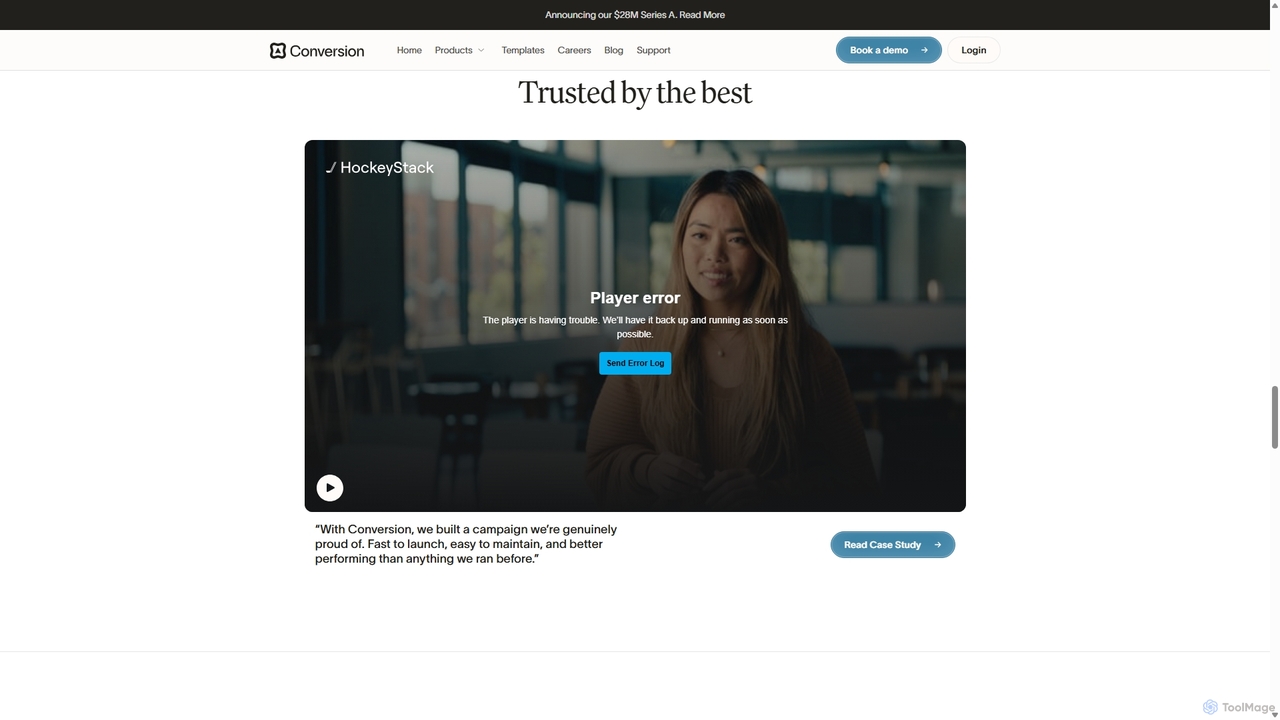
Conversion Product overview

Conversion is an AI-native B2B marketing automation platform designed for high-growth companies. It enables teams to activate customer data, build dynamic workflows, design personalized emails with a drag-and-drop editor, and track campaign performance in real-time. It seamlessly integrates with CRM and other tools to unify the entire marketing stack.

Preview

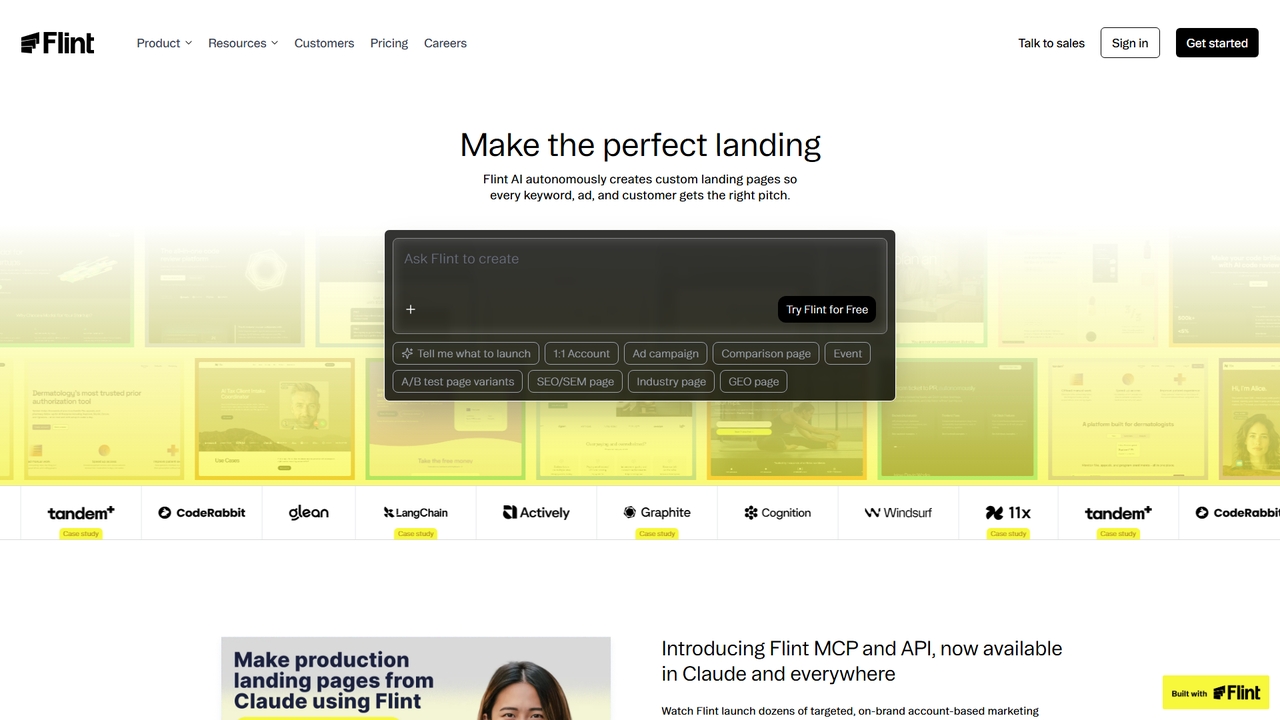
Flint Product overview

Flint is an AI-powered platform for marketing and growth teams that autonomously generates and manages brand-consistent, SEO-optimized landing pages. It integrates directly with existing tools and workflows, enabling rapid creation of personalized pages for campaigns, account-based marketing, and keyword targeting without requiring engineering resources.

Preview

Quick facts

Compare product focus, pricing models and audiences. Highlighted rows indicate different listed information; unknown pricing does not mean free.

Conversion VS Flint — Quick facts
Quick factsConversionFlint
Pricing modelPaidFreemium
Product typeWebWeb
Primary focusEmail MarketingAutomation
Audience and rolesContent Creator · Demand Generation Manager · Founder · Growth Hacker · Marketing Manager · Product Manager · RevOps Specialist · Sales RepresentativeContent Marketer · Demand Generation Manager · Digital Marketer · Growth Hacker · GTM Specialist · Marketing Manager · Performance Marketer · Product Marketer · Sales Operations · SEO Specialist
CategoriesEmail Marketing · Marketing Automation · Workflow Automation · Lead GenerationAutomation · Workflow Automation · No Code
AddedSep 24, 2025Apr 9, 2026
UpdatedNov 19, 2026Nov 19, 2026

Features, usage and use cases

Explore the listed product descriptions, features and workflows. Taxonomy labels alone are not feature evaluations.

Conversion

Conversion (formerly StyleAI) is a modern, AI-native Marketing Automation Platform (MAP) built specifically for high-growth B2B businesses. It aims to replace outdated, clunky marketing tools with a fast, flexible, and unified growth engine. The platform empowers marketing teams to move faster, personalize at scale, and drive tangible results by connecting product data, CRM insights, and customer behavior into cohesive, automated campaigns.

How to use Conversion

Using Conversion involves a streamlined process to orchestrate your entire marketing strategy:

  1. Integrate Your Data: Start by connecting Conversion to your existing tools. It offers seamless, real-time sync with your CRM, data warehouse, CDP, product event trackers, and enrichment tools. This creates a unified view of your customer.
  2. Build Dynamic Workflows: Utilize the no-code visual workflow builder to map out customer journeys. You can trigger actions like sending emails, updating CRM records, or assigning leads based on user behavior, product usage, firmographic data, and more.
  3. Design Beautiful Emails: Create responsive, on-brand emails in minutes with the intuitive drag-and-drop editor. Use 'Magic Blocks' to dynamically personalize content for different user segments based on their data, ensuring every message feels unique.
  4. Segment Your Audience: Create dynamic audience segments that automatically update as customer data changes. This allows for precise targeting without manual list management.
  5. Launch and Analyze: Deploy your campaigns and monitor their performance in real-time with native reporting. Track key metrics by segment, channel, and touchpoint to understand what's working and optimize your strategy.

Core Features of Conversion

  • No-Code Workflow Builder: Orchestrate complex, multi-step customer journeys with an intuitive visual interface. Automate lead scoring, nurturing sequences, and CRM updates without writing any code.
  • AI-Powered Email Designer: A drag-and-drop editor with 'Magic Blocks' for hyper-personalization, reusable components, and locked-in brand guidelines to ensure consistency.
  • Real-time Data Sync: Deep, bi-directional integrations with CRMs and other data sources ensure your marketing efforts are always based on the most up-to-date information.
  • AI Lead Enrichment: Automatically enrich partial lead data using AI and real-time web scraping to complete contact and company profiles, enabling better segmentation and scoring.
  • Advanced Reporting: Get real-time insights into campaign performance, tracking how leads move through workflows and identifying opportunities for optimization.
  • Unified Platform: Combines email marketing, segmentation, lead scoring, workflows, and reporting into a single, cohesive platform.
  • AI Review & Listing Management: The Business Tier offers tools to manage online reviews with AI-generated replies and keep business listings (like Google Business Profile) updated and optimized.

Use Cases for Conversion

Conversion is versatile and can be applied across the entire B2B marketing lifecycle:

  • Lead Scoring and Routing: Automatically score leads based on intent signals and route high-priority accounts to the sales team instantly.
  • Persona-Based Nurturing: Create tailored email nurture sequences that adapt to a lead's persona, industry, and engagement level.
  • Customer Onboarding: Guide new users through your product with a series of automated, educational emails triggered by their in-app actions.
  • CRM Data Hygiene: Use workflows to automatically clean, deduplicate, and update records in your CRM, ensuring data accuracy.
  • Transactional Emails: Power critical one-to-one communications like password resets, order confirmations, and usage alerts with reliable, real-time delivery.
  • Competitor Analysis: Analyze competitor strategies, including backlink profiles and top keywords, to inform and automate your own content and SEO strategy.

Advantages of Conversion

Modern B2B teams choose Conversion over legacy platforms for several key reasons:

  • Speed to Launch: Build and ship sophisticated campaigns in hours, not weeks, thanks to modern tools and flexible workflows.
  • Hyper-Personalization with AI: Go beyond basic name-merging. Automatically tailor entire content blocks based on deep customer data.
  • Design-First Approach: Create beautiful, responsive, and consistently on-brand emails without needing a developer.
  • Pay-for-Use Pricing: A transparent pricing model where you only pay for the contacts you actively market to, without hidden limits.
  • All-in-One Solution: Unify your marketing stack, eliminating the need for multiple point solutions and reducing complexity.

Pricing and Plans

Conversion offers a usage-based pricing model, focusing on the number of contacts you actively market to. While specific tiers are not detailed on the main pages, they offer a 'Business Tier' which includes advanced SEO and reputation management features. This plan starts at $349 per month when billed annually. For detailed pricing and custom enterprise plans, it is recommended to book a demo or contact their sales team directly through the official website.

Flint

Flint is an autonomous web platform specifically designed for marketing and growth teams to create, optimize, and scale landing pages rapidly. It uses AI to extract a company's brand design system from an existing homepage and then generates perfectly on-brand, production-ready pages. The platform focuses on driving conversions by enabling personalized pages for every account, keyword, or ad campaign, and integrates seamlessly into popular go-to-market (GTM) workflows.

How to use Flint

Getting started with Flint involves a few key steps. First, sign up for a free trial and provide the URL of your existing live website. Flint's AI agent scans this site to import your design system, colors, and component library. Once imported, you can use the intuitive editor to directly edit elements on the canvas or use the AI chat to describe complex changes. For scaling, you can leverage plays like the ABM Workflow to bulk-generate personalized pages from a CSV file. Finally, publish pages to your custom domain or subdomain with integrated analytics and tracking.

Core Features of Flint

  • One-Click Brand Import: AI scans your live website to capture your design system, ensuring generated pages match your brand perfectly, not just swapped colors.
  • Autonomous Page Generation: Creates targeted landing pages for keywords, ads, campaigns, events, A/B tests, and account-based marketing (ABM) based on prompts or data inputs.
  • Integration with GTM Tools: Features Flint MCP and API for use within Claude (Desktop/Code), Clay, Relay.app, and other favorite growth and CRM tools.
  • No-Code Editor: Intuitive interface for direct editing on the canvas and AI-powered changes via chat, requiring no engineering skills.
  • SEO & Performance Optimization: Host pages on your root domain or subfolder for better SEO authority. Pages are built to be fast and rank well.
  • Built-in Analytics & A/B Testing: Integrates with major analytics providers (GA4, GTM, Segment) and A/B testing tools (Statsig, LaunchDarkly, Eppo) out of the box.

Use Cases for Flint

Flint is ideal for marketing teams needing to launch and test pages at scale. Primary use cases include creating high-conversion landing pages for paid advertising campaigns; developing personalized account-based marketing (ABM) pages for key prospects; generating SEO/SEM-focused pages for specific keyword clusters; running A/B test variants to optimize performance; and rapidly building event pages, comparison pages, or case study hubs without waiting for developer resources.

Advantages of Flint

Flint's key advantage is its ability to drastically reduce the time and cost of landing page production while maintaining strict brand consistency. It empowers non-technical marketing teams to own the entire page lifecycle—from creation and editing to publishing and optimization—eliminating engineering bottlenecks. The deep integration with existing marketing stacks (like CRMs and GTM tools) and AI-native workflow make it a powerful growth multiplier, not just a page builder, as evidenced by user-reported metrics like 50% reduction in CAC and 3x conversion rate increases.

Pricing and Plans

Flint offers a tiered pricing model with a Free plan and three paid plans: Starter, Pro, and Enterprise. The Free plan includes 160 credits per month and basic hosting. The Starter plan costs $96/month (billed monthly) or $768/year ($64/month), offering 12,000 credits/year, a custom domain, and email support. The Pro plan is $400/month (billed monthly) or $3,200/year ($267/month), providing 60,000 credits/year, hosting on your root domain, and Slack Connect support. Enterprise plans offer custom credits, multi-website support, API access, SSO, and dedicated CSM. All paid plans include a 14-day free trial.

Positioning

Their taxonomy shows where the products overlap and where each one has a more distinct focus. Unknown fields are shown explicitly and are never filled with assumptions.

Categories

Shared
Workflow Automation
Only Conversion
Email MarketingMarketing AutomationLead Generation
Only Flint
AutomationNo Code

Tags

Shared
marketing automation
Only Conversion
AI marketingb2b marketingCRM integrationcustomer journeyemail marketinglead nurturinglead scoringpersonalization
Only Flint
ABMaccount-based marketingAI website builderbrand consistencyClaude integrationlanding page generatorno-code developmentseo optimization

Audience and roles

Shared
Demand Generation ManagerGrowth HackerMarketing Manager
Only Conversion
Content CreatorFounderProduct ManagerRevOps SpecialistSales Representative
Only Flint
Content MarketerDigital MarketerGTM SpecialistPerformance MarketerProduct MarketerSales OperationsSEO Specialist

Traffic comparison

Traffic is shown on the same scale so differences in market visibility are not visually understated.

How to interpret the traffic data

Both charts share the same months and vertical scale. Each tool identifies its latest reporting month; missing months are left blank, not counted as zero. Regional and source visit counts are estimates calculated from the reported shares.

Conversion monthly traffic:

Latest traffic · 2026-05

Monthly visits
2.4K
Avg. visit duration
0:00
Pages per visit
1.02
Bounce rate
61.98%
Data updated 2026-06-15

Monthly traffic trend

  • 2025-09: 988
  • 2026-01: 1.7K
  • 2026-02: 600
  • 2026-03: 5.4K
  • 2026-04: 3.3K
  • 2026-05: 2.4K

Top regions

Top 5 countries/regions
Country/regionPercentageEstimated visits
🇮🇳India100%2.4K

Search keywords

usestyle.ai

Flint monthly traffic:

Latest traffic · 2026-05

Monthly visits
34.1K
Avg. visit duration
0:18
Pages per visit
1.76
Bounce rate
38.31%
Data updated 2026-06-15

Monthly traffic trend

  • 2025-09: No data available
  • 2026-01: 40.5K
  • 2026-02: 43.7K
  • 2026-03: 44.6K
  • 2026-04: 41.1K
  • 2026-05: 34.1K

Top regions

Top 5 countries/regions
Country/regionPercentageEstimated visits
🇺🇸United States49.68%17K
🇺🇿Uzbekistan16.16%5.5K
🇮🇳India12.62%4.3K
🇻🇳Vietnam11%3.8K
🇨🇦Canada10.54%3.6K

Traffic sources

Source typePercentageEstimated visits
Direct87.48%29.9K
Referral8.58%2.9K
Email3.94%1.3K

Search keywords

flintflint aiflint seotryflintфлинт супер кастомніе гипер лендинги

Community signals

Ratings, comments, favorites, and likes are community signals—not a substitute for product fit.

Conversion

Rating
No data available
Comments
0
Favorites
195
Likes
213

Flint

Rating
No data available
Comments
0
Favorites
84
Likes
74

Conversion vs Flint · Comparison FAQ

What do Conversion and Flint have in common?
Both tools are listed under Workflow Automation. These categories indicate overlapping use cases; compare their detailed descriptions for workflows, capabilities and limitations.
Are Conversion and Flint free?
Listed pricing models: Conversion — Paid; Flint — Freemium. Missing pricing is not proof of a free plan, and freemium does not mean every feature is free. Check official sites for current plans, limits and trials.
How should I choose between Conversion and Flint?
The primary listed category is Email Marketing for Conversion, and Automation for Flint. Compare features, steps and use cases, then verify pricing, data permissions and deployment needs. This page does not include hands-on testing and does not declare a winner from traffic or tags.

Flint · Comparison FAQ

Can I use Flint alongside my existing website tool like Webflow or WordPress?

Yes, absolutely. Many teams use Flint specifically for landing pages on a subdomain or folder while maintaining their main site on another CMS like Webflow, Framer, Next.js, WordPress, or Sanity. You can follow the setup guide for configuration. Flint can also power your entire website if you choose.

How is Flint different from other AI website builders like Lovable?

According to Flint's comparison, tools like Lovable are built for developers and hobbyists, often producing off-brand, client-rendered pages that require engineering maintenance. Flint is purpose-built for marketing teams, focusing on brand-consistent, SEO-optimized, and conversion-focused pages that non-technical team members can edit and manage without writing code.

What is a credit and how is it consumed?

A credit in Flint accounts for the number and complexity of a page. Creating a rich page with several sections typically consumes about 1,000 credits. Duplicating an existing page and generating new content for it consumes around 200 credits.

Can I change my plan or upgrade/downgrade at any time?

Yes. You can upgrade or downgrade your plan at any time. Upgrades charge a prorated amount for the remainder of your billing cycle. Downgrades take effect at the start of your next billing cycle.

How does Flint handle tracking, analytics, and A/B testing?

Flint works with all major analytics providers and A/B testing tools. It can automatically scan your existing site and migrate your scripts, or you can simply drop in your analytics ID from Google Tag Manager (GTM), Segment, or any custom script. For A/B testing, it integrates with Statsig, LaunchDarkly, or Eppo.

Sources and comparison methodology

This page is assembled from ToolMage product listings, taxonomy, traffic statistics and on-site user feedback. It is not a hands-on test or an independent review.

  • Feature and plan descriptions reflect information in the listings, not real-time guarantees. Verify pricing, quotas, availability and privacy terms on the official sites.
  • Traffic uses the reporting months shown. Missing statistics do not mean zero visits, and different periods do not establish growth or superiority. Regional and source visit counts are estimates based on shares.
  • Different tags indicate differences in the listings, not proof that the other product lacks a capability. Ratings, favorites and visits are not used to declare a winner.

Related comparisons