ToolMage
Sign in

AI TOOL COMPARISON

Core vs FuseBase

What is the difference, and which fits your workflow? Compare features, usage, pricing models and traffic side by side.

Jump to key differences

Product overview

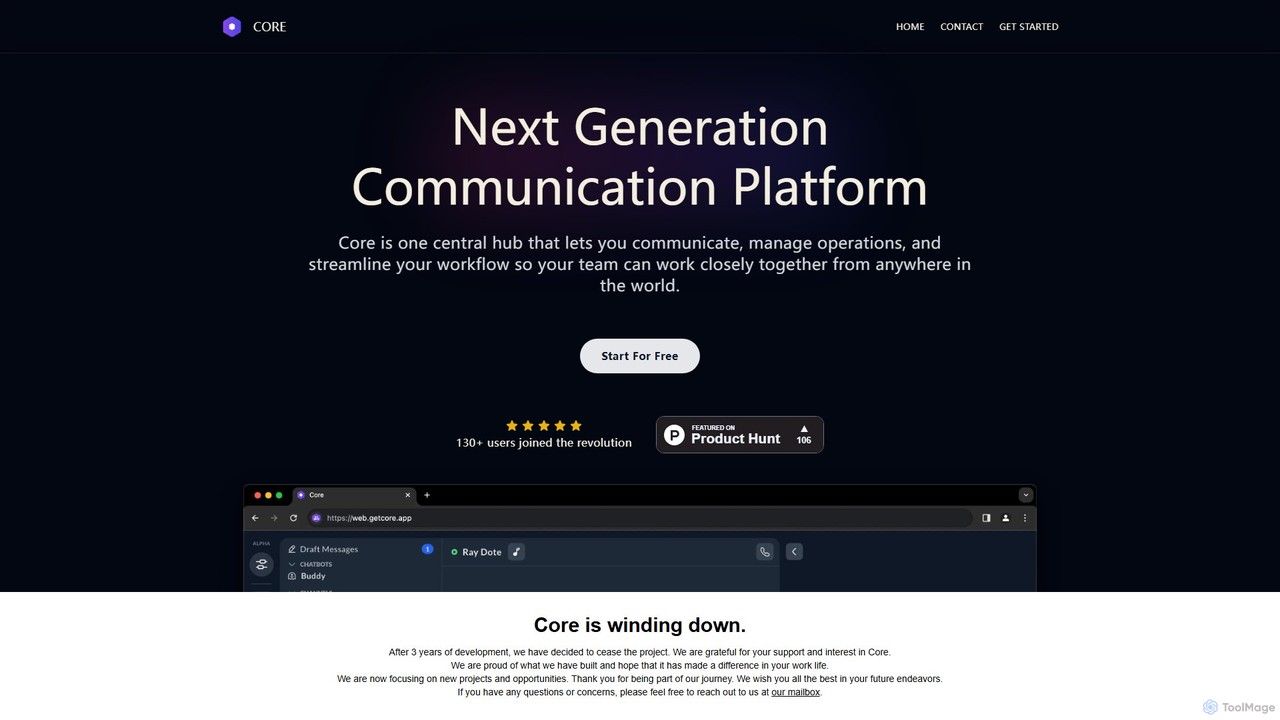
Core Product overview

Core is an AI-powered, all-in-one communication and collaboration platform for teams. It centralizes chat, video calls, calendar, and a native knowledge base to reduce distractions, streamline workflows, and boost productivity with features like process automation and AI assistants.

Preview

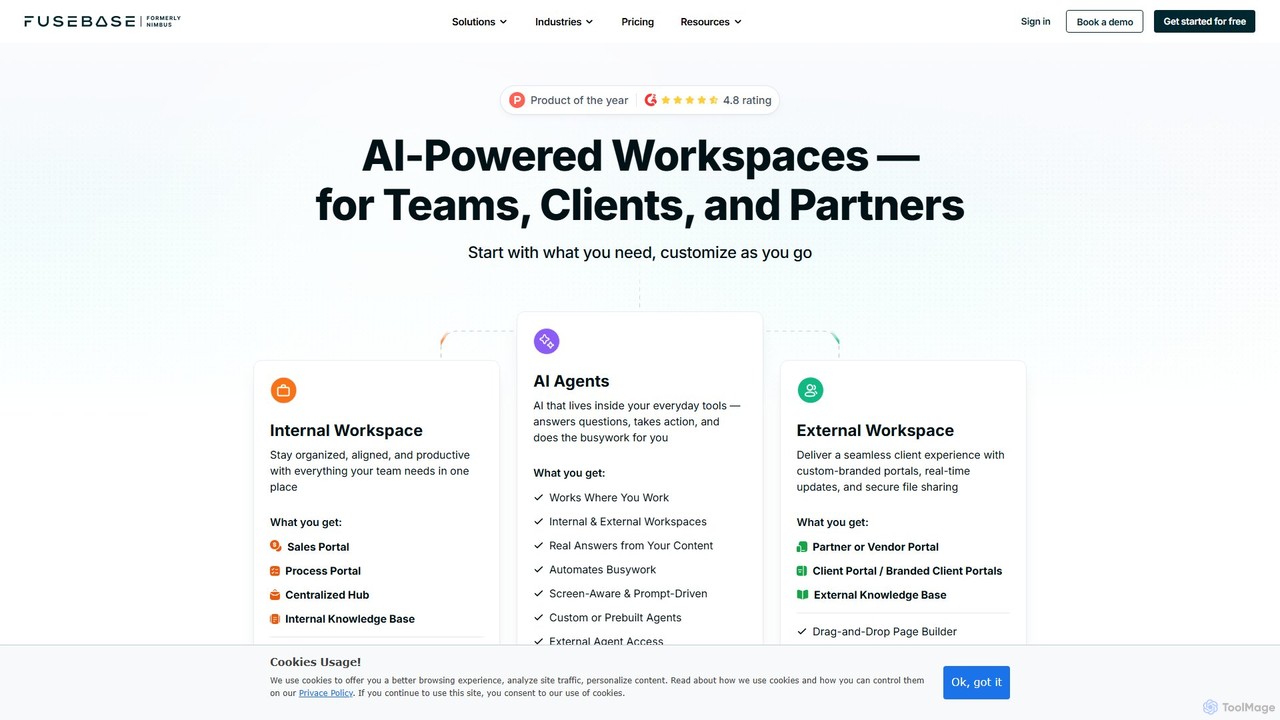
FuseBase Product overview

FuseBase is an all-in-one, AI-powered workspace designed for seamless internal and external collaboration. It helps businesses streamline workflows, manage projects, and enhance client communication through customizable client portals, intelligent AI agents, and a centralized knowledge base. Consolidate your tools, automate busywork, and accelerate your business growth with a single, unified platform.

Preview

Quick facts

Compare product focus, pricing models and audiences. Highlighted rows indicate different listed information; unknown pricing does not mean free.

Core VS FuseBase — Quick facts
Quick factsCoreFuseBase
Pricing modelFreemiumFreemium
Product typeWebWeb
Primary focusTeam ChatClient Management
Audience and rolesNo data availableNo data available
CategoriesTeam Chat · Collaboration · Knowledge ManagementClient Management · Collaboration · Knowledge Management
AddedAug 12, 2025Aug 3, 2025
UpdatedNov 19, 2026Nov 19, 2026

Features, usage and use cases

Explore the listed product descriptions, features and workflows. Taxonomy labels alone are not feature evaluations.

Core

Core is a revolutionary, next-generation communication platform designed to be the central hub for modern teams. It aims to replace the fragmented ecosystem of multiple applications by integrating all essential communication, operations management, and workflow tools into a single, cohesive interface. Built for deep focus, Core helps teams reduce noise and context-switching, allowing them to collaborate effectively from anywhere in the world. By combining real-time chat, video conferencing, scheduling, and a powerful knowledge base, Core ensures that everyone stays on the same page, accelerating decision-making and execution.

The platform is enhanced with artificial intelligence to supercharge productivity. AI features are woven into the fabric of the application, assisting with tasks like summarizing conversations, automating routine processes, and enabling intelligent search across all team data. This makes information more accessible and frees up valuable time for more meaningful work.

How to use Core

Getting started with Core is designed to be simple and intuitive:

  1. Create Your Workspace: Sign up for free on the Core website to create a dedicated workspace for your organization or team.
  2. Set Up Channels: Organize conversations by creating public or private channels for specific projects, departments, or topics. This keeps discussions focused and relevant.
  3. Invite Team Members: Easily invite your colleagues to join the workspace via email or a shareable link.
  4. Build Your Knowledge Base: Start populating the native Knowledge Base with essential documents, company policies, project briefs, and standard operating procedures. Think of it as your team's private Wikipedia.
  5. Schedule and Meet: Use the integrated calendar to schedule meetings and events. Launch video conferences with screen sharing capabilities directly from a channel or a calendar event with a single click.
  6. Leverage AI Features: Activate AI-powered modules to automate tasks, get summaries of long discussions, and use the smart search to instantly find information across chats and documents.

Core Features of Core

  • Unified Communication Hub: All your team communication in one place, organized into topic-based channels, group chats, and direct messages.
  • Integrated Calendar & Video Conferencing: A powerful calendar for managing schedules, meetings, and events, complete with built-in voice channels, video calls, and screen sharing.
  • Native Knowledge Base: A deeply integrated, private Wikipedia for your team. It serves as the single source of truth for all important information, eliminating the need for separate tools like Confluence or Notion.
  • AI Productivity Boost: Intelligent features such as AI-powered meeting summaries, action item detection, smart search across all platform data, and assistance in content creation.
  • Process Automation: Build and customize workflows to automate routine tasks, approval processes, and team notifications, reducing manual effort and increasing efficiency.
  • Customer Support Chatbots: An integrated module to build and deploy chatbots for handling customer support inquiries directly within the platform.
  • End-to-End Security: All communication and data are protected with end-to-end encryption, complying with high security standards to ensure your information is safe.
  • Modular Platform: Core's functionality is modular, allowing teams to enable or disable features to create a tailored experience that meets their specific needs.

Use Cases for Core

Core is versatile and can be adapted for various team structures and needs:

  • Remote & Hybrid Teams: Provides a central hub to keep distributed team members connected, informed, and aligned, regardless of their location.
  • Project Management: Organize project-specific channels, manage tasks, and store all related documentation and discussions in one accessible place.
  • Internal Knowledge Management: Build a comprehensive and easily searchable single source of truth for company policies, onboarding materials, and operational procedures.
  • Startups and SMEs: An affordable, all-in-one solution that replaces a complex and costly stack of separate tools for chat, video, project management, and documentation.

Advantages of Core

Core stands out from competitors like Slack, MS Teams, and Discord with several key advantages:

  • All-in-One Solution: Reduces subscription costs and complexity by combining the functionality of multiple apps into one.
  • Deep Focus Optimized: Designed to minimize distractions and constant context-switching, promoting a more productive work environment.
  • Integrated Intelligence: AI is not an add-on but a core part of the platform, actively working to make teams more efficient.
  • Seamless Knowledge Sharing: The native, integrated knowledge base ensures that valuable information is captured and easily accessible, right where conversations happen.

Pricing and Plans

Core operates on a flexible freemium model. It offers a comprehensive free plan for every module, allowing teams of any size to get started and experience the core functionalities without requiring a credit card. For teams that require more advanced features, increased capacity, or dedicated support, premium paid plans are available to scale with their growth.

FuseBase

FuseBase is a comprehensive, AI-operated platform that centralizes team collaboration, client management, and operational workflows. It's designed for modern B2B companies looking to replace a scattered collection of tools with a single, integrated solution. By combining the core functionalities of project management, document collaboration, knowledge bases, and client communication, FuseBase creates a unified hub for productivity. The platform is built on three main pillars: Internal Workspaces for team alignment, External Portals for a superior client experience, and AI Agents to automate tasks and provide intelligent support.

How to use FuseBase

Getting started with FuseBase is straightforward. Users begin by setting up their organization's workspace. From there, they can create 'Super Docs' – dynamic pages using a drag-and-drop editor to combine text, tables, databases, embedded files, and media. Team members can be invited to collaborate in real-time. For external collaboration, users can build custom-branded Client or Partner Portals, controlling exactly what clients can see and do. The platform's AI can be leveraged by deploying AI Agents within these portals to answer FAQs from the knowledge base, or by using the AI Assistant to generate content, summarize meeting notes, and transcribe videos. The Fusebase Capture browser extension allows for easy clipping of web content, and mobile apps for iOS and Android ensure access on the go.

Core Features of FuseBase

  • AI Agents: Deploy custom or pre-built AI agents in your portals to answer questions 24/7, automate tasks, and guide users. They learn from your content to provide on-brand, accurate answers.
  • Customizable Portals: Build branded, white-label portals for clients, partners, or sales deals. Use a drag-and-drop builder to create a professional and seamless experience.
  • Unified Workspace: A central hub for all team projects, documents, and knowledge. Features real-time editing, task lists, and secure file storage.
  • Knowledge Management: Create and organize internal and external knowledge bases that are easily searchable and can be used to power AI agents.
  • AI-Powered Content & Transcription: Automatically transcribe video and audio from meetings, generate AI summaries, and use the AI assistant to draft documents, proposals, and emails.
  • Workflow Automation: Set up automations to handle recurring tasks, send notifications, create pages, and integrate with other services, reducing manual effort.
  • Forms, Surveys & E-signatures: Collect information and get documents signed directly within the platform, streamlining processes like client onboarding and contract approvals.
  • Seamless Integrations: Connect FuseBase to your existing tech stack, including CRMs (HubSpot), communication tools (Slack, Teams), calendars (Google, Outlook), and more via APIs.
  • Advanced Security: Enterprise-grade security with SSO, 2-Factor Authentication (2FA), data encryption, and granular permission controls.
  • Cross-Platform Access: Work from anywhere with a web platform, browser extensions (Fusebase Capture), and dedicated mobile apps for iOS and Android.

Use Cases for FuseBase

Client Onboarding & Support: Create dedicated portals for each client, providing them with all necessary documents, action plans, and a 24/7 AI-powered help center.
Sales Deal Rooms: Accelerate sales cycles by creating a shared space for prospects with proposals, contracts, meeting notes, and real-time engagement tracking.
Partner Management: Onboard and collaborate with partners efficiently by providing a central portal for resources, training materials, and communication.
Internal Process Management: Document and automate internal workflows, SOPs, and compliance procedures. Use AI to generate process docs from meetings and train employees faster.

Advantages of FuseBase

FuseBase offers significant advantages by acting as a central nervous system for business operations. It promotes tool consolidation, reducing subscription costs and eliminating context switching by bringing 60-70% of core functionalities from multiple apps into one place. The platform drastically increases productivity, with AI agents and automation saving significant time on administrative and repetitive tasks, allowing teams to focus on high-value work. Furthermore, it enhances the client experience through professional, branded portals that create a superior and transparent journey, setting your business apart. By establishing a single source of truth, FuseBase ensures that all stakeholders—team members, clients, and partners—are always working with the most up-to-date information. Its scalable design supports businesses from solo entrepreneurs to large enterprises, with flexible plans and add-ons to grow with your needs.

Pricing and Plans

FuseBase offers a flexible pricing structure with a 14-day free trial for paid plans and a 25% discount for annual billing.
Free Plan: A limited free-forever plan is available, including 1 client portal, up to 20 team members, 20 AI prompts, and 20 automation runs.
Solo: $32/month. Includes 1 member, 1 optional portal, 1,000 AI requests, and 5 hours of transcription.
Essentials: $82/month. Best for small teams. Includes 5 members, 10 portals, 10,000 AI requests, and 100 hours of transcription.
Advanced: $332/month. For scaling businesses. Includes 50 members, 50 portals, 50,000 AI requests, and 1000 hours of transcription.
Unlimited: Custom pricing. For large organizations needing unlimited resources, full white-labeling, and dedicated support.
Add-ons: Plans can be customized with add-ons for more automation runs ($7/month), client portals ($20/month), transcription hours ($7/month), and AI access ($7/month per user).

Positioning

Their taxonomy shows where the products overlap and where each one has a more distinct focus. Unknown fields are shown explicitly and are never filled with assumptions.

Categories

Shared
CollaborationKnowledge Management
Only Core
Team Chat
Only FuseBase
Client Management

Tags

Shared
AI assistantcollaborationknowledge baseproject managementworkflow automation
Only Core
all-in-oneremote workslack alternativeteam communication
Only FuseBase
B2Bclient portaldocument managementsales portalteam workspace

Audience and roles

Shared
No listed items
Only Core
No listed items
Only FuseBase
No listed items

Traffic comparison

Traffic is shown on the same scale so differences in market visibility are not visually understated.

How to interpret the traffic data

Both charts share the same months and vertical scale. Each tool identifies its latest reporting month; missing months are left blank, not counted as zero. Regional and source visit counts are estimates calculated from the reported shares.

Core monthly traffic:

Latest traffic · 2026-05

Monthly visits
3.2K
Avg. visit duration
0:00
Pages per visit
1.05
Bounce rate
37.12%
Data updated 2026-06-15

Monthly traffic trend

  • 2025-09: 1.2K
  • 2026-01: 193
  • 2026-02: 1.1K
  • 2026-03: 1.5K
  • 2026-04: 475
  • 2026-05: 3.2K

Top regions

Top 5 countries/regions
Country/regionPercentageEstimated visits
🇻🇳Vietnam56.98%1.8K
🇲🇩Moldova33.35%1.1K
🇺🇸United States9.67%306

Search keywords

corecore appcore app aicores web appwith core

FuseBase monthly traffic:

Latest traffic · 2026-05

Monthly visits
63.1K
Avg. visit duration
0:27
Pages per visit
1.55
Bounce rate
44.61%
Data updated 2026-06-15

Monthly traffic trend

  • 2025-09: 104.3K
  • 2026-01: 108.8K
  • 2026-02: 79.8K
  • 2026-03: 88.1K
  • 2026-04: 77.1K
  • 2026-05: 63.1K

Top regions

Top 5 countries/regions
Country/regionPercentageEstimated visits
🇺🇸United States57.17%36.1K
🇧🇷Brazil12.02%7.6K
🇬🇧United Kingdom11.57%7.3K
🇩🇪Germany9.94%6.3K
🇷🇺Russia9.3%5.9K

Traffic sources

Source typePercentageEstimated visits
Direct84.03%53K
Referral11.25%7.1K
Email4.72%3K

Search keywords

fusebasegohighlevelnimbus notenimbus noteswhere is the fusebase mcp server config

Community signals

Ratings, comments, favorites, and likes are community signals—not a substitute for product fit.

Core

Rating
No data available
Comments
0
Favorites
173
Likes
175

FuseBase

Rating
No data available
Comments
0
Favorites
193
Likes
188

Core vs FuseBase · Comparison FAQ

What do Core and FuseBase have in common?
Both tools are listed under Collaboration、Knowledge Management. These categories indicate overlapping use cases; compare their detailed descriptions for workflows, capabilities and limitations.
Are Core and FuseBase free?
Listed pricing models: Core — Freemium; FuseBase — Freemium. Missing pricing is not proof of a free plan, and freemium does not mean every feature is free. Check official sites for current plans, limits and trials.
How should I choose between Core and FuseBase?
The primary listed category is Team Chat for Core, and Client Management for FuseBase. Compare features, steps and use cases, then verify pricing, data permissions and deployment needs. This page does not include hands-on testing and does not declare a winner from traffic or tags.

Sources and comparison methodology

This page is assembled from ToolMage product listings, taxonomy, traffic statistics and on-site user feedback. It is not a hands-on test or an independent review.

  • Feature and plan descriptions reflect information in the listings, not real-time guarantees. Verify pricing, quotas, availability and privacy terms on the official sites.
  • Traffic uses the reporting months shown. Missing statistics do not mean zero visits, and different periods do not establish growth or superiority. Regional and source visit counts are estimates based on shares.
  • Different tags indicate differences in the listings, not proof that the other product lacks a capability. Ratings, favorites and visits are not used to declare a winner.

Related comparisons