ToolMage
Sign in

AI TOOL COMPARISON

Core vs Moderated

What is the difference, and which fits your workflow? Compare features, usage, pricing models and traffic side by side.

Jump to key differences

Product overview

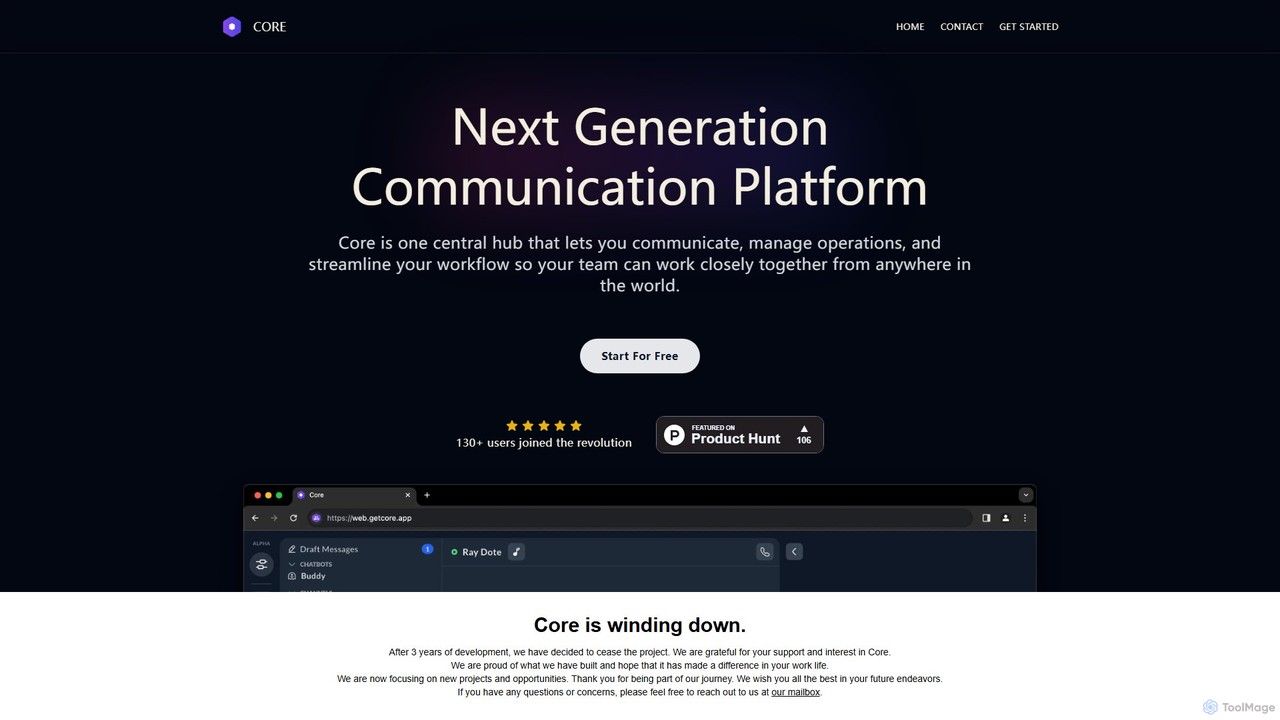
Core Product overview

Core is an AI-powered, all-in-one communication and collaboration platform for teams. It centralizes chat, video calls, calendar, and a native knowledge base to reduce distractions, streamline workflows, and boost productivity with features like process automation and AI assistants.

Preview

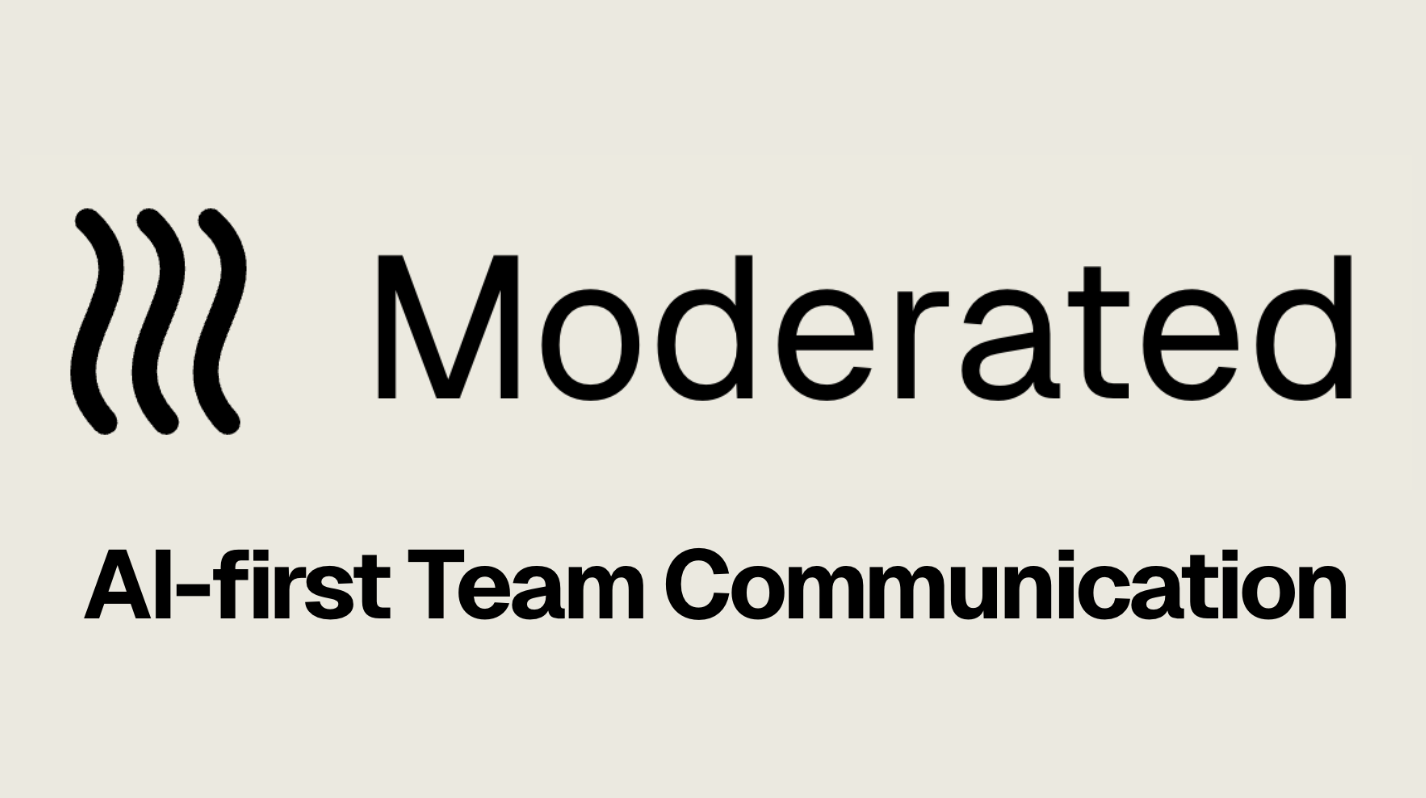
Moderated Product overview

Moderated is an AI-first team communication platform designed to empower teams with AI-driven discussions. It automatically summarizes conversations, extracts action items, and provides intelligent insights to enhance productivity and clarity in team collaboration.

Preview

Quick facts

Compare product focus, pricing models and audiences. Highlighted rows indicate different listed information; unknown pricing does not mean free.

Core VS Moderated — Quick facts
Quick factsCoreModerated
Pricing modelFreemiumFreemium
Product typeWebWeb
Primary focusTeam ChatProject Management
Audience and rolesNo data availableNo data available
CategoriesTeam Chat · Collaboration · Knowledge ManagementProject Management · Team Chat · Collaboration
AddedAug 12, 2025Aug 11, 2025
UpdatedNov 19, 2026Nov 19, 2026

Features, usage and use cases

Explore the listed product descriptions, features and workflows. Taxonomy labels alone are not feature evaluations.

Core

Core is a revolutionary, next-generation communication platform designed to be the central hub for modern teams. It aims to replace the fragmented ecosystem of multiple applications by integrating all essential communication, operations management, and workflow tools into a single, cohesive interface. Built for deep focus, Core helps teams reduce noise and context-switching, allowing them to collaborate effectively from anywhere in the world. By combining real-time chat, video conferencing, scheduling, and a powerful knowledge base, Core ensures that everyone stays on the same page, accelerating decision-making and execution.

The platform is enhanced with artificial intelligence to supercharge productivity. AI features are woven into the fabric of the application, assisting with tasks like summarizing conversations, automating routine processes, and enabling intelligent search across all team data. This makes information more accessible and frees up valuable time for more meaningful work.

How to use Core

Getting started with Core is designed to be simple and intuitive:

  1. Create Your Workspace: Sign up for free on the Core website to create a dedicated workspace for your organization or team.
  2. Set Up Channels: Organize conversations by creating public or private channels for specific projects, departments, or topics. This keeps discussions focused and relevant.
  3. Invite Team Members: Easily invite your colleagues to join the workspace via email or a shareable link.
  4. Build Your Knowledge Base: Start populating the native Knowledge Base with essential documents, company policies, project briefs, and standard operating procedures. Think of it as your team's private Wikipedia.
  5. Schedule and Meet: Use the integrated calendar to schedule meetings and events. Launch video conferences with screen sharing capabilities directly from a channel or a calendar event with a single click.
  6. Leverage AI Features: Activate AI-powered modules to automate tasks, get summaries of long discussions, and use the smart search to instantly find information across chats and documents.

Core Features of Core

  • Unified Communication Hub: All your team communication in one place, organized into topic-based channels, group chats, and direct messages.
  • Integrated Calendar & Video Conferencing: A powerful calendar for managing schedules, meetings, and events, complete with built-in voice channels, video calls, and screen sharing.
  • Native Knowledge Base: A deeply integrated, private Wikipedia for your team. It serves as the single source of truth for all important information, eliminating the need for separate tools like Confluence or Notion.
  • AI Productivity Boost: Intelligent features such as AI-powered meeting summaries, action item detection, smart search across all platform data, and assistance in content creation.
  • Process Automation: Build and customize workflows to automate routine tasks, approval processes, and team notifications, reducing manual effort and increasing efficiency.
  • Customer Support Chatbots: An integrated module to build and deploy chatbots for handling customer support inquiries directly within the platform.
  • End-to-End Security: All communication and data are protected with end-to-end encryption, complying with high security standards to ensure your information is safe.
  • Modular Platform: Core's functionality is modular, allowing teams to enable or disable features to create a tailored experience that meets their specific needs.

Use Cases for Core

Core is versatile and can be adapted for various team structures and needs:

  • Remote & Hybrid Teams: Provides a central hub to keep distributed team members connected, informed, and aligned, regardless of their location.
  • Project Management: Organize project-specific channels, manage tasks, and store all related documentation and discussions in one accessible place.
  • Internal Knowledge Management: Build a comprehensive and easily searchable single source of truth for company policies, onboarding materials, and operational procedures.
  • Startups and SMEs: An affordable, all-in-one solution that replaces a complex and costly stack of separate tools for chat, video, project management, and documentation.

Advantages of Core

Core stands out from competitors like Slack, MS Teams, and Discord with several key advantages:

  • All-in-One Solution: Reduces subscription costs and complexity by combining the functionality of multiple apps into one.
  • Deep Focus Optimized: Designed to minimize distractions and constant context-switching, promoting a more productive work environment.
  • Integrated Intelligence: AI is not an add-on but a core part of the platform, actively working to make teams more efficient.
  • Seamless Knowledge Sharing: The native, integrated knowledge base ensures that valuable information is captured and easily accessible, right where conversations happen.

Pricing and Plans

Core operates on a flexible freemium model. It offers a comprehensive free plan for every module, allowing teams of any size to get started and experience the core functionalities without requiring a credit card. For teams that require more advanced features, increased capacity, or dedicated support, premium paid plans are available to scale with their growth.

Moderated

Moderated is a cutting-edge, AI-first team communication platform built to revolutionize how teams interact, collaborate, and make decisions. In today's fast-paced work environment, especially with the rise of remote and hybrid teams, communication can become fragmented and overwhelming. Moderated addresses this challenge by leveraging artificial intelligence to bring structure, clarity, and efficiency to every discussion. It acts as an intelligent assistant embedded within your team's communication flow, ensuring that no critical information is lost and that every conversation leads to clear outcomes.

The core philosophy behind Moderated is to move beyond simple chat logs and create a dynamic, searchable, and actionable knowledge base from your team's daily interactions. The platform analyzes conversations in real-time to provide concise summaries, identify key decisions, and automatically extract tasks and deadlines. This frees up valuable time for team members, allowing them to focus on strategic work rather than on the administrative overhead of managing communication.

How to use Moderated

Getting started with Moderated is designed to be intuitive and seamless, integrating easily into your team's existing workflow. Here's a typical user journey:

  1. Sign Up and Create a Workspace: Begin by creating an account and setting up a dedicated workspace for your organization or team.
  2. Invite Team Members: Easily invite your colleagues to join the workspace to start collaborating.
  3. Start Discussions: Create channels for different projects, topics, or departments. Start conversations, share files, and discuss ideas just as you would in a traditional chat application.
  4. Let the AI Work: As your team communicates, Moderated's AI works silently in the background. It processes the text to understand context, identify key points, and structure the information.
  5. Access AI-Powered Insights: At any time, you can request an AI-generated summary of a long thread or an entire channel. View automatically detected action items, decisions, and deadlines in a dedicated dashboard.
  6. Search Intelligently: Use the advanced search functionality to find information based on concepts and context, not just keywords. For example, you can search for "the marketing decision made last week" and Moderated will pinpoint the relevant conversation.
  7. Integrate with Other Tools: Connect Moderated with your existing project management and calendar tools to sync tasks and deadlines, creating a unified workflow.

Core Features of Moderated

  • AI-Powered Discussion Summaries: Instantly generate concise summaries of long conversations, meetings, or entire channels to quickly catch up on what you missed.
  • Automatic Action Item Extraction: The AI automatically identifies tasks, assigned owners, and due dates mentioned in discussions and aggregates them into a clear, actionable list.
  • Decision Tracking: Key decisions are automatically highlighted and logged, creating a transparent and easily accessible record of all important outcomes.
  • Intelligent Topic Tagging: Conversations are automatically categorized and tagged by topic, making it easy to organize and retrieve information.
  • Contextual & Semantic Search: A powerful search engine that understands the meaning behind your queries, allowing you to find relevant information quickly and accurately.
  • Sentiment Analysis: Gauge the overall mood and sentiment of team discussions to foster a healthier and more productive communication environment.
  • Focus Mode: Helps users concentrate on specific topics or tasks by filtering out irrelevant noise from other channels.

Use Cases for Moderated

Moderated is versatile and can be applied across various business functions:

  • Project Management: Teams can track progress, discuss roadblocks, and ensure all stakeholders are aligned without losing track of tasks in endless chat threads.
  • Remote & Hybrid Teams: It's an essential tool for asynchronous communication, ensuring team members across different time zones stay informed and connected.
  • Product Development: Capture user feedback, brainstorm new features, and document technical decisions in a structured manner.
  • Executive & Leadership Teams: Provides high-level summaries of departmental discussions, enabling leaders to stay informed without getting bogged down in details.
  • Client & Agency Communication: Maintain a clear, summarized, and actionable record of all client communication, ensuring requirements and deliverables are understood and met.

Advantages of Moderated

The primary advantage of Moderated is its ability to transform chaotic communication into structured intelligence. It boosts team productivity by minimizing the time spent on catching up and administrative tasks. It improves accountability by clearly defining and tracking action items. Furthermore, it enhances decision-making by providing easy access to the context and history of every choice. By creating a single source of truth from conversations, Moderated fosters alignment and reduces misunderstandings, leading to a more efficient and harmonious team environment.

Pricing and Plans

Moderated is currently in its beta phase and offers a straightforward pricing structure. Based on the available information, there is a paid plan available for users who require full access to its features.

  • Paid Plan: The primary offering is a paid subscription priced at ¥3,000 per month. This plan is designed for professional teams and businesses looking to fully leverage the power of AI in their communication.

As the tool is in beta, a free trial or a limited free tier may be available for users to experience the platform's capabilities before committing to a subscription. Users are encouraged to visit the official website to get the most up-to-date information on plans and features.

Positioning

Their taxonomy shows where the products overlap and where each one has a more distinct focus. Unknown fields are shown explicitly and are never filled with assumptions.

Categories

Shared
Team ChatCollaboration
Only Core
Knowledge Management
Only Moderated
Project Management

Tags

Shared
collaborationproject managementremote workteam communication
Only Core
AI assistantall-in-oneknowledge baseslack alternativeworkflow automation
Only Moderated
action item trackingAI meeting assistantdiscussion summaryproductivity

Audience and roles

Shared
No listed items
Only Core
No listed items
Only Moderated
No listed items

Traffic comparison

Traffic is shown on the same scale so differences in market visibility are not visually understated.

How to interpret the traffic data

Both charts share the same months and vertical scale. Each tool identifies its latest reporting month; missing months are left blank, not counted as zero. Regional and source visit counts are estimates calculated from the reported shares.

Core monthly traffic:

Latest traffic · 2026-05

Monthly visits
3.2K
Avg. visit duration
0:00
Pages per visit
1.05
Bounce rate
37.12%
Data updated 2026-06-15

Monthly traffic trend

  • 2025-09: 1.2K
  • 2026-01: 193
  • 2026-02: 1.1K
  • 2026-03: 1.5K
  • 2026-04: 475
  • 2026-05: 3.2K

Top regions

Top 5 countries/regions
Country/regionPercentageEstimated visits
🇻🇳Vietnam56.98%1.8K
🇲🇩Moldova33.35%1.1K
🇺🇸United States9.67%306

Search keywords

corecore appcore app aicores web appwith core

Moderated monthly traffic:

Latest traffic · 2026-05

Monthly visits
1.3K
Avg. visit duration
0:00
Pages per visit
1.08
Bounce rate
42.44%
Data updated 2026-06-15

Monthly traffic trend

  • 2025-09: No data available
  • 2026-01: 1.2K
  • 2026-02: 263
  • 2026-03: 1.4K
  • 2026-04: 0
  • 2026-05: 1.3K

Top regions

Top 5 countries/regions
Country/regionPercentageEstimated visits
🇯🇵Japan72.82%928
🇰🇷Korea, Republic of27.18%347

Search keywords

moderated

Community signals

Ratings, comments, favorites, and likes are community signals—not a substitute for product fit.

Core

Rating
No data available
Comments
0
Favorites
173
Likes
175

Moderated

Rating
No data available
Comments
0
Favorites
178
Likes
192

Core vs Moderated · Comparison FAQ

What do Core and Moderated have in common?
Both tools are listed under Team Chat、Collaboration. These categories indicate overlapping use cases; compare their detailed descriptions for workflows, capabilities and limitations.
Are Core and Moderated free?
Listed pricing models: Core — Freemium; Moderated — Freemium. Missing pricing is not proof of a free plan, and freemium does not mean every feature is free. Check official sites for current plans, limits and trials.
How should I choose between Core and Moderated?
The primary listed category is Team Chat for Core, and Project Management for Moderated. Compare features, steps and use cases, then verify pricing, data permissions and deployment needs. This page does not include hands-on testing and does not declare a winner from traffic or tags.

Sources and comparison methodology

This page is assembled from ToolMage product listings, taxonomy, traffic statistics and on-site user feedback. It is not a hands-on test or an independent review.
  • Feature and plan descriptions reflect information in the listings, not real-time guarantees. Verify pricing, quotas, availability and privacy terms on the official sites.
  • Traffic uses the reporting months shown. Missing statistics do not mean zero visits, and different periods do not establish growth or superiority. Regional and source visit counts are estimates based on shares.
  • Different tags indicate differences in the listings, not proof that the other product lacks a capability. Ratings, favorites and visits are not used to declare a winner.

Related comparisons