ToolMage
Sign in

AI TOOL COMPARISON

Creao vs Flowscript

What is the difference, and which fits your workflow? Compare features, usage, pricing models and traffic side by side.

Jump to key differences

Product overview

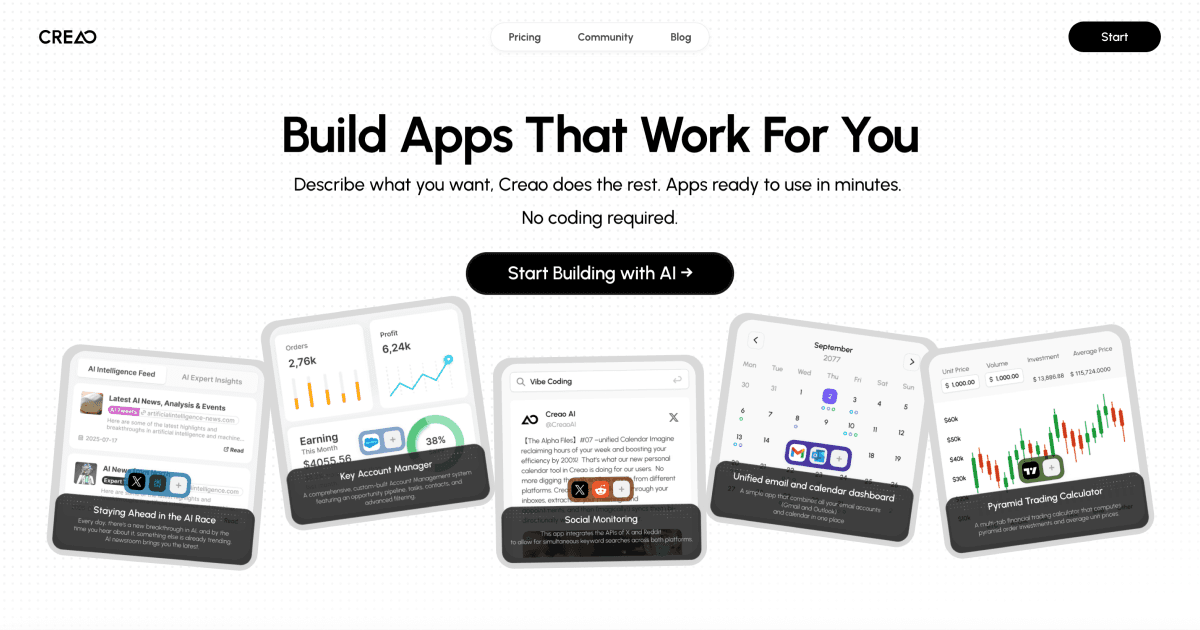
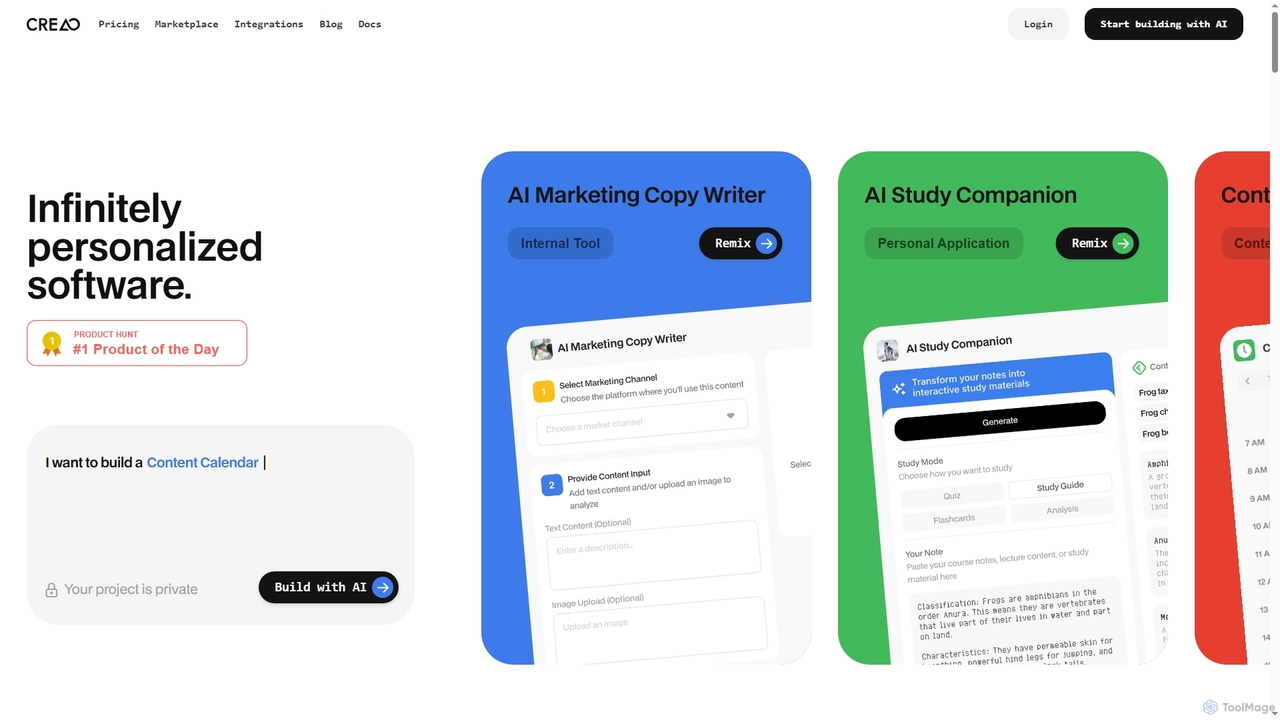
Creao Product overview

Creao is an AI-native app builder that allows users to create full-stack applications using simple natural language. It handles the backend, database, and hosting automatically, requiring no coding experience. With one-click integrations and a built-in AI copilot, it's designed for founders and lean teams to build custom tools and workflows quickly.

Preview

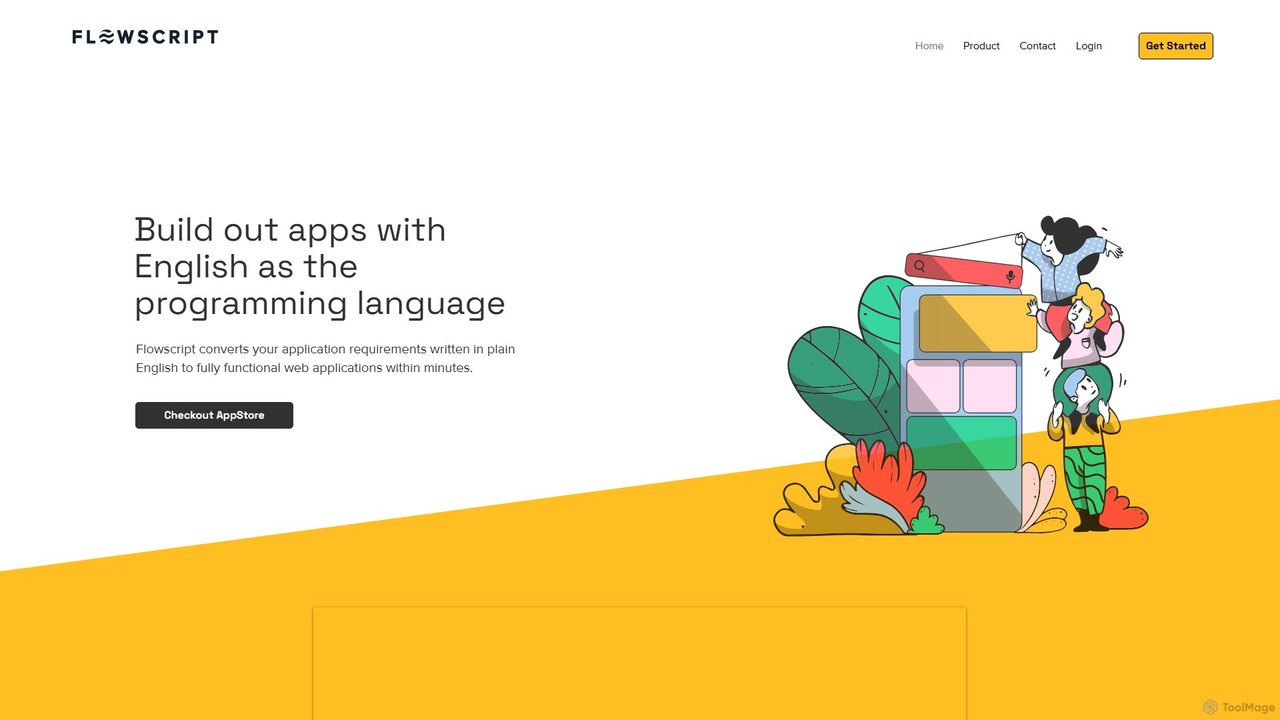
Flowscript Product overview

Flowscript is a revolutionary no-code platform that transforms plain English into fully functional web applications. Its AI-powered engine interprets your requirements to build apps with complex workflows, robust data management, and security rules in minutes. This empowers anyone, regardless of technical skill, to become a developer, streamlining processes and bringing ideas to life at the speed of thought.

Preview

Quick facts

Compare product focus, pricing models and audiences. Highlighted rows indicate different listed information; unknown pricing does not mean free.

Creao VS Flowscript — Quick facts
Quick factsCreaoFlowscript
Pricing modelFreemiumNo data available
Product typeWebWeb
Primary focusInternal ToolsInternal Tools
Audience and rolesContent Creator · Customer Support · Entrepreneur · HR Manager · Marketing Manager · Product Manager · Sales Representative · Software DeveloperNo data available
CategoriesInternal Tools · No Code & Low Code · Workflow AutomationInternal Tools · No Code & Low Code · Workflow Automation
AddedOct 20, 2025Aug 8, 2025
UpdatedNov 19, 2026Nov 19, 2026

Features, usage and use cases

Explore the listed product descriptions, features and workflows. Taxonomy labels alone are not feature evaluations.

Creao

Creao is an innovative AI-powered platform that transforms natural language descriptions into fully functional, full-stack web applications. It eliminates the need for coding by handling all complex infrastructure, including the backend, database, and hosting, allowing users to focus solely on their app's functionality. Designed for early-stage founders, lean teams, and individuals looking to build custom software without technical barriers, Creao streamlines the development process from idea to deployment.

How to use Creao

Building an application with Creao is an intuitive, chat-based process:

  1. Describe Your App: Start by describing the application you want to build in plain language. You can use the 'Get Inspired Ideas' feature if you need a starting point.
  2. Confirm Integrations: The AI Build Agent will prompt you to select the necessary integrations from a comprehensive library (e.g., Google Sheets, OpenAI, Slack). Choose only the ones your app requires for optimal performance.
  3. Review the Plan: The agent will present a detailed plan outlining your app's features and how they connect to the selected integrations. You can provide feedback and refine the plan iteratively through chat.
  4. Build and Deploy: Once you approve the plan, Creao's AI handles the entire build process.
  5. Test and Iterate: After your app is built, test it thoroughly. You can request fixes or add new features by simply sending a follow-up message in the Build Agent chat.

Core Features of Creao

  • Natural Language App Building: Create complete applications simply by describing what you want in a chat interface.
  • Full-Stack Automation: Creao automatically manages the entire backend, database, and hosting, requiring zero infrastructure setup from the user.
  • App-Native AI Copilot: Each app comes with a built-in AI assistant that has full application context to answer questions, manage data, and automate tasks.
  • Extensive Integrations: Connect your app with a single click to a wide range of popular tools like OpenAI, Google Suite, Slack, Notion, and Microsoft Teams.
  • Custom API & MCP Support: For advanced workflows, you can connect to any custom tool via API or Model Context Protocol (MCP).
  • Iterative Development: Easily modify, fix, or add features to your app after it's been deployed by continuing the conversation with the AI Build Agent.
  • Source Code & Database Visibility: The Pro plan offers visibility into the source code and database for advanced customization and control.

Use Cases for Creao

Creao is versatile and can be used to build a wide variety of custom applications and internal tools, such as:

  • Internal Tools: Create dashboards for OKR management, sales pipeline tracking, support ticket systems, or HR team management.
  • Content & Marketing Automation: Build tools to aggregate and analyze daily news, or automate content marketing workflows.
  • Productivity Apps: Develop personal applications like a financial tracker or a customer order tracking system.
  • Workflow Automation: Design complex, multi-step workflows that connect different SaaS tools, such as retrieving Gmail emails, categorizing them with GPT, and scheduling meetings in Google Calendar.

Advantages of Creao

Creao offers a new, AI-native standard for software development that empowers non-technical and technical users alike. Key advantages include:

  • No Coding Required: Accessible to everyone, from beginners to experts, allowing anyone to bring their app ideas to life.
  • Speed and Efficiency: Go from idea to a functional Minimum Viable Product (MVP) in minutes, enabling rapid testing and iteration.
  • Cost-Effective: Reduces the need for numerous expensive SaaS subscriptions by allowing teams to build their own tailored solutions.
  • Full Ownership and Control: Avoid vendor lock-in and SaaS bloat by creating and owning your custom workflows and tools.

Pricing and Plans

Creao offers plans designed to scale with your needs:

  • Free Plan: $0/month. Includes 30 credits per month, the ability to build full-stack AI-native apps, access to built-in integrations, and the app-native Copilot (beta). No credit card is required to get started.
  • Pro Plan: $12.50/month (Limited time 50% off the regular price of $25/month). Includes 250 credits per month and all features of the Free plan, plus an Advanced Code Agent for complex builds, customized API & MCP integrations, source code & database visibility, and early access to advanced features.
  • Team Plan: Coming soon. This plan will offer shared projects, credits, and collaboration tools for teams.

Discounts are available for startups, students, and nonprofits upon request by contacting [email protected].

Flowscript

Flowscript is pioneering a new era in software development where plain English becomes the programming language. This innovative, AI-powered platform is designed to democratize application creation, enabling users to convert their ideas and requirements into fully functional web applications within minutes. By leveraging advanced AI, specifically models from OpenAI, Flowscript interprets natural language descriptions to construct applications with robust business logic, secure data handling, and complex, multi-step workflows. This eliminates the traditional barriers of coding, making everyone a potential developer.

The platform is built to dramatically accelerate the development lifecycle. What would typically take a team of developers days or even weeks to build can now be accomplished in a fraction of the time. This speed allows businesses to be more agile, responding to market changes and internal needs with unprecedented efficiency. Flowscript is not just a tool; it's a new methodology for building software that aligns development directly with business requirements.

How to use Flowscript

Using Flowscript is an intuitive process that replaces complex coding with simple, descriptive language:

  1. Define Your Requirements: Begin by writing a detailed document in plain English. Describe the application's purpose, user roles, data structures (e.g., 'a customer has a name, email, and a list of orders'), business rules ('an order can only be approved by a manager'), and the steps in your workflow.
  2. AI-Powered Generation: Submit this requirements document to the Flowscript engine. The AI analyzes your text, understands the entities, relationships, and processes, and automatically generates the underlying database schema, business logic, and user interface components.
  3. Review and Iterate: The generated application is immediately available for review. A key feature of Flowscript is that your requirements document acts as living documentation. To make changes or add features, you simply update the English text, and the application will be regenerated to reflect the new specifications.
  4. Deploy and Manage: Once satisfied, you can deploy the application. Flowscript offers flexibility in data management, allowing you to store your data securely in the cloud or on-premise, giving you full control over your information.

Core Features of Flowscript

  • AI-Powered Workflows: Utilizes OpenAI to dynamically build complex task flows and business logic based on your plain English requirements.
  • Relational Data Tables: Easily define and manage the data needed for your application, including setting up relationships between different data tables and enforcing business rules and validations.
  • Documentation is the Code: Your requirements document is a living entity, always perfectly mirroring the current state of your application, ensuring documentation is never outdated.
  • Dynamic Form Generation: Automatically creates sophisticated forms capable of handling various data types, including file uploads, nested data elements, and other complexities.
  • Secure Multi-User Operations: Built to handle intricate and secure data operations involving multiple user roles and permissions, ensuring data integrity and security.
  • Public Engagement Portal: Includes functionality to create public-facing portals, allowing anonymous users or customers to interact with your application, submit forms, or access information.
  • Flexible Data Storage: Provides the choice to store your application's data securely in the cloud or on your own on-premise servers for maximum control.

Use Cases for Flowscript

Flowscript is versatile and can be applied to a wide range of scenarios:

  • Internal Tool Development: Quickly build custom internal tools for HR, operations, or finance, such as employee onboarding systems, project management trackers, or expense approval workflows.
  • Minimum Viable Product (MVP) Creation: Entrepreneurs and startups can rapidly build and launch functional MVPs to test their business ideas and gather user feedback without a large initial investment in development.
  • Business Process Automation: Digitize and automate complex manual processes within an organization, improving efficiency and reducing the chance of human error.
  • Customer-Facing Portals: Create portals for customer support, order tracking, or service requests, enhancing customer engagement and interaction.

Advantages of Flowscript

Flowscript offers significant advantages over traditional development methods:

  • Radical Accessibility: Empowers business users, analysts, and domain experts to build the tools they need without writing a single line of code.
  • Unmatched Speed: Reduces the application development lifecycle from weeks or months to mere minutes or hours.
  • Cost Efficiency: Significantly lowers development costs by reducing the need for large, specialized development teams.
  • Agile and Iterative: Makes it incredibly easy to adapt and evolve applications as business needs change.
  • Guaranteed Consistency: By treating the documentation as the source code, it eliminates discrepancies between the application and its documentation.

Pricing and Plans

Flowscript's specific pricing and plan details are not publicly available on the website. The platform encourages interested users to sign up with their email to receive updates on the latest features and product news, which may include future pricing information. For direct inquiries about enterprise use or demos, it is recommended to contact the Flowscript team through their website.

Positioning

Their taxonomy shows where the products overlap and where each one has a more distinct focus. Unknown fields are shown explicitly and are never filled with assumptions.

Categories

Shared
Internal ToolsNo Code & Low CodeWorkflow Automation
Only Creao
No listed items
Only Flowscript
No listed items

Tags

Shared
internal toolsno-codeworkflow automation
Only Creao
AI copilotAI-nativeapp buildercustom softwarefull-stacknatural languageSaaS replacement
Only Flowscript
AI developmentapplication builderbusiness process automationlow-codenatural language processingtext-to-appweb app generator

Audience and roles

Shared
No listed items
Only Creao
Content CreatorCustomer SupportEntrepreneurHR ManagerMarketing ManagerProduct ManagerSales RepresentativeSoftware Developer
Only Flowscript
No listed items

Traffic comparison

Traffic is shown on the same scale so differences in market visibility are not visually understated.

How to interpret the traffic data

Both charts share the same months and vertical scale. Each tool identifies its latest reporting month; missing months are left blank, not counted as zero. Regional and source visit counts are estimates calculated from the reported shares.

Creao monthly traffic:

Latest traffic · 2026-05

Monthly visits
508.8K
Avg. visit duration
3:51
Pages per visit
7.59
Bounce rate
39.57%
Data updated 2026-06-15

Monthly traffic trend

  • 2025-09: 35.1K
  • 2026-01: 296.7K
  • 2026-02: 272.1K
  • 2026-03: 260.8K
  • 2026-04: 489.2K
  • 2026-05: 508.8K

Top regions

Top 5 countries/regions
Country/regionPercentageEstimated visits
🇺🇸United States65.11%331.3K
🇧🇷Brazil17.38%88.4K
🇮🇳India6.48%33K
🇵🇹Portugal5.55%28.2K
🇨🇦Canada5.48%27.9K

Traffic sources

Source typePercentageEstimated visits
Direct75.75%385.4K
Referral21.85%111.2K
Email2.4%12.2K

Search keywords

aicreaocreao aiopus 4.8poppy ai

Flowscript

No data available

Community signals

Ratings, comments, favorites, and likes are community signals—not a substitute for product fit.

Creao

Rating
No data available
Comments
0
Favorites
182
Likes
183

Flowscript

Rating
No data available
Comments
0
Favorites
156
Likes
175

Creao vs Flowscript · Comparison FAQ

What do Creao and Flowscript have in common?
Both tools are listed under Internal Tools、No Code & Low Code、Workflow Automation. These categories indicate overlapping use cases; compare their detailed descriptions for workflows, capabilities and limitations.
Are Creao and Flowscript free?
Listed pricing models: Creao — Freemium; Flowscript — No data available. Missing pricing is not proof of a free plan, and freemium does not mean every feature is free. Check official sites for current plans, limits and trials.
How should I choose between Creao and Flowscript?
The primary listed category is Internal Tools for Creao, and Internal Tools for Flowscript. Compare features, steps and use cases, then verify pricing, data permissions and deployment needs. This page does not include hands-on testing and does not declare a winner from traffic or tags.

Creao · Comparison FAQ

What is the difference between Creao's Free and Pro plans?

The primary differences are in credits and advanced features. The Free plan offers 30 credits per month for building basic apps. The Pro plan provides 250 credits per month and unlocks an Advanced Code Agent for more complex builds, the ability to use custom API & MCP integrations, source code and database visibility, and early access to new features.

Do I need coding experience to use Creao?

No, you do not need any coding experience. Creao is designed for both beginners and experts. You build applications by describing what you want in natural language, and the platform's AI handles all the technical aspects, including database architecture and hosting.

What kind of tools can I integrate with Creao?

Creao supports a growing library of one-click integrations with popular apps and services across various categories. This includes AI tools like OpenAI GPT-4, collaboration apps like Slack and Microsoft Teams, productivity tools like Google Suite (Docs, Sheets, Calendar) and Notion, and developer tools like Github. Pro users can also connect to custom tools via API or MCP servers.

Can I modify my app after it has been built?

Yes, absolutely. Creao apps are fully iterative. After the initial build, you can continue to request changes, add new features, or ask for fixes directly in the Build Agent chat. Any updates you make will be reflected for all users of the app.

Can I upgrade, downgrade, or cancel my subscription at any time?

Yes, you have full control over your subscription. You can upgrade, downgrade, or cancel at any time. For upgrades, you only pay the prorated difference. For downgrades, you retain your current benefits until the end of the billing cycle. There is no lock-in.

Sources and comparison methodology

This page is assembled from ToolMage product listings, taxonomy, traffic statistics and on-site user feedback. It is not a hands-on test or an independent review.

  • Feature and plan descriptions reflect information in the listings, not real-time guarantees. Verify pricing, quotas, availability and privacy terms on the official sites.
  • Traffic uses the reporting months shown. Missing statistics do not mean zero visits, and different periods do not establish growth or superiority. Regional and source visit counts are estimates based on shares.
  • Different tags indicate differences in the listings, not proof that the other product lacks a capability. Ratings, favorites and visits are not used to declare a winner.

Related comparisons