Flowscript
Internal Tools
AI TOOL COMPARISON
What is the difference, and which fits your workflow? Compare features, usage, pricing models and traffic side by side.
Internal Tools
Internal Tools
Flowscript is a revolutionary no-code platform that transforms plain English into fully functional web applications. Its AI-powered engine interprets your requirements to build apps with complex workflows, robust data management, and security rules in minutes. This empowers anyone, regardless of technical skill, to become a developer, streamlining processes and bringing ideas to life at the speed of thought.
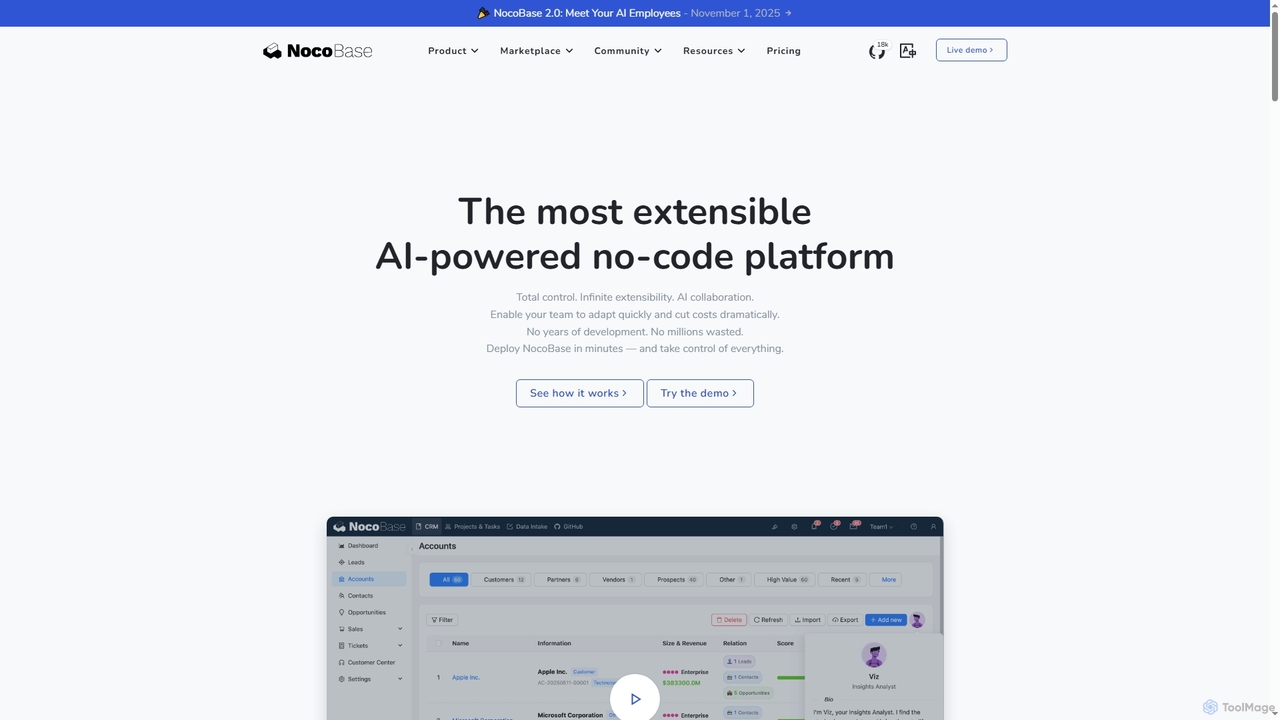
NocoBase is an open-source, self-hosted no-code and low-code development platform. It empowers users to build custom business applications like CRMs and internal tools with high flexibility, granular permissions, and automated workflows, ensuring data security through on-premises deployment.
Compare product focus, pricing models and audiences. Highlighted rows indicate different listed information; unknown pricing does not mean free.
| Quick facts | Flowscript | NocoBase |
|---|---|---|
| Pricing model | No data available | Freemium |
| Product type | Web | Web |
| Primary focus | Internal Tools | Internal Tools |
| Audience and roles | No data available | Business Analyst · Entrepreneur · HR Manager · IT Manager · Operations Manager · Product Manager · Software Developer · System Administrator |
| Categories | Internal Tools · No Code & Low Code · Workflow Automation | Internal Tools · Database Management · No Code & Low Code · Workflow Automation |
| Added | Aug 8, 2025 | Nov 8, 2025 |
| Updated | Nov 19, 2026 | Nov 19, 2026 |
Explore the listed product descriptions, features and workflows. Taxonomy labels alone are not feature evaluations.
Flowscript is pioneering a new era in software development where plain English becomes the programming language. This innovative, AI-powered platform is designed to democratize application creation, enabling users to convert their ideas and requirements into fully functional web applications within minutes. By leveraging advanced AI, specifically models from OpenAI, Flowscript interprets natural language descriptions to construct applications with robust business logic, secure data handling, and complex, multi-step workflows. This eliminates the traditional barriers of coding, making everyone a potential developer.
The platform is built to dramatically accelerate the development lifecycle. What would typically take a team of developers days or even weeks to build can now be accomplished in a fraction of the time. This speed allows businesses to be more agile, responding to market changes and internal needs with unprecedented efficiency. Flowscript is not just a tool; it's a new methodology for building software that aligns development directly with business requirements.
Using Flowscript is an intuitive process that replaces complex coding with simple, descriptive language:
Flowscript is versatile and can be applied to a wide range of scenarios:
Flowscript offers significant advantages over traditional development methods:
Flowscript's specific pricing and plan details are not publicly available on the website. The platform encourages interested users to sign up with their email to receive updates on the latest features and product news, which may include future pricing information. For direct inquiries about enterprise use or demos, it is recommended to contact the Flowscript team through their website.
NocoBase is an AI-driven, open-source, and self-hosted platform designed for no-code and low-code application development. It provides a flexible and scalable solution for businesses to create custom systems such as CRMs, HR management tools, and operational dashboards without extensive coding knowledge. Its schema-first, modular architecture allows for deep customization and seamless integration, making it a powerful alternative to platforms like AirTable and Salesforce. NocoBase is trusted by a wide range of organizations to streamline workflows, improve efficiency, and maintain full control over their data.
Users begin by defining their data model using NocoBase's schema-first approach. From there, they can visually construct user interfaces and configure complex data relationships. The platform automatically generates the necessary APIs, which can be used for integration with other systems. Business logic and process automation are implemented through an integrated workflow engine. Finally, the completed application can be deployed on-premises or in a private cloud environment like AWS, giving the organization complete control over its data and infrastructure.
NocoBase is highly versatile and suitable for a variety of business needs. It's ideal for building custom internal tools such as Customer Relationship Management (CRM) systems, Human Resources (HR) platforms for attendance and leave management, and comprehensive operations management systems. Companies also use it to create tailored logistics and scheduling solutions, smart factory management systems for tracking equipment maintenance, and collaborative task management platforms for large, distributed teams.
The primary advantage of NocoBase is its combination of high flexibility and robust control. It allows for rapid development, enabling teams to build and deploy full-fledged systems in weeks instead of months. As an open-source and self-hosted solution, it is highly cost-effective compared to subscription-based SaaS products and eliminates vendor lock-in. The on-premises deployment model provides unparalleled data security, which is critical for industries with strict compliance requirements. Furthermore, it empowers non-technical staff to build their own solutions, freeing up developer resources to focus on more complex business logic.
Their taxonomy shows where the products overlap and where each one has a more distinct focus. Unknown fields are shown explicitly and are never filled with assumptions.
Traffic is shown on the same scale so differences in market visibility are not visually understated.
Both charts share the same months and vertical scale. Each tool identifies its latest reporting month; missing months are left blank, not counted as zero. Regional and source visit counts are estimates calculated from the reported shares.
No data available
| Country/region | Percentage | Estimated visits |
|---|---|---|
| 🇨🇳China | 68.27% | 121.5K |
| 🇳🇱Netherlands | 14.35% | 25.5K |
| 🇺🇸United States | 7.77% | 13.8K |
| 🇮🇩Indonesia | 4.98% | 8.9K |
| 🇻🇳Vietnam | 4.63% | 8.2K |
| Source type | Percentage | Estimated visits |
|---|---|---|
| Direct | 80.81% | 143.8K |
| Referral | 18.73% | 33.3K |
| 0.46% | 818 |
Ratings, comments, favorites, and likes are community signals—not a substitute for product fit.
According to user testimonials, NocoBase is chosen over alternatives like AirTable and NocoDB for its superior flexibility and deployment options. Key differentiators include the ability to deploy directly within a private environment like AWS, support for unlimited users, granular permission management, and a decoupled frontend-data architecture that allows for easier and more extensive interface customization.
Yes, NocoBase is designed as a self-hosted platform. Its capability for on-premises deployment is a core feature, which aligns with rigorous demands for data security and tailored system design, giving organizations full control over their data and infrastructure.
Yes, NocoBase is designed to be accessible to non-technical users. Testimonials highlight that its streamlined setup process empowers non-technical staff to quickly build interfaces. One user noted, "The learning curve for NocoBase was surprisingly smooth; I was able to build out business processes within days, without needing to rely on developers."
Users have successfully built a wide range of systems with NocoBase, including HR management, attendance, and leave workflows, customer service systems, CRM, smart factory management systems (e.g., for equipment maintenance), and customized scheduling solutions for logistics.
This page is assembled from ToolMage product listings, taxonomy, traffic statistics and on-site user feedback. It is not a hands-on test or an independent review.