ToolMage
Sign in

AI TOOL COMPARISON

AppifyText.ai vs Flowscript

What is the difference, and which fits your workflow? Compare features, usage, pricing models and traffic side by side.

Jump to key differences

Product overview

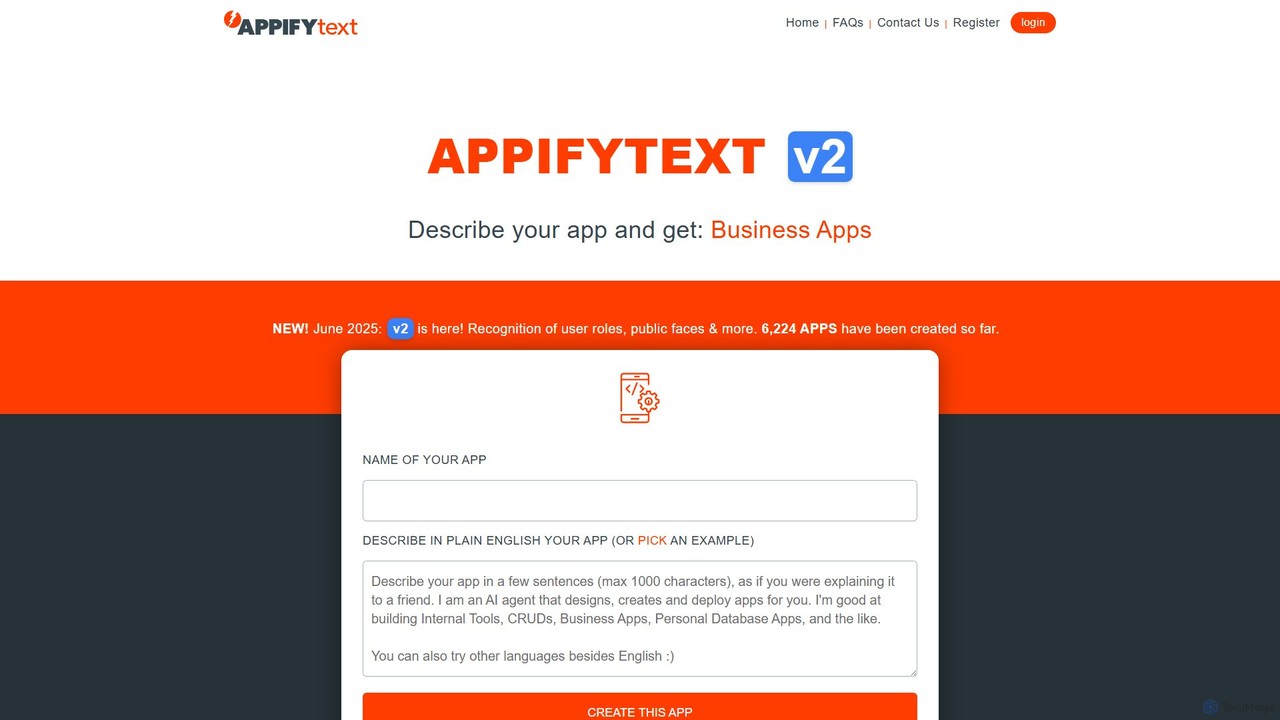
AppifyText.ai Product overview

AppifyText.ai is an AI-powered platform that transforms plain English descriptions into functional, responsive web applications. It specializes in creating internal tools, CRUD apps, and data-driven business applications without requiring any coding knowledge, enabling rapid development and deployment.

Preview

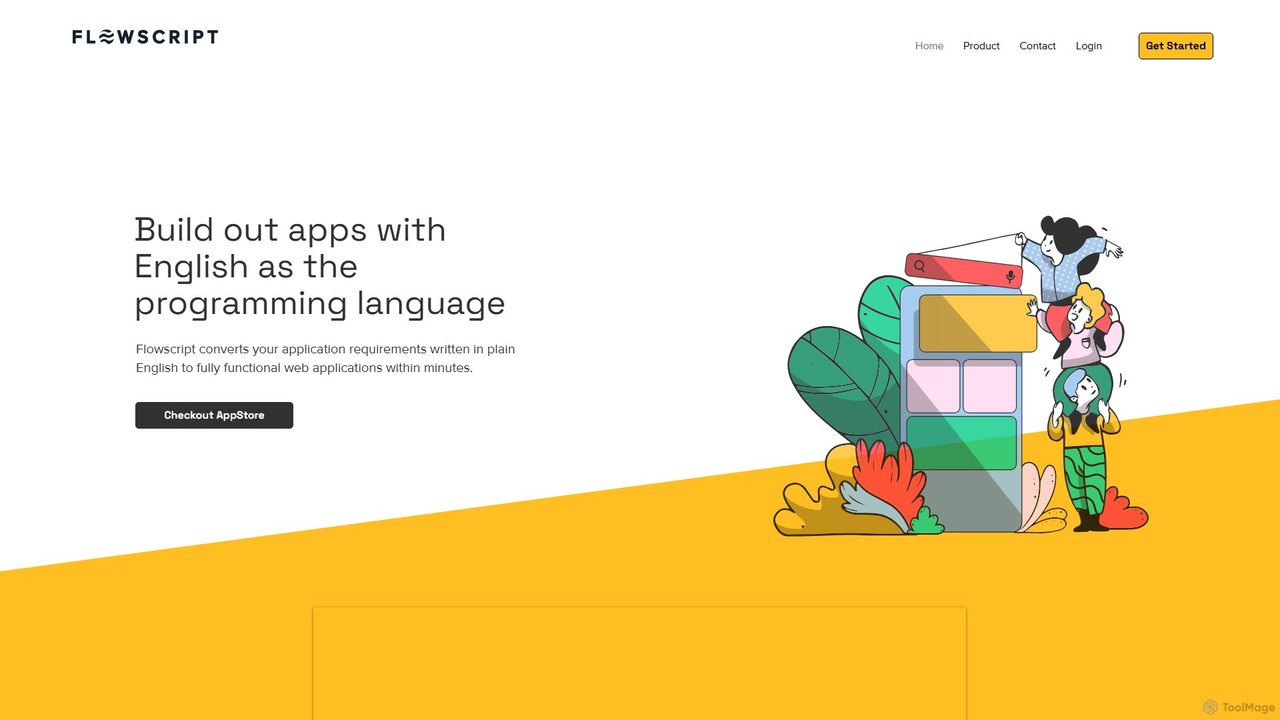
Flowscript Product overview

Flowscript is a revolutionary no-code platform that transforms plain English into fully functional web applications. Its AI-powered engine interprets your requirements to build apps with complex workflows, robust data management, and security rules in minutes. This empowers anyone, regardless of technical skill, to become a developer, streamlining processes and bringing ideas to life at the speed of thought.

Preview

Quick facts

Compare product focus, pricing models and audiences. Highlighted rows indicate different listed information; unknown pricing does not mean free.

AppifyText.ai VS Flowscript — Quick facts
Quick factsAppifyText.aiFlowscript
Pricing modelFreemiumNo data available
Product typeWebWeb
Primary focusInternal ToolsInternal Tools
Audience and rolesNo data availableNo data available
CategoriesInternal Tools · No Code & Low Code · Workflow AutomationInternal Tools · No Code & Low Code · Workflow Automation
AddedAug 4, 2025Aug 8, 2025
UpdatedNov 19, 2026Nov 19, 2026

Features, usage and use cases

Explore the listed product descriptions, features and workflows. Taxonomy labels alone are not feature evaluations.

AppifyText.ai

AppifyText.ai is a revolutionary AI-driven, no-code development platform that empowers users to build web applications simply by describing them in natural language. It is designed to bridge the gap between an idea and a functional application, making software development accessible to everyone, regardless of their technical background. The platform excels at generating data-centric applications, such as internal tools for businesses, CRUD (Create, Read, Update, Delete) systems, personal databases, and reporting dashboards. With its latest v2 update, it now includes more advanced features like recognition of user roles and public-facing elements, enhancing the complexity of apps you can create. AppifyText.ai streamlines the entire development process, from conception to a deployable product, in a fraction of the time it would take with traditional methods.

How to use AppifyText.ai

Using AppifyText.ai is an intuitive and straightforward process:

  1. Describe Your App: Navigate to the AppifyText.ai homepage. In the main input field, describe the application you want to build in plain English. Be as specific as possible about the data you want to collect, how you want to display it, and the actions users can perform.
  2. Use an Example (Optional): If you're unsure where to start, you can click "pick an example" to see various templates and understand how to structure your description.
  3. Generate the App: Click the "CREATE THIS APP" button. The AI will process your description and generate a responsive web application in moments.
  4. Review and Edit: Once created, you can interact with your new app. If you need to make changes, you can click the "Edit this app" button from within the application itself to refine its functionality.
  5. Save and Manage: If you are logged in, your created applications are automatically saved under the "My Apps" section. Each app is given a unique link for access.
  6. Deploy Your Application: The generated apps are hosted temporarily. To make your app permanent, click "Publish & Deploy" within the app. You will receive instructions on how to deploy it on your preferred platform, such as Amazon AWS, Microsoft Azure, a private intranet server, or any other hosting provider.

Core Features of AppifyText.ai

  • Natural Language to App Generation: The core technology that converts simple text descriptions into fully functional web apps.
  • Focus on Business & Data Apps: Specialized in creating internal tools, CRUD interfaces, reporting dashboards, and data collection forms.
  • Responsive Design: All applications generated are fully responsive and work seamlessly on desktops, tablets, and mobile devices.
  • Post-Creation Editing: Allows for iterative development and refinement of your application after the initial generation.
  • User Role Management: V2 introduces the ability to define different user roles and permissions within the application.
  • Flexible Deployment: Provides the freedom to host your application anywhere, from major cloud providers like AWS and Azure to your own private servers or even a personal laptop.
  • No-Code Platform: Eliminates the need for programming knowledge, making app development accessible to a wider audience.
  • Temporary Hosting: Offers temporary hosting for every created app, allowing you to test and share it before full deployment.

Use Cases for AppifyText.ai

AppifyText.ai is ideal for a wide range of practical applications:

  • Internal Tools: Build custom tools for internal processes like inventory management, employee directories, or IT support ticket systems.
  • Business Applications: Quickly create simple CRMs, project management trackers, or client data collection portals.
  • Personal Databases: Organize personal information, track hobbies, manage collections, or create a personal knowledge base.
  • Data Collection & Reporting: Generate applications with forms for data input and display the results in tables, datagrids, charts, or dashboards for easy analysis.
  • Prototyping: Rapidly create functional prototypes to demonstrate a concept to stakeholders before investing in full-scale development.

Advantages of AppifyText.ai

The platform offers significant advantages:

  • Speed and Efficiency: Drastically reduces development time from weeks or months to just minutes.
  • Cost Savings: Lowers development costs by removing the need to hire specialized developers for many types of applications.
  • Democratization of Development: Empowers non-technical users, such as business analysts, entrepreneurs, and managers, to build their own solutions.
  • High Flexibility: Unlike many no-code platforms that lock you into their ecosystem, AppifyText.ai allows you to deploy your app on any infrastructure you choose.
  • Focus on Practicality: Concentrates on building the most common and useful types of business applications, ensuring high utility.

Pricing and Plans

AppifyText.ai appears to operate on a freemium model. Users can likely generate and test applications for free, which are hosted temporarily. For features such as permanent app storage, connecting custom domains, advanced user management, and the ability to publish and deploy the application to a personal or cloud server, a paid plan would be required. This model allows users to fully explore the platform's capabilities before committing to a subscription. For the most accurate and current pricing details, please visit the official AppifyText.ai website.

Flowscript

Flowscript is pioneering a new era in software development where plain English becomes the programming language. This innovative, AI-powered platform is designed to democratize application creation, enabling users to convert their ideas and requirements into fully functional web applications within minutes. By leveraging advanced AI, specifically models from OpenAI, Flowscript interprets natural language descriptions to construct applications with robust business logic, secure data handling, and complex, multi-step workflows. This eliminates the traditional barriers of coding, making everyone a potential developer.

The platform is built to dramatically accelerate the development lifecycle. What would typically take a team of developers days or even weeks to build can now be accomplished in a fraction of the time. This speed allows businesses to be more agile, responding to market changes and internal needs with unprecedented efficiency. Flowscript is not just a tool; it's a new methodology for building software that aligns development directly with business requirements.

How to use Flowscript

Using Flowscript is an intuitive process that replaces complex coding with simple, descriptive language:

  1. Define Your Requirements: Begin by writing a detailed document in plain English. Describe the application's purpose, user roles, data structures (e.g., 'a customer has a name, email, and a list of orders'), business rules ('an order can only be approved by a manager'), and the steps in your workflow.
  2. AI-Powered Generation: Submit this requirements document to the Flowscript engine. The AI analyzes your text, understands the entities, relationships, and processes, and automatically generates the underlying database schema, business logic, and user interface components.
  3. Review and Iterate: The generated application is immediately available for review. A key feature of Flowscript is that your requirements document acts as living documentation. To make changes or add features, you simply update the English text, and the application will be regenerated to reflect the new specifications.
  4. Deploy and Manage: Once satisfied, you can deploy the application. Flowscript offers flexibility in data management, allowing you to store your data securely in the cloud or on-premise, giving you full control over your information.

Core Features of Flowscript

  • AI-Powered Workflows: Utilizes OpenAI to dynamically build complex task flows and business logic based on your plain English requirements.
  • Relational Data Tables: Easily define and manage the data needed for your application, including setting up relationships between different data tables and enforcing business rules and validations.
  • Documentation is the Code: Your requirements document is a living entity, always perfectly mirroring the current state of your application, ensuring documentation is never outdated.
  • Dynamic Form Generation: Automatically creates sophisticated forms capable of handling various data types, including file uploads, nested data elements, and other complexities.
  • Secure Multi-User Operations: Built to handle intricate and secure data operations involving multiple user roles and permissions, ensuring data integrity and security.
  • Public Engagement Portal: Includes functionality to create public-facing portals, allowing anonymous users or customers to interact with your application, submit forms, or access information.
  • Flexible Data Storage: Provides the choice to store your application's data securely in the cloud or on your own on-premise servers for maximum control.

Use Cases for Flowscript

Flowscript is versatile and can be applied to a wide range of scenarios:

  • Internal Tool Development: Quickly build custom internal tools for HR, operations, or finance, such as employee onboarding systems, project management trackers, or expense approval workflows.
  • Minimum Viable Product (MVP) Creation: Entrepreneurs and startups can rapidly build and launch functional MVPs to test their business ideas and gather user feedback without a large initial investment in development.
  • Business Process Automation: Digitize and automate complex manual processes within an organization, improving efficiency and reducing the chance of human error.
  • Customer-Facing Portals: Create portals for customer support, order tracking, or service requests, enhancing customer engagement and interaction.

Advantages of Flowscript

Flowscript offers significant advantages over traditional development methods:

  • Radical Accessibility: Empowers business users, analysts, and domain experts to build the tools they need without writing a single line of code.
  • Unmatched Speed: Reduces the application development lifecycle from weeks or months to mere minutes or hours.
  • Cost Efficiency: Significantly lowers development costs by reducing the need for large, specialized development teams.
  • Agile and Iterative: Makes it incredibly easy to adapt and evolve applications as business needs change.
  • Guaranteed Consistency: By treating the documentation as the source code, it eliminates discrepancies between the application and its documentation.

Pricing and Plans

Flowscript's specific pricing and plan details are not publicly available on the website. The platform encourages interested users to sign up with their email to receive updates on the latest features and product news, which may include future pricing information. For direct inquiries about enterprise use or demos, it is recommended to contact the Flowscript team through their website.

Positioning

Their taxonomy shows where the products overlap and where each one has a more distinct focus. Unknown fields are shown explicitly and are never filled with assumptions.

Categories

Shared
Internal ToolsNo Code & Low CodeWorkflow Automation
Only AppifyText.ai
No listed items
Only Flowscript
No listed items

Tags

Shared
internal toolslow-codenatural language processingno-codetext-to-app
Only AppifyText.ai
AI developerapp builderCRUDdatabase applicationweb application
Only Flowscript
AI developmentapplication builderbusiness process automationweb app generatorworkflow automation

Audience and roles

Shared
No listed items
Only AppifyText.ai
No listed items
Only Flowscript
No listed items

Traffic comparison

Traffic is shown on the same scale so differences in market visibility are not visually understated.

How to interpret the traffic data

Both charts share the same months and vertical scale. Each tool identifies its latest reporting month; missing months are left blank, not counted as zero. Regional and source visit counts are estimates calculated from the reported shares.

AppifyText.ai

No data available

Flowscript

No data available

Community signals

Ratings, comments, favorites, and likes are community signals—not a substitute for product fit.

AppifyText.ai

Rating
No data available
Comments
0
Favorites
177
Likes
174

Flowscript

Rating
No data available
Comments
0
Favorites
156
Likes
175

AppifyText.ai vs Flowscript · Comparison FAQ

What do AppifyText.ai and Flowscript have in common?
Both tools are listed under Internal Tools、No Code & Low Code、Workflow Automation. These categories indicate overlapping use cases; compare their detailed descriptions for workflows, capabilities and limitations.
Are AppifyText.ai and Flowscript free?
Listed pricing models: AppifyText.ai — Freemium; Flowscript — No data available. Missing pricing is not proof of a free plan, and freemium does not mean every feature is free. Check official sites for current plans, limits and trials.
How should I choose between AppifyText.ai and Flowscript?
The primary listed category is Internal Tools for AppifyText.ai, and Internal Tools for Flowscript. Compare features, steps and use cases, then verify pricing, data permissions and deployment needs. This page does not include hands-on testing and does not declare a winner from traffic or tags.

Sources and comparison methodology

This page is assembled from ToolMage product listings, taxonomy, traffic statistics and on-site user feedback. It is not a hands-on test or an independent review.

  • Feature and plan descriptions reflect information in the listings, not real-time guarantees. Verify pricing, quotas, availability and privacy terms on the official sites.
  • Traffic uses the reporting months shown. Missing statistics do not mean zero visits, and different periods do not establish growth or superiority. Regional and source visit counts are estimates based on shares.
  • Different tags indicate differences in the listings, not proof that the other product lacks a capability. Ratings, favorites and visits are not used to declare a winner.

Related comparisons