ToolMage
Sign in

AI TOOL COMPARISON

Creatr vs Fine

What is the difference, and which fits your workflow? Compare features, usage, pricing models and traffic side by side.

Jump to key differences

Product overview

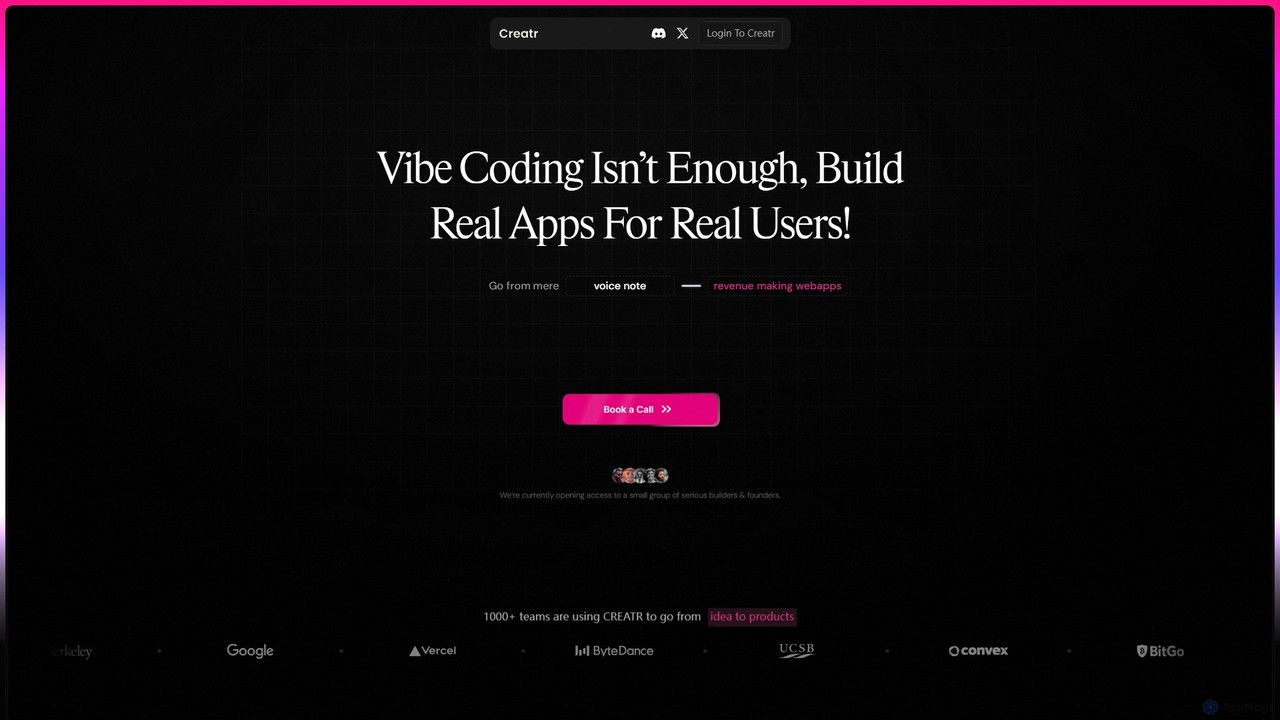
Creatr Product overview

Creatr is an AI-powered platform that transforms ideas into fully-functional, production-ready web applications. It moves beyond simple prototypes by generating clean, deployable code with essential features like authentication, databases, and payment integrations from a single, guided prompt, enabling founders and developers to ship real products faster.

Preview

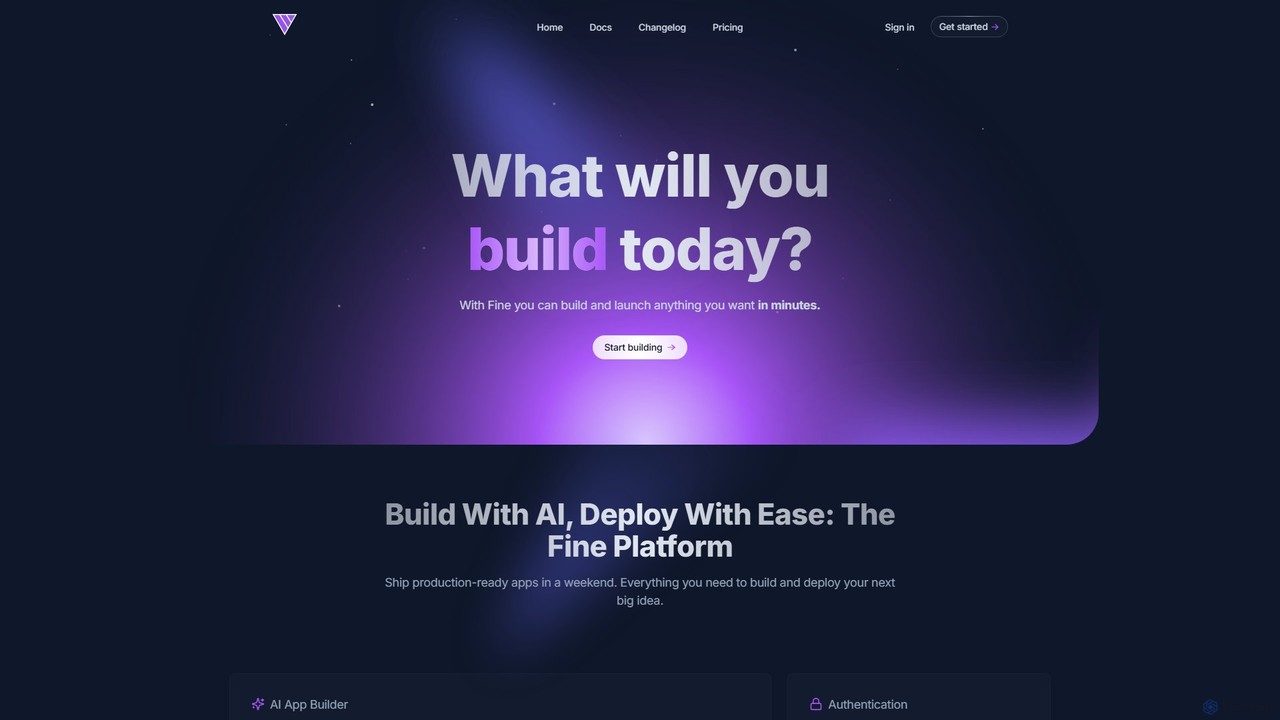
Fine Product overview

Fine is an AI-powered software development platform that enables anyone to build and deploy full-stack web applications using natural language. It leverages autonomous AI agents to handle everything from frontend UI to backend logic, database, and deployment, turning ideas into production-ready apps in minutes.

Preview

Quick facts

Compare product focus, pricing models and audiences. Highlighted rows indicate different listed information; unknown pricing does not mean free.

Creatr VS Fine — Quick facts
Quick factsCreatrFine
Pricing modelPaidFreemium
Product typeWebWeb
Primary focusLow Code No CodeAi Agent
Audience and rolesNo data availableNo data available
CategoriesLow Code No Code · Website Builder · Prototyping · MvpAi Agent · Low Code No Code · Website Builder · Prototyping
AddedAug 9, 2025Aug 8, 2025
UpdatedNov 19, 2026Nov 19, 2026

Features, usage and use cases

Explore the listed product descriptions, features and workflows. Taxonomy labels alone are not feature evaluations.

Creatr

Creatr is a revolutionary AI development platform designed to bridge the critical gap between a working demo and a shippable, revenue-generating product. It targets serious builders, founders, and development studios who are tired of the endless loop of prompt rewriting, bug-fixing, and the limitations of typical AI code generators. Instead of producing fragmented code or non-functional UIs, Creatr uses a sophisticated 'Deep Build' process to interpret user intent and construct a complete, fully-functional web application.

The platform's core philosophy is to move creation at the speed of thought but with the clarity of design and the structure of real, professional code. It eliminates the common frustrations of AI-assisted development, such as hallucinated UIs, missing state management, and the manual setup of backend services. With Creatr, users can describe their product in simple terms and receive a live, robust application in a matter of hours, not weeks or months.

How to use Creatr

The process of building with Creatr is streamlined for maximum efficiency and clarity. 1. **Initial Prompt:** You start by describing your product idea. Instead of wrestling with dozens of prompts, Creatr uses a guided approach, asking specific questions to deeply understand your requirements for functionality, user flows, and integrations. 2. **AI Analysis & Build:** Once your intent is captured, Creatr's AI gets to work. It doesn't just generate code snippets; it architects and builds the entire application asynchronously. This includes setting up the database, authentication systems (login/signup), user dashboards, and other core components. 3. **Receive Your App:** Within 12-14 hours, you receive a link to your fully functional, live web application. The process is designed to work in the background, freeing you to focus on other aspects of your business. 4. **Deploy & Extend:** The code delivered by Creatr is clean, well-structured, and production-ready. You can deploy it immediately or hand it off to a development team for further customization and scaling. The code is designed to be built upon, not rescued.

Core Features of Creatr

  • Deep Build Technology: Goes beyond surface-level code generation to build robust, multi-component applications with a deep understanding of user intent.
  • Full-Stack Generation: Automatically creates both frontend and backend components, including user authentication, working databases, and server-side logic.
  • One-Prompt Guided Process: A streamlined input method that asks clarifying questions to ensure the final product matches your vision, eliminating endless prompt engineering.
  • Seamless Integrations: Built-in support for essential third-party services, such as Stripe for payments, making it easy to build revenue-making applications from the start.
  • Production-Ready Code: Delivers clean, maintainable, and scalable code with zero bugs or errors, ready for immediate deployment.
  • Asynchronous Building: Submit your request and let Creatr build your app in the background, delivering a complete product in 12-14 hours.
  • Theme & UI Control: Provides controls for customizing the look and feel of your application to match your brand identity.

Use Cases for Creatr

Creatr is ideal for a variety of users and scenarios. For solo founders and indie hackers, it's a powerful tool to rapidly build and launch an MVP (Minimum Viable Product) to validate an idea or present to investors. A founder can describe their product in a few sentences and have a live app within a day. For boutique development studios, Creatr can accelerate the initial phase of a client project, handling the foundational build so developers can focus on custom, high-value features. For entrepreneurs with a clear vision but limited technical resources, it provides a direct path from concept to a tangible, market-ready product without the high cost and long timelines of traditional development.

Advantages of Creatr

The primary advantage of Creatr is its focus on shipping real products. It drastically reduces the time and cost of development by automating the most time-consuming parts of building an application. Unlike other tools that produce prototypes, Creatr delivers a complete, functional, and reliable web app. This allows founders to exit the 'prototype loop' and start engaging with real users and generating revenue. The quality of the code ensures that the application is not a dead end but a solid foundation for future growth and feature expansion.

Pricing and Plans

Creatr is currently in a private access phase, focusing on a select group of serious builders and founders. Access to the platform is available by joining a waitlist or booking a demo call through their website. This approach suggests a premium, high-touch service where pricing is likely customized based on the project's scope and requirements. Interested users should book a call to discuss their needs and receive detailed pricing information.

Fine

Fine is a revolutionary AI software development platform designed to democratize application creation. It empowers users, from individual developers and startups to large teams and even non-coders, to build and launch sophisticated, production-grade web applications simply by describing their ideas in natural language. The platform provides an all-in-one solution, integrating AI agents that act as virtual developers to handle the entire development lifecycle.

At its core, Fine utilizes advanced AI agents that can understand complex requirements, plan development tasks, write code, and even debug errors. This eliminates the traditional complexities of managing separate services for frontend, backend, databases, and hosting. With Fine, you get a seamless, integrated environment where your vision is translated into a fully functional application with remarkable speed and efficiency.

How to use Fine

Using Fine is an intuitive and conversational process, designed to be accessible to everyone:

  1. Describe Your Idea: Start by explaining what you want your application to do in plain English. You can describe user flows, features, and design elements. You can even upload screenshots or design mockups for visual guidance.
  2. AI-Powered Generation: Fine's AI agents will analyze your prompt, create a detailed development plan, and begin generating the full-stack code for your application, including the user interface, backend functions, and database schema.
  3. Test and Iterate in Real-Time: As the AI builds, you can use the 'Interactive Preview' and 'AI Sandbox' features to run and test the application directly in your browser. This allows you to see the results instantly and identify any issues.
  4. Provide Feedback: If you want to make changes or fix bugs, simply chat with the AI agent. You can ask for revisions, new features, or style adjustments. The agent will understand your feedback and iteratively refine the code.
  5. Connect and Export: For existing projects, you can connect your GitHub repository. Fine can work on specific branches, fix issues, or add features. You can also export the AI-generated code to your own GitHub repository at any time.
  6. One-Click Deployment: Once you are satisfied with your application, you can deploy it to the web with a single click. Fine handles the entire deployment process, allowing you to go live on a custom domain effortlessly.

Core Features of Fine

  • AI App Builder: Translates natural language descriptions and images into fully functional web applications.
  • Autonomous AI Agents: Perform repository-wide, end-to-end tasks asynchronously, from feature implementation to bug fixing and code refactoring.
  • Integrated Full-Stack Environment: Includes built-in user authentication, a ready-to-use Postgres database with a simple API, and serverless backend functions.
  • One-Click Deployment: Seamlessly build, optimize, and deploy your application to a global edge network with a single button press.
  • Interactive Preview & AI Sandbox: Run, test, and preview the AI-generated code in a live environment to provide real-time feedback and ensure the code works as expected.
  • GitHub Integration: Import existing projects, work on different branches, and export your code to GitHub. Also integrates with issue trackers like Linear and GitHub Issues.
  • Support for Advanced LLMs: Utilizes powerful models like GPT-4o, Claude 3.7 Sonnet, and others to ensure high-quality code generation and reasoning.
  • Automated Workflows: Set up automations for tasks like debugging, documentation generation, and pull request reviews.

Use Cases for Fine

Fine is a versatile platform suitable for a wide range of projects:

  • Rapid Prototyping: Quickly turn SaaS ideas into functional prototypes to test market fit and gather user feedback in days instead of months.
  • AI-Powered Applications: Easily build sophisticated apps with integrated AI capabilities, leveraging LLMs like OpenAI and Anthropic.
  • Internal Tools: Create custom dashboards, admin panels, and internal applications to streamline business operations and boost productivity.
  • Side Projects & MVPs: Build and launch personal projects or Minimum Viable Products (MVPs) without the overhead of managing complex infrastructure.
  • Chat Applications: Develop real-time chat and messaging apps with built-in AI and natural language processing.

Advantages of Fine

Fine offers a significant competitive edge by making software development faster, more accessible, and more cost-effective. Its key advantages include its all-in-one nature, which eliminates the need to piece together multiple services, and its powerful AI agents, which automate mundane and complex coding tasks, freeing up developers to focus on high-level strategy and innovation. The platform is built for production, offering enterprise-grade security, automatic scaling, and reliable infrastructure from day one.

Pricing and Plans

Fine offers a freemium model with plans tailored to different needs:

  • Free Plan ($0/month): Perfect for getting started and building your first apps. Includes AI app generation with message limits, ephemeral deployment, and 1 GB of file storage.
  • Builder Plan ($19/month): Designed for individual developers. Offers more monthly messages, no daily limits, code export to GitHub, an always-on database, and deployment to your own domain.
  • 2x Builder Plan ($39/month): For growing teams, with a higher message quota and support for one custom domain.
  • 3x Builder Plan ($100/month): For professional teams, offering a large number of messages, support for multiple custom domains, and VIP support.
  • Team Plan (from $13/seat/month): For startups and teams looking to embed Fine's AI agents into their daily workflow. This plan offers unlimited usage, unlimited repositories, and access to premium LLMs.

Positioning

Their taxonomy shows where the products overlap and where each one has a more distinct focus. Unknown fields are shown explicitly and are never filled with assumptions.

Categories

Shared
Low Code No CodeWebsite BuilderPrototyping
Only Creatr
Mvp
Only Fine
Ai Agent

Tags

Shared
low-codeno-codesoftware development
Only Creatr
ai code generatorapplication generatorfull stack developmentMVP builderproduction-readyprompt to appstartup toolsweb app builder
Only Fine
AI agentapp buildercode generationdeveloper toolfull-stackgithubinternal toolsprototypingweb application

Audience and roles

Shared
No listed items
Only Creatr
No listed items
Only Fine
No listed items

Traffic comparison

Traffic is shown on the same scale so differences in market visibility are not visually understated.

How to interpret the traffic data

Both charts share the same months and vertical scale. Each tool identifies its latest reporting month; missing months are left blank, not counted as zero. Regional and source visit counts are estimates calculated from the reported shares.

Creatr monthly traffic:

Latest traffic · 2026-05

Monthly visits
7.2K
Avg. visit duration
19:29
Pages per visit
16.03
Bounce rate
23.54%
Data updated 2026-06-15

Monthly traffic trend

  • 2025-09: 6K
  • 2026-01: 3.7K
  • 2026-02: 5.8K
  • 2026-03: 6.6K
  • 2026-04: 10.2K
  • 2026-05: 7.2K

Top regions

Top 5 countries/regions
Country/regionPercentageEstimated visits
🇮🇳India91.34%6.6K
🇺🇸United States8.66%627

Traffic sources

Source typePercentageEstimated visits
Direct97.07%7K
Email2.93%212

Search keywords

creatrget creatrgetrecateride silimat to replitshould you admit to vibe coding

Fine monthly traffic:

Latest traffic · 2026-05

Monthly visits
507
Avg. visit duration
0:00
Pages per visit
1
Bounce rate
100%
Data updated 2026-06-15

Monthly traffic trend

  • 2025-09: 36.7K
  • 2026-01: 19.5K
  • 2026-02: 11.9K
  • 2026-03: 1.7K
  • 2026-04: 0
  • 2026-05: 507

Community signals

Ratings, comments, favorites, and likes are community signals—not a substitute for product fit.

Creatr

Rating
No data available
Comments
0
Favorites
154
Likes
170

Fine

Rating
No data available
Comments
0
Favorites
156
Likes
176

Creatr vs Fine · Comparison FAQ

What do Creatr and Fine have in common?
Both tools are listed under Low Code No Code、Website Builder、Prototyping. These categories indicate overlapping use cases; compare their detailed descriptions for workflows, capabilities and limitations.
Are Creatr and Fine free?
Listed pricing models: Creatr — Paid; Fine — Freemium. Missing pricing is not proof of a free plan, and freemium does not mean every feature is free. Check official sites for current plans, limits and trials.
How should I choose between Creatr and Fine?
The primary listed category is Low Code No Code for Creatr, and Ai Agent for Fine. Compare features, steps and use cases, then verify pricing, data permissions and deployment needs. This page does not include hands-on testing and does not declare a winner from traffic or tags.

Sources and comparison methodology

This page is assembled from ToolMage product listings, taxonomy, traffic statistics and on-site user feedback. It is not a hands-on test or an independent review.

  • Feature and plan descriptions reflect information in the listings, not real-time guarantees. Verify pricing, quotas, availability and privacy terms on the official sites.
  • Traffic uses the reporting months shown. Missing statistics do not mean zero visits, and different periods do not establish growth or superiority. Regional and source visit counts are estimates based on shares.
  • Different tags indicate differences in the listings, not proof that the other product lacks a capability. Ratings, favorites and visits are not used to declare a winner.

Related comparisons