ToolMage
Sign in

AI TOOL COMPARISON

Devspace vs Visily

What is the difference, and which fits your workflow? Compare features, usage, pricing models and traffic side by side.

Jump to key differences

Product overview

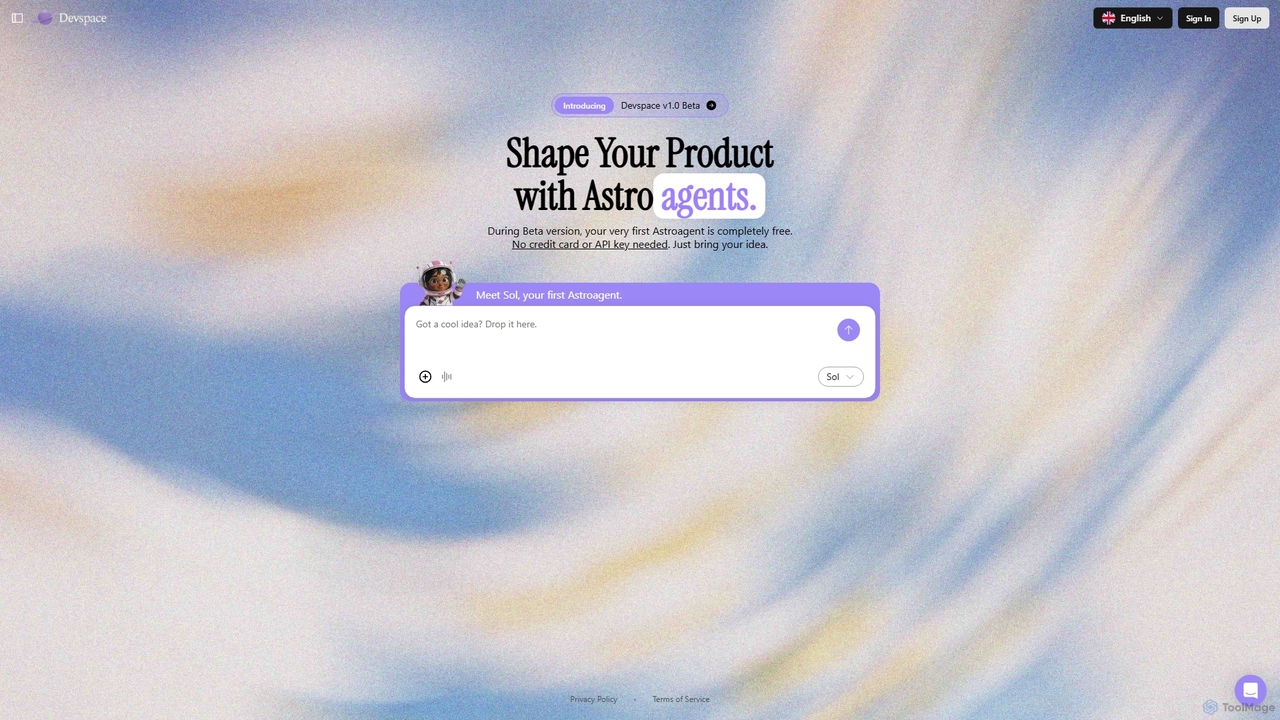
Devspace Product overview

Devspace is an AI-powered development platform that allows users to build and shape products using conversational agents called "Astroagents." Currently in its v1.0 Beta, it enables you to turn your ideas into reality simply by describing them. The first Astroagent is free, requiring no credit card or API key to get started.

Preview

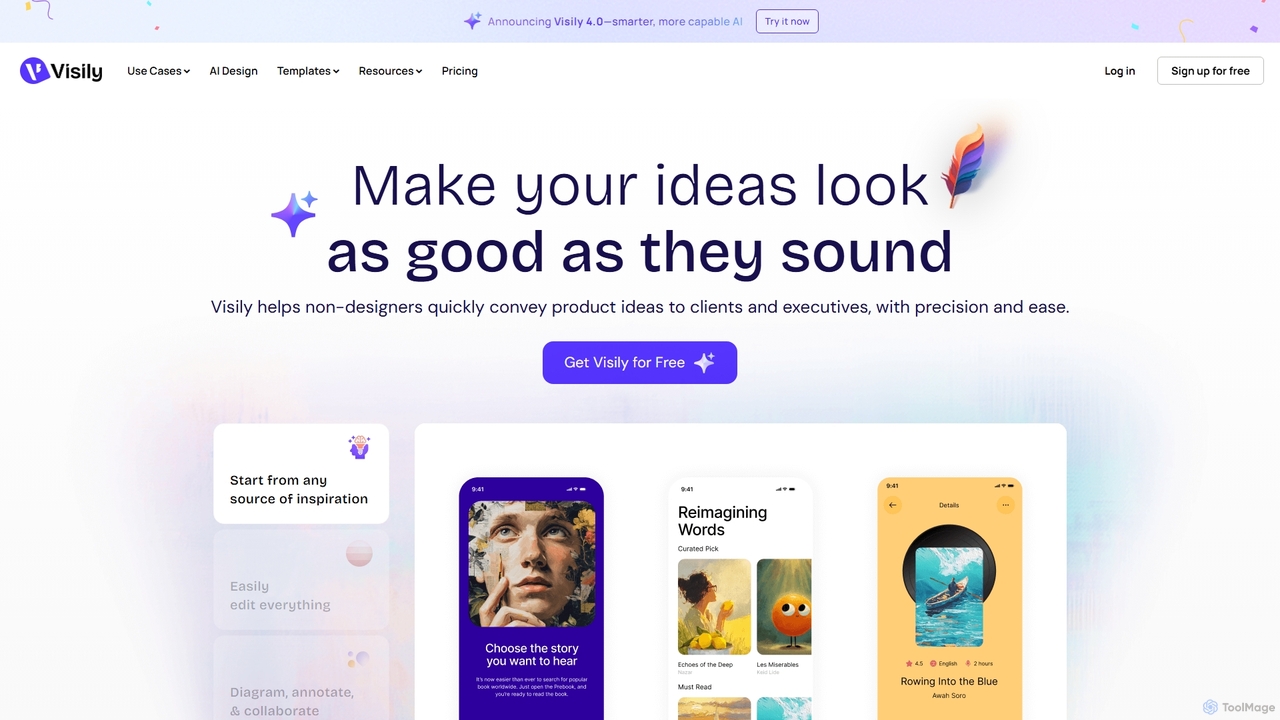
Visily Product overview

Visily is an AI-powered UI design and prototyping tool specifically created for non-designers. It enables teams to quickly transform ideas, screenshots, or text prompts into high-fidelity wireframes and mockups. With its intuitive interface and powerful collaboration features, Visily streamlines the process of visualizing product concepts and gathering feedback, bridging the gap between ideas and execution without a steep learning curve.

Preview

Quick facts

Compare product focus, pricing models and audiences. Highlighted rows indicate different listed information; unknown pricing does not mean free.

Devspace VS Visily — Quick facts
Quick factsDevspaceVisily
Pricing modelFreemiumFreemium
Product typeWebWeb
Primary focusCode GenerationUi Ux
Audience and rolesEntrepreneur · Product Manager · Software Developer · Startup Founder · UI/UX DesignerBusiness Analyst · Consultant · Entrepreneur · Founder · Marketing Manager · Product Manager · Software Developer · UI/UX Designer
CategoriesCode Generation · Application Building · PrototypingUi Ux · Low Code No Code · Prototyping
AddedNov 10, 2025Sep 6, 2025
UpdatedNov 19, 2026Nov 19, 2026

Features, usage and use cases

Explore the listed product descriptions, features and workflows. Taxonomy labels alone are not feature evaluations.

Devspace

Devspace is an innovative AI platform designed to transform your product ideas into tangible outcomes through a simple conversational interface. By interacting with intelligent "Astroagents," users can describe what they want to build, and the AI will work to shape the product accordingly. The platform is currently in its v1.0 Beta phase, offering an accessible entry point for creators, developers, and entrepreneurs to bring their concepts to life without immediate technical or financial barriers.

How to use Devspace

To begin using Devspace, simply sign up for a free account. Once logged in, you can start a new chat with your first Astroagent, named Sol. In the chat interface, describe your product idea or the features you want to build. The Astroagent will then process your instructions to help shape your product. The process is designed to be intuitive, requiring only your idea to get started.

Core Features of Devspace

  • Astroagents: AI-powered agents that interpret your ideas and help build your product.
  • Conversational Interface: Build software and products by simply chatting with an AI.
  • Idea-to-Product Workflow: Streamlines the process of turning a concept into a functional product.
  • Free Beta Access: The first Astroagent is provided completely free during the v1.0 Beta period.
  • Zero-Barrier Entry: No credit card or personal API keys are required to start building.

Use Cases for Devspace

Devspace is ideal for entrepreneurs looking to quickly prototype a new business idea, developers seeking to automate parts of their coding process, and product managers wanting to visualize a new feature. It can be used for building simple applications, creating proof-of-concepts, or shaping the initial framework of a more complex software product without writing extensive code manually.

Advantages of Devspace

The primary advantage of Devspace is its simplicity and accessibility. It lowers the barrier to software development, allowing non-technical users to participate in the creation process. For experienced developers, it can accelerate prototyping and initial development. The free beta offer makes it a risk-free tool for experimenting with AI-driven development.

Pricing and Plans

Devspace is currently in its v1.0 Beta. During this period, your first Astroagent is available completely free of charge. The platform emphasizes that no credit card or API key is needed to sign up and start using the service.

Visily

Visily is a revolutionary AI-powered UI design software engineered to empower non-designers, such as product managers, founders, and marketers, to create stunning and functional user interfaces with ease. It addresses the common challenge of translating abstract ideas into tangible visuals, eliminating the need for complex design tools like Figma for initial ideation and prototyping. Visily serves as a collaborative canvas where teams can brainstorm, design, and prototype product experiences quickly and efficiently.

The platform's core philosophy is to make design accessible to everyone. It allows users to start from any source of inspiration—be it a rough sketch, a screenshot of an existing app, a simple text prompt, or one of thousands of pre-built templates. This flexibility ensures that users never have to face a blank canvas, accelerating the design process from the very beginning.

How to use Visily

Using Visily is a straightforward process designed for simplicity and speed:

  1. Choose Your Starting Point: Begin by selecting your preferred method. You can upload a screenshot of an app you admire, and Visily's AI will convert it into a fully editable mockup. Alternatively, you can type a text prompt describing the screen you want to create (e.g., "a login screen with social media buttons"), and the AI will generate a design for you. You can also start with a flowchart or browse the extensive library of professional templates.
  2. Generate and Edit: Once your initial design is generated, you can easily customize every element. Visily features an intuitive drag-and-drop editor. Use Smart Components to maintain design consistency, leverage the AI Color Assistant to perfect your theme, and fill tables with smart data automatically.
  3. Collaborate with Your Team: Invite team members to your board for real-time collaboration. Use features like on-canvas commenting, cursor chat, and follower mode to discuss ideas and provide feedback directly within the design. Shared asset libraries ensure everyone is using the same components.
  4. Create Interactive Prototypes: With the Auto-Prototyping feature, you can instantly turn your static designs into interactive prototypes. Connect screens and components to simulate user flows and demonstrate the product's functionality without writing a single line of code.
  5. Share and Export: Once your design is complete, share a link with stakeholders for review. Visily also offers seamless integration with Figma, allowing for a smooth hand-off to professional designers. You can also export your work as high-resolution PNG, JPG, or PDF files.

Core Features of Visily

  • AI Screenshot to Design: Instantly converts any screenshot or image into a fully editable, high-fidelity mockup.
  • AI Text to Design: Generates UI screens and components from simple text descriptions, turning your words into visuals.
  • AI Diagram Generator: Creates user flows, flowcharts, and diagrams from text prompts to map out application logic.
  • Auto-Prototyping: Automatically links screens and components to create interactive prototypes in seconds.
  • Extensive Template Library: Access thousands of pre-built templates for entire apps, individual screens, components, and diagrams.
  • Real-time Collaboration: Work together with your team using features like commenting, cursor chat, follower mode, and shared libraries.
  • Intuitive Drag-and-Drop Editor: A user-friendly interface designed for non-designers, requiring no prior design experience.
  • Figma Integration: Easily convert Visily projects into Figma files for a seamless handoff to design teams.

Use Cases for Visily

Visily is ideal for a wide range of professionals and scenarios:

  • Product Managers: Quickly create wireframes and mockups to communicate new feature ideas to developers and stakeholders, facilitating clearer discussions and faster buy-in.
  • Startup Founders: Develop high-fidelity prototypes for investor pitches or early user testing without hiring a full-time designer.
  • Marketing Teams: Design landing pages, ad creatives, and email templates to visualize campaigns before development.
  • Business Analysts & Consultants: Create diagrams and flowcharts to map out business processes and system requirements visually.
  • Cross-functional Teams: Brainstorm and iterate on product ideas collaboratively in a shared visual space, ensuring alignment across departments.

Advantages of Visily

Visily stands out by offering a unique combination of simplicity, power, and collaboration. Unlike professional-grade tools that have a steep learning curve, Visily is simple by design, allowing anyone to start creating immediately. Its AI-powered features dramatically accelerate the design workflow, reducing the time from idea to polished prototype from hours to minutes. This speed and accessibility foster better collaboration, as the entire team can contribute meaningfully to the design process, leading to more aligned and successful product launches.

Pricing and Plans

Visily offers a flexible pricing structure to suit different needs:

  • Starter Plan (Free): Perfect for individuals trying things out. Includes 2 editable boards, limited elements, 300 AI credits, and 150 template credits.
  • Pro Plan ($11/editor/month, billed annually): Designed for solo professionals and collaborative teams. Offers unlimited boards and elements, private folders, 3,000 AI credits/month, 8,000 template credits/month, Figma export without a watermark, and a 7-day version history.
  • Business Plan ($29/editor/month, billed annually): For growing and large businesses. Includes everything in Pro, plus SAML SSO, custom teams, 10,000 AI credits/month, unlimited template credits, a workspace library, 30-day version history, and priority support.
  • Enterprise Plan (Custom Pricing): A tailored solution for large organizations with specific needs. Includes everything in Business, plus custom AI credits and a dedicated account manager.

Positioning

Their taxonomy shows where the products overlap and where each one has a more distinct focus. Unknown fields are shown explicitly and are never filled with assumptions.

Categories

Shared
Prototyping
Only Devspace
Code GenerationApplication Building
Only Visily
Ui UxLow Code No Code

Tags

Shared
no-codeprototyping
Only Devspace
AI code generationapplication builderAstroagentconversational AIlow-codeproduct developmentsoftware development
Only Visily
ai designcollaboration toolflowchart toolmockup generatorscreenshot to mockuptext to designui designux designwireframing

Audience and roles

Shared
EntrepreneurProduct ManagerSoftware DeveloperUI/UX Designer
Only Devspace
Startup Founder
Only Visily
Business AnalystConsultantFounderMarketing Manager

Traffic comparison

Traffic is shown on the same scale so differences in market visibility are not visually understated.

How to interpret the traffic data

Both charts share the same months and vertical scale. Each tool identifies its latest reporting month; missing months are left blank, not counted as zero. Regional and source visit counts are estimates calculated from the reported shares.

Devspace

No data available

Visily monthly traffic:

Latest traffic · 2026-05

Monthly visits
325.9K
Avg. visit duration
1:38
Pages per visit
3.41
Bounce rate
41.88%
Data updated 2026-06-15

Monthly traffic trend

  • 2025-09: 563.1K
  • 2026-01: 436.9K
  • 2026-02: 437.2K
  • 2026-03: 499.1K
  • 2026-04: 406.6K
  • 2026-05: 325.9K

Top regions

Top 5 countries/regions
Country/regionPercentageEstimated visits
🇮🇳India38.91%126.8K
🇺🇸United States19.02%62K
🇮🇩Indonesia18.76%61.1K
🇪🇬Egypt13.04%42.5K
🇲🇽Mexico10.27%33.5K

Traffic sources

Source typePercentageEstimated visits
Direct87.33%284.6K
Referral8.99%29.3K
Email3.68%12K

Search keywords

fake screenshot editorvibe designvisilyvisily aiwebsite mockup generator

Community signals

Ratings, comments, favorites, and likes are community signals—not a substitute for product fit.

Devspace

Rating
No data available
Comments
0
Favorites
163
Likes
172

Visily

Rating
No data available
Comments
0
Favorites
168
Likes
174

Devspace vs Visily · Comparison FAQ

What do Devspace and Visily have in common?
Both tools are listed under Prototyping. These categories indicate overlapping use cases; compare their detailed descriptions for workflows, capabilities and limitations.
Are Devspace and Visily free?
Listed pricing models: Devspace — Freemium; Visily — Freemium. Missing pricing is not proof of a free plan, and freemium does not mean every feature is free. Check official sites for current plans, limits and trials.
How should I choose between Devspace and Visily?
The primary listed category is Code Generation for Devspace, and Ui Ux for Visily. Compare features, steps and use cases, then verify pricing, data permissions and deployment needs. This page does not include hands-on testing and does not declare a winner from traffic or tags.

Devspace · Comparison FAQ

How much does it cost to use Devspace?

During the Devspace v1.0 Beta version, your very first Astroagent is completely free. According to the official website, no credit card is required to get started.

Do I need to provide my own API key to use Devspace?

No, the website explicitly states that no API key is needed to use the service during its Beta phase. You only need to bring your idea.

What is an Astroagent?

An Astroagent is the AI entity within Devspace that you interact with to build your product. The website introduces 'Sol' as your first Astroagent, which you instruct by telling it what to build.

Is Devspace a finished product?

No, Devspace is currently in its v1.0 Beta version, as stated on its homepage. This means the platform is still under development and may evolve over time.

Sources and comparison methodology

This page is assembled from ToolMage product listings, taxonomy, traffic statistics and on-site user feedback. It is not a hands-on test or an independent review.

  • Feature and plan descriptions reflect information in the listings, not real-time guarantees. Verify pricing, quotas, availability and privacy terms on the official sites.
  • Traffic uses the reporting months shown. Missing statistics do not mean zero visits, and different periods do not establish growth or superiority. Regional and source visit counts are estimates based on shares.
  • Different tags indicate differences in the listings, not proof that the other product lacks a capability. Ratings, favorites and visits are not used to declare a winner.

Related comparisons