ToolMage
Sign in

AI TOOL COMPARISON

DocsLoop vs Handl

What is the difference, and which fits your workflow? Compare features, usage, pricing models and traffic side by side.

Jump to key differences

Product overview

DocsLoop Product overview

DocsLoop is an AI-powered document processing tool that automates data extraction from PDF documents. Simply drag and drop files like invoices, bank statements, and receipts, and DocsLoop converts tables and text into clean, organized Excel spreadsheets with 99% accuracy. It eliminates manual data entry, saving hours of work and reducing costs for businesses and individuals.

Preview

Handl Product overview

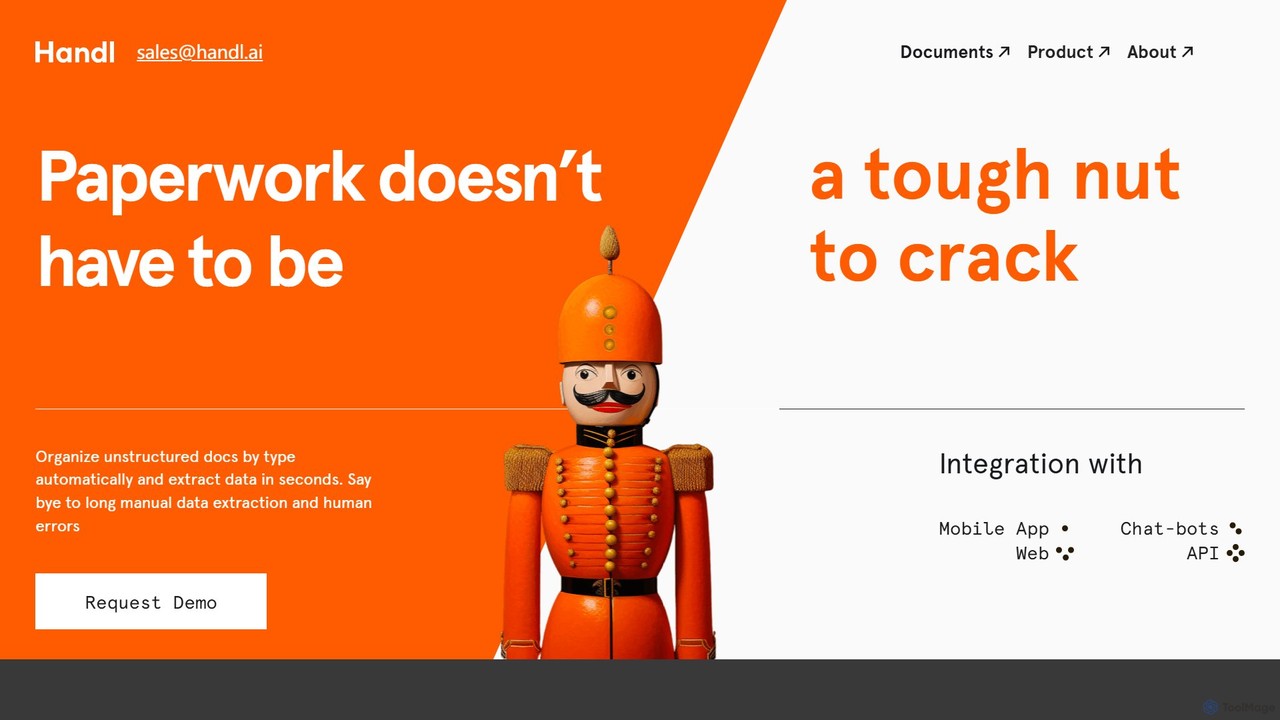
Handl is an intelligent AI document processing platform that automates data extraction from any document type. It combines advanced AI with human-in-the-loop validation to deliver up to 98% accuracy, reducing manual work, costs, and processing time while offering robust antifraud capabilities for businesses.

Preview

Quick facts

Compare product focus, pricing models and audiences. Highlighted rows indicate different listed information; unknown pricing does not mean free.

DocsLoop VS Handl — Quick facts
Quick factsDocsLoopHandl
Pricing modelFreemiumPaid
Product typeWebWeb
Primary focusData ExtractionData Extraction
Audience and rolesAccountant · Administrative Assistant · Data Analyst · Financial Analyst · Freelancer · HR Manager · Operations Manager · Small Business OwnerNo data available
CategoriesData Extraction · Accounting · Document ManagementData Extraction · Api · Accounting · Document Management
AddedSep 10, 2025Aug 3, 2025
UpdatedNov 19, 2026Nov 19, 2026

Features, usage and use cases

Explore the listed product descriptions, features and workflows. Taxonomy labels alone are not feature evaluations.

DocsLoop

DocsLoop is an advanced, AI-driven platform designed to eliminate the tedious and time-consuming task of manual data entry. By leveraging cutting-edge AI technology without relying on traditional OCR, DocsLoop offers a seamless and highly accurate solution for extracting data from various PDF documents. Users can simply drag and drop their files, such as invoices, bank statements, receipts, and purchase orders, and the system automatically converts complex tables and text into structured, ready-to-use Excel spreadsheets. This process is fully automated, requiring zero human intervention and no technical expertise, making it accessible to everyone from small business owners to large enterprise teams.

The platform is trusted by thousands of users for its simplicity, speed, and precision. It boasts a 99% accuracy rate, ensuring that the extracted data is reliable for critical business decisions, analysis, and integration into other workflows. DocsLoop is designed to save users several hours per week, significantly boosting productivity and cutting operational costs by up to 90% per document processed.

How to use DocsLoop

Getting started with DocsLoop is incredibly straightforward and designed for efficiency. The entire process takes less than a minute and involves just three simple steps:

  1. Choose Document Type: Select the type of document you want to process from a list of specialized formats, including invoices, bank statements, and more. This helps the AI apply the correct extraction model for optimal results.
  2. Upload Documents: Drag and drop one or multiple PDF files into the secure platform. The system supports bulk processing, handling numerous documents in parallel to maximize efficiency.
  3. Export Data: Almost instantly, DocsLoop processes the files and makes the structured data available. You can then export it into a clean Excel (XLSX) or CSV file, ready for analysis, reporting, or integration with other software.

Core Features of DocsLoop

  • AI-Powered Extraction: Utilizes advanced AI models for human-like understanding of document content, bypassing the limitations of traditional OCR for higher accuracy.
  • Fully Automated Workflow: Offers true end-to-end automation with zero human intervention required, from upload to export.
  • PDF to Excel Conversion: Specializes in converting unstructured data from PDF files, including complex tables, into organized and clean Excel spreadsheets.
  • High Accuracy: Delivers an exceptional 99% accuracy rate, minimizing errors and the need for manual verification or costly rework.
  • Bulk Processing: Allows users to upload and process multiple documents simultaneously, saving significant time.
  • Intuitive Interface: Features a simple drag-and-drop mechanism that requires no technical skills or training.
  • Secure and Private: Prioritizes data security by not storing any user documents on its servers. Extracted data can be deleted by the user at any time.
  • API Access: Provides a comprehensive REST API for Enterprise plan users to integrate DocsLoop's capabilities directly into their existing applications and workflows.

Use Cases for DocsLoop

DocsLoop is versatile and provides significant value across various roles and industries:

  • Small Business Owners: Automate the processing of invoices and receipts, turning hours of weekly administrative work into minutes and freeing up time to focus on growing the business.
  • Accountants and Financial Analysts: Quickly extract transactional data from hundreds of bank statements or financial reports for reconciliation, auditing, and financial analysis.
  • Operations Managers: Streamline data entry from purchase orders, delivery notes, and other logistical documents to improve operational efficiency and reduce processing costs.
  • HR Directors: Simplify the management of HR documents by automating data extraction from employee records, applications, and expense reports, saving on temporary staffing costs.

Advantages of DocsLoop

DocsLoop stands out from competitors with several key advantages:

  • Significant Cost Savings: Offers a much more affordable solution compared to alternatives like Docsumo, with pricing plans that can save businesses over 89% on document processing costs.
  • Superior Simplicity: The platform is designed for ease of use, allowing anyone to start processing documents immediately without a steep learning curve or complex setup.
  • Time Efficiency: Drastically reduces the time spent on manual data entry, allowing teams to reallocate their efforts to more strategic tasks.
  • No Human-in-the-Loop Required: Unlike other services that rely on manual validation, DocsLoop's AI achieves high accuracy autonomously, providing a truly automated experience.
  • Flexible and Scalable Pricing: With a pay-as-you-go model and credits that never expire on business plans, it offers a flexible solution that scales with your needs.

Pricing and Plans

DocsLoop offers simple, transparent, pay-as-you-go pricing with a free trial that includes free credits and requires no credit card.

  • Individual: $19 for 300 credits (pages). Ideal for occasional users. Credits expire in 3 months.
  • Small Team: $49 for 900 credits (pages). Best for freelancers and small businesses. Credits expire in 6 months.
  • Agency: $99 for 3,000 credits (pages). Designed for teams and agencies, this plan includes priority support and credits that never expire.
  • Enterprise: Custom packages are available for businesses with high-volume needs, offering the lowest cost per page and API access.

Handl

Handl is a cutting-edge, AI-powered Intelligent Document Processing (IDP) platform designed to eliminate the challenges of manual paperwork. Backed by Y Combinator, Handl provides a comprehensive solution for businesses to automatically classify unstructured documents, extract critical data in seconds, and seamlessly integrate this information into existing workflows. The platform is engineered to handle a vast array of document types, from structured invoices and forms to complex, unstructured legal contracts and even handwritten notes, solving the common business problem of scaling human resources just to manage paperwork.

The core of Handl's technology lies in its sophisticated AI algorithms that not only recognize text with high precision but also understand the context and structure of different documents. This enables the system to adapt to new and unique document layouts without extensive pre-training. By automating the entire document lifecycle, Handl significantly reduces processing times by up to 80% and operational costs by 40%, while minimizing the human errors inherent in manual data entry.

How to use Handl

The workflow with Handl is streamlined for maximum efficiency and ease of use, requiring minimal human intervention. The process typically follows these steps:

  1. Input: Users can upload documents from various sources. This can be done via a flexible API for deep system integration, through a connected cloud drive, or by uploading files directly from a local system. The platform is built to handle documents in bulk.
  2. Classification: Once uploaded, Handl's AI automatically ingests, pre-processes, and classifies each document. It intelligently identifies the document type (e.g., invoice, passport, bill of lading, medical record) without manual sorting.
  3. Extraction: The platform's core extraction engine then gets to work, accurately capturing key-value pairs, table data, and other essential information from the now-classified documents. It can even decipher challenging content like doctor's handwriting.
  4. Human-in-the-Loop (HITL) Validation: For mission-critical applications requiring the highest level of accuracy, Handl incorporates a human validation step. This optional module allows human operators to quickly review and verify the AI-extracted data, ensuring up to 100% accuracy for any document.
  5. Integration: The extracted and validated data is then delivered in a structured format (e.g., JSON) and can be seamlessly pushed into any ERP, CRM, or other business system via its robust API, or accessed through web applications and chatbots.

Core Features of Handl

  • Precision Recognition & Data Extraction: Utilizes advanced AI to accurately identify document types and extract data with up to 98% accuracy out-of-the-box.
  • Adaptive Learning: The AI models continuously learn and retrain on new documents, improving accuracy and performance over time for each specific client.
  • Human-in-the-Loop (HITL): An integrated verification module that combines AI speed with human intelligence to guarantee the highest data accuracy.
  • Smart Antifraud: A sophisticated security feature that analyzes documents against over 60 parameters to detect forgeries, manipulations, and other forms of fraud, including those created by other neural networks.
  • Complex & Handwritten Document Processing: Capable of processing a wide range of challenging documents, including multi-page contracts, crumpled receipts, and even handwritten notes or prescriptions.
  • Face Recognition & Document Reconciliation: Provides modules for face detection and comparison between a selfie and a photo ID, ensuring identity verification.
  • Flexible Integration: Offers a powerful and flexible API for smooth integration with any existing system, including mobile apps, web platforms, and chatbots.

Use Cases for Handl

Handl is a versatile platform that brings automation and efficiency to numerous industries:

  • Logistics: Automating the processing of transport orders, bills of lading, customs forms, and proof of delivery documents to speed up invoicing and reduce DSO.
  • Finance & Accounting: Streamlining accounts payable by digitizing invoices, automating expense processing, and detecting duplicate or fraudulent payment requests.
  • Healthcare: Digitizing patient records, medical charts, prescriptions, and insurance claims, improving data accessibility and reducing administrative burden.
  • Insurance: Accelerating policy management and claims processing by automatically extracting data from application forms, police reports, and medical documents.
  • Retail: Processing supplier invoices, warehouse receipts, and customer loyalty forms to optimize supply chain and financial operations.
  • Legal & Real Estate: Extracting key information from legal contracts, mortgage documents, and property deeds to speed up due diligence and compliance checks.

Advantages of Handl

Handl stands out from other solutions with its unique combination of technology and service:

  • Accuracy through AI + Human Validation: The hybrid HITL model ensures unparalleled accuracy, especially for complex and critical documents.
  • Continuous Improvement: Unlike static models, Handl's algorithms are constantly retrained, meaning the service gets better and more accurate each month.
  • Cost and Time Efficiency: Drastically reduces operational costs and cuts document processing time from hours or days to mere seconds.
  • Robust Security: The built-in antifraud system provides a critical layer of security, protecting businesses from financial loss and reputational damage.
  • Scalability and Customization: The solution is tailored to fit unique business needs and can scale to handle any volume of documents.

Pricing and Plans

Handl operates on a custom pricing model tailored to the specific needs of each business. Pricing is typically based on factors such as document volume, complexity, and the specific features required (e.g., HITL, Antifraud). To get a quote, prospective clients are encouraged to contact the sales team or request a personalized demo using their own documents. This approach ensures that businesses pay only for what they need, providing a flexible and scalable solution.

Positioning

Their taxonomy shows where the products overlap and where each one has a more distinct focus. Unknown fields are shown explicitly and are never filled with assumptions.

Categories

Shared
Data ExtractionAccountingDocument Management
Only DocsLoop
No listed items
Only Handl
Api

Tags

Shared
automationdata extractiondocument processingOCR
Only DocsLoop
bank statement analysisbusiness intelligencedata entry automationinvoice processingpdf to excel
Only Handl
antifrauddata entryfinancehealthcareIDPintelligent document processinglogisticsworkflow

Audience and roles

Shared
No listed items
Only DocsLoop
AccountantAdministrative AssistantData AnalystFinancial AnalystFreelancerHR ManagerOperations ManagerSmall Business Owner
Only Handl
No listed items

Traffic comparison

Traffic is shown on the same scale so differences in market visibility are not visually understated.

How to interpret the traffic data

Both charts share the same months and vertical scale. Each tool identifies its latest reporting month; missing months are left blank, not counted as zero. Regional and source visit counts are estimates calculated from the reported shares.

DocsLoop monthly traffic:

Latest traffic · 2026-05

Monthly visits
695
Avg. visit duration
0:00
Pages per visit
1.03
Bounce rate
32.97%
Data updated 2026-06-15

Monthly traffic trend

  • 2025-09: 527
  • 2026-01: 867
  • 2026-02: 128
  • 2026-03: 1.2K
  • 2026-04: 118
  • 2026-05: 695

Search keywords

bank statement for a 48 year old women that makes 2200 a monthdocx openereasiest alternative to opening a word documentmd viewer onlineopen docx online

Handl monthly traffic:

Latest traffic · 2026-05

Monthly visits
1K
Avg. visit duration
0:34
Pages per visit
1.84
Bounce rate
47.07%
Data updated 2026-06-15

Monthly traffic trend

  • 2025-09: 383
  • 2026-01: 436
  • 2026-02: 616
  • 2026-03: 1.4K
  • 2026-04: 1.8K
  • 2026-05: 1K

Top regions

Top 5 countries/regions
Country/regionPercentageEstimated visits
🇺🇸United States86.44%894
🇲🇽Mexico7.33%76
🇮🇩Indonesia6.23%64

Search keywords

andle aihandhold aihandlhandle aihandle ia

Community signals

Ratings, comments, favorites, and likes are community signals—not a substitute for product fit.

DocsLoop

Rating
No data available
Comments
0
Favorites
183
Likes
160

Handl

Rating
No data available
Comments
0
Favorites
156
Likes
191

DocsLoop vs Handl · Comparison FAQ

What do DocsLoop and Handl have in common?
Both tools are listed under Data Extraction、Accounting、Document Management. These categories indicate overlapping use cases; compare their detailed descriptions for workflows, capabilities and limitations.
Are DocsLoop and Handl free?
Listed pricing models: DocsLoop — Freemium; Handl — Paid. Missing pricing is not proof of a free plan, and freemium does not mean every feature is free. Check official sites for current plans, limits and trials.
How should I choose between DocsLoop and Handl?
The primary listed category is Data Extraction for DocsLoop, and Data Extraction for Handl. Compare features, steps and use cases, then verify pricing, data permissions and deployment needs. This page does not include hands-on testing and does not declare a winner from traffic or tags.

Sources and comparison methodology

This page is assembled from ToolMage product listings, taxonomy, traffic statistics and on-site user feedback. It is not a hands-on test or an independent review.


  • Feature and plan descriptions reflect information in the listings, not real-time guarantees. Verify pricing, quotas, availability and privacy terms on the official sites.
  • Traffic uses the reporting months shown. Missing statistics do not mean zero visits, and different periods do not establish growth or superiority. Regional and source visit counts are estimates based on shares.
  • Different tags indicate differences in the listings, not proof that the other product lacks a capability. Ratings, favorites and visits are not used to declare a winner.

Related comparisons