ToolMage
Sign in

AI TOOL COMPARISON

Dropchat vs Typebot

What is the difference, and which fits your workflow? Compare features, usage, pricing models and traffic side by side.

Jump to key differences

Product overview

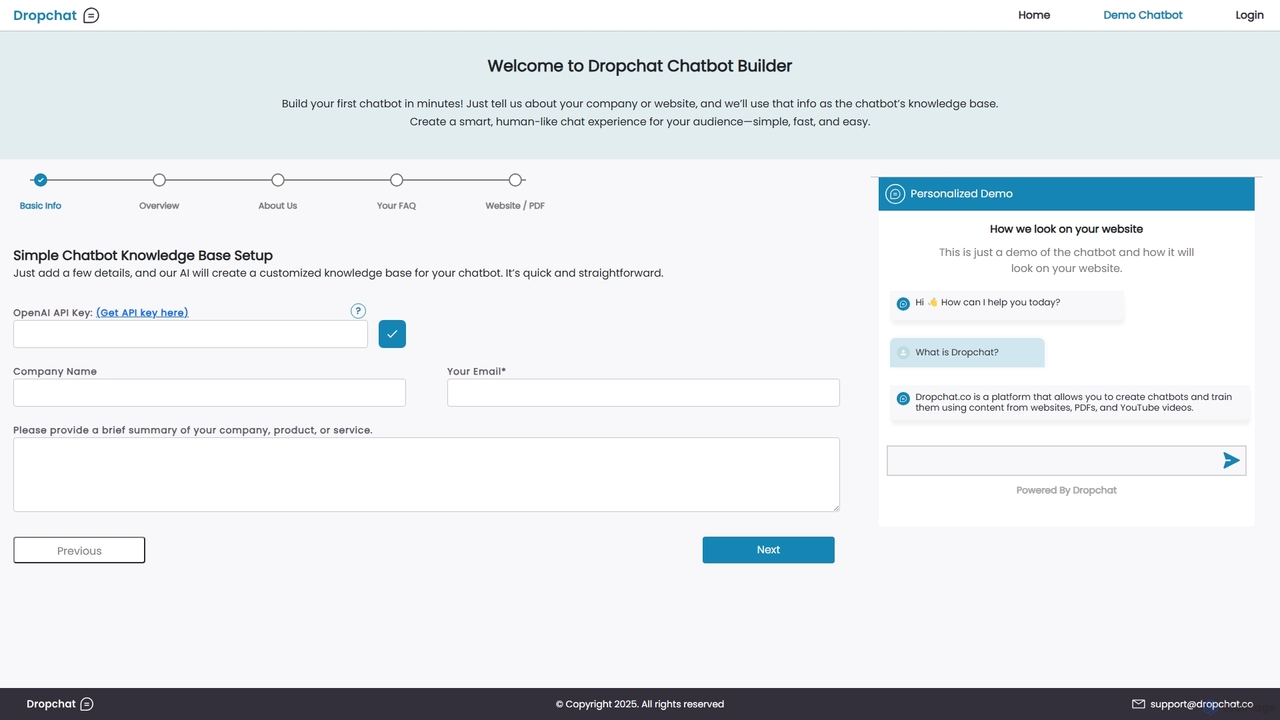
Dropchat Product overview

Dropchat is an AI-powered platform that allows you to build custom chatbots in minutes. Train your chatbot using your own data, such as websites, PDFs, and YouTube videos, to provide instant customer support, generate leads, and enhance user engagement without any coding knowledge.

Preview

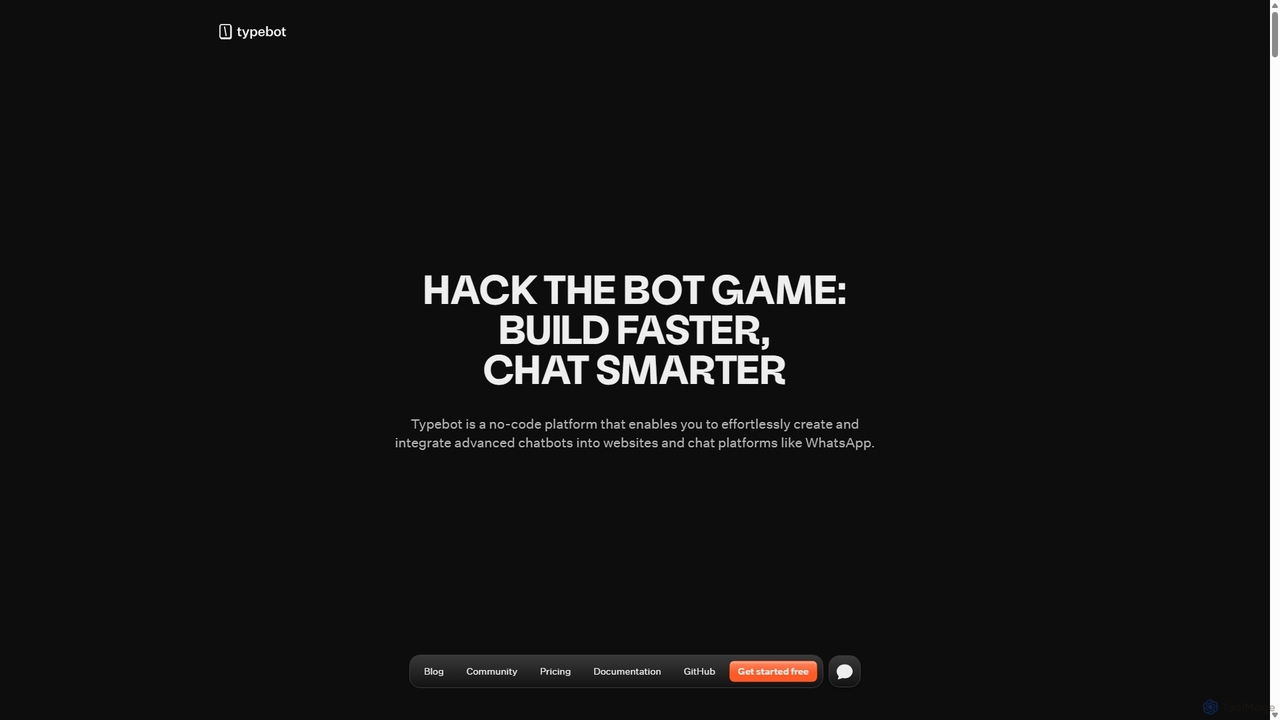
Typebot Product overview

Typebot is an open-source, no-code platform for building advanced conversational apps and chatbots. It allows users to create engaging, interactive experiences for marketing, sales, and support, deploying them across websites, WhatsApp, and other platforms to boost conversions and automate communication.

Preview

Quick facts

Compare product focus, pricing models and audiences. Highlighted rows indicate different listed information; unknown pricing does not mean free.

Dropchat VS Typebot — Quick facts
Quick factsDropchatTypebot
Pricing modelFreemiumFreemium
Product typeWebWeb
Primary focusChatbotsChatbots
Audience and rolesContent Creator · Customer Support · HR Manager · Marketing Manager · Product Manager · Sales Representative · Small Business Owner · Website ManagerBusiness Owner · Content Creator · Customer Support · HR Manager · Marketing Manager · Nocode Developer · Product Manager · Sales Representative · Software Developer
CategoriesChatbots · Lead Generation · No Code PlatformChatbots · Open Source · Lead Generation · No Code
AddedSep 14, 2025Sep 23, 2025
UpdatedNov 19, 2026Nov 19, 2026

Features, usage and use cases

Explore the listed product descriptions, features and workflows. Taxonomy labels alone are not feature evaluations.

Dropchat

Dropchat is a powerful, no-code AI chatbot builder designed to transform your existing content into an interactive, intelligent conversational assistant. It empowers businesses of all sizes to create a personalized chat experience for their audience quickly and effortlessly. By leveraging your own data sources like websites, documents, and videos, Dropchat ensures that the chatbot's responses are accurate, relevant, and perfectly aligned with your brand's voice and information.

How to use Dropchat

Getting started with Dropchat is a simple and intuitive process that doesn't require any technical expertise. Here’s a step-by-step guide:

  1. Sign Up and Create a Project: Register for an account on the Dropchat platform and start a new chatbot project.
  2. Provide a Knowledge Base: This is the core of the setup. You can feed information to your chatbot in multiple ways: enter a brief summary of your company, provide your website URL for the AI to crawl, upload PDF documents (like FAQs, manuals, or reports), or even link to YouTube videos.
  3. Connect Your API Key: You'll need to add your OpenAI API key. This allows Dropchat to use powerful language models to understand and respond to user queries.
  4. AI Training: Once the data is provided, Dropchat's AI will process and index the information to create a comprehensive knowledge base for your chatbot. This process is typically very fast.
  5. Customize Your Chatbot: Personalize the chatbot's appearance to match your website's branding. You can customize colors, welcome messages, and default questions to create a seamless user experience.
  6. Embed on Your Website: Dropchat will provide you with a simple JavaScript snippet. Just copy and paste this code into your website's HTML, and your AI chatbot will be live and ready to interact with visitors.

Core Features of Dropchat

  • Multi-Source Knowledge Base: Train your chatbot on a wide variety of content, including website content, plain text, PDFs, and even the transcripts of YouTube videos.
  • No-Code Platform: An intuitive, user-friendly interface that allows anyone to build, customize, and deploy a powerful AI chatbot without writing a single line of code.
  • Rapid Deployment: Go from data source to a fully functional, embedded chatbot on your site in just a few minutes.
  • Customizable Widget: Tailor the chatbot's appearance, including colors, logos, and initial prompts, to align perfectly with your brand identity.
  • Human-like Conversations: Powered by advanced large language models, Dropchat provides natural, context-aware, and helpful responses to user queries.
  • Easy Integration: Seamlessly embed the chatbot onto any website with a simple copy-and-paste code snippet.
  • 24/7 Automated Support: Provide round-the-clock assistance to your customers, answering their questions instantly and improving overall satisfaction.

Use Cases for Dropchat

Dropchat is a versatile tool suitable for various business needs:

  • Customer Support: Automate responses to frequently asked questions, freeing up your human support team to handle more complex issues.
  • Lead Generation: Engage website visitors proactively, answer their product-related questions, qualify them as leads, and collect their contact information.
  • E-commerce Assistant: Help online shoppers find products, understand shipping policies, and get instant answers, reducing cart abandonment and boosting sales.
  • Internal Knowledge Management: Create an internal chatbot for your team to quickly find information from company documents, training materials, and internal wikis.
  • User Onboarding: Guide new users through your software or service, explaining features and answering questions to improve the onboarding experience.

Advantages of Dropchat

Implementing Dropchat offers several key benefits:

  • Increased Efficiency: Drastically reduce the time and resources spent on repetitive customer inquiries.
  • Enhanced User Experience: Offer immediate, 24/7 support, which improves customer satisfaction and loyalty.
  • Cost-Effective: A more affordable solution compared to hiring a full-time support team or undertaking expensive custom chatbot development.
  • Scalability: Effortlessly handle a large volume of simultaneous conversations without any degradation in performance.
  • Data-Driven Accuracy: Since the chatbot is trained on your specific data, the answers are highly accurate and tailored to your business.

Pricing and Plans

Dropchat typically offers a freemium model with various pricing tiers to suit different needs. While specific plans may vary, the structure usually includes:

  • Free/Trial Plan: A basic plan to get started, allowing you to build one chatbot with a limited number of data sources or monthly interactions.
  • Starter Plan: An affordable paid plan for small businesses or individuals, offering more features, such as more data sources and a higher message limit.
  • Pro Plan: Designed for growing businesses, this plan often includes multiple chatbots, advanced customization options, and priority support.
  • Business/Enterprise Plan: A custom solution for large organizations with high-volume needs, offering features like API access, dedicated support, and enhanced security.

Users are generally required to use their own OpenAI API key, meaning the cost of API usage is separate and depends on the volume of interactions.

Typebot

Typebot is a powerful and flexible open-source platform designed to revolutionize how businesses interact with their customers. It provides an intuitive, no-code visual builder that empowers anyone to create sophisticated chatbots and conversational forms. Unlike traditional chatbots that offer scripted, robotic responses, Typebot focuses on creating natural, engaging conversations that build relationships, reflect brand personality, and drive meaningful results. With a mission to transform cold, transactional chats into lively, personalized experiences, Typebot is trusted by over 650 companies worldwide to enhance their customer journey across marketing, sales, and support.

How to use Typebot

Getting started with Typebot is a straightforward, three-step process designed for speed and efficiency:

  1. Create Your Account: Sign up and choose a plan that fits your needs. You can start with a generous free plan or a risk-free trial for paid features.
  2. Build Your Bot: Use the intuitive drag-and-drop visual editor. You can start from scratch or choose from a library of pre-built templates for various use cases like lead generation or customer feedback. The builder includes over 45 blocks, allowing you to add text, images, videos, buttons, date pickers, and even payment inputs.
  3. Publish and Deploy: Test your chatbot in real-time as you build. Once you're satisfied, simply click 'publish'. You can then deploy your bot anywhere: embed it on your website, use it as a popup or chat bubble, connect it to a custom domain, or integrate it with platforms like WhatsApp.

Core Features of Typebot

  • Visual Flow Builder: An easy-to-use drag-and-drop interface for creating complex conversational flows without writing any code.
  • 45+ Building Blocks: A rich library of elements including text, media (images, videos), and various user inputs (buttons, text fields, date pickers, file uploads, payments).
  • Multichannel Deployment: Build once and deploy everywhere—on websites (as embeds, popups, bubbles), custom domains, and messaging apps like WhatsApp.
  • Powerful Integrations: Seamlessly connect with tools like OpenAI, Google Sheets, Zapier, Make.com, Google Analytics, and Meta Pixel. It's AI-provider agnostic, giving you full control.
  • Advanced Customization: Tailor every aspect of your bot's appearance with advanced theming, including fonts, colors, shapes, and custom CSS & Javascript.
  • Real-time Analytics: Track performance with detailed metrics such as completion rates and drop-off points. Export your data to CSV for deeper analysis.
  • Open-Source & Developer-Friendly: 100% open-source with no vendor lock-in. It offers easy-to-use APIs for custom implementations and is built to be fast, reliable, and scalable.
  • Team Collaboration: Invite teammates to work on your typebots together, streamlining workflows and sharing insights.

Use Cases for Typebot

Typebot is designed for every department and can automate conversations throughout the entire customer journey:

  • Marketing: Create interactive quizzes, surveys, and lead generation forms that significantly increase conversion rates. Testimonials show users increasing conversions from 14% to 43%.
  • Sales: Qualify leads automatically, book more meetings, and ensure sales teams engage with only the most interested prospects, boosting show rates.
  • Support & Product: Deliver 24/7 automated customer support, answer frequently asked questions, and guide users through onboarding processes, improving customer satisfaction and reducing the load on support teams.
  • HR & Internal Communications: Automate employee onboarding, collect internal feedback through surveys, and streamline internal processes.

Advantages of Typebot

Typebot stands out with its unique combination of user-friendliness, power, and transparency. Its open-source nature eliminates vendor lock-in and fosters a collaborative community. The platform is designed for a first-class user experience, making bot building enjoyable and efficient. Its flexibility allows it to be used for far more than just support, excelling in creative marketing, lead generation, and internal communications. Furthermore, being AI-provider agnostic gives businesses the freedom to choose the best AI services for their needs while maintaining full control over data and costs.

Pricing and Plans

Typebot offers flexible plans suitable for individuals, startups, and large enterprises.

  • Personal (Free): Includes unlimited typebots, 200 chats/month, native integrations, webhooks, and custom Javascript & CSS.
  • Starter ($39/month): Includes all free features plus 2 seats, 2,000 chats/month, removal of Typebot branding, file uploads, folders, and direct priority support.
  • Pro ($89/month): Includes all Starter features plus 5 seats, 10,000 chats/month, WhatsApp integration, custom domains, and in-depth analytics.
  • Enterprise (Custom Pricing): Tailored for large companies, offering custom chat limits, SLAs, 24/7 support, SSO, ISO 27001 certified security, and custom feature development.

A 'chat' is counted when a user starts a conversation, regardless of the number of messages exchanged.

Positioning

Their taxonomy shows where the products overlap and where each one has a more distinct focus. Unknown fields are shown explicitly and are never filled with assumptions.

Categories

Shared
ChatbotsLead Generation
Only Dropchat
No Code Platform
Only Typebot
Open SourceNo Code

Tags

Shared
chatbot builderlead generationno-code
Only Dropchat
AI assistantautomated supportcustomer supportknowledge basePDF to chatbotwebsite widgetYouTube to chatbot
Only Typebot
AI integrationconversational marketingcustomer support automationform builderopen sourcesurvey toolwhatsapp bot

Audience and roles

Shared
Content CreatorCustomer SupportHR ManagerMarketing ManagerProduct ManagerSales Representative
Only Dropchat
Small Business OwnerWebsite Manager
Only Typebot
Business OwnerNocode DeveloperSoftware Developer

Traffic comparison

Traffic is shown on the same scale so differences in market visibility are not visually understated.

How to interpret the traffic data

Both charts share the same months and vertical scale. Each tool identifies its latest reporting month; missing months are left blank, not counted as zero. Regional and source visit counts are estimates calculated from the reported shares.

Dropchat

No data available

Typebot monthly traffic:

Latest traffic · 2026-05

Monthly visits
26.3K
Avg. visit duration
0:18
Pages per visit
1.77
Bounce rate
38.75%
Data updated 2026-06-15

Monthly traffic trend

  • 2025-09: 161.1K
  • 2026-01: 184K
  • 2026-02: 206.6K
  • 2026-03: 212.3K
  • 2026-04: 78.9K
  • 2026-05: 26.3K

Top regions

Top 5 countries/regions
Country/regionPercentageEstimated visits
🇧🇷Brazil44.29%11.6K
🇻🇳Vietnam15.94%4.2K
🇫🇷France14.96%3.9K
🇵🇪Peru12.99%3.4K
🇺🇸United States11.82%3.1K

Search keywords

type bottypebottypebot 픽셀typebot.iotypebot releases

Community signals

Ratings, comments, favorites, and likes are community signals—not a substitute for product fit.

Dropchat

Rating
No data available
Comments
0
Favorites
146
Likes
167

Typebot

Rating
No data available
Comments
0
Favorites
151
Likes
161

Dropchat vs Typebot · Comparison FAQ

What do Dropchat and Typebot have in common?
Both tools are listed under Chatbots、Lead Generation. These categories indicate overlapping use cases; compare their detailed descriptions for workflows, capabilities and limitations.
Are Dropchat and Typebot free?
Listed pricing models: Dropchat — Freemium; Typebot — Freemium. Missing pricing is not proof of a free plan, and freemium does not mean every feature is free. Check official sites for current plans, limits and trials.
How should I choose between Dropchat and Typebot?
The primary listed category is Chatbots for Dropchat, and Chatbots for Typebot. Compare features, steps and use cases, then verify pricing, data permissions and deployment needs. This page does not include hands-on testing and does not declare a winner from traffic or tags.

Sources and comparison methodology

This page is assembled from ToolMage product listings, taxonomy, traffic statistics and on-site user feedback. It is not a hands-on test or an independent review.

  • Feature and plan descriptions reflect information in the listings, not real-time guarantees. Verify pricing, quotas, availability and privacy terms on the official sites.
  • Traffic uses the reporting months shown. Missing statistics do not mean zero visits, and different periods do not establish growth or superiority. Regional and source visit counts are estimates based on shares.
  • Different tags indicate differences in the listings, not proof that the other product lacks a capability. Ratings, favorites and visits are not used to declare a winner.

Related comparisons