EverlynAI
Email Assistant
AI TOOL COMPARISON
What is the difference, and which fits your workflow? Compare features, usage, pricing models and traffic side by side.
EverlynAI is your intelligent personal assistant designed to streamline your daily workflow. It manages your schedule, triages emails, drafts communications, and automates repetitive tasks, allowing you to focus on what truly matters. It learns your habits and preferences to provide proactive and personalized support.
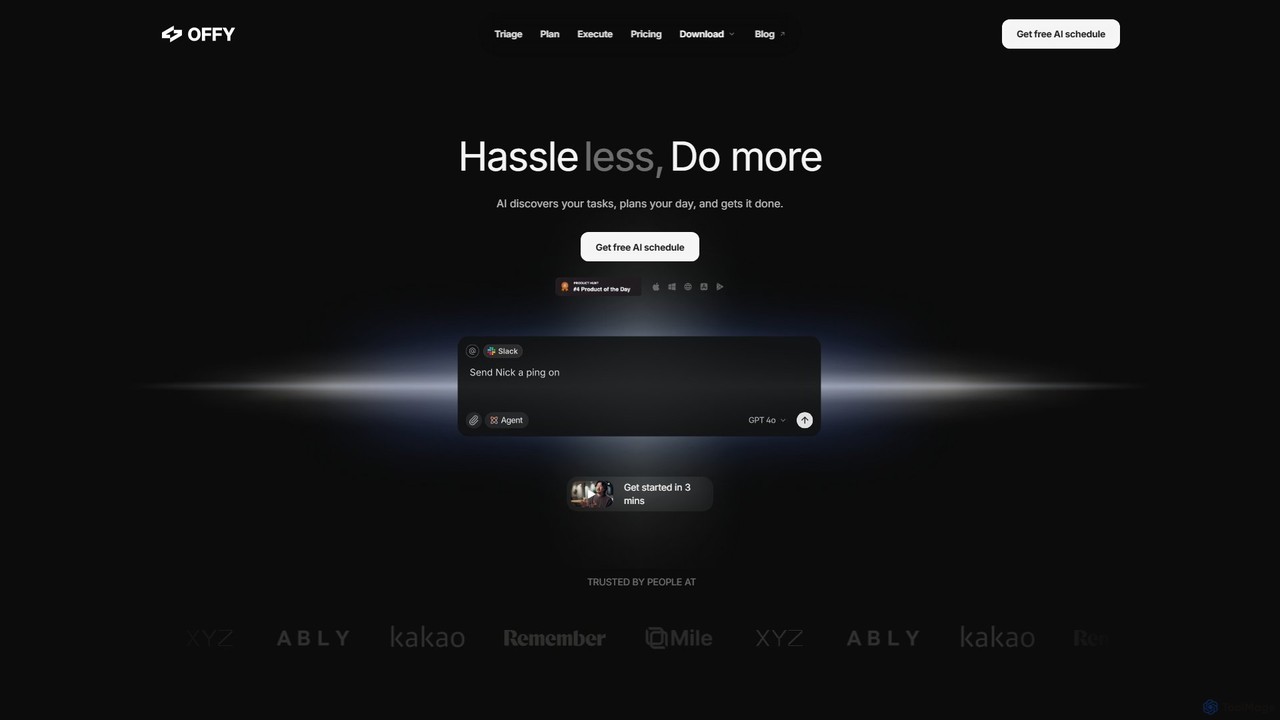
OFFLIGHT is an AI-powered task management tool that automatically discovers tasks from your apps like Gmail and Slack, creates intelligent, time-based plans, and helps you execute them. Centralize your workflow and boost productivity with your personal AI assistant, Offy.
Compare product focus, pricing models and audiences. Highlighted rows indicate different listed information; unknown pricing does not mean free.
| Quick facts | EverlynAI | OFFLIGHT |
|---|---|---|
| Pricing model | Freemium | Freemium |
| Product type | Web | Web |
| Primary focus | Email Assistant | Personal Assistant |
| Audience and roles | No data available | No data available |
| Categories | Email Assistant · Assistant · Scheduling · Task Management | Personal Assistant · Scheduling · Task Management |
| Added | Aug 2, 2025 | Aug 5, 2025 |
| Updated | Nov 19, 2026 | Nov 19, 2026 |
Explore the listed product descriptions, features and workflows. Taxonomy labels alone are not feature evaluations.
EverlynAI is a sophisticated AI-powered personal assistant designed to enhance productivity for busy professionals, entrepreneurs, and teams. It acts as a central hub for managing your digital life, seamlessly integrating with your existing tools to automate routine tasks and streamline complex workflows. Unlike basic schedulers or email filters, EverlynAI uses advanced machine learning to understand context, learn your personal style, and proactively assist you throughout your day. It's like having a dedicated human assistant, available 24/7, to handle the administrative overhead so you can concentrate on strategic goals and deep work.
The core philosophy behind EverlynAI is to reduce cognitive load and decision fatigue. It intelligently sorts your communications, highlights priorities, and prepares you for upcoming events, ensuring you are always one step ahead. Whether it's finding the perfect meeting time across multiple time zones or drafting a polite follow-up email in your own voice, EverlynAI handles the details with precision and efficiency.
Getting started with EverlynAI is simple and intuitive. First, sign up on the website and connect your essential accounts, such as Google Calendar, Outlook, Gmail, and Slack. Once connected, you can start interacting with EverlynAI using natural language commands via its web dashboard or integrated chat. For example, you can say, 'Find a 30-minute slot for me and John next week for a project sync,' and EverlynAI will analyze both calendars and propose optimal times. To manage emails, you can set up rules like 'Summarize all newsletters for me at 8 AM' or 'Draft a reply to this inquiry confirming receipt.' The assistant learns from your edits and feedback, becoming more accurate and personalized over time.
For Executives and Managers: Effortlessly manage a packed meeting schedule, stay on top of a high volume of emails from various stakeholders, and delegate task creation to the AI, freeing up time for leadership and strategy.
For Entrepreneurs and Freelancers: Juggle client communications, project deadlines, and administrative tasks. Use EverlynAI to schedule client calls, send follow-up emails, and manage project timelines without hiring a human assistant.
For Sales Professionals: Automate the scheduling of demos and follow-up meetings. Use the AI to draft personalized outreach emails and keep track of all client interactions in one place.
For Students and Academics: Organize study schedules, coordinate group project meetings, and manage research-related correspondence efficiently.
EverlynAI stands out by offering a deeply personalized and proactive experience. Its ability to learn and adapt to your individual needs means it becomes more valuable over time. The natural language interface makes it incredibly easy to use, removing the friction often associated with new software. By centralizing scheduling, communication, and task management, it eliminates the need to constantly switch between different applications, creating a unified and streamlined workflow that saves significant time and mental energy.
EverlynAI operates on a freemium model, making it accessible to everyone. The platform offers a free plan with core scheduling and task management features for individuals. For more advanced capabilities, paid plans are available:
- Pro Plan: Aimed at power users and professionals, this plan includes unlimited AI actions, advanced email management, communication drafting, and priority support.
- Business Plan: Designed for teams, this plan offers collaborative features, centralized billing, team-wide integrations, and dedicated account management.
OFFLIGHT is a revolutionary AI-powered task management and productivity platform designed to help busy individuals and teams reclaim their time and focus. With its intelligent assistant, Offy, OFFLIGHT transforms the way you handle your daily responsibilities by automating the most tedious parts of task management. It seamlessly integrates with your existing tools to discover, prioritize, and plan your tasks, allowing you to spend less time organizing and more time doing. By centralizing information from scattered sources like emails, chat messages, and project management tools, OFFLIGHT provides a single, unified view of your workload, preventing anything from slipping through the cracks.
The core philosophy of OFFLIGHT is "Hassle less, Do more." It achieves this by creating a dynamic, personalized schedule that adapts to your unique workflow and priorities. The AI doesn't just list your tasks; it understands their context, suggests the next best action, and even helps you execute them, such as by drafting email replies directly within the interface. This proactive approach reduces cognitive load and decision fatigue, empowering users to achieve a better work-life balance.
Getting started with OFFLIGHT is designed to be quick and intuitive, taking just a few minutes to set up.
OFFLIGHT is versatile and benefits a wide range of users:
The primary advantage of OFFLIGHT is its ability to significantly reduce the mental overhead associated with modern work. By automating discovery and planning, it frees up valuable cognitive resources. Its proactive nature means it doesn't just wait for your input; it anticipates your needs. The unified hub streamlines workflows, boosts productivity, and helps users maintain focus. The personalized planning ensures that your schedule is realistic and tailored to you, promoting a sustainable and balanced lifestyle.
OFFLIGHT operates on a freemium model, allowing users to get started for free.
Their taxonomy shows where the products overlap and where each one has a more distinct focus. Unknown fields are shown explicitly and are never filled with assumptions.
Traffic is shown on the same scale so differences in market visibility are not visually understated.
Both charts share the same months and vertical scale. Each tool identifies its latest reporting month; missing months are left blank, not counted as zero. Regional and source visit counts are estimates calculated from the reported shares.
No data available
| Country/region | Percentage | Estimated visits |
|---|---|---|
| 🇰🇷Korea, Republic of | 49.18% | 1.8K |
| 🇺🇸United States | 45.81% | 1.7K |
| 🇮🇳India | 5.01% | 187 |
Ratings, comments, favorites, and likes are community signals—not a substitute for product fit.
This page is assembled from ToolMage product listings, taxonomy, traffic statistics and on-site user feedback. It is not a hands-on test or an independent review.