ToolMage
Sign in

AI TOOL COMPARISON

Fathom vs Grain

What is the difference, and which fits your workflow? Compare features, usage, pricing models and traffic side by side.

Jump to key differences

Product overview

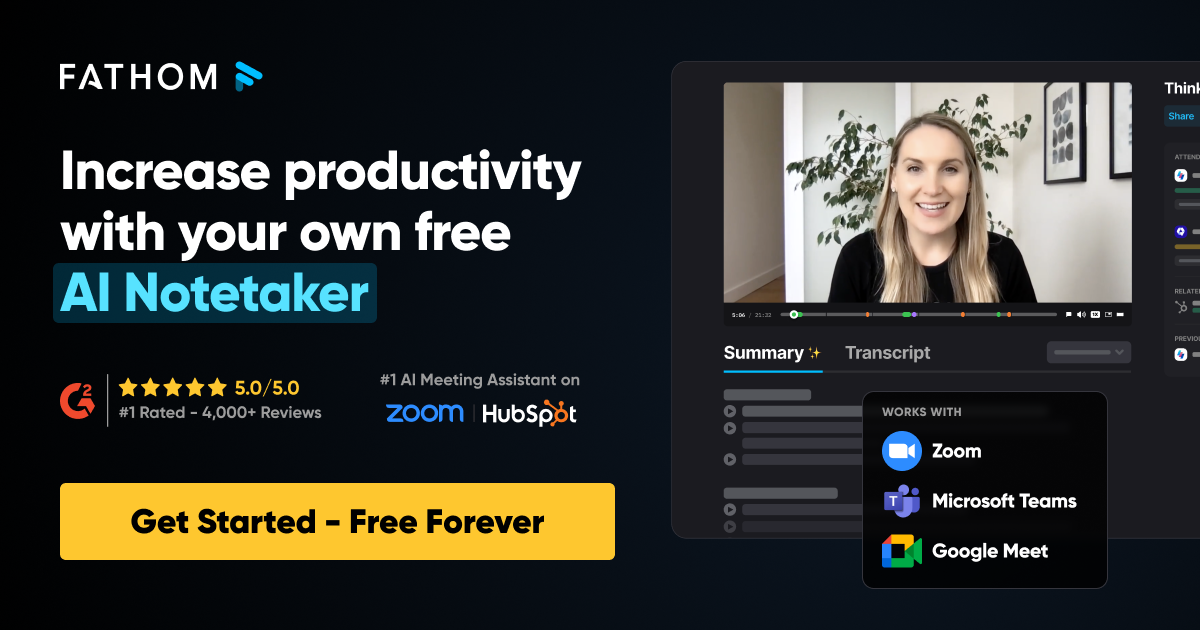
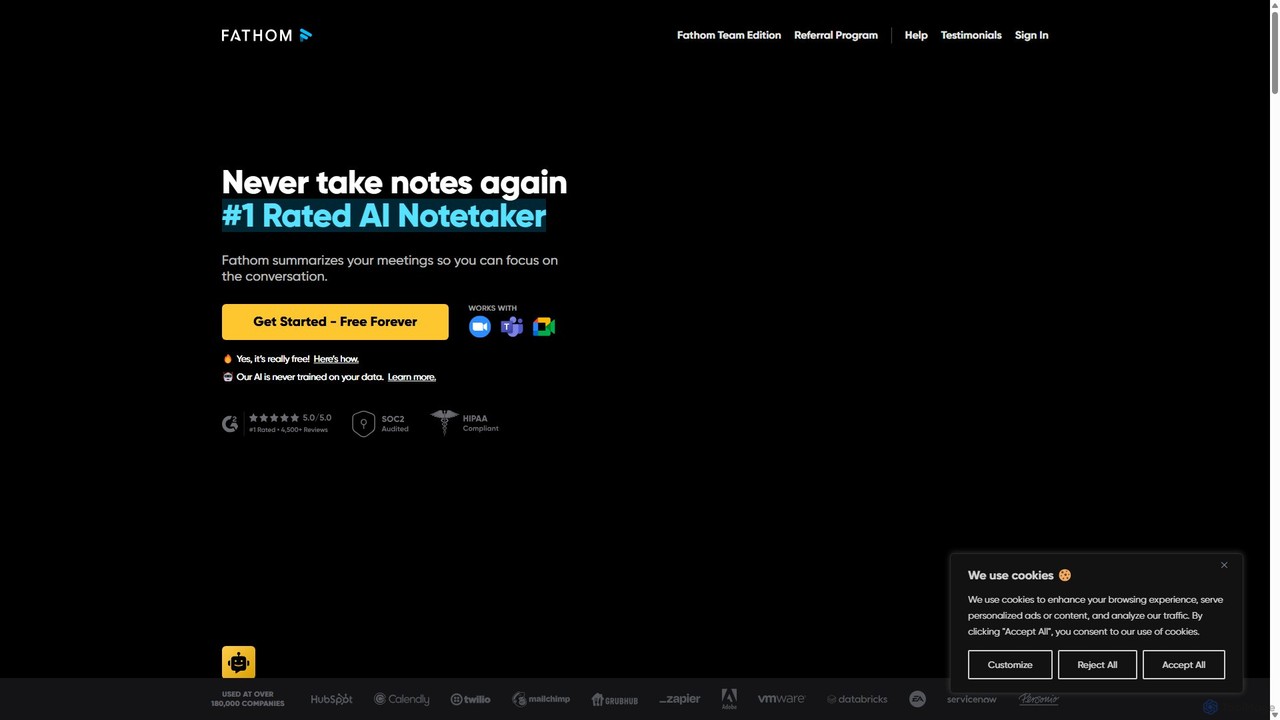
Fathom Product overview

Fathom is a top-rated AI meeting assistant that automatically records, transcribes, and summarizes your video calls on Zoom, Google Meet, and Microsoft Teams. It liberates you from note-taking, allowing full focus on the conversation. Fathom provides instant, shareable summaries and action items, and integrates seamlessly with your CRM and other productivity tools, saving significant time and boosting post-meeting efficiency.

Preview

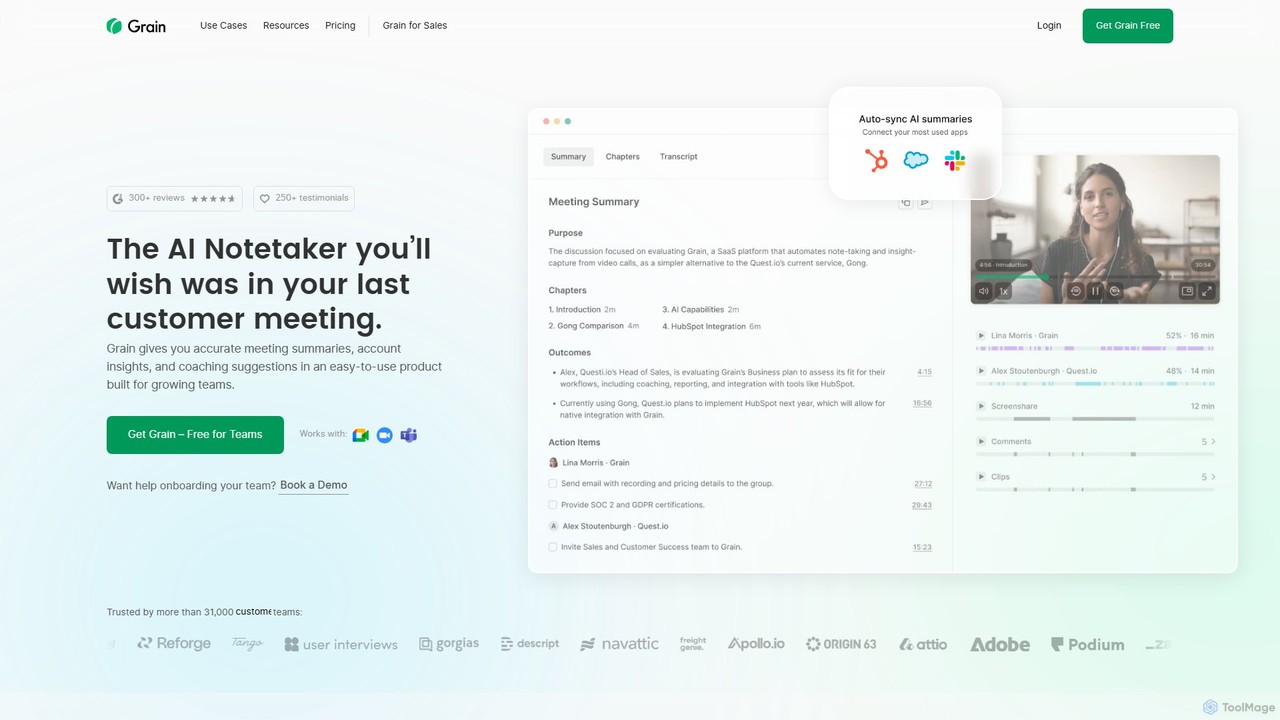
Grain Product overview

Grain is an AI-powered meeting notetaker designed for growing teams. It automatically records, transcribes, and summarizes video calls from platforms like Zoom, Google Meet, and Microsoft Teams. It helps sales, customer success, and product teams capture crucial insights, automate follow-ups, sync data to CRMs, and facilitate team coaching and collaboration, allowing everyone to stay focused during conversations.

Preview

Quick facts

Compare product focus, pricing models and audiences. Highlighted rows indicate different listed information; unknown pricing does not mean free.

Fathom VS Grain — Quick facts
Quick factsFathomGrain
Pricing modelFreemiumFreemium
Product typeWebWeb
Primary focusTranscriptionCustomer Feedback
Audience and rolesNo data availableNo data available
CategoriesTranscription · Meeting Assistant · Conversation IntelligenceCustomer Feedback · Meeting Assistant · Conversation Intelligence · Knowledge Management
AddedAug 15, 2025Aug 16, 2025
UpdatedNov 19, 2026Nov 19, 2026

Features, usage and use cases

Explore the listed product descriptions, features and workflows. Taxonomy labels alone are not feature evaluations.

Fathom

Fathom is a revolutionary AI-powered meeting assistant designed to transform your meeting productivity by eliminating the need for manual note-taking. As the #1 rated AI Notetaker, Fathom seamlessly integrates with Zoom, Google Meet, and Microsoft Teams to record, transcribe, and summarize your conversations. This allows you and your team to remain fully present and engaged, confident that every important detail is being captured accurately. Within seconds of your meeting ending, Fathom delivers a comprehensive summary, complete with action items and key highlights, ready to be shared or synced with your favorite tools.

How to use Fathom

Getting started with Fathom is simple and designed to be frictionless:

  1. Sign Up for Free: Create an account on the Fathom website. The core service is free forever.
  2. Install the App/Extension: Download the Fathom desktop application and browser extension. It will automatically integrate with your calendar and video conferencing software.
  3. Join Your Meeting: Fathom will automatically pop up and ask to join your scheduled meetings on Zoom, Google Meet, or Microsoft Teams.
  4. Highlight in Real-Time: During the call, use Fathom's on-screen overlay to click and highlight key moments, tag action items, or bookmark important discussions with a single click.
  5. Receive Instant Summaries: Immediately after the meeting concludes, you'll have access to the full video recording, a searchable transcript, and a detailed AI-generated summary.
  6. Share and Sync: Easily copy and paste your notes and action items into tools like Slack, Google Docs, and Gmail, or set up automatic syncing to your CRM (e.g., HubSpot, Salesforce) to streamline your workflow.
  7. Ask Fathom: Interact with your meeting recordings using a powerful AI assistant. Ask questions like "What were the action items for John?" and get instant answers.

Core Features of Fathom

  • Automatic Recording & Transcription: Fathom records your meetings in high definition and provides a complete, time-stamped, and speaker-identified transcript.
  • Instant AI Summaries: Get concise, well-organized summaries of your entire meeting in seconds. Premium plans offer up to 12 different summary templates for various needs (e.g., sales calls, project updates).
  • Action Item & Task Generation: The AI automatically identifies and lists action items, which can be easily assigned and tracked.
  • Real-time Highlighting & Bookmarking: Capture important insights, decisions, or customer feedback as they happen with customizable highlight buttons.
  • Shareable Video Clips: Create and share short video clips of key meeting moments to provide context that text alone cannot convey.
  • Multi-Language Support: Fathom can transcribe calls in 7 languages (including English, Spanish, French, German) and translate summaries into over 25 languages.
  • Seamless Integrations: Works with your existing tool stack, including CRMs like HubSpot and Salesforce, and collaboration platforms like Slack and Asana (via Zapier).
  • Ask Fathom AI Assistant: A conversational AI that lets you query your meeting transcripts for specific information, acting like a ChatGPT for your meetings.
  • Security and Privacy: Fathom is SOC2 Type 2 certified and prioritizes data security with end-to-end encryption. It never trains its AI models on your private conversation data.

Use Cases for Fathom

Fathom is a versatile tool that benefits various roles and teams:

  • Sales Teams: Focus on building rapport with prospects instead of typing notes. Automatically sync call summaries to the CRM for faster follow-ups and better pipeline management.
  • Customer Success: Capture every piece of customer feedback and easily share insights with product and engineering teams to improve the customer experience.
  • Recruiting & HR: Conduct interviews without the distraction of note-taking. Share recordings and highlights with hiring managers for collaborative and unbiased decision-making.
  • Founders & Management: Stay on top of all company conversations without having to attend every meeting. Review key decisions and action items from team calls asynchronously.
  • Coaches & Consultants: Provide clients with full recordings and detailed summaries of sessions, adding significant value and ensuring accountability.

Advantages of Fathom

Fathom stands out from competitors with several key advantages:

  • Generous Free Plan: The free version offers unlimited recordings, transcriptions, and summaries, making it accessible to everyone.
  • Speed and Efficiency: Meeting summaries and recordings are available almost instantly, saving users an average of 20 minutes per meeting.
  • Enhanced Focus: By automating note-taking, Fathom allows users to be more present, listen actively, and contribute more effectively to conversations.
  • Superior User Experience: The tool is praised for its intuitive design, ease of use, and seamless integrations that "just work."
  • Commitment to Privacy: Fathom's clear policy of not using customer data for AI training provides peace of mind for users handling sensitive information.

Pricing and Plans

Fathom operates on a freemium model, ensuring powerful core features are available to everyone at no cost.

  • Fathom Free: Completely free for individual use. This plan includes unlimited call recording, transcription, and standard AI summaries.
  • Fathom Premium (Paid): Designed for power users, this plan includes advanced features like AI-generated action items, 12 different summary templates, and Zapier integration for enhanced automation. All new users receive a 30-day free trial of the Premium plan.
  • Fathom Team Edition (Paid): Built for organizations, this plan includes all Premium features plus team-wide call libraries, centralized billing and administration, advanced analytics on team conversations, and coaching tools for managers.

Grain

Grain is a sophisticated AI notetaker and meeting intelligence platform built to enhance the productivity of growing teams. It seamlessly integrates with your daily workflow to automatically record, transcribe, and summarize your video meetings, freeing you and your team to be fully present and engaged in the conversation. Trusted by over 31,000 teams, Grain is designed to capture the voice of the customer and turn conversations into a valuable, searchable library of insights.

The platform is particularly beneficial for customer-facing teams, including sales, customer success, and product research. It provides accurate meeting summaries, identifies key moments, extracts action items, and even suggests follow-up emails. With robust integrations and powerful AI features, Grain transforms your meetings from transient events into a permanent, accessible knowledge base, ensuring no critical detail is ever lost.

How to use Grain

Getting started with Grain is simple and designed for quick team adoption. Here’s a typical workflow:

  1. Connect Your Tools: Integrate Grain with your Google or Microsoft calendar and your video conferencing platforms (Zoom, Google Meet, Microsoft Teams).
  2. Automatic Recording: The Grain AI notetaker will automatically join your scheduled meetings to record and provide real-time transcription.
  3. Engage and Highlight: During the meeting, you can use the Live Notepad to type notes, tag important moments, or clip key segments in real-time. This helps you focus your insights without extensive post-meeting work.
  4. Review AI-Generated Assets: After the meeting, Grain automatically generates a precise transcript, AI-powered notes, a concise summary, and a list of action items with assigned owners.
  5. Share and Collaborate: Easily create video clips from the transcript and share them with your team via Slack or other tools. Organize clips and calls into Playlists and Stories to onboard new hires, share customer feedback, or build a coaching library.
  6. Automate Workflows: Notes, highlights, and key properties are automatically synced to your CRM (like HubSpot or Salesforce), eliminating manual data entry. You can also use the Grain API or Zapier integration to build custom workflows.
  7. Query Your Knowledge Base: Use the 'Ask AI' feature to ask questions across your entire meeting library and generate reports with precise citations, uncovering trends and insights over time.

Core Features of Grain

  • AI Meeting Notes & Transcription: Automatically generates high-quality, speaker-diarized transcripts and AI-powered notes. Supports custom templates for different meeting types (e.g., sales discovery, user research).
  • Meeting Automation: Automatically identifies action items and owners, drafts concise follow-up emails, and syncs all notes and deal properties to your CRM, saving hours of administrative work.
  • Coaching & Collaboration: Create and share video clips with comments, organize them into playlists and stories for training, and use Trackers to spot trends and monitor key terms across all conversations.
  • AI Workflows & Insights: A powerful 'Ask AI' feature allows you to query your entire meeting history. An API and MCP server connection (for tools like Claude) enable custom solutions and deeper analysis.
  • Seamless Integrations: Native integrations with HubSpot, Salesforce, Slack, Zapier, Productboard, and more, ensuring customer insights are available wherever your team works.
  • Security and Compliance: Grain is SOC 2 audited and GDPR compliant, ensuring your conversation data is secure.

Use Cases for Grain

Grain is versatile and provides value across various departments:

  • Sales Teams: Use it for sales coaching by reviewing call recordings, sharing best practices, and tracking team performance. Automate CRM data entry and generate effective follow-up emails to accelerate deal cycles.
  • Customer Success: Capture and share high-fidelity customer feedback with product and engineering teams. Ensure all action items from customer calls are tracked and completed, improving customer satisfaction.
  • Product & UX Research: Conduct user interviews and be fully present, knowing every nuance is captured. Quickly find and share key user insights to inform product decisions without sifting through hours of recordings.
  • Hiring and Onboarding: Create a library of training materials and example calls to help new team members get up to speed faster.

Advantages of Grain

Grain stands out by offering a comprehensive, user-friendly, and cost-effective solution. Unlike more expensive competitors, it provides powerful conversation intelligence features in a package that's accessible to growing teams. Its key advantages include boosting in-meeting focus, creating a single source of truth for customer conversations, automating tedious administrative tasks, and fostering a culture of collaboration and continuous improvement. The ability to easily share video highlights makes communication more impactful and context-rich.

Pricing and Plans

Grain offers a flexible pricing structure suitable for teams of all sizes:

  • Free Plan: $0. Perfect for individuals or small teams getting started. Includes 1 notetaker seat, unlimited meetings (up to 45 mins), and basic AI notes.
  • Starter Plan: $19 per seat/month ($15/mo billed annually). Ideal for product, design, and research teams. Includes everything in Free, plus unlimited recording length, 10 monthly uploads, advanced AI notes, custom prompts, and integrations with Slack & Zapier.
  • Business Plan: $39 per seat/month ($29/mo billed annually). The most popular plan, built for sales and customer success. Includes everything in Starter, plus HubSpot & Salesforce integrations, AI coaching, trackers, unlimited uploads, and more.
  • Enterprise Plan: Custom pricing. For large organizations needing advanced security and support. Includes everything in Business, plus SAML-based SSO, API access, a dedicated customer success manager, and custom invoicing.

Positioning

Their taxonomy shows where the products overlap and where each one has a more distinct focus. Unknown fields are shown explicitly and are never filled with assumptions.

Categories

Shared
Meeting AssistantConversation Intelligence
Only Fathom
Transcription
Only Grain
Customer FeedbackKnowledge Management

Tags

Shared
ai notetakerGoogle Meetmeeting summaryproductivitytranscriptionZoom
Only Fathom
automatic notescollaborationmeeting assistantMicrosoft Teamssales
Only Grain
automated notesconversation intelligenceCRM integrationcustomer feedbackmeeting recordersales coachingteam collaboration

Audience and roles

Shared
No listed items
Only Fathom
No listed items
Only Grain
No listed items

Traffic comparison

Traffic is shown on the same scale so differences in market visibility are not visually understated.

How to interpret the traffic data

Both charts share the same months and vertical scale. Each tool identifies its latest reporting month; missing months are left blank, not counted as zero. Regional and source visit counts are estimates calculated from the reported shares.

Fathom monthly traffic:

Latest traffic · 2026-05

Monthly visits
4.8M
Avg. visit duration
3:11
Pages per visit
3.25
Bounce rate
43.13%
Data updated 2026-06-15

Monthly traffic trend

  • 2025-09: 3.8M
  • 2026-01: 4.4M
  • 2026-02: 4.6M
  • 2026-03: 4.9M
  • 2026-04: 5M
  • 2026-05: 4.8M

Top regions

Top 5 countries/regions
Country/regionPercentageEstimated visits
🇺🇸United States67.29%3.3M
🇬🇧United Kingdom12.05%583.1K
🇨🇦Canada7.79%376.9K
🇮🇳India7.02%339.7K
🇦🇺Australia5.85%283.1K

Traffic sources

Source typePercentageEstimated visits
Direct78.73%3.8M
Referral14.01%677.9K
Email7.26%351.3K

Search keywords

fathomfathom apifathom desktop appfathom downloadfathom mcp

Grain monthly traffic:

Latest traffic · 2026-05

Monthly visits
189.3K
Avg. visit duration
2:07
Pages per visit
2.88
Bounce rate
36.33%
Data updated 2026-06-15

Monthly traffic trend

  • 2025-09: 212.8K
  • 2026-01: 231.9K
  • 2026-02: 173.3K
  • 2026-03: 175.2K
  • 2026-04: 167.7K
  • 2026-05: 189.3K

Top regions

Top 5 countries/regions
Country/regionPercentageEstimated visits
🇺🇸United States69.54%131.6K
🇮🇹Italy10.4%19.7K
🇪🇸Spain7.18%13.6K
🇨🇦Canada6.76%12.8K
🇧🇷Brazil6.12%11.6K

Traffic sources

Source typePercentageEstimated visits
Direct91.53%173.2K
Referral4.68%8.9K
Email3.79%7.2K

Search keywords

graingrain aigrain ai for claudegrain appgrain pricing

Community signals

Ratings, comments, favorites, and likes are community signals—not a substitute for product fit.

Fathom

Rating
No data available
Comments
0
Favorites
195
Likes
195

Grain

Rating
No data available
Comments
0
Favorites
181
Likes
186

Fathom vs Grain · Comparison FAQ

What do Fathom and Grain have in common?
Both tools are listed under Meeting Assistant、Conversation Intelligence. These categories indicate overlapping use cases; compare their detailed descriptions for workflows, capabilities and limitations.
Are Fathom and Grain free?
Listed pricing models: Fathom — Freemium; Grain — Freemium. Missing pricing is not proof of a free plan, and freemium does not mean every feature is free. Check official sites for current plans, limits and trials.
How should I choose between Fathom and Grain?
The primary listed category is Transcription for Fathom, and Customer Feedback for Grain. Compare features, steps and use cases, then verify pricing, data permissions and deployment needs. This page does not include hands-on testing and does not declare a winner from traffic or tags.

Sources and comparison methodology

This page is assembled from ToolMage product listings, taxonomy, traffic statistics and on-site user feedback. It is not a hands-on test or an independent review.

  • Feature and plan descriptions reflect information in the listings, not real-time guarantees. Verify pricing, quotas, availability and privacy terms on the official sites.
  • Traffic uses the reporting months shown. Missing statistics do not mean zero visits, and different periods do not establish growth or superiority. Regional and source visit counts are estimates based on shares.
  • Different tags indicate differences in the listings, not proof that the other product lacks a capability. Ratings, favorites and visits are not used to declare a winner.

Related comparisons