ToolMage
Sign in

AI TOOL COMPARISON

Fine vs Loopple

What is the difference, and which fits your workflow? Compare features, usage, pricing models and traffic side by side.

Jump to key differences

Product overview

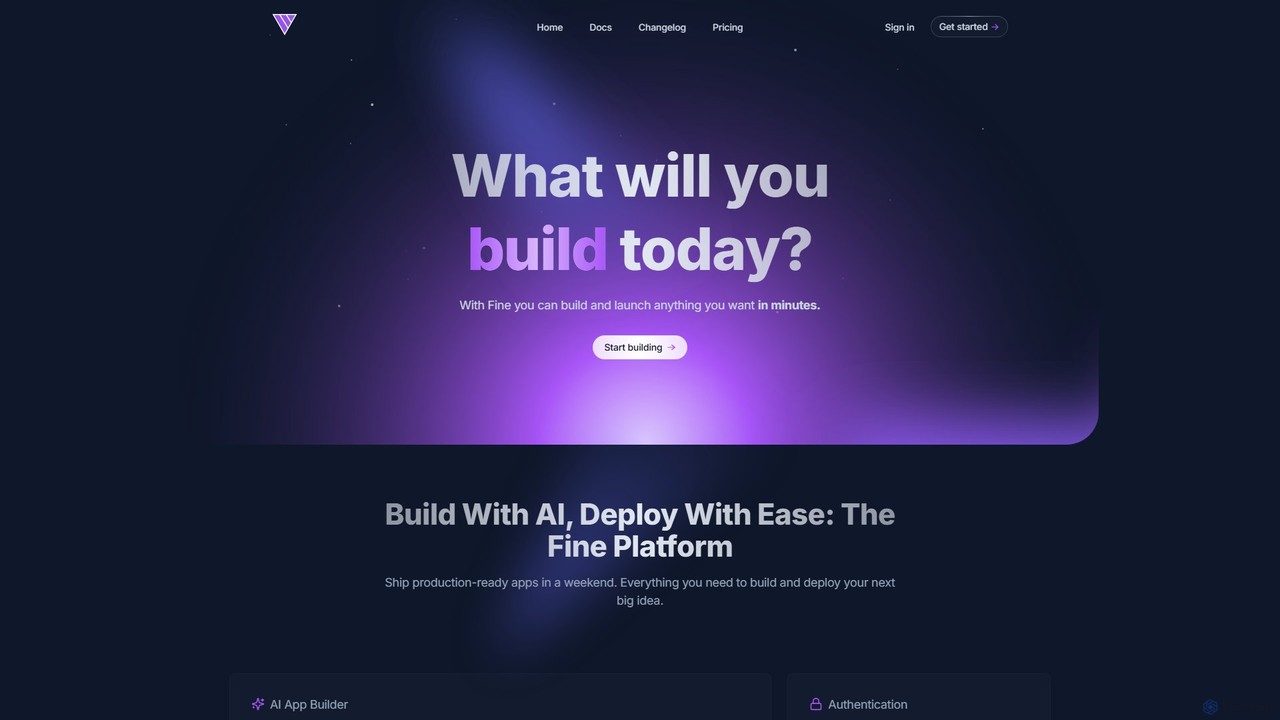
Fine Product overview

Fine is an AI-powered software development platform that enables anyone to build and deploy full-stack web applications using natural language. It leverages autonomous AI agents to handle everything from frontend UI to backend logic, database, and deployment, turning ideas into production-ready apps in minutes.

Preview

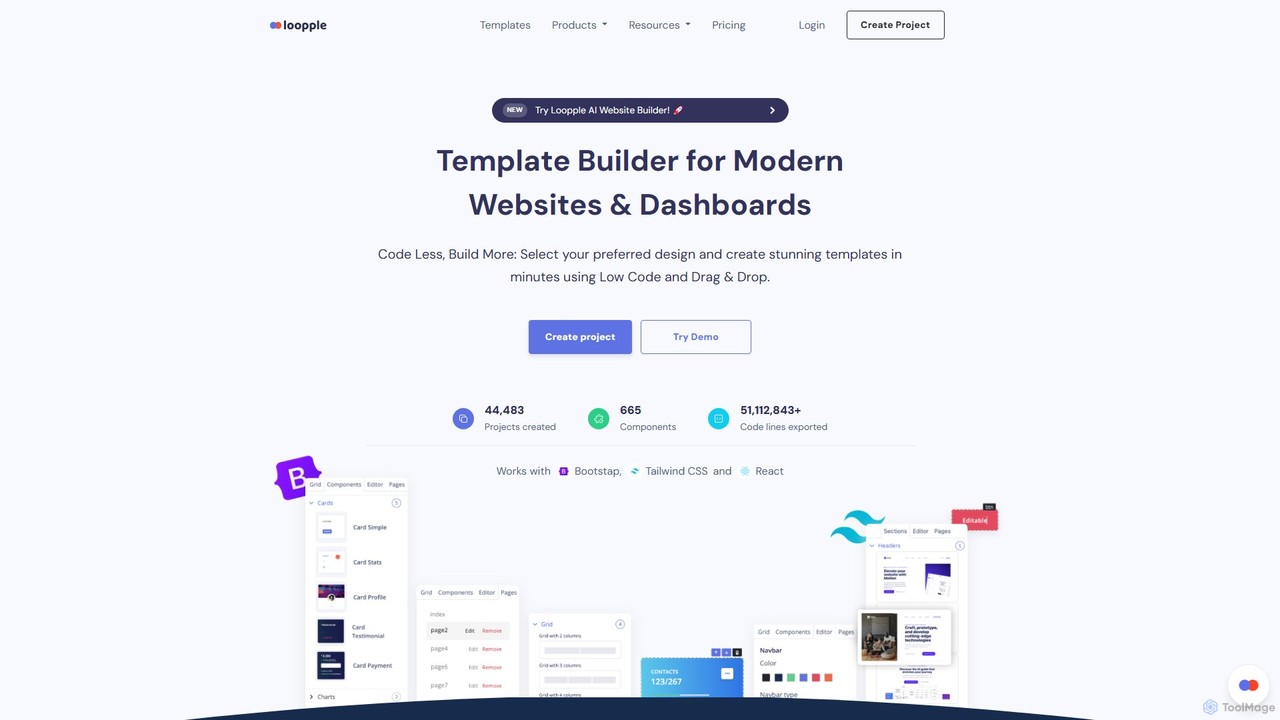
Loopple Product overview

Loopple is an AI-powered, low-code platform for building modern websites and dashboards. It features a drag-and-drop editor, a vast library of pre-built components and templates for Bootstrap, Tailwind CSS, and React. With its AI text help and direct code export, Loopple accelerates the front-end development process for developers and teams, enabling rapid creation of responsive, professional-grade user interfaces.

Preview

Quick facts

Compare product focus, pricing models and audiences. Highlighted rows indicate different listed information; unknown pricing does not mean free.

Fine VS Loopple — Quick facts
Quick factsFineLoopple
Pricing modelFreemiumFreemium
Product typeWebWeb
Primary focusAi AgentLow Code No Code
Audience and rolesNo data availableNo data available
CategoriesAi Agent · Low Code No Code · Website Builder · PrototypingLow Code No Code · Website Builder · Prototyping
AddedAug 8, 2025Aug 3, 2025
UpdatedNov 19, 2026Nov 19, 2026

Features, usage and use cases

Explore the listed product descriptions, features and workflows. Taxonomy labels alone are not feature evaluations.

Fine

Fine is a revolutionary AI software development platform designed to democratize application creation. It empowers users, from individual developers and startups to large teams and even non-coders, to build and launch sophisticated, production-grade web applications simply by describing their ideas in natural language. The platform provides an all-in-one solution, integrating AI agents that act as virtual developers to handle the entire development lifecycle.

At its core, Fine utilizes advanced AI agents that can understand complex requirements, plan development tasks, write code, and even debug errors. This eliminates the traditional complexities of managing separate services for frontend, backend, databases, and hosting. With Fine, you get a seamless, integrated environment where your vision is translated into a fully functional application with remarkable speed and efficiency.

How to use Fine

Using Fine is an intuitive and conversational process, designed to be accessible to everyone:

  1. Describe Your Idea: Start by explaining what you want your application to do in plain English. You can describe user flows, features, and design elements. You can even upload screenshots or design mockups for visual guidance.
  2. AI-Powered Generation: Fine's AI agents will analyze your prompt, create a detailed development plan, and begin generating the full-stack code for your application, including the user interface, backend functions, and database schema.
  3. Test and Iterate in Real-Time: As the AI builds, you can use the 'Interactive Preview' and 'AI Sandbox' features to run and test the application directly in your browser. This allows you to see the results instantly and identify any issues.
  4. Provide Feedback: If you want to make changes or fix bugs, simply chat with the AI agent. You can ask for revisions, new features, or style adjustments. The agent will understand your feedback and iteratively refine the code.
  5. Connect and Export: For existing projects, you can connect your GitHub repository. Fine can work on specific branches, fix issues, or add features. You can also export the AI-generated code to your own GitHub repository at any time.
  6. One-Click Deployment: Once you are satisfied with your application, you can deploy it to the web with a single click. Fine handles the entire deployment process, allowing you to go live on a custom domain effortlessly.

Core Features of Fine

  • AI App Builder: Translates natural language descriptions and images into fully functional web applications.
  • Autonomous AI Agents: Perform repository-wide, end-to-end tasks asynchronously, from feature implementation to bug fixing and code refactoring.
  • Integrated Full-Stack Environment: Includes built-in user authentication, a ready-to-use Postgres database with a simple API, and serverless backend functions.
  • One-Click Deployment: Seamlessly build, optimize, and deploy your application to a global edge network with a single button press.
  • Interactive Preview & AI Sandbox: Run, test, and preview the AI-generated code in a live environment to provide real-time feedback and ensure the code works as expected.
  • GitHub Integration: Import existing projects, work on different branches, and export your code to GitHub. Also integrates with issue trackers like Linear and GitHub Issues.
  • Support for Advanced LLMs: Utilizes powerful models like GPT-4o, Claude 3.7 Sonnet, and others to ensure high-quality code generation and reasoning.
  • Automated Workflows: Set up automations for tasks like debugging, documentation generation, and pull request reviews.

Use Cases for Fine

Fine is a versatile platform suitable for a wide range of projects:

  • Rapid Prototyping: Quickly turn SaaS ideas into functional prototypes to test market fit and gather user feedback in days instead of months.
  • AI-Powered Applications: Easily build sophisticated apps with integrated AI capabilities, leveraging LLMs like OpenAI and Anthropic.
  • Internal Tools: Create custom dashboards, admin panels, and internal applications to streamline business operations and boost productivity.
  • Side Projects & MVPs: Build and launch personal projects or Minimum Viable Products (MVPs) without the overhead of managing complex infrastructure.
  • Chat Applications: Develop real-time chat and messaging apps with built-in AI and natural language processing.

Advantages of Fine

Fine offers a significant competitive edge by making software development faster, more accessible, and more cost-effective. Its key advantages include its all-in-one nature, which eliminates the need to piece together multiple services, and its powerful AI agents, which automate mundane and complex coding tasks, freeing up developers to focus on high-level strategy and innovation. The platform is built for production, offering enterprise-grade security, automatic scaling, and reliable infrastructure from day one.

Pricing and Plans

Fine offers a freemium model with plans tailored to different needs:

  • Free Plan ($0/month): Perfect for getting started and building your first apps. Includes AI app generation with message limits, ephemeral deployment, and 1 GB of file storage.
  • Builder Plan ($19/month): Designed for individual developers. Offers more monthly messages, no daily limits, code export to GitHub, an always-on database, and deployment to your own domain.
  • 2x Builder Plan ($39/month): For growing teams, with a higher message quota and support for one custom domain.
  • 3x Builder Plan ($100/month): For professional teams, offering a large number of messages, support for multiple custom domains, and VIP support.
  • Team Plan (from $13/seat/month): For startups and teams looking to embed Fine's AI agents into their daily workflow. This plan offers unlimited usage, unlimited repositories, and access to premium LLMs.

Loopple

Loopple is a dynamic and innovative low-code platform designed to dramatically accelerate the development of modern, responsive websites and dashboards. It uniquely combines a user-friendly drag-and-drop interface with powerful, developer-centric features, including an integrated AI Website Builder and AI text assistance. This hybrid approach empowers both individual developers and large teams to "Code Less, Build More," transforming complex design ideas into production-ready applications in a fraction of the usual time. The platform is built on top of the most popular and robust front-end frameworks, offering extensive support for Bootstrap, Tailwind CSS, React, and Chakra UI, ensuring flexibility and adherence to modern web standards. With a community of over 44,000 projects created, Loopple has established itself as a trusted tool for professionals seeking efficiency without sacrificing quality or control.

How to use Loopple

The workflow in Loopple is streamlined into a simple, three-step process designed for maximum efficiency:

  1. Choose Your Foundation: Begin by selecting your preferred front-end framework from a list that includes Bootstrap, Tailwind CSS, React, or Chakra UI. After choosing the framework, you can either start from a blank canvas or select one of over 50 professionally designed, ready-made templates for websites or dashboards to kickstart your project.
  2. Customize with Ease: This is where Loopple's power shines. Use the intuitive drag-and-drop editor to arrange and modify elements from a library of over 665 components. For more detailed adjustments, dive into the live code editor to tweak HTML, CSS, or React code directly. The platform also features an "AI Text Help" function to assist with generating placeholder or final copy. You can easily add new pages, link them together, and use the "Revert Changes" feature to undo any mistakes, ensuring a risk-free creative process.
  3. Download Your Code: Once your design is perfected and fully responsive, a single click is all it takes to download the complete source code. Loopple exports clean, well-structured, and production-ready code, allowing you to seamlessly continue development, host the project on your server, or integrate it into a larger application.

Core Features of Loopple

  • AI-Powered Builder: Integrates AI to assist in website creation and content generation, streamlining the design and copywriting process.
  • Low-Code Drag & Drop Editor: An intuitive visual interface that allows for rapid assembly and layout of web pages without writing extensive code.
  • Multi-Framework Support: Full compatibility with the most popular front-end toolkits, including Bootstrap, Tailwind CSS, React, and Chakra UI.
  • Extensive Component & Template Library: Access to over 665 meticulously crafted UI components (navbars, cards, forms, charts) and 50+ pre-built, responsive templates for various use cases.
  • Integrated Live Code Editor: Provides developers with the flexibility to write or modify custom code directly within the builder for ultimate control and customization.
  • One-Click Code Export: Download the complete, clean, and production-ready source code for your project at any time.
  • Fully Responsive Design: All components and templates are designed to be fully responsive, ensuring a perfect display on desktops, tablets, and smartphones.
  • Team Collaboration: Paid plans offer features to invite and manage team members, facilitating collaborative project development.

Use Cases for Loopple

Loopple is a versatile tool suitable for a wide range of web development tasks:

  • Rapid Prototyping: Quickly build interactive and high-fidelity prototypes to validate ideas and gather feedback from stakeholders or clients.
  • Landing Page & Marketing Site Creation: Efficiently design and launch stunning, responsive landing pages for marketing campaigns or product showcases.
  • Admin Dashboard Development: Assemble complex and data-rich admin panels and dashboards for SaaS applications, internal tools, or backend management systems.
  • MVP (Minimum Viable Product) Building: Accelerate the launch of new startups and pilot projects by quickly creating a professional and functional front-end.
  • Freelance and Agency Projects: Significantly cut down on development time for client projects, allowing for faster turnaround and higher profitability.

Advantages of Loopple

The primary advantage of Loopple is its ability to merge speed with quality. Developers benefit from a massive reduction in development time, as the platform automates the repetitive task of writing boilerplate code for common UI elements. Its user-friendly interface makes it accessible even to backend developers or those with limited UI/UX skills, empowering them to create beautiful designs. The exported code is not obfuscated or proprietary; it's clean, standard-based, and easy to maintain, which is a crucial advantage over many other website builders. This combination of speed, ease of use, code quality, and flexibility makes Loopple a highly cost-effective solution for modern web development.

Pricing and Plans

Loopple offers a flexible freemium model with both subscription and lifetime options to suit different needs:

  • DEMO (Free): This plan provides basic access to the builder, allowing users to export code and work as a single team member with a limited set of free components.
  • BASIC ($9/month): Unlocks the full power of the platform, including access to all Pro features, all Pro components (665+), all Pro templates (50+), the boilerplate builder, unlimited pages, unlimited projects, unlimited exports, priority support, and an unlimited team size.
  • PREMIUM ($19/month): Offers the same comprehensive feature set as the Basic plan.
  • SINGLE USER (Lifetime Deal - $149 one-time): A one-time payment grants a single user lifetime access to all Pro features, components, templates, future upgrades, and priority support.
  • TEAM (Lifetime Deal - $299 one-time): The ultimate package for agencies and companies, offering the same lifetime benefits as the Single User plan but for an unlimited number of team members.

All plans include access to the Bootstrap, Tailwind, and React builders, and paid plans are backed by a 7-day money-back guarantee.

Positioning

Their taxonomy shows where the products overlap and where each one has a more distinct focus. Unknown fields are shown explicitly and are never filled with assumptions.

Categories

Shared
Low Code No CodeWebsite BuilderPrototyping
Only Fine
Ai Agent
Only Loopple
No listed items

Tags

Shared
low-codeno-code
Only Fine
AI agentapp buildercode generationdeveloper toolfull-stackgithubinternal toolsprototypingsoftware developmentweb application
Only Loopple
AI website builderbootstrapdashboard builderfront-end developmentreactTailwind CSStemplate builderUI componentswebsite builder

Audience and roles

Shared
No listed items
Only Fine
No listed items
Only Loopple
No listed items

Traffic comparison

Traffic is shown on the same scale so differences in market visibility are not visually understated.

How to interpret the traffic data

Both charts share the same months and vertical scale. Each tool identifies its latest reporting month; missing months are left blank, not counted as zero. Regional and source visit counts are estimates calculated from the reported shares.

Fine monthly traffic:

Latest traffic · 2026-05

Monthly visits
507
Avg. visit duration
0:00
Pages per visit
1
Bounce rate
100%
Data updated 2026-06-15

Monthly traffic trend

  • 2025-09: 36.7K
  • 2026-01: 19.5K
  • 2026-02: 11.9K
  • 2026-03: 1.7K
  • 2026-04: 0
  • 2026-05: 507

Loopple monthly traffic:

Latest traffic · 2026-05

Monthly visits
27.8K
Avg. visit duration
0:26
Pages per visit
2.15
Bounce rate
40.28%
Data updated 2026-06-15

Monthly traffic trend

  • 2025-09: 44K
  • 2026-01: 39.8K
  • 2026-02: 29.2K
  • 2026-03: 32.2K
  • 2026-04: 25.5K
  • 2026-05: 27.8K

Top regions

Top 5 countries/regions
Country/regionPercentageEstimated visits
🇺🇸United States39.16%10.9K
🇮🇳India28.53%7.9K
🇮🇩Indonesia11.71%3.3K
🇻🇳Vietnam10.96%3.1K
🇬🇧United Kingdom9.64%2.7K

Traffic sources

Source typePercentageEstimated visits
Direct72.74%20.2K
Referral27.26%7.6K

Search keywords

ai finish sentencecss to tailwindcss to tailwind converterfinish this sentenceloopple

Community signals

Ratings, comments, favorites, and likes are community signals—not a substitute for product fit.

Fine

Rating
No data available
Comments
0
Favorites
156
Likes
176

Loopple

Rating
No data available
Comments
0
Favorites
167
Likes
157

Fine vs Loopple · Comparison FAQ

What do Fine and Loopple have in common?
Both tools are listed under Low Code No Code、Website Builder、Prototyping. These categories indicate overlapping use cases; compare their detailed descriptions for workflows, capabilities and limitations.
Are Fine and Loopple free?
Listed pricing models: Fine — Freemium; Loopple — Freemium. Missing pricing is not proof of a free plan, and freemium does not mean every feature is free. Check official sites for current plans, limits and trials.
How should I choose between Fine and Loopple?
The primary listed category is Ai Agent for Fine, and Low Code No Code for Loopple. Compare features, steps and use cases, then verify pricing, data permissions and deployment needs. This page does not include hands-on testing and does not declare a winner from traffic or tags.

Sources and comparison methodology

This page is assembled from ToolMage product listings, taxonomy, traffic statistics and on-site user feedback. It is not a hands-on test or an independent review.

  • Feature and plan descriptions reflect information in the listings, not real-time guarantees. Verify pricing, quotas, availability and privacy terms on the official sites.
  • Traffic uses the reporting months shown. Missing statistics do not mean zero visits, and different periods do not establish growth or superiority. Regional and source visit counts are estimates based on shares.
  • Different tags indicate differences in the listings, not proof that the other product lacks a capability. Ratings, favorites and visits are not used to declare a winner.

Related comparisons