ToolMage
Sign in

AI TOOL COMPARISON

HyperWrite vs WriteNow AI

What is the difference, and which fits your workflow? Compare features, usage, pricing models and traffic side by side.

Jump to key differences

Product overview

HyperWrite Product overview

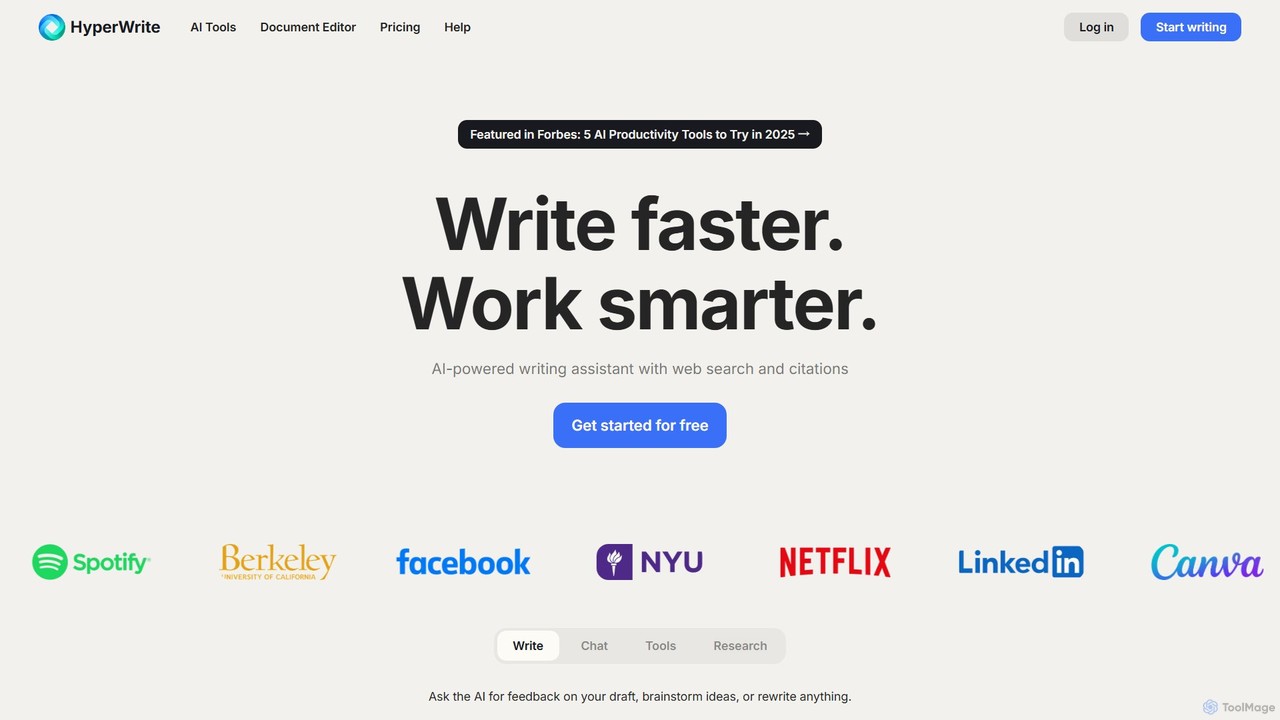
HyperWrite is an advanced AI writing assistant designed to enhance productivity for students, marketers, and professionals. It offers hundreds of tools for writing, research, summarization, and content creation. Key features include real-time academic research with citations, customizable 'Personas' to match your writing style, and a seamless Chrome extension for workflow integration.

Preview

WriteNow AI Product overview

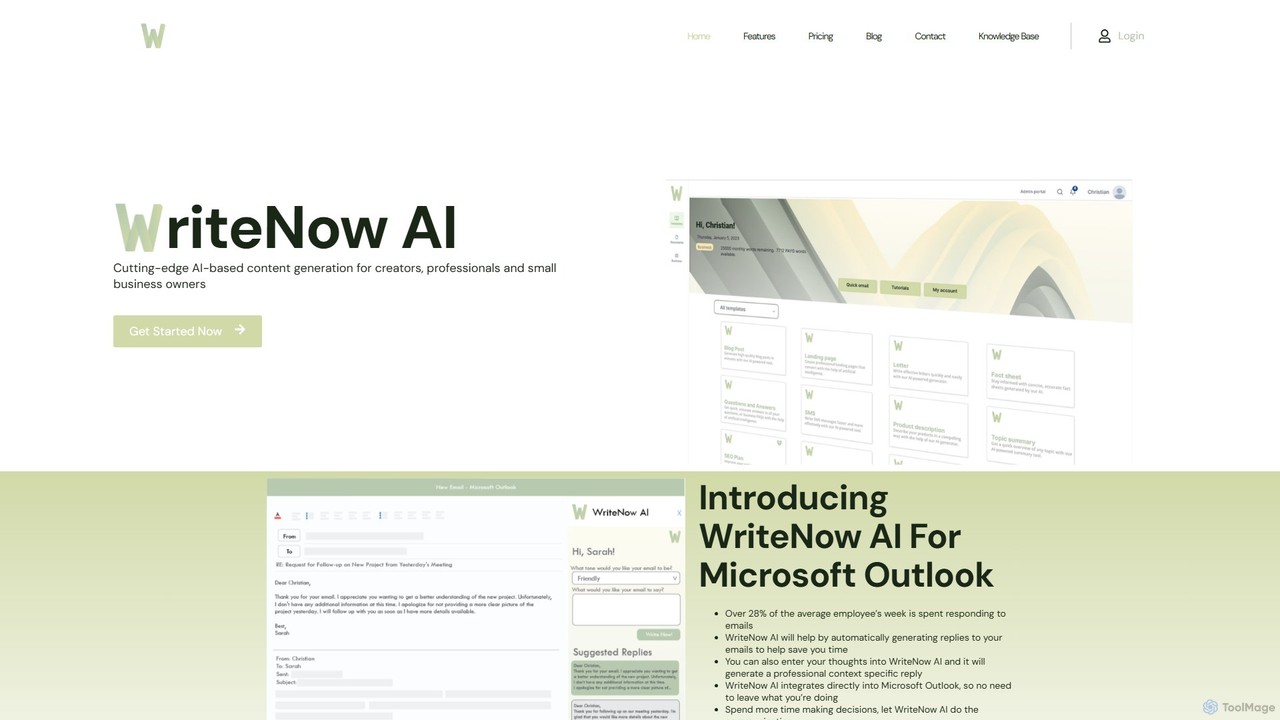
WriteNow AI is an advanced content generation platform designed for creators, professionals, and small businesses. It features over 30 templates for various content types and a unique Microsoft Outlook integration that automatically generates professional email replies, saving significant time. Powered by GPT-3, it helps users create high-quality content, from blog posts to business analyses, efficiently.

Preview

Quick facts

Compare product focus, pricing models and audiences. Highlighted rows indicate different listed information; unknown pricing does not mean free.

HyperWrite VS WriteNow AI — Quick facts
Quick factsHyperWriteWriteNow AI
Pricing modelFreemiumFreemium
Product typeWebWeb
Primary focusResearchAssistant
Audience and rolesNo data availableNo data available
CategoriesResearch · Content Creation · WritingAssistant · Content Creation · Writing
AddedAug 2, 2025Aug 13, 2025
UpdatedNov 19, 2026Nov 19, 2026

Features, usage and use cases

Explore the listed product descriptions, features and workflows. Taxonomy labels alone are not feature evaluations.

HyperWrite

HyperWrite is a comprehensive AI-powered writing assistant that serves as a versatile partner for a wide range of writing and research tasks. Developed by OthersideAI, it leverages cutting-edge models like GPT-4 and a custom Llama 3 70B to help users work smarter and faster. Whether you're drafting an academic paper, creating marketing copy, or simply responding to emails, HyperWrite integrates seamlessly into your workflow to refine your ideas and bring your words to life. It's more than just a text generator; it's a research tool, an editor, and a creative collaborator all in one.

How to use HyperWrite

Getting started with HyperWrite is straightforward. Users can sign up for a free account to explore its basic features. The primary way to interact with the tool is through its web-based document editor or the powerful Chrome Extension, which brings AI assistance to any website you visit.

  1. Choose Your Tool: Access a library of hundreds of specialized tools directly on the HyperWrite website, such as the Summarizer, AI Speech Writer, or Email Responder.
  2. Use the Chrome Extension: Install the extension to get contextual AI assistance across the web. A key feature is 'TypeAheads,' which provides real-time sentence completions and suggestions as you type in Gmail, Google Docs, and more.
  3. Generate and Refine: Provide a prompt, an outline, or existing text. HyperWrite will generate original content, rewrite existing text, or offer suggestions. You can then use the 'Magic Editor' to adjust the tone, style, and clarity.
  4. Leverage Research: For academic or factual content, use 'Scholar AI' to find peer-reviewed articles and get accurate, citation-backed results in real-time.
  5. Personalize Your AI: Set up 'Personas' to teach the AI your unique writing style, ensuring the output sounds authentically like you.

Core Features of HyperWrite

  • Hundreds of AI Tools: A vast library of pre-made tools for any use-case, from writing blog posts and social media copy to crafting legal documents and creative stories.
  • AutoWrite & AI Writer: Generate high-quality, original content on any topic and in any format based on a simple description.
  • Scholar AI: A powerful research assistant that searches millions of scholarly articles and papers to provide accurate, up-to-date, and citation-backed information.
  • Content Rewriter & Summarizer: Effortlessly rewrite content to improve clarity or change the tone, and summarize long texts to extract key points.
  • Magic Editor & Email Responder: Edit documents to enhance clarity, tone, and style. Automatically generate professional email replies based on the original message and a brief instruction.
  • Custom Personas: Create up to 10 custom personas to make the AI adopt your specific voice, style, and tone, moving beyond generic AI-generated text.
  • TypeAhead Suggestions: The Chrome extension provides intelligent, as-you-type suggestions to help you write faster and overcome writer's block.
  • Seamless Chrome Extension: Integrates HyperWrite's capabilities into virtually any website, including Gmail, Google Docs, social media platforms, and more.

Use Cases for HyperWrite

HyperWrite is trusted by a diverse range of users to improve efficiency and quality:

  • Students: Accelerate academic research, write structured essays, simplify complex topics, and generate citations.
  • Marketers & Content Creators: Create SEO-friendly blog posts, persuasive ad copy, engaging social media updates, and compelling marketing emails.
  • Business Professionals: Draft professional emails, write detailed reports and proposals, generate speech outlines, and automate communication tasks.
  • Job Seekers: Craft tailored resumes and cover letters, and prepare for interviews by generating potential questions and answers.
  • Startup Founders: Quickly create business plans, investor pitches, and website copy, allowing them to focus on core business activities.

Advantages of HyperWrite

HyperWrite stands out by offering a combination of power, personalization, and practicality. Its main advantages include a significant productivity boost by automating repetitive writing tasks, enhanced writing quality through advanced editing and style suggestions, and access to factual, current information with its real-time research capabilities. The 'Personas' feature provides unparalleled personalization, while the Chrome extension ensures a frictionless experience, making powerful AI assistance available wherever you work.

Pricing and Plans

HyperWrite offers a flexible pricing structure to suit different needs:

  • Free Plan: Provides limited monthly credits and access to basic AI features, perfect for casual users.
  • Premium Plan: Priced at $19.99/month or $16/month when billed annually. It includes 250 AI messages per month, access to advanced AI models, citations and real-time info, 3 custom personas, and unlimited TypeAheads.
  • Ultra Plan: Priced at $44.99/month or $29/month when billed annually. It offers everything in Premium plus unlimited AI messages, 10 custom personas, and priority access to new experimental features.

Discounts: HyperWrite offers a 50% student discount for users with a valid .edu email address. New users can also get 50% off their first month with the code TRYHYPERWRITE.

WriteNow AI

WriteNow AI is a cutting-edge, AI-powered content generation platform built to enhance productivity for individuals and businesses. Leveraging the capabilities of GPT-3, it serves as a versatile assistant for creators, marketing professionals, and small business owners who need to produce high-quality written content quickly and consistently. The platform's standout feature is its seamless integration with Microsoft Outlook, transforming how users manage their email correspondence.

The core mission of WriteNow AI is to automate and streamline the writing process, freeing up valuable time for users to focus on strategic decision-making. Whether you're struggling with writer's block, drowning in emails, or need to create compelling marketing copy, WriteNow AI provides the tools to get the job done efficiently.

How to use WriteNow AI

Getting started with WriteNow AI is designed to be simple and intuitive. The process can be broken down into a few easy steps:

  1. Sign Up and Log In: Create an account on the WriteNow AI website. You can start with a free Pay-As-You-Go plan or opt for a 7-day free trial of the Essentials plan.
  2. Choose a Tool or Template: For general content, navigate the dashboard and select from over 30 available templates, such as 'Blog Post Creator', 'Social Media Post', or 'SWOT Analysis'. For email assistance, open the WriteNow AI add-in directly within Microsoft Outlook.
  3. Provide Context: Answer a few simple questions or provide brief input. For example, for a blog post, you might enter a title and keywords. For an email reply, you can input your main thoughts, and the AI will draft a full, professional response.
  4. Generate and Refine: Click the generate button. The AI will produce the content in seconds. If you're not completely satisfied, you can regenerate the output up to three times for free to get the perfect result.

Core Features of WriteNow AI

  • Microsoft Outlook Integration: A powerful add-in that reads incoming emails and suggests context-specific, professional replies, drastically reducing the time spent on email management.
  • 30+ Content Templates: A comprehensive library of templates for various needs, including blog posts, ad copy, social media updates, product descriptions, and business strategy documents like SWOT analyses.
  • Content Suggestions: An idea generation tool that helps businesses discover new content topics and angles that would have otherwise taken significant research time.
  • Brand Profiler: This feature allows users to define their brand's voice and tone, ensuring all generated content remains consistent and on-brand. (Available in premium plans).
  • Pay-As-You-Go Flexibility: Users are not locked into expensive subscriptions and can purchase word credits as needed, making it accessible for all budget sizes.
  • Free Content Regeneration: The ability to regenerate content up to three times for free ensures user satisfaction with the final output.

Use Cases for WriteNow AI

WriteNow AI is a versatile tool suitable for a wide range of users:

  • Small Business Owners: Can use it to create website copy, blog articles, social media content, and internal documents like SWOT analyses without hiring a dedicated writer.
  • Marketing Professionals: Can accelerate campaign creation by generating ad copy, email newsletters, and content ideas at scale.
  • Content Creators and Bloggers: Can overcome writer's block and maintain a consistent publishing schedule by using templates for outlines, drafts, and full articles.
  • Corporate Employees and Managers: Can leverage the Outlook integration to manage their inbox more efficiently, draft professional communications, and save over a quarter of their work week typically spent on emails.

Advantages of WriteNow AI

The primary advantage of WriteNow AI is its focus on practical business applications, especially email productivity. The direct Outlook integration is a significant differentiator. Furthermore, its flexible pricing model, including a Pay-As-You-Go option, makes advanced AI technology accessible to everyone, from individual freelancers to growing startups. The platform is user-friendly, requires no technical expertise, and is committed to helping users produce better content faster.

Pricing and Plans

WriteNow AI offers a flexible and transparent pricing structure:

  • Pay-As-You-Go (PAYG): This is a free-to-start plan. Users purchase word credits as they need them. This plan is ideal for occasional use.
    • 4,000 words for $4.95
    • 8,000 words for $7.95
    • This plan does not include access to the business profiler or premium templates.
  • WriteNow AI Essentials (Subscription): A monthly subscription that provides a pre-determined number of words per month and access to all features, including the brand profiler and premium templates. A 7-day free trial is available with no credit card required.

All billing is processed securely through Stripe. Users can top up their accounts with PAYG words at any time if they run out of their monthly allowance.

Positioning

Their taxonomy shows where the products overlap and where each one has a more distinct focus. Unknown fields are shown explicitly and are never filled with assumptions.

Categories

Shared
Content CreationWriting
Only HyperWrite
Research
Only WriteNow AI
Assistant

Tags

Shared
ai writercontent generationemail assistantproductivity
Only HyperWrite
academic researchchrome extensiongpt-4marketingrewritersummarizerwriting assistant
Only WriteNow AI
blog writerGPT-3marketing copyOutlook pluginsmall business tools

Audience and roles

Shared
No listed items
Only HyperWrite
No listed items
Only WriteNow AI
No listed items

Traffic comparison

Traffic is shown on the same scale so differences in market visibility are not visually understated.

How to interpret the traffic data

Both charts share the same months and vertical scale. Each tool identifies its latest reporting month; missing months are left blank, not counted as zero. Regional and source visit counts are estimates calculated from the reported shares.

HyperWrite monthly traffic:

Latest traffic · 2026-05

Monthly visits
314.5K
Avg. visit duration
1:52
Pages per visit
5.8
Bounce rate
36.83%
Data updated 2026-06-11

Monthly traffic trend

  • 2025-09: 564K
  • 2026-01: 354.7K
  • 2026-02: 359.5K
  • 2026-03: 365.1K
  • 2026-04: 330K
  • 2026-05: 314.5K

Top regions

Top 5 countries/regions
Country/regionPercentageEstimated visits
🇺🇸United States73.81%232.1K
🇬🇧United Kingdom11.24%35.3K
🇮🇳India5.96%18.7K
🇨🇳China4.55%14.3K
🇹🇭Thailand4.44%14K

Traffic sources

Source typePercentageEstimated visits
Direct87%273.6K
Referral11.2%35.2K
Email1.8%5.7K

Search keywords

ai writerbest ai to find quotes on pageshyperwritehyperwrite aiplain language tranlator

WriteNow AI

No data available

Community signals

Ratings, comments, favorites, and likes are community signals—not a substitute for product fit.

HyperWrite

Rating
No data available
Comments
0
Favorites
196
Likes
176

WriteNow AI

Rating
No data available
Comments
0
Favorites
177
Likes
194

HyperWrite vs WriteNow AI · Comparison FAQ

What do HyperWrite and WriteNow AI have in common?
Both tools are listed under Content Creation、Writing. These categories indicate overlapping use cases; compare their detailed descriptions for workflows, capabilities and limitations.
Are HyperWrite and WriteNow AI free?
Listed pricing models: HyperWrite — Freemium; WriteNow AI — Freemium. Missing pricing is not proof of a free plan, and freemium does not mean every feature is free. Check official sites for current plans, limits and trials.
How should I choose between HyperWrite and WriteNow AI?
The primary listed category is Research for HyperWrite, and Assistant for WriteNow AI. Compare features, steps and use cases, then verify pricing, data permissions and deployment needs. This page does not include hands-on testing and does not declare a winner from traffic or tags.

Sources and comparison methodology

This page is assembled from ToolMage product listings, taxonomy, traffic statistics and on-site user feedback. It is not a hands-on test or an independent review.

  • Feature and plan descriptions reflect information in the listings, not real-time guarantees. Verify pricing, quotas, availability and privacy terms on the official sites.
  • Traffic uses the reporting months shown. Missing statistics do not mean zero visits, and different periods do not establish growth or superiority. Regional and source visit counts are estimates based on shares.
  • Different tags indicate differences in the listings, not proof that the other product lacks a capability. Ratings, favorites and visits are not used to declare a winner.

Related comparisons