ToolMage
Sign in

AI TOOL COMPARISON

hystruct vs Skrape

What is the difference, and which fits your workflow? Compare features, usage, pricing models and traffic side by side.

Jump to key differences

Product overview

hystruct Product overview

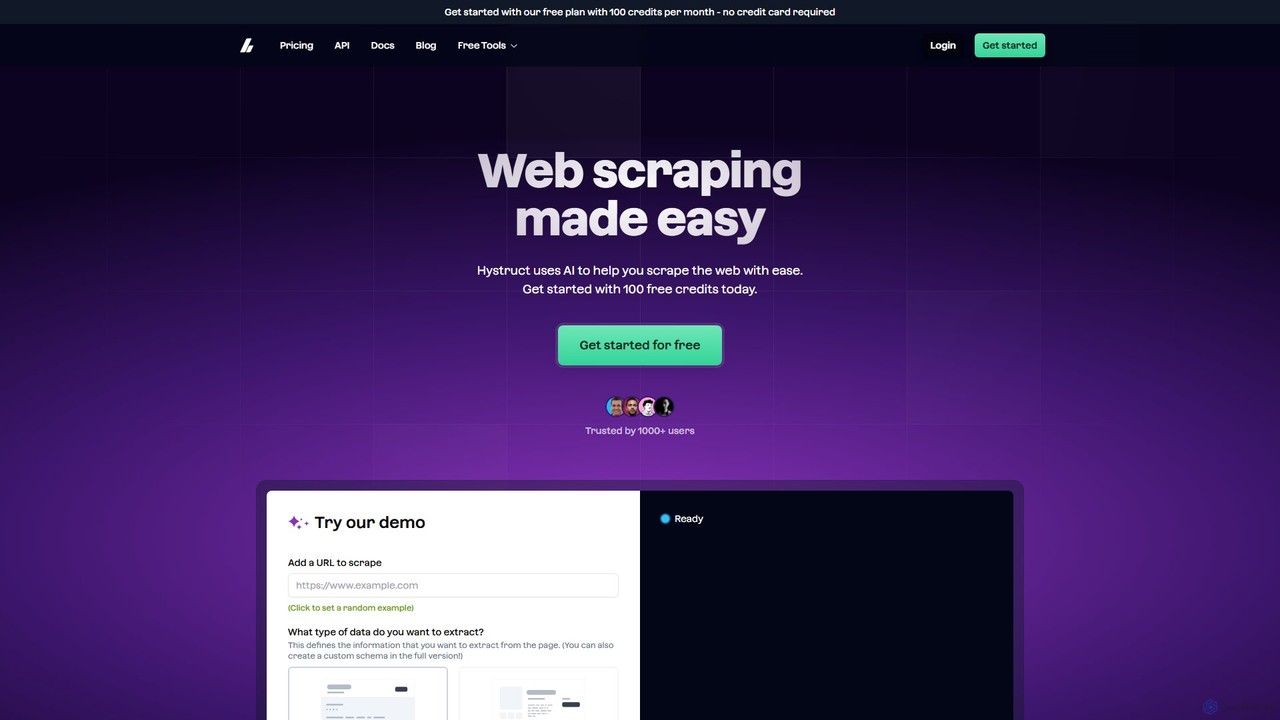
hystruct is an AI-powered web scraping tool that simplifies data extraction. It allows users to easily turn unstructured web content into structured data using pre-built or custom schemas, without needing to code. With integrations like Zapier, it automates workflows for market research, lead generation, and more. It's designed for everyone from beginners to enterprise teams.

Preview

Skrape Product overview

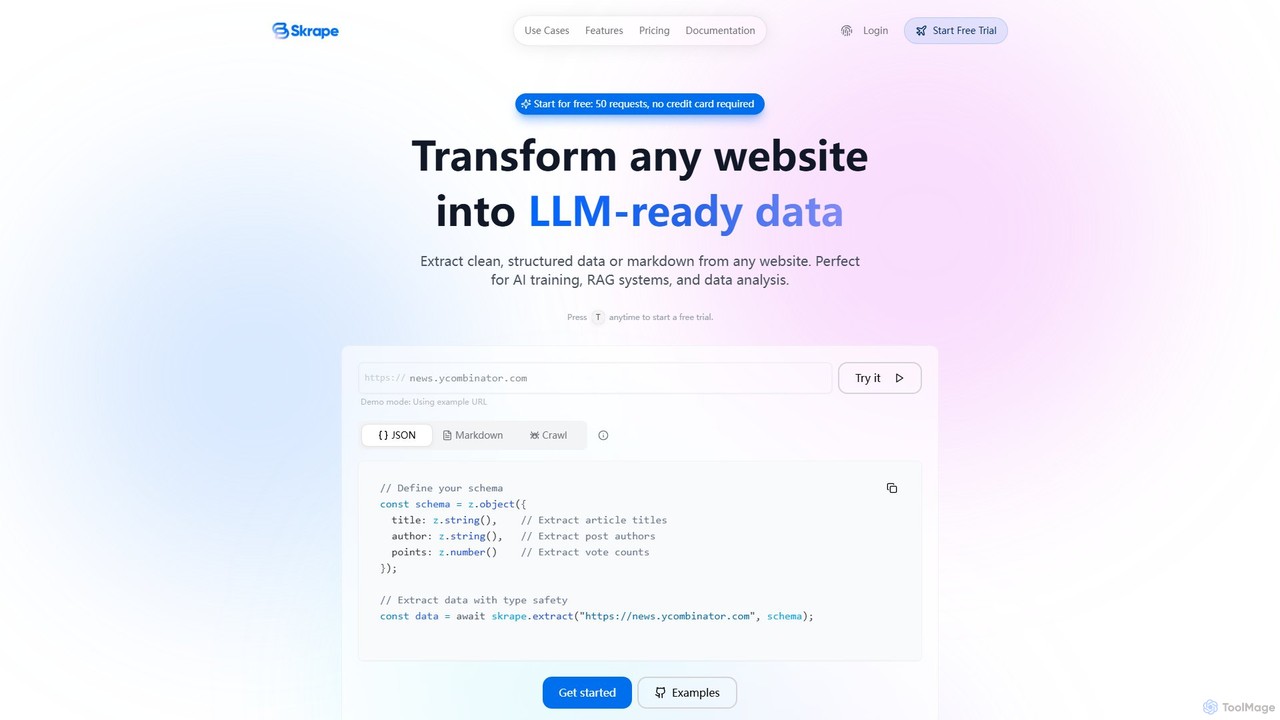
Skrape is an LLM-powered web scraping API designed to transform any website into clean, structured, and LLM-ready data. It simplifies data extraction by converting web pages into structured JSON or clean markdown, making it ideal for AI training, RAG systems, and data analysis. With features like dynamic content handling and smart crawling, Skrape provides a reliable solution for developers and businesses to automate their data collection pipelines.

Preview

Quick facts

Compare product focus, pricing models and audiences. Highlighted rows indicate different listed information; unknown pricing does not mean free.

hystruct VS Skrape — Quick facts
Quick factshystructSkrape
Pricing modelFreemiumFreemium
Product typeWebWeb
Primary focusScrapingScraping
Audience and rolesNo data availableNo data available
CategoriesScraping · Api · Lead Generation · AutomationScraping · Api · Automation
AddedAug 4, 2025Aug 12, 2025
UpdatedNov 19, 2026Nov 19, 2026

Features, usage and use cases

Explore the listed product descriptions, features and workflows. Taxonomy labels alone are not feature evaluations.

hystruct

hystruct is an advanced, AI-driven web scraping platform designed to make data extraction from any website effortless and efficient. It empowers users, regardless of their technical expertise, to convert unstructured web pages into clean, structured data. By leveraging artificial intelligence, hystruct eliminates the need for manual data entry or complex coding, automating the entire process from URL input to data output. The platform is built for a wide range of users, from individuals and small teams to large enterprises, providing a scalable solution for diverse data needs.

How to use hystruct

Using hystruct is a simple, three-step process designed for maximum efficiency:

  1. Choose a Data Structure: Start by entering the URL of the website you wish to scrape. Then, select from pre-built data schemas for common use cases like 'Job Post' or 'Ecommerce Product'. For more specific needs, paid plans allow you to create custom schemas to define exactly what information you want to extract. The AI intelligently identifies the corresponding data points on the page.
  2. Connect Your Favorite Tools: hystruct seamlessly integrates with other applications to automate your data pipeline. A key integration is with Zapier, which allows you to automatically send your scraped data to thousands of other apps, such as Google Sheets, Airtable, or your CRM, without writing any code.
  3. Begin Scraping: Once your schema and integrations are set up, you can start the scraping job. hystruct will process the pages, extract the data according to your defined structure, and make it available for download or automatically sync it with your connected tools. Higher-tier plans offer concurrent jobs to speed up large-scale projects.

Core Features of hystruct

  • AI-Powered Data Extraction: The core of hystruct is its AI engine, which automatically understands webpage layouts and extracts relevant data without requiring users to write CSS selectors or XPath queries.
  • Pre-built and Custom Schemas: Get started quickly with ready-to-use templates for common data types or create your own custom data structures for unique projects.
  • No-Code Interface: An intuitive, user-friendly platform that makes web scraping accessible to non-developers, marketers, researchers, and business analysts.
  • Seamless Integrations: Native integration with Zapier connects hystruct to a vast ecosystem of tools, enabling powerful workflow automation.
  • API Access: For developers and teams with custom needs, hystruct provides API access to programmatically manage and run scraping jobs.
  • Scalable Performance: With plans that support concurrent jobs and high credit volumes, hystruct can handle everything from small, one-off tasks to continuous, enterprise-level data extraction.
  • Ethical Scraping Guidance: The platform and its resources promote ethical scraping practices, such as respecting `robots.txt` and rate limits.

Use Cases for hystruct

hystruct is versatile and can be applied to numerous scenarios:

  • Market Research: Aggregate product details, pricing, and customer reviews from e-commerce sites to analyze market trends and competitor strategies.
  • Lead Generation: Extract contact information from online directories, professional networks, and corporate websites to build targeted sales lead lists.
  • Recruitment and HR: Scrape job boards and career pages to gather data on open positions, salary benchmarks, and required skills.
  • Content Aggregation: Collect articles, news, and blog posts from various sources to power a news portal or content platform.
  • Real Estate Analysis: Gather property listings, prices, and features from real estate websites for market analysis and investment decisions.

Advantages of hystruct

hystruct offers a significant competitive edge by simplifying a traditionally complex task. Its main advantages include speed, by automating what would take hours of manual work or coding; accessibility, by providing a no-code solution for all skill levels; and flexibility, through its support for both simple and complex data extraction needs with custom schemas and API access. The integration capabilities further enhance productivity by fitting directly into existing business workflows.

Pricing and Plans

hystruct offers a tiered pricing model to suit different needs:

  • Free: Perfect for getting started. Includes 100 credits, 1 schema, 1 concurrent job, and 24-hour support response time. No credit card required.
  • Core: Ideal for individuals and small projects. Priced at $9/month, it provides 1,000 credits, up to 5 schemas, 1 concurrent job, and 24-hour support.
  • Pro: The most popular plan for teams with larger jobs. For $99/month, users get 45,000 credits, unlimited schemas, 3 concurrent jobs, and a 12-hour support response time.
  • Enterprise: A custom plan for large teams with specific requirements. It includes custom credit allowances, unlimited schemas, SSO, and dedicated support.

Skrape

Skrape is a powerful and developer-friendly web scraping API that leverages Large Language Models (LLMs) to extract clean, structured data from any website. It is specifically engineered to streamline the process of data collection for modern AI applications, such as Retrieval-Augmented Generation (RAG) systems, model fine-tuning, and in-depth data analysis. The service can transform complex web pages, including those with dynamic JavaScript-rendered content, into neatly formatted markdown or structured JSON data according to a user-defined schema.

The core philosophy of Skrape is to simplify web data extraction. Instead of dealing with complex HTML parsing, anti-scraping measures, or managing proxies, developers can use a simple API call to get the data they need. The platform is built for reliability and scale, ensuring that users always receive fresh, real-time data without any caching.

How to use Skrape

Using Skrape is straightforward and designed for a seamless developer experience. Here's the typical workflow:

  1. Sign Up & Get API Key: First, create an account on the Skrape website. You can start with a free trial that provides 50 credits without requiring a credit card. Upon signing up, you will receive an API key from your dashboard.
  2. Authentication: All API requests must be authenticated using a Bearer Token. You need to include your API key in the `Authorization` header of your requests (e.g., `Authorization: Bearer YOUR_API_KEY`).
  3. Choose an Endpoint: Skrape offers several API endpoints based on your needs:
    • /api/markdown: Converts a single webpage into clean markdown.
    • /api/extract: Extracts structured JSON data from a webpage based on a Zod schema you provide. This allows for type-safe, precise data extraction.
    • /api/crawl: Crawls an entire website, following links to gather data from multiple pages efficiently.
  4. Make the API Call: Use your preferred HTTP client or Skrape's official SDKs (available for Node.js and Python) to make requests to the API. For example, to extract data, you would define your desired data structure as a schema and pass it along with the target URL to the `/api/extract` endpoint.
  5. Process the Results: The API returns the extracted data in the format you requested—either clean markdown or structured JSON. The service also supports background job processing for long-running tasks, and you can check the job status via the `/api/get-job` endpoint.

Core Features of Skrape

  • LLM-Powered Smart Extraction: Define your desired data structure using a schema, and the AI will intelligently extract and format the information into structured JSON.
  • Smart Crawling: Automatically crawls entire websites, even those without sitemaps, while respecting `robots.txt` rules to ensure ethical scraping.
  • Dynamic Content Handling: Fully supports JavaScript rendering, allowing it to handle Single Page Applications (SPAs) and other dynamic content that traditional scrapers struggle with.
  • Clean Markdown Conversion: Converts any webpage into perfectly formatted, clean markdown, ideal for RAG systems and knowledge bases.
  • API Actions: Can perform actions on a page like clicking buttons, scrolling, and waiting for specific content to load before extraction.
  • Real-Time Data: Skrape does not cache content, ensuring you always get the freshest, most up-to-date data directly from the source.
  • Developer-Friendly: Offers official SDKs for Node.js and Python, comprehensive API documentation, and a consistent error-handling format.

Use Cases for Skrape

Skrape is versatile and can be applied to a wide range of data collection tasks:

  • RAG-Ready Data Collection: Transform websites into clean, structured datasets with automatic metadata extraction, perfect for feeding into Retrieval-Augmented Generation applications.
  • AI Training Data Pipeline: Automate the collection of diverse, high-quality, multi-language datasets for fine-tuning language models and other AI applications.
  • Knowledge Base Building: Create comprehensive knowledge bases by scraping technical documentation, API references, tutorials, and research papers from multiple sources.
  • AI Content Monitoring: Keep up-to-date with the latest industry trends by tracking and collecting AI-related news, research, and technical blogs.
  • Model Evaluation Data: Gather real-world data from various domains to benchmark and evaluate the performance of your LLMs.

Advantages of Skrape

Skrape offers a significant edge over traditional web scraping methods. Its main advantages include its simplicity, power, and reliability. The API-first approach abstracts away the complexities of web scraping, allowing developers to focus on using the data. The use of LLMs for extraction provides superior accuracy and flexibility compared to brittle CSS-selector-based methods. Furthermore, its ability to handle dynamic content and provide clean, ready-to-use output saves significant development time and effort.

Pricing and Plans

Skrape offers a transparent, credit-based pricing model designed to scale with your needs.

  • Free Trial: Get started with 50 free credits to test the service. No credit card is required.
  • Starter Plan: $15/month for 3,000 credits. Ideal for small projects and individual developers.
  • Growth Plan: $50/month for 10,000 credits. Suited for growing teams with increased usage needs. Includes priority support.
  • Pro Plan: $250/month for 50,000 credits. Designed for businesses and teams with high-volume requirements. Includes priority support and custom rate limits.

Credit Usage:

  • HTML to Markdown: 1 credit per page
  • Web Crawling: 1 credit per page
  • AI Data Extraction: 5 credits per page

Positioning

Their taxonomy shows where the products overlap and where each one has a more distinct focus. Unknown fields are shown explicitly and are never filled with assumptions.

Categories

Shared
ScrapingApiAutomation
Only hystruct
Lead Generation
Only Skrape
No listed items

Tags

Shared
APIautomationdata extractionweb scraping
Only hystruct
data mininglead generationmarket researchno-codeZapier
Only Skrape
AI trainingdata collectiondeveloper tooldynamic contentJSONllmmarkdownRAG

Audience and roles

Shared
No listed items
Only hystruct
No listed items
Only Skrape
No listed items

Traffic comparison

Traffic is shown on the same scale so differences in market visibility are not visually understated.

How to interpret the traffic data

Both charts share the same months and vertical scale. Each tool identifies its latest reporting month; missing months are left blank, not counted as zero. Regional and source visit counts are estimates calculated from the reported shares.

hystruct monthly traffic:

Latest traffic · 2026-05

Monthly visits
1.4K
Avg. visit duration
0:00
Pages per visit
1.06
Bounce rate
37.79%
Data updated 2026-06-11

Monthly traffic trend

  • 2025-09: 320
  • 2026-01: 0
  • 2026-02: 21
  • 2026-03: 1K
  • 2026-04: 397
  • 2026-05: 1.4K

Top regions

Top 5 countries/regions
Country/regionPercentageEstimated visits
🇺🇸United States100%1.4K

Search keywords

hystructpuppeteer scrape pagesscrape with puppeteerweb scraper - free web scrapingwrite tool to scrape data from website

Skrape

No data available

Community signals

Ratings, comments, favorites, and likes are community signals—not a substitute for product fit.

hystruct

Rating
No data available
Comments
0
Favorites
162
Likes
184

Skrape

Rating
No data available
Comments
0
Favorites
166
Likes
153

hystruct vs Skrape · Comparison FAQ

What do hystruct and Skrape have in common?
Both tools are listed under Scraping、Api、Automation. These categories indicate overlapping use cases; compare their detailed descriptions for workflows, capabilities and limitations.
Are hystruct and Skrape free?
Listed pricing models: hystruct — Freemium; Skrape — Freemium. Missing pricing is not proof of a free plan, and freemium does not mean every feature is free. Check official sites for current plans, limits and trials.
How should I choose between hystruct and Skrape?
The primary listed category is Scraping for hystruct, and Scraping for Skrape. Compare features, steps and use cases, then verify pricing, data permissions and deployment needs. This page does not include hands-on testing and does not declare a winner from traffic or tags.

Sources and comparison methodology

This page is assembled from ToolMage product listings, taxonomy, traffic statistics and on-site user feedback. It is not a hands-on test or an independent review.

  • Feature and plan descriptions reflect information in the listings, not real-time guarantees. Verify pricing, quotas, availability and privacy terms on the official sites.
  • Traffic uses the reporting months shown. Missing statistics do not mean zero visits, and different periods do not establish growth or superiority. Regional and source visit counts are estimates based on shares.
  • Different tags indicate differences in the listings, not proof that the other product lacks a capability. Ratings, favorites and visits are not used to declare a winner.

Related comparisons