ToolMage
Sign in

AI TOOL COMPARISON

Jsonify vs Mindee

What is the difference, and which fits your workflow? Compare features, usage, pricing models and traffic side by side.

Jump to key differences

Product overview

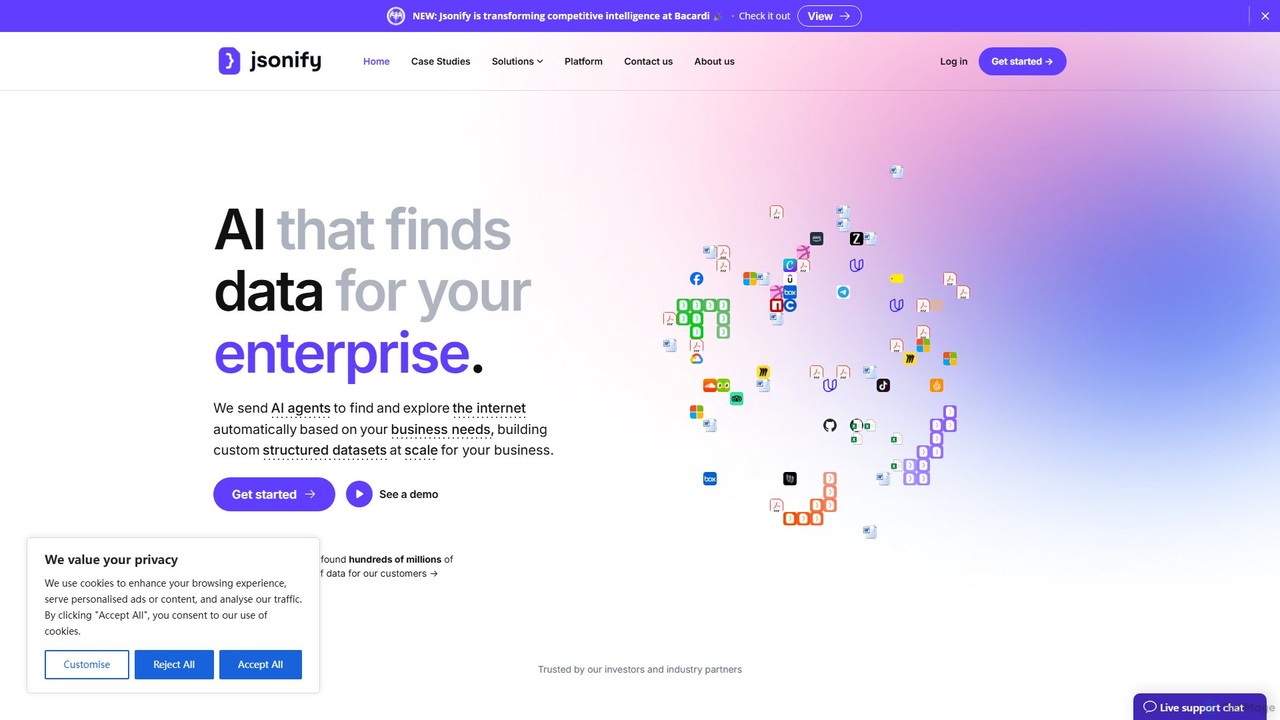
Jsonify Product overview

Jsonify is an AI-powered platform designed for enterprises to automatically find, extract, and structure data from various documents and web sources into clean JSON format. It streamlines data processing workflows, eliminating manual entry and enabling seamless integration via its robust API.

Preview

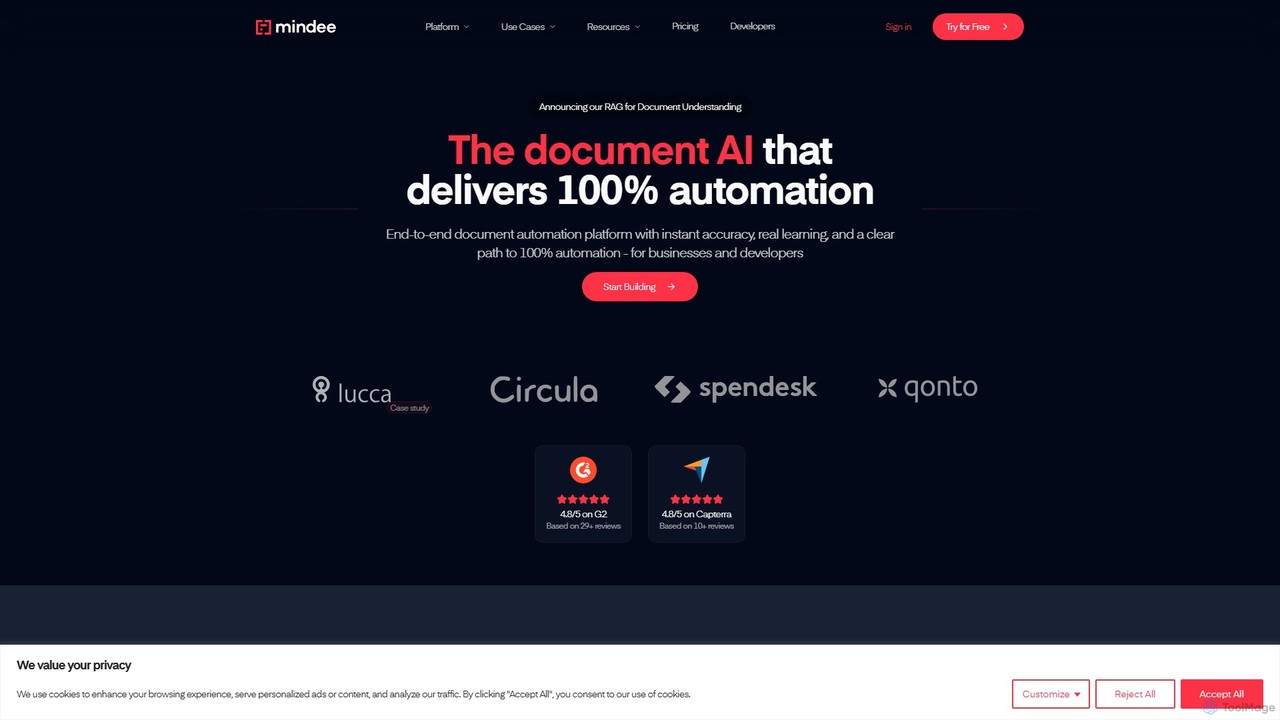
Mindee Product overview

Mindee is an AI-powered OCR and data extraction API for developers. It automates data entry by instantly parsing and structuring information from various documents like invoices, receipts, and passports. It provides structured JSON data, eliminating manual work and improving accuracy.

Preview

Quick facts

Compare product focus, pricing models and audiences. Highlighted rows indicate different listed information; unknown pricing does not mean free.

Jsonify VS Mindee — Quick facts
Quick factsJsonifyMindee
Pricing modelPaidFreemium
Product typeWebWeb
Primary focusData AnalysisDocument Management
Audience and rolesNo data availableNo data available
CategoriesData Analysis · Extraction · Api · AutomationDocument Management · Api · Automation
AddedAug 3, 2025Aug 16, 2025
UpdatedNov 19, 2026Nov 19, 2026

Features, usage and use cases

Explore the listed product descriptions, features and workflows. Taxonomy labels alone are not feature evaluations.

Jsonify

Jsonify is a sophisticated AI platform engineered to solve one of the most significant challenges for modern enterprises: extracting structured data from unstructured sources. Positioned as "AI that finds data for enterprise," Jsonify leverages advanced artificial intelligence, including Natural Language Processing (NLP) and Optical Character Recognition (OCR), to automatically identify, parse, and convert information from documents like invoices, contracts, reports, and websites into clean, developer-friendly JSON format.

The platform is designed to eliminate the tedious and error-prone process of manual data entry. By automating data extraction, businesses can significantly accelerate their workflows, improve data accuracy, and unlock valuable insights previously trapped in static documents. Jsonify is built for scalability and security, making it an ideal solution for organizations of all sizes that handle large volumes of data.

How to use Jsonify

Using Jsonify is a straightforward process designed for both technical and non-technical users:

  1. Connect Your Data Source: Begin by uploading your documents (PDF, DOCX, PNG, JPG) directly to the platform or by providing URLs to websites you want to extract data from. For automated workflows, you can connect to cloud storage services or use the API.
  2. Define Your Data Schema: Specify the structure of the output you need. You can create a custom schema by defining the key-value pairs you want to extract (e.g., 'customer_name', 'invoice_id', 'total_amount'). The platform's AI can also intelligently suggest a schema based on the content of your documents.
  3. Run the AI Extraction: Initiate the extraction process with a single click. Jsonify's AI models will scan the source, identify the relevant data points according to your schema, and process them.
  4. Review and Validate: The platform provides an interface to review the extracted data alongside the original source document, allowing for quick validation and correction if needed.
  5. Integrate and Export: Once validated, the data is available as a clean JSON file for download. More powerfully, you can use the Jsonify API to pull this structured data directly into your own applications, databases, ERPs, or analytics tools, creating a fully automated data pipeline.

Core Features of Jsonify

  • AI-Powered Data Extraction: Utilizes state-of-the-art AI, NLP, and OCR to accurately extract text, numbers, tables, and other data from a wide range of unstructured sources.
  • Multi-Format Input Support: Capable of processing various file types, including PDFs, Word documents, scanned images (PNG, JPG), and live websites.
  • Automated JSON Structuring: Intelligently converts extracted information into a well-formed, predictable JSON output, ready for immediate use in software development.
  • Custom Schema Definition: Offers full flexibility for users to define the exact output format, ensuring compatibility with their existing systems.
  • Robust API for Integration: A comprehensive API allows for seamless integration into enterprise workflows, enabling programmatic data extraction at scale.
  • Scalable Cloud Infrastructure: Built on reliable cloud infrastructure (backed by partners like Google Cloud) to handle high-volume data processing with speed and efficiency.
  • User-Friendly Interface: An intuitive web-based platform that simplifies the creation and management of data extraction tasks without requiring deep technical expertise.

Use Cases for Jsonify

Jsonify is versatile and can be applied across numerous industries:

  • Finance and Accounting: Automating the extraction of data from invoices, purchase orders, receipts, and bank statements for accounting software.
  • Legal Tech: Parsing legal contracts, court filings, and discovery documents to extract key clauses, dates, and party information.
  • Real Estate: Aggregating property details, pricing, and agent information from various real estate listings and official documents.
  • Healthcare: Digitizing patient intake forms, lab reports, and insurance claims to streamline administrative processes.
  • Logistics and Supply Chain: Extracting shipping details, bills of lading, and customs forms to track shipments and manage inventory.
  • Market Research: Scraping competitor websites, product reviews, and industry reports to gather competitive intelligence.

Advantages of Jsonify

The primary advantage of Jsonify is its ability to transform inefficient, manual processes into a streamlined, automated workflow. This leads to significant time and cost savings, reduces the risk of human error, and improves overall data quality. By making unstructured data machine-readable, Jsonify empowers businesses to make faster, data-driven decisions and build more intelligent applications. Its API-first approach ensures that it can serve as a foundational data layer for any modern enterprise technology stack.

Pricing and Plans

Jsonify's pricing is tailored for enterprise and business use. While specific plans are not publicly listed, the model is based on usage volume and feature requirements. Interested customers are encouraged to book a call with the sales team to get a personalized quote and a platform demo. This approach ensures that the plan is perfectly aligned with the customer's specific data extraction needs and scale of operations. Custom enterprise plans are available for large-scale deployments.

Mindee

Mindee is a state-of-the-art API platform designed for developers, providing powerful AI-driven tools for document data extraction. It goes beyond traditional Optical Character Recognition (OCR) by not just converting images to text, but by understanding the document's structure and extracting meaningful, structured data. This enables businesses to automate tedious data entry processes, reduce human error, and build more efficient workflows. Whether you're processing invoices, scanning receipts for expense management, or verifying identities with passports, Mindee offers a robust and scalable solution.

The platform is built with a developer-first mindset, offering extensive documentation, client libraries for various programming languages, and a straightforward integration process. It leverages deep learning models that are pre-trained on millions of documents, ensuring high accuracy out-of-the-box. For unique document types, Mindee's API Builder allows users to train custom models with just a few examples, making it a highly flexible and adaptable tool for any industry.

How to use Mindee

Integrating Mindee into your application is a simple process:

  1. Sign Up & Get API Key: Create a free account on the Mindee website to get your API key.
  2. Choose an API: Select from a range of pre-built APIs for common documents (e.g., Invoice, Receipt, Passport) or decide to build your own.
  3. Build a Custom API (Optional): If you have a unique document, use the API Builder. Upload a few sample documents (as few as 10-20) and use the simple UI to annotate the fields you need to extract (e.g., 'customer_name', 'order_number'). Mindee will automatically train a custom model for you.
  4. Integrate with your Code: Use one of Mindee's official client libraries (available for Python, Node.js, Ruby, PHP, and more) or make direct REST API calls.
  5. Send Documents for Processing: Send your document file (PDF, JPG, PNG) to the appropriate API endpoint.
  6. Receive Structured Data: The API will return a clean, structured JSON response containing the extracted data, complete with field names, values, and confidence scores, ready to be used in your application.

Core Features of Mindee

  • Pre-built APIs: Ready-to-use APIs for a wide range of documents, including invoices, receipts, passports, ID cards, and financial statements.
  • Custom API Builder: A no-code tool that allows you to create your own data extraction model for any document type by simply annotating a few examples.
  • Structured JSON Output: Delivers clean, predictable JSON data, making it easy to integrate into databases, ERPs, and other business software.
  • High Accuracy: Powered by deep learning models trained on vast datasets, ensuring industry-leading accuracy for data extraction.
  • Continuous Learning: The models are constantly improving, and you can provide feedback to enhance the performance for your specific use cases.
  • Multi-Language Support: Capable of processing documents in various languages, including English, French, Spanish, German, and more.
  • Scalable Infrastructure: Built on a reliable cloud infrastructure that can handle high volumes of documents with low latency.

Use Cases for Mindee

Mindee is versatile and can be applied across numerous industries:

  • Accounts Payable Automation: Automatically extract vendor names, invoice numbers, due dates, and line items from supplier invoices to streamline payment processes.
  • Expense Management: Digitize and process employee expense receipts in real-time for faster reimbursements.
  • Customer Onboarding (KYC): Quickly extract and verify information from passports, driver's licenses, and other identity documents to accelerate user verification.
  • Logistics and Supply Chain: Process bills of lading, packing slips, and customs forms to automate logistics workflows.
  • Insurance Tech: Automate data extraction from claim forms, medical reports, and policy documents to speed up claims processing.
  • Retail and Loyalty: Capture data from retail receipts to analyze purchasing behavior and manage loyalty programs.

Advantages of Mindee

Using Mindee provides significant competitive advantages:

  • Drastic Time Savings: Eliminates hours of manual data entry, freeing up employees to focus on more valuable tasks.
  • Increased Accuracy: Reduces costly errors associated with manual data input.
  • Seamless Integration: Developer-friendly APIs and SDKs make it easy to embed into existing applications and workflows.
  • Cost-Effective: The freemium model allows you to start for free and scale affordably as your needs grow.
  • Scalability: Effortlessly handles fluctuating volumes, from a few documents a day to millions per month.

Pricing and Plans

Mindee operates on a freemium model, making it accessible for projects of all sizes.

  • Free Plan: Ideal for development, testing, and small-scale projects. It typically includes a generous monthly quota of free pages for both pre-built and custom APIs (e.g., 250 pages/month).
  • Paid Plans (Pro/Business): For production applications with higher volume needs, these plans offer a lower cost per page, increased rate limits, and priority support. Pricing is based on the number of pages processed per month.
  • Enterprise Plan: A custom plan designed for large organizations with very high volume requirements, offering dedicated support, custom SLAs, and advanced security features.

For the most current and detailed pricing information, please visit the official Mindee website.

Positioning

Their taxonomy shows where the products overlap and where each one has a more distinct focus. Unknown fields are shown explicitly and are never filled with assumptions.

Categories

Shared
ApiAutomation
Only Jsonify
Data AnalysisExtraction
Only Mindee
Document Management

Tags

Shared
APIautomationdata extractiondeveloper toolsdocument processingOCR
Only Jsonify
data scrapingenterpriseJSONNLPunstructured data
Only Mindee
intelligent document processinginvoice processingKYCmachine learningreceipt scanning

Audience and roles

Shared
No listed items
Only Jsonify
No listed items
Only Mindee
No listed items

Traffic comparison

Traffic is shown on the same scale so differences in market visibility are not visually understated.

How to interpret the traffic data

Both charts share the same months and vertical scale. Each tool identifies its latest reporting month; missing months are left blank, not counted as zero. Regional and source visit counts are estimates calculated from the reported shares.

Jsonify monthly traffic:

Latest traffic · 2026-05

Monthly visits
2.9K
Avg. visit duration
0:45
Pages per visit
1.98
Bounce rate
35%
Data updated 2026-06-15

Monthly traffic trend

  • 2025-09: 8.1K
  • 2026-01: 2.6K
  • 2026-02: 3.3K
  • 2026-03: 2.6K
  • 2026-04: 3.2K
  • 2026-05: 2.9K

Top regions

Top 5 countries/regions
Country/regionPercentageEstimated visits
🇺🇸United States100%2.9K

Search keywords

firecrawl apihelium 10icemanifyjsonifyjsonify insurance

Mindee monthly traffic:

Latest traffic · 2026-05

Monthly visits
42.7K
Avg. visit duration
0:20
Pages per visit
2.32
Bounce rate
38.52%
Data updated 2026-06-11

Monthly traffic trend

  • 2025-09: 52.4K
  • 2026-01: 73.6K
  • 2026-02: 70.4K
  • 2026-03: 57K
  • 2026-04: 42.6K
  • 2026-05: 42.7K

Top regions

Top 5 countries/regions
Country/regionPercentageEstimated visits
🇺🇸United States29.26%12.5K
🇫🇷France21.99%9.4K
🇮🇳India19.38%8.3K
🇪🇸Spain16.21%6.9K
🇻🇳Vietnam13.16%5.6K

Traffic sources

Source typePercentageEstimated visits
Direct89.11%38K
Email10.4%4.4K
Referral0.49%209

Search keywords

mindeemindee apiocrresume ats makertest doctr

Community signals

Ratings, comments, favorites, and likes are community signals—not a substitute for product fit.

Jsonify

Rating
No data available
Comments
0
Favorites
222
Likes
188

Mindee

Rating
No data available
Comments
0
Favorites
218
Likes
186

Jsonify vs Mindee · Comparison FAQ

What do Jsonify and Mindee have in common?
Both tools are listed under Api、Automation. These categories indicate overlapping use cases; compare their detailed descriptions for workflows, capabilities and limitations.
Are Jsonify and Mindee free?
Listed pricing models: Jsonify — Paid; Mindee — Freemium. Missing pricing is not proof of a free plan, and freemium does not mean every feature is free. Check official sites for current plans, limits and trials.
How should I choose between Jsonify and Mindee?
The primary listed category is Data Analysis for Jsonify, and Document Management for Mindee. Compare features, steps and use cases, then verify pricing, data permissions and deployment needs. This page does not include hands-on testing and does not declare a winner from traffic or tags.

Sources and comparison methodology

This page is assembled from ToolMage product listings, taxonomy, traffic statistics and on-site user feedback. It is not a hands-on test or an independent review.

  • Feature and plan descriptions reflect information in the listings, not real-time guarantees. Verify pricing, quotas, availability and privacy terms on the official sites.
  • Traffic uses the reporting months shown. Missing statistics do not mean zero visits, and different periods do not establish growth or superiority. Regional and source visit counts are estimates based on shares.
  • Different tags indicate differences in the listings, not proof that the other product lacks a capability. Ratings, favorites and visits are not used to declare a winner.

Related comparisons