ToolMage
Sign in

AI TOOL COMPARISON

Jsonify vs Pdfparser

What is the difference, and which fits your workflow? Compare features, usage, pricing models and traffic side by side.

Jump to key differences

Product overview

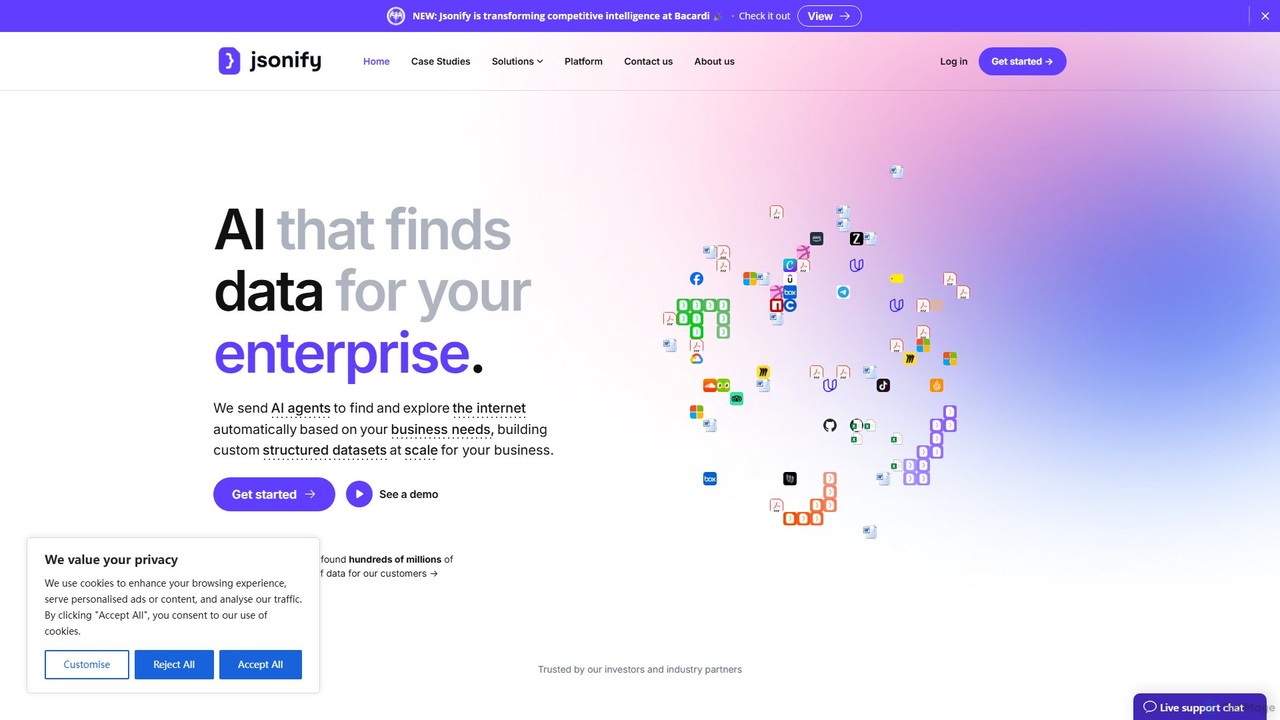
Jsonify Product overview

Jsonify is an AI-powered platform designed for enterprises to automatically find, extract, and structure data from various documents and web sources into clean JSON format. It streamlines data processing workflows, eliminating manual entry and enabling seamless integration via its robust API.

Preview

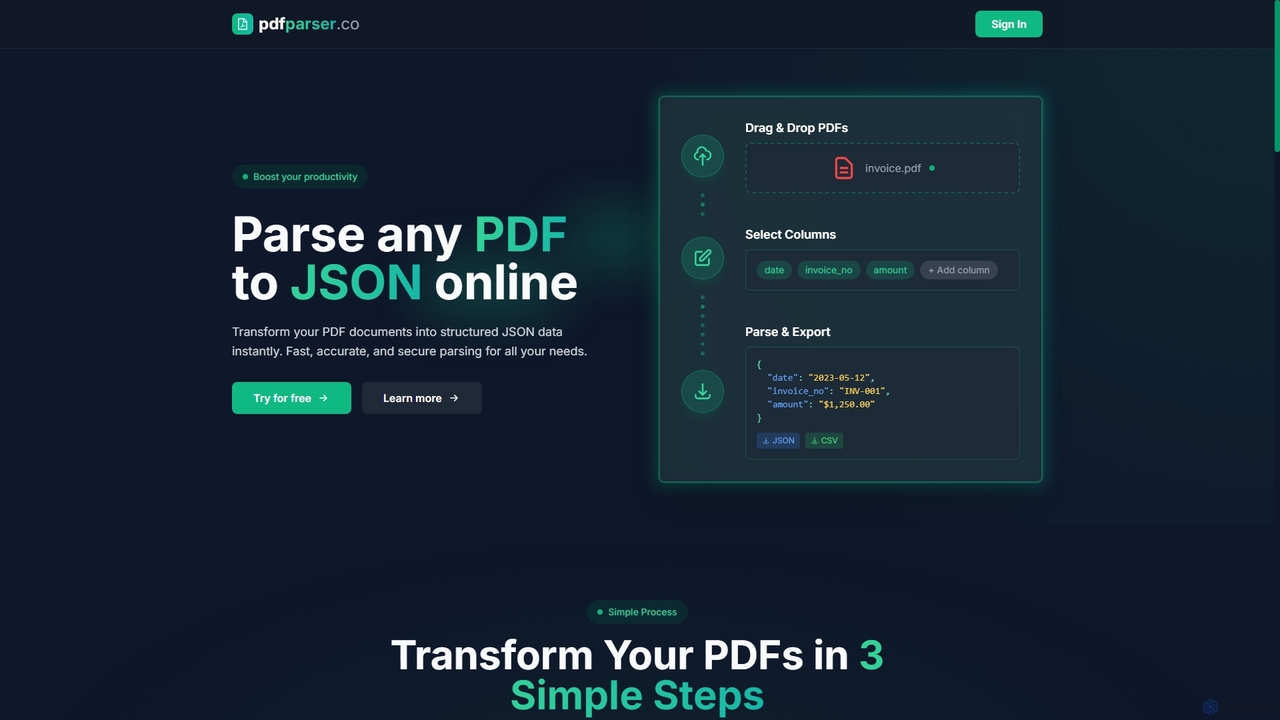
Pdfparser Product overview

Pdfparser is an AI-powered online tool that effortlessly transforms PDF documents into structured JSON or CSV data. It automates data extraction from various documents like invoices, contracts, and reports, eliminating manual entry. With a simple drag-and-drop interface, users can specify required fields and get accurate, machine-readable data in seconds. It's designed for both non-technical users and developers seeking to streamline their data workflows.

Preview

Quick facts

Compare product focus, pricing models and audiences. Highlighted rows indicate different listed information; unknown pricing does not mean free.

Jsonify VS Pdfparser — Quick facts
Quick factsJsonifyPdfparser
Pricing modelPaidFreemium
Product typeWebWeb
Primary focusData AnalysisExtraction
Audience and rolesNo data availableAccountant · Data Analyst · HR Manager · Legal Assistant · Operations Manager · Researcher · Small Business Owner · Software Developer
CategoriesData Analysis · Extraction · Api · AutomationExtraction · Api · Automation
AddedAug 3, 2025Sep 26, 2025
UpdatedNov 19, 2026Nov 19, 2026

Features, usage and use cases

Explore the listed product descriptions, features and workflows. Taxonomy labels alone are not feature evaluations.

Jsonify

Jsonify is a sophisticated AI platform engineered to solve one of the most significant challenges for modern enterprises: extracting structured data from unstructured sources. Positioned as "AI that finds data for enterprise," Jsonify leverages advanced artificial intelligence, including Natural Language Processing (NLP) and Optical Character Recognition (OCR), to automatically identify, parse, and convert information from documents like invoices, contracts, reports, and websites into clean, developer-friendly JSON format.

The platform is designed to eliminate the tedious and error-prone process of manual data entry. By automating data extraction, businesses can significantly accelerate their workflows, improve data accuracy, and unlock valuable insights previously trapped in static documents. Jsonify is built for scalability and security, making it an ideal solution for organizations of all sizes that handle large volumes of data.

How to use Jsonify

Using Jsonify is a straightforward process designed for both technical and non-technical users:

  1. Connect Your Data Source: Begin by uploading your documents (PDF, DOCX, PNG, JPG) directly to the platform or by providing URLs to websites you want to extract data from. For automated workflows, you can connect to cloud storage services or use the API.
  2. Define Your Data Schema: Specify the structure of the output you need. You can create a custom schema by defining the key-value pairs you want to extract (e.g., 'customer_name', 'invoice_id', 'total_amount'). The platform's AI can also intelligently suggest a schema based on the content of your documents.
  3. Run the AI Extraction: Initiate the extraction process with a single click. Jsonify's AI models will scan the source, identify the relevant data points according to your schema, and process them.
  4. Review and Validate: The platform provides an interface to review the extracted data alongside the original source document, allowing for quick validation and correction if needed.
  5. Integrate and Export: Once validated, the data is available as a clean JSON file for download. More powerfully, you can use the Jsonify API to pull this structured data directly into your own applications, databases, ERPs, or analytics tools, creating a fully automated data pipeline.

Core Features of Jsonify

  • AI-Powered Data Extraction: Utilizes state-of-the-art AI, NLP, and OCR to accurately extract text, numbers, tables, and other data from a wide range of unstructured sources.
  • Multi-Format Input Support: Capable of processing various file types, including PDFs, Word documents, scanned images (PNG, JPG), and live websites.
  • Automated JSON Structuring: Intelligently converts extracted information into a well-formed, predictable JSON output, ready for immediate use in software development.
  • Custom Schema Definition: Offers full flexibility for users to define the exact output format, ensuring compatibility with their existing systems.
  • Robust API for Integration: A comprehensive API allows for seamless integration into enterprise workflows, enabling programmatic data extraction at scale.
  • Scalable Cloud Infrastructure: Built on reliable cloud infrastructure (backed by partners like Google Cloud) to handle high-volume data processing with speed and efficiency.
  • User-Friendly Interface: An intuitive web-based platform that simplifies the creation and management of data extraction tasks without requiring deep technical expertise.

Use Cases for Jsonify

Jsonify is versatile and can be applied across numerous industries:

  • Finance and Accounting: Automating the extraction of data from invoices, purchase orders, receipts, and bank statements for accounting software.
  • Legal Tech: Parsing legal contracts, court filings, and discovery documents to extract key clauses, dates, and party information.
  • Real Estate: Aggregating property details, pricing, and agent information from various real estate listings and official documents.
  • Healthcare: Digitizing patient intake forms, lab reports, and insurance claims to streamline administrative processes.
  • Logistics and Supply Chain: Extracting shipping details, bills of lading, and customs forms to track shipments and manage inventory.
  • Market Research: Scraping competitor websites, product reviews, and industry reports to gather competitive intelligence.

Advantages of Jsonify

The primary advantage of Jsonify is its ability to transform inefficient, manual processes into a streamlined, automated workflow. This leads to significant time and cost savings, reduces the risk of human error, and improves overall data quality. By making unstructured data machine-readable, Jsonify empowers businesses to make faster, data-driven decisions and build more intelligent applications. Its API-first approach ensures that it can serve as a foundational data layer for any modern enterprise technology stack.

Pricing and Plans

Jsonify's pricing is tailored for enterprise and business use. While specific plans are not publicly listed, the model is based on usage volume and feature requirements. Interested customers are encouraged to book a call with the sales team to get a personalized quote and a platform demo. This approach ensures that the plan is perfectly aligned with the customer's specific data extraction needs and scale of operations. Custom enterprise plans are available for large-scale deployments.

Pdfparser

Pdfparser is a powerful and user-friendly AI tool designed to streamline the process of extracting valuable information from PDF documents. It addresses the common challenge of manual data entry, which is often time-consuming, prone to errors, and inefficient. By leveraging advanced artificial intelligence, Pdfparser can intelligently parse a wide variety of PDF files—from structured invoices and reports to unstructured legal contracts—and convert them into clean, structured JSON or CSV formats. This automation boosts productivity, improves data accuracy, and allows businesses and individuals to focus on analyzing and utilizing their data rather than collecting it.

How to use Pdfparser

The platform is designed for simplicity and requires no technical expertise. The entire process can be completed in three straightforward steps:

  1. Upload Files: Begin by dragging and dropping one or more PDF files directly onto the web interface. The tool supports batch processing, allowing you to handle multiple documents simultaneously.
  2. Select Columns: Specify the data fields you wish to extract. For example, if you are parsing an invoice, you might enter fields like "date", "invoice_no", and "amount". The AI will then intelligently locate and extract this information from the document, regardless of its layout.
  3. Parse & Export: With a single click, Pdfparser processes the documents. The extracted data is instantly displayed and available for download as structured JSON or CSV, ready for integration into your applications, databases, or analytics tools.

Core Features of Pdfparser

  • AI-Powered Parsing: Utilizes sophisticated AI models to understand the context and structure of documents, enabling accurate data extraction without predefined templates.
  • Custom Field Extraction: Users have complete control to define which specific data points they need, making the tool highly adaptable to any use case.
  • Multiple Output Formats: Exports extracted data into universally compatible formats like JSON and CSV, ensuring easy integration with other systems.
  • Batch Processing: Efficiently handles multiple PDF files at once, saving significant time for users dealing with large volumes of documents.
  • User-Friendly Interface: A simple drag-and-drop mechanism and intuitive workflow make it accessible to users of all skill levels.
  • Secure Handling: Prioritizes data security by not storing information from uploaded PDFs after processing. It uses OpenAI's API for parsing, and users are advised to review the privacy policy.
  • API Access (Coming Soon): A planned feature that will allow developers to integrate Pdfparser's capabilities directly into their own applications and automated workflows.

Use Cases for Pdfparser

Pdfparser is versatile and provides value across numerous industries:

  • Finance & Accounting: Automate the extraction of data from invoices, receipts, and financial statements for faster accounts payable processing and financial analysis.
  • Legal & Compliance: Quickly pull key information like dates, parties, and clauses from contracts and legal documents to streamline review and compliance monitoring.
  • Human Resources: Efficiently parse resumes and employee records to extract candidate information, skills, and work history for faster screening and database management.
  • Healthcare: Extract patient data, lab results, and information from medical forms while maintaining compliance (users should verify HIPAA compliance for their specific use case).
  • Real Estate: Process lease agreements and property reports to extract tenant details, lease terms, and property specifications.
  • Supply Chain & Logistics: Automate data entry from purchase orders, shipping details, and inventory reports to improve operational efficiency.
  • Education & Research: Extract citations, abstracts, and key findings from academic papers for literature reviews and data analysis.

Advantages of Pdfparser

Using Pdfparser offers a competitive edge by transforming document-heavy workflows. Key benefits include a dramatic reduction in manual labor, leading to significant time and cost savings. The AI-driven process minimizes human error, ensuring higher data accuracy and reliability. Its template-free approach provides the flexibility to handle diverse document layouts without constant reconfiguration. This makes operations more scalable, efficient, and allows teams to unlock valuable insights from their documents with ease.

Pricing and Plans

Pdfparser operates on a flexible, pay-as-you-go credit system, with free credits available for testing. Credits do not expire.

  • Lite: $1 for 10 credits (~$0.10 per document). Ideal for casual users with occasional parsing needs.
  • Standard (Most Popular): $5 for 60 credits (~$0.08 per document). Suitable for moderate usage and offers better value.
  • Premium: $25 for 500 credits (~$0.05 per document). Designed for heavy users and businesses with high-volume parsing requirements.

All plans include the core features, with API access and JSON Schema validation planned for future release.

Positioning

Their taxonomy shows where the products overlap and where each one has a more distinct focus. Unknown fields are shown explicitly and are never filled with assumptions.

Categories

Shared
ExtractionApiAutomation
Only Jsonify
Data Analysis
Only Pdfparser
No listed items

Tags

Shared
automationdata extractionunstructured data
Only Jsonify
APIdata scrapingdeveloper toolsdocument processingenterpriseJSONNLPOCR
Only Pdfparser
AI data capturecontract analysisdocument parsinginvoice processingpdf to csvPDF to JSON

Audience and roles

Shared
No listed items
Only Jsonify
No listed items
Only Pdfparser
AccountantData AnalystHR ManagerLegal AssistantOperations ManagerResearcherSmall Business OwnerSoftware Developer

Traffic comparison

Traffic is shown on the same scale so differences in market visibility are not visually understated.

How to interpret the traffic data

Both charts share the same months and vertical scale. Each tool identifies its latest reporting month; missing months are left blank, not counted as zero. Regional and source visit counts are estimates calculated from the reported shares.

Jsonify monthly traffic:

Latest traffic · 2026-05

Monthly visits
2.9K
Avg. visit duration
0:45
Pages per visit
1.98
Bounce rate
35%
Data updated 2026-06-15

Monthly traffic trend

  • 2025-09: 8.1K
  • 2026-01: 2.6K
  • 2026-02: 3.3K
  • 2026-03: 2.6K
  • 2026-04: 3.2K
  • 2026-05: 2.9K

Top regions

Top 5 countries/regions
Country/regionPercentageEstimated visits
🇺🇸United States100%2.9K

Search keywords

firecrawl apihelium 10icemanifyjsonifyjsonify insurance

Pdfparser monthly traffic:

Latest traffic · 2026-05

Monthly visits
536
Avg. visit duration
0:00
Pages per visit
1.02
Bounce rate
39.08%
Data updated 2026-06-15

Monthly traffic trend

  • 2025-09: 4.5K
  • 2026-01: 932
  • 2026-02: 994
  • 2026-03: 1.9K
  • 2026-04: 478
  • 2026-05: 536

Top regions

Top 5 countries/regions
Country/regionPercentageEstimated visits
🇵🇪Peru55.86%299
🇮🇳India24.11%129
🇨🇴Colombia20.03%107

Search keywords

abbyy pdf parserparse pdfpdf-parsepdf parserpdf-parser

Community signals

Ratings, comments, favorites, and likes are community signals—not a substitute for product fit.

Jsonify

Rating
No data available
Comments
0
Favorites
222
Likes
188

Pdfparser

Rating
No data available
Comments
0
Favorites
177
Likes
178

Jsonify vs Pdfparser · Comparison FAQ

What do Jsonify and Pdfparser have in common?
Both tools are listed under Extraction、Api、Automation. These categories indicate overlapping use cases; compare their detailed descriptions for workflows, capabilities and limitations.
Are Jsonify and Pdfparser free?
Listed pricing models: Jsonify — Paid; Pdfparser — Freemium. Missing pricing is not proof of a free plan, and freemium does not mean every feature is free. Check official sites for current plans, limits and trials.
How should I choose between Jsonify and Pdfparser?
The primary listed category is Data Analysis for Jsonify, and Extraction for Pdfparser. Compare features, steps and use cases, then verify pricing, data permissions and deployment needs. This page does not include hands-on testing and does not declare a winner from traffic or tags.

Sources and comparison methodology

This page is assembled from ToolMage product listings, taxonomy, traffic statistics and on-site user feedback. It is not a hands-on test or an independent review.

  • Feature and plan descriptions reflect information in the listings, not real-time guarantees. Verify pricing, quotas, availability and privacy terms on the official sites.
  • Traffic uses the reporting months shown. Missing statistics do not mean zero visits, and different periods do not establish growth or superiority. Regional and source visit counts are estimates based on shares.
  • Different tags indicate differences in the listings, not proof that the other product lacks a capability. Ratings, favorites and visits are not used to declare a winner.

Related comparisons