ToolMage
Sign in

AI TOOL COMPARISON

Klu vs letsdive

What is the difference, and which fits your workflow? Compare features, usage, pricing models and traffic side by side.

Jump to key differences

Product overview

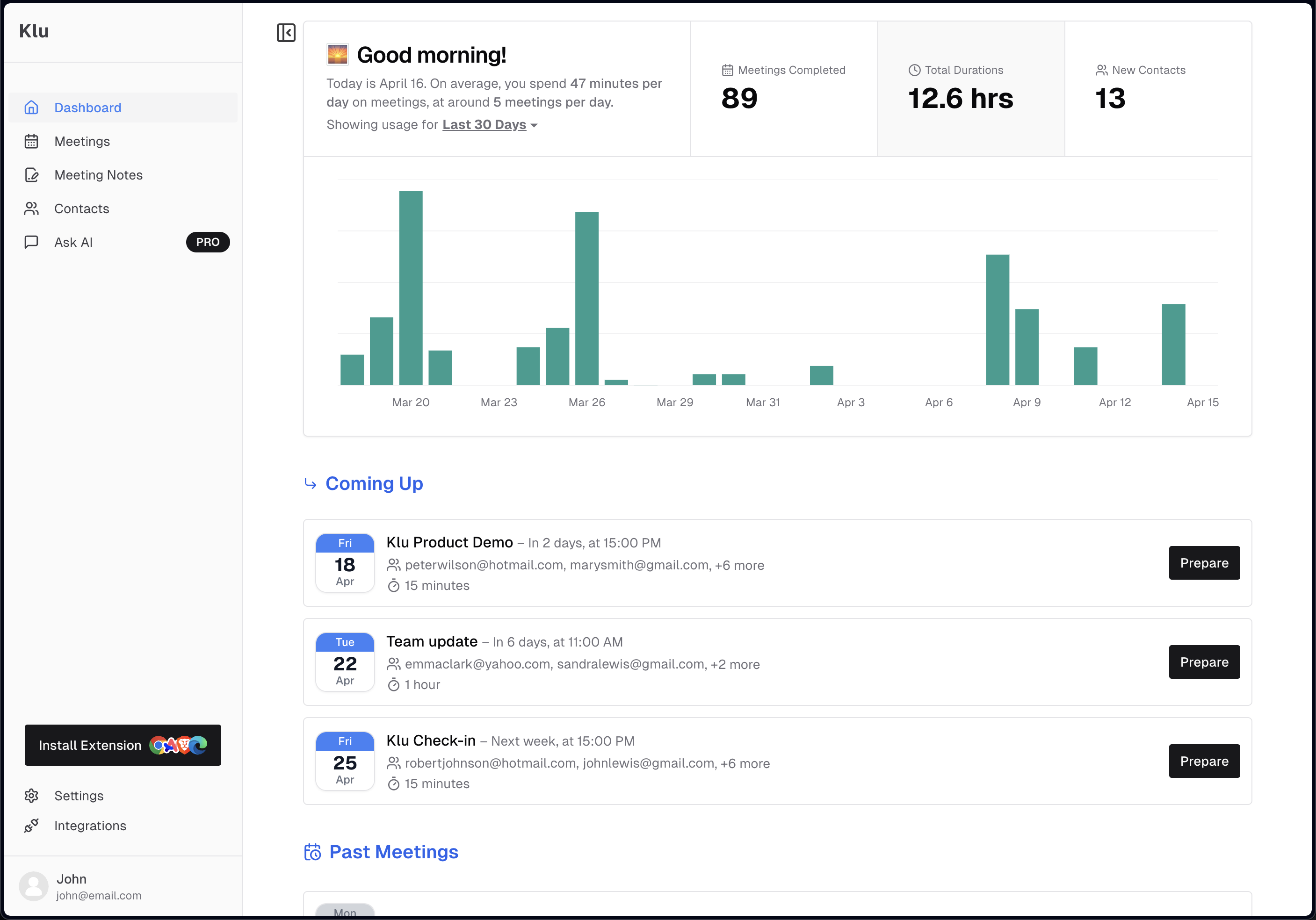
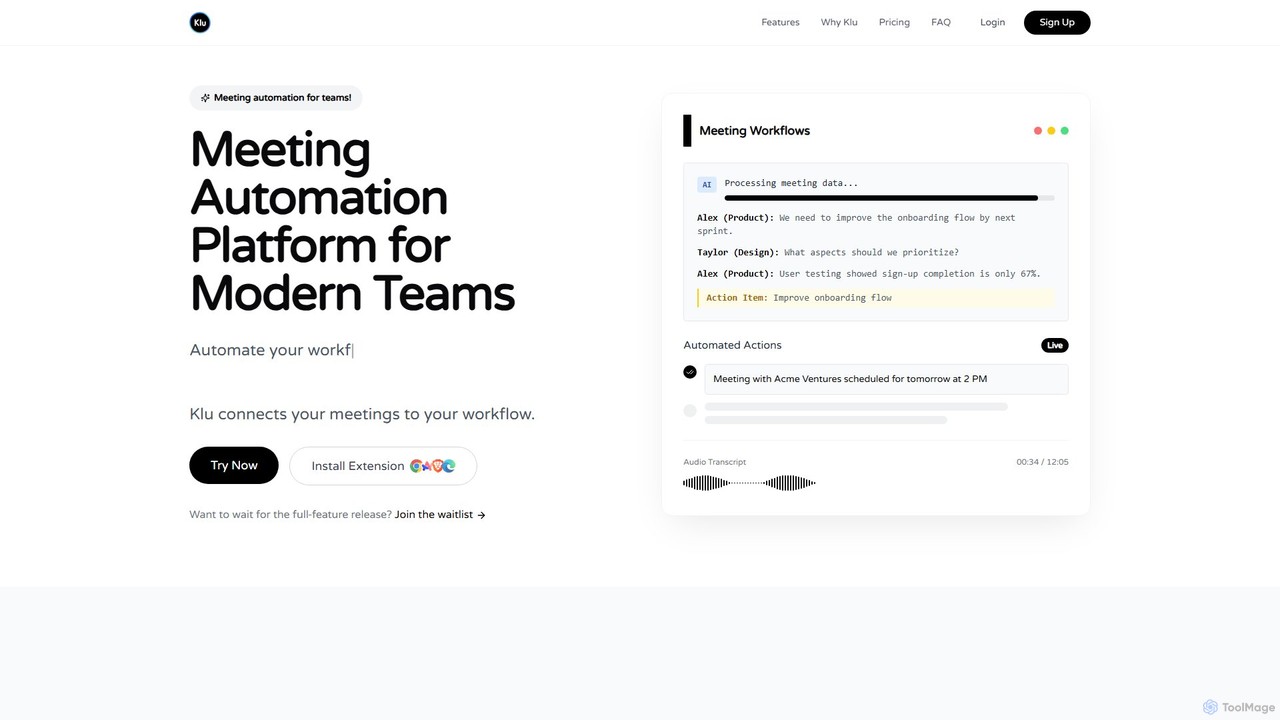
Klu Product overview

Klu is an AI-powered meeting automation platform designed for modern teams. It records, transcribes, and summarizes your meetings, automatically extracting action items and key insights. By integrating with your existing workflow tools like Notion, Slack, and Asana, Klu automates post-meeting tasks, saving time and boosting productivity.

Preview

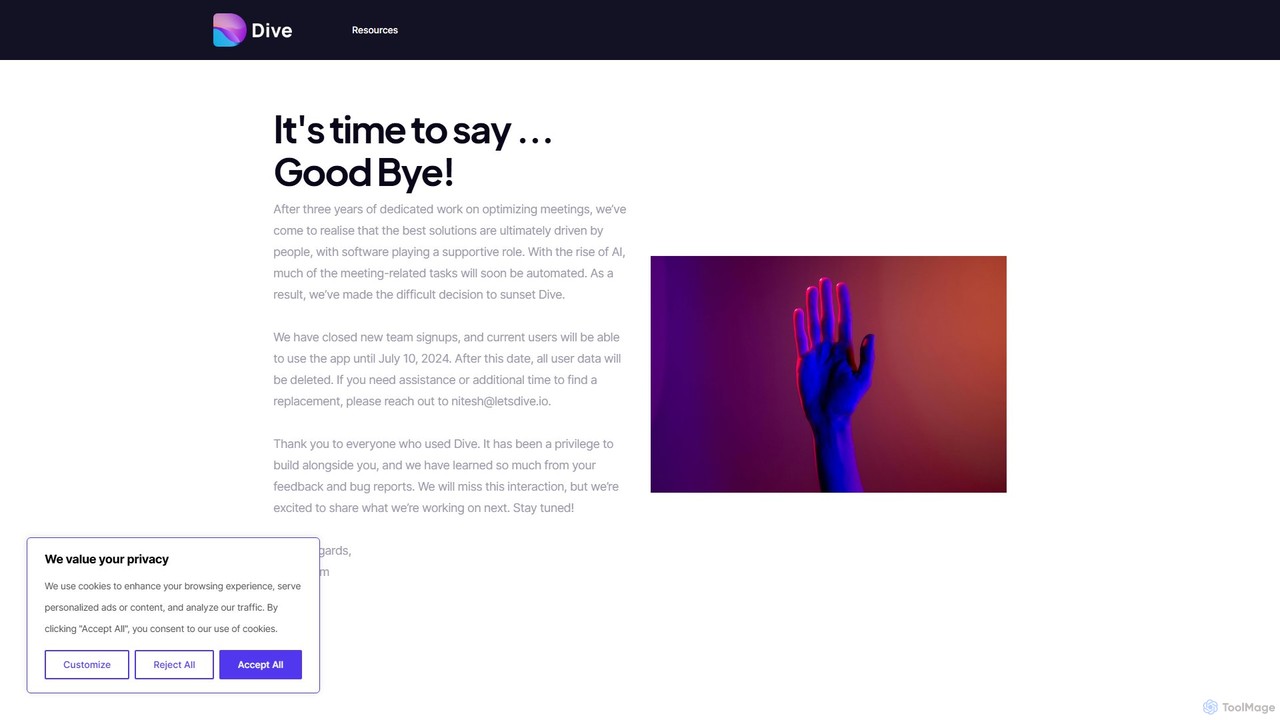
letsdive Product overview

letsdive is an AI-powered meeting productivity platform designed to make every meeting effective. It helps teams prepare with collaborative agendas, run engaging meetings with real-time tools, and follow up with automated AI summaries and action items.

Preview

Quick facts

Compare product focus, pricing models and audiences. Highlighted rows indicate different listed information; unknown pricing does not mean free.

Klu VS letsdive — Quick facts
Quick factsKluletsdive
Pricing modelFreemiumFreemium
Product typeWebWeb
Primary focusWorkflowTranscription
Audience and rolesNo data availableNo data available
CategoriesWorkflow · Meetings · Task Management · CrmTranscription · Collaboration · Meeting Management · Task Management
AddedAug 7, 2025Aug 7, 2025
UpdatedNov 19, 2026Nov 19, 2026

Features, usage and use cases

Explore the listed product descriptions, features and workflows. Taxonomy labels alone are not feature evaluations.

Klu

Klu is a sophisticated meeting automation platform that transforms how modern teams handle meetings. It addresses the common challenges of manual note-taking, missed action items, and inefficient information sharing by creating a seamless, automated workflow from conversation to action. By leveraging advanced AI, Klu ensures that every valuable detail from your meetings is captured, processed, and integrated directly into your team's productivity ecosystem.

The platform is designed to connect your meetings to your workflow, eliminating the tedious data entry that typically follows a call. Instead of spending time writing notes and assigning tasks manually, teams can focus on strategic discussions, confident that Klu is handling the administrative heavy lifting in the background. From product roadmap discussions to client calls, Klu provides the structure and automation needed to turn talk into tangible outcomes.

How to use Klu

Klu operates on a simple yet powerful four-step process that automates the entire meeting lifecycle:

  1. Capture: Install the Klu extension or connect your calendar. The platform will automatically join, record, and transcribe your meetings with high AI precision. It captures the full audio and generates a detailed, speaker-differentiated transcript.
  2. Process: Once the meeting is over, Klu's AI gets to work. It analyzes the transcript to identify and extract crucial information, such as action items, key decisions, and important insights. The AI understands the context of the conversation, ensuring the extracted data is relevant and actionable.
  3. Connect: Klu seamlessly integrates with a wide range of popular productivity tools. You can connect it to your accounts on platforms like Notion, Slack, Asana, Jira, Google Calendar, Salesforce, and HubSpot. This connection allows for the automatic transfer of meeting data.
  4. Automate: This is where Klu's power truly shines. You can set up custom workflows that trigger automatically based on meeting content. For example, you can have Klu automatically create tasks in Asana from action items, sync meeting notes to a Notion database, share a summary in a specific Slack channel, or schedule a follow-up meeting in Google Calendar.

Core Features of Klu

  • AI-Powered Transcription and Summarization: Get accurate, speaker-labeled transcripts and concise AI-generated summaries of your meetings, allowing you to review key points in minutes.
  • Smart Action Item & Decision Tracking: The AI automatically identifies action items and decisions from the conversation, preventing follow-ups from being missed.
  • Automated Workflows: Create powerful, trigger-based automations that send meeting data to the tools your team already uses, eliminating manual data entry.
  • Seamless Integrations: Connects directly with essential business tools including Notion, Slack, Asana, Jira, Google Calendar, Salesforce, and HubSpot.
  • Centralized Meeting Repository: All your meeting recordings, transcripts, and notes are stored in one secure, searchable place with unlimited retention on paid plans.
  • Enhanced Team Collaboration: Instantly share meeting insights, notes, and summaries with relevant team members through automated Slack messages or shared Notion pages.
  • Enterprise-Grade Security: Klu is SOC2 Type II certified, with all data encrypted in transit (TLS 1.3) and at rest (AES-256), ensuring your confidential information is protected.

Use Cases for Klu

Klu is versatile and benefits various teams within an organization:

  • Product Teams: Automatically capture user feedback from interviews, extract feature requests, and create tasks in Jira or Asana for the next sprint.
  • Sales Teams: Record client calls, sync meeting notes and action items to Salesforce or HubSpot, and automate follow-up scheduling to close deals faster.
  • Executive & Management Teams: Ensure decisions made in leadership meetings are documented, and action items are assigned and tracked for accountability.
  • Design & Engineering Teams: Document technical discussions and design reviews, ensuring all decisions and requirements are captured and accessible.
  • Customer Success Teams: Keep a record of customer check-in calls, track issues, and share insights with the product team to improve customer satisfaction.

Advantages of Klu

By integrating Klu into your workflow, you gain significant advantages. It dramatically saves time by automating transcription and note-taking, allowing teams to focus on high-value conversations. It enhances accountability by ensuring no action item is ever lost. Furthermore, it improves team alignment and collaboration by making meeting information easily accessible and shareable across platforms. The seamless integration with existing tools means there's no need to change your current workflow, only enhance it.

Pricing and Plans

Klu offers a transparent, tiered pricing structure to fit different needs, including a 7-day Pro trial for new users.

  • Free Plan: $0. A fallback plan with basic limits, including transcription for up to 25 meetings/month (1-hour max duration), 50 contacts, 30-day recording retention, and basic AI summaries.
  • Pro Plan: $16.70/user/month (billed annually at $200). The ideal plan for professionals, offering unlimited meetings & transcription, unlimited contacts, unlimited recording storage, full AI features, CRM integrations (Salesforce, HubSpot), Notion & Slack integrations, and priority support.
  • Team Plan: Custom Pricing (minimum 3 users). Includes all Pro features plus a team dashboard, advanced team-wide AI, centralized billing, custom branding, and dedicated support options.

letsdive

letsdive, also known as Dive, is a comprehensive meeting productivity software designed to transform how teams collaborate before, during, and after meetings. In an era of remote and hybrid work, meeting fatigue and inefficiency are common challenges. letsdive addresses these issues by providing a centralized platform that streamlines the entire meeting lifecycle, ensuring that every discussion is purposeful, productive, and leads to clear outcomes.

The platform is built around the principle of structured collaboration. It replaces scattered documents, forgotten action items, and lengthy, unfocused calls with a seamless workflow. By integrating with the tools your team already uses, such as calendars and video conferencing software, letsdive enhances existing processes rather than replacing them, making adoption smooth and intuitive. Its powerful AI capabilities automate tedious tasks like note-taking and summarization, freeing up participants to focus on strategic conversation and decision-making.

How to use letsdive

Using letsdive is a straightforward process designed to integrate seamlessly into your team's workflow:

  1. Connect Your Tools: Start by integrating letsdive with your Google or Outlook Calendar. This allows the platform to automatically sync with your scheduled meetings.
  2. Prepare for the Meeting: Before a meeting, use letsdive to build a collaborative agenda. You can start from scratch or use one of the many pre-built templates for common meeting types like 1-on-1s, team syncs, or project kick-offs. Attach relevant documents and pre-reads to the agenda so everyone arrives prepared.
  3. Run an Engaging Meeting: During the call (on Zoom, Google Meet, etc.), open the letsdive interface. Participants can follow the agenda, take collaborative notes in real-time, and use engagement tools like polls and Q&A sessions. As discussion points arise, assign action items directly within the notes, complete with owners and due dates.
  4. Automate Follow-ups: Once the meeting ends, letsdive's AI gets to work. It automatically generates a concise summary of the discussion, extracts key decisions, and compiles a clean list of all action items. This summary is then automatically shared with all attendees via email or Slack, ensuring everyone is aligned on the next steps.

Core Features of letsdive

  • AI Meeting Summaries & Transcripts: Automatically generates accurate transcripts and intelligent summaries, highlighting key points, decisions, and action items.
  • Collaborative Agenda Builder: Create and share dynamic agendas that all participants can contribute to before the meeting.
  • Extensive Meeting Template Library: Access a wide range of free, customizable templates for various meeting types, including 1-on-1s, townhalls, sprint planning, and more.
  • Real-time Action Item Tracking: Capture tasks during the meeting, assign them to team members, and sync them with project management tools like Asana, Jira, or Trello.
  • Seamless Integrations: Works with Google Calendar, Outlook, Zoom, Google Meet, Microsoft Teams, and Slack to fit into your existing ecosystem.
  • In-Meeting Engagement Tools: Keep participants focused and involved with features like icebreakers, polls, and structured Q&A sessions.
  • Centralized Knowledge Base: Creates a searchable repository of all past meeting notes, decisions, and action items, making it easy to find information later.

Use Cases for letsdive

letsdive is versatile and valuable for various teams and scenarios:

  • Project Management Teams: Ideal for daily stand-ups, sprint planning, and retrospectives. It ensures all action items are captured and seamlessly transferred to project management software.
  • Managers and Team Leads: Perfect for conducting effective 1-on-1s and team syncs using structured templates, fostering better communication and accountability.
  • Executive Leadership: Use it for running organized board meetings or company-wide townhalls, efficiently collecting feedback and distributing key takeaways.
  • Remote and Hybrid Teams: Helps bridge the communication gap by providing a single source of truth for all meeting-related information, ensuring alignment regardless of location.

Advantages of letsdive

By implementing letsdive, teams can experience significant benefits:

  • Increased Productivity: Drastically reduces time spent on manual note-taking and follow-up, allowing teams to focus on high-value work.
  • Enhanced Accountability: With clearly defined and tracked action items, nothing falls through the cracks.
  • Improved Meeting Culture: Promotes a culture of preparation, focus, and outcome-oriented discussions.
  • Better Decision Making: A clear, searchable record of past discussions helps inform future decisions.
  • Streamlined Collaboration: Centralizes all meeting-related communication and documentation, eliminating confusion and information silos.

Pricing and Plans

letsdive typically offers a freemium pricing model to suit different needs:

  • Free Plan: A great starting point for individuals or small teams, offering core features with certain limitations on usage.
  • Pro Plan: A paid plan designed for growing teams, offering unlimited access to AI features, advanced integrations, and priority support.
  • Enterprise Plan: A custom solution for large organizations, featuring advanced security, SSO, dedicated account management, and custom onboarding.

For the most current and detailed pricing information, please visit the official letsdive website.

Positioning

Their taxonomy shows where the products overlap and where each one has a more distinct focus. Unknown fields are shown explicitly and are never filled with assumptions.

Categories

Shared
Task Management
Only Klu
WorkflowMeetingsCrm
Only letsdive
TranscriptionCollaborationMeeting Management

Tags

Shared
AI summarymeeting assistantmeeting notesproductivitytask managementteam collaborationtranscription
Only Klu
automationnote-takingworkflow
Only letsdive
action itemsagenda builderremote work

Audience and roles

Shared
No listed items
Only Klu
No listed items
Only letsdive
No listed items

Traffic comparison

Traffic is shown on the same scale so differences in market visibility are not visually understated.

How to interpret the traffic data

Both charts share the same months and vertical scale. Each tool identifies its latest reporting month; missing months are left blank, not counted as zero. Regional and source visit counts are estimates calculated from the reported shares.

Klu monthly traffic:

Latest traffic · 2026-05

Monthly visits
5.3K
Avg. visit duration
0:22
Pages per visit
1.69
Bounce rate
38.45%
Data updated 2026-06-15

Monthly traffic trend

  • 2025-09: 1.9K
  • 2026-01: 4.9K
  • 2026-02: 6.4K
  • 2026-03: 8.4K
  • 2026-04: 5.1K
  • 2026-05: 5.3K

Top regions

Top 5 countries/regions
Country/regionPercentageEstimated visits
🇺🇸United States50.69%2.7K
🇮🇳India22.49%1.2K
🇧🇷Brazil18.64%995
🇻🇪Venezuela8.18%437

Search keywords

best free ai tool for creating study notes from provided pdf'shappyscribekluotranscribewispr flow free alternative

letsdive monthly traffic:

Latest traffic · 2026-05

Monthly visits
622
Avg. visit duration
0:00
Pages per visit
1.08
Bounce rate
38.24%
Data updated 2026-06-15

Monthly traffic trend

  • 2025-09: 11.5K
  • 2026-01: 8.5K
  • 2026-02: 4K
  • 2026-03: 1.5K
  • 2026-04: 810
  • 2026-05: 622

Top regions

Top 5 countries/regions
Country/regionPercentageEstimated visits
🇺🇸United States100%622

Search keywords

cards against formalitycards against formalityh ending instantlycards of formalitydivee.aidive google

Community signals

Ratings, comments, favorites, and likes are community signals—not a substitute for product fit.

Klu

Rating
No data available
Comments
0
Favorites
160
Likes
162

letsdive

Rating
No data available
Comments
0
Favorites
185
Likes
184

Klu vs letsdive · Comparison FAQ

What do Klu and letsdive have in common?
Both tools are listed under Task Management. These categories indicate overlapping use cases; compare their detailed descriptions for workflows, capabilities and limitations.
Are Klu and letsdive free?
Listed pricing models: Klu — Freemium; letsdive — Freemium. Missing pricing is not proof of a free plan, and freemium does not mean every feature is free. Check official sites for current plans, limits and trials.
How should I choose between Klu and letsdive?
The primary listed category is Workflow for Klu, and Transcription for letsdive. Compare features, steps and use cases, then verify pricing, data permissions and deployment needs. This page does not include hands-on testing and does not declare a winner from traffic or tags.

Sources and comparison methodology

This page is assembled from ToolMage product listings, taxonomy, traffic statistics and on-site user feedback. It is not a hands-on test or an independent review.

  • Feature and plan descriptions reflect information in the listings, not real-time guarantees. Verify pricing, quotas, availability and privacy terms on the official sites.
  • Traffic uses the reporting months shown. Missing statistics do not mean zero visits, and different periods do not establish growth or superiority. Regional and source visit counts are estimates based on shares.
  • Different tags indicate differences in the listings, not proof that the other product lacks a capability. Ratings, favorites and visits are not used to declare a winner.

Related comparisons