ToolMage
Sign in

AI TOOL COMPARISON

Lido vs Parseur

What is the difference, and which fits your workflow? Compare features, usage, pricing models and traffic side by side.

Jump to key differences

Product overview

Lido Product overview

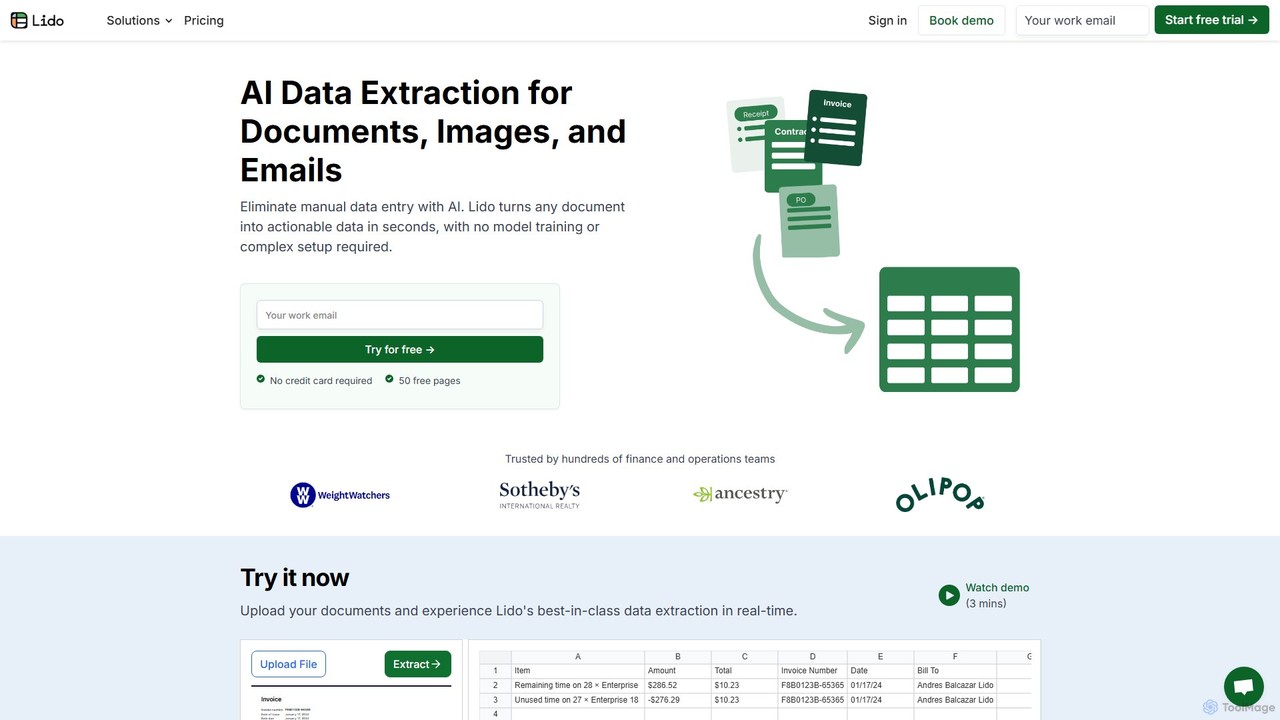
Lido is an AI-powered data extraction tool that automates the process of pulling information from any document, including PDFs, invoices, and images, into structured formats like Excel and CSV. It's template-free, fast, and designed for finance and operations teams to eliminate manual data entry and save significant time.

Preview

Parseur Product overview

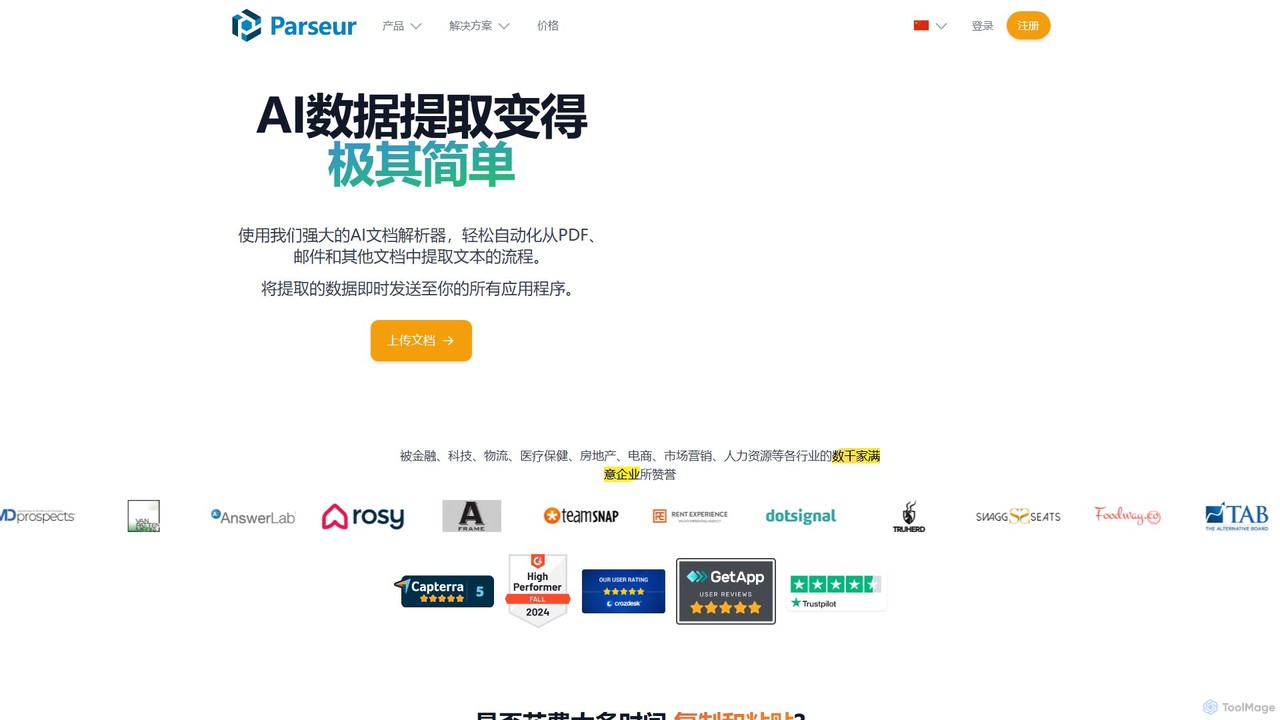
Parseur is a powerful AI-powered document parsing tool that automates data extraction from emails, PDFs, and other documents. It converts unstructured text into structured data and sends it to thousands of applications, eliminating manual data entry and saving significant time.

Preview

Quick facts

Compare product focus, pricing models and audiences. Highlighted rows indicate different listed information; unknown pricing does not mean free.

Lido VS Parseur — Quick facts
Quick factsLidoParseur
Pricing modelFreemiumFreemium
Product typeWebWeb
Primary focusDocument ManagementDocument Management
Audience and rolesNo data availableNo data available
CategoriesDocument Management · Extraction · Accounting · AutomationDocument Management · Extraction · Automation
AddedAug 13, 2025Aug 6, 2025
UpdatedNov 19, 2026Nov 19, 2026

Features, usage and use cases

Explore the listed product descriptions, features and workflows. Taxonomy labels alone are not feature evaluations.

Lido

Lido is an advanced, AI-driven platform designed to revolutionize data extraction for businesses of all sizes. It effectively eliminates the tedious and error-prone task of manual data entry by intelligently converting unstructured data from a wide variety of documents into structured, actionable formats. Whether you're dealing with invoices, contracts, bank statements, bills of lading, or custom company documents, Lido can process them in seconds, requiring no complex setup or model training. Trusted by hundreds of finance and operations teams, Lido streamlines workflows, enhances accuracy, and provides a tangible return on investment by freeing up valuable employee time.

How to use Lido

Lido offers a remarkably simple and intuitive three-step process to transform your documents into structured data:

  1. Upload Your Documents: Begin by uploading your files. Lido supports a wide range of formats, including PDFs, DOCs, and various image files (JPG, PNG). You can upload files directly from your desktop, use email forwarding, or set up automated imports from shared cloud drives like Google Drive and OneDrive. The platform is built to handle bulk uploads, allowing you to process numerous documents simultaneously.
  2. Define Extraction Fields: This is where Lido's AI shines. Instead of creating complex templates, you simply tell the AI what data you need by typing the column names in plain English. For an invoice, you might enter fields like "Invoice Number," "Vendor Name," "Total Amount," and "Due Date." Lido's advanced AI understands the context and accurately identifies and extracts the corresponding information from any document layout.
  3. Export Your Data: Within seconds, Lido processes the documents and presents the extracted data in a clean, tabular format. You can then download the data as an Excel or CSV file. For more integrated workflows, Lido allows you to automatically push the data to Google Sheets, QuickBooks, or your company's ERP system through native and custom integrations.

Core Features of Lido

  • Template-Free AI Extraction: Lido's core strength is its ability to understand any document format without pre-built templates or manual setup, adapting to different layouts on the fly.
  • Natural Language Commands: Users can define the data they want to extract using simple, plain English, making the tool accessible to non-technical users.
  • Broad Document Support: It processes a vast range of document types, including invoices, purchase orders, contracts (up to 1,000 pages), utility bills, healthcare forms (835s/EOBs), bills of lading, bank statements, and any custom document.
  • Seamless Integrations: Import files from your desktop, email, or cloud storage (Google Drive, OneDrive) and export structured data to Excel, CSV, Google Sheets, QuickBooks, or custom ERP systems.
  • High Speed and Accuracy: The platform is optimized for speed, converting documents to data in seconds and significantly reducing the errors common in manual data entry.
  • Enterprise-Grade Security: Lido is SOC 2 and HIPAA compliant, utilizing AES-256 encryption for data at rest and in transit. It guarantees that your data is never used for AI model training.
  • Bulk Processing: Efficiently handle large volumes of documents at once, saving hours or even days of work.

Use Cases for Lido

Lido is versatile and provides value across various departments and industries:

  • Accounts Payable (AP) Automation: Automatically extract key details from vendor invoices of any format to streamline approval and payment workflows, saving AP teams over 20 hours per week.
  • Financial Analysis: Convert PDF bank statements, financial reports, and K1 tax documents into clean Excel tables for easier analysis, budgeting, and forecasting.
  • Logistics and Supply Chain: Digitize data from Bills of Lading (BoLs) and purchase orders to track shipments, manage inventory, and optimize supply chain operations.
  • Healthcare Administration: Securely process Explanation of Benefits (EOBs) and 835 remittance advice forms while maintaining strict HIPAA compliance.
  • Legal and Contract Management: Instantly extract parties, key dates, terms, and clauses from lengthy legal contracts to accelerate review and ensure compliance.
  • Operations and Business Development: Automate data entry from receipts, business cards, and rent rolls to improve operational efficiency and data accuracy.

Advantages of Lido

Lido offers a competitive edge through several key benefits:

  • Massive Time Savings: Customers report transforming workflows that took months into a matter of days, and weekly tasks from hours to seconds.
  • Increased Accuracy: By automating data extraction, Lido minimizes the human errors inherent in manual data entry, leading to more reliable data.
  • Significant Cost Reduction: The efficiency gains allow companies to avoid hiring additional staff for data entry, delivering a clear and rapid ROI.
  • Exceptional Ease of Use: The platform is designed for business users, requiring no engineering support or lengthy implementation periods.
  • Scalability: With flexible plans from Standard to Enterprise, Lido can support the needs of a single user, a small team, or a large corporation.
  • Unmatched Flexibility: The template-free approach ensures the tool works with documents from any vendor or source without reconfiguration.

Pricing and Plans

Lido offers flexible pricing to suit different workflow needs, including a free trial to get started.

  • Free Trial: Get started with 50 free page conversions. No credit card is required.
  • Standard Plan: $24 per month. Includes 100 pages per month for 1 user. Ideal for individuals or small-scale tasks.
  • Scale Plan: $3,950 per year. Includes 42,000 pages per year (approx. $0.09/page) for up to 10 users, plus priority support and live onboarding.
  • Enterprise Plan: Starts from $20,000 per year. Offers custom page limits, custom ERP integrations, a dedicated account manager, and premium support.

Parseur

Parseur is an advanced AI data extraction software designed to automate the tedious process of extracting text and data from various documents like emails, PDFs, and spreadsheets. Trusted by thousands of businesses in finance, logistics, real estate, and e-commerce, Parseur helps companies save up to 98% of their manual data entry time, allowing them to focus on core business growth. It transforms unstructured document data into structured, actionable information that can be seamlessly integrated into any business workflow.

How to use Parseur

Using Parseur is a straightforward, four-step process that requires no coding knowledge or complex rule creation:

  1. Choose a Parser Type: Start by selecting a pre-built parser for common document types like invoices, purchase orders, real estate leads, or food delivery orders. You can also create a custom parser by defining the specific data fields you need to extract.
  2. Import Your Documents: Parseur supports a wide range of import methods. You can forward your emails to a dedicated Parseur mailbox, upload documents (PDF, CSV, Excel, TXT, DOCX, etc.) directly in the app, or automate the import process using its API or integrations with platforms like Zapier, Make, and Power Automate.
  3. Extract Data: Parseur utilizes three powerful parsing engines. The primary engine is a state-of-the-art AI Parser that automatically understands and extracts data based on the fields you list. For documents with consistent layouts, you can use the Zonal OCR Parser (for PDFs) or the Text Template Parser by simply clicking on the data you want to extract in a sample document. Its advanced OCR engine supports almost all languages and can even recognize handwritten text.
  4. Export Structured Data: Once the data is extracted, Parseur can automatically send it to thousands of applications. It offers native integrations with Google Sheets, Zapier, Make, and Microsoft Power Automate. You can also send data to your own application via webhooks or download it as a CSV, Excel, or JSON file.

Core Features of Parseur

  • AI-Powered Parsing: Intelligently extracts data from any document layout without requiring pre-defined templates.
  • Template-Based Parsing: Create highly accurate templates for fixed-layout documents using point-and-click functionality.
  • Advanced OCR Technology: A powerful OCR engine that recognizes printed text, handwritten notes, and supports virtually all languages and alphabets.
  • Broad Document Support: Process emails, PDFs (native and scanned), Excel sheets, CSVs, text files, HTML, and even images.
  • Table and Line Item Extraction: Easily capture data from tables and repeating structures, such as line items on an invoice or products in an order.
  • Data Normalization: Automatically formats and standardizes extracted data, including dates, numbers, names, and addresses, for consistency.
  • Seamless Integrations: Connects with thousands of apps via Zapier, Make, Power Automate, and offers webhooks and a robust API for custom integrations.
  • High Scalability and Reliability: Built to process millions of documents per month with 99.9%+ uptime and robust redundancy mechanisms.
  • Security and Compliance: Data is hosted in the EU and is fully compliant with GDPR, CCPA, and other major privacy regulations.

Use Cases for Parseur

Parseur is versatile and used across many industries:

  • Finance: Automate the processing of invoices, receipts, and bank statements to streamline accounting workflows.
  • Logistics & Supply Chain: Extract data from bills of lading, shipping confirmations, and delivery orders to track shipments.
  • E-commerce: Process purchase orders and order confirmations from various platforms automatically.
  • Real Estate: Capture leads from property portal emails and send them directly to a CRM.
  • Marketing: Export Google Alerts to a spreadsheet for brand monitoring and competitive analysis.
  • Human Resources: Parse resumes and job applications to streamline the hiring process.

Advantages of Parseur

Parseur offers a competitive edge with its user-centric design and powerful features. It provides a much shorter learning curve compared to alternatives, allowing teams to become productive quickly. The combination of AI and template-based engines offers unmatched flexibility. Its transparent, scalable pricing is significantly more cost-effective than many competitors, and it offers a generous free plan, making it accessible to businesses of all sizes. Furthermore, its responsive and expert customer support ensures users can maximize the tool's potential.

Pricing and Plans

Parseur operates on a freemium model, offering a Permanent Free Plan that includes all features and a monthly quota of document processing credits. For higher volumes, there are several paid plans available, starting from a very competitive price point. Users can easily upgrade, downgrade, or cancel their subscription at any time directly within the application without needing to contact sales. This transparent and flexible pricing structure makes it a cost-effective alternative to other solutions like Docsumo or Nanonets.

Positioning

Their taxonomy shows where the products overlap and where each one has a more distinct focus. Unknown fields are shown explicitly and are never filled with assumptions.

Categories

Shared
Document ManagementExtractionAutomation
Only Lido
Accounting
Only Parseur
No listed items

Tags

Shared
data entrydata extractionno-codeOCR
Only Lido
accounts payablebusiness intelligencecontract analysisdocument automationfinancial datainvoice processingpdf to excel
Only Parseur
automationdocument parsingemail parserpdf parserworkflow automationZapier integration

Audience and roles

Shared
No listed items
Only Lido
No listed items
Only Parseur
No listed items

Traffic comparison

Traffic is shown on the same scale so differences in market visibility are not visually understated.

How to interpret the traffic data

Both charts share the same months and vertical scale. Each tool identifies its latest reporting month; missing months are left blank, not counted as zero. Regional and source visit counts are estimates calculated from the reported shares.

Lido monthly traffic:

Latest traffic · 2026-05

Monthly visits
110.1K
Avg. visit duration
0:46
Pages per visit
2.68
Bounce rate
30.75%
Data updated 2026-06-15

Monthly traffic trend

  • 2025-09: 121.1K
  • 2026-01: 112.4K
  • 2026-02: 99.3K
  • 2026-03: 95.8K
  • 2026-04: 93.5K
  • 2026-05: 110.1K

Top regions

Top 5 countries/regions
Country/regionPercentageEstimated visits
🇺🇸United States75.95%83.7K
🇮🇳India8.35%9.2K
🇬🇧United Kingdom5.69%6.3K
🇮🇩Indonesia5.13%5.7K
🇳🇬Nigeria4.88%5.4K

Traffic sources

Source typePercentageEstimated visits
Direct86.15%94.9K
Referral13.35%14.7K
Email0.5%551

Search keywords

lidolido ailido pdf to excellido sheetspdf to excel

Parseur monthly traffic:

Latest traffic · 2026-05

Monthly visits
152.4K
Avg. visit duration
0:56
Pages per visit
2.44
Bounce rate
43.56%
Data updated 2026-06-15

Monthly traffic trend

  • 2025-09: No data available
  • 2026-01: 165.5K
  • 2026-02: 131.1K
  • 2026-03: 186.8K
  • 2026-04: 149.7K
  • 2026-05: 152.4K

Top regions

Top 5 countries/regions
Country/regionPercentageEstimated visits
🇺🇸United States26.74%40.8K
🇧🇷Brazil25.82%39.4K
🇮🇳India24.21%36.9K
🇰🇷Korea, Republic of12.05%18.4K
🇩🇪Germany11.18%17K

Traffic sources

Source typePercentageEstimated visits
Direct91.17%139K
Referral8.26%12.6K
Email0.57%869

Search keywords

ocr pdfparseurpdf 텍스트 추출pdf ocrwebhook

Community signals

Ratings, comments, favorites, and likes are community signals—not a substitute for product fit.

Lido

Rating
No data available
Comments
0
Favorites
163
Likes
185

Parseur

Rating
No data available
Comments
0
Favorites
156
Likes
160

Lido vs Parseur · Comparison FAQ

What do Lido and Parseur have in common?
Both tools are listed under Document Management、Extraction、Automation. These categories indicate overlapping use cases; compare their detailed descriptions for workflows, capabilities and limitations.
Are Lido and Parseur free?
Listed pricing models: Lido — Freemium; Parseur — Freemium. Missing pricing is not proof of a free plan, and freemium does not mean every feature is free. Check official sites for current plans, limits and trials.
How should I choose between Lido and Parseur?
The primary listed category is Document Management for Lido, and Document Management for Parseur. Compare features, steps and use cases, then verify pricing, data permissions and deployment needs. This page does not include hands-on testing and does not declare a winner from traffic or tags.

Sources and comparison methodology

This page is assembled from ToolMage product listings, taxonomy, traffic statistics and on-site user feedback. It is not a hands-on test or an independent review.

  • Feature and plan descriptions reflect information in the listings, not real-time guarantees. Verify pricing, quotas, availability and privacy terms on the official sites.
  • Traffic uses the reporting months shown. Missing statistics do not mean zero visits, and different periods do not establish growth or superiority. Regional and source visit counts are estimates based on shares.
  • Different tags indicate differences in the listings, not proof that the other product lacks a capability. Ratings, favorites and visits are not used to declare a winner.

Related comparisons