ToolMage
Sign in

AI TOOL COMPARISON

meetecho vs Read.ai

What is the difference, and which fits your workflow? Compare features, usage, pricing models and traffic side by side.

Jump to key differences

Product overview

meetecho Product overview

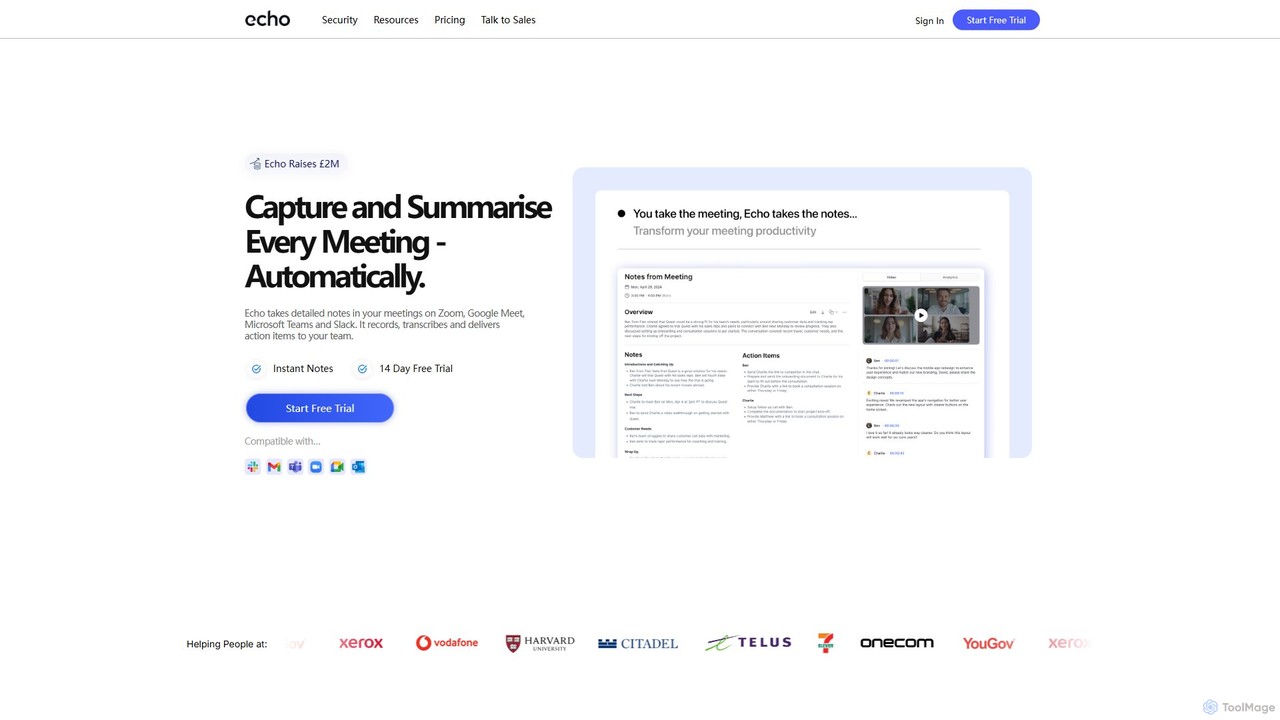
Meetecho is an AI executive assistant that automatically joins your meetings on Zoom, Google Meet, and Teams. It records, transcribes, and generates structured summaries with action items, freeing you to focus on the conversation. It supports over 30 languages and offers robust security features.

Preview

Read.ai Product overview

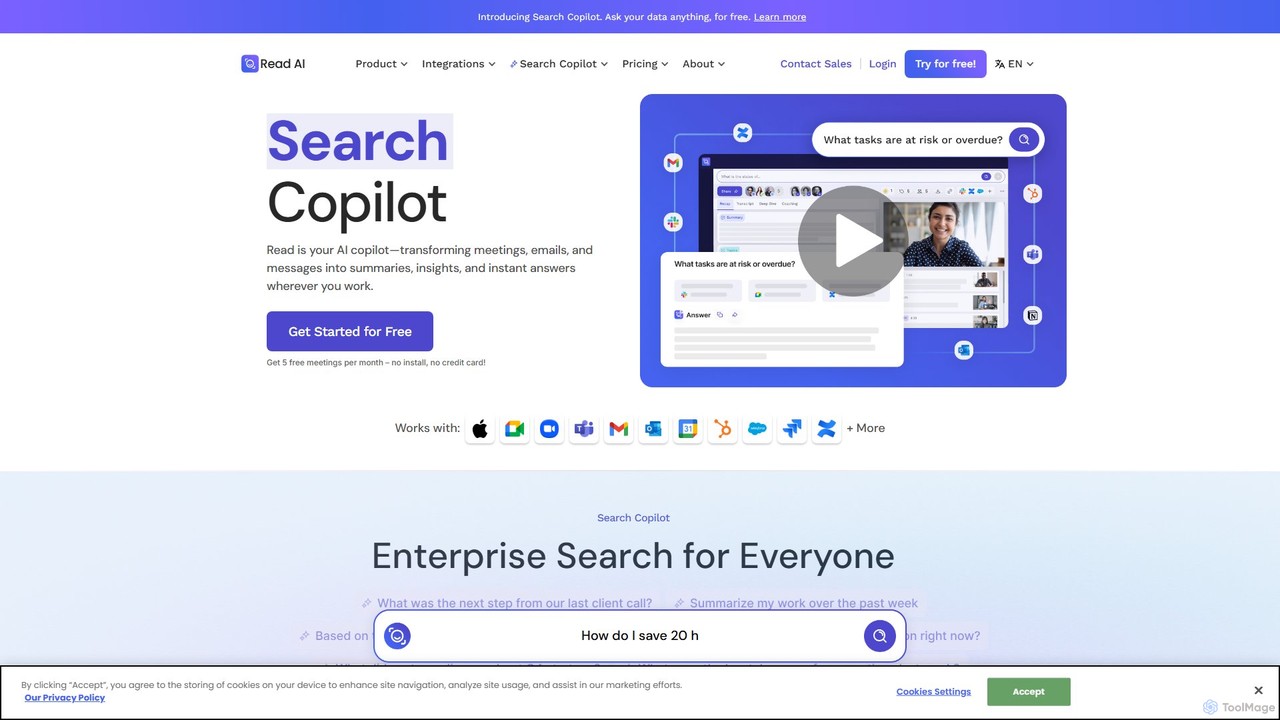
Read.ai is an AI-powered productivity platform that automatically summarizes meetings, generates transcripts, and provides actionable insights. Its flagship Search Copilot unifies information across all your work apps—meetings, emails, chats, and documents—creating a single, searchable knowledge base to boost team efficiency and break down data silos.

Preview

Quick facts

Compare product focus, pricing models and audiences. Highlighted rows indicate different listed information; unknown pricing does not mean free.

meetecho VS Read.ai — Quick facts
Quick factsmeetechoRead.ai
Pricing modelFreemiumFreemium
Product typeWebWeb
Primary focusCommunicationKnowledge Management
Audience and rolesNo data availableNo data available
CategoriesCommunication · Meeting Assistant · TranscriptionKnowledge Management · Meeting Assistant · Transcription
AddedAug 5, 2025Aug 7, 2025
UpdatedNov 19, 2026Nov 19, 2026

Features, usage and use cases

Explore the listed product descriptions, features and workflows. Taxonomy labels alone are not feature evaluations.

meetecho

Meetecho, also known as Echo AI, is a sophisticated AI-powered executive assistant designed to revolutionize meeting productivity. It seamlessly integrates with popular video conferencing platforms like Zoom, Google Meet, Microsoft Teams, and Slack to automate the entire process of note-taking. By automatically joining your scheduled calls, Meetecho captures every detail, providing you with a full recording, a highly accurate transcript, and a structured summary complete with key takeaways and actionable items. This allows teams to stay fully engaged in discussions without the distraction of manual note-taking. The platform is built with a strong emphasis on security and privacy, featuring end-to-end encryption and GDPR compliance, ensuring all your sensitive meeting data remains confidential and protected.

Beyond its core meeting functions, Meetecho is expanding its capabilities to become an all-in-one productivity hub. Upcoming features include AI-powered email sorting to organize your inbox into smart categories and AI email drafting that learns your writing style to generate replies instantly. This positions Meetecho as a comprehensive assistant that manages both your synchronous and asynchronous communication, saving you hours of administrative work each week.

How to use meetecho

Getting started with Meetecho is a simple and straightforward process designed to be completed in minutes:

  1. Sign Up: Register for an account on the Meetecho website. The process is quick, and you can start with a 14-day free trial to experience all the features.
  2. Connect Inbox & Calendar: Link your Google or Outlook Calendar. This allows Meetecho to automatically identify your scheduled meetings and know when to join.
  3. Set Preferences: Customize your settings by selecting which meetings you want Echo to attend. You have full control over its participation.
  4. Enjoy Automated Notes: Once set up, Meetecho will automatically join your next call. After the meeting concludes, you'll receive an email with a link to the summary, transcript, and recording. All your past and present meetings are accessible from your dashboard.

Core Features of meetecho

  • AI Meeting Notetaker: Automatically joins, records, and transcribes meetings on Zoom, Google Meet, Microsoft Teams, and Slack.
  • Structured Summaries & Action Items: Delivers concise summaries, detailed minutes, and a clear list of action items after each meeting.
  • Multilingual Support: Understands and transcribes over 30 different languages, making it ideal for international teams.
  • Video & Audio Recording: Captures the full video and audio of your meetings, so you can review them anytime.
  • AI-Powered Search: Easily search across all your meeting transcripts for specific keywords, topics, or mentions.
  • Conversational Intelligence: Provides insights into meetings, such as speaker talk time and overall sentiment analysis.
  • Calendar Integration: Syncs with Google and Outlook calendars for seamless, automatic meeting attendance.
  • High-Level Security: Features end-to-end encryption, GDPR and SOC2 compliance, and secure data storage in the EU.
  • Custom Branding: Enterprise plans allow for custom branding, making the AI assistant appear as an internal company tool.
  • Upcoming Email Features: Future updates will include AI-powered email sorting and drafting to further enhance productivity.

Use Cases for meetecho

Meetecho is valuable for a wide range of professionals and teams:

  • Venture Capitalists & Investors: Keep detailed, accurate records of pitches and portfolio check-ins without getting bogged down in note-taking.
  • Consultants: Focus entirely on client discussions and strategic advice, knowing that every detail and commitment is being captured accurately.
  • Project Managers: Ensure no action item or decision slips through the cracks. Easily track progress and assign tasks based on meeting outcomes.
  • Remote & Hybrid Teams: Keep everyone aligned, even if they can't attend a meeting. Team members can quickly catch up by reviewing the summary or transcript.
  • Sales Teams: Review client calls to understand needs better, refine pitches, and ensure follow-ups are timely and relevant.

Advantages of meetecho

Meetecho offers a significant competitive edge by transforming how teams handle meetings. Its primary advantage is the immense time savings, freeing up hours each week from administrative tasks. It acts as a central, searchable hub for all meeting intelligence, improving organizational knowledge and memory. The accuracy of AI-generated transcripts and summaries surpasses manual notes, ensuring critical details are never missed. Furthermore, its robust security protocols provide peace of mind, while features like conversational intelligence offer deeper insights into team dynamics and communication patterns.

Pricing and Plans

Meetecho offers a transparent and flexible pricing structure to suit different needs:

  • Free Trial: A 14-day free trial is available, allowing users to test all features without commitment.
  • Unlimited Plan: Priced at $29.95 per month (with a discount for annual billing), this plan includes unlimited usage, support for up to 250 users, and team analytics.
  • Enterprise Plan: For larger organizations or those needing custom solutions, a custom pricing model is available. This includes features like custom branding and dedicated support. Contact their sales team for a quote.

All plans come with email support, top-tier security features, unlimited notes, and calendar integration.

Read.ai

Read.ai is a leading AI productivity platform designed to streamline workflows and enhance collaboration for individuals and teams. It began as a highly efficient AI meeting notetaker and has evolved into a comprehensive work hub. At its core, Read.ai tackles the universal challenge of information fragmentation by creating a unified, intelligent, and searchable ecosystem for all your work-related content. By integrating with the tools you use daily, it ensures that valuable insights from meetings, emails, and documents are never lost, making you and your team more productive and informed.

The platform is powered by its innovative "Free Agent" technology, an AI agent that seamlessly connects to both open and closed platforms to index interactions and content. This technology drives the entire Read.ai experience, most notably its groundbreaking Search Copilot feature, which allows users to perform natural language searches across all their connected applications.

How to use Read.ai

Getting started with Read.ai is a straightforward process designed for immediate value:

  1. Sign Up: Create a free account on the Read.ai website.
  2. Connect Your Calendar: Integrate your Google or Microsoft Outlook calendar. This allows Read.ai to automatically identify your upcoming meetings.
  3. Configure the AI Notetaker: The Read.ai bot will automatically join your meetings on platforms like Zoom, Google Meet, and Microsoft Teams to record, transcribe, and analyze the conversation.
  4. Integrate Your Work Apps: To unlock the full power of Search Copilot, connect your other work tools such as Slack, Gmail, Notion, Salesforce, and cloud storage. This allows the "Free Agent" to index your content securely.
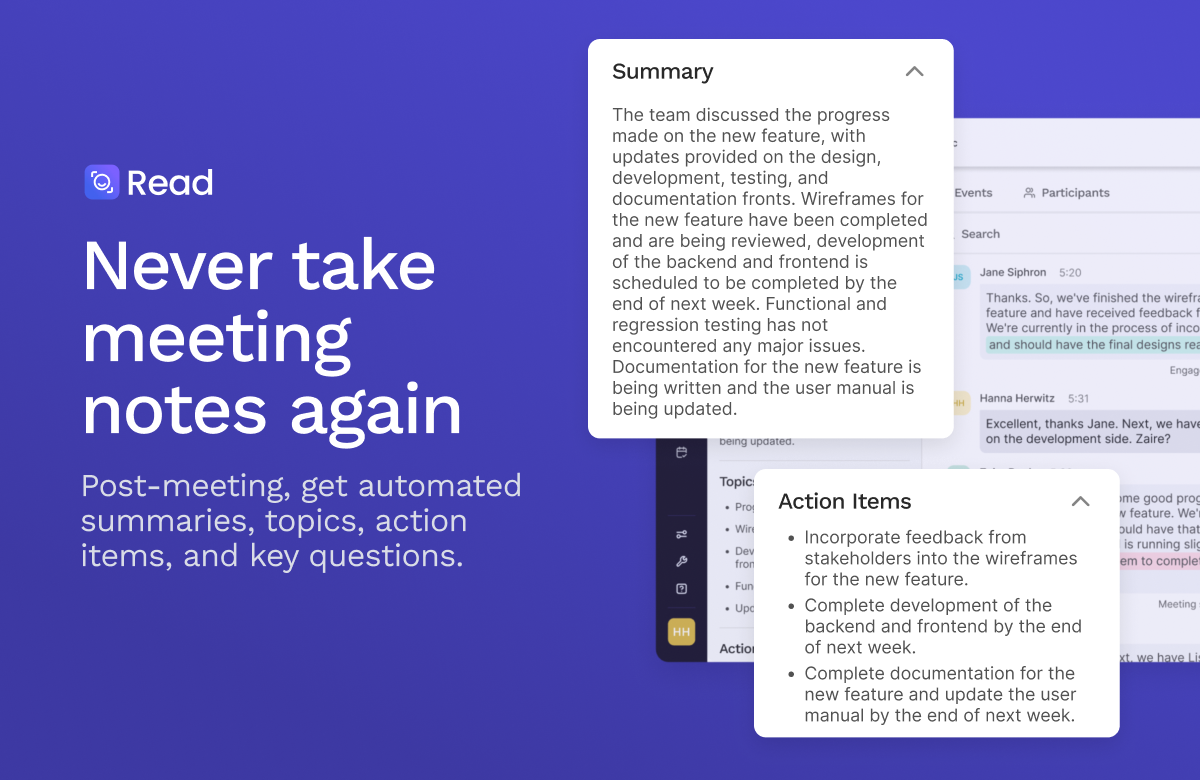
  5. Receive Summaries: After each meeting, you'll receive a detailed report including a concise summary, a full transcript, key topics, action items, and analytics on participant engagement.
  6. Search Everything: Use the Search Copilot dashboard to ask questions like "What were the Q3 marketing goals we discussed last month?" or "Find the proposal sent to XYZ Corp." Read.ai will instantly retrieve answers and cite sources from your meetings, emails, and documents.

Core Features of Read.ai

  • AI Meeting Summaries & Transcripts: Automatically generates concise, easy-to-read summaries, highlights key topics, and provides full, speaker-identified transcripts for every meeting.
  • Search Copilot: A revolutionary enterprise search engine that allows you to find information across all your integrated platforms (meetings, email, chat, CRM, cloud storage) using a single, natural language query.
  • Action Item & Topic Detection: Intelligently identifies action items, decisions, and key questions discussed during meetings, helping teams stay aligned and accountable.
  • Meeting Analytics: Provides data-driven insights into meeting dynamics, including talk time distribution, sentiment analysis, and engagement scores, to help you run more effective meetings.
  • Extensive Integrations: Seamlessly connects with thousands of applications, including Microsoft Teams, Google Meet, Zoom, Slack, HubSpot, Notion, and Salesforce, creating a truly unified workspace.
  • Privacy-First Design: Gives users full control over their data. Read.ai does not train its models on user content by default and allows for one-click account deletion.

Use Cases for Read.ai

Read.ai is versatile and valuable for various roles:

  • Project Managers: Effortlessly track decisions and action items from all project-related meetings, ensuring nothing falls through the cracks.
  • Sales Teams: Review client calls, automatically log key insights, and use Search Copilot to quickly find past conversations or contract details.
  • Executives & Leaders: Get high-level summaries of meetings they couldn't attend and use the search function to gain a cross-departmental overview of projects and initiatives.
  • Consultants & Freelancers: Manage multiple clients and projects by keeping all communications and meeting notes organized and instantly searchable.
  • Remote & Hybrid Teams: Create a centralized source of truth that keeps all team members, regardless of their location or time zone, aligned and informed.

Advantages of Read.ai

Read.ai stands out with several key advantages:

  • Unified Knowledge Hub: It breaks down information silos by creating a single point of access for all your work content.
  • Radical Productivity: By automating note-taking, summarizing, and information retrieval, it saves users hours of manual work each week.
  • Cost-Effective: The powerful Search Copilot and core meeting features are available for free, making advanced AI accessible to everyone.
  • Independent & Universal: It works across different platforms, not locking you into a single ecosystem like Microsoft or Google.
  • Action-Oriented Insights: It goes beyond simple transcription to provide actionable intelligence that improves meeting outcomes and team collaboration.

Pricing and Plans

Read.ai operates on a freemium model, making it accessible for both individuals and large enterprises.

  • Free Plan: Ideal for individuals and small teams, this plan includes the powerful Search Copilot, AI meeting summaries, transcripts, and a generous number of integrations at no cost.
  • Pro Plan: Designed for professionals and growing teams, this plan typically offers unlimited meeting reports, advanced analytics, and premium integration features.
  • Enterprise Plan: Tailored for large organizations, this plan includes advanced security features like SSO, custom data retention policies, enterprise-wide deployment, and dedicated support.

For the most current and detailed pricing information, please visit the official Read.ai website.

Positioning

Their taxonomy shows where the products overlap and where each one has a more distinct focus. Unknown fields are shown explicitly and are never filled with assumptions.

Categories

Shared
Meeting AssistantTranscription
Only meetecho
Communication
Only Read.ai
Knowledge Management

Tags

Shared
ai notetakerGoogle MeetMicrosoft TeamsproductivitytranscriptionZoom
Only meetecho
action itemsmeeting assistantmeeting notessummary
Only Read.ai
automationcollaborationenterprise searchknowledge basemeeting summarysearch copilot

Audience and roles

Shared
No listed items
Only meetecho
No listed items
Only Read.ai
No listed items

Traffic comparison

Traffic is shown on the same scale so differences in market visibility are not visually understated.

How to interpret the traffic data

Both charts share the same months and vertical scale. Each tool identifies its latest reporting month; missing months are left blank, not counted as zero. Regional and source visit counts are estimates calculated from the reported shares.

meetecho monthly traffic:

Latest traffic · 2026-05

Monthly visits
19.2K
Avg. visit duration
0:32
Pages per visit
1.79
Bounce rate
42.6%
Data updated 2026-06-15

Monthly traffic trend

  • 2025-09: 12.3K
  • 2026-01: 21.5K
  • 2026-02: 19.7K
  • 2026-03: 21.1K
  • 2026-04: 19.7K
  • 2026-05: 19.2K

Top regions

Top 5 countries/regions
Country/regionPercentageEstimated visits
🇺🇸United States44.89%8.6K
🇬🇧United Kingdom18.2%3.5K
🇮🇳India13.43%2.6K
🇹🇭Thailand12.49%2.4K
🇨🇦Canada10.99%2.1K

Search keywords

does google meet have a time limitecho aiechoj ai assistant downloadhow to change the color of google calendarwindows 11 camera settings zoom disappeared

Read.ai monthly traffic:

Latest traffic · 2026-05

Monthly visits
4.1M
Avg. visit duration
2:08
Pages per visit
4.83
Bounce rate
32.59%
Data updated 2026-06-11

Monthly traffic trend

  • 2025-09: 4.1M
  • 2026-01: 3.9M
  • 2026-02: 3.7M
  • 2026-03: 4.1M
  • 2026-04: 4M
  • 2026-05: 4.1M

Top regions

Top 5 countries/regions
Country/regionPercentageEstimated visits
🇺🇸United States60.87%2.5M
🇨🇴Colombia14.02%575.9K
🇿🇦South Africa8.49%348.8K
🇲🇽Mexico8.38%344.2K
🇧🇷Brazil8.24%338.5K

Traffic sources

Source typePercentageEstimated visits
Email51.78%2.1M
Direct32.69%1.3M
Referral15.53%637.9K

Search keywords

descriptreadread aireadairead ai login

Community signals

Ratings, comments, favorites, and likes are community signals—not a substitute for product fit.

meetecho

Rating
No data available
Comments
0
Favorites
154
Likes
161

Read.ai

Rating
No data available
Comments
0
Favorites
161
Likes
173

meetecho vs Read.ai · Comparison FAQ

What do meetecho and Read.ai have in common?
Both tools are listed under Meeting Assistant、Transcription. These categories indicate overlapping use cases; compare their detailed descriptions for workflows, capabilities and limitations.
Are meetecho and Read.ai free?
Listed pricing models: meetecho — Freemium; Read.ai — Freemium. Missing pricing is not proof of a free plan, and freemium does not mean every feature is free. Check official sites for current plans, limits and trials.
How should I choose between meetecho and Read.ai?
The primary listed category is Communication for meetecho, and Knowledge Management for Read.ai. Compare features, steps and use cases, then verify pricing, data permissions and deployment needs. This page does not include hands-on testing and does not declare a winner from traffic or tags.

Sources and comparison methodology

This page is assembled from ToolMage product listings, taxonomy, traffic statistics and on-site user feedback. It is not a hands-on test or an independent review.
  • Feature and plan descriptions reflect information in the listings, not real-time guarantees. Verify pricing, quotas, availability and privacy terms on the official sites.
  • Traffic uses the reporting months shown. Missing statistics do not mean zero visits, and different periods do not establish growth or superiority. Regional and source visit counts are estimates based on shares.
  • Different tags indicate differences in the listings, not proof that the other product lacks a capability. Ratings, favorites and visits are not used to declare a winner.

Related comparisons