ToolMage
Sign in

AI TOOL COMPARISON

MindStudio vs Toolbuilder

What is the difference, and which fits your workflow? Compare features, usage, pricing models and traffic side by side.

Jump to key differences

Product overview

MindStudio Product overview

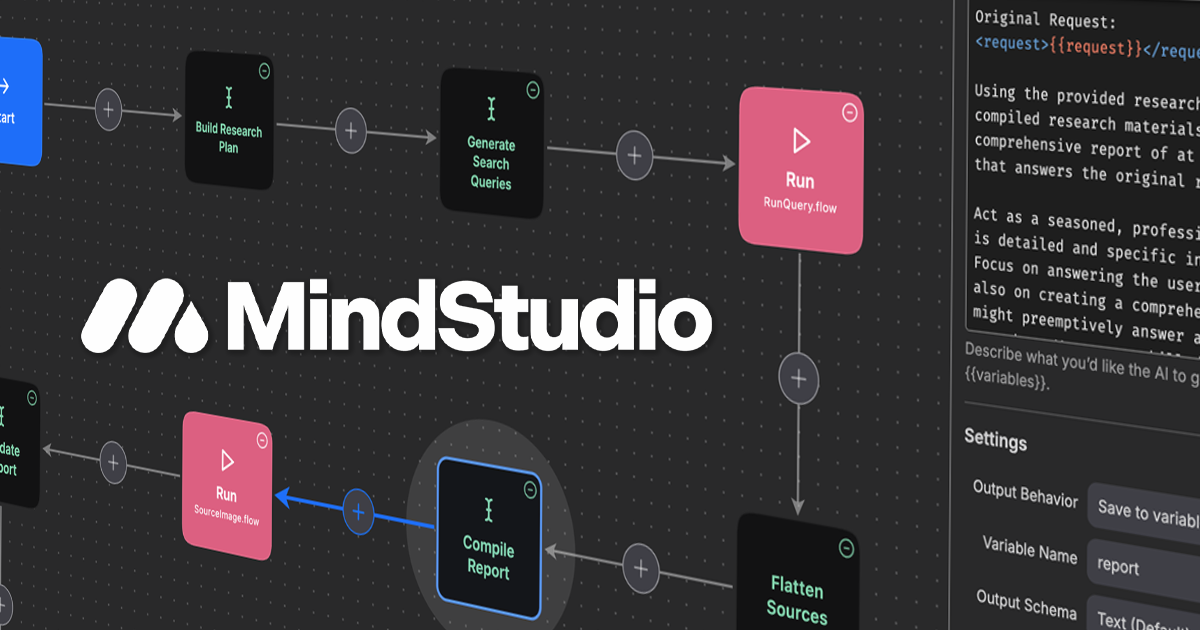
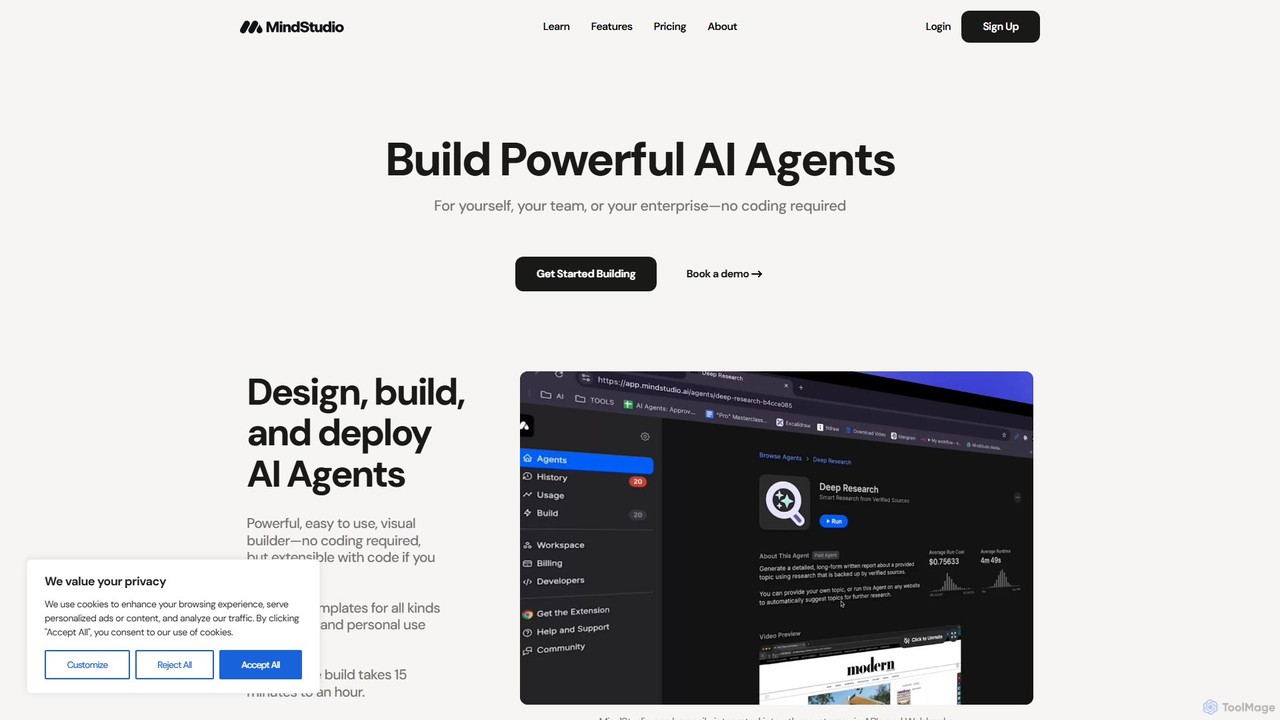
MindStudio is a powerful no-code platform for designing, building, and deploying custom AI agents. It enables users to create AI-powered web apps, automations, and extensions for personal, team, or enterprise use through an intuitive visual builder, without needing to write any code.

Preview

Toolbuilder Product overview

Toolbuilder is a no-code platform that empowers users to create and deploy custom AI applications, chatbots, and automated workflows without writing a single line of code. Connect to top AI models, integrate your own data, and build specialized tools for your business needs in minutes.

Preview

Quick facts

Compare product focus, pricing models and audiences. Highlighted rows indicate different listed information; unknown pricing does not mean free.

MindStudio VS Toolbuilder — Quick facts
Quick factsMindStudioToolbuilder
Pricing modelFreemiumFreemium
Product typeWebWeb
Primary focusWorkflow ManagementWorkflow Management
Audience and rolesNo data availableNo data available
CategoriesWorkflow Management · No Code · AutomationWorkflow Management · No Code · Content Generation · Automation
AddedAug 12, 2025Aug 6, 2025
UpdatedNov 19, 2026Nov 19, 2026

Features, usage and use cases

Explore the listed product descriptions, features and workflows. Taxonomy labels alone are not feature evaluations.

MindStudio

MindStudio is a comprehensive no-code platform designed to empower anyone to build powerful, custom AI agents. Whether for personal productivity, team collaboration, or enterprise-level automation, MindStudio provides an intuitive visual builder that simplifies the creation of sophisticated AI-native workflows. The platform is built to be more accessible and instrumented for AI tasks than traditional automation tools like Zapier or Make, with the average agent build taking only 15 minutes to an hour.

MindStudio is trusted by over 150,000 users across SMBs, enterprises, and government entities, underscoring its commitment to security and privacy with SOC II and GDPR compliance. It offers a flexible and powerful environment that caters to both non-coders and developers, who can extend functionality with custom JavaScript or Python code if needed.

How to use MindStudio

Using MindStudio is a straightforward process designed for rapid development and deployment:

  1. Design Your Agent: Start from scratch or choose from over 100 pre-built templates for various business and personal use cases. Use the visual, drag-and-drop builder to map out your workflow.
  2. Integrate Data and Models: Connect to various data sources, including live web URLs, databases, Google Docs, Notion, and social media platforms. Access over 90 leading Large Language Models (LLMs) from providers like OpenAI, Anthropic, and Google without needing your own API keys.
  3. Configure Logic and Actions: Define the steps of your automation. This can include generating text, images, PDFs, or audio; analyzing data from images (OCR); sending emails or SMS; and integrating with thousands of other services via APIs and webhooks.
  4. Test and Refine: Utilize the built-in debugger, model profiler, and test case generator to ensure your agent performs as expected. Identify and fix issues, and compare different AI models to find the best fit for cost, speed, and quality.
  5. Deploy Your Agent: Deploy your creation in multiple formats, such as a user-facing web app, a backend autonomous agent running on a schedule, a browser extension, an email-triggered service, or an API endpoint for integration into other systems.

Core Features of MindStudio

  • No-Code Visual Builder: An intuitive interface for designing complex AI workflows, extensible with custom JavaScript or Python code.
  • Multi-Format Agent Deployment: Deploy agents as web apps, autonomous automations, browser extensions, email triggers, and API/Webhook endpoints.
  • Extensive Model Access: Instant access to over 90 LLMs and image generation models from top providers like OpenAI, Anthropic, Google, and Stability AI.
  • Versatile Content Generation: Create text, images, HTML, multi-page PDFs, and multi-speaker audio/podcasts.
  • Advanced Data Ingestion: Scrape websites, connect to databases, monitor social media, extract text from images (OCR), and perform Retrieval Augmented Generation (RAG) by uploading and vectorizing your own data.
  • Seamless Integrations: Connect to thousands of apps and services, including Google Workspace, Notion, HubSpot, and social media platforms like X (Twitter) and LinkedIn.
  • Human-in-the-Loop: Incorporate human checkpoints for evaluation, approval, and refinement within automations. Create dynamic forms to collect user input.
  • Robust Testing & QA: Features include automatic diagnostics, a debugger, a model profiler to compare AI models, and AI-powered test case generation.
  • Enterprise-Ready: Offers self-hosting for full data control, SAML SSO, role-based access control, audit logging, and the ability to connect your own model API keys.
  • Workspace & Budget Management: Tools for team collaboration, versioning, and setting granular budgets for agent usage to control costs.

Use Cases for MindStudio

MindStudio is versatile enough for a wide range of applications:

  • Business Automation: Automate repetitive tasks in operations, IT, and HR, such as processing invoices, generating reports, or onboarding new employees.
  • Marketing & Sales: Create agents to generate social media content, write personalized sales emails, analyze market trends, or qualify leads from web forms.
  • Custom Productivity Tools: Individuals can build bespoke tools to summarize articles, organize research, or manage personal projects.
  • Customer Support: Deploy AI agents to answer frequently asked questions, create support tickets from emails, or guide users through troubleshooting steps.
  • Agency Services: AI automation specialists and agencies can use MindStudio to build and deploy digital transformation solutions for their clients.

Advantages of MindStudio

MindStudio stands out for several key reasons:

  • Accessibility: The no-code approach democratizes AI development, allowing non-technical users to build powerful applications.
  • Speed and Efficiency: Rapidly prototype and deploy functional AI agents in minutes or hours, not weeks.
  • Flexibility and Power: Combines the ease of a visual builder with the power of custom code, extensive integrations, and diverse deployment options.
  • All-in-One Platform: Manages the entire lifecycle of an AI agent, from design and testing to deployment and management, all in one place.
  • Security and Control: Enterprise-grade security features, compliance certifications, and options for self-hosting provide peace of mind and full control over data.

Pricing and Plans

MindStudio offers a flexible pricing structure designed to accommodate everyone from individual hobbyists to large enterprises. The plans typically include a free tier for getting started, allowing users to explore the platform's core functionalities. Paid plans are structured based on factors such as usage volume, the number of users, and access to advanced features like enterprise-grade security, self-hosting, and dedicated support. For the most accurate and up-to-date information, please visit the official MindStudio pricing page.

Toolbuilder

Toolbuilder is a revolutionary no-code platform designed to democratize AI development. It provides an intuitive, visual interface that allows anyone, from entrepreneurs and marketers to developers and business analysts, to build powerful, custom AI-powered tools. Instead of relying on generic AI solutions, Toolbuilder enables you to create applications tailored specifically to your unique data, workflows, and business objectives. The platform serves as a bridge between complex AI models and practical business applications, removing the technical barriers traditionally associated with AI development.

With Toolbuilder, you can transform your ideas into functional AI applications rapidly. Whether you need a customer support chatbot trained on your company's knowledge base, a content generator that matches your brand's voice, or an internal tool to automate data analysis, the platform provides all the necessary components to bring your vision to life. It's built for speed, flexibility, and scalability, allowing you to prototype, test, and deploy AI solutions in a fraction of the time and cost it would take with traditional methods.

How to use Toolbuilder

Using Toolbuilder is a straightforward, step-by-step process designed for clarity and efficiency:

  1. Define Your Goal: Start by clearly defining what you want your AI tool to accomplish. For example, 'Summarize customer reviews' or 'Generate social media posts from a blog article'.
  2. Select an AI Model: Choose from a variety of leading AI models (like GPT-4, Claude, etc.) that best suit your task's complexity and creative needs.
  3. Provide Context with Data: Upload your own data to give the AI context. This can be in the form of documents (PDFs, TXT), website content, or direct text input. This step is crucial for creating a tool that understands your specific domain.
  4. Design the Workflow: Use the visual, drag-and-drop editor to build your tool's logic. You can chain multiple steps together, such as 'Extract keywords from text', then 'Use keywords to search a database', and finally 'Generate a report based on the findings'.
  5. Create the User Interface: Customize the input and output fields for your tool. Create a simple, user-friendly interface for anyone to use your new application.
  6. Test and Deploy: Test your tool within the platform to ensure it works as expected. Once you're satisfied, you can deploy it and share it with others via a unique link, embed it on your website, or integrate it into other systems using an API.

Core Features of Toolbuilder

  • No-Code Visual Builder: An intuitive drag-and-drop interface for building complex AI workflows without any programming.
  • Multi-Model Integration: Access to a wide range of state-of-the-art Large Language Models (LLMs) to power your applications.
  • Custom Data Sources: Train your AI tools on your own data by uploading documents, scraping websites, or connecting to databases for highly relevant and accurate outputs.
  • Workflow Automation: Chain multiple AI prompts and actions together to create sophisticated, multi-step automations.
  • Instant Deployment & Sharing: Generate a shareable web app for your tool with a single click, or embed it directly into your existing websites and platforms.
  • API Access: For advanced users, Toolbuilder provides API access to integrate your custom-built tools into other software and services.
  • Team Collaboration: Work with your team to build, manage, and improve AI tools in a shared workspace.

Use Cases for Toolbuilder

Toolbuilder is versatile and can be applied across various industries and functions:

  • Marketing: Create tools for generating ad copy, writing SEO-optimized blog posts, creating social media calendars, or personalizing email campaigns.
  • Customer Support: Build custom chatbots trained on your product documentation and FAQs to provide instant, accurate answers to customer queries 24/7.
  • Human Resources: Develop tools to screen resumes, generate job descriptions, or create onboarding materials for new hires.
  • Operations: Automate the process of summarizing reports, extracting key information from contracts and legal documents, or analyzing customer feedback.
  • Sales: Build a tool to generate personalized sales pitches, research potential leads, or summarize call transcripts.

Advantages of Toolbuilder

The primary advantage of Toolbuilder is its ability to empower non-technical users to build sophisticated AI. This leads to several key benefits:

  • Speed to Market: Go from idea to a functional AI application in hours, not months.
  • Cost-Effective: Drastically reduces the development costs associated with hiring specialized AI engineers and developers.
  • Hyper-Customization: Create tools that are perfectly aligned with your specific workflows, data, and brand voice, which off-the-shelf solutions cannot offer.
  • Democratization of AI: Enables teams across your organization to leverage AI, fostering innovation and improving efficiency without needing a centralized development team.
  • Scalability: Start with a simple tool and easily scale its complexity and usage as your business needs grow.

Pricing and Plans

Toolbuilder offers a flexible pricing structure to suit different needs, from individual creators to large enterprises.

  • Free Plan: Perfect for exploring the platform. Includes a limited number of tool runs per month, access to basic AI models, and the ability to build and test a few tools.
  • Pro Plan (approx. $29/month): Ideal for professionals and small businesses. Offers a significantly higher number of tool runs, access to premium AI models, the ability to build more tools, and standard support.
  • Business Plan (Custom Pricing): Designed for teams and enterprises. Includes unlimited tool creation, high-volume usage, advanced features like API access, team collaboration, dedicated support, and enhanced security.

Positioning

Their taxonomy shows where the products overlap and where each one has a more distinct focus. Unknown fields are shown explicitly and are never filled with assumptions.

Categories

Shared
Workflow ManagementAutomation
Only MindStudio
No Code
Only Toolbuilder
No CodeContent Generation

Tags

Shared
AI agentcustom AIdeveloper toolsllmno-codeworkflow automation
Only MindStudio
API integrationbusiness automationimage generationtext generationvisual builder
Only Toolbuilder
AI app builderautomationchatbot buildergpt

Audience and roles

Shared
No listed items
Only MindStudio
No listed items
Only Toolbuilder
No listed items

Traffic comparison

Traffic is shown on the same scale so differences in market visibility are not visually understated.

How to interpret the traffic data

Both charts share the same months and vertical scale. Each tool identifies its latest reporting month; missing months are left blank, not counted as zero. Regional and source visit counts are estimates calculated from the reported shares.

MindStudio monthly traffic:

Latest traffic · 2026-05

Monthly visits
1.8M
Avg. visit duration
1:05
Pages per visit
1.94
Bounce rate
63.87%
Data updated 2026-06-15

Monthly traffic trend

  • 2025-09: 224.5K
  • 2026-01: 198.3K
  • 2026-02: 219.9K
  • 2026-03: 419.9K
  • 2026-04: 1.8M
  • 2026-05: 1.8M

Top regions

Top 5 countries/regions
Country/regionPercentageEstimated visits
🇺🇸United States55.05%1M
🇮🇳India16.16%295.3K
🇻🇳Vietnam10.7%195.5K
🇩🇪Germany9.68%176.9K
🇬🇧United Kingdom8.41%153.7K

Traffic sources

Source typePercentageEstimated visits
Direct64.75%1.2M
Referral33.02%603.4K
Email2.23%40.8K

Search keywords

gemini sparkgpt 5.5 vs opus 4.7hermes agentllm wikimindstudio

Toolbuilder

No data available

Community signals

Ratings, comments, favorites, and likes are community signals—not a substitute for product fit.

MindStudio

Rating
No data available
Comments
0
Favorites
177
Likes
187

Toolbuilder

Rating
No data available
Comments
0
Favorites
188
Likes
203

MindStudio vs Toolbuilder · Comparison FAQ

What do MindStudio and Toolbuilder have in common?
Both tools are listed under Workflow Management、Automation. These categories indicate overlapping use cases; compare their detailed descriptions for workflows, capabilities and limitations.
Are MindStudio and Toolbuilder free?
Listed pricing models: MindStudio — Freemium; Toolbuilder — Freemium. Missing pricing is not proof of a free plan, and freemium does not mean every feature is free. Check official sites for current plans, limits and trials.
How should I choose between MindStudio and Toolbuilder?
The primary listed category is Workflow Management for MindStudio, and Workflow Management for Toolbuilder. Compare features, steps and use cases, then verify pricing, data permissions and deployment needs. This page does not include hands-on testing and does not declare a winner from traffic or tags.

Sources and comparison methodology

This page is assembled from ToolMage product listings, taxonomy, traffic statistics and on-site user feedback. It is not a hands-on test or an independent review.
  • Feature and plan descriptions reflect information in the listings, not real-time guarantees. Verify pricing, quotas, availability and privacy terms on the official sites.
  • Traffic uses the reporting months shown. Missing statistics do not mean zero visits, and different periods do not establish growth or superiority. Regional and source visit counts are estimates based on shares.
  • Different tags indicate differences in the listings, not proof that the other product lacks a capability. Ratings, favorites and visits are not used to declare a winner.

Related comparisons