ToolMage
Sign in

AI TOOL COMPARISON

NeoBase vs SQL Chat

What is the difference, and which fits your workflow? Compare features, usage, pricing models and traffic side by side.

Jump to key differences

Product overview

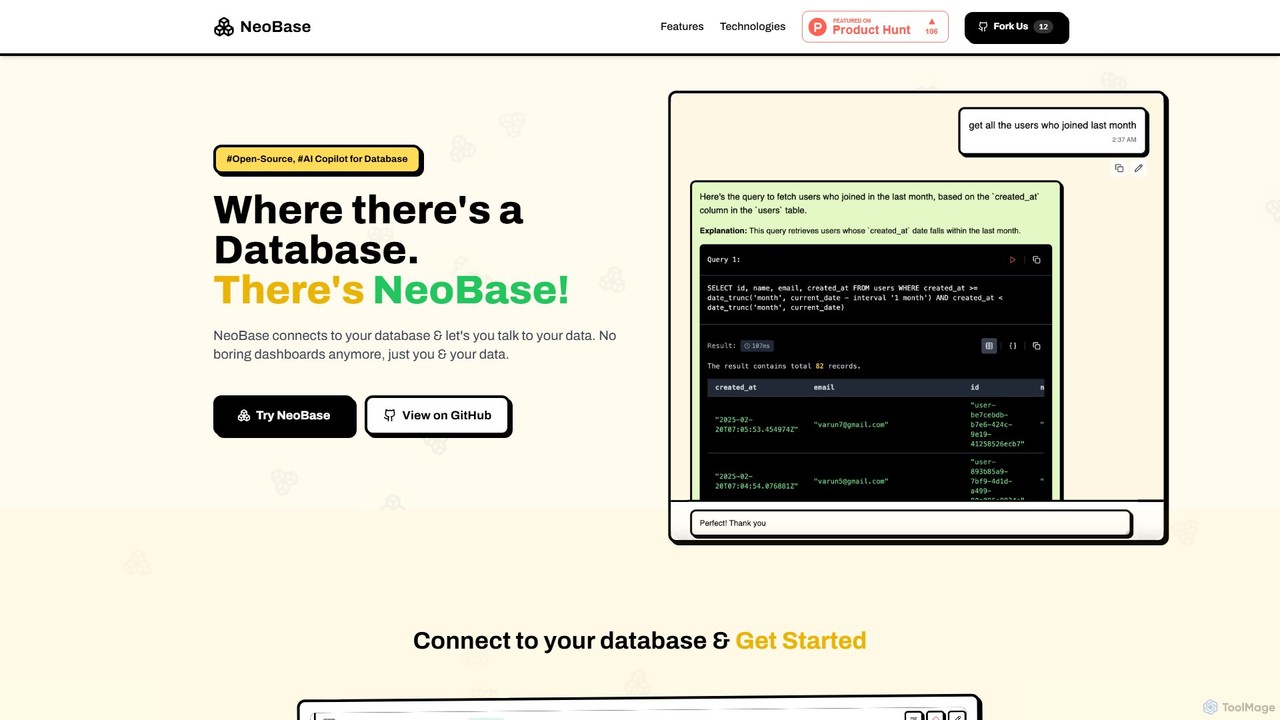
NeoBase Product overview

NeoBase is an open-source AI copilot for databases, enabling users to interact with their data using natural language. It connects to various SQL and NoSQL databases, translates plain English queries into optimized code, and visualizes the results. Designed for both technical and non-technical users, it streamlines data analysis, debugging, and reporting, eliminating the need for complex query writing and providing full data control through self-hosting.

Preview

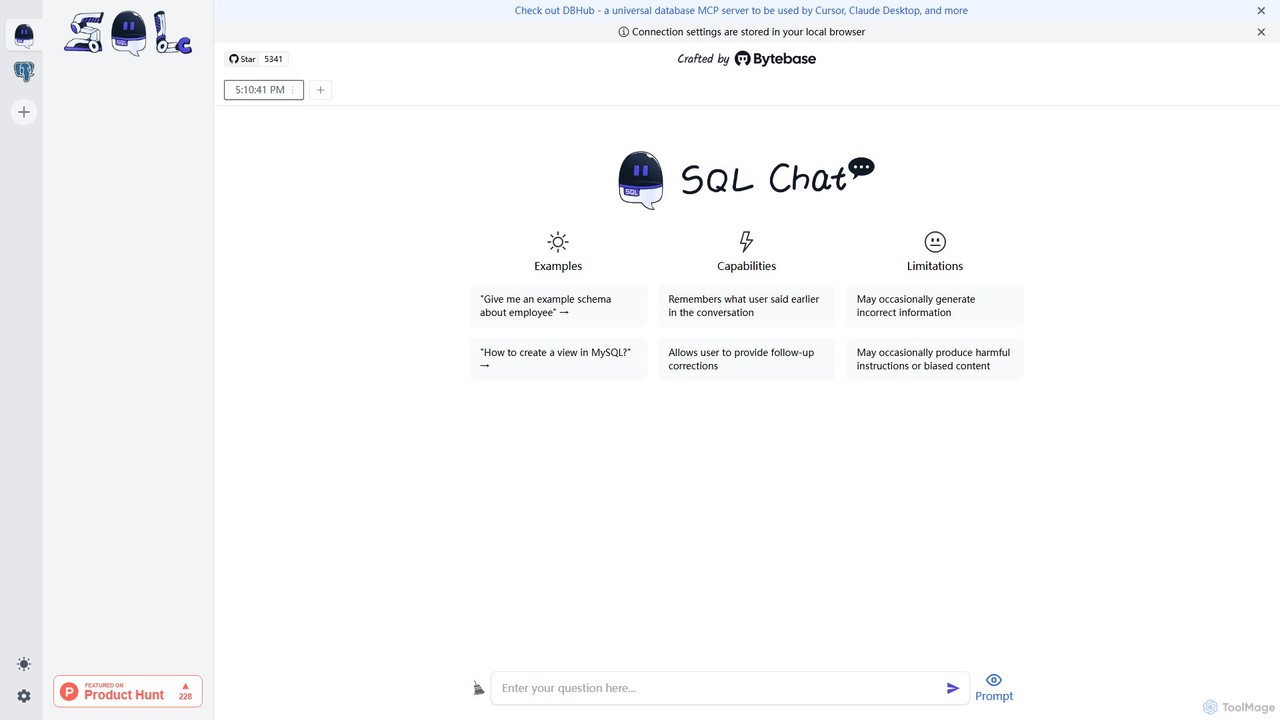
SQL Chat Product overview

SQL Chat is an open-source, chat-based SQL client and editor that uses AI to translate natural language questions into SQL queries. Connect to your database, ask questions in plain English, and get results instantly, democratizing data access for both technical and non-technical users.

Preview

Quick facts

Compare product focus, pricing models and audiences. Highlighted rows indicate different listed information; unknown pricing does not mean free.

NeoBase VS SQL Chat — Quick facts
Quick factsNeoBaseSQL Chat
Pricing modelFreeFreemium
Product typeWebWeb
Primary focusData AnalysisCode Assistant
Audience and rolesNo data availableNo data available
CategoriesData Analysis · Database · Business IntelligenceCode Assistant · Database · Business Intelligence
AddedAug 17, 2025Aug 6, 2025
UpdatedNov 19, 2026Nov 19, 2026

Features, usage and use cases

Explore the listed product descriptions, features and workflows. Taxonomy labels alone are not feature evaluations.

NeoBase

NeoBase is a revolutionary open-source AI copilot designed to transform how you interact with your databases. It acts as an intelligent layer between you and your data, allowing you to ask questions and perform operations using natural language, such as English or Hindi. This eliminates the steep learning curve of SQL and other query languages, making data accessible to everyone on the team, from developers and data analysts to C-suite executives and product managers. By connecting directly to your existing databases, NeoBase ensures that your data remains secure within your own infrastructure. It's built on the principle of data ownership and control, offering a self-hosted solution that gives you the freedom to choose your preferred Large Language Model (LLM) client, such as OpenAI, Google Gemini, or a local Ollama instance.

How to use NeoBase

Getting started with NeoBase is a straightforward process designed for quick integration into your workflow. The entire process can be broken down into four simple steps:

  1. Connect to Your Database: Securely connect NeoBase to your database. It supports a wide range of popular databases, including PostgreSQL, MySQL, MongoDB, Redis, and more. The connection process is designed with security as a priority, ensuring your credentials are protected.
  2. Ask in Your Language: Once connected, you can start interacting with your data immediately. Simply type your questions or commands in plain English or another supported language. For example, you could ask, "Show me all users who signed up last month and made a purchase."
  3. AI Generates Optimized Queries: NeoBase's AI core analyzes your natural language request. It understands the intent and context, then generates the most efficient and optimized database query (e.g., SQL) to retrieve the requested information. It also provides suggestions to improve database performance.
  4. Execute and Visualize Results: Before running the query, you have the option to review it. With a single click, you can execute the query. NeoBase then fetches the data and presents it in a clean, easy-to-understand visual format, moving beyond boring tables and dashboards.

For initial setup, you can follow the detailed instructions in the SETUP.md file within the official GitHub repository to deploy NeoBase on your own infrastructure.

Core Features of NeoBase

  • Natural Language Querying: Converse with your database using everyday language, eliminating the need to write complex SQL or NoSQL queries.
  • Multi-Database Support: Connect to a wide variety of databases, including PostgreSQL, YugabyteDB, MySQL, MongoDB, Redis, Neo4j, ClickHouse, and Cassandra.
  • Flexible LLM Integration: Choose your preferred LLM provider. NeoBase supports clients like OpenAI, Google Gemini, Anthropic (Claude), and local models via Ollama.
  • Open Source & Self-Hosted: As a fully open-source tool under the MIT License, you have complete control. Deploy it on your own servers to ensure no data ever leaves your infrastructure.
  • Query Optimization & Suggestions: The AI not only translates your requests but also suggests optimizations to enhance your database's performance.
  • Smart Schema Management: NeoBase intelligently manages your database schema to provide context to the AI, while still giving you the flexibility to control it manually.
  • Secure by Design: Your database credentials and query results are never sent to third-party LLM clients. Only schema information is used to generate queries, and you retain full control over your data.
  • Visualization and Export: View query results in an intuitive format and easily export them for reports or further analysis.

Use Cases for NeoBase

NeoBase is a versatile tool that empowers various roles within an organization:

  • Software Developers: Quickly debug application issues by inspecting database records without context switching. They can validate schema changes and check database states during development cycles, significantly speeding up their workflow.
  • Data Analysts: Perform ad-hoc analysis and explore datasets rapidly without the bottleneck of writing and refining queries. They can get insights faster and answer complex business questions on the fly.
  • Product Managers: Directly query user data to understand behavior, track feature adoption, and validate hypotheses without relying on the engineering team for custom reports.
  • C-Suite Executives & Business Analysts: Gain real-time access to key business metrics and performance indicators by asking simple questions. This democratizes data access and supports faster, data-driven decision-making.

Advantages of NeoBase

NeoBase offers a significant upgrade over traditional database management tools and dashboards:

  • Democratized Data Access: Breaks down technical barriers, allowing non-technical team members to interact with data directly.
  • Increased Productivity: Saves valuable time for developers and analysts by automating the query-writing process.
  • Enhanced Security and Control: The self-hosted model means your sensitive data never leaves your control, a critical advantage for organizations with strict data privacy requirements.
  • Flexibility: Works with your existing database and your choice of AI model, fitting seamlessly into your current tech stack.
  • Real-Time Insights: Moves beyond static, pre-configured dashboards to allow for dynamic, real-time data exploration.

Pricing and Plans

NeoBase is completely free and open-source, distributed under the permissive MIT License. You can download, modify, and deploy the software on your own infrastructure without any licensing fees. Users are only responsible for the costs associated with their own hosting environment (e.g., server costs) and the usage fees of their chosen LLM provider (e.g., OpenAI API credits), if they opt for a commercial model.

SQL Chat

SQL Chat is a revolutionary, open-source AI tool designed to function as a chat-based SQL client and editor for the modern era. It fundamentally changes how users interact with databases by allowing them to use natural language to query data. Instead of writing complex SQL code, you can simply ask questions in plain English, and SQL Chat's advanced AI will translate them into accurate SQL queries, execute them, and return the results. This makes data exploration and analysis accessible to a much broader audience, including product managers, marketers, and business analysts, while also serving as a powerful productivity tool for experienced developers and data scientists.

Built with security and flexibility in mind, SQL Chat is self-hostable, meaning you can deploy it within your own infrastructure. This ensures that your sensitive database credentials and data never leave your control, addressing a critical concern for many organizations. It supports a wide range of popular databases, making it a versatile solution for various data stacks.

How to use SQL Chat

Using SQL Chat is designed to be an intuitive and straightforward process, centered around a conversational interface.

  1. Connect to Your Database: The first step is to establish a secure connection to your database. SQL Chat supports various SQL databases like MySQL, PostgreSQL, and more. You provide the connection details (host, port, username, password), and the tool securely connects to your data source. Since it can be self-hosted, these credentials remain within your private network.
  2. Ask Questions in Natural Language: Once connected, you can start interacting with the chat interface. Type your data request as a simple question, just as you would ask a colleague. For example, you could ask, "Show me the total revenue from last month" or "Which 10 customers have the highest lifetime value?".
  3. AI-Powered Query Generation: SQL Chat's AI analyzes your question, understands the intent, and automatically generates the corresponding SQL query. The tool is aware of your database schema (tables and columns), which allows it to construct precise and valid queries.
  4. Review, Edit, and Execute: The generated SQL query is displayed for your review. This is a great feature for both learning and validation. Technical users can fine-tune the query if needed, while new users can learn SQL syntax by observing the translations. Once you're satisfied, you can execute the query with a single click.
  5. Explore and Visualize Results: The query results are presented in a clean, tabular format. You can then ask follow-up questions to drill down further into the data, such as "Group these results by country" or "What's the weekly trend for this data?", making data exploration a seamless, continuous conversation.

Core Features of SQL Chat

  • Natural Language to SQL: The core engine that translates plain English questions into executable SQL code.
  • Broad Database Support: Natively supports connections to popular databases including MySQL, PostgreSQL, and more.
  • Self-Hosting for Maximum Security: As an open-source tool, it can be deployed on your own servers, ensuring data privacy and security.
  • Interactive SQL Editor: Provides an interface to view, edit, and refine the AI-generated SQL queries before execution.
  • Context-Aware Conversational Interface: Remembers the context of your conversation, allowing for intuitive follow-up questions and iterative data exploration.
  • Schema Awareness: Automatically analyzes your database schema to generate accurate and relevant queries.
  • Open-Source: Free to use, modify, and contribute to, with a transparent development process driven by the community.

Use Cases for SQL Chat

SQL Chat is a versatile tool that caters to various roles within an organization:

  • Business Teams (Sales, Marketing, Operations): Empower non-technical team members to self-serve their data needs. They can track KPIs, generate reports, and analyze campaign performance without relying on the engineering team.
  • Data Analysts and Scientists: Accelerate the data exploration and query prototyping process. Quickly generate baseline queries for ad-hoc requests and spend more time on complex analysis rather than boilerplate SQL writing.
  • Product Managers: Gain quick insights into user behavior, feature adoption, and product metrics directly from the database to make data-informed decisions.
  • Developers and Engineers: Use it for quick data lookups, debugging, and database checks without the need to switch to a heavy, traditional SQL client.
  • SQL Learners: An excellent educational tool for understanding how to structure SQL queries by seeing direct translations from natural language questions.

Advantages of SQL Chat

The primary advantage of SQL Chat is its ability to democratize data access. It breaks down the technical barriers associated with SQL, empowering anyone to interact with data. This leads to increased productivity across the board, as it significantly reduces the time from question to insight. The self-hosted, open-source model provides unparalleled security, control, and flexibility, which is a critical differentiator from many cloud-only AI services. Its intuitive, chat-based UX requires virtually no training, making adoption seamless for any team.

Pricing and Plans

SQL Chat is an open-source project and is available for free. You can download the source code from its GitHub repository and host it on your own infrastructure without any licensing fees. While the core product is free, commercial support or managed cloud hosting options may be offered by the maintainers or third-party services. For the most up-to-date information, it is recommended to check the official SQL Chat website or its GitHub page.

Positioning

Their taxonomy shows where the products overlap and where each one has a more distinct focus. Unknown fields are shown explicitly and are never filled with assumptions.

Categories

Shared
DatabaseBusiness Intelligence
Only NeoBase
Data Analysis
Only SQL Chat
Code Assistant

Tags

Shared
business intelligencedata analysisdatabasedeveloper toolsopen sourcepostgresqlSQL
Only NeoBase
AI copilotmongodbnatural language querynosqlself-hosted
Only SQL Chat
mysqlnatural language processingNLPtext to sql

Audience and roles

Shared
No listed items
Only NeoBase
No listed items
Only SQL Chat
No listed items

Traffic comparison

Traffic is shown on the same scale so differences in market visibility are not visually understated.

How to interpret the traffic data

Both charts share the same months and vertical scale. Each tool identifies its latest reporting month; missing months are left blank, not counted as zero. Regional and source visit counts are estimates calculated from the reported shares.

NeoBase monthly traffic:

Latest traffic · 2026-05

Monthly visits
310
Avg. visit duration
0:00
Pages per visit
1.03
Bounce rate
36.37%
Data updated 2026-06-15

Monthly traffic trend

  • 2025-07: 0
  • 2025-08: 321
  • 2025-09: 754
  • 2026-01: No data available
  • 2026-02: No data available
  • 2026-03: 0
  • 2026-04: 0
  • 2026-05: 310

Top regions

Top 5 countries/regions
Country/regionPercentageEstimated visits
🇮🇳India100%310

Search keywords

neobaseno basenudibase

SQL Chat monthly traffic:

Latest traffic · 2026-05

Monthly visits
133
Avg. visit duration
0:00
Pages per visit
1.04
Bounce rate
35.79%
Data updated 2026-06-15

Monthly traffic trend

  • 2025-07: No data available
  • 2025-08: No data available
  • 2025-09: 6.4K
  • 2026-01: 1.4K
  • 2026-02: 1.2K
  • 2026-03: 1.2K
  • 2026-04: 198
  • 2026-05: 133

Top regions

Top 5 countries/regions
Country/regionPercentageEstimated visits
🇮🇳India100%133

Search keywords

sql ai botsql chat

Community signals

Ratings, comments, favorites, and likes are community signals—not a substitute for product fit.

NeoBase

Rating
No data available
Comments
0
Favorites
183
Likes
194

SQL Chat

Rating
No data available
Comments
0
Favorites
196
Likes
189

NeoBase vs SQL Chat · Comparison FAQ

What do NeoBase and SQL Chat have in common?
Both tools are listed under Database、Business Intelligence. These categories indicate overlapping use cases; compare their detailed descriptions for workflows, capabilities and limitations.
Are NeoBase and SQL Chat free?
Listed pricing models: NeoBase — Free; SQL Chat — Freemium. Missing pricing is not proof of a free plan, and freemium does not mean every feature is free. Check official sites for current plans, limits and trials.
How should I choose between NeoBase and SQL Chat?
The primary listed category is Data Analysis for NeoBase, and Code Assistant for SQL Chat. Compare features, steps and use cases, then verify pricing, data permissions and deployment needs. This page does not include hands-on testing and does not declare a winner from traffic or tags.

Sources and comparison methodology

This page is assembled from ToolMage product listings, taxonomy, traffic statistics and on-site user feedback. It is not a hands-on test or an independent review.
  • Feature and plan descriptions reflect information in the listings, not real-time guarantees. Verify pricing, quotas, availability and privacy terms on the official sites.
  • Traffic uses the reporting months shown. Missing statistics do not mean zero visits, and different periods do not establish growth or superiority. Regional and source visit counts are estimates based on shares.
  • Different tags indicate differences in the listings, not proof that the other product lacks a capability. Ratings, favorites and visits are not used to declare a winner.

Related comparisons