ToolMage
Sign in

AI TOOL COMPARISON

Openlayer vs Scorecard

What is the difference, and which fits your workflow? Compare features, usage, pricing models and traffic side by side.

Jump to key differences

Product overview

Openlayer Product overview

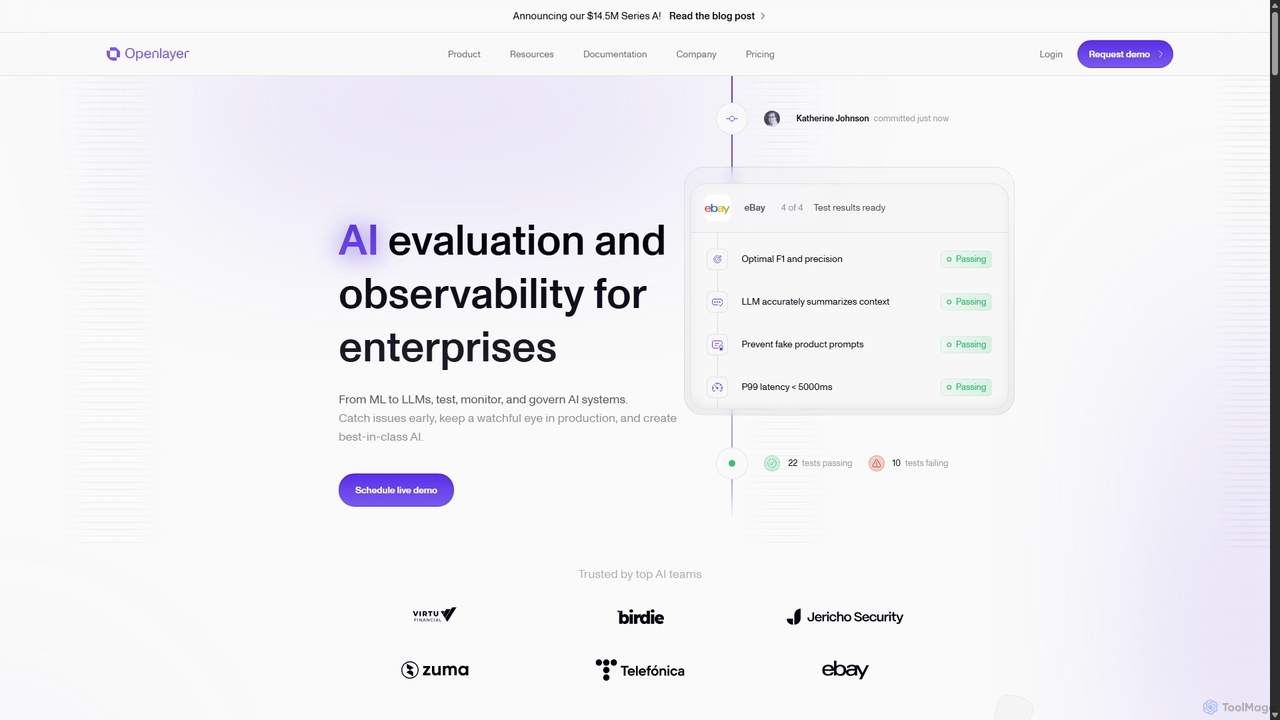
Openlayer is an enterprise-grade platform for AI evaluation and observability. It empowers teams to test, monitor, and govern both traditional machine learning models and large language models (LLMs) throughout their entire lifecycle, from development to production, ensuring reliability and compliance.

Preview

Scorecard Product overview

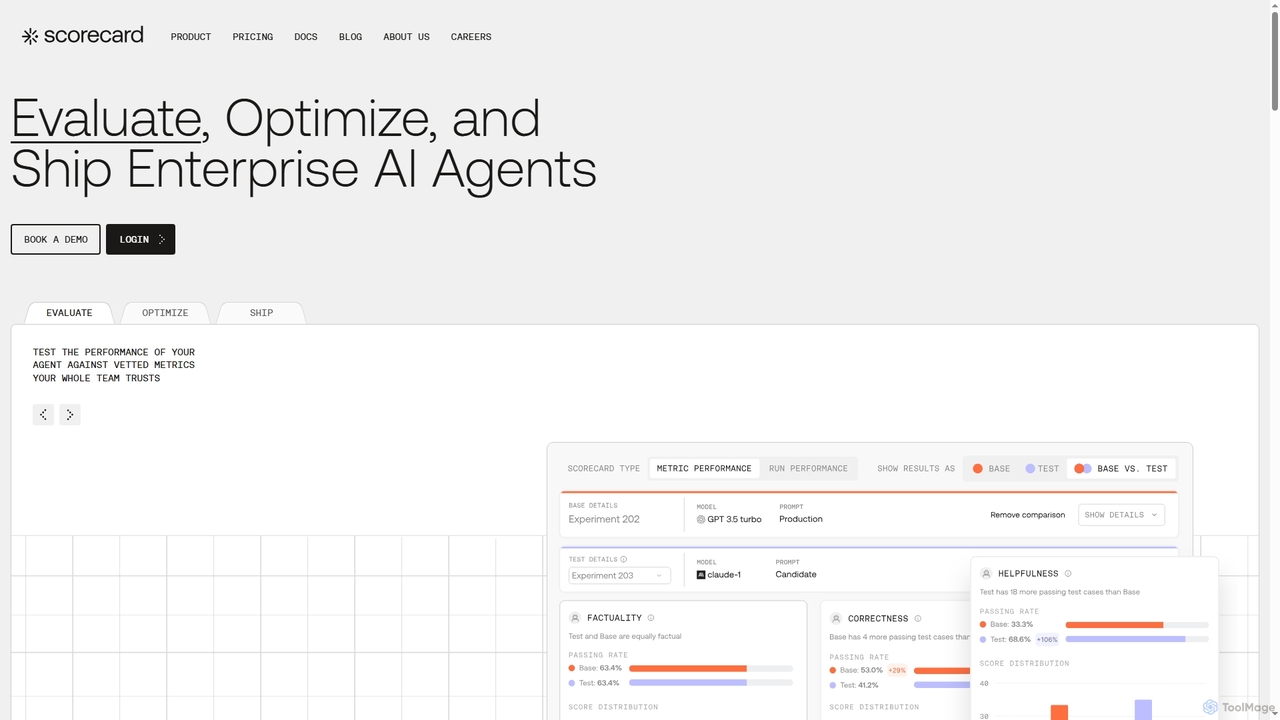
Scorecard is an end-to-end platform for evaluating, optimizing, and deploying enterprise AI agents. It helps teams replace subjective testing with structured evaluations, providing tools for continuous monitoring, prompt management, and performance metrics to build trustworthy and reliable AI applications with confidence.

Preview

Quick facts

Compare product focus, pricing models and audiences. Highlighted rows indicate different listed information; unknown pricing does not mean free.

Openlayer VS Scorecard — Quick facts
Quick factsOpenlayerScorecard
Pricing modelFreemiumFreemium
Product typeWebWeb
Primary focusAnalyticsEvaluation
Audience and rolesAI Developer · AI Researcher · CTO · Data Scientist · DevOps Engineer · Machine Learning Engineer · MLOps Engineer · Product ManagerAI Researcher · Data Scientist · Machine Learning Engineer · Product Manager · QA Engineer · Software Developer
CategoriesAnalytics · Machine Learning · Testing · MonitoringEvaluation · Testing · Development
AddedSep 14, 2025Oct 18, 2025
UpdatedNov 19, 2026Nov 19, 2026

Features, usage and use cases

Explore the listed product descriptions, features and workflows. Taxonomy labels alone are not feature evaluations.

Openlayer

Openlayer is a comprehensive platform designed to bring reliability, transparency, and trust to AI systems. In an era where AI is transforming industries, Openlayer addresses the critical challenge of inconsistent performance and the lack of robust testing. It provides a unified environment for AI teams to confidently develop, deploy, and monitor their systems, whether they are complex machine learning models or sophisticated LLM-based applications. The platform streamlines the entire AI lifecycle, enabling teams to catch issues early, prevent regressions in production, and build best-in-class AI that is both dependable and impactful.

How to use Openlayer

Integrating Openlayer into your workflow is designed to be seamless. The process typically follows these steps:

  1. Integration: Connect Openlayer to your existing development environment. This can be done through its Git integrations, language-specific SDKs (like Python and TypeScript), a powerful Command-Line Interface (CLI), or its comprehensive REST APIs.
  2. Project Setup: Create a new project in Openlayer. You can start from scratch or accelerate the process by using one of the many pre-configured templates for common AI patterns, such as RAG pipelines, chatbots, or churn prediction models.
  3. Define Tests: Configure a suite of tests to evaluate your AI system's performance, integrity, and safety. Openlayer offers an expansive library of customizable tests, covering aspects like data drift, PII leakage, response harmfulness, answer relevancy, and latency.
  4. Development & Testing: As you commit new versions of your AI system, Openlayer automatically runs the defined tests, providing immediate feedback within your CI/CD pipeline. This allows you to catch regressions and bugs before they reach production.
  5. Deployment & Monitoring: Once deployed, Openlayer's observability features take over. It tracks and traces all production requests in real-time, monitoring key metrics like cost, latency, token usage, and data quality.
  6. Analysis & Iteration: Use the platform's dashboards to analyze performance, debug error cases, and gather insights from human feedback annotations. Set up alerts to be notified of anomalies or failing tests, allowing your team to fix issues within minutes and continuously improve the AI system.

Core Features of Openlayer

  • AI System Testing & Evaluation: A vast library of customizable tests to systematically evaluate models and applications against performance, fairness, security, and robustness metrics.
  • Production Monitoring & Observability: Real-time tracing and tracking of all system requests, with detailed monitoring of cost, latency, tokens, and data quality. Includes alerting and annotation features.
  • Governance & Compliance: Tools to help align AI systems with major industry standards and regulations, such as ISO/IEC 42001, OWASP, NIST, and the EU AI Act, simplifying the governance process.
  • Automated Data Quality Checks: Automatically connect to data pipelines to test for schema changes, drift, and anomalies, ensuring bad data doesn't compromise model performance.
  • Seamless Workflow Integration: Deep integrations with Git, SDKs for Python and TypeScript, a full-featured CLI, and REST APIs allow Openlayer to fit into any MLOps or LLMOps workflow without friction.
  • Team Collaboration: A shared workspace where team members can collaborate on defining tests, debugging issues, and assigning roles, ensuring all stakeholders are aligned.
  • Project Templates: A collection of pre-configured sample projects for common AI use cases (e.g., RAG, PDF Extraction, Chatbots) to help teams get started in seconds.

Use Cases for Openlayer

Openlayer is versatile and trusted by teams across various industries:

  • E-commerce: Monitoring recommendation engines for drift, testing chatbots for response quality, and ensuring pricing models are accurate and fair.
  • Cybersecurity: Validating that AI-generated phishing messages do not reveal their origin, and monitoring fraud detection models for low false-positive rates.
  • Recruiting & HR: Ensuring resume processing pipelines accurately extract information and that AI-powered screening tools are free from bias.
  • Travel & Tourism: Monitoring dynamic pricing models and ensuring personalized travel recommendation systems provide relevant and diverse suggestions.
  • Fintech: Evaluating credit scoring models for fairness and accuracy, and monitoring transaction fraud detection systems in real-time.

Advantages of Openlayer

By using Openlayer, AI teams gain significant advantages:

  • Ship with Confidence: A robust testing framework prevents regressions and ensures new deployments are reliable.
  • Accelerated Development: Teams see a significant increase in deployment frequency and throughput by automating the evaluation process.
  • Proactive Issue Resolution: Real-time monitoring and alerting allow teams to detect and fix production issues before they impact users.
  • Simplified Compliance: Effortlessly align with global AI standards and regulations, reducing legal and reputational risk.
  • Improved Model Performance: Powerful debugging and error analysis tools help data scientists pinpoint and fix the root causes of model failures, leading to continuous improvement.

Pricing and Plans

Openlayer offers a flexible pricing structure to accommodate teams of all sizes:

  • Basic Plan: A free-to-start tier perfect for individuals and small teams. It includes access for 1 member, 5 projects, 20,000 inferences per month, the full AI test library, observability features, CLI/SDK/API access, and community support.
  • Enterprise Plan: A custom plan tailored for larger businesses with advanced needs. It includes all features of the Basic plan plus unlimited members and projects, custom inference volumes, team access controls, on-premise deployment options, SAML SSO, a 99.99% SLA, white-glove onboarding, and advanced support. Pricing is available upon contacting sales.

Scorecard

Scorecard is a comprehensive platform designed to serve as an 'AI Control Room' for teams building, testing, and deploying enterprise-grade AI agents. It addresses the core challenges of AI development, such as the unpredictability of AI models (the 'black box' problem), slow feedback cycles, and the risks associated with subjective testing. By providing a suite of powerful tools, Scorecard enables a systematic, data-driven approach to ensure AI agents are reliable, effective, and trustworthy before and after they reach production.

The platform creates a continuous feedback loop that connects development, testing, and production environments. This allows teams to gain live observability into how users interact with their AI agents, identify issues in real-time, and turn production failures into reusable test cases. This iterative process dramatically accelerates improvement cycles and helps teams make faster, more meaningful enhancements to their AI systems.

How to use Scorecard

The workflow in Scorecard is structured around a three-step process: Evaluate, Optimize, and Ship.

  1. Evaluate: Begin by testing the performance of your AI agent against Scorecard's library of vetted, industry-standard metrics. You can also customize these metrics or create your own to track what matters most to your business. Run structured tests and A/B comparisons to gain clear, actionable insights into your agent's behavior and performance.
  2. Optimize: Use the Scorecard Playground to rapidly prototype and iterate on your ideas. Experiment with different models, fine-tune prompts, and compare versions side-by-side using actual user requests. The platform serves as a single source of truth for your best-performing prompts, with version control to track changes and collaborate effectively.
  3. Ship: Once your agent has been rigorously tested and optimized, deploy it to production with confidence. Scorecard integrates with your production systems, allowing you to manage and deploy prompts without touching an IDE. You can monitor real-world performance, log and trace interactions, and catch issues before they impact a wider user base.

Core Features of Scorecard

  • Continuous Evaluation: Get a real-time pulse on how users interact with your agent, identify failures, and monitor performance continuously.
  • Prompt Playground & Management: A powerful environment to create, test, compare, and version prompts. It acts as a central repository for your team's best prompts.
  • Trustworthy Metrics Library: Access a library of validated metrics for industry benchmarks or create custom, AI-powered metrics by simply describing them.
  • A/B Comparison: Effortlessly run head-to-head tests between different versions of your AI systems to make evidence-based decisions.
  • Human Labeling: Integrate human-in-the-loop feedback to establish ground truth and validate the performance of mission-critical applications.
  • Test Set Management: Convert production failures and real-world edge cases into structured test sets for regression testing and continuous improvement.
  • Production Deployment & Monitoring: Seamlessly deploy tested prompts to production and monitor their performance over time with logging, tracing, and visualizations.

Use Cases for Scorecard

Scorecard is versatile and can be applied across various industries to ensure AI reliability:

  • Legal: Analyze legal documents to identify risks and ensure compliance with high accuracy.
  • Fintech: Evaluate AI models that assess financial instruments, manage risk exposure, and provide financial analysis.
  • Compliance: Test systems designed to review compliance programs and ensure adherence to regulatory frameworks.
  • Healthcare: Assess AI used for healthcare analytics, ensuring compliance and mitigating risks in sensitive applications.
  • Chatbots & Customer Service: Optimize chatbot personalities and responses to improve conversation quality and user satisfaction scores.

Advantages of Scorecard

By adopting Scorecard, teams gain a significant competitive edge. The platform replaces subjective 'vibe checks' with systematic, repeatable testing, leading to data-backed decisions. It breaks down silos between development and production, fostering a culture of continuous improvement. The primary advantages include shipping AI products faster and with greater confidence, building user trust through reliable performance, and ultimately delivering superior AI-powered experiences.

Pricing and Plans

Scorecard offers a tiered pricing model to scale with your needs:

  • Starter Plan: $0/month. Ideal for early-stage projects, it includes unlimited users and 100,000 scores.
  • Growth Plan: $299/month. Designed for startups and mid-sized companies, this plan includes everything in Starter, plus 1 million scores per month, test set management, prompt playground access, and priority support.
  • Enterprise Plan: Custom Pricing. Tailored for large-scale deployments, it offers everything in Growth, plus features like SAML SSO, SOC 2 compliance, end-to-end data encryption, 24/7 VIP support, and volume-based discounts.

Positioning

Their taxonomy shows where the products overlap and where each one has a more distinct focus. Unknown fields are shown explicitly and are never filled with assumptions.

Categories

Shared
Testing
Only Openlayer
AnalyticsMachine LearningMonitoring
Only Scorecard
EvaluationDevelopment

Tags

Shared
AI evaluationMLOpsmodel performance
Only Openlayer
AI governanceAI observabilityai testingcompliancedata driftLLMOpsmachine learning testingmodel monitoringRAG evaluation
Only Scorecard
A/B testingAI agentAI developmentAI monitoringcontinuous integrationLLM testingprompt engineering

Audience and roles

Shared
AI ResearcherData ScientistMachine Learning EngineerProduct Manager
Only Openlayer
AI DeveloperCTODevOps EngineerMLOps Engineer
Only Scorecard
QA EngineerSoftware Developer

Traffic comparison

Traffic is shown on the same scale so differences in market visibility are not visually understated.

How to interpret the traffic data

Both charts share the same months and vertical scale. Each tool identifies its latest reporting month; missing months are left blank, not counted as zero. Regional and source visit counts are estimates calculated from the reported shares.

Openlayer monthly traffic:

Latest traffic · 2026-05

Monthly visits
24.3K
Avg. visit duration
0:44
Pages per visit
1.86
Bounce rate
42.49%
Data updated 2026-06-15

Monthly traffic trend

  • 2025-09: 18.6K
  • 2026-01: 10.8K
  • 2026-02: 9.8K
  • 2026-03: 20.1K
  • 2026-04: 24.3K
  • 2026-05: 24.3K

Top regions

Top 5 countries/regions
Country/regionPercentageEstimated visits
🇺🇸United States38.9%9.4K
🇳🇬Nigeria22.13%5.4K
🇮🇳India20.93%5.1K
🇩🇪Germany9.78%2.4K
🇧🇷Brazil8.26%2K

Search keywords

best multi agent architecture system that self codescoding benchamrk 2026ks score meaningopenlayeroptimality of bce for binary classification

Scorecard monthly traffic:

Latest traffic · 2026-05

Monthly visits
8.7K
Avg. visit duration
0:06
Pages per visit
1.53
Bounce rate
42.57%
Data updated 2026-06-15

Monthly traffic trend

  • 2025-09: 7.1K
  • 2026-01: 15K
  • 2026-02: 10.9K
  • 2026-03: 14K
  • 2026-04: 11.6K
  • 2026-05: 8.7K

Top regions

Top 5 countries/regions
Country/regionPercentageEstimated visits
🇺🇸United States51.77%4.5K
🇻🇳Vietnam22.02%1.9K
🇳🇬Nigeria11.92%1K
🇬🇧United Kingdom8.33%722
🇵🇭Philippines5.96%517

Search keywords

ai scorecardscore cardscorecardscorecordscoredcard

Community signals

Ratings, comments, favorites, and likes are community signals—not a substitute for product fit.

Openlayer

Rating
No data available
Comments
0
Favorites
215
Likes
231

Scorecard

Rating
No data available
Comments
0
Favorites
184
Likes
173

Openlayer vs Scorecard · Comparison FAQ

What do Openlayer and Scorecard have in common?
Both tools are listed under Testing. These categories indicate overlapping use cases; compare their detailed descriptions for workflows, capabilities and limitations.
Are Openlayer and Scorecard free?
Listed pricing models: Openlayer — Freemium; Scorecard — Freemium. Missing pricing is not proof of a free plan, and freemium does not mean every feature is free. Check official sites for current plans, limits and trials.
How should I choose between Openlayer and Scorecard?
The primary listed category is Analytics for Openlayer, and Evaluation for Scorecard. Compare features, steps and use cases, then verify pricing, data permissions and deployment needs. This page does not include hands-on testing and does not declare a winner from traffic or tags.

Sources and comparison methodology

This page is assembled from ToolMage product listings, taxonomy, traffic statistics and on-site user feedback. It is not a hands-on test or an independent review.
  • Feature and plan descriptions reflect information in the listings, not real-time guarantees. Verify pricing, quotas, availability and privacy terms on the official sites.
  • Traffic uses the reporting months shown. Missing statistics do not mean zero visits, and different periods do not establish growth or superiority. Regional and source visit counts are estimates based on shares.
  • Different tags indicate differences in the listings, not proof that the other product lacks a capability. Ratings, favorites and visits are not used to declare a winner.

Related comparisons