ToolMage
Sign in

AI TOOL COMPARISON

roost vs Testkit

What is the difference, and which fits your workflow? Compare features, usage, pricing models and traffic side by side.

Jump to key differences

Product overview

roost Product overview

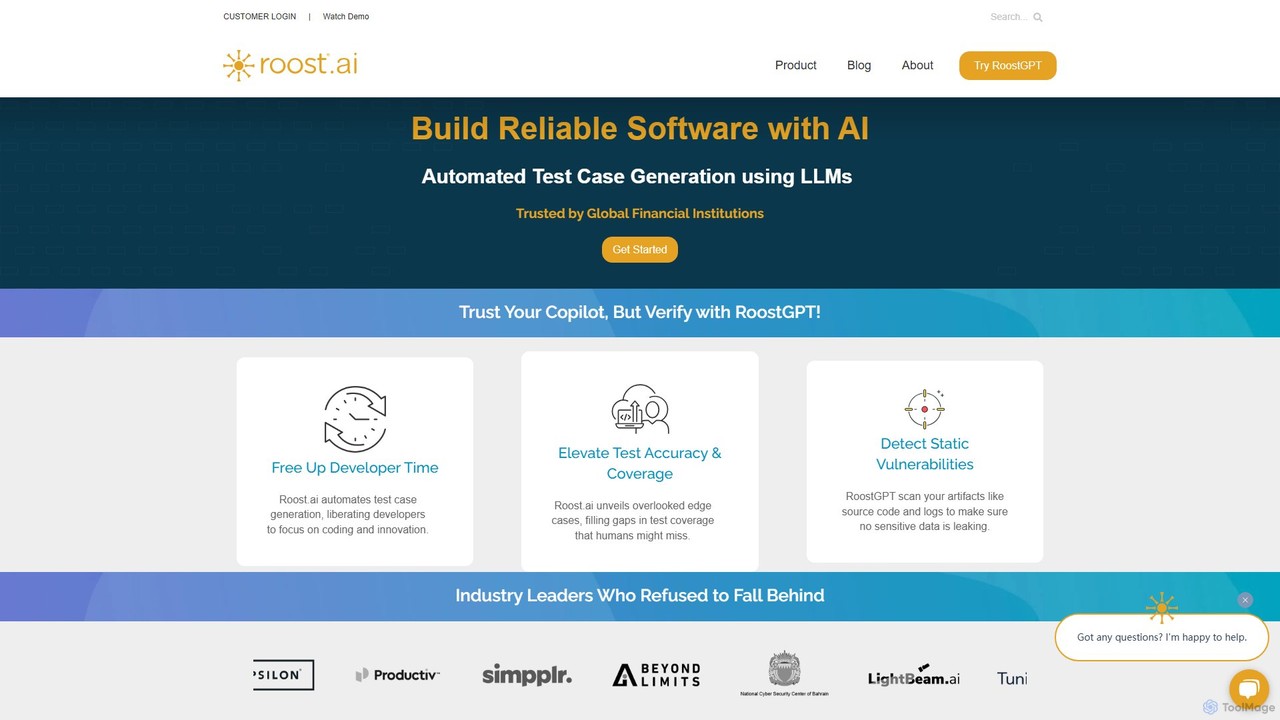
roost is an AI-powered testing copilot that leverages Large Language Models (LLMs) to automate the generation of unit and API test cases. It helps development teams achieve 100% test coverage, detect static vulnerabilities, and accelerate release cycles by integrating seamlessly into existing DevOps workflows.

Preview

Testkit Product overview

Testkit is an AI-powered platform designed to automate the software testing lifecycle. It helps development and QA teams generate, execute, and maintain test cases with greater speed and accuracy, significantly reducing manual effort and accelerating the delivery pipeline.

Preview

Quick facts

Compare product focus, pricing models and audiences. Highlighted rows indicate different listed information; unknown pricing does not mean free.

roost VS Testkit — Quick facts
Quick factsroostTestkit
Pricing modelPaidFreemium
Product typeWebWeb
Primary focusCode AssistantCode Assistant
Audience and rolesNo data availableNo data available
CategoriesCode Assistant · Testing · AutomationCode Assistant · Testing · Automation
AddedAug 14, 2025Aug 11, 2025
UpdatedNov 19, 2026Nov 19, 2026

Features, usage and use cases

Explore the listed product descriptions, features and workflows. Taxonomy labels alone are not feature evaluations.

roost

roost is a revolutionary platform designed to redefine software testing through the power of Generative AI. Positioned as a testing co-pilot, it specifically targets the challenges of unit and API testing, offering a robust solution for both large enterprises and individual developers. By leveraging advanced Large Language Models (LLMs) in its core engine, RoostGPT, the platform automates tedious and time-consuming testing tasks, allowing developers to focus on innovation and core coding activities.

The primary goal of roost is to ensure the delivery of high-quality, reliable software at an accelerated pace. It addresses the shortcomings of traditional testing methods, which often struggle to keep up with modern, fast-paced development cycles. The platform guarantees comprehensive test coverage, including the identification of elusive edge cases that human testers might overlook, ensuring that no stone is left unturned in the quality assurance process.

How to use roost

Using roost is designed to be an intuitive and integrated experience within your existing development ecosystem. Here's a typical workflow:

  1. Integration: Start by integrating roost into your development environment. It offers seamless integration with popular IDEs and can be incorporated directly into your Continuous Integration (CI) pipelines.
  2. Provide Context: The platform's effectiveness is enhanced by the rich context you provide. RoostGPT can analyze a diverse range of inputs, including source code (both new and legacy), API specifications (like OpenAPI/Swagger), user stories, and even application logs.
  3. Automated Generation: Once integrated, roost automatically analyzes your code and related artifacts. With a single command or as part of a pull request process, it generates a comprehensive suite of unit and API tests in seconds.
  4. Dynamic Updates: roost intelligently adapts to your project's evolution. When you push code changes or open a pull request, it automatically updates the entire test library, ensuring that your tests always remain relevant and in sync with the codebase.
  5. Vulnerability Scanning: Beyond test generation, roost scans your source code and other artifacts for static vulnerabilities, helping to prevent sensitive data leaks and enhance security posture.
  6. Review and Deploy: Review the generated tests, which are designed to be clear and maintainable. With robust testing in place, you can deploy your changes with greater confidence.

Core Features of roost

  • Generative AI-Powered Test Generation: Utilizes multiple LLMs via RoostGPT to autonomously create high-quality unit and API tests in seconds.
  • 100% Test Coverage: Advanced algorithms ensure exhaustive testing that covers all possible scenarios and edge cases, filling gaps in manual testing.
  • Automated Test Updates: Dynamically adapts to code changes and pull requests, automatically updating the test suite to maintain sync with the evolving codebase.
  • Static Vulnerability Detection: Scans source code and logs to identify and prevent potential leaks of sensitive data.
  • Diverse Input Sources: Creates holistic and relevant tests by leveraging a wide array of inputs, including source code, API specs, and user stories.
  • Seamless CI/CD and IDE Integration: Fits directly into existing DevOps toolchains and developer workflows for maximum efficiency.
  • Legacy Code Support: Capable of generating comprehensive test suites for older, legacy systems, facilitating modernization and refactoring efforts.
  • Flexible Deployment Models: Offers various deployment options tailored to meet the specific security, compliance, and infrastructure needs of enterprises.

Use Cases for roost

roost is a versatile tool applicable across various scenarios:

  • Enterprise Application Development: Trusted by global financial institutions, roost provides the security and reliability needed for mission-critical applications.
  • Startups and SMBs: Enables smaller teams to accelerate their development velocity and release cycles without compromising on quality.
  • Legacy System Modernization: Automatically builds a safety net of tests around legacy code, making it safer and easier to refactor or migrate.
  • DevOps Automation: Acts as a key component in a fully automated CI/CD pipeline, ensuring every build is rigorously tested before deployment.
  • API-First Development: Generates thorough API tests directly from specifications, ensuring the robustness and correctness of microservices and other API-driven architectures.

Advantages of roost

The adoption of roost provides several key advantages:

  • Elevated Developer Productivity: By automating test case creation, it frees up significant developer time, allowing them to focus on building features and innovation.
  • Enhanced Software Quality: The comprehensive and accurate nature of AI-generated tests leads to more reliable and bug-free software.
  • Accelerated Time-to-Market: Drastically reduces the time spent in the testing phase, enabling faster and more frequent release cycles.
  • Improved Security Posture: Proactive scanning for vulnerabilities helps secure the application from the early stages of development.
  • Reduced Costs: Minimizes the manual effort, time, and resources traditionally allocated to software testing.

Pricing and Plans

roost offers tailored solutions for enterprises and developers. The pricing information is not publicly listed on the website, which is common for enterprise-focused B2B solutions. To get detailed pricing and understand the available plans, you are encouraged to contact their sales team or book a demo through their official website. This allows them to provide a quote that best fits your organization's specific needs, scale, and compliance requirements.

Testkit

Testkit is an intelligent test automation platform that leverages artificial intelligence to streamline and enhance the entire software testing process. Designed for modern development teams, Testkit automates the tedious and time-consuming tasks of writing, executing, and maintaining test suites. By analyzing your application's code and user interface, the platform can autonomously generate meaningful end-to-end, integration, and unit tests, ensuring comprehensive coverage and early bug detection.

The platform aims to bridge the gap between development speed and software quality. In today's fast-paced CI/CD environments, traditional testing methods can become a bottleneck. Testkit addresses this by providing a smart, adaptive solution that keeps pace with development, allowing teams to release new features with confidence and without compromising on quality.

How to use Testkit

Using Testkit is designed to be an intuitive process that integrates seamlessly into existing development workflows. First, you connect your application's repository (e.g., from GitHub, GitLab, or Bitbucket) to the Testkit platform. The AI then scans your codebase and, if applicable, your live application's UI. Based on this analysis, it suggests a suite of relevant test cases. Users can review, modify, and approve these generated tests. Once approved, the tests can be executed on demand or automatically triggered as part of your CI/CD pipeline. The results are presented in a clear, actionable dashboard, highlighting any failures, performance regressions, or visual inconsistencies, making debugging faster and more efficient.

Core Features of Testkit

  • AI-Powered Test Generation: Automatically creates unit, integration, and end-to-end tests by analyzing your application's code and user flows.
  • Self-Healing Tests: When your UI or code changes, Testkit's AI can automatically update the corresponding test scripts, drastically reducing maintenance overhead.
  • Visual Regression Testing: Captures and compares UI snapshots to detect unintended visual changes, ensuring a consistent user experience.
  • CI/CD Integration: Seamlessly integrates with popular CI/CD tools like Jenkins, GitHub Actions, and CircleCI to automate testing within your deployment pipeline.
  • Cross-Browser and Cross-Device Testing: Execute tests across a wide range of browsers, operating systems, and device configurations in the cloud.
  • Detailed Analytics and Reporting: Provides comprehensive dashboards with insights into test coverage, pass/fail rates, and performance metrics.
  • API Testing Automation: Simplifies the process of creating and running tests for your REST and GraphQL APIs.

Use Cases for Testkit

Testkit is versatile and can be applied in various scenarios. For agile development teams, it accelerates sprint cycles by automating regression testing. QA engineers can use it to expand test coverage far beyond what is manually possible, freeing them to focus on more complex exploratory testing. Frontend developers can ensure UI consistency across releases with automated visual testing. For DevOps professionals, integrating Testkit into the CI/CD pipeline establishes a critical quality gate, preventing bugs from reaching production. Startups and small teams can leverage Testkit to build a robust testing culture from the ground up without needing a large, dedicated QA team.

Advantages of Testkit

The primary advantage of Testkit is its massive boost in efficiency. It reduces the time spent on writing and maintaining tests by up to 80%. This leads to faster release cycles and a lower cost of quality assurance. The AI-driven approach ensures higher test coverage and the ability to catch bugs that manual testing might miss. Its self-healing capabilities make test suites more resilient and less brittle, solving a major pain point in traditional test automation. Ultimately, Testkit empowers teams to build and ship higher-quality software faster.

Pricing and Plans

Testkit typically offers a freemium model to cater to different team sizes and needs. A free plan is available for individual developers and small projects with a limited number of test runs per month. Paid plans, such as a 'Pro' tier for growing teams and an 'Enterprise' tier for large organizations, offer higher test volumes, parallel test execution, advanced security features, and dedicated support. Pricing is usually based on the number of test runs or users, providing a scalable solution as your testing needs grow.

Positioning

Their taxonomy shows where the products overlap and where each one has a more distinct focus. Unknown fields are shown explicitly and are never filled with assumptions.

Categories

Shared
Code AssistantTestingAutomation
Only roost
No listed items
Only Testkit
No listed items

Tags

Shared
API testingCI/CDsoftware testing
Only roost
code qualitydeveloper productivitydevopsgenerative AItest automationunit testingvulnerability scanner
Only Testkit
code analysisdeveloper toolsend-to-end testingQA automationtest generationvisual regression

Audience and roles

Shared
No listed items
Only roost
No listed items
Only Testkit
No listed items

Traffic comparison

Traffic is shown on the same scale so differences in market visibility are not visually understated.

How to interpret the traffic data

Both charts share the same months and vertical scale. Each tool identifies its latest reporting month; missing months are left blank, not counted as zero. Regional and source visit counts are estimates calculated from the reported shares.

roost monthly traffic:

Latest traffic · 2026-05

Monthly visits
2.2K
Avg. visit duration
0:02
Pages per visit
1.37
Bounce rate
36.53%
Data updated 2026-06-15

Monthly traffic trend

  • 2025-09: 4K
  • 2026-01: 4.1K
  • 2026-02: 3.9K
  • 2026-03: 4.2K
  • 2026-04: 2.1K
  • 2026-05: 2.2K

Top regions

Top 5 countries/regions
Country/regionPercentageEstimated visits
🇺🇸United States87.49%1.9K
🇮🇳India12.51%270

Search keywords

playwright chromiumroosttoost.aiwhat is asiケイクウォーク gpt

Testkit

No data available

Community signals

Ratings, comments, favorites, and likes are community signals—not a substitute for product fit.

roost

Rating
No data available
Comments
0
Favorites
190
Likes
173

Testkit

Rating
No data available
Comments
0
Favorites
163
Likes
180

roost vs Testkit · Comparison FAQ

What do roost and Testkit have in common?
Both tools are listed under Code Assistant、Testing、Automation. These categories indicate overlapping use cases; compare their detailed descriptions for workflows, capabilities and limitations.
Are roost and Testkit free?
Listed pricing models: roost — Paid; Testkit — Freemium. Missing pricing is not proof of a free plan, and freemium does not mean every feature is free. Check official sites for current plans, limits and trials.
How should I choose between roost and Testkit?
The primary listed category is Code Assistant for roost, and Code Assistant for Testkit. Compare features, steps and use cases, then verify pricing, data permissions and deployment needs. This page does not include hands-on testing and does not declare a winner from traffic or tags.

Sources and comparison methodology

This page is assembled from ToolMage product listings, taxonomy, traffic statistics and on-site user feedback. It is not a hands-on test or an independent review.

  • Feature and plan descriptions reflect information in the listings, not real-time guarantees. Verify pricing, quotas, availability and privacy terms on the official sites.
  • Traffic uses the reporting months shown. Missing statistics do not mean zero visits, and different periods do not establish growth or superiority. Regional and source visit counts are estimates based on shares.
  • Different tags indicate differences in the listings, not proof that the other product lacks a capability. Ratings, favorites and visits are not used to declare a winner.

Related comparisons