ToolMage
Sign in

AI TOOL COMPARISON

SolidChat vs Userlike

What is the difference, and which fits your workflow? Compare features, usage, pricing models and traffic side by side.

Jump to key differences

Product overview

SolidChat Product overview

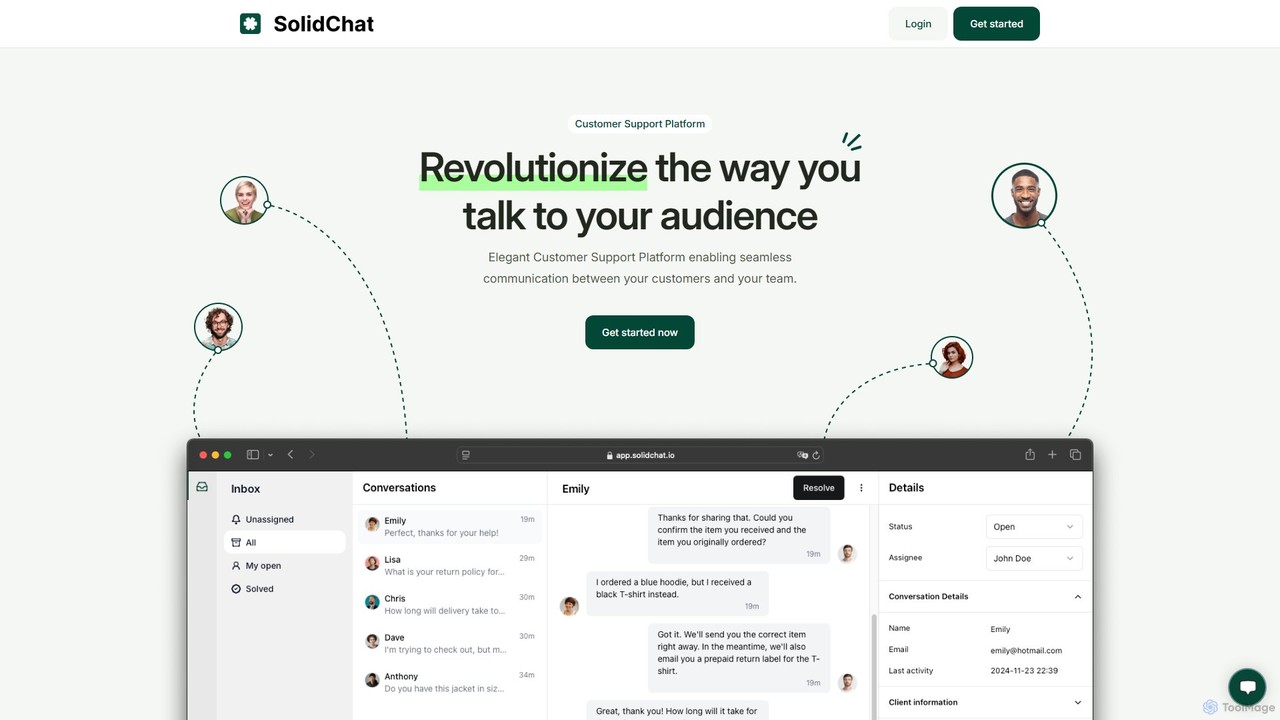
SolidChat is an AI-powered customer support platform designed to enhance customer engagement and streamline communication. It offers a live chat widget, intelligent chatbots for 24/7 support, and a collaborative team inbox. By enabling instant responses and proactive engagement, SolidChat helps businesses convert more visitors, improve customer satisfaction, and boost operational efficiency.

Preview

Userlike Product overview

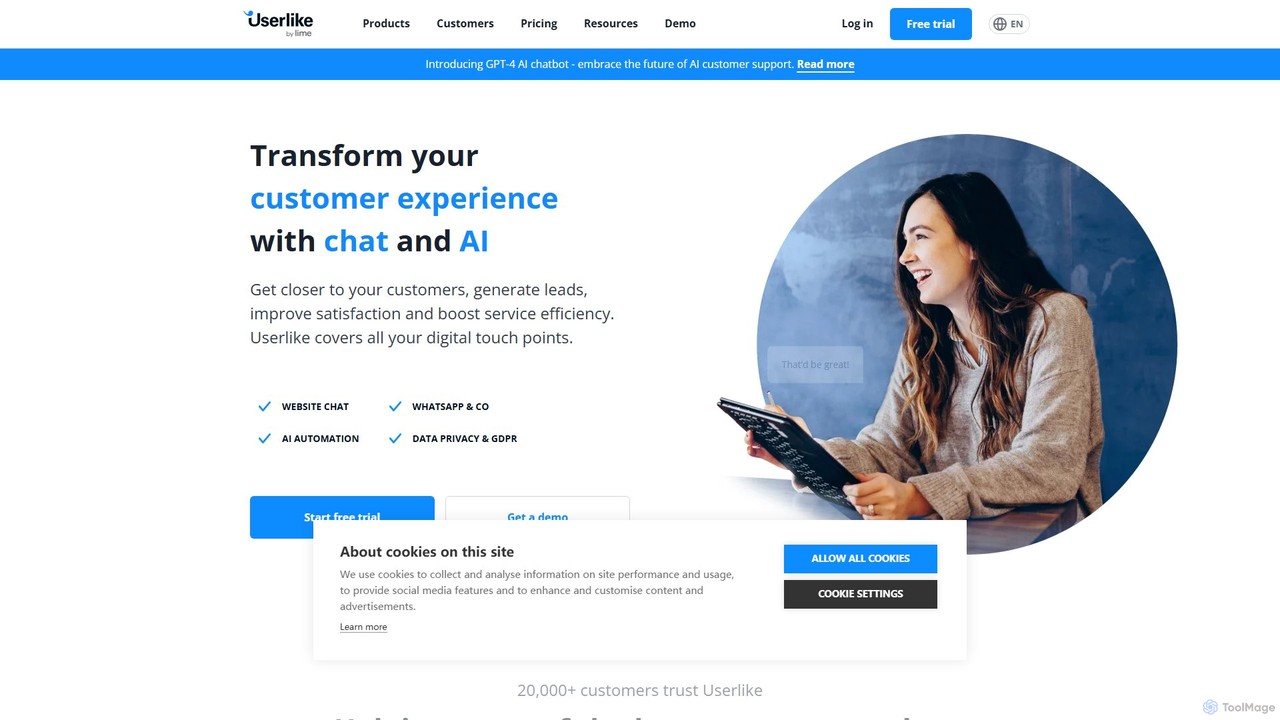
Userlike is an all-in-one, AI-powered customer communication platform for websites and messaging apps. It combines live chat, a GPT-4 chatbot, and integrations with channels like WhatsApp to help businesses generate leads, improve customer satisfaction, and boost service efficiency. Born and hosted in Germany, it offers a strong focus on data privacy and GDPR compliance.

Preview

Quick facts

Compare product focus, pricing models and audiences. Highlighted rows indicate different listed information; unknown pricing does not mean free.

SolidChat VS Userlike — Quick facts
Quick factsSolidChatUserlike
Pricing modelFreemiumFreemium
Product typeWebWeb
Primary focusLive ChatLive Chat
Audience and rolesNo data availableNo data available
CategoriesLive Chat · Lead Generation · Collaboration · Customer Relationship ManagementLive Chat · Lead Generation · Automation
AddedAug 5, 2025Aug 11, 2025
UpdatedNov 19, 2026Nov 19, 2026

Features, usage and use cases

Explore the listed product descriptions, features and workflows. Taxonomy labels alone are not feature evaluations.

SolidChat

SolidChat is a comprehensive, AI-driven customer support platform built to help businesses of all sizes deliver exceptional, real-time service. It bridges the gap between companies and their website visitors, turning passive browsing into active, meaningful conversations. By integrating a powerful live chat system with intelligent AI chatbots, SolidChat ensures that no customer query goes unanswered, day or night. The platform is designed for simplicity and power, allowing teams to manage all customer interactions from a unified dashboard, fostering collaboration and improving response times.

The core philosophy behind SolidChat is to make advanced customer communication tools accessible and easy to use. It empowers businesses to proactively engage visitors, offer instant support, and gather valuable insights to drive growth. Whether you're in e-commerce, SaaS, or any other online industry, SolidChat provides the tools you need to build stronger customer relationships and increase conversions.

How to use SolidChat

Getting started with SolidChat is a straightforward process designed for quick implementation:

  1. Sign Up & Create an Account: Register for a SolidChat account on their website. Choose the plan that best fits your business needs.
  2. Customize the Chat Widget: Navigate to the settings dashboard to customize the appearance of your chat widget. You can change colors, text, and agent avatars to match your brand's identity.
  3. Install on Your Website: SolidChat will provide a small JavaScript snippet. Simply copy and paste this code into the HTML of your website before the closing `` tag. No complex coding is required.
  4. Configure AI Chatbots: Set up automated responses and conversation flows for your AI chatbot. You can train it to answer frequently asked questions, qualify leads by asking specific questions, and route complex issues to human agents.
  5. Invite Your Team: Add your customer support agents to the platform. You can assign roles and permissions to manage access and responsibilities within the shared inbox.
  6. Start Engaging: Once the widget is live, you can start chatting with your website visitors in real-time. Use the dashboard to monitor conversations, track analytics, and optimize your support strategy.

Core Features of SolidChat

  • AI-Powered Chatbots: Deploy intelligent chatbots to provide 24/7 automated support, answer common questions, and qualify leads, freeing up your human agents for more complex issues.
  • Live Chat: Engage with website visitors in real-time through a sleek and customizable chat widget.
  • Shared Team Inbox: A collaborative inbox allows multiple agents to view, assign, and respond to customer conversations, ensuring seamless teamwork and faster resolution times.
  • Push Notifications: Receive instant alerts for new messages on both desktop and mobile, enabling immediate responses and ensuring you never miss a conversation.
  • Proactive Engagement: Set up automated chat invitations (triggers) based on visitor behavior, such as time on page, specific URLs visited, or exit intent, to proactively start conversations.
  • Canned Responses: Create and save pre-written answers to frequently asked questions to significantly speed up response times and ensure consistency.
  • Analytics and Reporting: Access a detailed dashboard with key metrics like chat volume, response times, customer satisfaction ratings (CSAT), and agent performance to make data-driven decisions.
  • Integrations: Seamlessly connect SolidChat with your existing CRM, helpdesk, and e-commerce platforms to create a unified customer data ecosystem.

Use Cases for SolidChat

E-commerce: Proactively assist shoppers by answering product questions, helping with size selection, and offering discounts to reduce cart abandonment. Use chatbots to handle order status inquiries 24/7.

SaaS Companies: Onboard new users by guiding them through key features, provide instant technical support, and collect valuable user feedback directly through the chat interface.

Lead Generation: Engage anonymous website visitors, use chatbots to qualify them as leads by asking targeted questions, and automatically schedule demos or calls for your sales team.

Customer Service: Provide a fast and efficient channel for customers to resolve issues, ask questions, and get help, leading to higher customer satisfaction and loyalty.

Advantages of SolidChat

Improved Conversion Rates: By proactively engaging visitors and providing instant answers, SolidChat helps convert more browsers into customers and leads.

Enhanced Customer Satisfaction: Immediate, 24/7 support ensures customers feel valued and heard, significantly boosting their satisfaction and loyalty.

Increased Operational Efficiency: AI chatbots and canned responses handle a large volume of routine inquiries, reducing the workload on your support team and lowering operational costs.

Valuable Customer Insights: The platform collects data on common questions, pain points, and customer feedback, providing actionable insights for product and service improvements.

Pricing and Plans

SolidChat offers a flexible freemium pricing model to suit businesses of all sizes. While specific pricing is available on the official website, the plans are typically structured as follows:

  • Free Plan: Ideal for individuals or small startups, offering basic live chat functionality for one agent and a limited number of monthly conversations.
  • Pro Plan: Designed for growing businesses, this plan includes multiple agent seats, AI chatbot features, canned responses, and basic integrations.
  • Business Plan: A comprehensive solution for established teams, offering advanced features like detailed analytics, proactive chat triggers, full customization options, and priority support.

Userlike

Userlike is a comprehensive, AI-driven customer service solution designed to connect businesses with their customers across all digital touchpoints. It provides a unified platform for managing conversations from website live chat, WhatsApp, and other messaging apps. By integrating advanced AI features, including a GPT-4 powered chatbot, Userlike helps businesses automate support, generate leads, and deliver a superior customer experience. As a German company, Userlike places a high emphasis on data security and is fully GDPR compliant, making it a trusted choice for over 20,000 companies worldwide, from startups to large enterprises.

How to use Userlike

Getting started with Userlike is a straightforward process designed for quick implementation:

  1. Sign Up: Choose a plan that fits your needs, starting with a 14-day free trial of the Team plan, which requires no credit card. A permanent Free plan is also available.
  2. Set Up Your Messenger: Customize the Userlike Website Messenger to match your brand's look and feel. You can adjust colors, fonts, and text.
  3. Integrate on Your Website: Add the Userlike widget to your website with a simple copy-paste of a code snippet. The setup is designed to be completed in about 5 minutes.
  4. Connect Channels: Integrate your favorite messaging apps, such as WhatsApp, Facebook Messenger, and others, to manage all conversations from a single inbox.
  5. Configure AI & Automation: Use the no-code AI Automation Hub to build your chatbot. You can create a knowledge base, set up Smart FAQs, and integrate the power of GPT-4 to handle customer inquiries automatically.
  6. Organize Your Team: Set up operator groups, define roles and permissions, and use skill-based routing to ensure customers are always connected to the right agent.
  7. Start Communicating: Your team can use the Message Center to handle multiple chats simultaneously, use canned messages (macros) for efficiency, and switch to video calls for complex issues.
  8. Analyze and Optimize: Use the built-in analytics dashboard to track key performance indicators (KPIs), monitor service quality, and identify areas for improvement.

Core Features of Userlike

  • AI Automation Hub: A no-code platform to build powerful chatbots with GPT-4 integration, Smart FAQs, and form suggestions to automate up to 70% of inquiries.
  • Website Messenger: A customizable live chat widget for your website that supports rich media, file sharing, video calls, screen sharing, and real-time live translations.
  • Unified Messaging: Consolidate conversations from various channels like WhatsApp, Facebook Messenger, Telegram, and email into one central inbox (Message Center).
  • Advanced Routing: Intelligently route customers to the right department or agent using various methods, including group selection, skill-based routing, and behavior-based routing.
  • WhatsApp Campaigns: A dedicated add-on to run targeted marketing and sales campaigns on WhatsApp, leveraging high open rates for customer engagement.
  • Analytics & Reporting: In-depth analytics to monitor chat volume, response times, customer satisfaction ratings, and goal tracking to measure ROI.
  • Data Privacy & GDPR: As a German-hosted solution, Userlike guarantees full compliance with GDPR and high data privacy standards.
  • Full API Access & Integrations: Seamlessly connect Userlike with your existing tools like CRMs (e.g., Salesforce, Pipedrive) and other business software through a comprehensive set of APIs.

Use Cases for Userlike

Userlike is versatile and can be adapted for various business needs:

  • Lead Generation: Proactively engage website visitors with targeted chat invitations, collect contact information through pre-chat forms, and forward leads directly to your CRM.
  • Customer Support: Offer instant, 24/7 support through a combination of live agents and AI chatbots, resolving issues faster and increasing customer satisfaction.
  • E-commerce Sales: Guide shoppers through their purchase journey, answer product questions in real-time, and reduce cart abandonment by addressing doubts immediately.
  • Enterprise-Scale Communication: Manage complex organizational structures with multiple teams, brands, or languages under one account, ensuring consistent and efficient service delivery.

Advantages of Userlike

Userlike offers significant benefits for businesses looking to enhance their customer communication:

  • Efficiency Boost: Automate routine questions with AI and allow agents to handle multiple conversations at once, significantly improving service efficiency and reducing costs.
  • Improved Customer Experience: Provide immediate, personal, and convenient support on the channels your customers prefer, leading to higher satisfaction and loyalty.
  • Scalability: The platform is built to scale, offering flexible plans and features that grow with your business, from a single operator to a large, multi-departmental enterprise.
  • Security and Trust: With its German hosting and strict adherence to GDPR, Userlike provides a secure and trustworthy platform for handling customer data.

Pricing and Plans

Userlike offers a range of plans to suit different business sizes and needs, with discounts available for annual billing.

  • Free: $0/month for 1 seat and 1 website channel. Includes unlimited conversations and basic messenger customization.
  • Team: From $90/month for 4 seats, unlimited channels, and 2 WhatsApp numbers. Adds features like live translation, video calls, and basic API access.
  • Corporate: From $290/month for 10 seats, unlimited channels, and 4 WhatsApp numbers. Includes everything in Team, plus advanced analytics.
  • Flex: Custom pricing for enterprises (10+ seats). Includes all features, plus full API access, advanced routing, multiple organizations, and a dedicated account manager.

Add-ons:

  • AI Automation Hub: Starts from $180/month. Provides access to the AI chatbot, GPT-4 integration, and Smart FAQs.
  • WhatsApp Campaigns: $39/month plus conversation costs. Allows for targeted marketing campaigns on WhatsApp.

Positioning

Their taxonomy shows where the products overlap and where each one has a more distinct focus. Unknown fields are shown explicitly and are never filled with assumptions.

Categories

Shared
Live ChatLead Generation
Only SolidChat
CollaborationCustomer Relationship Management
Only Userlike
Automation

Tags

Shared
AI assistantchatbotcustomer engagementcustomer supportlead generationlive chat
Only SolidChat
helpdeskSaaSteam collaboration
Only Userlike
automationGDPRgpt-4WhatsApp

Audience and roles

Shared
No listed items
Only SolidChat
No listed items
Only Userlike
No listed items

Traffic comparison

Traffic is shown on the same scale so differences in market visibility are not visually understated.

How to interpret the traffic data

Both charts share the same months and vertical scale. Each tool identifies its latest reporting month; missing months are left blank, not counted as zero. Regional and source visit counts are estimates calculated from the reported shares.

SolidChat

No data available

Userlike monthly traffic:

Latest traffic · 2026-05

Monthly visits
11.1K
Avg. visit duration
0:11
Pages per visit
1.84
Bounce rate
37.38%
Data updated 2026-06-15

Monthly traffic trend

  • 2026-01: 15.2K
  • 2026-02: 9.4K
  • 2026-03: 13.3K
  • 2026-04: 10.4K
  • 2026-05: 11.1K

Top regions

Top 5 countries/regions
Country/regionPercentageEstimated visits
🇩🇪Germany32.86%3.7K
🇫🇷France19.61%2.2K
🇺🇸United States16.28%1.8K
🇮🇩Indonesia15.72%1.8K
🇮🇳India15.53%1.7K

Search keywords

360dialoguserlikewhatsapp business link placeholderswhat's the actual size of a whatsapp profile picturewhat's the actual size of whatsapp dp

Community signals

Ratings, comments, favorites, and likes are community signals—not a substitute for product fit.

SolidChat

Rating
No data available
Comments
0
Favorites
209
Likes
194

Userlike

Rating
No data available
Comments
0
Favorites
195
Likes
192

SolidChat vs Userlike · Comparison FAQ

What do SolidChat and Userlike have in common?
Both tools are listed under Live Chat、Lead Generation. These categories indicate overlapping use cases; compare their detailed descriptions for workflows, capabilities and limitations.
Are SolidChat and Userlike free?
Listed pricing models: SolidChat — Freemium; Userlike — Freemium. Missing pricing is not proof of a free plan, and freemium does not mean every feature is free. Check official sites for current plans, limits and trials.
How should I choose between SolidChat and Userlike?
The primary listed category is Live Chat for SolidChat, and Live Chat for Userlike. Compare features, steps and use cases, then verify pricing, data permissions and deployment needs. This page does not include hands-on testing and does not declare a winner from traffic or tags.

Sources and comparison methodology

This page is assembled from ToolMage product listings, taxonomy, traffic statistics and on-site user feedback. It is not a hands-on test or an independent review.

  • Feature and plan descriptions reflect information in the listings, not real-time guarantees. Verify pricing, quotas, availability and privacy terms on the official sites.
  • Traffic uses the reporting months shown. Missing statistics do not mean zero visits, and different periods do not establish growth or superiority. Regional and source visit counts are estimates based on shares.
  • Different tags indicate differences in the listings, not proof that the other product lacks a capability. Ratings, favorites and visits are not used to declare a winner.

Related comparisons