ToolMage
Sign in

AI TOOL COMPARISON

SQL Genius vs Text2SQL.ai

What is the difference, and which fits your workflow? Compare features, usage, pricing models and traffic side by side.

Jump to key differences

Product overview

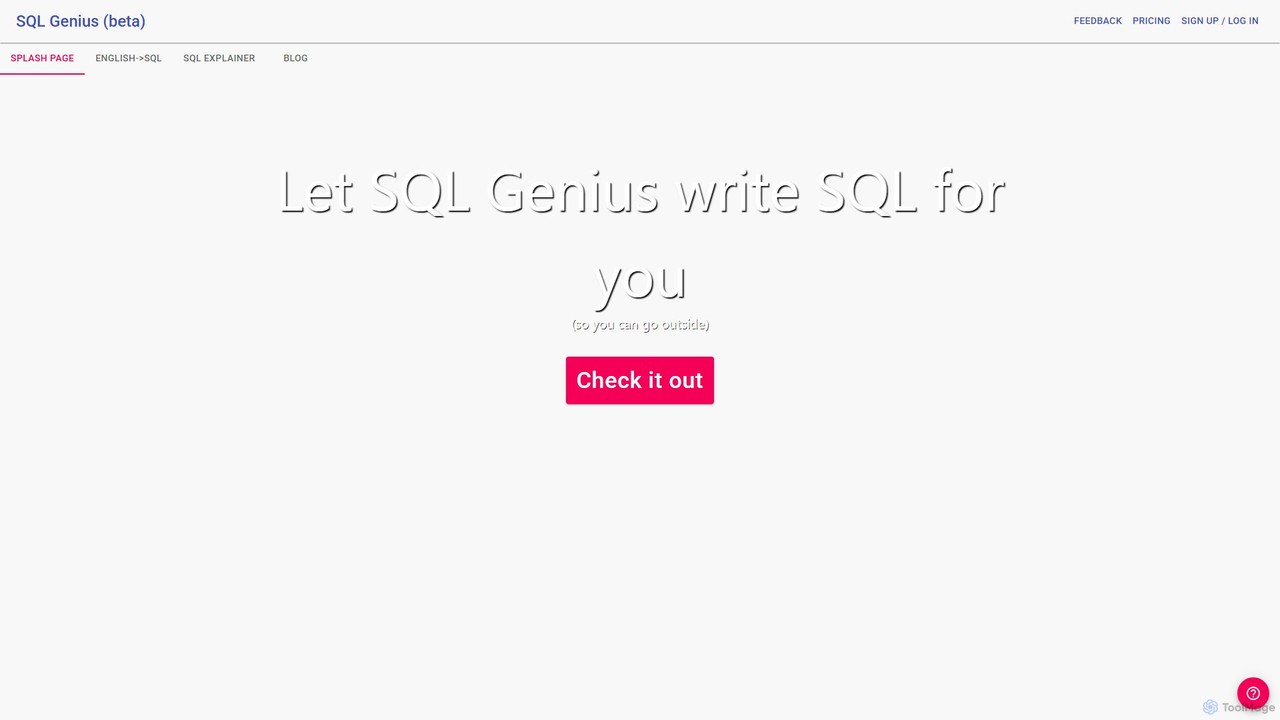
SQL Genius Product overview

SQL Genius is an AI-powered tool that simplifies database interaction by converting plain English into SQL queries and explaining complex SQL code in simple terms. It's designed for developers, data analysts, and students to boost productivity and reduce the learning curve for SQL.

Preview

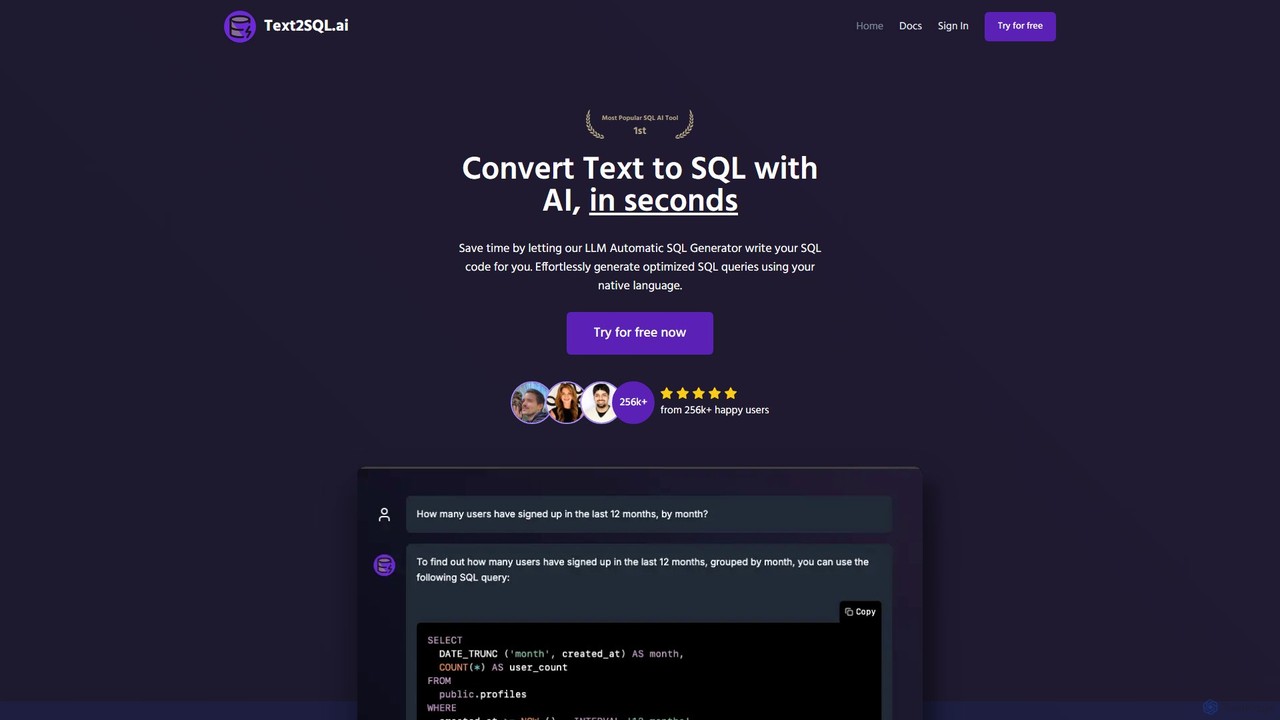
Text2SQL.ai Product overview

Text2SQL.ai is an AI-powered tool that instantly converts natural language text into complex SQL queries and Regex patterns. It supports over 12 SQL and NoSQL databases, allows schema integration for higher accuracy, and functions as a comprehensive AI assistant for explaining, fixing, and optimizing code. Designed for developers, data analysts, and beginners, it saves time, reduces errors, and makes database interaction more accessible. It also offers a public API for custom integrations.

Preview

Quick facts

Compare product focus, pricing models and audiences. Highlighted rows indicate different listed information; unknown pricing does not mean free.

SQL Genius VS Text2SQL.ai — Quick facts
Quick factsSQL GeniusText2SQL.ai
Pricing modelFreemiumFreemium
Product typeWebWeb
Primary focusAnalyticsQuerying
Audience and rolesNo data availableNo data available
CategoriesAnalytics · Database · Learning · Code AssistantQuerying · Database · Code Assistant
AddedAug 10, 2025Aug 2, 2025
UpdatedNov 19, 2026Nov 19, 2026

Features, usage and use cases

Explore the listed product descriptions, features and workflows. Taxonomy labels alone are not feature evaluations.

SQL Genius

SQL Genius is an intelligent AI assistant designed to streamline the process of writing and understanding SQL queries. It empowers users of all skill levels, from beginners to seasoned professionals, to interact with databases more efficiently. By leveraging advanced artificial intelligence, SQL Genius translates natural language instructions into ready-to-use, syntactically correct SQL code. This eliminates the need for manual coding, reduces the likelihood of errors, and significantly speeds up development and data analysis workflows.

The platform features a clean, intuitive interface that makes database querying accessible to everyone. Whether you're a developer building an application, a data analyst extracting insights, or a student learning the ropes of database management, SQL Genius acts as your personal database expert, available 24/7.

How to use SQL Genius

Using SQL Genius is a straightforward process designed for maximum efficiency:

  1. Define Your Database Schema: In the 'My Tables' section, you can add your database tables. For each table, specify the table name and its schema (column names and data types). This context is crucial for the AI to generate accurate and relevant queries. You can add multiple tables to represent your entire database structure.
  2. Write Your Query in English: Navigate to the 'English->SQL' feature. In the text box, describe the data you want to retrieve or the operation you want to perform in plain English. For example, you could write "Show me all patients over the age of 40 who were admitted in the last month" or "Find the doctor with the highest number of patients."
  3. Generate the SQL Code: Select the appropriate SQL dialect from the advanced options (e.g., PostgreSQL, MySQL) to ensure compatibility. Click the 'Write SQL' button, and the AI will instantly generate the corresponding SQL query.
  4. Explain an Existing SQL Query: If you have a complex SQL query that you need to understand, use the 'SQL Explainer' tab. Paste your code into the input field, and SQL Genius will provide a clear, step-by-step breakdown of what the query does, explaining each clause and function in simple terms.

Core Features of SQL Genius

  • Natural Language to SQL: Translates plain English prompts into high-quality, executable SQL queries.
  • SQL Explainer: Deconstructs and explains complex SQL code, making it easy to understand, debug, and learn from.
  • Custom Schema Awareness: Allows users to input their specific table schemas, enabling the AI to generate highly accurate, context-aware queries tailored to their database.
  • Multi-Dialect Support: Supports various SQL dialects (like PostgreSQL, MySQL, etc.), ensuring the generated code works seamlessly with your specific database system.
  • Intuitive User Interface: A simple and clean web-based interface that requires no installation and is easy to navigate for all users.

Use Cases for SQL Genius

SQL Genius is a versatile tool suitable for a wide range of users and scenarios:

  • Data Analysts & Scientists: Quickly generate complex queries for data exploration, reporting, and analysis without getting bogged down in syntax.
  • Software Developers: Accelerate backend development by rapidly creating SQL queries for application features, APIs, and database migrations.
  • Students & Educators: An excellent learning aid for understanding the logic behind SQL and the relationship between a request and the resulting code.
  • Product Managers & Business Analysts: Enables non-technical team members to perform their own data lookups and gain insights without needing to rely on engineering resources.
  • Database Administrators: Helps in quickly scripting maintenance tasks or understanding legacy queries within the system.

Advantages of SQL Genius

  • Productivity Boost: Automates the time-consuming task of writing SQL, freeing up valuable time for more critical tasks.
  • Error Reduction: AI-generated code minimizes the risk of syntax errors, typos, and logical flaws that are common in manually written queries.
  • Democratizes Data Access: Lowers the barrier to entry for database interaction, empowering more team members to work with data directly.
  • Accelerated Learning: Serves as an interactive tutor, helping users learn SQL faster by providing instant examples and explanations.

Pricing and Plans

SQL Genius appears to operate on a freemium model. This typically includes a free plan with a limited number of queries for users to try out the service. For more extensive usage, higher query limits, advanced features, and priority support, paid subscription plans are likely available. For the most current and detailed pricing information, please visit the official SQL Genius website.

Text2SQL.ai

Text2SQL.ai is a leading AI-powered platform designed to streamline database operations by translating natural language into executable SQL queries. It serves as a personal SQL AI assistant, capable of generating, explaining, fixing, and optimizing queries in seconds. This eliminates the need for manual coding, saving valuable time for data analysts, software engineers, and even those with limited SQL knowledge. The tool's intelligence is enhanced by its ability to integrate with your specific database schema, including tables, columns, and relationships. This context allows the AI to generate highly accurate and optimized queries tailored to your data structure, ensuring they are ready to use without further edits.

Beyond SQL, Text2SQL.ai also features a powerful AI Regex generator, which converts plain language descriptions into complex regular expression patterns. This is invaluable for tasks like data validation and text parsing. The platform supports a wide array of over 12 major SQL and NoSQL databases, including MySQL, PostgreSQL, Oracle, and more, understanding the specific syntax of each system. Trusted by professionals from leading companies like Vercel and Google, Text2SQL.ai is recognized for its efficiency and accuracy.

How to use Text2SQL.ai

Getting started with Text2SQL.ai is a simple, three-step process designed for maximum efficiency:

  1. Create an Account & Describe Your Task: Sign up for a free trial via email, Google, or LinkedIn. Once logged in, simply type your request in your native language. For example, you could write, "Show me all customers from California who have spent more than $500 in the last 6 months."
  2. Provide Context (Optional but Recommended): For superior accuracy, connect your database or upload your schema. This takes just a few minutes and gives the AI full awareness of your table names, columns, and data relationships, enabling it to craft perfectly tailored queries.
  3. Generate and Refine: The AI will instantly generate the corresponding SQL query or Regex pattern. You can then copy it for immediate use. If the result isn't perfect, you can ask follow-up questions to refine the query until you are completely satisfied.

Core Features of Text2SQL.ai

  • AI SQL Query Generation: Converts natural language prompts into accurate SQL queries for various database systems.
  • AI Regex Generator: Creates complex regular expression patterns from simple text descriptions.
  • Query Explanation, Fixing & Optimization: Provides plain-language explanations of complex queries, automatically detects and corrects errors, and suggests optimizations for better performance.
  • Database Schema Integration: Allows users to add their database schema for context, resulting in highly accurate and optimized queries.
  • Broad Database Support: Compatible with over 12 SQL and NoSQL databases, including MySQL, PostgreSQL, SQL Server, Oracle, and more.
  • Multi-language Support: Accepts prompts in various native languages, not just English.
  • Public API Access: Enables developers to integrate Text2SQL.ai's capabilities into their own applications and workflows.
  • Team Collaboration: Pro and Enterprise plans allow users to create teams and invite members to collaborate on projects.

Use Cases for Text2SQL.ai

Text2SQL.ai is versatile and benefits a wide range of users:

  • Data Analysts: Quickly generate complex queries for reports and data exploration without spending hours on manual coding.
  • Software Engineers: Integrate database functionalities into applications faster, even with minimal SQL expertise.
  • Product Managers & Business Users: Directly query databases to get insights without relying on a data team.
  • Students & Beginners: Learn SQL by seeing how natural language questions translate into code and getting detailed explanations.
  • NoCode Builders: Empower their applications with sophisticated database interactions via the API.

Advantages of Text2SQL.ai

The primary advantage of Text2SQL.ai is its ability to dramatically boost productivity. It provides instant, accurate results, saving hours of work. By understanding database schemas, it produces optimized, ready-to-use code, reducing the likelihood of errors. Its intuitive, natural-language interface makes it accessible to users of all skill levels, democratizing data access. The support for numerous databases and a powerful API makes it a flexible and scalable solution for individuals and enterprises alike.

Pricing and Plans

Text2SQL.ai offers a freemium model with a 7-day free trial to get started.

  • Basic Plan: $9/month. Includes 200 messages per month, SQL AI generation (plus explanation, fixing, optimization), support for 12+ databases, schema integration, and multi-language support.
  • Pro Plan: $29/month. Offers unlimited messages, all features from the Basic plan, plus team creation, API access (with 100 requests/month included), and priority email support.
  • Enterprise Plan: Custom pricing. Includes all Pro features plus custom limits, dedicated support, private deployment options, SSO login, and custom integrations.

Annual subscriptions are available with a 43% discount.

Positioning

Their taxonomy shows where the products overlap and where each one has a more distinct focus. Unknown fields are shown explicitly and are never filled with assumptions.

Categories

Shared
DatabaseCode Assistant
Only SQL Genius
AnalyticsLearning
Only Text2SQL.ai
Querying

Tags

Shared
code assistantdata analysisdatabasedeveloper toolssql generatortext to sql
Only SQL Genius
no-codepostgresqlquery generatorsql explainer
Only Text2SQL.ai
AI query generatormysqlnosqlregex generator

Audience and roles

Shared
No listed items
Only SQL Genius
No listed items
Only Text2SQL.ai
No listed items

Traffic comparison

Traffic is shown on the same scale so differences in market visibility are not visually understated.

How to interpret the traffic data

Both charts share the same months and vertical scale. Each tool identifies its latest reporting month; missing months are left blank, not counted as zero. Regional and source visit counts are estimates calculated from the reported shares.

SQL Genius

No data available

Text2SQL.ai monthly traffic:

Latest traffic · 2026-05

Monthly visits
20.1K
Avg. visit duration
0:40
Pages per visit
2.05
Bounce rate
45.1%
Data updated 2026-06-15

Monthly traffic trend

  • 2025-09: 32.5K
  • 2026-01: 19.2K
  • 2026-02: 16.3K
  • 2026-03: 25.3K
  • 2026-04: 21.4K
  • 2026-05: 20.1K

Top regions

Top 5 countries/regions
Country/regionPercentageEstimated visits
🇧🇷Brazil29.45%5.9K
🇺🇸United States20.83%4.2K
🇻🇳Vietnam18.55%3.7K
🇮🇳India16.83%3.4K
🇹🇷Turkey14.34%2.9K

Search keywords

ai text-to-sqltext 2 sqltext2sqltext to sqlwhat ai model is best with sql database

Community signals

Ratings, comments, favorites, and likes are community signals—not a substitute for product fit.

SQL Genius

Rating
No data available
Comments
0
Favorites
134
Likes
141

Text2SQL.ai

Rating
No data available
Comments
0
Favorites
168
Likes
177

SQL Genius vs Text2SQL.ai · Comparison FAQ

What do SQL Genius and Text2SQL.ai have in common?
Both tools are listed under Database、Code Assistant. These categories indicate overlapping use cases; compare their detailed descriptions for workflows, capabilities and limitations.
Are SQL Genius and Text2SQL.ai free?
Listed pricing models: SQL Genius — Freemium; Text2SQL.ai — Freemium. Missing pricing is not proof of a free plan, and freemium does not mean every feature is free. Check official sites for current plans, limits and trials.
How should I choose between SQL Genius and Text2SQL.ai?
The primary listed category is Analytics for SQL Genius, and Querying for Text2SQL.ai. Compare features, steps and use cases, then verify pricing, data permissions and deployment needs. This page does not include hands-on testing and does not declare a winner from traffic or tags.

Sources and comparison methodology

This page is assembled from ToolMage product listings, taxonomy, traffic statistics and on-site user feedback. It is not a hands-on test or an independent review.

  • Feature and plan descriptions reflect information in the listings, not real-time guarantees. Verify pricing, quotas, availability and privacy terms on the official sites.
  • Traffic uses the reporting months shown. Missing statistics do not mean zero visits, and different periods do not establish growth or superiority. Regional and source visit counts are estimates based on shares.
  • Different tags indicate differences in the listings, not proof that the other product lacks a capability. Ratings, favorites and visits are not used to declare a winner.

Related comparisons