ToolMage
Sign in

AI TOOL COMPARISON

TechSmith vs weet

What is the difference, and which fits your workflow? Compare features, usage, pricing models and traffic side by side.

Jump to key differences

Product overview

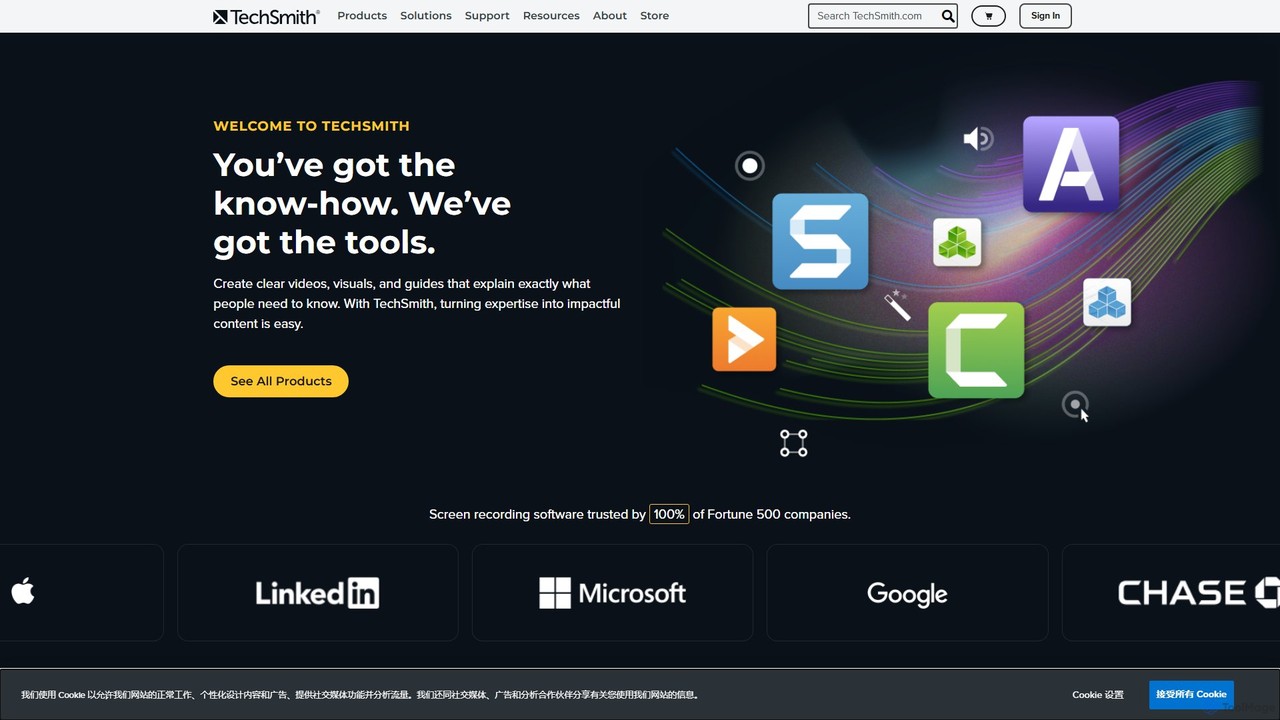
TechSmith Product overview

TechSmith offers a powerful suite of tools, including Snagit and Camtasia, for professional screen capture and video creation. Leveraging AI-assisted features, users can easily record, edit, and share high-quality tutorials, training videos, and presentations. It simplifies complex communication by transforming expertise into clear, engaging visual content, trusted by professionals and Fortune 500 companies worldwide.

Preview

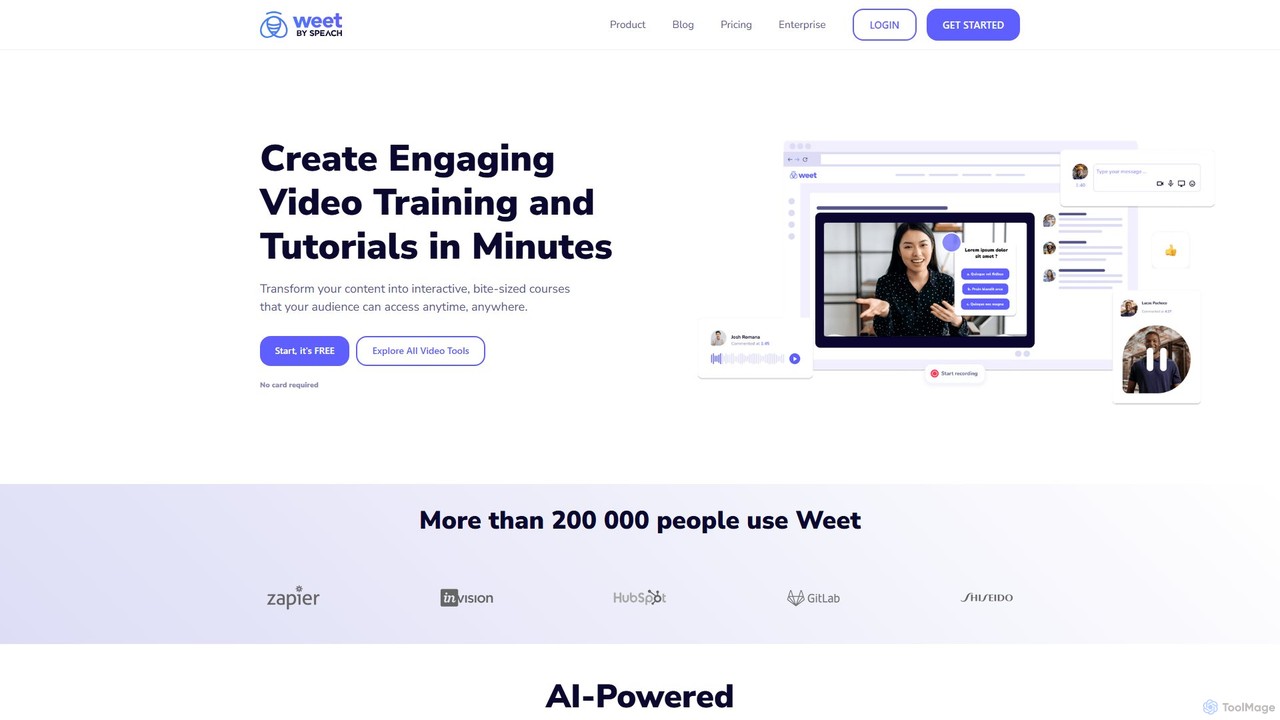
weet Product overview

Weet is an AI-powered platform for creating interactive training videos and asynchronous video messages. It enables users to easily record their screen and webcam, automatically generate accurate subtitles, and add interactive elements to enhance knowledge sharing, employee onboarding, and customer support.

Preview

Quick facts

Compare product focus, pricing models and audiences. Highlighted rows indicate different listed information; unknown pricing does not mean free.

TechSmith VS weet — Quick facts
Quick factsTechSmithweet
Pricing modelPaidFreemium
Product typeAppWeb
Primary focusE LearningKnowledge Management
Audience and rolesNo data availableNo data available
CategoriesE Learning · Content Creation · Training · Screen RecordingKnowledge Management · E Learning · Training · Video Editing
AddedAug 7, 2025Aug 16, 2025
UpdatedNov 19, 2026Nov 19, 2026

Features, usage and use cases

Explore the listed product descriptions, features and workflows. Taxonomy labels alone are not feature evaluations.

TechSmith

TechSmith is a global leader in visual communication software, empowering users to transform their expertise into impactful content. Its flagship products, Snagit and Camtasia, provide a comprehensive solution for screen capture and video creation, trusted by millions of users, including 100% of Fortune 500 companies. TechSmith's mission is to make it easy for anyone to create clear, concise, and engaging videos and visuals that help explain complex topics, train teams, and communicate more effectively.

At the core of TechSmith's offering is the synergy between Snagit's powerful screen capture capabilities and Camtasia's advanced, AI-assisted video editing. Camtasia, in particular, integrates artificial intelligence to streamline the editing process, making professional-quality video production accessible to everyone, regardless of their technical skill level. These AI features automate tedious tasks, allowing creators to focus on their message and storytelling.

How to use TechSmith

The workflow within the TechSmith ecosystem is designed for efficiency and ease of use:

  1. Capture Your Screen: Start by capturing anything on your screen. Use Snagit for quick screenshots, scrolling captures, or short video recordings. For more extensive projects like tutorials or presentations, use Camtasia to record your screen, webcam, microphone, and system audio simultaneously.
  2. Edit and Enhance: Import your captures into the editor. With Snagit, you can add annotations like arrows, text, callouts, and stamps to create visual guides. With Camtasia, you can use the intuitive drag-and-drop timeline editor to trim clips, add transitions, and apply effects. Leverage AI features like automatic background removal, audio noise reduction, and dynamic captions to enhance your video's quality.
  3. Apply AI-Powered Tools: In Camtasia, use the 'Rev' workflow to instantly apply professional layouts, effects, and filters to your footage for a polished look. The AI automatically analyzes your content to suggest the best enhancements.
  4. Share Your Content: Once your creation is complete, TechSmith makes sharing simple. Export your file to your local drive in various formats or share it directly to popular platforms like YouTube, Google Drive, Slack, and Microsoft Teams to reach your audience instantly.

Core Features of TechSmith

  • Camtasia - AI Video Editing & Screen Recording:
    • AI-Powered Background Removal: Instantly remove your webcam background without the need for a green screen.
    • Camtasia Rev Workflow: An AI-assisted workflow that provides layouts, backgrounds, effects, and filters to give your videos a professional look in minutes.
    • Multi-track Timeline Editor: A user-friendly drag-and-drop interface for editing video and audio tracks with precision.
    • High-Quality Recording: Capture your screen, webcam, microphone, and system audio at high frame rates for crisp, clear video.
    • Annotations and Effects: A vast library of callouts, transitions, behaviors, and animations to engage your audience.
    • Audio Editing: Enhance your audio with features like noise removal, equalization, and voice leveling.
  • Snagit - Advanced Screen Capture & Annotation:
    • All-in-One Capture®: Capture your entire desktop, a region, a window, or a scrolling screen with a single hotkey.
    • Powerful Image Editing: Annotate screenshots with professional markup tools, including arrows, shapes, and step-by-step guides.
    • Create Video from Images: Quickly narrate and draw over a series of screenshots to create a brief tutorial or GIF.
    • Text Extraction (OCR): Extract text from a screenshot or file and paste it into another document for edits.
    • Templates: Use pre-made layouts to create professional-looking technical documentation and guides in seconds.

Use Cases for TechSmith

TechSmith's tools are versatile and used across various industries:

  • Corporate Training & Onboarding: Create engaging training modules, software simulations, and onboarding materials that new employees can watch on demand.
  • Technical Documentation & Support: Develop clear, visual step-by-step guides, how-to articles, and support videos to reduce customer support tickets.
  • Education & E-Learning: Record lectures, flip classrooms, and provide personalized video feedback to students.
  • Marketing & Sales: Produce compelling product demonstration videos, promotional content for social media, and visual sales presentations.
  • Team Communication: Replace long emails and unnecessary meetings with quick, clear video updates, bug reports, and visual feedback.

Advantages of TechSmith

TechSmith stands out for its user-centric design and powerful features. The primary advantages include its remarkable ease of use, making it accessible for beginners, while still offering the depth required by professionals. The integration of AI in Camtasia significantly accelerates the video creation workflow, automating complex tasks and saving valuable time. The one-time purchase model offers excellent long-term value compared to subscription-only competitors. Finally, being an employee-owned company with decades of experience, TechSmith is known for its stability, reliability, and strong customer support.

Pricing and Plans

TechSmith primarily offers its software through a one-time purchase model, providing a perpetual license for the version you buy. This includes one year of maintenance, which grants you access to all updates and premium support. After the first year, users can opt to pay a small annual fee to continue receiving maintenance. Free trials are available for all major products.

  • Snagit: A one-time fee, typically around $62.99.
  • Camtasia: A one-time fee, typically around $299.99.
  • Snagit & Camtasia Bundle: A discounted package for users who need both screen capture and advanced video editing.

Special pricing is also available for education, government, and non-profit organizations.

weet

Weet is a revolutionary AI-powered video platform designed to transform how knowledge is shared within organizations. It moves beyond traditional, lengthy video courses by enabling anyone to create short, engaging, and interactive training videos, standard operating procedures (vSOPs), and asynchronous updates. Weet is built for efficiency, allowing users to capture their expertise without needing specialized video editing skills. The platform's core philosophy is centered on creating authentic, personalized content that is instantly shareable and, most importantly, editable on the go.

The platform leverages artificial intelligence to streamline the creation process. Its speech-to-text transcription engine is praised for its exceptional accuracy, automatically generating subtitles in over 30 languages. This not only makes content more accessible but also significantly reduces the manual editing time for creators. Weet is the ideal solution for modern teams looking to improve communication, accelerate onboarding, and build a dynamic video knowledge base.

How to use weet

Using Weet is an intuitive process designed for speed and simplicity:

  1. Record: Start by capturing your screen, webcam, or both simultaneously. You can explain a process, demonstrate software, or deliver a personal message.
  2. Enhance with AI: Once recorded, Weet's AI automatically goes to work. It provides noise cancellation for clear audio and generates highly accurate transcriptions and subtitles for your video.
  3. Edit & Interact: Use the simple editor to trim unwanted parts. A key feature is the ability to add interactive elements like chapters for easy navigation, annotations to highlight important information, and even quizzes (on the Enterprise plan) to test comprehension.
  4. Share Instantly: Share your completed 'Weet' with a single link. Viewers can watch it on any device without needing to download software.
  5. Update with Ease: One of Weet's most powerful features is the ability to update a section of the video without having to re-record the entire thing. This is a game-changer for maintaining training materials and SOPs that require frequent updates.

Core Features of weet

  • AI-Powered Transcription: Automatically generates highly accurate subtitles in over 30 languages.
  • Screen & Webcam Recording: Simultaneously record your screen and camera to create personalized presentations.
  • Interactive Elements: Add chapters, annotations, and interactive quizzes to make videos more engaging and informative.
  • Non-Destructive Editing: Update or replace parts of a video without re-recording the entire content, saving significant time and effort.
  • AI Noise Cancellation: Automatically removes background noise for crystal-clear audio.
  • Custom Branding: Add your company's logo, colors, and custom thumbnails to maintain brand consistency (Business & Enterprise plans).
  • Learning Paths: Structure multiple videos into a cohesive training course for guided learning (Enterprise plan).
  • Advanced Analytics: Track viewer engagement, completion rates, and quiz results to measure the effectiveness of your content (Enterprise plan).
  • Single Sign-On (SSO): Ensure secure and easy access for your team with SSO integration (Enterprise plan).

Use Cases for weet

Weet is versatile and can be applied across various business functions:

  • Employee Onboarding & Training: Create a library of training videos for new hires, covering everything from company culture to software tutorials.
  • Video Standard Operating Procedures (vSOPs): Digitize work instructions and processes into clear, easy-to-follow interactive videos.
  • Customer Support & Education: Quickly create personalized video responses to support tickets or build a comprehensive video knowledge base for self-service.
  • Asynchronous Team Communication: Share project updates, feedback, or announcements via video to reduce meetings and improve clarity.
  • Sales & Product Demos: Record and share compelling product demonstrations tailored to specific prospects.

Advantages of weet

Weet offers significant advantages over traditional video creation and knowledge-sharing methods:

  • Time and Cost Savings: Drastically reduces the time spent creating, editing, and maintaining video content.
  • Increased Engagement: Interactive features make learning more active and effective compared to passive video watching.
  • Improved Knowledge Retention: Visual and interactive content helps employees remember information better.
  • Effortless Maintenance: The ability to update video segments is a unique advantage for keeping content current.
  • Enhanced Accessibility: Automatic, accurate subtitles make content accessible to a global and diverse workforce.

Pricing and Plans

Weet offers a flexible pricing structure to suit different needs:

  • Free Plan: Ideal for individuals starting out. Includes up to 10 weets, screen & webcam recording, basic editing, and automatic transcription in 30+ languages.
  • Business Plan ($29/creator/month): Perfect for teams. Includes everything in Free, plus unlimited weets, interactive annotations, custom branding, 1080p/4K video downloads, and user management.
  • Enterprise Plan (Custom Pricing): Designed for large organizations. Includes all Business features, plus interactive quizzes, SSO, learning paths, advanced analytics, advanced security, and dedicated support. Contact sales for a quote.

Positioning

Their taxonomy shows where the products overlap and where each one has a more distinct focus. Unknown fields are shown explicitly and are never filled with assumptions.

Categories

Shared
E LearningTraining
Only TechSmith
Content CreationScreen Recording
Only weet
Knowledge ManagementVideo Editing

Tags

Shared
e-learning
Only TechSmith
ai video editingbackground removalCamtasiacorporate trainingscreen capturescreen recorderSnagittechnical documentationtutorial makervideo editor
Only weet
AI transcriptionasynchronous communicationemployee onboardinginteractive videoknowledge sharingscreen recordingSOPvideo training

Audience and roles

Shared
No listed items
Only TechSmith
No listed items
Only weet
No listed items

Traffic comparison

Traffic is shown on the same scale so differences in market visibility are not visually understated.

How to interpret the traffic data

Both charts share the same months and vertical scale. Each tool identifies its latest reporting month; missing months are left blank, not counted as zero. Regional and source visit counts are estimates calculated from the reported shares.

TechSmith monthly traffic:

Latest traffic · 2026-05

Monthly visits
871.3K
Avg. visit duration
1:54
Pages per visit
3.42
Bounce rate
40.89%
Data updated 2026-06-15

Monthly traffic trend

  • 2025-09: 1.1M
  • 2026-01: 1.2M
  • 2026-02: 1M
  • 2026-03: 1.1M
  • 2026-04: 977.4K
  • 2026-05: 871.3K

Top regions

Top 5 countries/regions
Country/regionPercentageEstimated visits
🇺🇸United States77.37%674.2K
🇮🇳India12.05%105K
🇨🇦Canada3.86%33.6K
🇩🇪Germany3.47%30.2K
🇬🇧United Kingdom3.25%28.3K

Traffic sources

Source typePercentageEstimated visits
Direct79.69%694.4K
Referral13.55%118.1K
Email6.76%58.9K

Search keywords

camtasialoomsnagitsnagit downloadtechsmith

weet monthly traffic:

Latest traffic · 2026-05

Monthly visits
55.5K
Avg. visit duration
0:19
Pages per visit
3.15
Bounce rate
35.58%
Data updated 2026-06-11

Monthly traffic trend

  • 2025-09: 81K
  • 2026-01: 106.2K
  • 2026-02: 86.8K
  • 2026-03: 79.3K
  • 2026-04: 69.9K
  • 2026-05: 55.5K

Top regions

Top 5 countries/regions
Country/regionPercentageEstimated visits
🇺🇸United States43.03%23.9K
🇮🇳India21.18%11.8K
🇻🇳Vietnam12.88%7.2K
🇳🇬Nigeria11.63%6.5K
🇮🇩Indonesia11.28%6.3K

Traffic sources

Source typePercentageEstimated visits
Direct82.99%46.1K
Referral17.01%9.4K

Search keywords

background noise removal from videoremove background noise from videoremove noise from video online freevideo noise removerweet

Community signals

Ratings, comments, favorites, and likes are community signals—not a substitute for product fit.

TechSmith

Rating
No data available
Comments
0
Favorites
150
Likes
157

weet

Rating
No data available
Comments
0
Favorites
171
Likes
161

TechSmith vs weet · Comparison FAQ

What do TechSmith and weet have in common?
Both tools are listed under E Learning、Training. These categories indicate overlapping use cases; compare their detailed descriptions for workflows, capabilities and limitations.
Are TechSmith and weet free?
Listed pricing models: TechSmith — Paid; weet — Freemium. Missing pricing is not proof of a free plan, and freemium does not mean every feature is free. Check official sites for current plans, limits and trials.
How should I choose between TechSmith and weet?
The primary listed category is E Learning for TechSmith, and Knowledge Management for weet. Compare features, steps and use cases, then verify pricing, data permissions and deployment needs. This page does not include hands-on testing and does not declare a winner from traffic or tags.

Sources and comparison methodology

This page is assembled from ToolMage product listings, taxonomy, traffic statistics and on-site user feedback. It is not a hands-on test or an independent review.

  • Feature and plan descriptions reflect information in the listings, not real-time guarantees. Verify pricing, quotas, availability and privacy terms on the official sites.
  • Traffic uses the reporting months shown. Missing statistics do not mean zero visits, and different periods do not establish growth or superiority. Regional and source visit counts are estimates based on shares.
  • Different tags indicate differences in the listings, not proof that the other product lacks a capability. Ratings, favorites and visits are not used to declare a winner.

Related comparisons