TicNote
Language Processing
AI TOOL COMPARISON
What is the difference, and which fits your workflow? Compare features, usage, pricing models and traffic side by side.
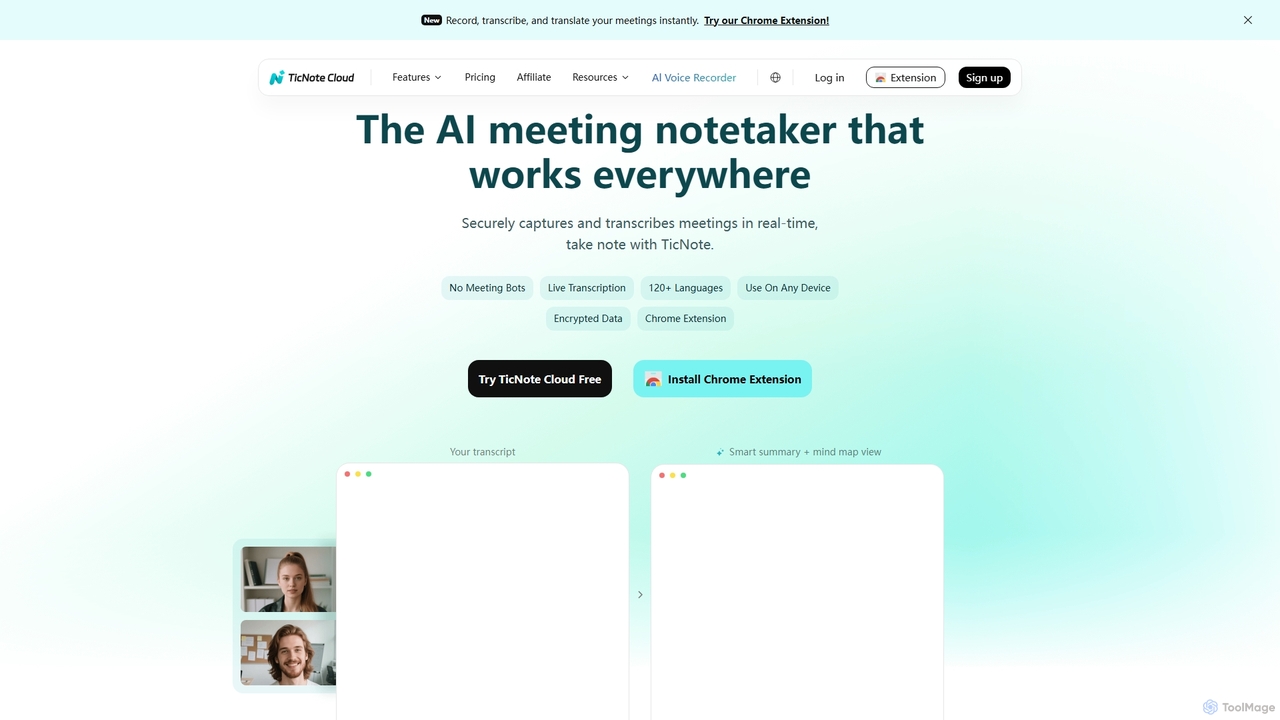
TicNote is an AI-powered meeting notetaker that transcribes, summarizes, and organizes conversations in real-time across 120+ languages. It uses on-device AI to generate smart summaries, mind maps, and action items without meeting bots, enhancing productivity and knowledge management for professionals.
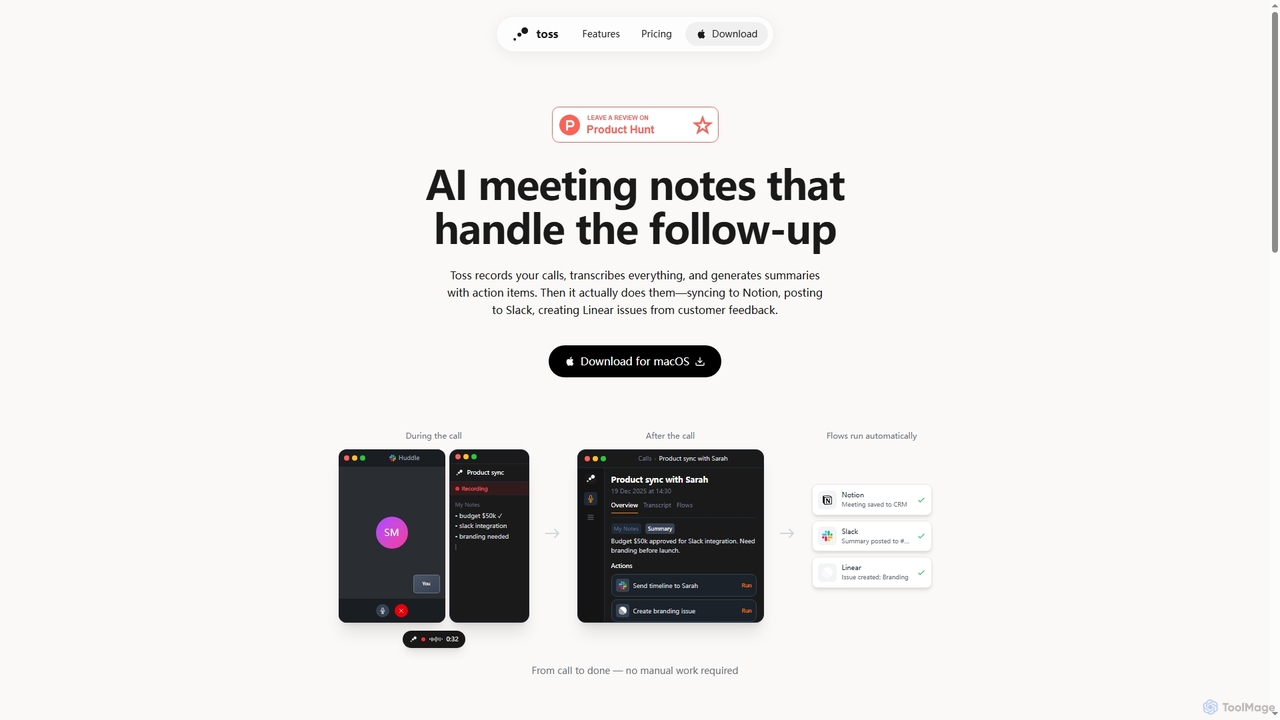
Toss is an AI-powered macOS application designed to automate meeting notes and follow-up actions. It records calls, transcribes discussions in real-time, generates summaries with actionable items, and automatically executes post-meeting tasks like syncing to Notion, posting to Slack, and creating issues in Linear, streamlining workflows and enhancing productivity for teams.
Compare product focus, pricing models and audiences. Highlighted rows indicate different listed information; unknown pricing does not mean free.
| Quick facts | TicNote | Toss |
|---|---|---|
| Pricing model | Freemium | Freemium |
| Product type | Web | App |
| Primary focus | Language Processing | Dictation |
| Audience and roles | Business Analyst · Consultant · Engineer · Executive Assistant · Marketing Manager · Product Manager · Project Manager · Researcher · Sales Representative · Team Lead | Customer Support · Executive Assistant · Marketing Manager · Product Manager · Project Manager · Sales Representative · Software Developer · Team Lead |
| Categories | Language Processing · Transcription · Meeting Management · Note Taking | Dictation · Meeting Management · Voice To Text |
| Added | Oct 25, 2025 | Jan 5, 2026 |
| Updated | Nov 19, 2026 | Nov 19, 2026 |
Explore the listed product descriptions, features and workflows. Taxonomy labels alone are not feature evaluations.
TicNote is an advanced AI meeting notetaker designed to streamline the process of capturing, transcribing, and summarizing discussions. It securely records and transcribes meetings in real-time, supporting over 120 languages. By leveraging on-device AI, TicNote automatically generates structured summaries, visual mind maps, key points, and actionable items, eliminating the need for meeting bots and freeing participants to fully engage in conversations. Beyond basic note-taking, TicNote features 'Shadow AI,' a personal assistant that learns user preferences, answers questions across meetings, analyzes conversations for better decisions, and enriches context with uploaded files. It also organizes notes into an interconnected knowledge base with smart tagging, auto-linking, and version history, transforming raw meeting data into actionable insights.
Using TicNote is designed for simplicity. Users can launch TicNote with one click, either directly through the web interface or via its Chrome Extension. Once activated, the AI automatically handles real-time transcription in multiple languages. As the meeting progresses, TicNote's on-device AI processes the audio to generate smart summaries, mind maps, and extract key points and action items, which are ready the moment the meeting concludes. Users can then interact with 'Shadow AI' to ask questions about their notes, upload additional files for context, and explore an organized knowledge base.
TicNote is ideal for a wide range of professionals and teams looking to enhance meeting productivity and knowledge management:
TicNote offers several significant advantages that set it apart as a leading AI notetaking tool:
Toss is an innovative AI tool specifically built for macOS users, revolutionizing how professionals manage meetings and subsequent tasks. It intelligently captures the essence of your calls by recording and transcribing everything in real-time. Beyond simple note-taking, Toss leverages AI to generate concise summaries complete with identified action items, ensuring no crucial detail is missed.
What truly sets Toss apart is its ability to not just identify action items but to actually execute them. It automates critical follow-up tasks, seamlessly integrating with popular productivity platforms. Whether it's saving meeting notes to your CRM in Notion, posting summaries to relevant channels in Slack, or creating actionable issues in Linear based on customer feedback, Toss handles it all automatically, eliminating manual work and brittle Zapier configurations.
Moreover, Toss extends its utility beyond scheduled meetings. It functions as an intelligent voice assistant accessible anytime. By simply holding a key and speaking, users can create Linear issues, send messages on Slack, schedule meetings, or even search through past call recordings. This hands-free interaction significantly boosts productivity. The application also includes a powerful voice dictation feature, allowing users to speak directly into emails, Slack messages, or documents, potentially tripling typing speed and making communication more efficient.
To use Toss, first download and install the application on your macOS device. During a call, Toss will automatically record and transcribe the conversation in real-time. After the call concludes, it generates a summary with identified action items. You can then define custom 'Flows' in plain English—such as 'Save to Notion' or 'Post summary to Slack'—which Toss will automatically execute for post-meeting follow-ups. For general tasks outside of meetings, simply hold a designated key and speak your commands, like 'Create Linear issues' or 'Schedule meetings'. The voice dictation feature allows you to speak text directly into any application where your cursor is active, by holding a key.
Toss is ideal for professionals looking to streamline their communication and project management. It's perfect for sales teams to automatically update CRMs after client calls, for product teams to quickly capture and convert customer feedback into Linear issues, and for project managers to ensure all meeting action items are tracked and completed. Individuals can also leverage the voice assistant for daily task management and the voice dictation feature to rapidly compose emails or documents, significantly boosting personal productivity.
The primary advantage of Toss is the significant time savings it offers by automating the entire meeting follow-up process, from notes to action execution. It ensures accountability by clearly defining and tracking action items. Its plain-English flow definitions make automation accessible without complex setups. The integrated voice assistant and dictation capabilities provide a hands-free, efficient way to manage tasks and input text, enhancing overall productivity. By recording directly from your Mac, it offers a secure and private solution without requiring additional bots in your calls.
Toss offers a simple pricing structure. You can try Toss free for 7 days without requiring a credit card. The Pro plan is available for $14 per month. The Pro plan includes unlimited voice commands, dictation anywhere, meeting transcription and action items, and integrations with Linear, Slack, and Calendar, with more integrations coming soon.
Their taxonomy shows where the products overlap and where each one has a more distinct focus. Unknown fields are shown explicitly and are never filled with assumptions.
Traffic is shown on the same scale so differences in market visibility are not visually understated.
Both charts share the same months and vertical scale. Each tool identifies its latest reporting month; missing months are left blank, not counted as zero. Regional and source visit counts are estimates calculated from the reported shares.
| Country/region | Percentage | Estimated visits |
|---|---|---|
| 🇺🇸United States | 42.13% | 57.4K |
| 🇵🇪Peru | 19.26% | 26.3K |
| 🇮🇹Italy | 16.91% | 23K |
| 🇮🇳India | 12.93% | 17.6K |
| 🇨🇮Côte d'Ivoire | 8.77% | 12K |
| Source type | Percentage | Estimated visits |
|---|---|---|
| Direct | 85.43% | 116.4K |
| Referral | 12.96% | 17.7K |
| 1.61% | 2.2K |
No data available
Ratings, comments, favorites, and likes are community signals—not a substitute for product fit.
TicNote supports real-time transcription and translation in over 120 languages, enabling global communication and understanding.
No, TicNote utilizes on-device AI to capture and transcribe meetings, ensuring no meeting bots join your calls and enhancing data privacy.
Shadow AI is TicNote's personal AI assistant that learns what matters to you. It answers questions across all meetings, analyzes conversations for better decisions, and enriches context with your uploaded files, acting as a smart personal assistant.
TicNote securely captures and transcribes meetings with encrypted data, prioritizing the privacy and security of your conversations.
TicNote offers over 100 smart templates that adapt to every meeting type, such as Sales Calls, 1 on 1s, and Sprint Planning. These templates automatically structure your notes, making them immediately useful and shareable.
Toss is an AI-powered macOS application designed to record calls, transcribe everything, and generate summaries with action items. It also handles follow-up tasks by syncing to Notion, posting to Slack, and creating Linear issues automatically. Additionally, it offers voice assistant capabilities and voice dictation.
Toss is available for download and use on macOS devices.
No, Toss records directly from your Mac, meaning no bots will join your calls.
Toss's core features include real-time call recording and transcription, AI-generated summaries with action items, automated follow-up workflows (Flows) for integrations like Notion, Slack, and Linear, an anytime voice assistant, and voice dictation capabilities.
Toss offers integrations with Notion, Slack, Linear, and Calendar. The developers state that more integrations are coming soon.
This page is assembled from ToolMage product listings, taxonomy, traffic statistics and on-site user feedback. It is not a hands-on test or an independent review.