ToolMage
Sign in

AI TOOL COMPARISON

Vocal vs ZeroAudio

What is the difference, and which fits your workflow? Compare features, usage, pricing models and traffic side by side.

Jump to key differences

Product overview

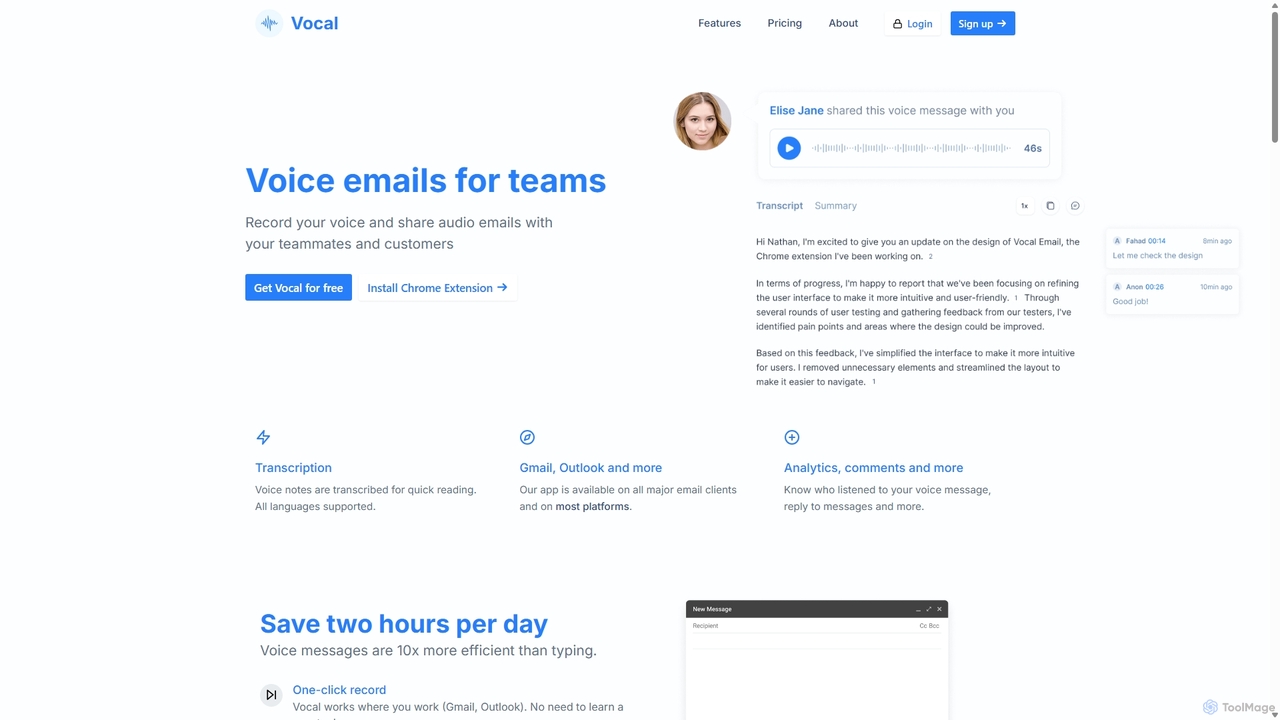
Vocal Product overview

Vocal enhances email communication by allowing users to send voice messages directly within Gmail and Outlook. It simplifies sending personal, nuanced audio notes as .mp3 attachments or shareable links, making communication more expressive. Features include automatic transcription, listen insights, and customization options to improve engagement and efficiency.

Preview

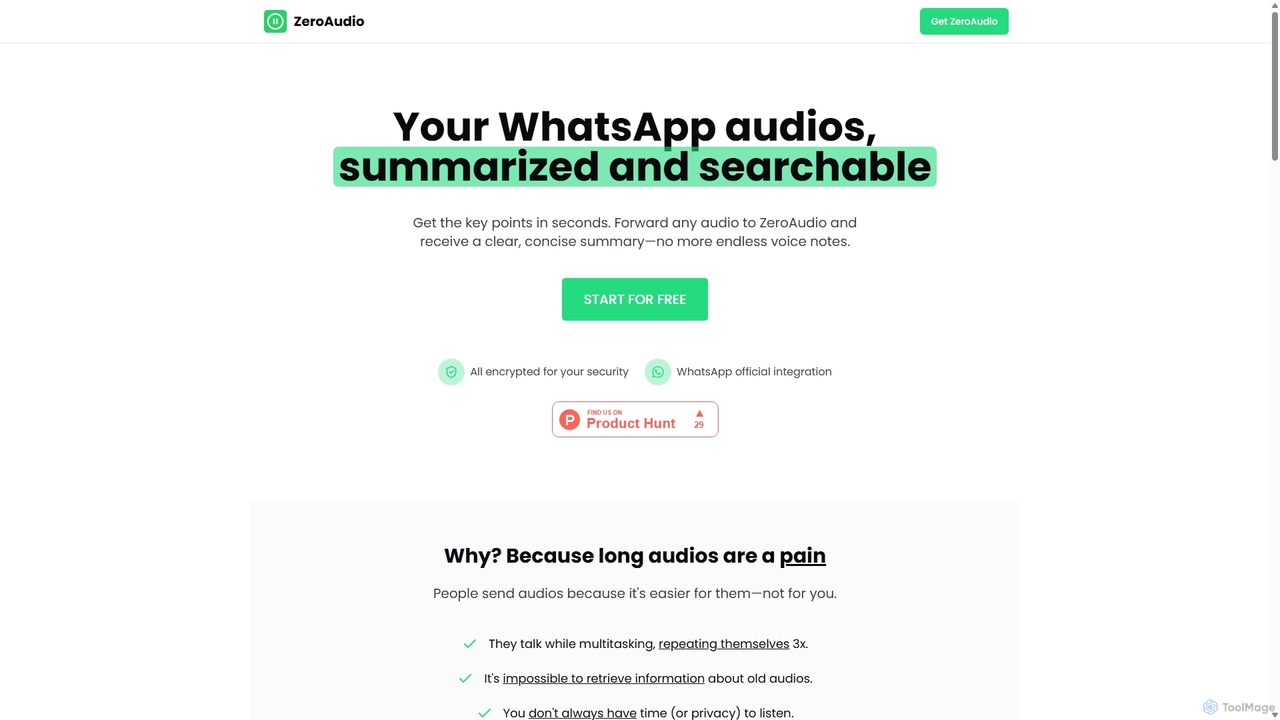
ZeroAudio Product overview

ZeroAudio is an AI-powered tool that integrates with WhatsApp to summarize long audio messages. Simply forward any voice note to ZeroAudio, and it will quickly provide a concise, text-based summary of the key points. This saves you time, allows you to "read" audios in private, and makes the information within them easily searchable, eliminating the need to listen to lengthy, rambling messages.

Preview

Quick facts

Compare product focus, pricing models and audiences. Highlighted rows indicate different listed information; unknown pricing does not mean free.

Vocal VS ZeroAudio — Quick facts
Quick factsVocalZeroAudio
Pricing modelFreemiumFreemium
Product typeExtensionsWeb
Primary focusMessagingSpeech To Text
Audience and rolesConsultant · Customer Support · Educator · Freelancer · HR Manager · Marketing Manager · Product Manager · Sales Representative · Team LeadConsultant · Customer Support · Freelancer · Journalist · Marketing Manager · Product Manager · Project Manager · Sales Representative · Student · Team Lead
CategoriesMessaging · Email · OutreachSpeech To Text · Messaging · Transcription
AddedSep 23, 2025Sep 1, 2025
UpdatedNov 19, 2026Nov 19, 2026

Features, usage and use cases

Explore the listed product descriptions, features and workflows. Taxonomy labels alone are not feature evaluations.

Vocal

Vocal is a powerful tool designed to revolutionize email communication by integrating the warmth and clarity of the human voice. It addresses the limitations of text-based messages, allowing users to convey nuance, emotion, and complex information more effectively. By seamlessly integrating with popular email clients like Gmail and Outlook, Vocal enables you to record and send voice notes with just a few clicks, transforming your emails into more personal and engaging conversations.

The core mission of Vocal is to simplify online communication. Instead of typing long emails, you can now speak your mind, saving time and reducing the chances of misinterpretation. Recipients don't need to have Vocal installed; they can listen to your message directly as an .mp3 attachment or through a clean, simple web player accessible via a link. This makes the experience frictionless for everyone involved.

How to use Vocal

Getting started with Vocal is incredibly straightforward:

  1. Install the Extension/Add-in: First, install the Vocal browser extension for Gmail or the add-in for Outlook from their respective stores.
  2. Compose an Email: Open a new email draft in Gmail or Outlook. You will notice a new microphone icon has been added to your compose window, typically next to the 'Send' button.
  3. Record Your Message: Click the microphone icon to start recording your voice note. The Pro plan allows you to pause and resume recording as needed.
  4. Attach and Send: Once you've finished, stop the recording. The voice message will be automatically embedded into your email as a playable link or attached as an .mp3 file.
  5. Request Voice Notes: You can also generate a shareable link to request voice notes from others, which is perfect for collecting feedback, testimonials, or interview responses.

Core Features of Vocal

  • Seamless Email Integration: Works directly inside Gmail and Outlook, providing a native and intuitive user experience.
  • Universal Playback: Recipients can listen to voice notes as standard .mp3 attachments or via a simple web link, with no installation required.
  • Automatic Transcription: Pro users can automatically transcribe voice notes, making the content searchable and accessible for those who prefer to read.
  • Listen Insights: Get notified when someone listens to your voice note, giving you valuable insight into engagement, especially for sales and outreach.
  • Advanced Customization: Personalize the listening experience with your profile picture, custom signature, and brand colors. Pro users can even add a Call-to-Action (CTA) button to drive conversions.
  • Custom Domain (CNAME): Host voice messages on your own domain for a fully branded and professional appearance.
  • Voice Note Management: Organize your recordings into folders, making it easy to manage and retrieve past messages.
  • Webhooks & Integrations: Connect Vocal with other tools in your workflow for automated processes.

Use Cases for Vocal

Vocal is versatile and valuable for various professionals and scenarios:

  • Sales & Business Development: Stand out in a crowded inbox with personalized voice outreach. Explain complex products clearly and use CTAs to guide leads to the next step.
  • Customer Support: Provide empathetic, clear, and personal support responses that build stronger customer relationships. Easily collect detailed audio feedback from users.
  • Team Collaboration: Share quick updates, provide detailed feedback on projects, or explain complex ideas without scheduling a meeting.
  • Recruitment & HR: Send personalized messages to candidates to increase engagement or use shareable links to collect audio responses for initial screenings.
  • Education & Coaching: Deliver personalized feedback to students or clients in a more encouraging and nuanced way.

Advantages of Vocal

Using Vocal offers significant benefits over traditional text emails. It adds a human touch, fostering a stronger connection with the recipient. Voice messages are often faster to create than typing and can convey tone and emotion, preventing misunderstandings. The platform's simplicity ensures a smooth experience for both sender and receiver, while advanced features like listen insights and CTAs provide measurable business value.

Pricing and Plans

Vocal offers a straightforward pricing structure:

  • Free Plan: $0/month. Includes up to 20 voice messages per month with a 1-minute recording limit per message.
  • Pro Plan: $30 per user/month (or $299 per user/year, offering a discount). This plan unlocks unlimited voice messages, unlimited recording time, automatic transcription, listen insights, full customization options, CTAs, custom domain hosting, folder management, and more.

ZeroAudio

ZeroAudio is a revolutionary productivity tool designed to tackle the common problem of long and time-consuming WhatsApp audio messages. It leverages advanced AI to provide clear, concise summaries of any voice note, transforming how users interact with audio content. Instead of spending several minutes listening to rambling messages, users can get the essential information in seconds, directly within their WhatsApp chat. The service is built on a foundation of convenience, privacy, and efficiency, featuring official WhatsApp integration and end-to-end encryption to ensure all communications are secure.

The core premise of ZeroAudio is simple yet powerful: people send audios because it's easy for them, but it's often inconvenient for the recipient. Voice notes can be repetitive, hard to reference later, and impossible to listen to in certain environments like meetings or public transport. ZeroAudio elegantly solves these issues by acting as a personal assistant that listens on your behalf and delivers just the key takeaways.

How to use ZeroAudio

Using ZeroAudio is designed to be incredibly simple and requires no external app installation. The entire process happens within WhatsApp:

  1. Forward the Audio: Select any WhatsApp audio message you've received and forward it to your dedicated ZeroAudio contact.
  2. AI Processing: ZeroAudio's AI immediately gets to work. It transcribes the audio, analyzes the content to identify the main ideas, and discards redundant information or filler words.
  3. Receive the Summary: Within seconds, you will receive a message back from ZeroAudio containing a short, clear, and well-structured summary of the original audio. This allows you to grasp the core message instantly.

Core Features of ZeroAudio

  • AI-Powered Summarization: Utilizes sophisticated AI algorithms to extract the most important points from any audio message, providing a digestible text summary.
  • Seamless WhatsApp Integration: Works directly inside WhatsApp without the need to install any additional apps or software. It functions just like another contact.
  • Multi-language Support: The tool supports over 25 languages, including English, Spanish, Chinese, French, and German, making it accessible to a global user base.
  • Searchable Audio History: Premium plans offer the ability to "Chat with old audios," effectively creating a searchable archive of your voice notes. You can ask questions about past audios to retrieve specific information without manual searching.
  • End-to-End Encryption: Prioritizes user privacy and security by encrypting all data, ensuring your conversations remain confidential.
  • Fast and Efficient: Delivers summaries in a matter of seconds, significantly boosting productivity and communication efficiency.

Use Cases for ZeroAudio

ZeroAudio is beneficial for a wide range of individuals and professionals:

  • Busy Professionals: Managers, sales representatives, and consultants can quickly get updates from their team or clients without interrupting their workflow to listen to long voice notes.
  • Students: Summarize audio notes from study groups or clarifications from classmates to quickly review key concepts.
  • International Teams: Helps overcome language barriers by providing a written summary that can be easily translated or understood by non-native speakers.
  • Social Users: Keep up with active group chats with friends and family that are filled with long voice messages, ensuring you don't miss important information.
  • Users with Hearing Impairments: Provides an essential accessibility feature by converting spoken messages into readable text.

Advantages of ZeroAudio

The primary advantage of ZeroAudio is the immense amount of time it saves. It transforms a 5-minute audio into a 15-second read. This enhances productivity, allows for discreet consumption of messages in any setting, and improves information retention and retrieval. By making audio content searchable, it turns a transient form of communication into a valuable, organized information resource. Its ease of use and strong focus on security make it a trustworthy and indispensable tool for modern communication.

Pricing and Plans

ZeroAudio operates on a freemium model with a free trial and several paid tiers:

  • Free Trial: Includes 3 free audio summaries to test the service, with no credit card required.
  • Basic Plan: $4.99/month for 20 minutes of audio processing. Ideal for users who receive occasional long audios.
  • Premium Plan (Most Popular): $9.99/month for 100 minutes of audio. This plan includes the "Chat with old audios" feature and offers the best value.
  • Max Plan: $29.99/month for 1,000 minutes of audio. Designed for power users, it includes all features plus priority support.

Annual subscriptions are also available, offering a discount equivalent to two months free.

Positioning

Their taxonomy shows where the products overlap and where each one has a more distinct focus. Unknown fields are shown explicitly and are never filled with assumptions.

Categories

Shared
Messaging
Only Vocal
EmailOutreach
Only ZeroAudio
Speech To TextTranscription

Tags

Shared
transcription
Only Vocal
audio messagecustomer feedbackemail productivitygmail extensionOutlook add-inpersonal communicationsales outreachvoice emailvoice notes
Only ZeroAudio
AI assistantaudio summarizercommunicationmessage summaryproductivityspeech to textvoice notevoice to textWhatsApp

Audience and roles

Shared
ConsultantCustomer SupportFreelancerMarketing ManagerProduct ManagerSales RepresentativeTeam Lead
Only Vocal
EducatorHR Manager
Only ZeroAudio
JournalistProject ManagerStudent

Traffic comparison

Traffic is shown on the same scale so differences in market visibility are not visually understated.

How to interpret the traffic data

Both charts share the same months and vertical scale. Each tool identifies its latest reporting month; missing months are left blank, not counted as zero. Regional and source visit counts are estimates calculated from the reported shares.

Vocal monthly traffic:

Latest traffic · 2026-05

Monthly visits
32.6K
Avg. visit duration
0:17
Pages per visit
1.99
Bounce rate
40.06%
Data updated 2026-06-15

Monthly traffic trend

  • 2025-09: 22.4K
  • 2026-01: 28.3K
  • 2026-02: 30.1K
  • 2026-03: 38.1K
  • 2026-04: 35.5K
  • 2026-05: 32.6K

Top regions

Top 5 countries/regions
Country/regionPercentageEstimated visits
🇺🇸United States48.5%15.8K
🇮🇳India25.59%8.3K
🇧🇷Brazil11%3.6K
🇮🇩Indonesia8.91%2.9K
🇹🇭Thailand6%2K

Traffic sources

Source typePercentageEstimated visits
Direct80.17%26.1K
Referral11.93%3.9K
Email7.9%2.6K

Search keywords

app vocalspeakpipevocalvocal emailvoice messa urls

ZeroAudio

No data available

Community signals

Ratings, comments, favorites, and likes are community signals—not a substitute for product fit.

Vocal

Rating
No data available
Comments
0
Favorites
223
Likes
231

ZeroAudio

Rating
No data available
Comments
0
Favorites
199
Likes
193

Vocal vs ZeroAudio · Comparison FAQ

What do Vocal and ZeroAudio have in common?
Both tools are listed under Messaging. These categories indicate overlapping use cases; compare their detailed descriptions for workflows, capabilities and limitations.
Are Vocal and ZeroAudio free?
Listed pricing models: Vocal — Freemium; ZeroAudio — Freemium. Missing pricing is not proof of a free plan, and freemium does not mean every feature is free. Check official sites for current plans, limits and trials.
How should I choose between Vocal and ZeroAudio?
The primary listed category is Messaging for Vocal, and Speech To Text for ZeroAudio. Compare features, steps and use cases, then verify pricing, data permissions and deployment needs. This page does not include hands-on testing and does not declare a winner from traffic or tags.

Sources and comparison methodology

This page is assembled from ToolMage product listings, taxonomy, traffic statistics and on-site user feedback. It is not a hands-on test or an independent review.

  • Feature and plan descriptions reflect information in the listings, not real-time guarantees. Verify pricing, quotas, availability and privacy terms on the official sites.
  • Traffic uses the reporting months shown. Missing statistics do not mean zero visits, and different periods do not establish growth or superiority. Regional and source visit counts are estimates based on shares.
  • Different tags indicate differences in the listings, not proof that the other product lacks a capability. Ratings, favorites and visits are not used to declare a winner.

Related comparisons