Best of the Year 1 results 3D & Ar AI Tools

Popular AI tools in the 3D & Ar field include Animant, etc., helping you quickly improve efficiency.

Animant

Animant

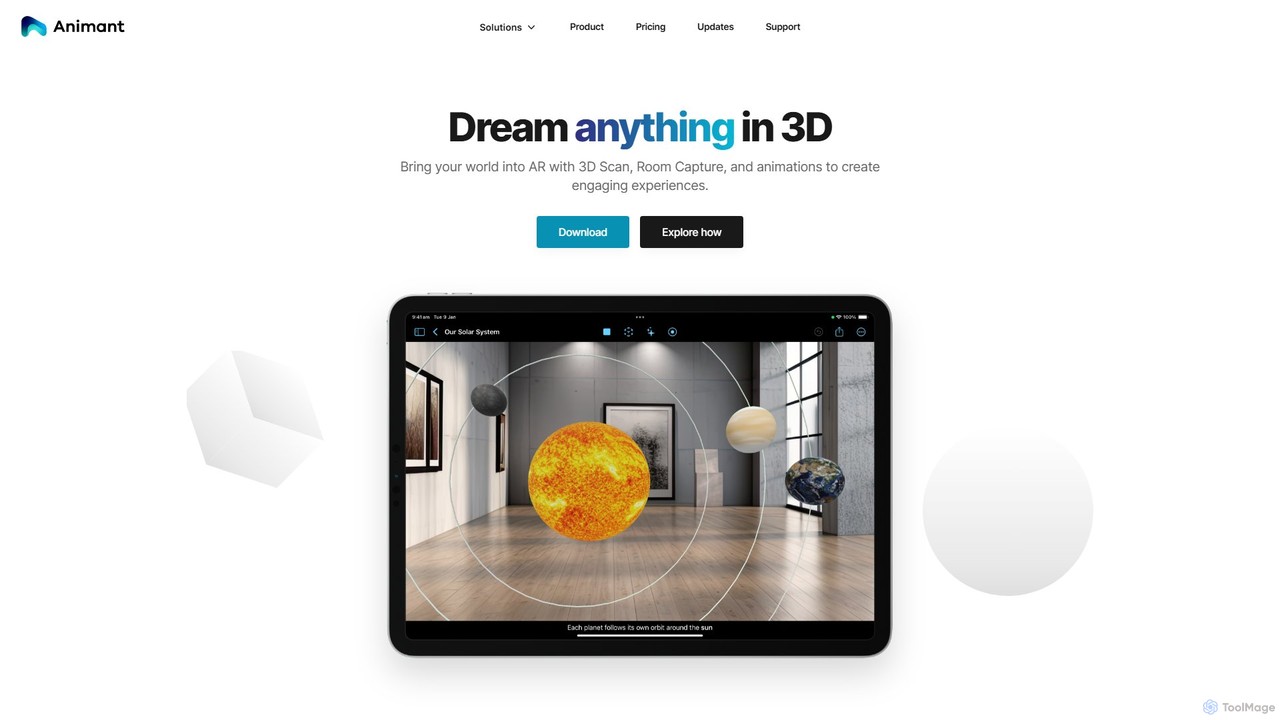
Animant is a powerful AR creation studio for Apple devices that lets you build interactive augmented reality scenes. …

2.2K

About 3D & Ar

3D & Ar AI tools are a category of advanced software that leverage artificial intelligence to create, manipulate, and interact with three-dimensional models and augmented reality experiences. These tools utilize AI algorithms for tasks like generative design, realistic rendering, object recognition, and spatial mapping. They significantly streamline complex workflows in design, entertainment, and engineering, enabling users to produce immersive digital content and interactive environments with unprecedented efficiency and realism. From automating asset creation to enhancing real-world interactions, these AI solutions are transforming how we visualize and engage with digital and physical spaces.

Core Features

  • Generative 3D Modeling: Automatically creates complex 3D models from text prompts, sketches, or existing data.
  • AI-powered Texturing: Applies realistic textures and materials to 3D assets with intelligent algorithms and PBR workflows.
  • Augmented Reality Content Creation: Facilitates the development of interactive AR experiences for various platforms and devices.
  • Realistic Rendering: Enhances visual fidelity with AI-driven lighting, shadows, reflections, and material properties.
  • 3D Object Recognition & Tracking: Identifies and tracks real-world objects for seamless AR integration and interaction.

Use Cases

These tools are widely adopted across various industries. In e-commerce, businesses use them to generate interactive 3D product views and AR try-on experiences, enhancing customer engagement. Game developers leverage AI for rapid asset creation, character animation, and environment generation, accelerating production cycles. Architects and interior designers utilize AI to create virtual walkthroughs and realistic visualizations of spaces, allowing clients to experience designs before construction.

How to Choose

When selecting 3D & Ar AI tools, consider your primary needs: whether it's generative modeling, realistic rendering, or AR development. Evaluate its compatibility with your existing software (e.g., CAD, Blender, Unity) and workflow. Assess the balance between ease of use for rapid prototyping and advanced controls for professional customization. Finally, compare pricing models, including subscription costs and feature tiers, to ensure it aligns with your budget and project scale.

3D & ArUse Cases

1

Generating Interactive 3D Product Views

E-commerce businesses can utilize 3D & Ar AI tools to transform standard product images into interactive 3D models or augmented reality try-on experiences. For instance, a furniture retailer can allow customers to virtually place a sofa in their living room using AR, or a fashion brand can offer virtual try-ons for clothing. This significantly enhances the online shopping experience, reduces return rates, and provides customers with a more comprehensive understanding of the product before purchase.

2

Accelerating Game Asset Creation

Game developers leverage 3D & Ar AI tools to significantly speed up the creation of game assets, from characters and props to entire environments. AI can generate multiple variations of a 3D model based on simple inputs, automate the retopology and UV unwrapping processes, and even assist in procedural generation of landscapes. This allows artists to focus on creative refinement rather than repetitive tasks, drastically cutting down development time and costs while maintaining high visual quality.

3

Virtual Walkthroughs for Architectural Design

Architects and interior designers use 3D & Ar AI tools to create highly realistic virtual walkthroughs and immersive visualizations of proposed buildings and interior spaces. By inputting blueprints or 2D designs, AI can generate detailed 3D models, apply appropriate textures and lighting, and even simulate different material properties. This enables clients to experience and provide feedback on designs in a dynamic, interactive environment before construction begins, leading to better design decisions and reduced rework.

4

Rapid Prototyping in Industrial Design

Industrial designers utilize 3D & Ar AI tools for rapid prototyping and iterative design. AI can quickly generate multiple design concepts based on functional requirements, material constraints, and aesthetic preferences. This allows designers to explore a wider range of possibilities in a fraction of the time it would take with traditional methods. Furthermore, AI can optimize designs for manufacturing, identify potential flaws, and create virtual simulations of product performance, significantly accelerating the product development cycle from concept to market.

5

Immersive Training & Education

3D & Ar AI tools are transforming training and education by enabling the creation of highly immersive and interactive learning experiences. For example, medical students can practice complex surgeries in a virtual operating room, or mechanics can learn to repair engines through AR overlays on real equipment. AI assists in generating realistic scenarios, providing real-time feedback, and adapting content to individual learning paces, making education more engaging, effective, and accessible across various fields.

6

Enhanced Marketing & Advertising Campaigns

Marketers and advertisers leverage 3D & Ar AI tools to create highly engaging and interactive campaigns. This includes developing custom AR filters for social media, interactive 3D product showcases in ads, or virtual showrooms that allow customers to explore products in a simulated environment. AI can personalize these experiences based on user data, optimize content for various platforms, and analyze engagement metrics, leading to more impactful and memorable brand interactions and higher conversion rates.

3D & ArFrequently Asked Questions