OverScene
OverScene is a revolutionary Windows application that acts as a visual AI layer over any desktop software. It …
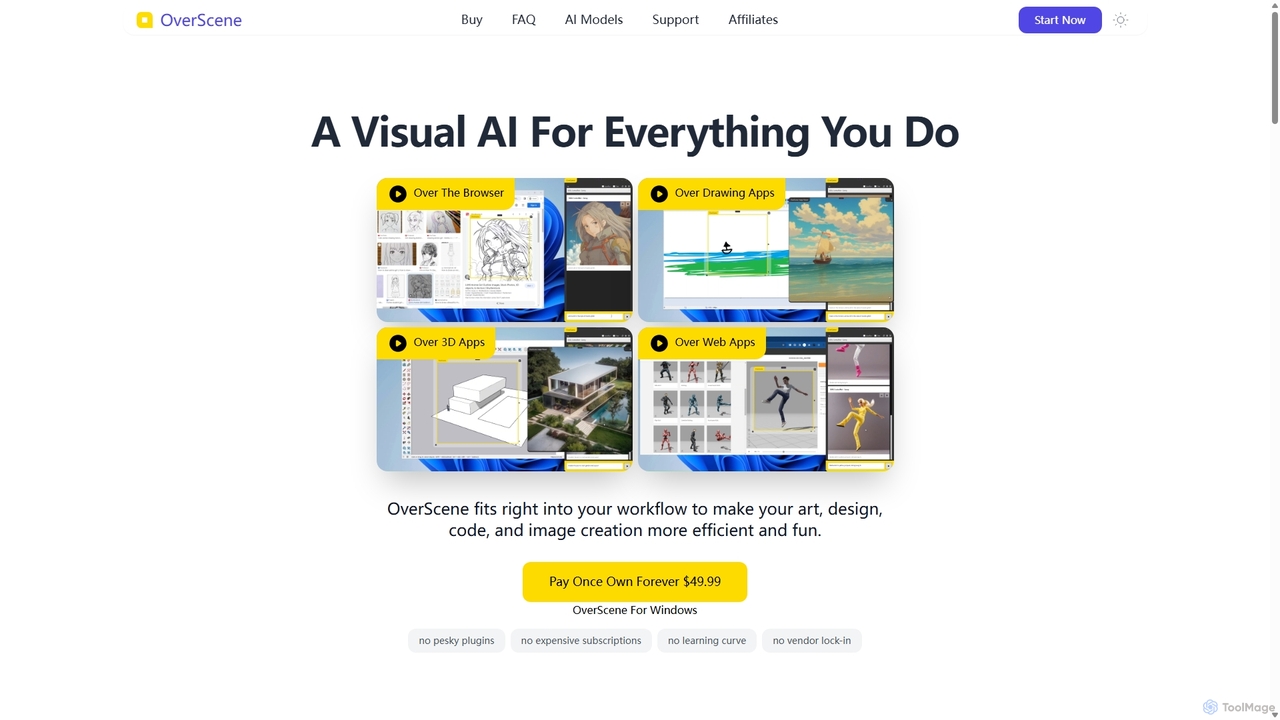
OverScene is a revolutionary Windows application that acts as a visual AI layer over any desktop software. It allows users to apply powerful AI models for image generation, code creation, 3D rendering, and more, directly onto their existing workflow via a simple drag-and-drop frame. With a one-time purchase model, it eliminates subscriptions and complex plugins, making advanced AI accessible to artists, designers, and developers.
About Rendering
AI Rendering tools are a class of software that use machine learning algorithms to generate 2D images from 3D models and scenes. These tools leverage AI for tasks like denoising, upscaling, and material generation to dramatically accelerate the creation of photorealistic or stylized visuals. They are primarily used in architecture, product design, and entertainment to produce high-quality imagery faster than traditional rendering methods. The key advantage is the significant reduction in time and computational cost while achieving exceptional visual fidelity.
Core Features
- AI Denoising: Intelligently removes noise from partially rendered images, allowing for faster final image generation.
- Super Resolution/Upscaling: Uses AI to increase image resolution while preserving and enhancing details, creating crisp, high-quality outputs.
- Generative Material Creation: Creates realistic textures and materials from text prompts or reference images, automating a complex part of the 3D workflow.
- Intelligent Lighting & Composition: AI analyzes scenes to suggest or automatically apply optimal lighting setups and camera angles for better visual storytelling.
- Text-to-3D Scene Generation: Generates fully rendered 3D environments or objects based on descriptive text input, enabling rapid prototyping of ideas.
Use Cases
AI Rendering tools are essential for professionals in architectural visualization, allowing for rapid iteration of design concepts with photorealistic results. They are also widely used by product designers and marketing teams to create compelling visuals for advertising without physical prototypes. In the entertainment industry, game developers and VFX artists use these tools to accelerate asset creation and render complex scenes for films and video games.
How to Choose
When selecting an AI Rendering tool, consider its integration with your existing 3D software (e.g., Blender, 3ds Max, Cinema 4D). Evaluate the balance between rendering speed and final image quality. Assess whether a cloud-based service or a local application better suits your workflow and hardware. Finally, compare pricing models, such as per-render fees versus monthly subscriptions, to find the most cost-effective solution for your project volume.
RenderingUse Cases
Accelerate Architectural Visualization
An architect needs to present multiple design variations of a new building to a client by the end of the day. Using a traditional renderer would take hours for each image. Instead, they use an AI rendering tool integrated with their 3D modeling software. The AI denoiser produces clean, high-quality images in minutes instead of hours. This allows the architect to generate photorealistic visuals of the building at different times of day and with various material finishes, enabling the client to make an informed decision quickly and significantly speeding up the project's approval phase.
Create Product Marketing Imagery
A marketing team for a consumer electronics brand needs to create lifestyle images for a new smartwatch before mass production begins. Instead of an expensive and time-consuming photoshoot, they use an AI rendering tool. They place a 3D model of the watch into various virtual scenes and use AI to generate realistic lighting, reflections, and textures. The tool can produce dozens of high-resolution images showing the watch in different contexts—on a runner's wrist, on a desk, by a pool—all within a few hours. This approach saves thousands of dollars and allows marketing campaigns to launch concurrently with the product.
Rapid Prototyping for Game Environments
A small indie game development team is designing a new level. They need to quickly visualize different environmental concepts. They use a text-to-3D scene AI rendering tool. By inputting prompts like 'a mystical forest at dusk with glowing mushrooms and ancient ruins,' the tool generates multiple rendered concepts in minutes. This allows the art director and level designers to review and iterate on ideas without spending days modeling and texturing assets from scratch. The chosen concept then serves as a detailed visual guide for the production artists, streamlining the entire asset creation pipeline.
Generating Textures for 3D Models
A 3D artist is creating assets for a historical film and needs a specific 'aged cobblestone' texture that isn't available in their library. Instead of spending hours creating one manually in software like Photoshop or Substance Painter, they use an AI rendering tool with a generative material feature. They input the text prompt 'dirty medieval cobblestone street, wet with rain, moss growing between stones.' The AI generates several high-resolution, seamless texture maps (diffuse, normal, roughness) that perfectly match the description. The artist can then apply these textures directly to their 3D model, achieving a realistic and unique look in a fraction of the time.
Enhance Interior Design Presentations
An interior designer is working with a client who has trouble visualizing the final look of their living room. The designer uses an AI rendering tool that can quickly apply different styles and furniture layouts. They take a 3D model of the empty room and use the tool to generate multiple photorealistic versions: one with a minimalist Scandinavian style, another with a cozy bohemian vibe, and a third with a modern industrial look. This process takes less than an hour, providing the client with clear, compelling visuals that help them confidently choose a design direction, avoiding costly changes later in the project.
Upscale Final Renders for High-Resolution Displays
A VFX artist has just finished a complex animation render for a 4K display, but the client now requests an 8K version for a large-scale presentation. Re-rendering the entire sequence at 8K would take days of computation time. Instead, the artist uses an AI rendering tool with a super-resolution feature. They feed the 4K rendered frames into the AI, which intelligently analyzes the images and upscales them to 8K. The AI algorithm adds realistic detail and sharpens edges, producing a result that is nearly indistinguishable from a native 8K render but completed in just a few hours. This saves immense time and resources while meeting the client's last-minute request.