AltText.ai
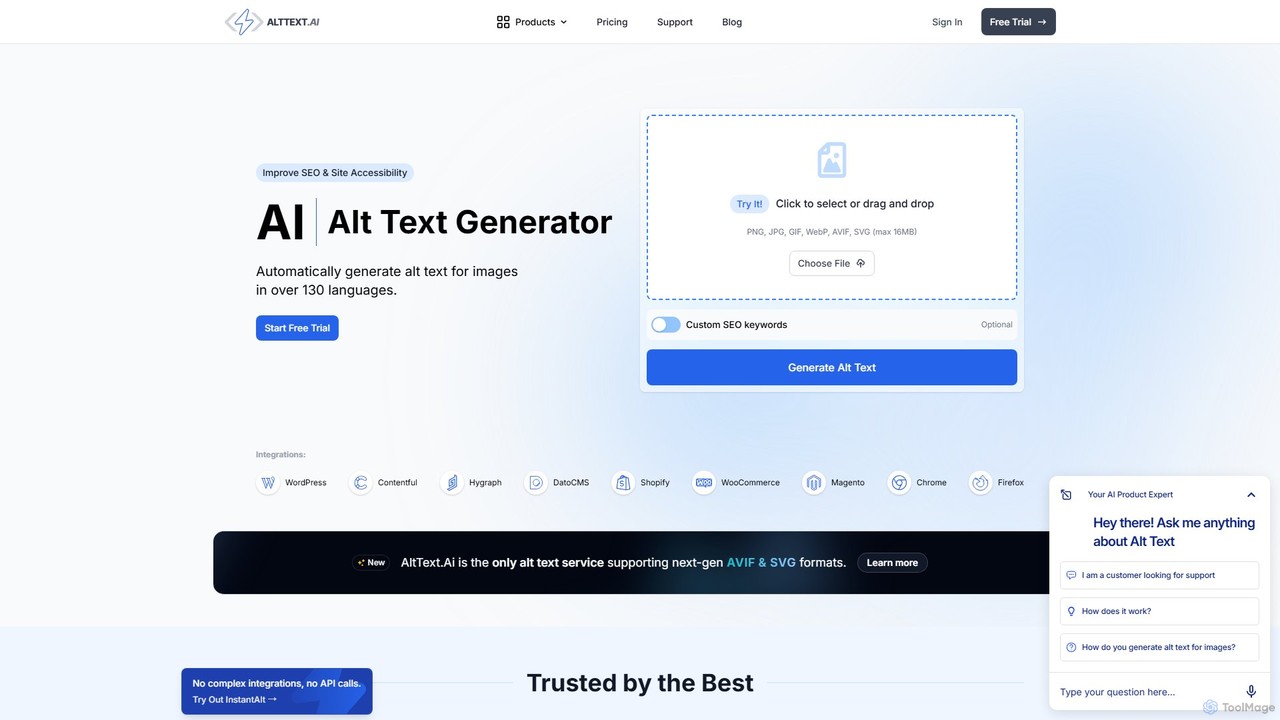
AltText.ai is an AI-powered tool that automatically generates accurate alt text for images in over 130 languages. It's …
AltText.ai is an AI-powered tool that automatically generates accurate alt text for images in over 130 languages. It's designed to significantly improve website SEO and accessibility with minimal effort. Through seamless integrations with platforms like WordPress and Shopify, a developer API, and browser extensions, it automates the tedious task of writing image descriptions, saving users hundreds of hours while ensuring compliance and boosting search engine visibility.
About Web Tools
AI Web Tools for accessibility are specialized applications that use artificial intelligence to automatically audit, analyze, and improve the usability of websites for people with disabilities. These tools leverage machine learning and computer vision to detect violations of standards like the Web Content Accessibility Guidelines (WCAG), such as insufficient color contrast, missing image alt text, or improper ARIA roles. Their primary value lies in rapidly scanning entire websites to identify and report accessibility barriers, enabling developers and designers to build more inclusive digital products efficiently. This automated approach significantly accelerates the compliance process compared to purely manual testing.
Core Features
- Automated Accessibility Auditing: Scans web pages or entire sites to detect WCAG compliance issues and generates detailed reports.
- AI-Powered Remediation Suggestions: Provides specific code snippets or recommendations to fix identified accessibility problems.
- Real-time Feedback Plugins: Integrates with design tools (e.g., Figma) and code editors to offer instant accessibility checks during the creation process.
- Visual Analysis: Uses computer vision to analyze color contrast, element visibility, and layout issues that affect users with visual impairments.
- Screen Reader Simulation: Emulates how a screen reader would interpret a webpage, helping developers identify navigation and content structure issues.
Use Cases
These tools are primarily used by web developers, UI/UX designers, QA testers, and digital compliance officers. They are integrated into the development lifecycle, from initial design mockups to automated testing in CI/CD pipelines. Organizations in regulated industries like government, finance, and education use these tools to maintain legal compliance and ensure their digital services are accessible to all users.
How to Choose
When selecting an AI Web Tool for accessibility, consider its integration capabilities with your existing toolchain (e.g., Jira, GitHub, CI/CD). Evaluate the depth and clarity of its audit reports—do they provide actionable insights and code examples? Also, assess the scope of its testing, including which WCAG versions and levels (A, AA, AAA) it covers. Finally, consider the balance between automated detection and the need for manual verification, as no tool can guarantee 100% compliance alone.
Web ToolsUse Cases
Automating Accessibility Audits in CI/CD Pipelines
A DevOps team integrates an AI web tool into their continuous integration/continuous delivery (CI/CD) pipeline. With every new code commit, the tool automatically scans the staging environment for accessibility violations against WCAG 2.1 AA standards. If critical issues like missing form labels or low-contrast text are detected, the build fails, preventing inaccessible code from being deployed to production. This proactive approach embeds accessibility into the development workflow, saving significant remediation time and ensuring ongoing compliance.
Generating Alt Text for a Large E-commerce Site
A content manager for an online store with thousands of product images uses an AI web tool to address missing alternative text. Instead of manually writing descriptions for each image, they use the tool's computer vision feature to automatically generate descriptive alt text (e.g., 'red running shoe with white laces'). The manager can then review and bulk-approve these suggestions. This process saves hundreds of hours of manual labor and significantly improves the shopping experience for visually impaired users relying on screen readers.
Ensuring Accessible Color Contrast in Design Systems
A UI/UX designer is building a new design system for a large enterprise application. They use an AI web tool plugin directly within their design software (like Figma or Sketch). As they define the brand's color palette and create components like buttons and text styles, the plugin provides real-time feedback on color contrast ratios. It automatically flags any combinations that fail WCAG AA standards and suggests accessible alternatives, ensuring that accessibility is built into the foundation of the product's visual design from the start.
Remediating an Existing Website for Compliance
A digital agency is tasked with making a client's large, legacy website compliant with accessibility laws. They begin by using an AI web tool to perform a full-site audit, which quickly identifies thousands of issues across hundreds of pages. The tool categorizes issues by severity and provides developers with specific code snippets for remediation (e.g., adding `aria-label` to icon buttons). This automated report serves as a clear roadmap, allowing the team to systematically address high-priority issues first and track their progress towards full compliance.
Live Accessibility Testing for Dynamic Web Applications
A QA tester is evaluating a complex single-page application (SPA) with dynamic content. They use an AI-powered browser extension to test accessibility in real-time. As they interact with the application—opening modals, loading new data, and navigating between views—the extension continuously analyzes the Document Object Model (DOM). It flags issues that static scanners might miss, such as focus management problems in newly rendered components or inaccessible error messages that appear after a form submission, ensuring the dynamic user experience is accessible.
Training Developers on Accessibility Best Practices
A senior developer uses the detailed reports from an AI web tool as a practical training resource for junior team members. Instead of just assigning tickets, they walk through the tool's findings together. The reports not only flag issues like 'improper heading structure' but also explain *why* it's a problem for screen reader users and link to the relevant WCAG documentation. This transforms the tool from a simple checker into an educational platform, helping to scale accessibility knowledge across the entire engineering team.