Peakflo
Peakflo is an AI-powered platform that automates back-office operations using agentic workflows. It specializes in streamlining finance processes …
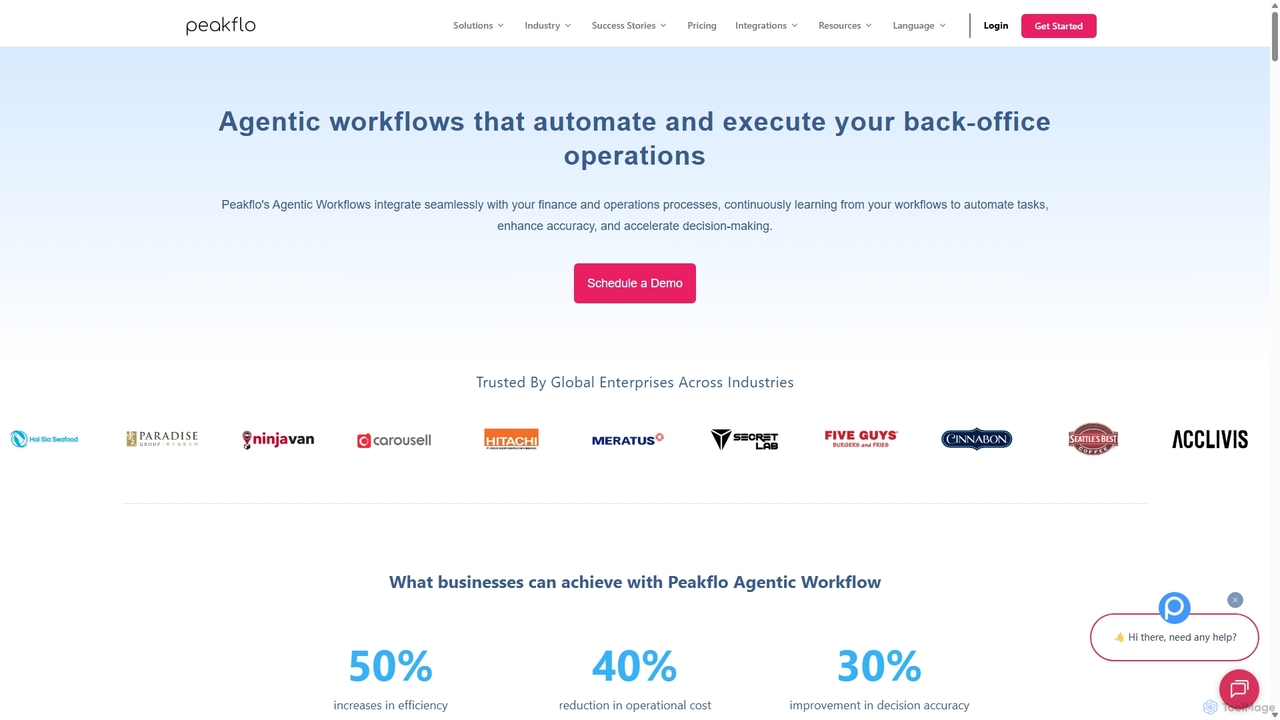
Peakflo is an AI-powered platform that automates back-office operations using agentic workflows. It specializes in streamlining finance processes like accounts payable (AP) and accounts receivable (AR), procurement, and expense management. By integrating with existing ERP and CRM systems, Peakflo's AI agents learn and execute complex tasks, from invoice processing to automated collection calls, significantly boosting efficiency and reducing operational costs for businesses.
About Task Automation
Task Automation tools are AI-powered solutions designed to streamline and execute repetitive digital workflows. As a specialized form of AI Agent, they leverage machine learning and predefined rules to perform sequences of actions, significantly reducing manual effort and improving operational efficiency. These tools excel at handling high-volume, rule-based, or semi-structured tasks across various business functions, freeing up human resources for more strategic work.
Core Features
- Workflow Orchestration: Design, manage, and execute complex multi-step processes automatically.
- Intelligent Data Extraction: Automatically identify, extract, and process relevant information from documents, emails, or web pages.
- Conditional Logic Execution: Perform actions based on specific triggers, conditions, or data inputs.
- Integration Capabilities: Seamlessly connect with existing software, APIs, and enterprise systems to extend automation across platforms.
- Error Handling & Monitoring: Implement mechanisms to detect and manage errors, with real-time monitoring of automated tasks.
Applicable Scenarios
Task Automation tools are invaluable for businesses seeking to optimize routine operations. They are widely adopted by administrative staff for data entry, marketing teams for content scheduling, and finance departments for invoice processing, enabling faster execution and reduced human error across the board.
How to Choose
When selecting a Task Automation tool, consider its integration capabilities with your existing tech stack, the complexity of workflows it can handle, its scalability to meet future demands, and the ease of use for non-technical staff. Evaluate the level of AI intelligence for handling exceptions and unstructured data, and compare pricing models based on task volume or user count.
Task AutomationUse Cases
Automating Customer Support Ticket Triage
Customer service teams can use Task Automation tools to automatically categorize incoming support tickets based on keywords, sentiment, and urgency. The tool can then route tickets to the appropriate department or agent, assign priority levels, and even trigger automated responses for common queries, significantly reducing initial response times and improving agent efficiency by ensuring they focus on complex issues.
Streamlining Data Entry and Database Updates
Administrative staff or data analysts often spend hours manually entering data from various sources into databases or spreadsheets. Task Automation tools can be configured to extract data from invoices, forms, or emails, validate it, and then automatically input it into CRM, ERP, or custom database systems. This eliminates human error, ensures data consistency, and saves significant time, allowing staff to focus on analysis rather than tedious input.
Automating Marketing Campaign Execution
Marketing professionals can leverage Task Automation to schedule and publish social media posts, send personalized email newsletters, and update website content based on predefined triggers or schedules. For example, an automation tool can detect a new blog post, generate social media snippets, and schedule their publication across multiple platforms, ensuring consistent brand presence and timely content delivery without constant manual oversight.
Automating Financial Report Generation
Finance departments can significantly reduce the time spent on routine report generation. Task Automation tools can connect to various financial systems, extract relevant data (e.g., sales figures, expenses, budget allocations), perform calculations, and then compile this information into standardized reports or dashboards. This ensures accuracy, compliance, and provides stakeholders with timely insights without manual data manipulation.
Onboarding New Employees with Automated Workflows
HR departments can use Task Automation to create seamless onboarding experiences. When a new employee is hired, the system can automatically trigger a series of actions: sending welcome emails, setting up accounts in various internal systems (email, HRIS, project management tools), assigning initial training modules, and notifying relevant team members. This ensures consistency, reduces administrative burden, and helps new hires integrate faster.
Automating Inventory Management Alerts
Retailers and logistics companies can use Task Automation to maintain optimal stock levels. An automation tool can monitor inventory data in real-time, and when stock for a particular product falls below a predefined threshold, it can automatically trigger an alert to the purchasing department, generate a reorder request, or even update the e-commerce platform to reflect low stock. This prevents stockouts, optimizes supply chains, and improves customer satisfaction.