JustReply
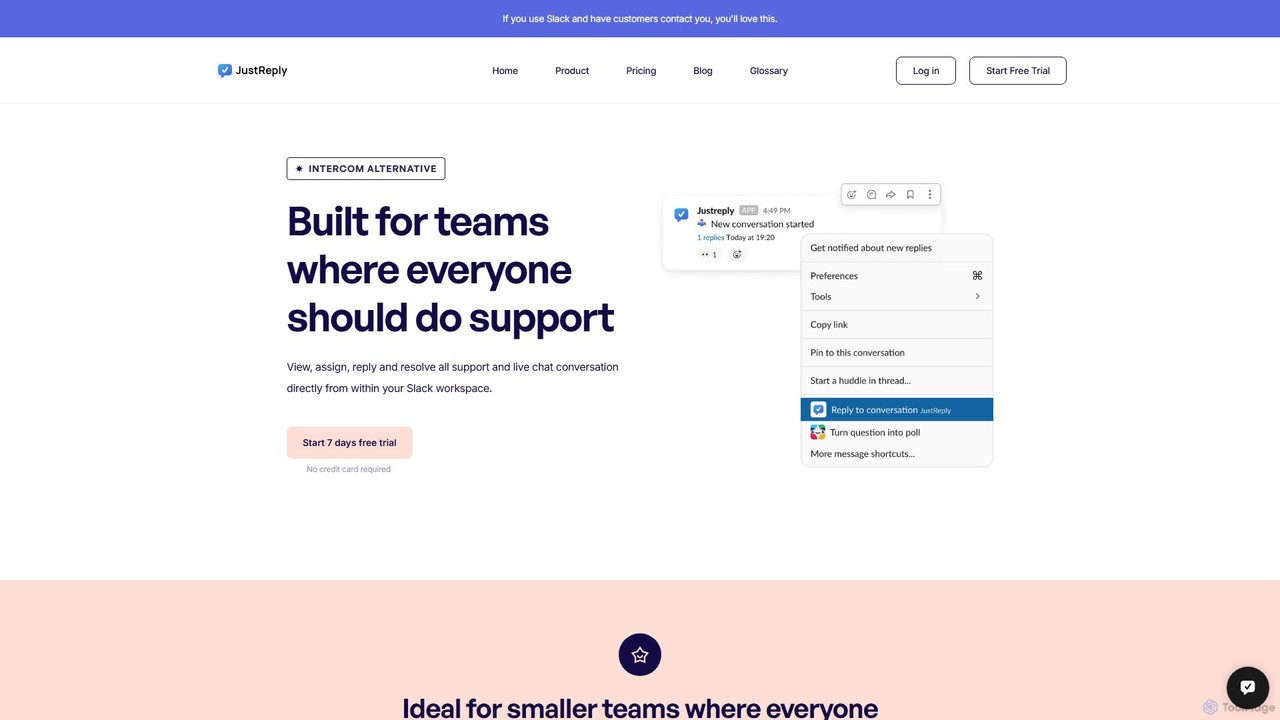
JustReply is an AI-powered, Slack-enabled customer support tool designed for startups. It centralizes customer conversations from live chat, …
JustReply is an AI-powered, Slack-enabled customer support tool designed for startups. It centralizes customer conversations from live chat, email, voice, and video into a minimalist Slack inbox, enabling teams to respond faster with AI-assisted macros and a smart knowledge base.
About Knowledge Base Management
Knowledge Base Management tools are AI-powered platforms designed to centralize, organize, and retrieve information efficiently. Leveraging natural language processing (NLP) and machine learning, these systems understand content, categorize it, and make it easily searchable. They are crucial for enhancing customer support, internal team collaboration, and self-service capabilities by providing instant access to accurate information. By integrating with AI chatbots, they empower conversational agents to deliver precise and contextually relevant answers.
Core Features
- Intelligent Content Ingestion: Automatically imports and processes various document types, extracting key information and metadata.
- Semantic Search: Allows users to find answers using natural language queries, understanding intent and context beyond exact keywords.
- Automated Tagging & Categorization: AI algorithms automatically tag, categorize, and link content, improving organization and discoverability.
- Version Control & Collaboration: Manages content updates, tracks changes, and facilitates seamless team collaboration on articles and documents.
- Chatbot Integration: Provides a structured and intelligent data source for AI chatbots, enabling them to answer user queries accurately and consistently.
Applicable Scenarios
Customer support teams utilize these systems to quickly find solutions for customer issues, reducing resolution times. Internal teams leverage them for efficient employee onboarding, sharing company policies, and fostering knowledge sharing. Companies deploy them to power comprehensive self-service portals, significantly reducing inbound support ticket volumes and improving user autonomy.
How to Choose
When selecting a Knowledge Base Management tool, prioritize its AI-driven features like semantic search and automated content organization. Evaluate its integration capabilities with existing CRM, helpdesk, and AI chatbot platforms for seamless workflows. Assess its scalability to handle growing content volumes and user queries, and ensure a user-friendly interface for both content creators and end-users to maximize adoption and efficiency.

Knowledge Base ManagementUse Cases
Empowering AI Chatbots for Customer Service
A Customer Service Manager needs to ensure their AI chatbot provides accurate and consistent answers to customer queries 24/7. By feeding the comprehensive knowledge base content into the chatbot, the AI can retrieve relevant information instantly, reducing resolution times and improving customer satisfaction. This integration significantly decreases the live agent workload by up to 30% and ensures consistent brand messaging across all interactions.
Streamlining Internal Employee Onboarding
An HR Department aims to provide new hires with quick access to company policies, procedures, and FAQs without overwhelming HR staff. A centralized knowledge base allows new employees to self-serve information, from benefits details to IT setup guides, accessible via a search portal or internal chatbot. This results in a significant reduction in HR queries, often by 40%, and a faster ramp-up time for new hires, boosting overall productivity.
Creating a Self-Service Customer Portal
A Product Manager or Support Lead seeks to reduce inbound support tickets by enabling customers to find answers independently. By publishing a comprehensive, searchable knowledge base on the company website, customers can troubleshoot issues, learn about features, and find solutions at their own pace. This strategy typically leads to a 20% reduction in support ticket volume, significantly improving customer autonomy and freeing up support agents for more complex issues.
Centralizing Product Documentation for Developers
A Software Development Team Lead needs to maintain up-to-date and easily accessible technical documentation for APIs, SDKs, and internal tools. A knowledge base management system provides robust version control, collaborative editing features, and powerful semantic search, ensuring developers always access the latest, most accurate technical specifications. This leads to faster development cycles due to quick access to documentation and a reduction in errors caused by outdated information.
Enhancing Sales Team's Product Knowledge
A Sales Enablement Manager aims to equip sales representatives with instant access to product specifications, competitor comparisons, and pricing details during client calls. A well-organized knowledge base allows sales reps to quickly pull up relevant information, answer client questions confidently, and tailor pitches on the fly. This often results in improved sales conversion rates by 15% and a more confident and informed sales team, leading to better client engagement.
Managing Compliance and Regulatory Information
A Compliance Officer needs to ensure all employees have access to the latest regulatory guidelines, legal policies, and compliance procedures. A secure knowledge base system with robust access controls and audit trails centralizes critical compliance documents, making them easily searchable and ensuring adherence to regulations. This significantly reduces the risk of non-compliance, streamlines audit processes, and fosters a culture of regulatory awareness across the organization.