
ToolMage
Sign in

Best 1 Retrieval Augmented Generation AI tools for Ai Infrastructure

Popular Retrieval Augmented Generation AI tools in Ai Infrastructure include Ducky, helping you work more efficiently.

Ducky
Freemium

Ducky

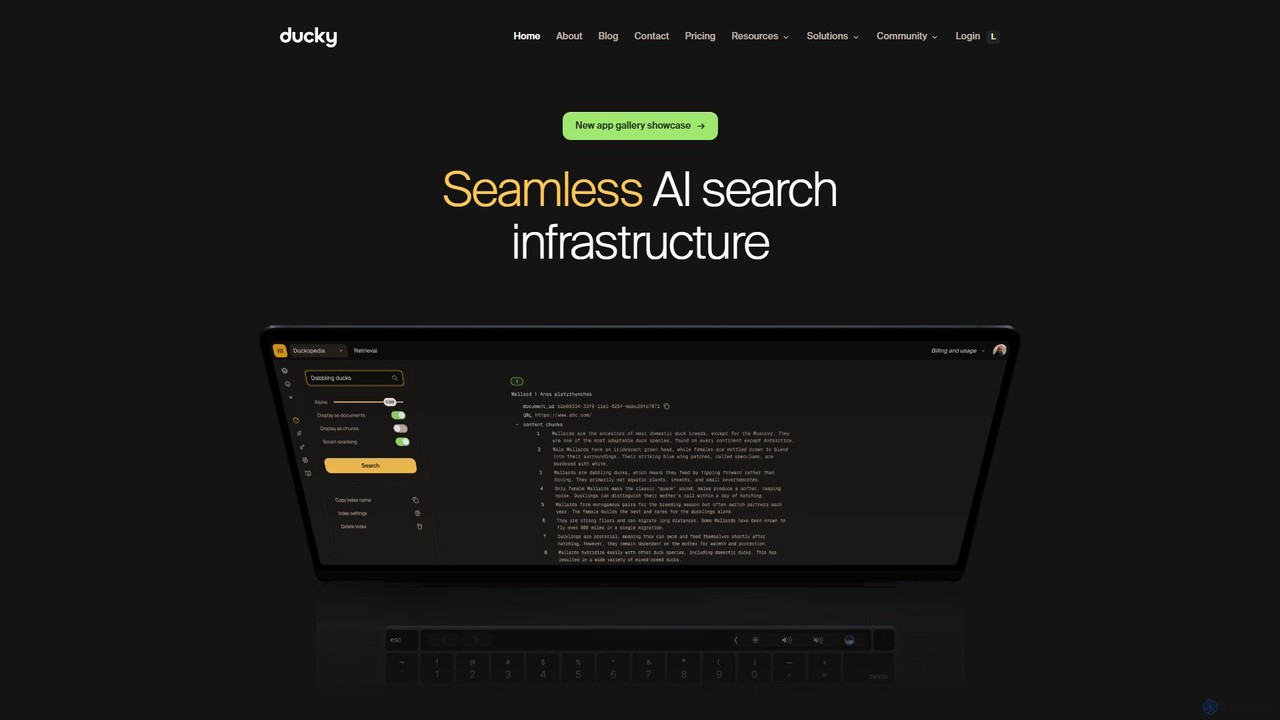
Ducky is a fully managed AI search infrastructure designed for developers. It simplifies the implementation of Retrieval-Augmented Generation (RAG) by handling complex tasks like data chunking, embedding, and reranking. With a simple Python SDK, Ducky enables developers to quickly build fast, accurate, and scalable semantic search capabilities into their applications, providing context-aware and hallucination-free responses from LLMs.

Retrieval Augmented Generation
Visits 7.7KFavorites 98Likes 99

About Retrieval Augmented Generation

Retrieval Augmented Generation (RAG) tools are a class of AI infrastructure that enhances large language models (LLMs) by connecting them to external, private knowledge sources. These tools work by first retrieving relevant, up-to-date information from a specified database or document set, and then providing this context to an LLM to generate more accurate and factually grounded responses. This process significantly reduces model hallucinations and allows AI applications to answer questions about proprietary or recent data not present in their original training. RAG is essential for building reliable, context-aware enterprise applications like internal knowledge base chatbots and intelligent customer support systems.

Core Features

  • Data Indexing: Connects to and creates searchable vector indexes from various data sources like documents, websites, or databases.
  • Contextual Retrieval: Employs semantic search to find the most relevant information chunks in response to a user's query.
  • Prompt Augmentation: Automatically injects the retrieved context into the prompt sent to the large language model.
  • Source Citation: Provides references to the original source documents used to generate the answer, ensuring verifiability.
  • Access Control: Manages user permissions to ensure the AI only retrieves information the user is authorized to see.

Use Cases

RAG tools are primarily used by developers and enterprises to build specialized AI applications. Common scenarios include creating internal knowledge base chatbots for employees to query company policies, developing customer support bots that provide answers based on the latest product manuals, and building research assistants that can synthesize information from vast libraries of technical papers or legal documents.

How to Choose

When selecting a Retrieval Augmented Generation tool, consider the following: data source compatibility and the ease of integration with your existing databases (e.g., Notion, Confluence, SQL). Evaluate the sophistication of its retrieval algorithms and chunking strategies. Assess its scalability to handle your data volume and query load. Finally, review the security features and access control mechanisms, especially when dealing with sensitive corporate information.

Retrieval Augmented Generation use cases

1

Build a Corporate Knowledge Base Chatbot

An HR department uses a Retrieval Augmented Generation tool to create an internal chatbot. They index all company policy documents, employee handbooks, and internal wikis. When an employee asks, "What is our remote work policy?", the RAG system first searches the indexed documents for relevant sections. It then feeds this specific, up-to-date policy text to an LLM, which crafts a precise answer. The chatbot can also provide a link to the source document, ensuring transparency and trust while saving the HR team hours of repetitive work.

2

Develop an Intelligent Customer Support Agent

A SaaS company implements a RAG-powered support bot on their website. The system is connected to their entire knowledge base, including technical documentation, API guides, and troubleshooting articles. When a customer asks a complex question like "How do I integrate your API with a Python script for batch processing?", the RAG tool retrieves the most relevant API documentation and code examples. The LLM then synthesizes this information into a clear, step-by-step guide for the customer, drastically reducing ticket resolution times and improving customer satisfaction.

3

Create a Research Assistant for Document Analysis

A legal firm uses a RAG tool to analyze thousands of case files and legal precedents. A paralegal can upload a new case document and ask, "Find all precedents related to intellectual property disputes in the software industry from the last five years." The RAG system semantically searches the entire database of legal documents, retrieves the most relevant cases, and provides them to the LLM. The model then generates a concise summary of key findings, relevant case citations, and potential legal arguments, accelerating the research process from days to minutes.

4

Powering a Financial Data Query Tool

An investment firm connects a RAG system to its real-time market data feeds, quarterly earnings reports, and analyst briefings. An analyst can now ask natural language questions like, "Summarize the key risks mentioned in Apple's latest 10-K report and compare them to last year's." The RAG tool retrieves the specific sections from both reports, feeds them to the LLM, and generates a comparative analysis. This allows for rapid, data-driven decision-making without manually sifting through hundreds of pages of dense financial documents.

5

Automate Onboarding and Training for New Hires

A large corporation builds an AI-powered onboarding assistant using RAG. The system is fed all training materials, process documents, and organizational charts. New employees can ask questions like, "Who should I contact for IT support?" or "Walk me through the process for submitting an expense report." The RAG system retrieves the exact, current procedure from the knowledge base and the LLM presents it as a simple, conversational guide. This provides consistent, 24/7 support for new hires and reduces the burden on managers and trainers.

6

Enhance E-commerce Product Discovery

An online retailer integrates a RAG system with its product catalog and customer reviews. A shopper can type a natural language query like, "I need a waterproof running shoe with good arch support for long distances." The RAG system retrieves products that match these specific attributes from the catalog and relevant positive reviews mentioning these features. The LLM then generates a personalized recommendation, summarizing why each suggested shoe is a good fit and quoting snippets from actual customer reviews. This creates a highly relevant and trustworthy shopping experience.

Retrieval Augmented Generation FAQ

What is Retrieval Augmented Generation (RAG)?

Retrieval Augmented Generation (RAG) is an AI technique that enhances the responses of Large Language Models (LLMs). It works by first retrieving factual information from an external knowledge base (like company documents or a database) and then providing this information as context to the LLM. This allows the model to generate answers that are more accurate, up-to-date, and grounded in specific data, significantly reducing the risk of providing incorrect or fabricated information (hallucinations).

How does RAG differ from fine-tuning an LLM?

The main difference is how they incorporate knowledge. RAG provides knowledge externally at the time of a query by retrieving relevant data. Fine-tuning, in contrast, updates the model's internal parameters by retraining it on a new dataset. Key points of comparison are:

  • Knowledge Updates: RAG can access real-time data easily, while fine-tuning requires a costly retraining process to update knowledge.
  • Verifiability: RAG can cite its sources, making answers verifiable. Fine-tuned models cannot easily trace answers back to a source.
  • Use Case: RAG excels at knowledge-intensive tasks requiring factual accuracy. Fine-tuning is better for teaching a model a new skill, style, or format.

Who should use Retrieval Augmented Generation tools?

RAG tools are primarily for developers, data scientists, and enterprises looking to build reliable, fact-based AI applications. They are ideal for any scenario where an LLM needs to answer questions based on a specific, private, or rapidly changing body of knowledge. Common users include:

  • Enterprises building internal knowledge base chatbots for employees.
  • SaaS companies creating intelligent customer support bots based on their documentation.
  • Legal and financial firms developing research assistants to analyze vast document repositories.
  • Developers building any application that requires an LLM to have access to up-to-date, verifiable information.

What are the key components of a RAG system?

A typical RAG system consists of several core components working together. The primary ones are:

  • Data Loader: Ingests data from various sources (PDFs, websites, APIs, databases).
  • Chunker: Splits large documents into smaller, manageable, and semantically meaningful chunks.
  • Embedding Model: Converts text chunks into numerical vectors (embeddings) that capture their meaning.
  • Vector Database: Stores these embeddings and allows for efficient similarity searches.
  • Retriever: Finds the most relevant vector embeddings from the database based on the user's query.
  • Large Language Model (LLM): Receives the user's query and the retrieved context to generate a final, informed answer.

How do I choose the right RAG tool for my project?

Selecting the right RAG tool depends on your specific needs. Consider these factors:

  • Data Connectors: Does the tool easily connect to your existing data sources (e.g., Confluence, Google Drive, SQL databases)?
  • Ease of Use vs. Customization: Are you looking for a low-code platform that's easy to set up, or a more flexible framework (like LangChain or LlamaIndex) that offers deep customization?
  • Scalability: Can the tool handle the size of your knowledge base and the expected volume of user queries?
  • Security and Permissions: Does it offer robust access control to ensure users only see data they are authorized to view? This is critical for enterprise use.
  • Hosting Options: Do you need a fully managed cloud solution, or do you require a self-hosted option for maximum data privacy?