
Ducky
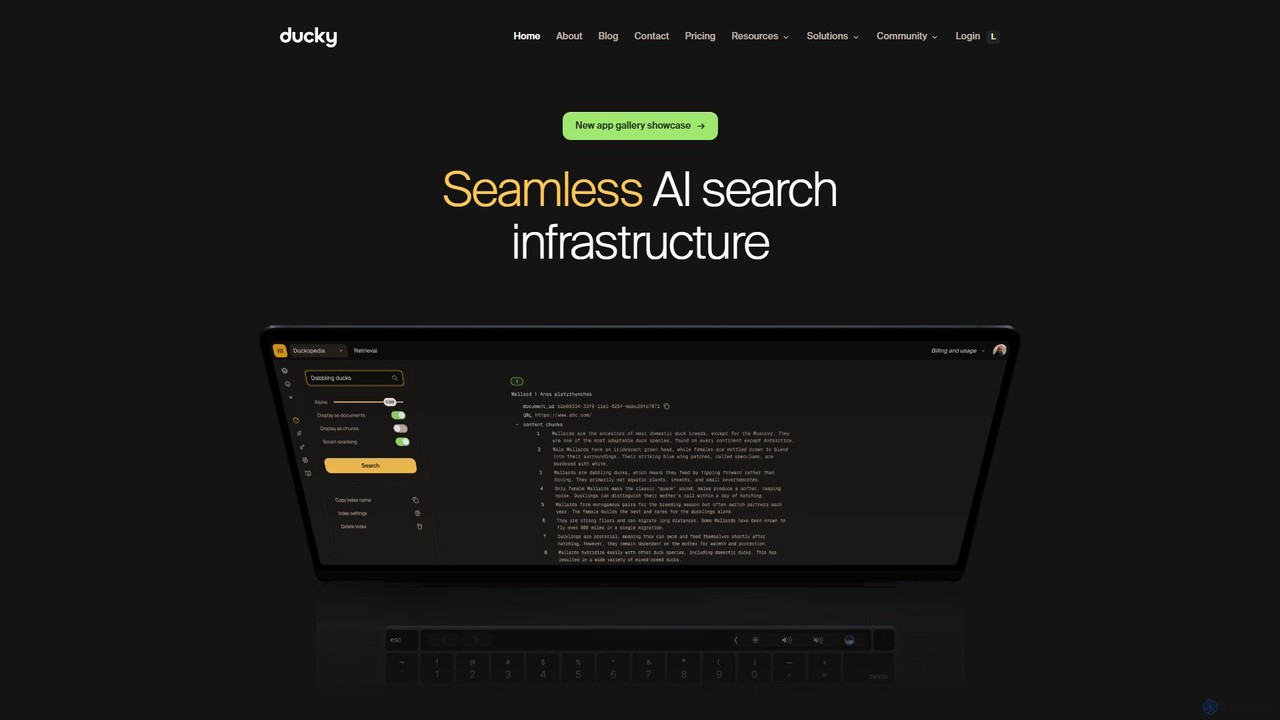
Ducky is a fully managed AI search infrastructure designed for developers. It simplifies the implementation of Retrieval-Augmented Generation …
Ducky is a fully managed AI search infrastructure designed for developers. It simplifies the implementation of Retrieval-Augmented Generation (RAG) by handling complex tasks like data chunking, embedding, and reranking. With a simple Python SDK, Ducky enables developers to quickly build fast, accurate, and scalable semantic search capabilities into their applications, providing context-aware and hallucination-free responses from LLMs.
About Search As A Service
Search as a Service (SaaS) provides developers with cloud-hosted, API-driven platforms to integrate advanced search functionality into applications and websites. These services manage the complex infrastructure of data indexing, query processing, and relevance tuning, eliminating the need to maintain search servers or software. This allows teams to rapidly deploy fast, typo-tolerant, and feature-rich search experiences with significantly less development effort. As a specialized category of developer tools, SolaaS focuses on delivering superior search performance, scalability, and analytics out-of-the-box.
Core Features
- Fast Indexing & Querying: Enables real-time data synchronization and delivers search results typically in milliseconds.
- Relevance Customization: Provides tools to fine-tune search result ranking based on business rules, user behavior, and custom attributes.
- Typo Tolerance & NLP: Automatically handles spelling mistakes, synonyms, and prefix searching to improve user experience.
- Faceted Search & Filtering: Allows users to easily refine search results using multiple filters and categories (e.g., price, brand, size).
- Search Analytics: Offers dashboards with insights into popular queries, searches with no results, and click-through rates to optimize search performance.
Use Cases
Search as a Service is widely adopted in e-commerce for product discovery, in SaaS applications for in-app content search, and on media websites for retrieving articles from large archives. It is also essential for technical documentation portals, enabling users to find specific information quickly and efficiently.
How to Choose
When selecting a Search as a Service provider, evaluate the indexing and query performance to ensure it meets your speed requirements. Examine the quality of the API documentation and SDKs for your technology stack. Assess the flexibility of the relevance tuning capabilities and ensure the pricing model aligns with your expected usage and scales predictably as your application grows.
Search As A ServiceUse Cases
Enhancing E-commerce Product Discovery
An e-commerce developer is tasked with replacing a slow, inaccurate site search that relies on basic database queries. By integrating a Search as a Service API, they can index their entire product catalog in near real-time. This allows them to implement features like typo-tolerant search, custom ranking to promote certain products, and faceted filters for brand, price, and size. The result is a significantly improved user experience, leading to higher conversion rates and increased average order value as customers can find products faster and more accurately.
Implementing In-App Search for a SaaS Platform
A SaaS product manager wants to improve user engagement by allowing users to search for their own content (e.g., projects, documents, tasks) within the application. Instead of building a search engine from scratch, the development team uses a Search as a Service provider. They configure the API to index user-generated content securely, respecting data privacy and tenancy. Users can now instantly find their information, which reduces friction, improves productivity, and decreases the number of support requests related to finding content.
Powering a Technical Documentation Portal Search
A company's technical writing team manages a large portal with hundreds of guides, API references, and tutorials. Users often struggle to find specific information. The team implements a Search as a Service solution to index all content from their content management system. They configure the search to rank API reference pages higher for technical queries and tutorials higher for 'how-to' questions. This provides developers and users with a highly relevant and fast search experience, improving the usability of the documentation and reducing the burden on the support team.
Creating a Geospatial Search for a Marketplace App
A developer building a mobile marketplace app for local services needs to allow users to search for providers within a specific radius. Using a Search as a Service platform with geospatial capabilities, they index each provider with their geographic coordinates. The app can then send a user's current location and a search radius to the API, which returns a ranked list of the nearest providers. This location-aware search is critical for the app's functionality and provides a highly relevant experience that would be complex and slow to implement using a traditional database.
Building a Unified Internal Enterprise Search
An IT administrator at a large company needs to help employees find information scattered across multiple internal systems like Confluence, SharePoint, and a shared network drive. They use a Search as a Service tool with various connectors to ingest and index data from all these sources into a single, unified search index. An internal portal is created with a search bar that queries this index. Now, employees can find any document, wiki page, or report from one place, significantly boosting internal productivity and reducing time wasted searching for information.
Optimizing Search on a Media and Publishing Website
A content manager for a large news and media website notices that users are leaving the site because the built-in search function is slow and returns irrelevant articles. By implementing a Search as a Service solution, they can provide lightning-fast search across millions of articles. They also use the analytics feature to understand what topics users are searching for most, which informs their content strategy. The improved search experience keeps users on the site longer, increases page views, and provides valuable data for the editorial team.