ToolMage
Sign in

Best 3 Ai AI tools for Developer Tools

Popular Ai AI tools in Developer Tools include 16x Engineer, Achiv, and Varynex, helping you work more efficiently.

Varynex
Freemium

Varynex

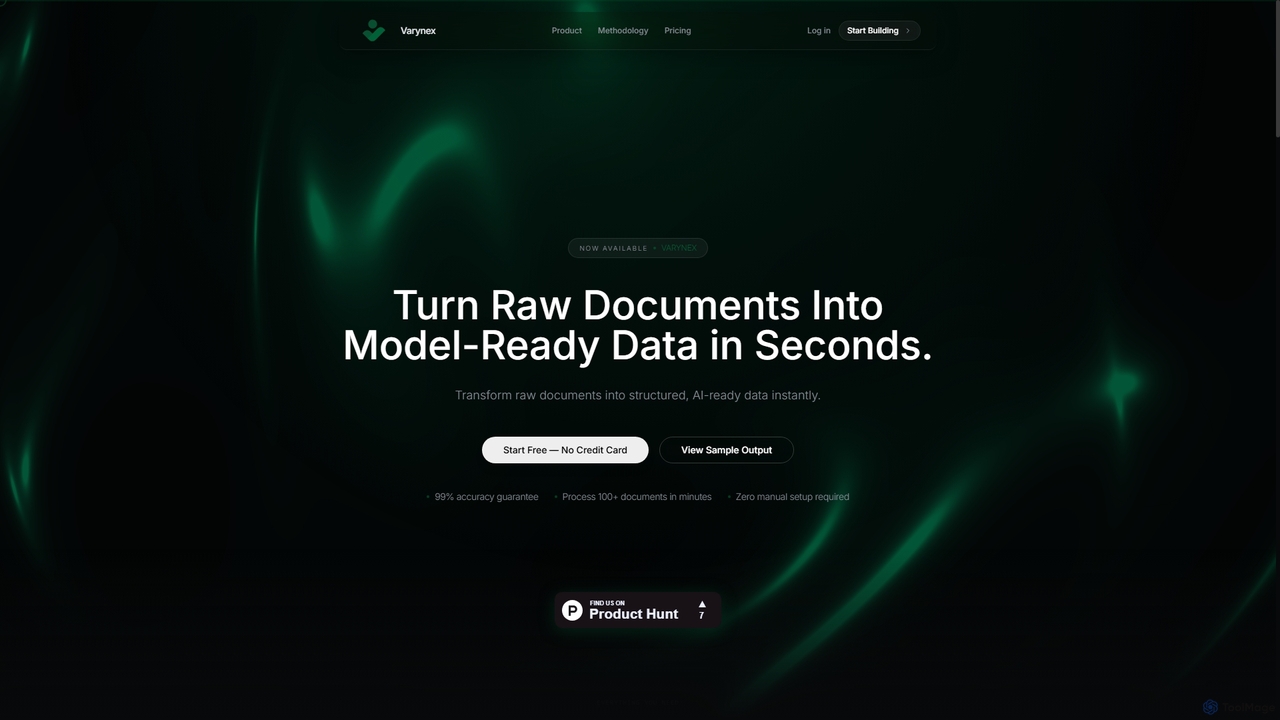
Varynex is an automated data processing platform that transforms raw documents into structured, AI-ready data with 99% accuracy. It instantly extracts entities, generates Q&A pairs, creates knowledge graphs, and redacts PII, eliminating manual data preparation and accelerating AI development.

Extraction
Visits 6.5KFavorites 141Likes 138
Achiv
Paid

Achiv

Achiv is a specialized AI and Machine Learning consultancy and knowledge hub. It offers expert services in custom AI solution development, AI agent automation, and advanced prompt engineering, leveraging deep expertise in technologies like Python, PyTorch, and n8n to help businesses and startups build and deploy cutting-edge AI applications.

Consulting
Visits 8.8KFavorites 141Likes 122
16x Engineer
Freemium

16x Engineer

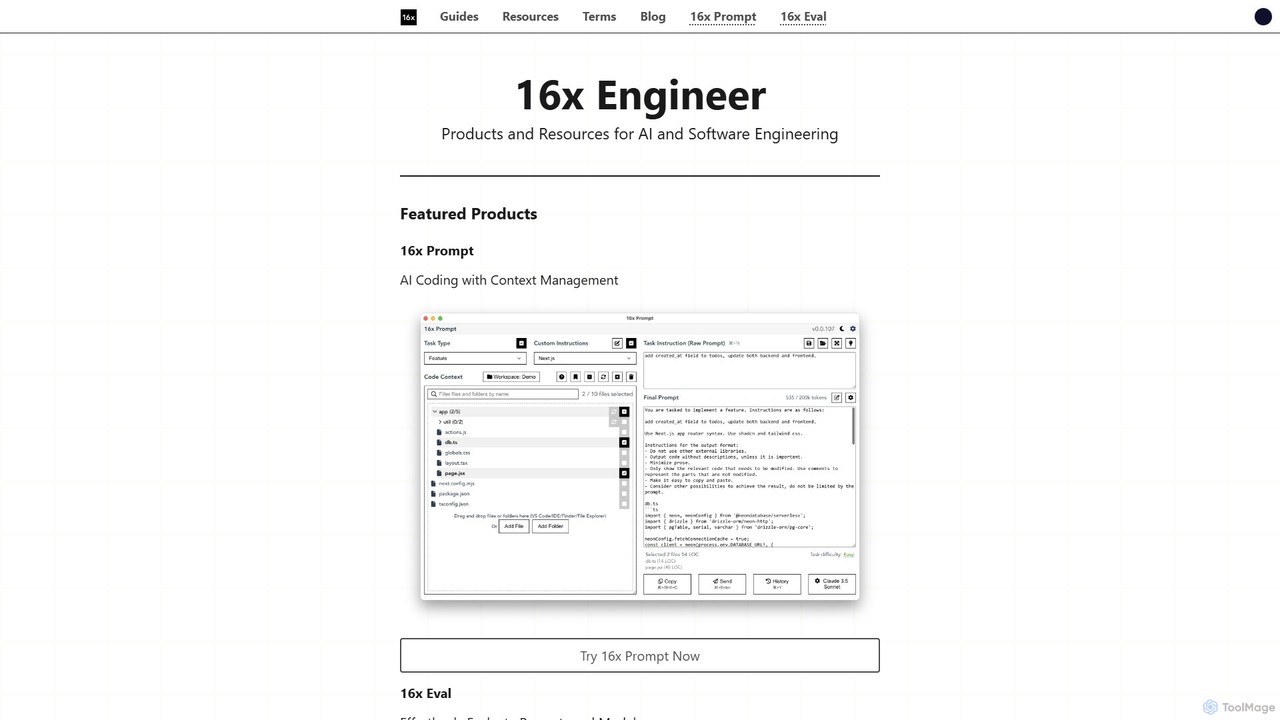
16x Engineer is a comprehensive platform for software and AI engineers, offering a suite of specialized tools and in-depth resources. It features '16x Prompt' for advanced context management in AI-assisted coding and '16x Eval' for evaluating prompts and models. Created by engineers for engineers, it aims to enhance productivity and accelerate career growth through practical tools and expert guides on technical skills and professional development.

Ai
Visits 120.2KFavorites 133Likes 136

About Ai

AI developer tools are frameworks, APIs, and platforms that enable developers to build, train, and deploy artificial intelligence models. These tools leverage technologies like machine learning, deep learning, and natural language processing to integrate intelligent features into applications. They significantly accelerate the development of smart software, from predictive analytics to automated systems. This category provides the foundational building blocks for creating sophisticated, AI-powered solutions without starting from scratch.

Core Features

  • Model Training & Fine-Tuning: Provides environments and libraries for training custom machine learning models or adapting pre-trained ones to specific datasets.
  • AI Model APIs: Offers access to powerful, pre-trained models (e.g., for language, vision, speech) through simple API calls, reducing development complexity.
  • MLOps Platforms: Delivers tools for managing the entire machine learning lifecycle, including experiment tracking, model versioning, and automated deployment.
  • Data Processing & Annotation: Includes libraries and services for preparing, cleaning, and labeling large datasets required for training accurate models.

Use Cases

These tools are essential for software engineers, data scientists, and MLOps engineers. Common applications include building intelligent chatbots for customer service, developing recommendation engines for e-commerce platforms, integrating computer vision for image analysis in mobile apps, and creating predictive models for financial forecasting.

How to Choose

When selecting an AI developer tool, consider the level of abstraction needed—APIs for quick integration versus frameworks for deep customization. Evaluate the scalability of the platform, the availability of pre-trained models relevant to your domain, and the pricing model (e.g., pay-per-API-call vs. infrastructure costs). Your team's existing technical skills in languages like Python are also a key factor.

Ai use cases

1

Building a Customer Service Chatbot

A software developer at an e-commerce company is tasked with reducing support ticket volume. Using an AI developer tool like the OpenAI API or Google Dialogflow, they can build an intelligent chatbot. The process involves defining user intents, providing training data from past customer queries, and integrating the chatbot API into the company's website and mobile app. The resulting bot can instantly answer common questions about order status, return policies, and product information 24/7, freeing up human agents to handle more complex issues.

2

Developing a Product Recommendation Engine

A data scientist aims to increase user engagement and sales on a streaming platform. They use a machine learning framework like TensorFlow or PyTorch to build a recommendation engine. This involves collecting user interaction data (views, likes, searches), processing it, and then training a collaborative filtering or content-based model. The trained model is then deployed as a microservice. When a user logs in, the service predicts and displays a personalized list of movies or shows, improving user experience and retention.

3

Integrating Image Recognition into a Mobile App

A mobile app developer for a gardening app wants to add a feature that identifies plants from a photo. Instead of building a complex computer vision model from scratch, they use a pre-trained vision API like Google Cloud Vision or AWS Rekognition. The developer integrates the service's SDK into their app. When a user takes a photo of a plant, the app sends the image to the API, which returns a list of probable plant species. This allows for rapid feature development and leverages a powerful, pre-existing AI model.

4

Automating Data Analysis and Prediction

A financial analyst needs to predict stock market trends based on historical data. They use an automated machine learning (AutoML) platform. The analyst uploads a dataset containing historical stock prices and relevant economic indicators. The platform automatically preprocesses the data, tests various algorithms (like regression and time-series models), and selects the best-performing one. The developer can then deploy this model to receive daily predictions, turning a complex data science task into a more manageable workflow without deep coding expertise.

5

Fine-Tuning a Language Model for a Specific Domain

A legal tech startup wants to create an AI assistant that can summarize legal documents. General-purpose language models may not understand specific legal jargon. A developer uses a platform like Hugging Face or a cloud provider's AI service to fine-tune a pre-trained model like GPT or Llama. They prepare a dataset of legal documents and their summaries. The fine-tuning process adapts the model to the legal domain, resulting in an AI that produces highly accurate and contextually relevant summaries for lawyers, saving them significant time.

6

Managing the ML Lifecycle with MLOps

An MLOps engineer at a large tech company is responsible for ensuring that machine learning models are deployed reliably and efficiently. They use an MLOps platform like MLflow or Kubeflow to manage the entire process. This includes tracking hundreds of training experiments, versioning datasets and models to ensure reproducibility, and creating automated CI/CD pipelines for testing and deploying new model versions. This systematic approach reduces errors, accelerates deployment cycles, and allows the team to maintain high-quality models in production.

Ai FAQ

What are AI Developer Tools?

AI developer tools are specialized software, frameworks, and platforms designed to help developers build AI-powered applications. They provide the necessary infrastructure and abstractions to work with complex technologies like machine learning and deep learning. These tools range from low-level libraries like TensorFlow for custom model building to high-level APIs that provide access to pre-trained models for tasks like image recognition or language translation. Their primary goal is to make AI development more accessible and efficient.

How to choose the right AI tool for a development project?

Choosing the right AI tool depends on several factors. Consider the following:

  • Problem Type: Are you working on a computer vision, NLP, or predictive analytics problem? Select a tool specialized for that domain.
  • Skill Level: If your team is new to AI, high-level APIs or AutoML platforms are a good start. For experienced data scientists, frameworks like PyTorch or TensorFlow offer more control.
  • Data Availability: If you have a large, labeled dataset, you can train a custom model. If not, using a pre-trained model via an API is more practical.
  • Scalability and Cost: Evaluate the tool's ability to handle production-level traffic and its pricing model. API calls can be costly at scale, while managing your own infrastructure requires MLOps expertise.
What's the difference between using an AI API and building a model from scratch?

The main difference lies in the level of effort, control, and customization. Using an AI API is faster and requires less expertise; you send data to a pre-trained model and get a result. It's ideal for standard tasks like text-to-speech or object detection. Building a model from scratch using a framework like TensorFlow offers maximum control and customization for unique problems. However, it requires significant expertise in data science, large amounts of training data, and substantial computational resources for training and deployment.

What are the key components of an AI development platform?

A comprehensive AI development platform typically includes several key components. These often consist of:

  • Data Management Tools: For ingesting, storing, cleaning, and labeling data.
  • Development Environment: Often a notebook-based interface (like Jupyter) for writing code and experimenting.
  • Model Training Infrastructure: Access to scalable computing resources like GPUs or TPUs for training models efficiently.
  • Experiment Tracking: Tools to log parameters, metrics, and artifacts for different training runs to ensure reproducibility.
  • Model Deployment & Serving: Features to package a trained model and deploy it as a scalable API endpoint for application integration.
Who are the primary users of AI Developer Tools?

The primary users are technical professionals involved in building software and data products. This includes:

  • Software Engineers: Who integrate AI capabilities into applications using APIs or libraries.
  • Data Scientists: Who use frameworks and platforms to build, train, and evaluate custom machine learning models.
  • MLOps Engineers: Who focus on the operational side, using platforms to automate the deployment, monitoring, and management of models in production.
  • Researchers: Who use these tools to experiment with new algorithms and architectures.