glitchyimage
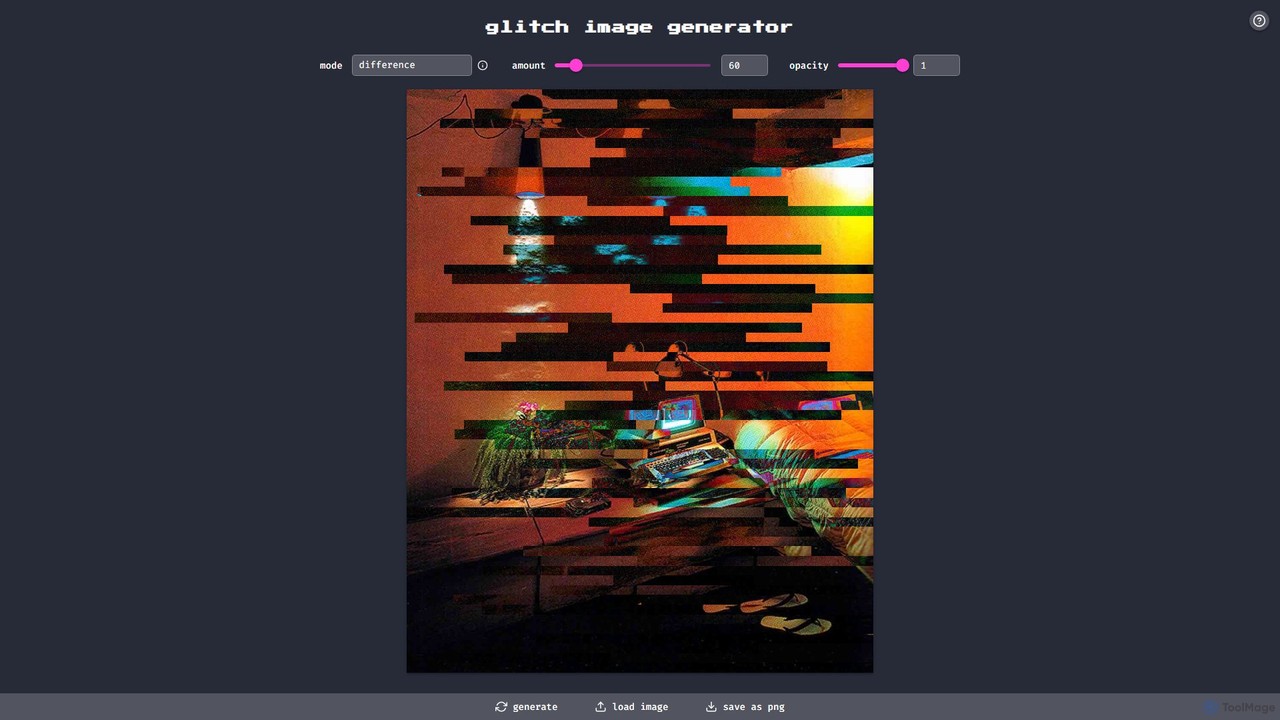
glitchyimage is a free, web-based tool that allows users to create unique glitch art by applying various effects …
glitchyimage is a free, web-based tool that allows users to create unique glitch art by applying various effects and blend modes to their own images. With an intuitive interface, you can upload a photo, adjust parameters like opacity and effect amount, and generate stunning, high-quality glitch visuals instantly. It's perfect for artists, designers, and social media creators looking to add a modern, edgy aesthetic to their work.
About Art And Design
AI Art and Design tools are a class of software that utilizes artificial intelligence, particularly generative models, to create, modify, and analyze visual content. These tools process inputs like text descriptions or existing images to produce unique artworks, design mockups, and other visual assets. They empower creators of all skill levels to rapidly visualize ideas, automate repetitive tasks, and explore novel creative directions that were previously difficult to achieve. The technology significantly accelerates workflows in digital art, marketing, and product design.
Core Features
- Text-to-Image Generation: Creates detailed images and illustrations from simple text prompts.
- Style Transfer: Applies the artistic style of one image to the content of another.
- AI-Powered Editing: Automates complex tasks like object removal, background replacement, and image upscaling.
- Generative Design: Produces numerous design variations based on a set of predefined constraints and goals.
- Pattern & Texture Creation: Generates seamless patterns and realistic textures for 3D models and graphic design.
Use Cases
These tools are widely adopted by graphic designers for creating marketing materials, concept artists for visualizing game and film environments, and content creators for producing unique blog or social media visuals. Product designers also use them for rapid prototyping and generating mockups, while architects leverage them for conceptual visualization. Their application spans from professional creative industries to individual hobbyists exploring new forms of expression.
How to Choose
When selecting an AI Art and Design tool, consider the specific output style you need (e.g., photorealistic, anime, abstract). Evaluate the tool's control over the output, such as the complexity of prompts it can handle and options for image refinement. Also, review the pricing model (subscription vs. credit-based), the maximum output resolution, and critically, the terms regarding commercial usage rights for the generated content.

Art And DesignUse Cases
Generate Marketing Campaign Visuals
A marketing manager for a new beverage brand needs a series of vibrant, eye-catching images for a social media campaign. Instead of organizing a costly photoshoot or searching for generic stock photos, they use an AI art generator. By inputting prompts like 'photorealistic image of a tropical fruit drink on a sunny beach, vibrant colors, condensation on the bottle,' they generate dozens of high-quality, unique visuals in minutes. This allows for A/B testing different creative concepts and significantly reduces the time and budget required for content creation, enabling a more agile marketing strategy.
Create Concept Art for Game Development
A concept artist working on a fantasy video game needs to explore various designs for a mythical creature. Traditionally, this would involve hours of sketching. Using an AI design tool, the artist inputs a detailed description: 'a majestic griffin with peacock feathers, glowing blue eyes, and armored legs, in a dark forest setting, digital painting style.' The AI generates multiple visual interpretations in different poses and lighting conditions. The artist can then select the most promising concepts to refine manually, accelerating the ideation phase by over 70% and providing a richer set of initial ideas to the development team.
Design Unique Patterns for Textiles and Products
A fashion designer wants to create a unique fabric pattern for their new collection. They use an AI pattern generator to explore ideas. By providing inputs like 'art deco floral pattern, gold and emerald green, seamless,' the tool generates hundreds of tileable pattern variations. The designer can adjust parameters like complexity and color palette in real-time. This process replaces the manual and time-consuming task of drawing patterns from scratch, allowing for the creation of a truly original and complex design that can be immediately sent for fabric printing.
Rapid Prototyping for Product Mockups
A UX/UI designer is brainstorming ideas for a new mobile app icon. They need to present several distinct concepts to the client quickly. Using an AI image generator, they input prompts like 'minimalist app icon for a finance app, green and white, abstract shape of a growing plant.' The AI produces a variety of icons in seconds. The designer can then use an AI editing tool to place the best icons onto a smartphone screen mockup, creating a professional presentation in under an hour, a task that would typically take half a day.
Enhance and Restore Old Photographs
A genealogist or family historian has a collection of old, faded, and scratched family photos. They use an AI photo enhancement tool to restore them. The tool's algorithms automatically correct colors, sharpen details, remove scratches, and can even colorize black-and-white images with surprising accuracy. By uploading a scanned low-resolution photo, the AI can also upscale it for printing without significant loss of quality. This allows precious memories to be preserved and shared in a quality that was previously only achievable by professional restoration artists.
Create 3D Models from Text or Images
An indie game developer needs a variety of 3D assets for their game but lacks extensive 3D modeling skills. They use an AI 3D model generator. By providing a text prompt like 'a low-poly treasure chest with gold trim and a skull lock' or by uploading a 2D concept sketch, the tool generates a basic 3D model. While this model may require some cleanup in a traditional 3D software, it provides a solid foundation, saving dozens of hours of modeling work from scratch. This democratizes 3D content creation, making it accessible to a wider range of creators.